Safehome.org is dedicated to helping people rest easy at night. We’re here to show our readers how to get the most secure home possible for the best possible price. That’s why we never charge our readers for our content.
We participate in partnerships that we may receive compensation from. We never allow these partnerships to influence our trusted reviews and rankings.
Our editorial decisions are ours alone, and our recommendations are based solely on our expertise, experience, and opinions. Our reviews are the result of hours of careful research. When we endorse, rank, or review products and services, we’re making independent judgments that you can trust.
In order to keep our important content free to readers, we participate in affiliate programs, including the Amazon Services LLC Associates Program.
Our partnerships exist to help us serve our readers — never the other way around. We partner only with companies that meet our strict standards for quality, and we never allow our partners to dictate the content in our trusted reviews and rankings. Our goal is to deliver comprehensive, accurate, and up-to-date home security information to our readers, and everything that we do is in service of that goal.
Safehome.org is driven by one mission only: to become the #1 resource that helps the everyday person protect themselves and their family.
To this end, we’ve recruited industry experts to advise our editorial team. Our expert panel brings a wealth of experience from various backgrounds such as burglary detectives, identity theft experts, senior care professionals, and more. Rest assured that our reviews, guides, and recommendations all contain factual information from highly-reputable sources.
We also spend countless hours researching and testing products and services. Our objective findings are then distilled into SecureScore, an at-a-glance score that is both trustworthy and incredibly useful.
To maintain reader trust, we must remain unbiased, truthful, and thorough. This is a responsibility we take seriously. We will continue to recruit the brightest minds and deliver top-quality information in each of our reviews and SecureScore ratings. And that’s a SafeHome.org promise.
ADT
SecureScore™: 9.3/10
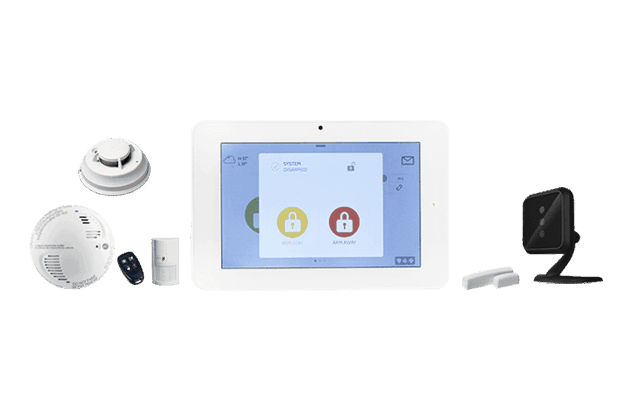
The ADT+ app gives you remote control over your house, so you can save money and live easier. Turn off lights, change the thermostat, and arm/disarm the system from anywhere. You also get six months to try out the system and service risk-free.
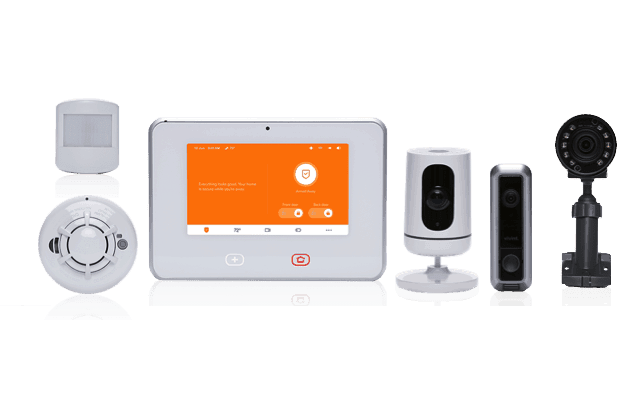
Vivint’s smart home security equipment can outfit your entire home—no matter how big it is. During installation, a Vivint technician will make security recommendations for every entrance and floor. The company even offers garage door control and outdoor video surveillance.
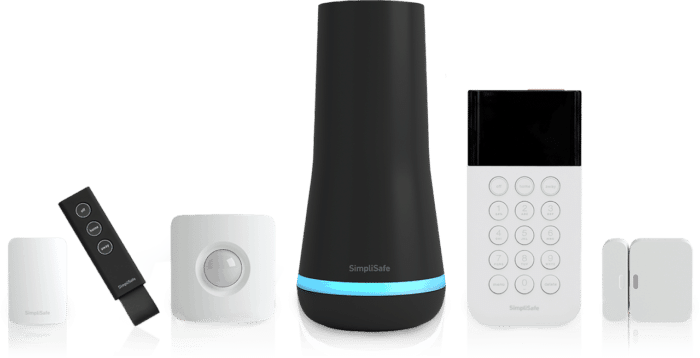
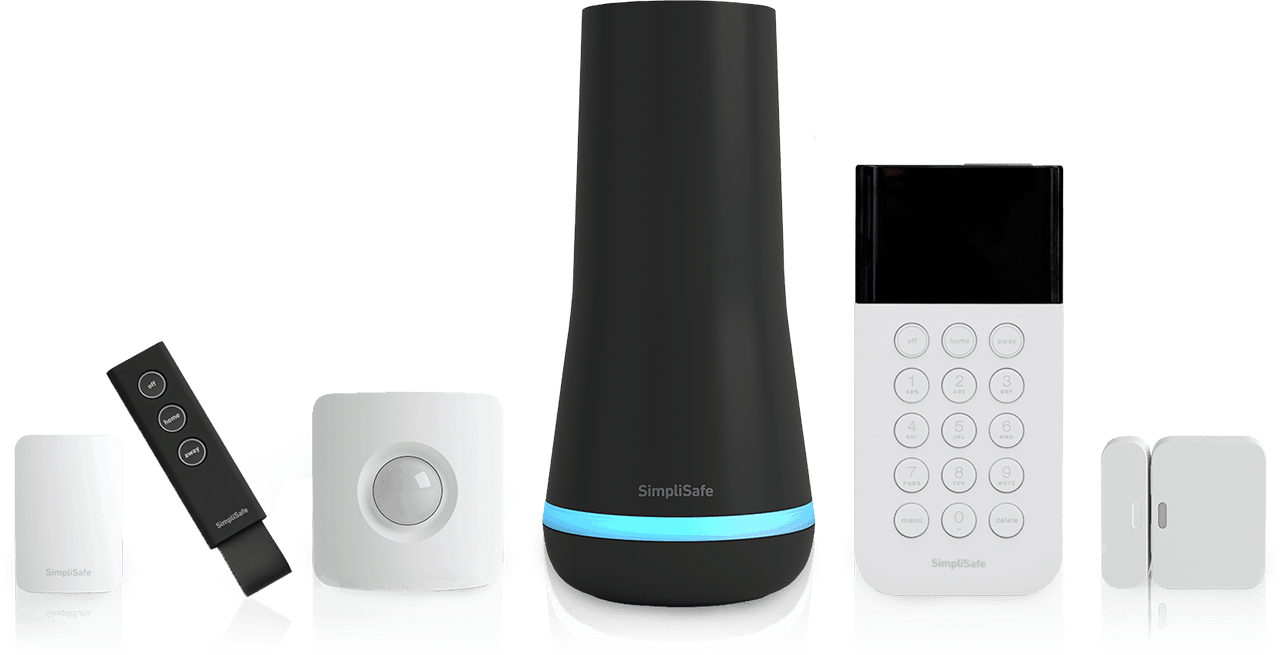
Step into custom home security that’s perfect for larger homes. SimpliSafe customers enjoy 100% wireless equipment, no contracts, and surprisingly affordable prices. If you’re looking to safeguard your home and family, SimpliSafe will not disappoint.
Securing a large home is exponentially harder than a small one. You’re dealing with more rooms, more entry points, and wide-open outdoor areas with vulnerabilities that burglars can exploit. That's why we tested over 50 home security systems to find the ones that can effectively protect every vulnerability in large properties.
ADT stands out for its extensive equipment selection and industry-leading monitoring service, making it our top pick for large properties. That said, it’s not the only option—Vivint, SimpliSafe, Frontpoint, and Ring Alarm also offer robust features and professional support. Here’s a closer look at how each system performs so you can choose the right fit for your home.
Our Methodology: How We Tested and Ranked The Best Security Systems for Large Homes
Our Approach
We make trustworthy and unbiased reviews by testing home security systems ourselves. We buy the equipment with our money, install the systems in our homes, and test them for weeks and sometimes months. It helps us get a feel for what it is like to live with the security system and learn first-hand about the response times, apps, and features. We then use these experiences to make our recommendations.
Our Testing Setup
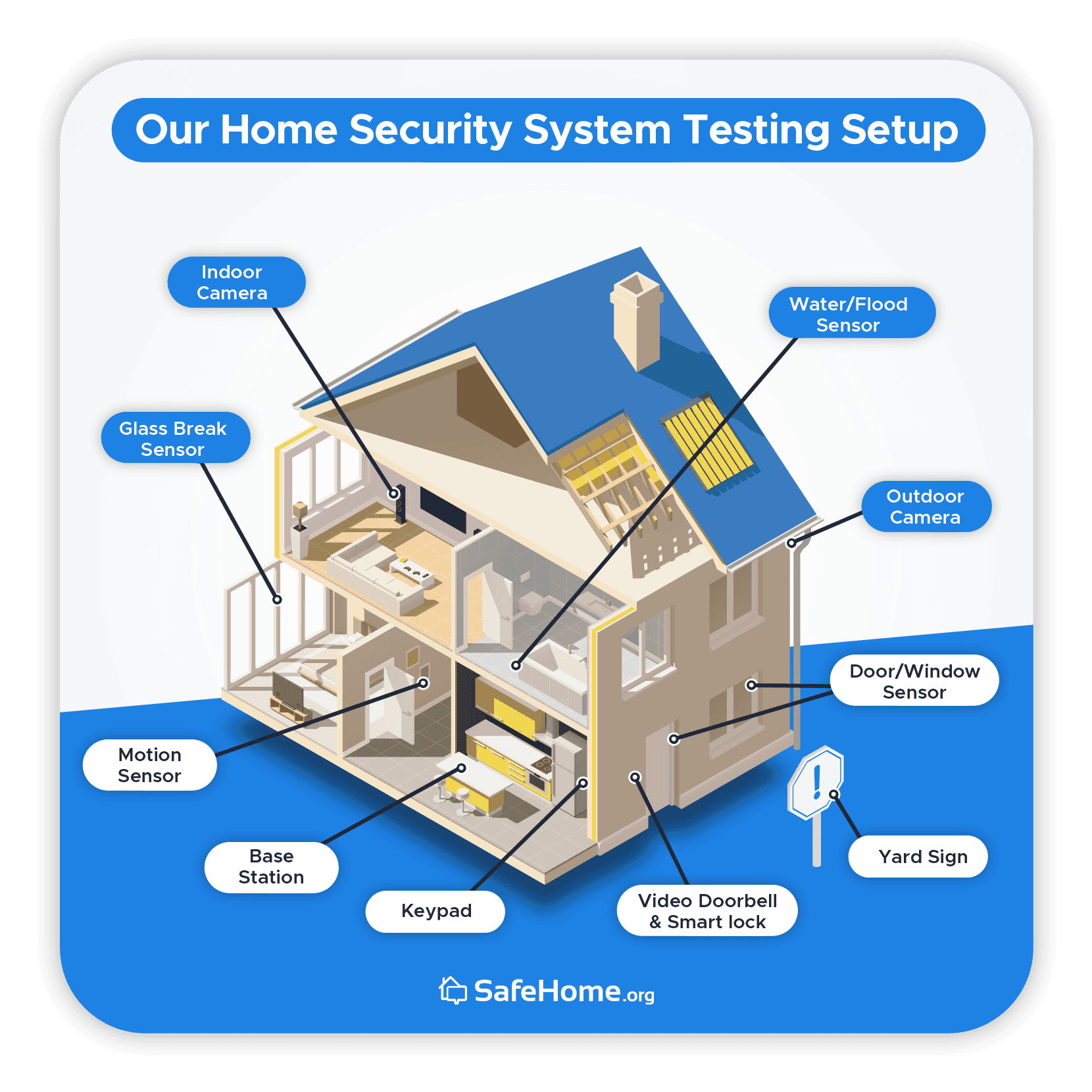
Many factors impact testing home security systems, so we find ways to make like-for-like comparisons. One way is to test all the equipment in the same environment. For this review, we used a two-story, 2,200-square-foot home owned by one of our home security experts. It’s not a mansion, but using a real house means we have real-life experience with the security systems and can make accurate recommendations.
We also buy the same equipment for every security system and install them in identical places. You can see the locations where we regularly choose to place devices below.
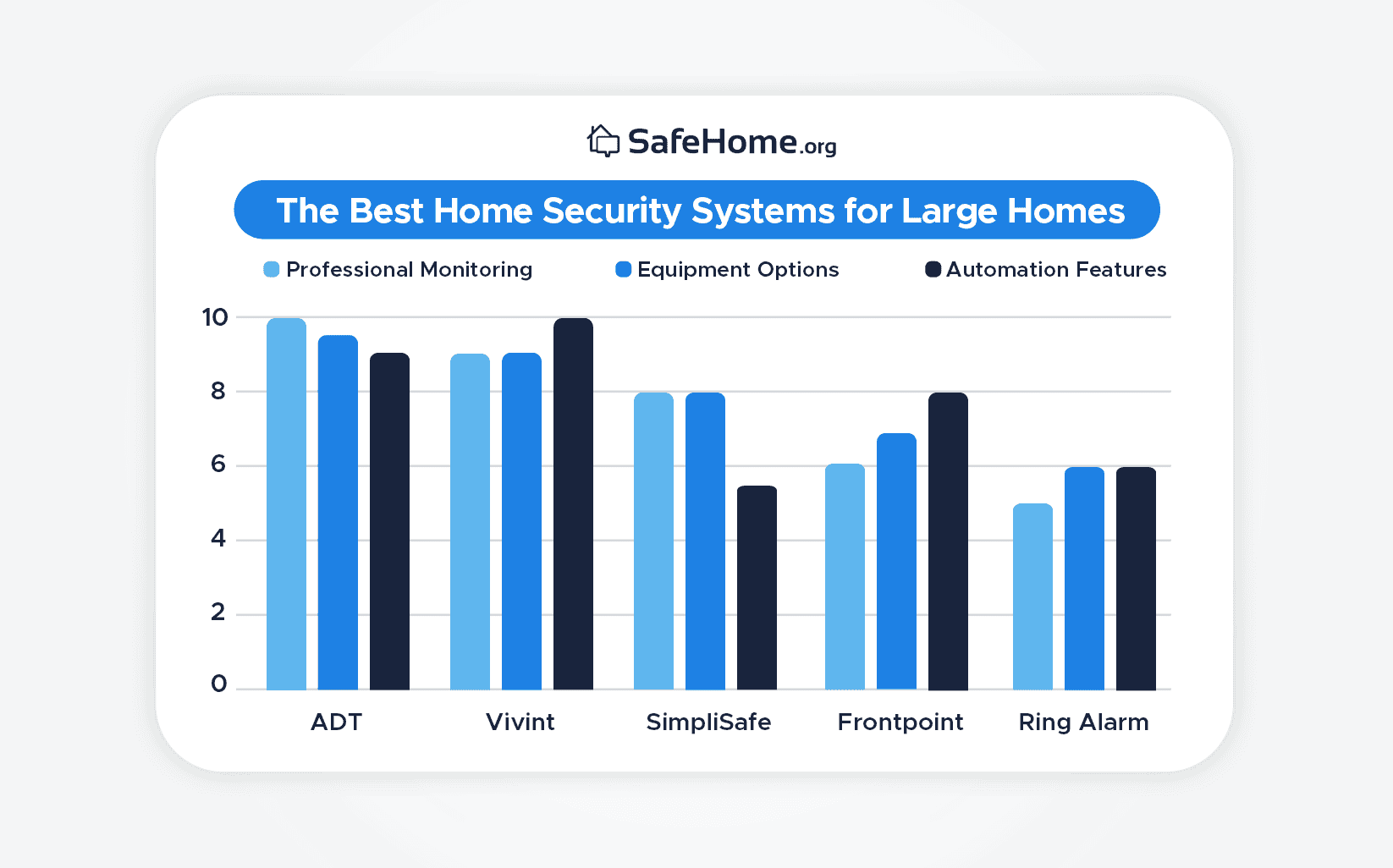
We have to consider multiple factors when recommending the best home security systems for large homes. Using our knowledge and experience in the industry, these are the factors we believe are the most important:
Professional monitoring (40%): With a large space to cover, we’re relying on monitoring centers to alert us whenever something isn’t quite right.
Equipment options (30%): It takes a lot of devices to protect a large home, and we’d rather not buy extra equipment separately.
Automation features (30%): With all the equipment we need to operate, we’ll be leaning on automations to keep everything up and running.
Using these criteria, here is how we arrived at our top five picks:
Rating the Best Home Security Systems for Large Homes
Why You Can Trust Us
We’re not one of those websites that reviews everything from bookcases to slippers. Our team of experts exclusively covers safety and security equipment. They know how to effectively evaluate a security system so our readers get in-depth and insightful recommendations. The team that contributed to this review were:
Rob Gabriele, Editorial Director & Home Security Expert
Jaime Fraze, Security Camera & Video Doorbell Expert
Derek Prall, Home Security Expert & Testing Coordinator
Joshua Lee, Former patrol officer and detective for a police department in Arizona.
Our team has over 75 years of combined experience, making us the most accomplished home security team online. Since 2016, SafeHome.org has been featured in several major outlets, including The Washington Post and The New York Times. As a team, we have achieved:
40+ industry research/studies
60+ security system reviews
100+ home security guides
10,000+ hours of research
Every recommendation comes from our first-hand product experience and a deep understanding of the security industry. Now, let's learn why we chose our top picks.
Expert Recommended: The Best Security Systems for Large Homes
ADT stands out for large homes thanks to its proven combination of wired and wireless equipment options. This combination ensures your equipment maintains a reliable connection across your expansive estate. After all, ADT is our top hardwired security option as well. Plus, ADT offers in-house professional installation to optimize the layout of your security equipment — something that proved challenging when we set up our abode package on our own.
Pros & Cons:
Pros:
Professional installation; DIY installation available separately through ADT Blu
24/7 professional monitoring from ADT’s monitoring centers across North America
SMART monitoring via text message for faster response
Intuitive smartphone app
Financing available
Six-month money-back guarantee
Cons:
No touchscreen control panel on base system
Video support is only available on the most expensive monitoring plan
No local storage options
Our Experience:
ADT Equipment
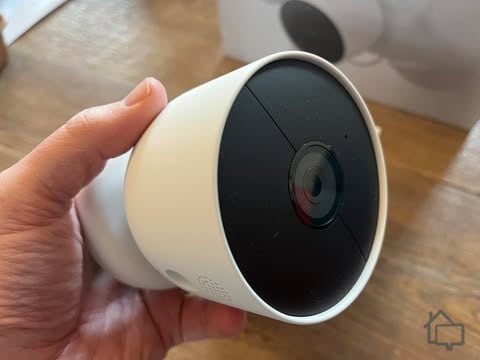
ADT’s security cameras come directly from Google Nest. They offer the full lineup at consistent pricing — including outdoor cameras with integrated floodlights for enhanced perimeter lighting and deterrence. You’ll also find battery-operated indoor/outdoor models that can be placed virtually anywhere on expansive properties without worrying about nearby power outlets.
Google Nest cameras use intelligent detection to distinguish between people, animals, and vehicles in their field of view. With a Complete Monitoring plan, you also get facial recognition capabilities that power intelligent alerts. In our testing, we got distinct notifications when our neighbor dropped by versus when our enthusiastic aunt arrived with her latest collection of unusual home décor finds.
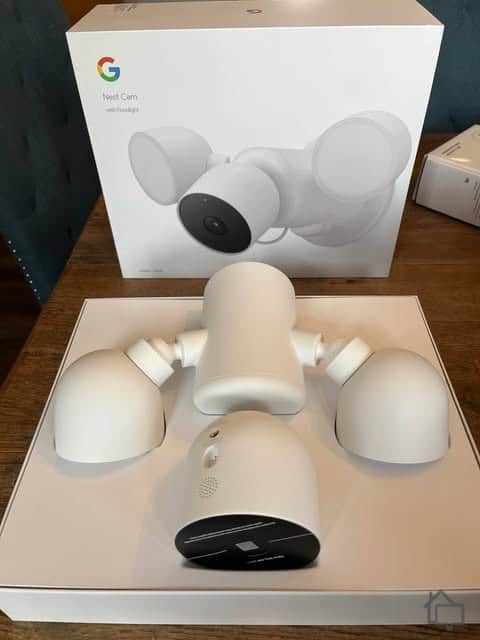
The Google Nest Cam with Floodlight unboxed and ready for our technician to install.
Other than the cameras, ADT offers a complete suite of sensors. They have motion and entry sensors, garage door sensors, glass break sensors, smoke alarms, water leak sensors, and gas leak sensors, just to name a few. And the best part is, all those ADT sensors are monitored professionally.
ADT Monitoring
ADT stands out with its six in-house monitoring facilities across North America. For comparison, most other companies have only one or two monitoring centers — or they outsource monitoring entirely. Those extra facilities provide redundancy, so if a storm or outage disrupts one location, others seamlessly pick up the slack.
While it’s a premium service, it also comes with a premium price. ADT’s professional monitoring typically costs $49.99 per month for full coverage, cameras included. If that’s outside your budget, ADT Blu, which is built for DIY installation, offers professional monitoring from $24.99 per month, or $34.99 per month with cameras.
ADT Home Automation
Having home automation is a blessing for large homes. Instead of going around the house turning off lights or locking doors, you can use an app to make a schedule or control them manually. You can also have automation rules. “If I arm my system, then turn off the lights” — that sort of thing.
ADT offers home automation. We control our smart lights from the ADT+ app and schedule them to turn on and off at all hours. We’ve also set our smart thermostat to enter energy-saving mode when we arm ADT to Away mode.
When we arm our ADT system from this simple-looking base station, our schedules for other devices kick in.
Pro Tip: If you’re interested in home automation, secure your network with a firewall and by using strong Wi-Fi passwords. You don’t want criminals gaining access to your home through smart devices.
Product Specs:
Equipment Cost
Packages starting at $349 (ADT); $249 (ADT Blu)
Monitoring Options
Professional (ADT); Professional or DIY (ADT Blu)
Monitoring Cost
$49.99 per month (ADT); Starts at $24.99 per month (ADT Blu)
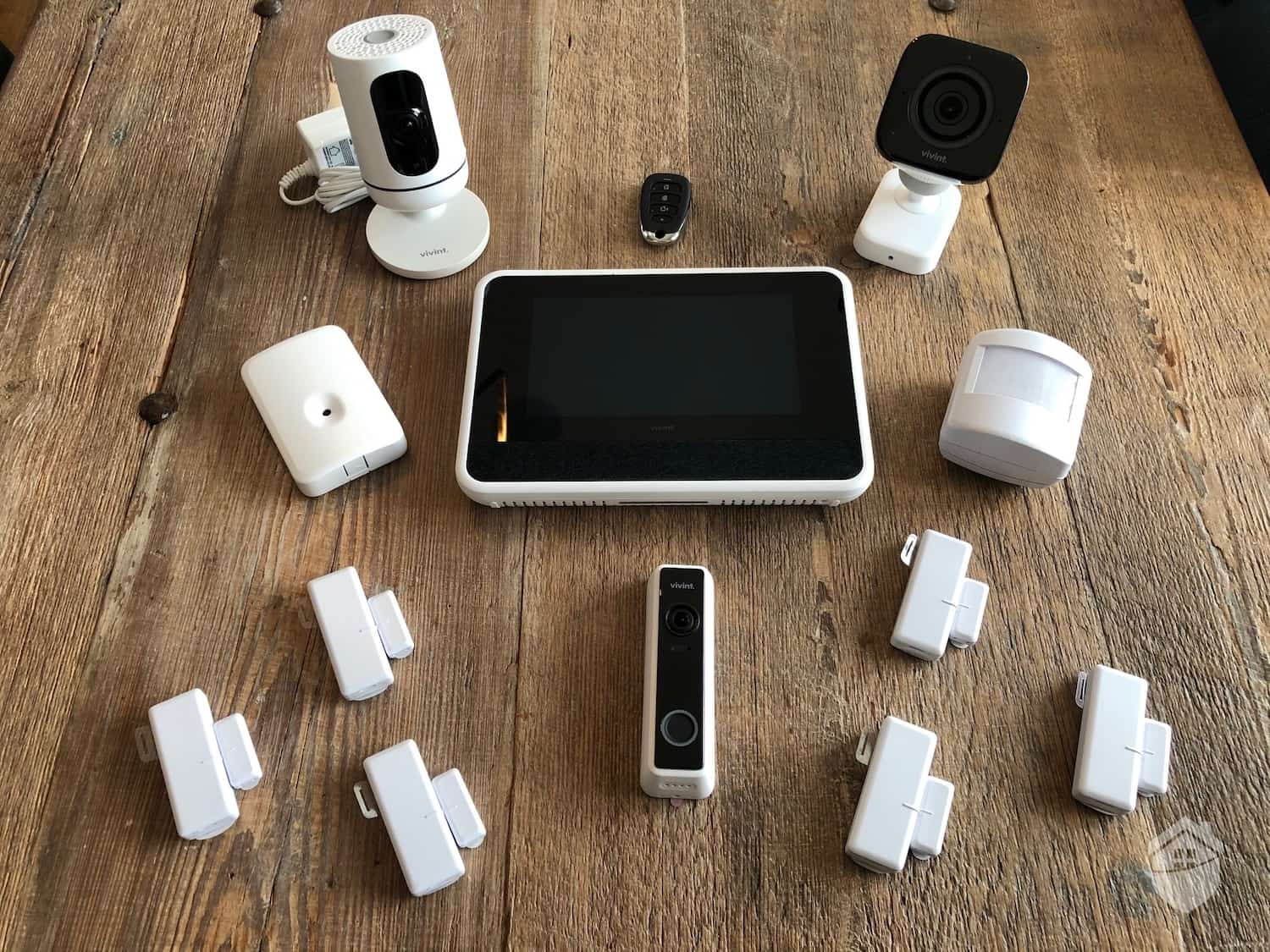
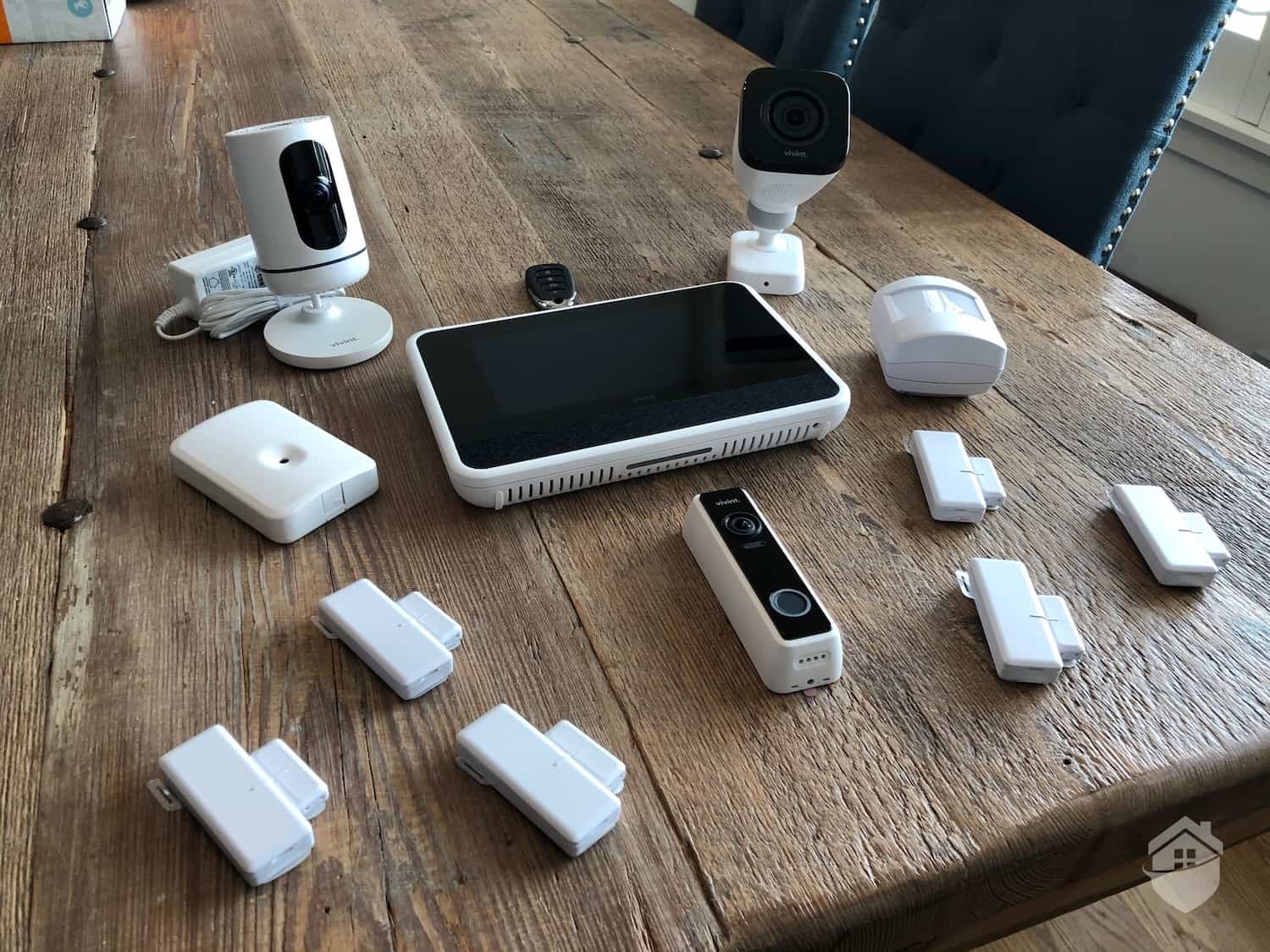
Vivint has earned its reputation in the industry as one of the best smart security systems, and that impression held up the moment our technician walked us through the Vivint Smart Hub during installation. Calling it just a touchscreen panel undersells it. Plenty of security systems have a touchscreen, but Vivint's goes well beyond the basics in our testing. It streams live camera video, lets you build and control automations directly from the panel, and includes two-way voice for speaking with a monitoring agent in an emergency.
Pros & Cons:
Pros:
Wireless equipment
Advanced home automation with extensive third-party integrations
7-inch touchscreen Smart Hub with live camera view and two-way talk
AI-powered outdoor, indoor, and doorbell cameras with smart detection
Professional installation service
Cellular monitoring with two monitoring facilities
Cons:
Equipment packages start at $199.99 with a three-year contract, but adding extra devices can drive costs up quickly
Financing contracts can run up to 60 months
Short three-day cancellation window
Lack of pricing transparency on its website
Our Experience:
Vivint Equipment
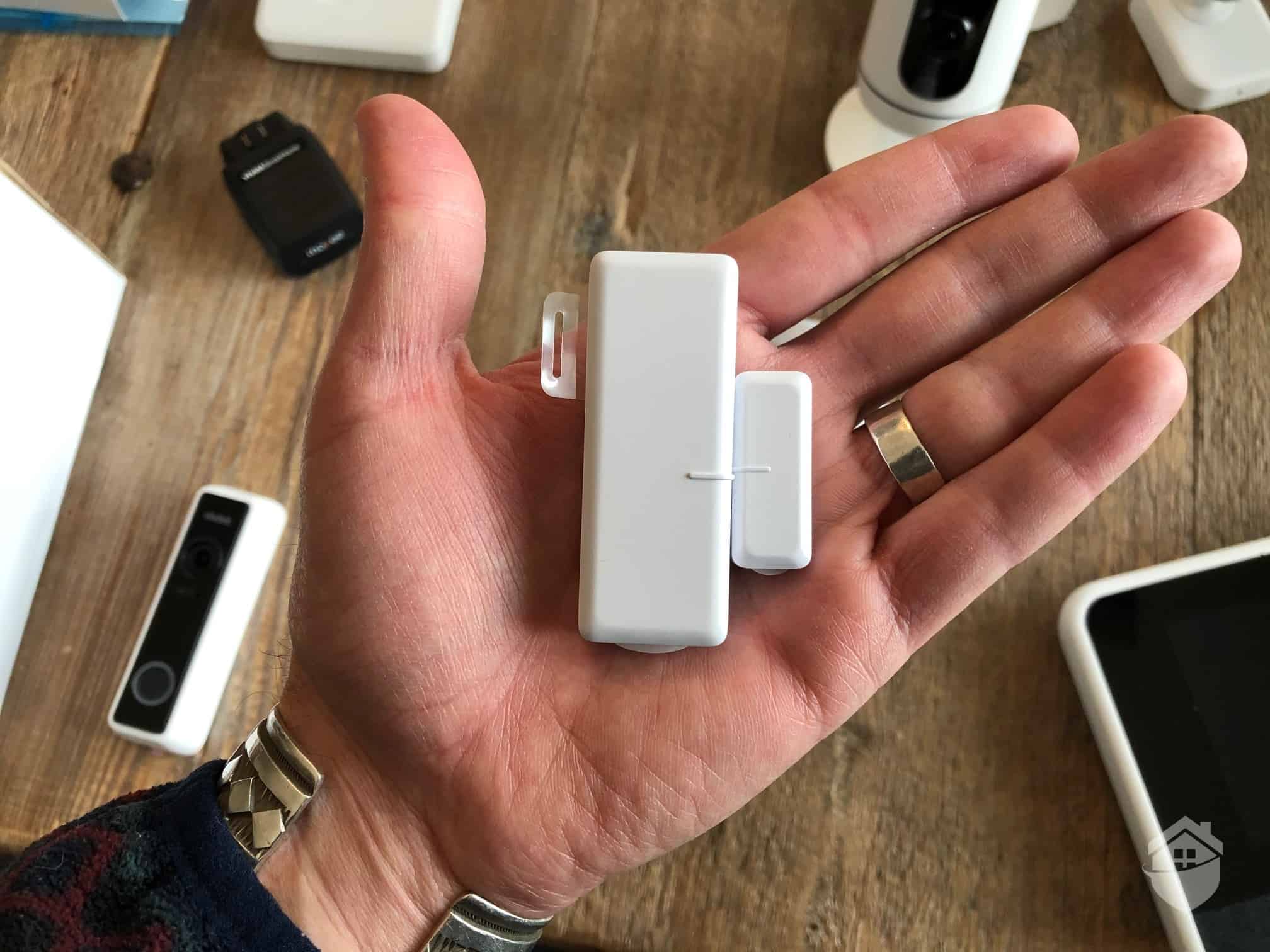
Vivint sensors have come a long way design-wise since earlier generations, with a noticeably sleeker profile than the bulkier door sensors Vivint used to offer. Once you get past the equipment’s look, there’s some genuinely interesting hardware in the lineup.
Our Vivint’s entryway sensor looks clunky, but is reliable.
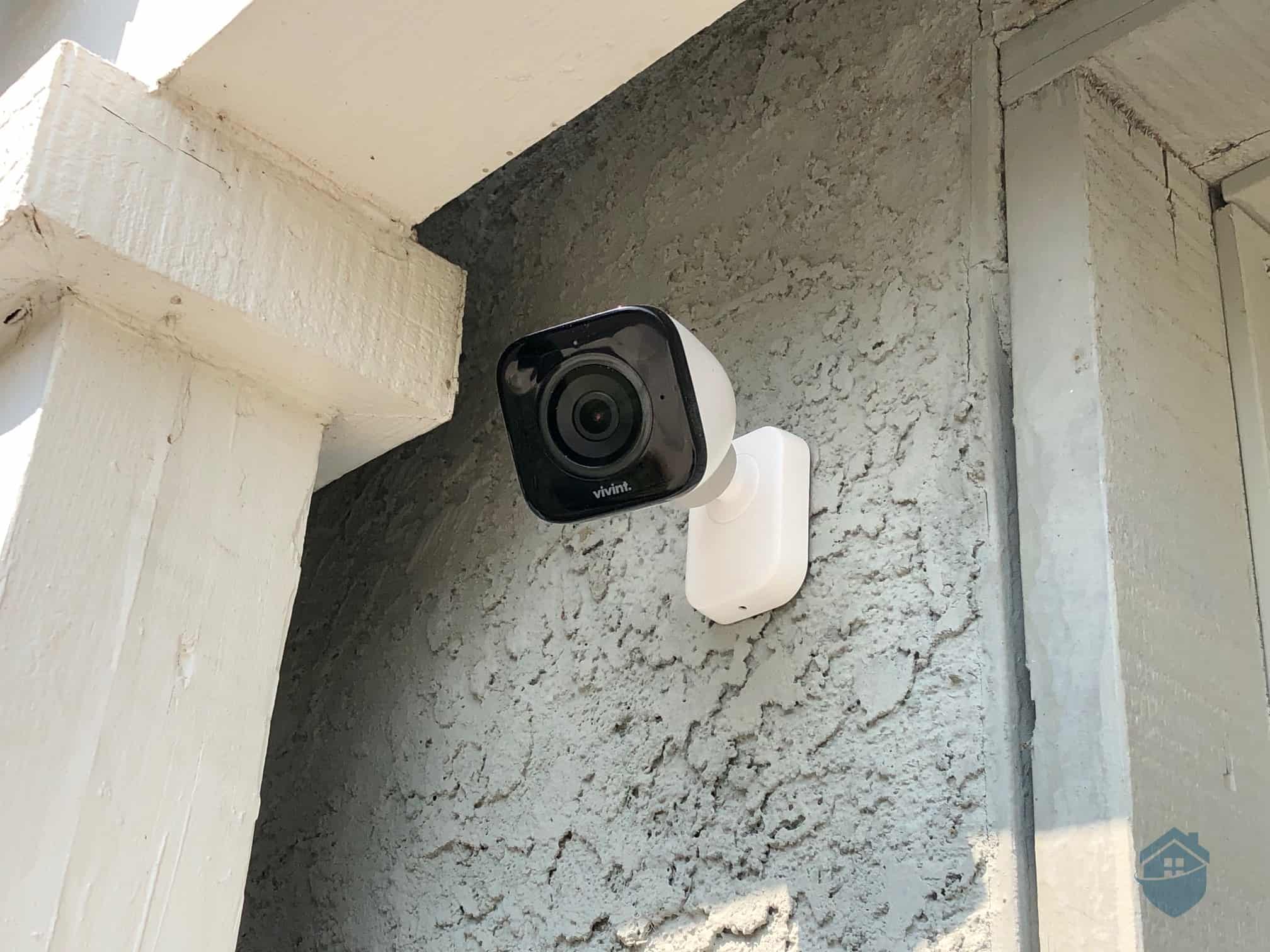
If you’re securing a large home, the Vivint Outdoor Camera Pro is the piece of equipment we keep coming back to. Its standout feature is Smart Deter — an AI-driven system that detects people and responds with customizable lights and sound to discourage would-be intruders before they get any closer.
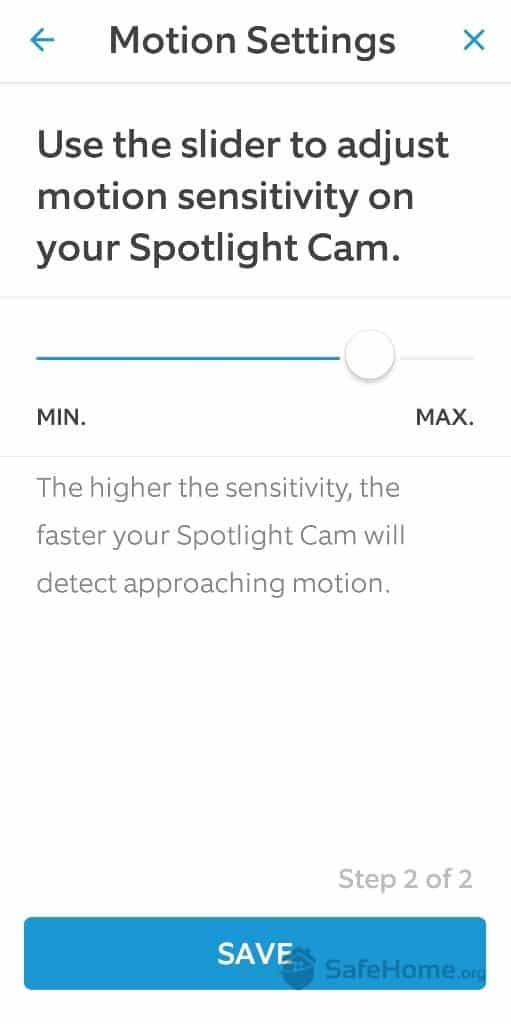
You control the monitored zone, choose what triggers the deterrent, and pick your preferred light mode (strobe, soft glow, and more) along with the alarm tone. For expansive properties with long driveways or large yards, it pairs exceptionally well with the Vivint Spotlight Pro, which uses AI to actively track movement across the frame.
Vivint Monitoring
All Vivint systems require professional monitoring. The service is backed by two monitoring facilities for redundancy — one in Utah and another in Minnesota. Pricing isn’t publicly listed, so we called for a personalized quote. Vivint’s sales agent told us monitoring plans start at $24.99 per month and top out at $44.99 for large systems with full camera access and smart home features. Our own plan cost the maximum since we added a few cameras.
Vivint also stands out as one of the faster-responding systems we’ve tested. In our testing, text message alerts arrived in under 10 seconds, with phone call follow-ups landing within 60 seconds, right in line with the industry average.
Pro Tip: Remember, the response time has nothing to do with how quickly the police will arrive at your door. That has everything to do with the capacity of local law enforcement. That said, the faster an alarm company responds to alerts, the quicker they’d be able to report the emergency.
Vivint Home Automation
Vivint excels when it comes to home automation capabilities. The Smart Home Hub supports up to 232 third-party Z-Wave devices, including smart locks, dimmer switches, and thermostats. You can even integrate Google Nest devices like the Nest Thermostat. During our installation, the technician told us that the hub can connect up to 100 Vivint sensors as well.
Vivnt’s Outdoor Camera
The Vivint app offers impressive customization options. You can create automations that connect your Vivint devices with third-party Z-Wave products. For example, you could set hallway lights to dim automatically when the system enters Stay mode at night using compatible smart switches. This level of flexibility has earned Vivint recognition as one of the best security systems with an app.
Product Specs:
Monitoring Options
Professional only
Installation
Professional
Smart Platform Integration
Alexa and Google Home
Equipment Cost
Starting at $349.99 ($199.99 with a three-year contract)
SimpliSafe started as a security system for apartments. But today, it protects large homes just as well as ADT and Vivint. One of the reasons is its Active Guard Outdoor Protection feature, which works similarly to Vivint’s Smart Deter. However, when SimpliSafe’s outdoor camera detects a threat, live monitoring agents access the camera feed and use the two-way speaker, siren and strobe light to communicate with — and deter — potential intruders. It's also a form of video verification, which can help speed up police dispatch..
Pros & Cons:
Pros:
No monthly fee required for self-monitoring
Stylish wireless equipment
Professional installation service available
Equipment packages start at $250.96
Active monitoring features for SimpliSafe’s indoor and outdoor cameras
Cons:
Missing a few types of equipment, like garage door sensors
Limited smart home and home automation capabilities
Premium monitoring plan required for advanced features
No touch-screen keypad
Our Experience:
SimpliSafe Equipment
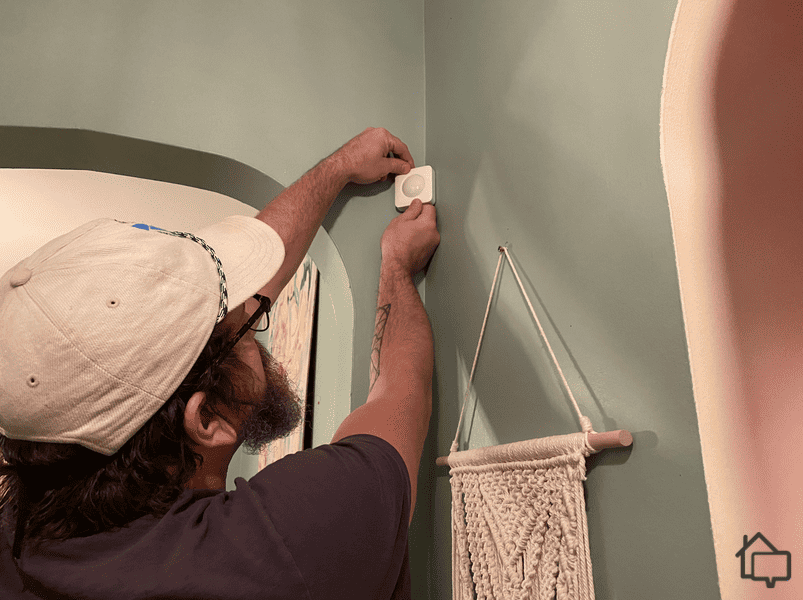
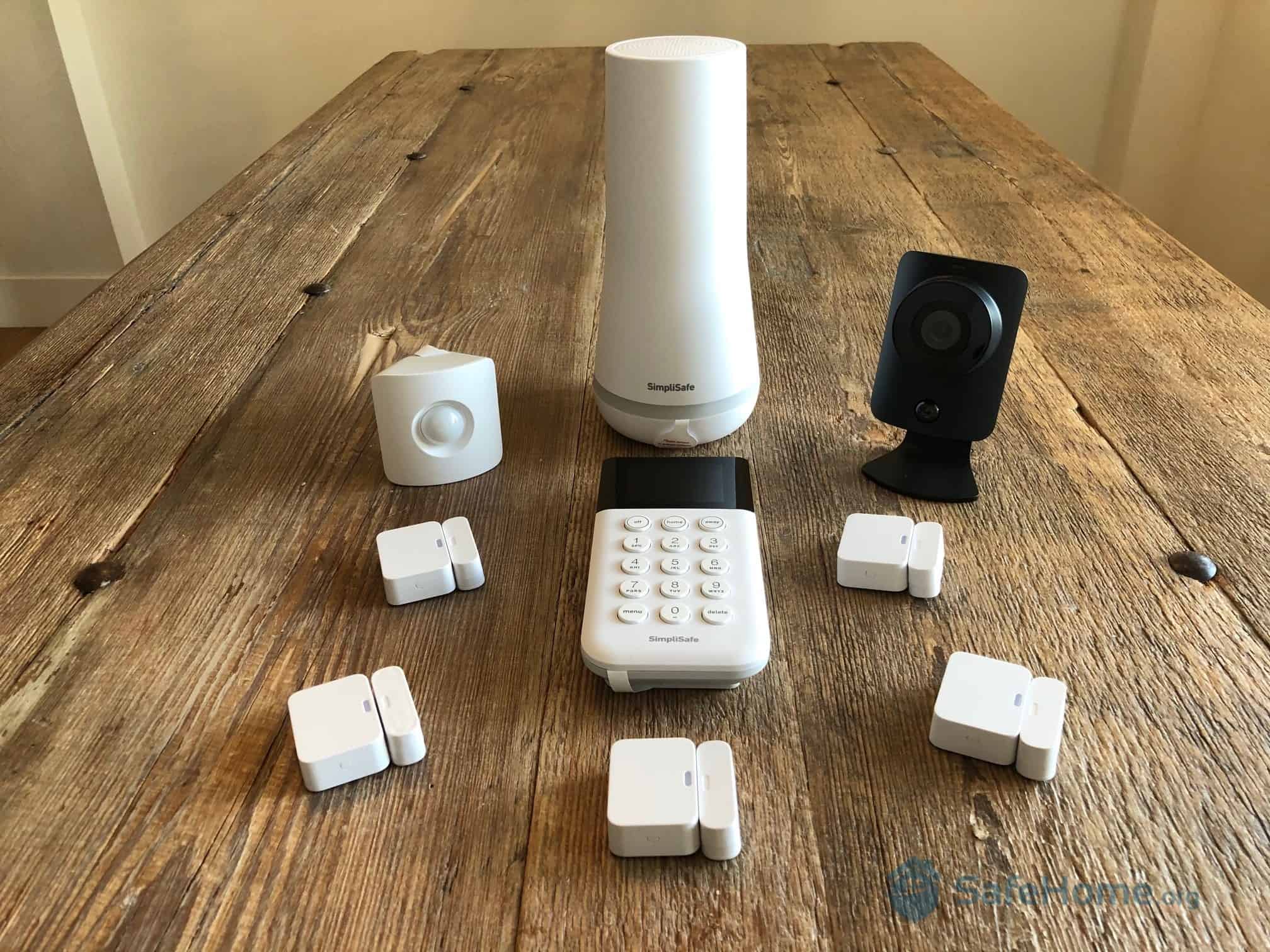
SimpliSafe’s equipment is one of the best DIY security systems available. The components are wireless, lightweight, and remarkably easy to install. You can opt for professional installation starting from $124.99. That said, we don’t think it’s worth it — we had our system up and running in about 30 minutes.
Here’s how easy it is to install the SimpliSafe motion sensor.
As for your options, SimpliSafe offers sensors that detect intrusion and safety hazards like fire and gas leaks. There is one item missing though: A garage door sensor or tilt sensor. SimpliSafe recommends using the typical door sensor for that.
SimpliSafe is one of the most affordable home security systems around. That said, if you want live agent intervention, you’ll pay prices closer to ADT and Vivint. You’ll need at least the $32.99 per month Core plan for professional monitoring with indoor live agent intervention. Expanding that coverage to your outdoor cameras bumps you up to the $49.99 per month Pro plan. Keep in mind that active intervention requires a Wi-Fi signal and won’t work on SimpliSafe’s cellular backup.
Pro Tip: If you’re worried about someone spying on you through SimpliSafe’s indoor camera, rest easy. It includes a privacy shutter that is always closed when the camera is not actively recording.
All monitoring plans above the free self-monitoring and Standard tiers include cloud storage for 30 days of video clips for up to 10 cameras. That’s plenty of coverage for multiple entry points across a large home.
SimpliSafe Home Automation
SimpliSafe’s home automation is its biggest weakness. Unlike Vivint, which integrates with Z-Wave products, and ADT, which offers smart devices like smart bulbs, SimpliSafe focuses primarily on home security. SimpliSafe sells a smart lock, and you can control the system with your voice via Amazon Alexa and Google Assistant, but that’s about it. For larger homes seeking comprehensive smart home integration, you’ll need to use third-party devices.
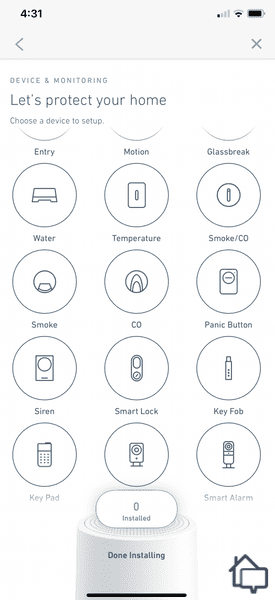
The SimpliSafe app makes it easy to add more SimpliSafe devices in the future.
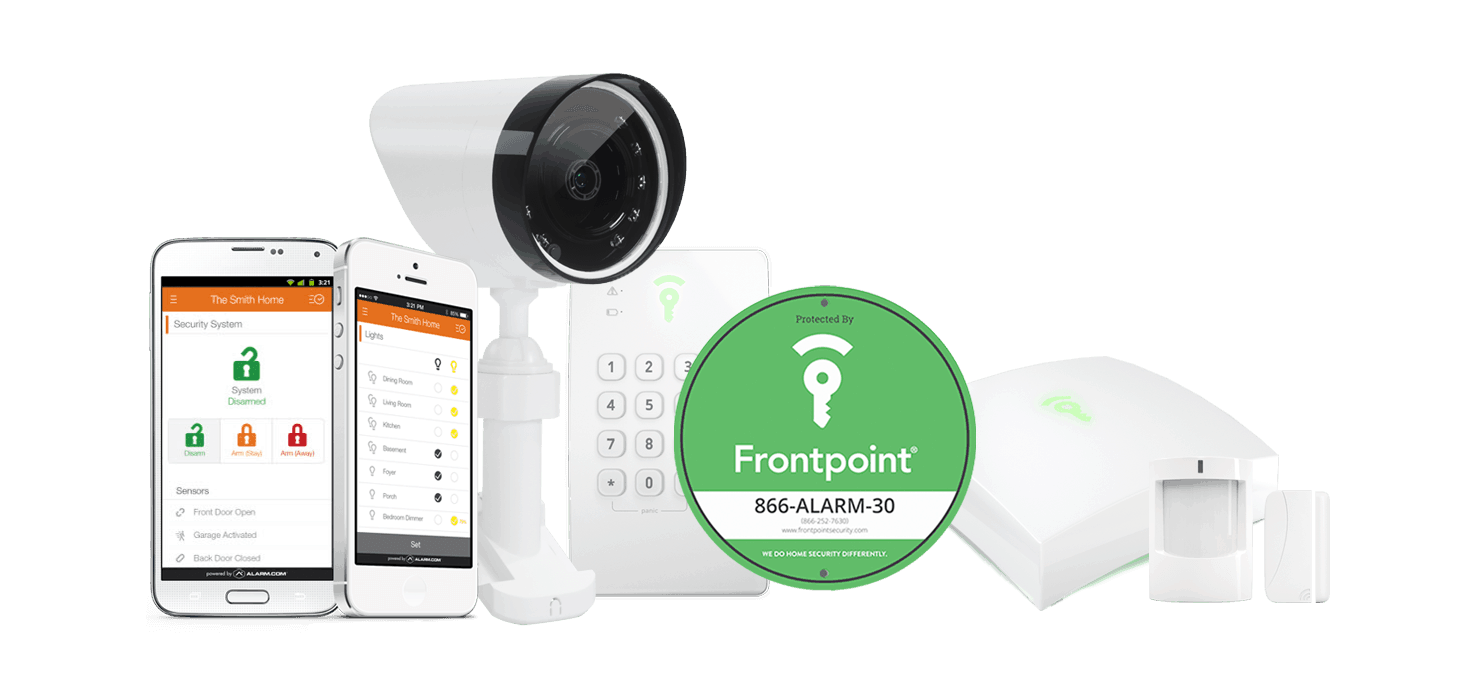
Frontpoint delivers solid, reliable protection at a more accessible price point than premium options like Vivint. That makes it a solid security system for renters. It also works great for large homes that need lots of devices without a sky-high equipment bill. You get home automation features, fully customizable setups, and handy extras like geofencing so you can keep tabs on specific zones around your property.
Pros & Cons:
Pros:
User-friendly online store with clear, upfront pricing
Budget-friendly pricing and no required contracts
Quick setup process with pre-configured components
Many Frontpoint cameras offer local video storage options
Cons:
Early termination fee applies for contracts after the 30-day trial
Above-average monthly monitoring costs
Touchscreen control panel costs extra
Tedious Smart Chime setup for wireless doorbell camera
Our Experience:
Frontpoint Equipment
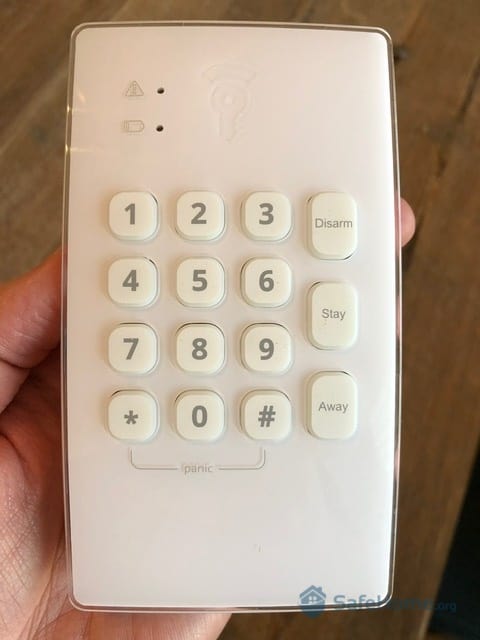
Side by side with ADT, Vivint, and SimpliSafe, Frontpoint’s hardware feels a step behind on aesthetics. The sensors and batteries hold up well, but the overall design is more utilitarian than sleek. The keypad, in particular, is a bit of an eyesore compared to the competition.
Here’s Frontpoint’s cheaper analog keypad.
The camera lineup has grown considerably and now covers most use cases for large homes. We tested the Premium Floodlight Camera. It uses AI to distinguish between people, animals, and objects, and includes a built-in siren plus 3,000-lumen flood lights to deter intruders. You can also trigger the siren manually straight from the app if something looks off.
Frontpoint Monitoring
Frontpoint keeps its monitoring simple with one primary plan priced at $49.99 per month. That flat rate applies no matter how large your system grows — a real plus for big homes with lots of sensors and cameras. The plan includes text alerts, 24/7 professional monitoring, and home automation and camera support.
If you’d prefer just sensor monitoring, Frontpoint offers that as well for $44.99 per month. There’s also a video self-monitoring plan for $14.99 per month and a basic in-app safety button plan for $4.99 per month.
Frontpoint Home Automation
Vivint is the top home automation option for smart homes, but Frontpoint has unique features like geofencing. The Frontpoint app syncs your phone’s location with the security system. If you forget to arm it when you leave the house, you’ll get a notification. We once got an alert when we were halfway down the street. Instead of turning back, we used the app to arm the system.
Frontpoint’s home automation also supports third-party products, particularly those using Z-Wave. Like Vivint, Frontpoint can connect with up to 232 Z-Wave devices. The main difference is Frontpoint’s reliance on its app, so expect to be on your phone more often.
Ring earns its spot on this list for two reasons: the scalable Ring Alarm system and an impressive lineup of security cameras built for perimeter coverage. There’s no cap on how many cameras you can connect to your account. That’s why it can work for any size property, no matter how many entry points or blind spots you need to cover.
Pros & Cons:
Pros:
Wide selection of security and doorbell cameras
Affordable professional monitoring
Quick DIY installation
Seven-day practice mode for new professional monitoring subscription
Loud, built-in siren
Cons:
Limited sensor options
Has faced past privacy concerns, most of which have since been addressed
Cameras need a subscription to record
Slower professional monitoring response times
Our Experience:
Ring Alarm Equipment
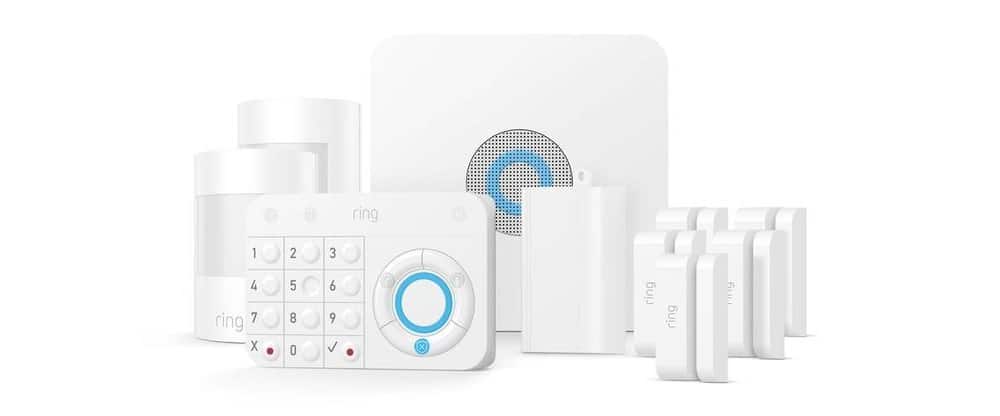
Ring Alarm doesn’t have an extensive equipment range like other companies on its list. However, the equipment it does offer works great. Our sensors blend into the house better than Frontpoint’s, and the keypad has a more modern design.
Ring makes up for its more limited sensor lineup with a seriously impressive camera selection. Here’s an overview of a few of our favorite options:
Camera
Outdoor Cam
Floodlight Cam Plus
Indoor Cam
Battery Doorbell Plus
Power source options
Battery
Plug-in, wired
Plug-in
Battery
Resolution
1080p HD
1080p HD
1080p HD
1536p HD
Indoor, outdoor, or doorbell
Indoor/outdoor
Outdoor
Indoor
Doorbell
Field-of-view
130-degrees
140-degrees
143-degrees
150-degrees
Price
Starts at $79.99
Starts at $179.99
Starts at $49.99
Starts at $179.99
For large estates and sprawling properties, we recommend the premium Ring Floodlight Cam Wired Pro. It features motion-activated LED floodlights, built-in radar-based 3D motion detection to reduce false alerts, and two-way talk. Plus, you can add as many as your property requires with no camera cap on your account.
With Ring, you don’t need to pay a monthly fee for real-time alerts or to view your cameras’ live feeds. For video recording, you’ll need a Ring Protect plan. They start at $4.99 per month for one camera or $9.99 per month for unlimited devices. For professional monitoring, you need the Ring Home Pro plan at $19.99 per month. It includes everything in the self-monitoring $9.99 per month plan as well.
Ring also offers a Virtual Security Guard plan with live agent monitoring for your camera feeds at $99 per month. It’s a valuable add-on for large homes, but we recommend SimpliSafe if you’re looking for active monitoring capabilities.
Ring Alarm Home Automation
Ring Alarm and SimpliSafe are similar. But Ring is slightly better in the home automation department. It supports third-party Z-Wave devices including smart lights, smart switches, smart locks, and smart thermostats, all controllable through the Ring App.
We could manage every component of our Ring system in the app.
Speaking of the Ring App, it’s the all-in-one control center for all Ring and Ring-connected devices. But you can also control Ring devices using an Amazon Echo smart speaker or display. Our Echo Show 8 announces when someone rings the Ring doorbell and displays the live video feed, so we can see who’s there.
Product Specs:
Monitoring Options
24/7 professional and DIY
Installation
DIY
Smart Platform Integration
Alexa
Equipment Cost
From $199.99
Monthly Monitoring Cost
From $19.99
Contract Length
Month-to-month or 1-year
What You Need for Large Home Security
Every home has unique security needs, influenced by factors like location, property size, and budget. For most large homes, four essentials provide comprehensive protection: sensors, security cameras, reliable professional monitoring, and home automation capabilities. Let's break down each component and why it matters for keeping your spacious home secure.
How Many Sensors Do You Need?
A strategically placed glass break sensor can monitor multiple rooms.
Home security sensors come in a range of types: motion sensors, door and window sensors, glass break sensors, and garage door sensors, to name a few. There's no universal answer for how many you need — your floor plan, entry points, and layout all play a role. However, we can help you decide where to place security sensors so you can better determine how many you need.
Door and window sensors: Also called entry sensors, these belong at potential break-in points. Your front door is essential, along with all other first-floor doors and windows. Don't forget accessible second-floor entry points like balcony doors or windows near trees or roof lines.
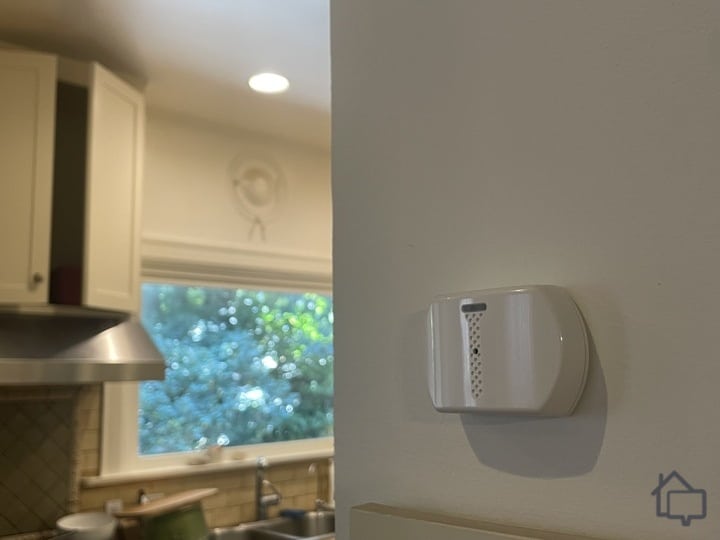
Motion sensors: These work best in large open areas or long hallways. They're also smart choices for rooms with multiple windows — instead of placing individual entry sensors on each window, one motion sensor can cover the entire space.
Glass break sensors: If you’re living in a glass house — meaning, your house has sliding glass doors and windows — glass break sensors will come in handy. Place it near or directly across glass doors and windows to be notified if someone breaks the glass.
Garage door/tilt sensor: Tilt sensors or garage door sensors are pretty self-explanatory; they alert you when your garage door is opened. Whether it’s a burglar sneaking in or a teenager sneaking out, you should place a tilt sensor on every garage door.
What Security Cameras Do You Need?
These Google Nest Cams are safe to use inside and outside.
Next, let's talk about security cameras. Just like sensors, proper camera placement is crucial, and you should know which type works best for different areas of your large home. Here are a few examples.
Fixed indoor cameras: These are your typical cameras that watch over a fixed area, depending on what you want to monitor. You can point it at your pet’s crate, the front door, a hidden safe, etc. Just make sure you don’t use it to record people in places where greater privacy is expected, like the bathroom. That’s not only unethical but also illegal.
Pan-tilt cameras: These cameras can mechanically pan and tilt, making them ideal for monitoring large open spaces since you can look around remotely via an app. One example is the Wyze Cam Pan v3 from our Wyze camera review.
Plug-in outdoor cameras: Plug-in outdoor cameras use Wi-Fi to connect to the internet, but require power from an outlet. These are great if you need outward facing cameras attached to your home’s exterior wall.
PoE outdoor cameras: If your Wi-Fi signal doesn't reach the far corners of your property, Power over Ethernet (PoE) cameras are a reliable fix. They draw power and connect to the internet through a single cable, making it easier to run a line to your outdoor camera while keeping wires hidden.
Light-equipped outdoor cameras: These outdoor cameras come with integrated security lighting — think the Vivint Outdoor Camera Pro or the Ring Floodlight Cam Wired Pro. They're a great fit for homes with expansive backyards, gardens, pool areas, or long driveways.
Expert Examined
From Anthony Travaglia, Retired Police Officer, Home Security Expert
“Cameras are a great way to protect your home. Outdoor and indoor cameras help law enforcement in their investigations. Having video and still photos of a suspect can greatly increase the odds officers will be able to identify and/or catch burglary suspects. Cameras can also capture things like suspect vehicle descriptions, license plate numbers, and any accomplices working as a lookout.” Learn more about Anthony.
Professional or DIY Monitoring?
The third thing you need is monitoring, and industry-wide, the two most common options are DIY and professional monitoring. For large homes, we strongly recommend going with the latter.
The top professionally monitored security systems offer around-the-clock protection. DIY monitoring isn’t as easy as it sounds, especially if you have such a large space to monitor. You’ll need to be on top of every sensor going off and every security camera detecting movement. With professional monitoring, you can at least rest easy knowing someone has your back. This is increasingly important, especially considering what our research found:
One in 180 packages get stolen.
48-percent of all violent crimes occur at a residence.
Before breaking in, 83-percent of burglars look for an alarm and 60-percent look for a new target if they spot one.
Open windows and doors are the most common entry points for burglars.
41-percent of burglaries were conducted on the spur of the moment.
Professional monitoring does come with tradeoffs — monthly fees typically run between $20 and $65, and some municipalities charge fines if police respond to a false alarm. That said, for a large home with multiple entry points, the peace of mind is hard to put a price on.
What Exactly Is Home Automation?
Finally, let’s dive into home automation. In security systems, this usually means connecting your system to smart devices for both manual and automated control. You can adjust lights from an app or touchscreen, schedule routines that start your coffee maker, or have lights turn on and off at set times.
Home automation is optional—you can always pair a basic security system with a separate smart home setup. But for those who want convenience without extra work, security systems with built-in home automation make managing your home safer and easier.
Expert Examined
From Anthony Travaglia, Retired Police Officer, Home Security Expert
“Keep in mind that security cameras can also help your neighbors as well. Most modern cameras have a pretty wide lens and can pick up the surrounding areas of your home including neighbors' side yard, front yard, and community mailboxes. Mail theft is highly linked to fraud and forgery. Having video of a suspect or suspects and vehicle information greatly increase odds of law enforcement being able to take down fraud and forgery suspects.”
Recap
ADT remains our top pick for large homes thanks to its broad equipment lineup and rock-solid professional monitoring network. Vivint, SimpliSafe, Frontpoint, and Ring are all strong alternatives — whether you're after cutting-edge smart home integration or a flexible, scalable DIY setup.
Wired systems are more reliable for large properties, but wireless systems are easier to install and scale. Wireless security systems will stay online if you have a strong internet connection or cellular backup.
We recommend getting motion detectors, entry sensors, and security cameras at a minimum. You may also want to consider glass break sensors if your home has a lot of glass doors or windows.
Large home security systems start at $500, but can climb well into the thousands for a fully loaded setup. The final price depends heavily on square footage, the number of entry points, how many cameras you want, and whether you go with DIY or professional installation.
You should prioritize equipment range, professional monitoring services, and remote monitoring capabilities. Choose a system with reliable sensors and multi-camera support. Monitoring centers must have fast response times, even for text alerts.
We suggest installing motion-activated lights, security cameras with AI capabilities, and garage door sensors. Ensure you can access camera feeds and alerts through your app.
As a home security expert and Managing Editor for SafeHome.org, Rob Gabriele has written and edited over 1,000 articles related to home security. His expertise is in smart home protection with thousands of hours of testing and research under his belt. Formerly a reporter and producer for the USAToday network, Rob has been a writer and editor for over 10 years. He holds a Master’s of Science with an emphasis on writing from the University of Montana, and he currently lives in Indianapolis, IN.
 Updated October 30, 2026
copied!
Updated October 30, 2026
copied!