SafeHome.org may receive compensation from some providers listed on this page. Learn More
We may receive compensation from some providers listed on this page. Learn More
SafeHome.org may receive compensation from some providers listed on this page. Learn More
We may receive compensation from some providers listed on this page. Learn More
Powerful cameras with reliable technology, and no monthly fees
 Updated July 31, 2026
copied!
Updated July 31, 2026
copied!

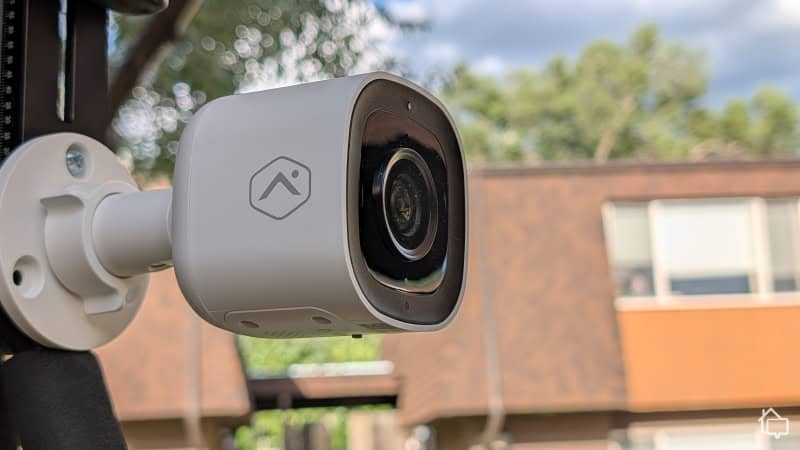
Editor’s Note: Lorex cameras alone won’t protect your entire home. Instead, we highly recommend upgrading to a home security system from ADT or Vivint. ADT’s Nest Cams are far superior to Lorex, and their additional safety devices can’t be beat. Learn more in our ADT review.
The first thing to note about Lorex is that they’ve been around a long time. This massive Canadian brand launched in 1991, and they’re still going strong over thirty years later? How have they managed to remain a top security equipment company for so long? They don’t just sit on their hands. Lorex is constantly evolving, constantly developing new products and new cutting-edge approaches to security cameras.
In recent months, Lorex has continued rolling out impressive 2K and 4K outdoor cameras, including models with smart security lighting and built-in sirens. Some run entirely on batteries, so there’s no complex wiring required. Others deliver smart features like person and vehicle detection with AI-driven alerts that cut down on false notifications. Lorex is clearly not slowing down — and that’s one of the best things about this brand.
Pro Tip: Looking for smart home-ready security cameras? See our Nest Cam review. With facial recognition and lots of smart integrations, Nest Cams are a great alternative to Lorex. And, they’re cheaper than you think.
I took a pair of Lorex cameras home for a hands-on review, testing and analyzing each camera from unboxing to everyday use. These cameras pack some serious security power – but they weren’t without a few drawbacks. As you make your way through the full Lorex experience, you’ll learn how the cameras stack up against their biggest competitors, namely the DIY favorite Ring cameras I’ve tested over the years. And you’ll get the best advice on buying, installing, setting up, and living with Lorex cameras. There’s no shortage of surprises here!
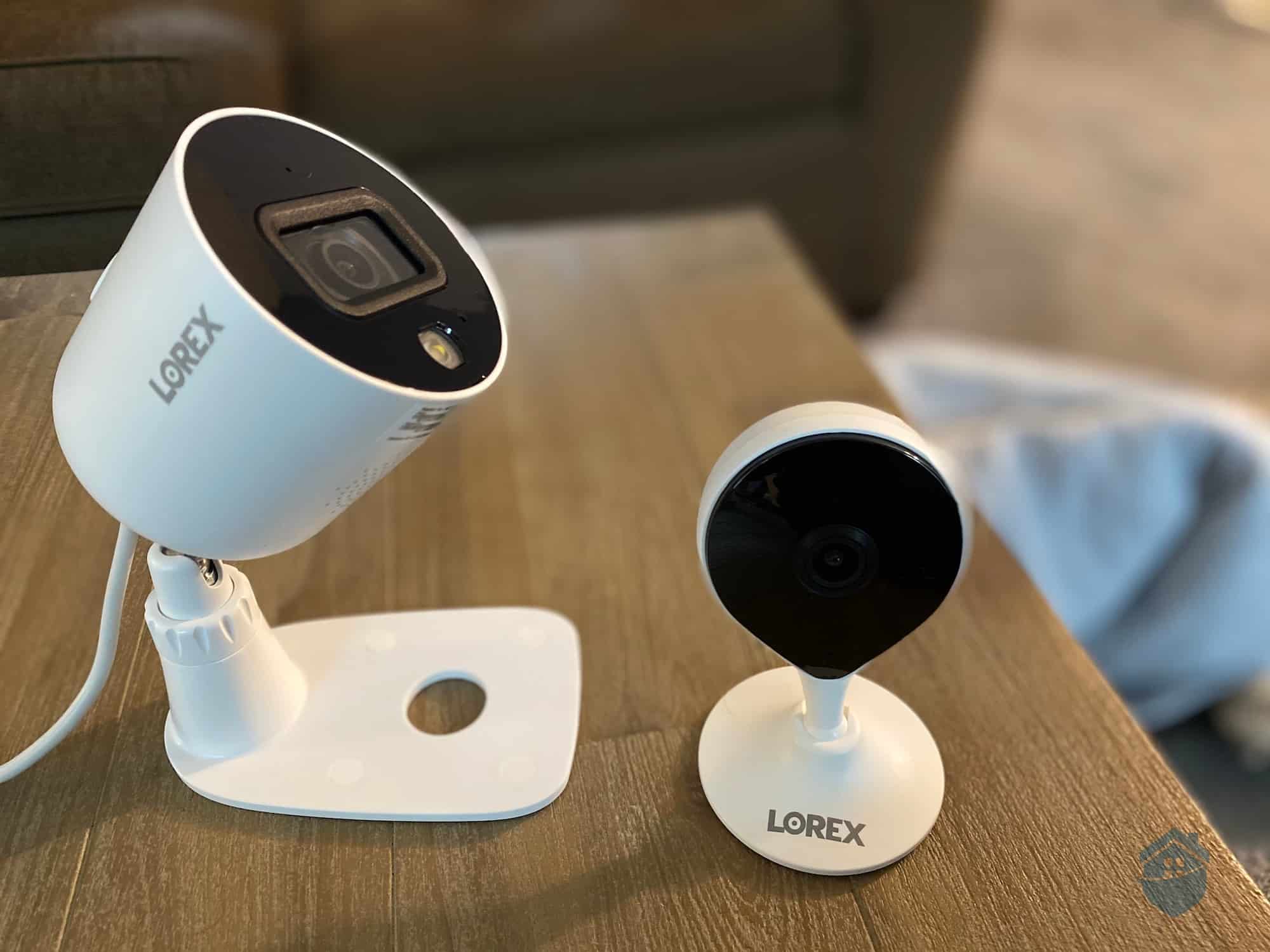
Lorex Cameras
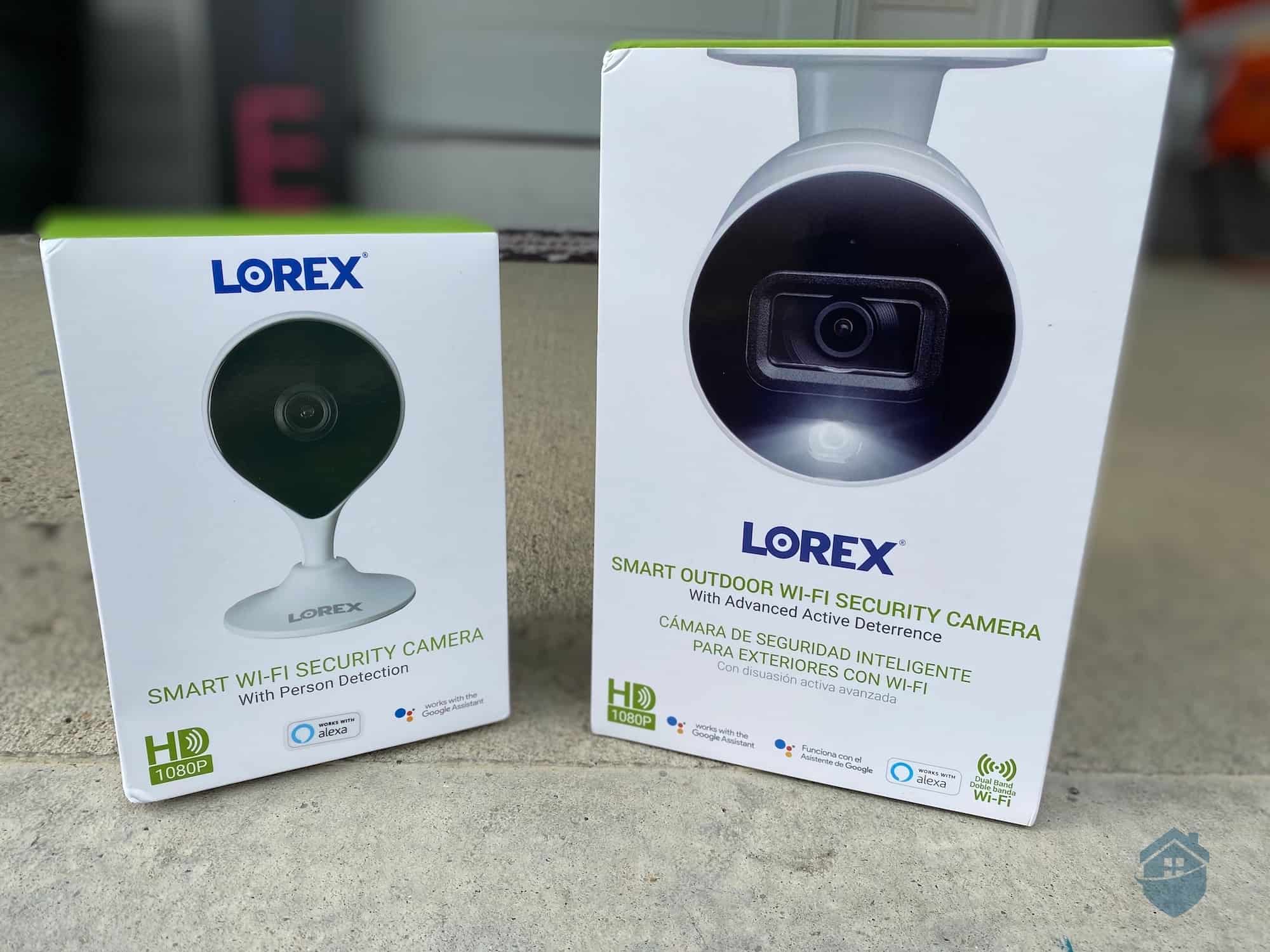
Lorex Packaging
Lorex sells security cameras — a lot of them. A quick look at its website and you’ll see hundreds after hundreds of Wi-Fi cameras, digital IP cameras, wireless cameras, and even old-school analog cameras. You’ll also find lots of bundles with cameras and recorders, as well as accessories such as Ethernet and coaxial cables for wiring those cameras. Although Lorex is a security-focused company, its offerings are quite different from the more traditional ADT home monitoring packages. That’s for sure.
Here’s another thing: I’ve been testing security cameras for years, and I’ve tested close to 100 different cameras, ranging from simple indoor cameras to AI-heavy smart cameras. You’d think I’ve seen everything the security camera world has to offer, but just looking at Lorex’s website, it’s clear that I haven’t. Lorex offers a lot of different cameras with a wide range of features, including, apparently, a 4K spotlight camera with what appears to be a smiley face made of LED. The eyes serve as its spotlights, directly below which is a color-changing LED that resembles a smile for extra design points . That’s new.
Feature-wise, Lorex has everything from 4K,1 8-channel NVR security systems and wire-free spotlight models, to wired floodlight and indoor dome models. Lorex also carries smart detection options like person and vehicle detection across several of its newer models. The fleet is genuinely vast, so there’s something for just about everyone in this lineup.
FYI: If you’re looking for something simpler and even easier to install for your home security setup, consider a brand like SimpliSafe, but first, visit our full SimpliSafe system review.
Lorex also offers a handy beginner’s guide to their cameras, which will help you narrow down the selection. You’ll start by choosing from the four main camera categories: IP cameras, analog cameras, Wi-Fi cameras, and wire-free cameras.
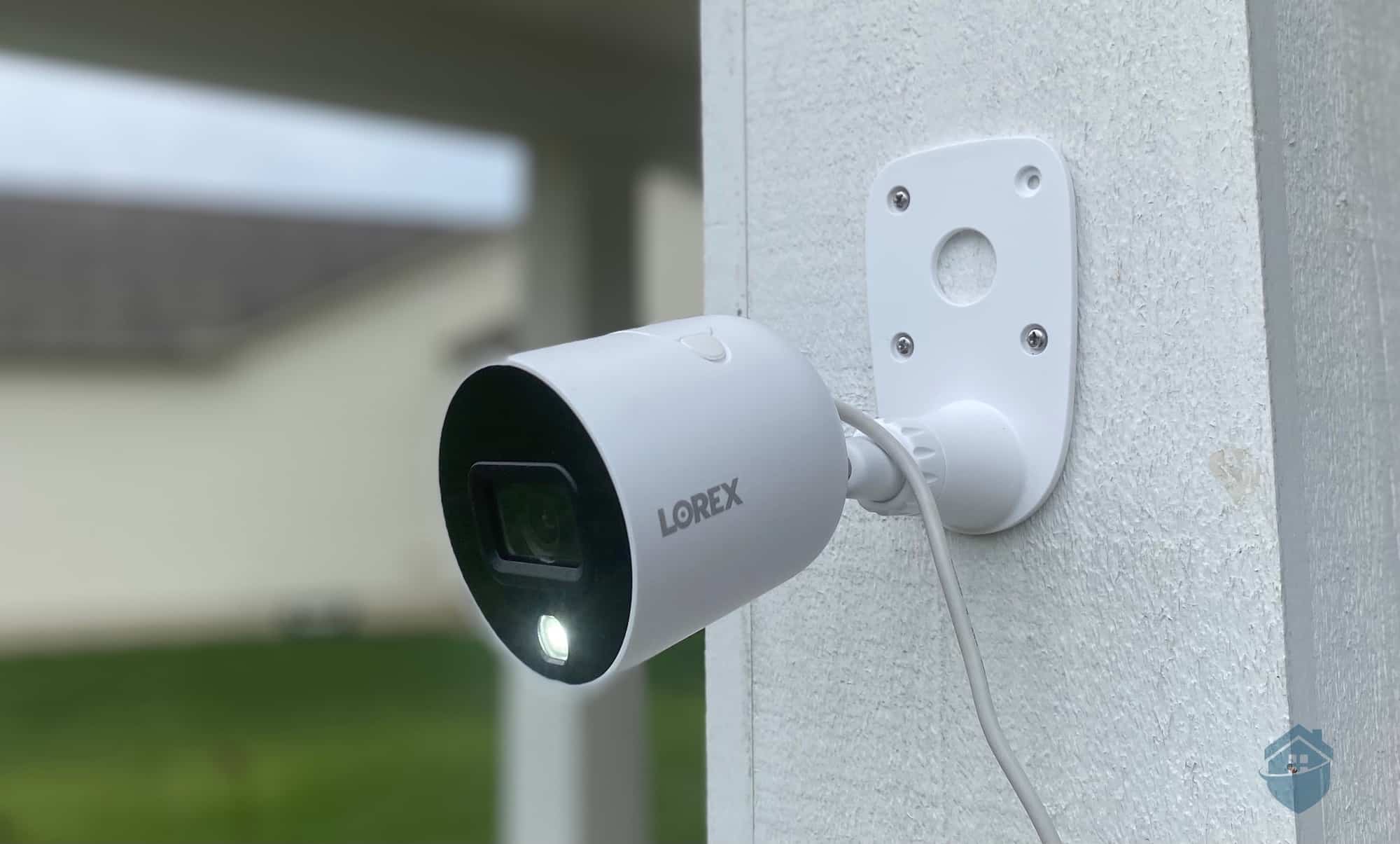
Lorex Outdoor Camera Installed
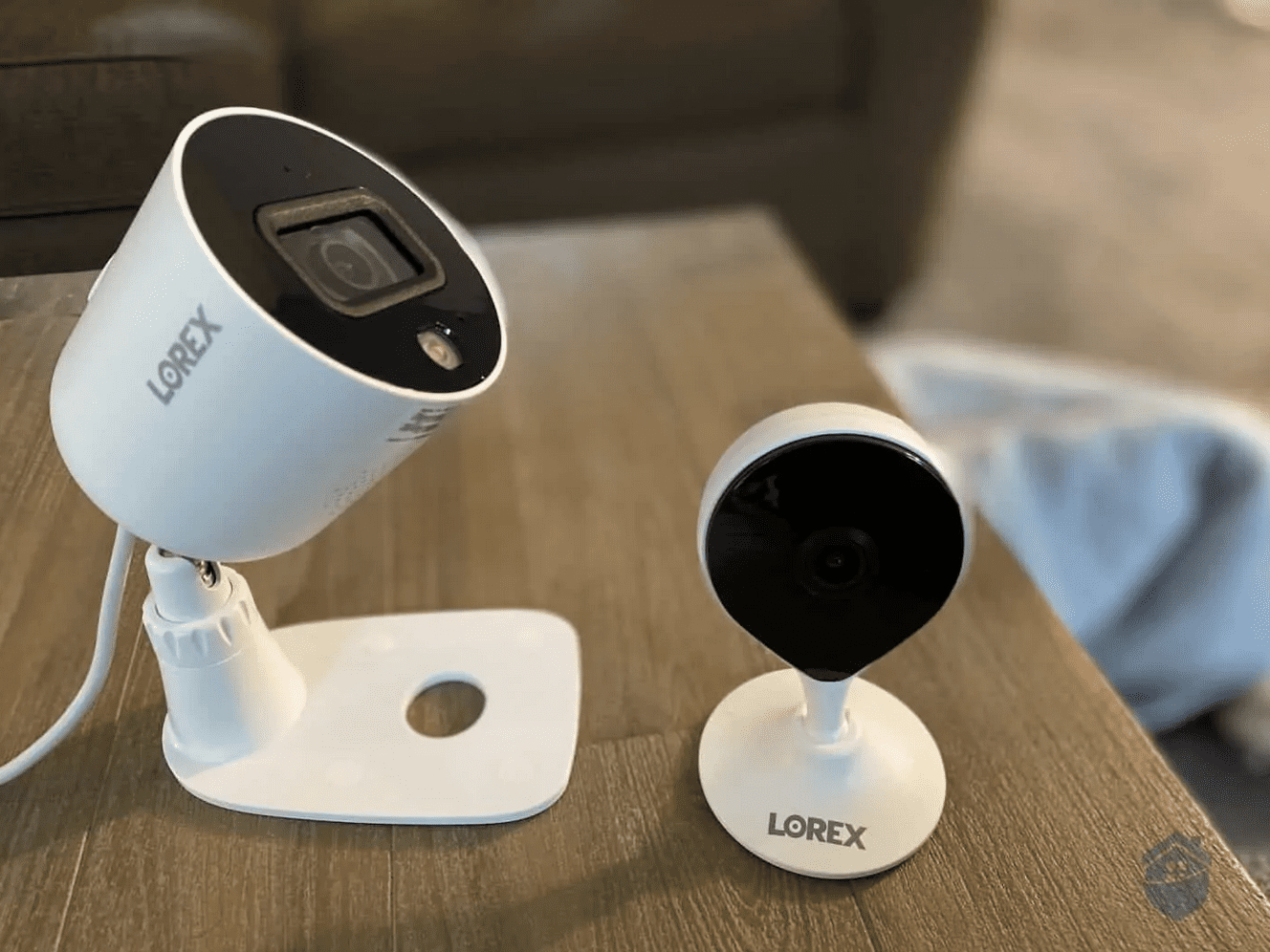
For today’s review, I put Lorex’s Smart Wi-Fi indoor security camera and Smart Outdoor Wi-Fi camera to the test. Both fall under the Wi-Fi camera category, as their names suggest. You’ll get a feel for how these cameras would work both inside and outside your home while monitoring everyday mischief from pets, kids, and anything going bump in the night. And, you’ll learn what makes their cameras different from the rest – including the lesser-known YI/Kami security cameras I tested recently.
All things considered, these aresolid cameras with only a couple of notable downsides. Read on for the full breakdown, but first, here’s a quick snapshot of the key stats on Lorex:
| Days Tested | 25+ |
|---|---|
| No. of Cameras | 30+ |
| Video Resolution | Up to 4K Ultra HD |
| Price | $30+ |
Now, let’s dig into the full experience with Lorex.
In any security camera setup, Step One is pretty obvious: Open box, remove contents. Luckily, Lorex’s equipment isn’t complicated or intimidating. Everything is pretty much ready to go, aside from some mounting hardware attachments to screw in and a couple of power cords to tame. As a side note, if you’re not fond of cords, Lorex has wire-free cameras that run on batteries as well as Power over Ethernet cameras that use a single wire for power and internet connectivity.
The next step is downloading the Lorex app that works with your specific camera.2 Most cameras use the Lorex Home app nowadays, though some older models still use the Lorex Cloud or Lorex Cirrus app. Check the user manual to confirm which app you need before downloading.
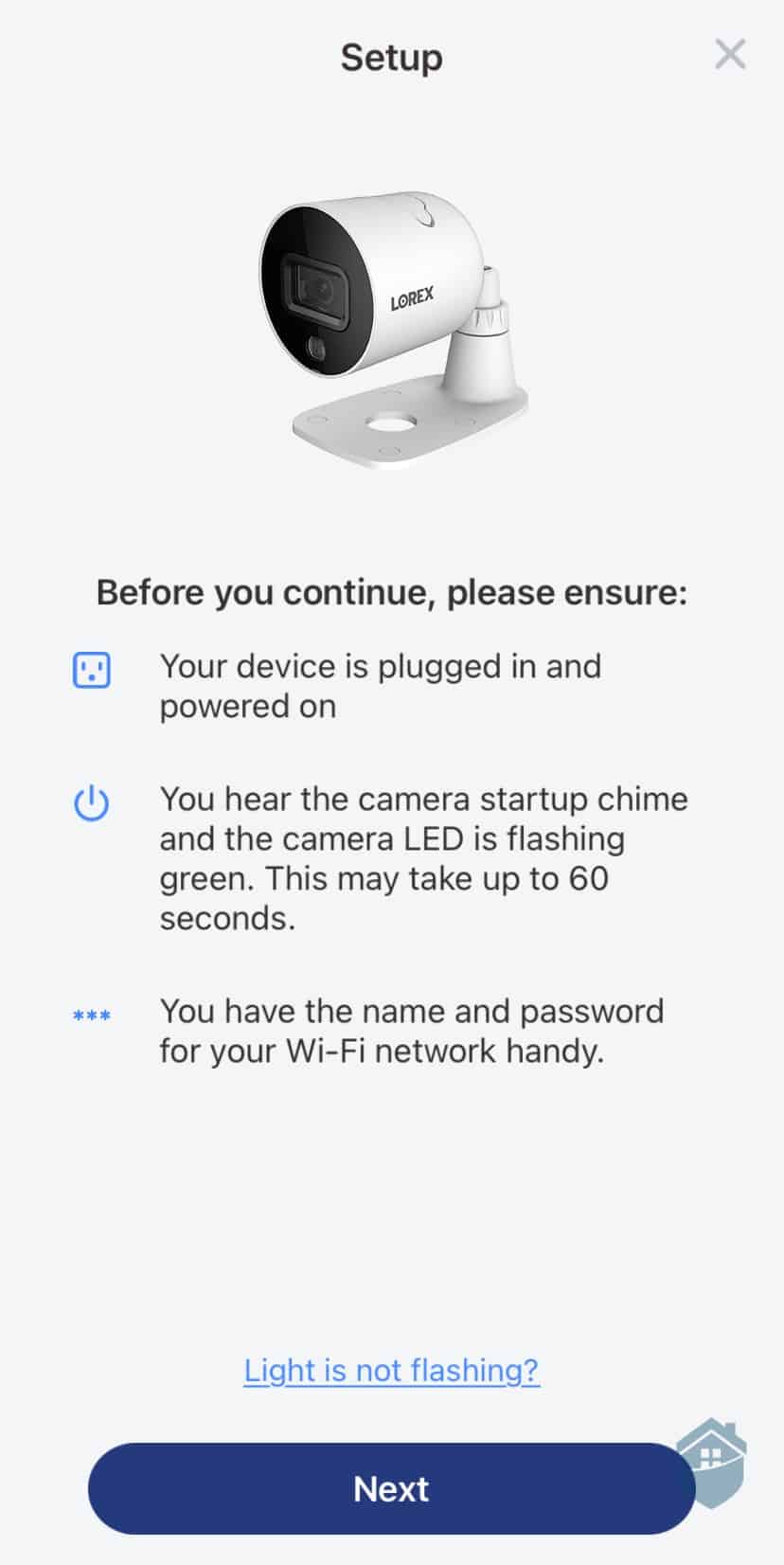
Lorex App – Setting up the Outdoor Camera
FYI: It’s a big company, so it’s not surprising to see the three Lorex apps. They all work pretty much the same, but if you’re still wary, visit our Wyze security camera unboxing and review for a truly no-frills camera experience.
After the app processes your cameras’ QR codes3 and begins the syncing process, it shouldn’t take more than a few more clicks and maybe 10 minutes to get up and running.
Then, you’re at a good place to begin installing the cameras.
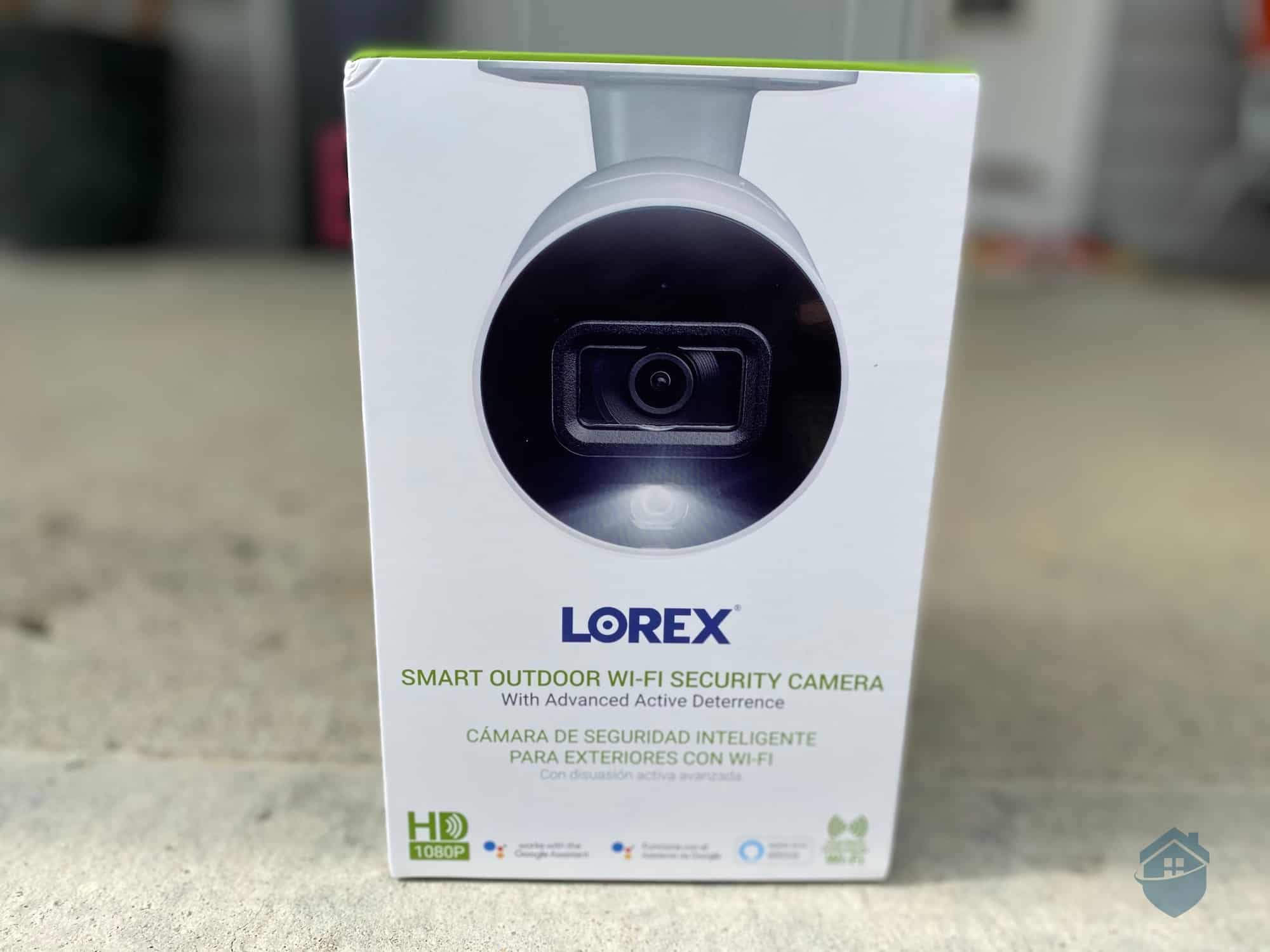
Lorex Outdoor Packaging
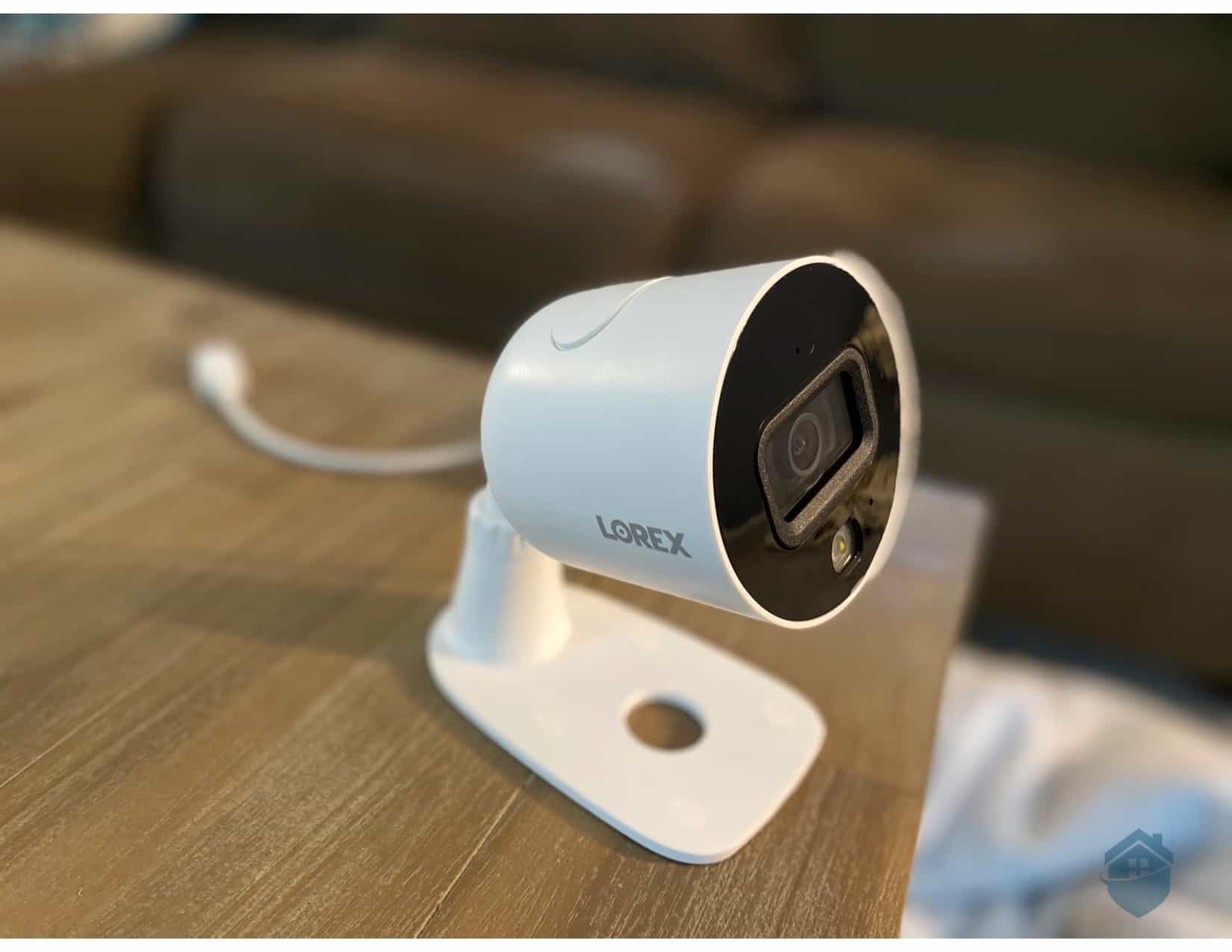
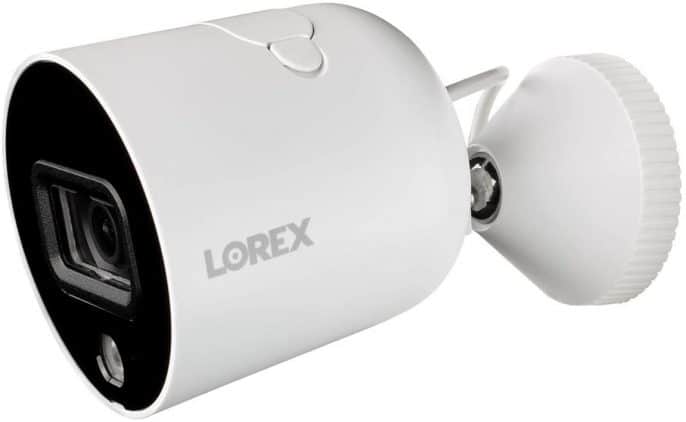
Let’s start with our first-hand experience with the Lorex outdoor camera. The Smart Wi-Fi Outdoor camera is a true outdoor camera and among the most rugged on the market. How rugged? It’s rated IP65. That means it’s completely dust-tight and that it can withstand low-pressure water jets.4 It can also withstand temperatures up to 140 degrees Fahrenheit and down to 22 degrees below Fahrenheit. In short, unless you live at the North Pole or someplace in the middle of the Sahara Desert, you can count on this camera to withstand the elements.
The Smart Wi-Fi Outdoor camera isn’t just tough; it also looks the part. There’s something about the camera that says you’re serious about home security. It looks a bit like those security cameras you see in banks, just smaller. And of course, the fact that it’s screw-mounted makes it look even tougher. Unlike the cameras with magnetic mounts that I often see these days, it wouldn’t be easy for burglars to knock the Lorex Smart Wi-Fi Outdoor camera off its stand.
As with many of the best outdoor cameras, choosing a location is usually the most time-consuming part of the installation process; the rest is just attaching the mounting plate or stand, drilling in a few screws, and adjusting the camera to the angle you want. This can take a few tries, so patience is advised here.
The Smart Wi-Fi Outdoor plugs into a standard power outlet. It connects to Wi-Fi, so there’s no ethernet cable to run — but it does still need a power cord. Plan your installation spot accordingly: the camera ships with a 10-foot power cord and a 10-foot USB extension cord, so you’ll want to mount it less than 20 feet from an outlet.
Pro Tip: It’s a good idea to install cameras as close to your Wi-Fi router as possible, and avoid any obstructive objects like pillars.
Now, you’ve got lots of options for locating a camera like this. If you’re thinking about placing it outside on a porch or patio like I did here, you can fasten the camera pretty easily to a ceiling or wall. It’s a standard mounting plate with four screws, attached to a weatherproof (thankfully) camera.
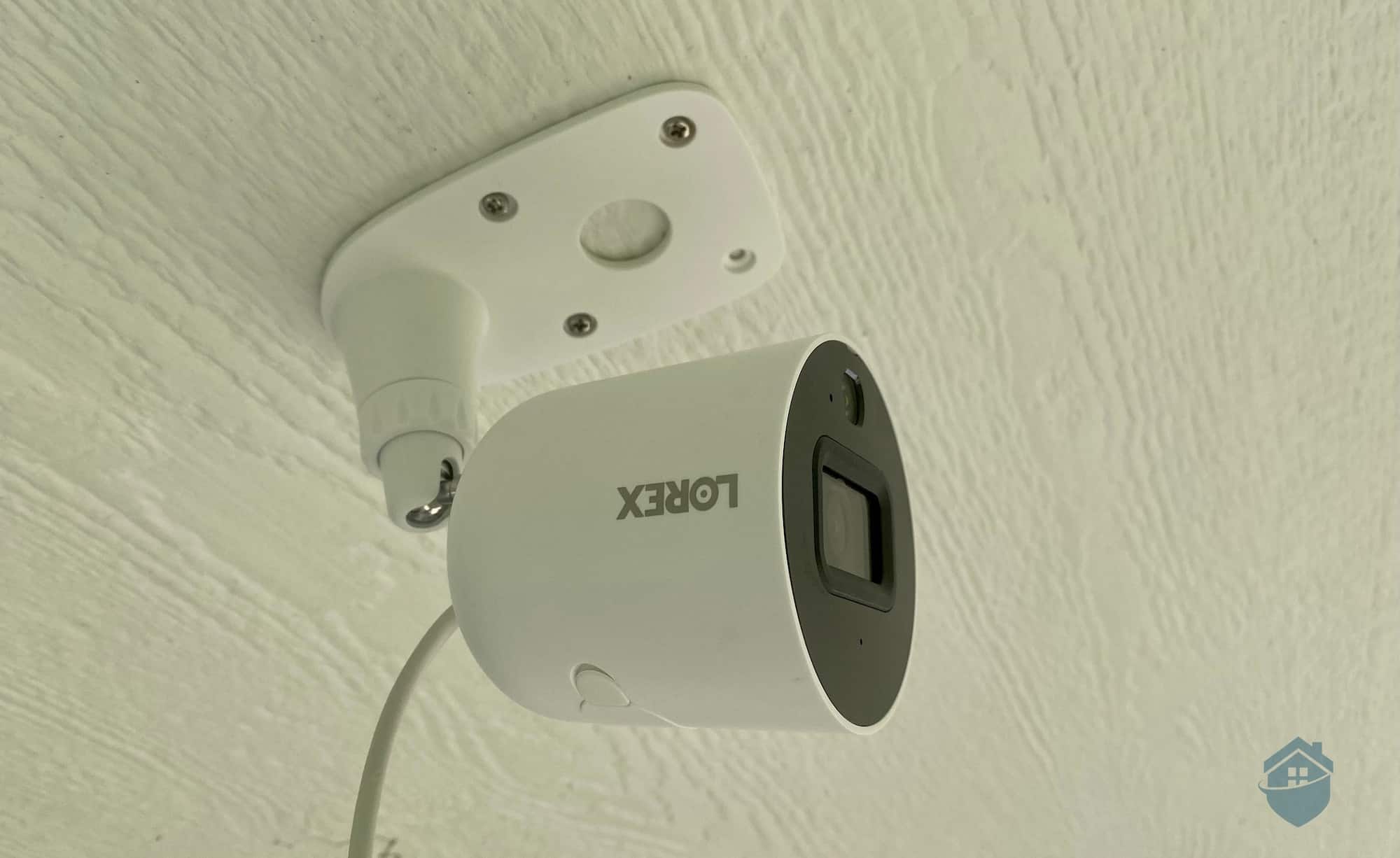
Lorex Camera – Installing Upside Down
This type of camera is ideal for high corners or ceilings. It was reminiscent of a Reolink Argus Eco camera I analyzed for a few days of outdoor testing, but this Lorex camera felt a bit sturdier and generally looked nicer in that space.
Camera installations can be one of those trial-and-error experiences, not unlike figuring out where to place a light fixture or that strange wedding gift from your great aunt. It might take some backpedaling, but you’ll find the angle that works for you in little time. Here’s a tip: Keep your smartphone handy so you can check how the footage looks from the app. After all, you wouldn’t want to miss a blind spot.
Pro Tip: Did you know that Lorex makes a pretty decent doorbell camera, too? Learn more in my hands-on Lorex Doorbell Camera experience, where you’ll get to see Lorex in 2K (read: upgrade!) video resolution.
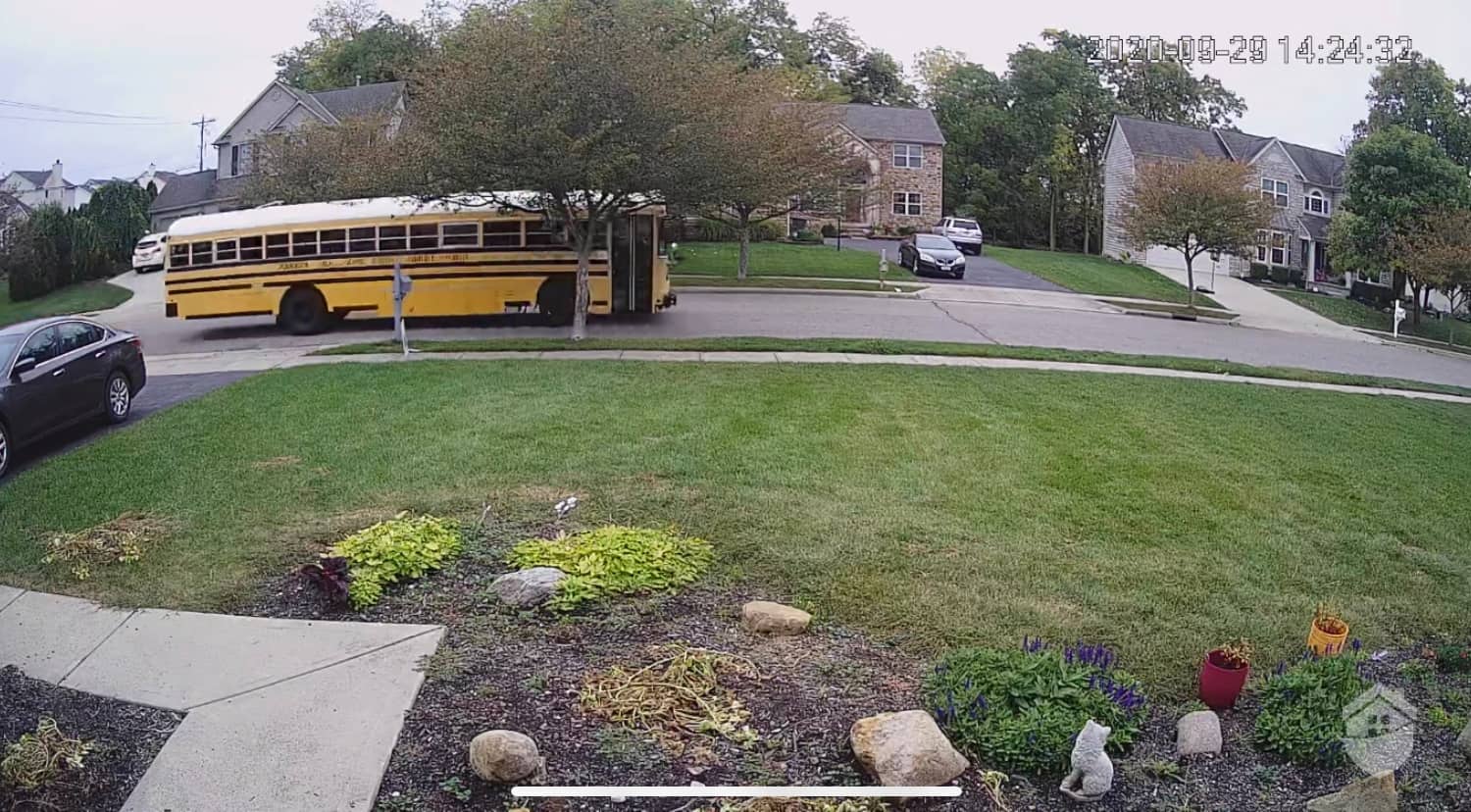
Lorex Outdoor Video Quality
If you stand back to take in the view for a moment, you should be able to see this camera in full 1080p HD resolution most of the time. The technology didn’t seem to overwhelm my Wi-Fi or slow down recordings for too long, so the performance was overall smooth, day or night. That being said, if your internet connection can handle the bandwidth strain, Lorex’s 4K camera lineup has expanded significantly and delivers exceptional clarity — four times the pixels of 1080p, keeping footage sharp even when you zoom in.
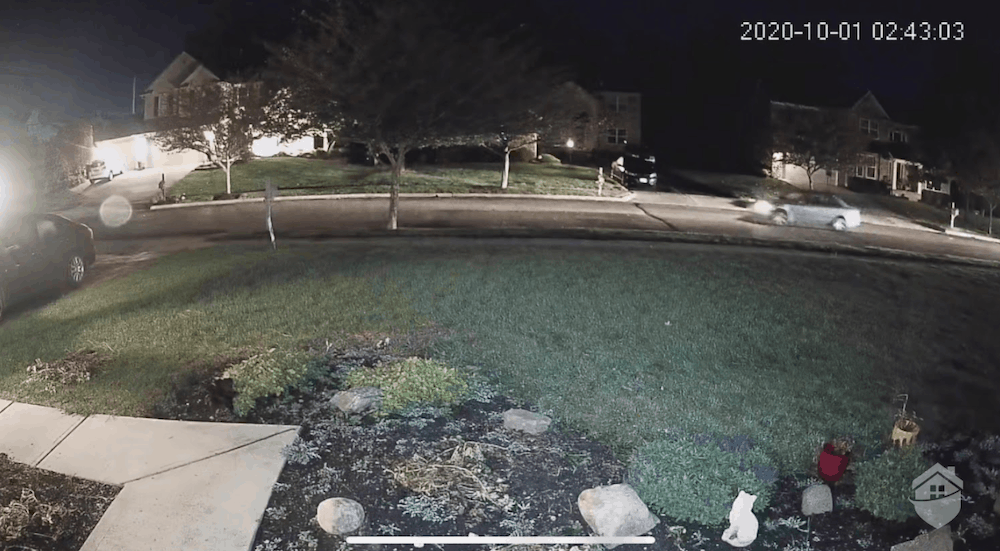
Lorex Outdoor Camera Night Vision
From there, it’s a good idea to do some exploring in the app. If you’re worried about the strain on your Wi-Fi, this is when you can reduce the default HD setting on your outdoor camera to standard definition (SD).
One big advantage here is that this is a spotlight camera, so you’ll get some really nice illumination on some dimmer areas of your yard with Lorex. For more ideas on lighting up your property with cameras, check out my full review of Arlo Pro 3.
After extensively testing this camera, one thing became clear: you’ll need to dial in the motion sensitivity settings right away. These cameras are sensitive, not unlike the majority of wireless cameras available today. You can also limit what types of motion the camera will record – another way to cut down on unwanted alerts.
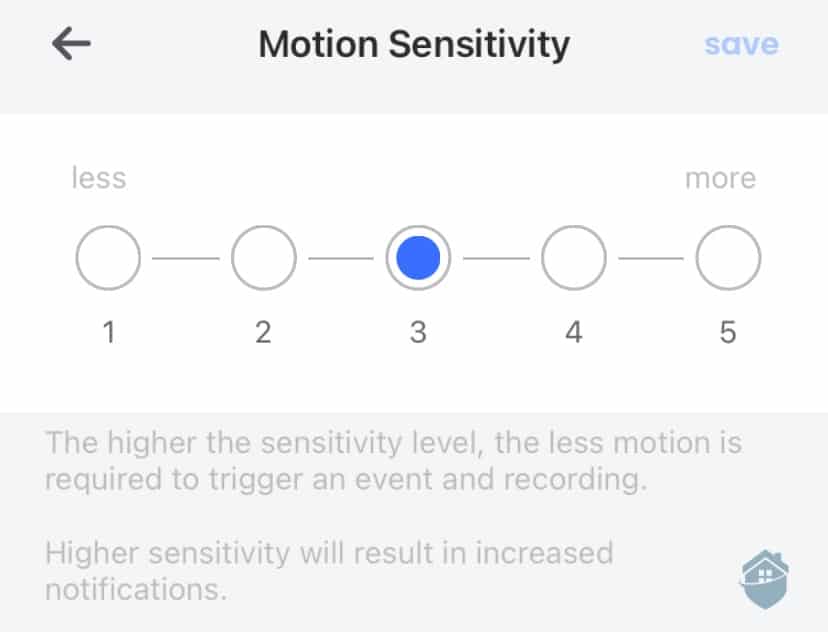
Lorex App Motion Sensitivity
This common feature is another layer of control over motion detection. Sensitivity sliders aren’t new or revolutionary in security cameras; the feature made a prominent appearance in my analysis of D-Link cameras. But no matter the brand, sensitivity adjustment is a great tool to understand how security cameras work in different scenarios and positions.
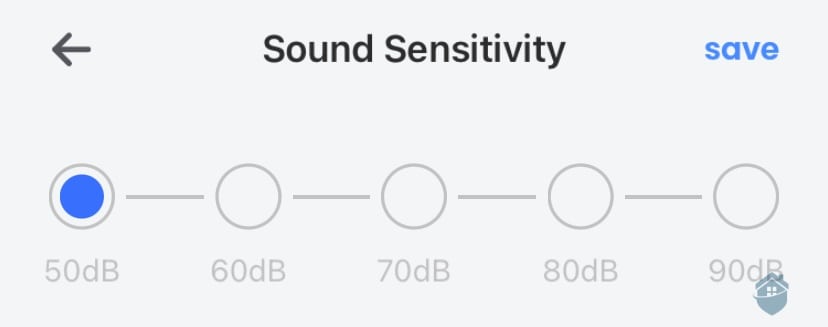
Lorex App Sound Sensitivity
Lorex’s Sound Detection represented yet another example of the high level of control this camera offers. If you live in a high-traffic area, for example, you won’t want to be notified every time a car passes by. But would you want to be notified if a drinking glass fell off a table in your kitchen in the middle of the night? Absolutely!
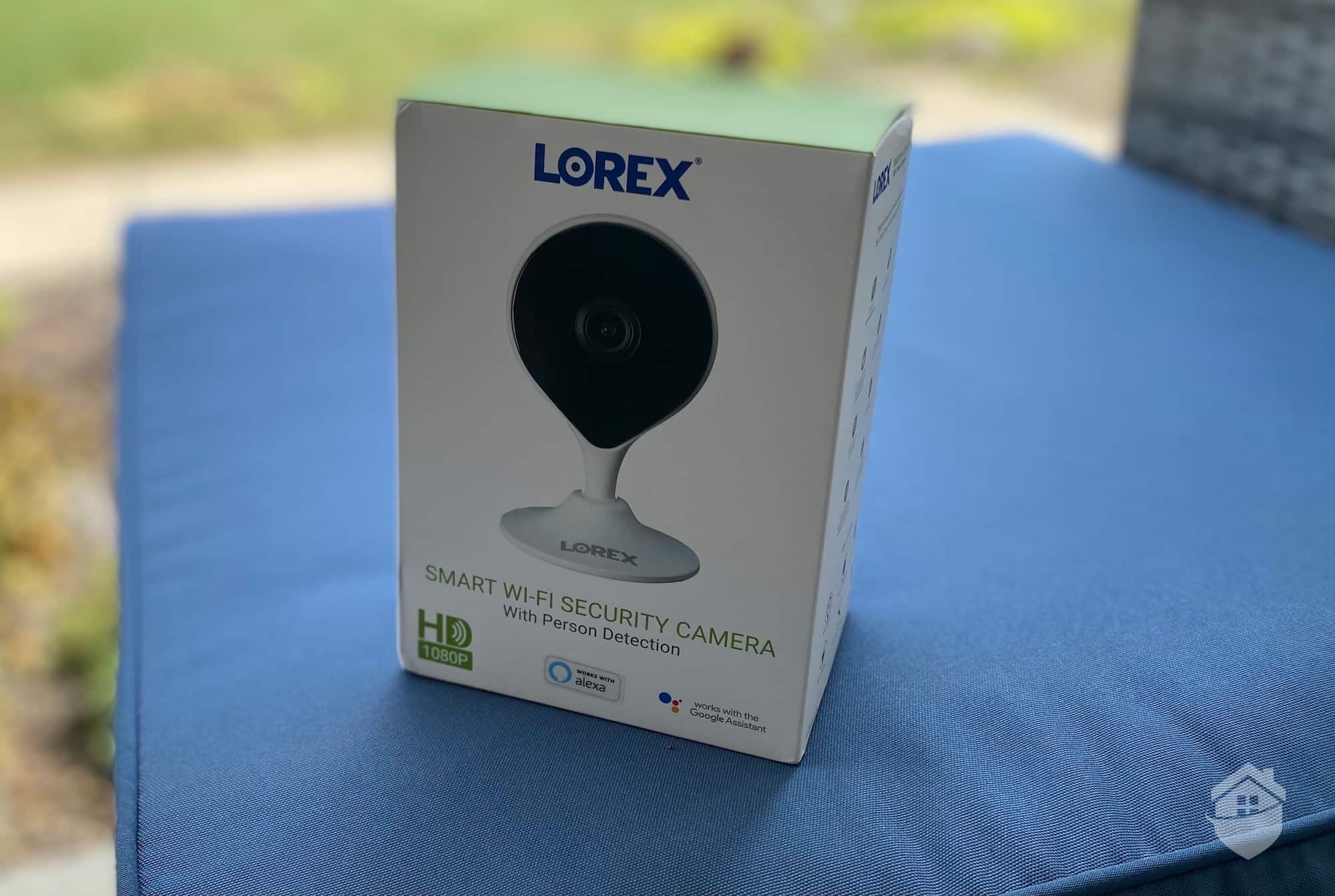
Lorex Indoor Camera Box
The Lorex indoor cam takes a pretty simple approach. It’s shaped like a raindrop (or a navigation marker, if you’re feeling worldly). The design and build are lightweight and slim, not intimidating, and it blends easily with home decor. The lone gripe here would be the cumbersome adjoining power cord; it’s always nice to have a battery option to avoid wire exposure. But you can check out our full roundup of the best battery-powered cameras for more ideas.
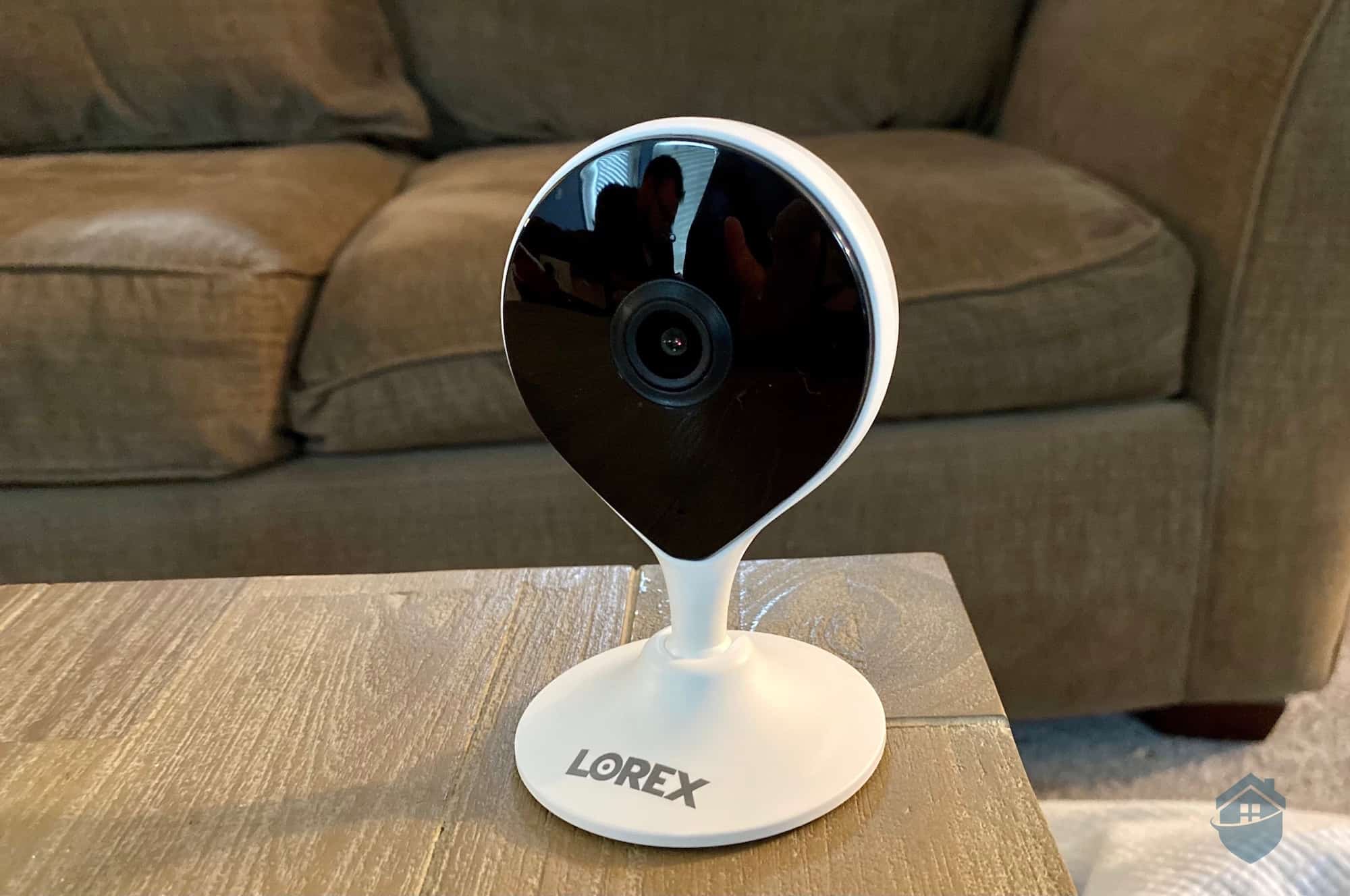
Lorex Indoor Camera on Table
Since these are plug-in cameras, you’ll want to plan to place them somewhere near a working power outlet.
There’s really no shortage of scenarios where a camera like this would come in handy — whether you’re keeping tabs on a pet, checking in on an elderly parent, or making sure the kids got home safely after school. Having one, two, or maybe three of these Lorex cameras stationed around the house to cover the bases is a genuinely practical setup.
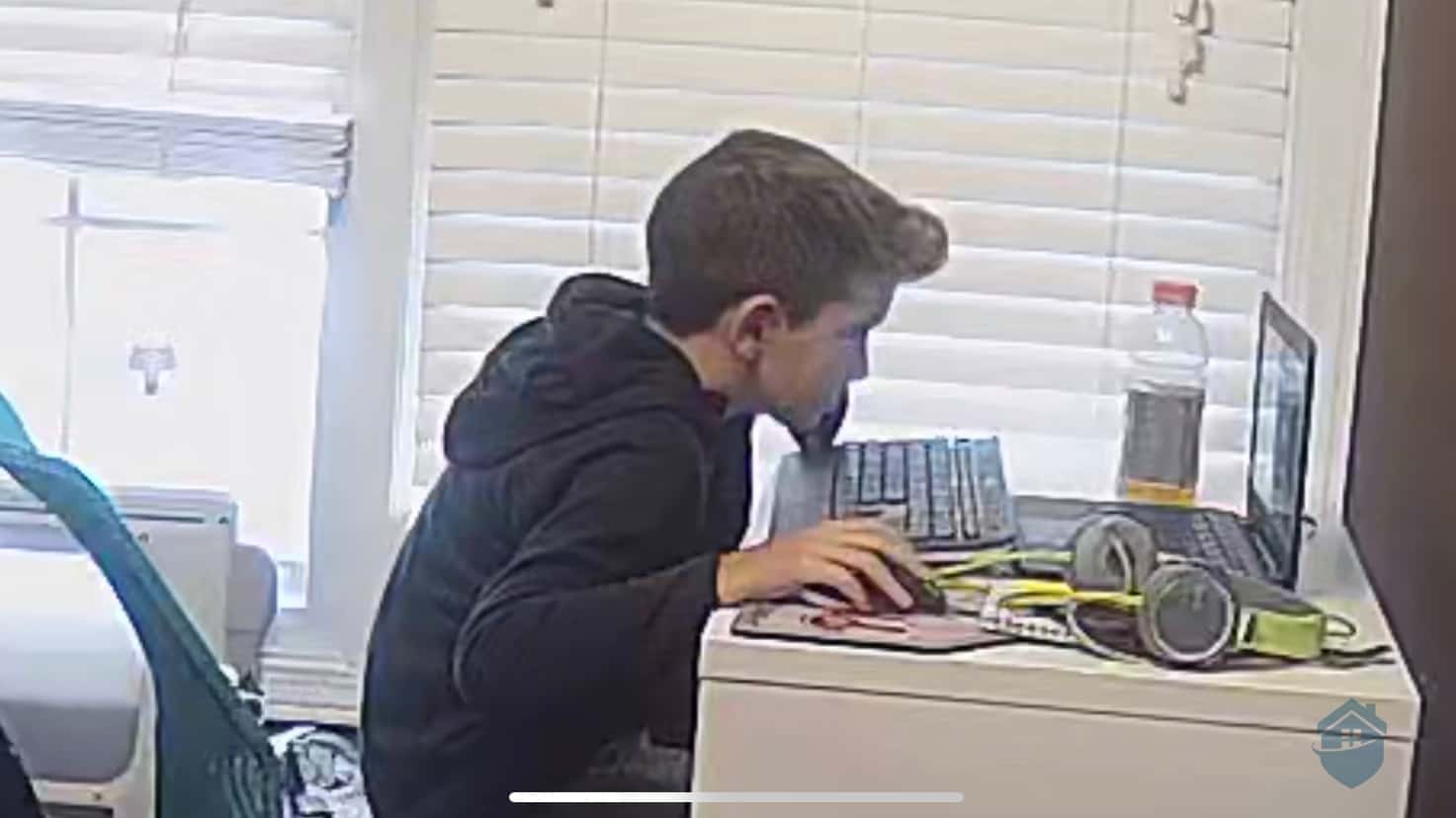
Lorex Camera Video Quality
Like the outdoor Lorex, the indoor cam includes person detection, which is rarer in indoor cameras. Typically, detection of specific objects — like animals, people, or vehicles — is reserved for outdoor models. It’s a nice leg up on a few of the best indoor cameras out there. That said, more and more cameras are rolling person detection into their feature sets these days, so the competitive edge is narrowing. The Nest Cam lineup we reviewed is a solid example of that trend.
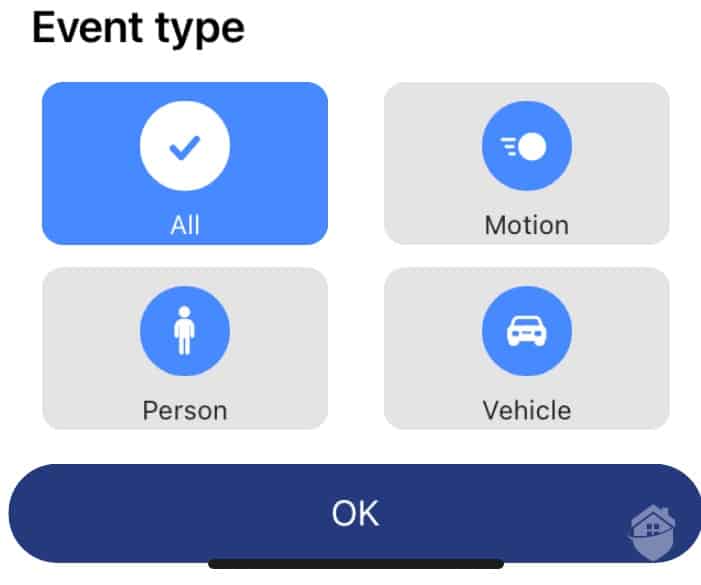
Lorex Motion Detection
“Alexa, show me my living room!”
Lorex cameras are compatible with both Amazon Alexa devices and the Google Assistant to display cameras using voice commands, but there are some limitations to note. (For the latest guidance on smart home devices, see our full home automation guide.)
Setting up both Lorex cams to stream onto our Amazon Echo Show for smart home automation was not terribly difficult. Was it as easy as setting up, say, an Amazon-owned Ring camera to work this way? Not exactly; you do have to go into your Alexa app, search for the Lorex skill, and link the accounts, a process that took no longer than four minutes. Surely that’s time well spent, right?
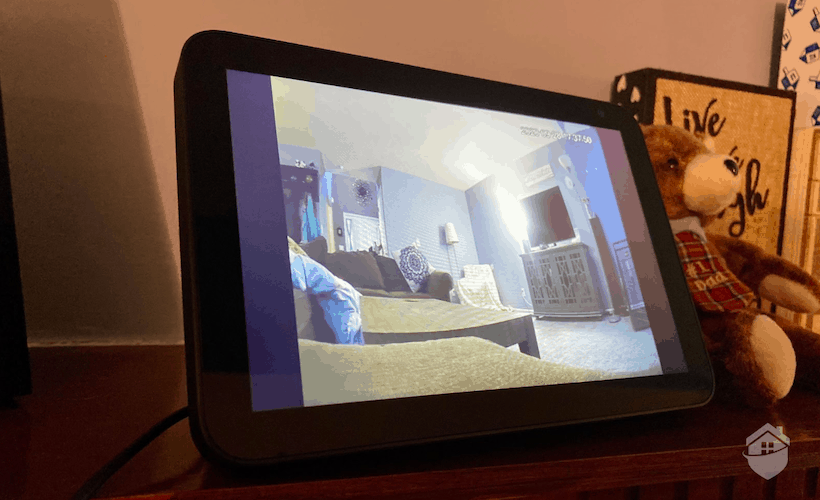
Lorex Camera on the Amazon Echo Show
Of course, if you’re loyal to Alexa, a brand like Blink might suit you better. These cameras, as noted in my hands-on Blink camera review, are one of the easiest options you’ll find for automating with Alexa since they’re owned by Amazon.
Lorex’s features are refreshingly no-nonsense. These are some of the most straightforward security cameras I’ve set up and tested over the years. Nothing overly complicated, just solid performance where it counts. Let’s break down how each key feature held up during my hands-on testing.
| Feature | Does it work? | Notes to consider |
|---|---|---|
| Person detection | Yes | Available in outdoor and indoor versions |
| Image resolution | Yes | Final image quality is contingent on the quality of Wi-Fi connection |
| Motion detection | Sometimes | Needs to be fine-tuned in the app settings to avoid false alarms |
| Two-way audio | Sometimes | Quality is good when close to the camera, but not excellent |
| Smart integrations | Sometimes | Limited third-party integrations and features |
With Lorex, I find that monitoring and storing your cameras’ recordings yourself is pretty easy. Is it as intuitive an experience as the stealthy set of Google Nest Cams I reviewed? Hardly, especially without an option for professional monitoring. That’s just not Lorex’s strength; however, they are very useful if you’re looking for high-quality self-monitoring of your property.
When it comes to video storage, activating cloud storage is easy — as long as you have the right app and compatible cameras. The cameras I tested worked seamlessly, allowing me to activate it directly in the app. If you end up with Lorex cameras that don’t support cloud storage, though, you’ll need either a microSD card for local storage or an NVR system. That’s not a dealbreaker — it just requires some upfront planning.
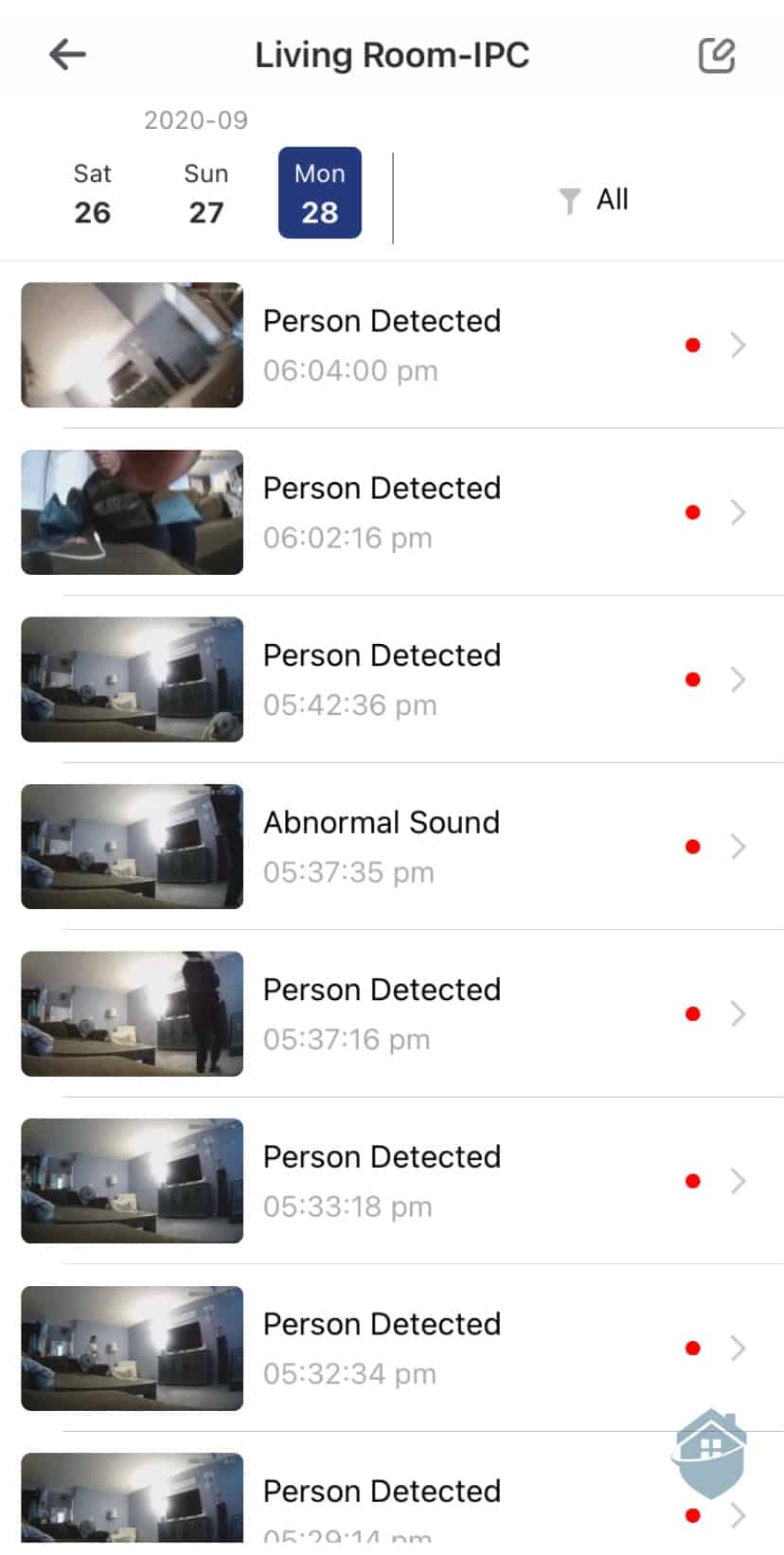
Lorex Motion Events
Despite the limitations of local recording, there’s one thing I’ve found you can always count on with Lorex: Not having to worry about monthly subscription fees to store all those recordings in your timeline. Subscriptions have been the standard model in the vast majority of cameras I’ve tested, so Lorex does offer a refreshing break from the norm.
That said, for a camera system with a pretty remarkable monitoring package, consider Canary. Visit my full Canary Pro Cams analysis to learn more.
And here’s some more good news: My Lorex cameras actually came with a micro SD card for local storage, built right into the camera. So after the initial setup process, I got immediate and complete access to all of Lorex’s camera features, without having to pay. Gotta love that!
Quick Take: I’ve reviewed a large number of cameras that include a built-in micro SD card slot. But they rarely include the actual card. So Lorex’s inclusion of a small but mighty card in each of its cameras was another big plus.
Lorex has been lapping up the praise over the years for their 4K Ultra HD camera packages, most notably due to their DVR and NVR5 camera systems. Their Wi-Fi cameras have also been gaining traction. They make for solid standalone options if you want flexible, app-based monitoring without a full wired setup.
Starting at $29.99, Lorex’s indoor camera is an affordable entry point into the lineup. The outdoor version I tested retails around $130, though there are outdoor options starting at just $49.99.
Of course, remember that those are just two in a pretty massive variety of cameras. (For more help narrowing down the right home security equipment for you, visit our in-depth security system comparison guide.)
Above all that, though, it’s important to note that surveillance camera systems are really the brand’s bread and butter. Here’s a breakdown of pricing for Lorex cameras, keeping in mind that cost will vary depending on how many cameras you need:
| Camera type | Price Range | Capabilities |
|---|---|---|
| Smart Indoor Wi-Fi 2K standalone camera | $29.99+ | Requires a power cord Runs off Wi-Fi Two-way audio Color night vision Magnetic mounting base |
| Smart Outdoor Wi-Fi 2K standalone camera | $49.99 | Requires a power cord Runs off Wi-Fi Two-way audio Color night vision |
| Wire-Free Security Cameras | Starting at $69.99 | Battery-operated No DVR or NVR box needed Two-way audio Night vision |
| Outdoor Security Cameras | Starting at $89.99 | Long-range color night vision Weatherproof design Wide angle options Up to 25X optical zoom Two-way audio |
| PTZ Security Cameras | Starting at $199.99 | Continuous 360-degree rotation Quickly pans, tilts, and zooms Night vision Two-way audio |
| Wired IP Cameras | Starting at $169.99 | Two-way audio Uses power-over-Ethernet technology NVR box for storage 4K video quality Night vision |
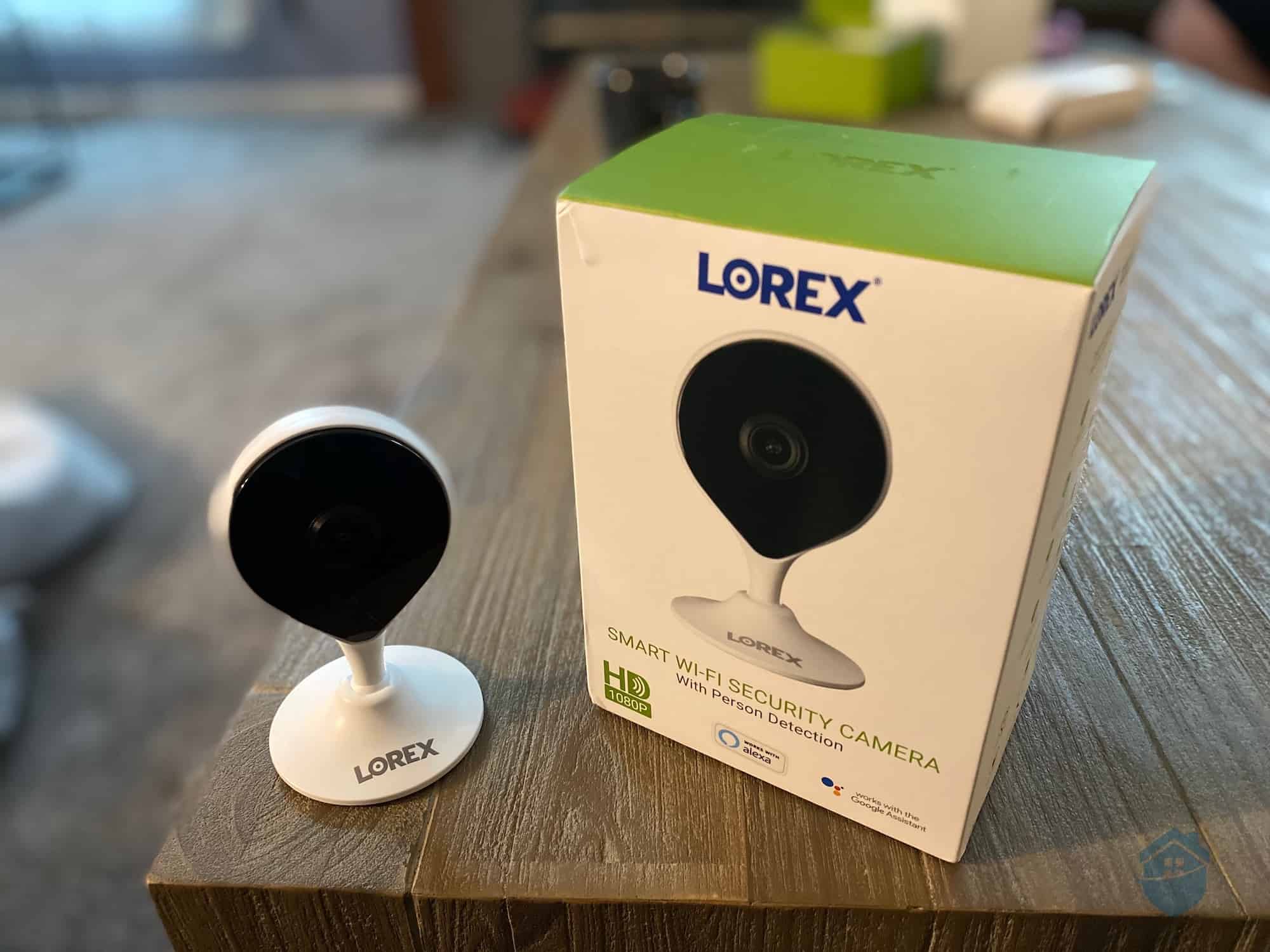
Lorex Indoor Camera and Box
There’s a lot of power in these little gadgets! I felt secure and confident with a set of Lorex cams manning the station. By day, they deliver crystal-clear resolution through the wettest of Ohio rainstorms; when the camera’s night vision kicks in, you’ll see consistent high-quality nighttime images. Combined with the outdoor camera’s active-deterrence light, the whole package should handle pretty well, either in conjunction with a bigger Lorex camera system or as a couple of convenient cams to keep around.
As with all cameras I come across – even the best security cameras in the industry – the experience wasn’t flawless with Lorex. Selection was a bit overwhelming, and it was a slight letdown to learn that not all of Lorex’s apps allow access to the cloud for video storage. So you do have to be careful if you’re planning to store large amounts of video to the cloud.
I’ll end with one last parting thought: If you’re someone who likes to customize your technology to suit your lifestyle, you’ll really like Lorex. These cameras offer a lot of customization, which can be great for folks who like to tinker with their gadgets and tailor them exactly to their needs.
If you’d prefer a more intuitive, hands-off home security approach, there’s always Cove, a system that rivals SimpliSafe for ease of use. Check out our full Cove Home Security review for more.
With such a broad range of cameras, Lorex simultaneously offers some of the most affordable and most expensive cameras on the market. For instance, outdoor cameras start at $49.99, but they can range to over $400 for top-of-the-line models. Indoor cameras top out at over $400 as well, but they start at $29.99.
A bit restrictive, but overall good. There’s no 24/7 support, and hours are limited. But I did get a friendly, helpful agent to answer a quick question on a recent customer service call.
All of Lorex’s outdoor cameras are built to at least an IP65 weather rating. This basically means the cameras can withstand any weather except extreme flooding.
Yes. Lorex has a line of pan-tilt-zoom (PTZ) cameras that are great if you want 360-degree coverage.
Lorex is great for high-quality nighttime viewing, in color. Overall, I was pleased with the cameras’ night vision.
University of Michigan Library. (2020). 4K: What is Resolution?
https://guides.lib.umich.edu/c.php?g=282942&p=1885350
Lorex. (2021). App Compatibility.
https://www.lorextechnology.com/apps-software
Nippon.com. (2020, Feb. 10). The Little-Known Story of the Birth of the QR Code.
https://www.nippon.com/en/news/fnn20191214001/the-little-known-story-of-the-birth-of-the-qr-code.html
Poly Case. (2019, Sept 13). IP65 vs. IP67 Enclosure Ratings.
https://www.polycase.com/techtalk/ip-rated-enclosures/ip65-vs-ip67.html
General Security. (2020, April 6). NVR vs. DVR Surveillance Systems.
https://www.gensecurity.com/blog/nvr-vs-dvr-surveillance-systems