Safehome.org is dedicated to helping people rest easy at night. We’re here to show our readers how to get the most secure home possible for the best possible price. That’s why we never charge our readers for our content.
We participate in partnerships that we may receive compensation from. We never allow these partnerships to influence our trusted reviews and rankings.
Our editorial decisions are ours alone, and our recommendations are based solely on our expertise, experience, and opinions. Our reviews are the result of hours of careful research. When we endorse, rank, or review products and services, we’re making independent judgments that you can trust.
In order to keep our important content free to readers, we participate in affiliate programs, including the Amazon Services LLC Associates Program.
Our partnerships exist to help us serve our readers — never the other way around. We partner only with companies that meet our strict standards for quality, and we never allow our partners to dictate the content in our trusted reviews and rankings. Our goal is to deliver comprehensive, accurate, and up-to-date home security information to our readers, and everything that we do is in service of that goal.
Safehome.org is driven by one mission only: to become the #1 resource that helps the everyday person protect themselves and their family.
To this end, we’ve recruited industry experts to advise our editorial team. Our expert panel brings a wealth of experience from various backgrounds such as burglary detectives, identity theft experts, senior care professionals, and more. Rest assured that our reviews, guides, and recommendations all contain factual information from highly-reputable sources.
We also spend countless hours researching and testing products and services. Our objective findings are then distilled into SecureScore, an at-a-glance score that is both trustworthy and incredibly useful.
To maintain reader trust, we must remain unbiased, truthful, and thorough. This is a responsibility we take seriously. We will continue to recruit the brightest minds and deliver top-quality information in each of our reviews and SecureScore ratings. And that’s a SafeHome.org promise.
ADT
SecureScore™: 9.3/10
Protect your business from burglars and thieves with ADT, the industry’s most recognized name. Get indoor cameras, intrusion protection, and 24/7 monitoring — all at affordable prices. ADT gives business owners peace of mind with over 150 years of security expertise.
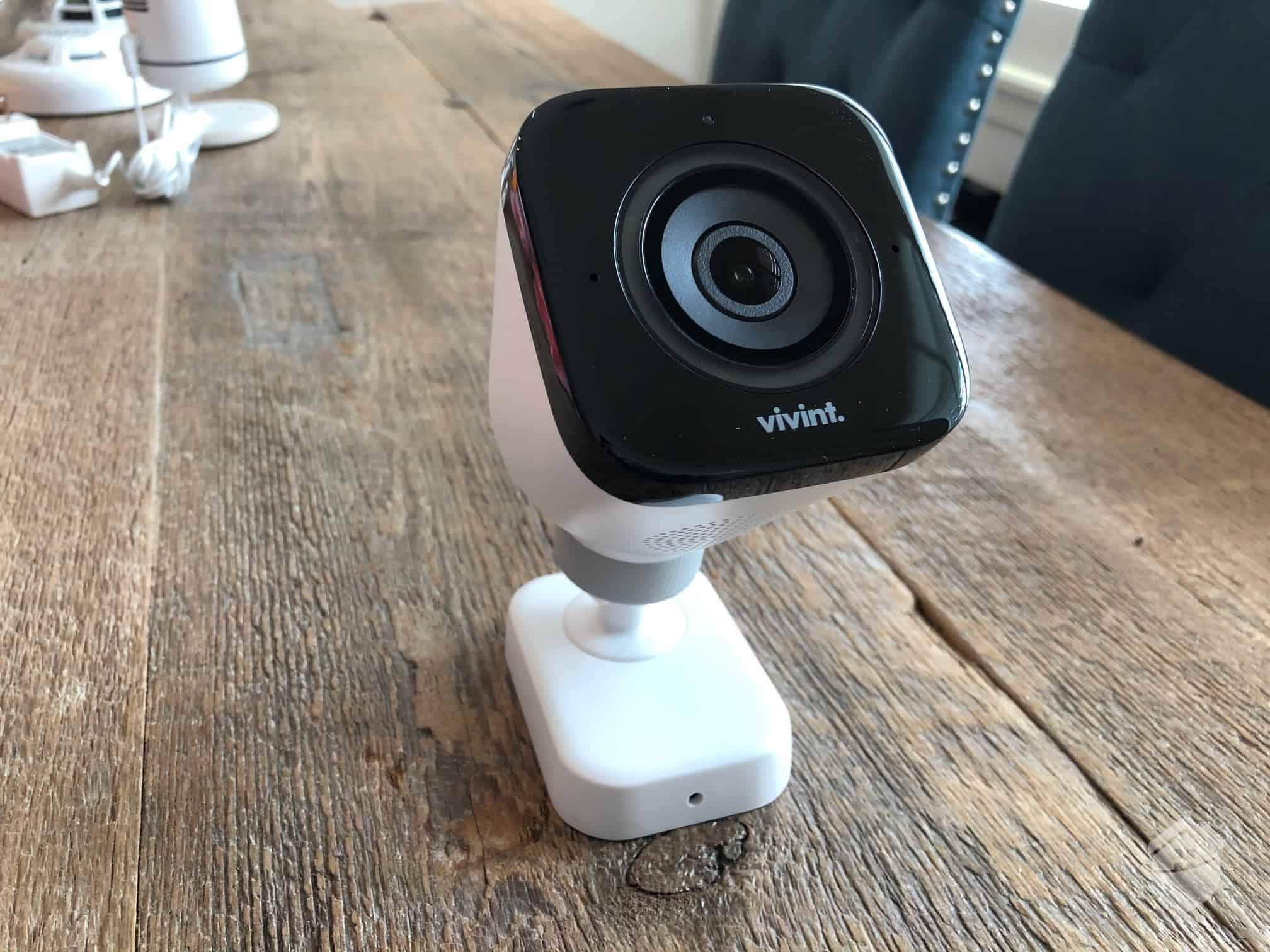
Vivint delivers cutting-edge security solutions for businesses of all sizes. The equipment features sleek, modern designs that blend seamlessly into professional spaces. With Vivint’s advanced security systems and smart automation, protecting your inventory and customers is easier and more effective than ever.
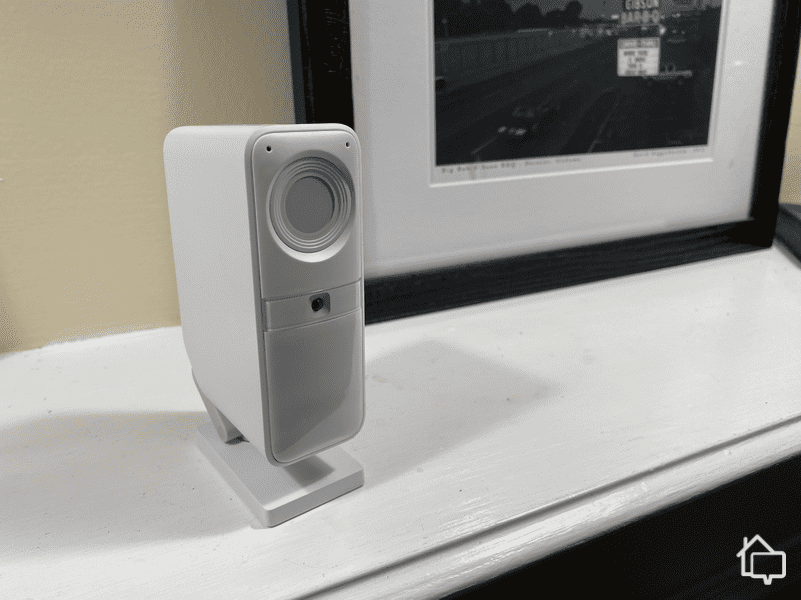
SimpliSafe’s straightforward yet powerful approach to security includes live video monitoring during emergencies and Active Guard, which allows monitoring agents to see and speak to intruders in real time. That makes SimpliSafe a strong choice for businesses that need advanced video security with intruder deterrence capabilities.
Can home security systems work for commercial spaces? We tested dozens of the best security systems in our 1,000-square-foot office to answer this question. Our hands-on testing revealed that they can protect commercial spaces. ADT's equipment and professional monitoring performed best in business environments, especially for companies that need monitored security.
That said, ADT is not the best choice for every type of business. That’s why we’re also recommending Vivint, SimpliSafe, Cove, and Frontpoint. They each offer something unique, like strong automation capabilities and impressive video monitoring features. We’ll break down each one to help you choose the best security system for your business.
Our Methodology: How We Tested and Ranked The Best Business Security Systems
Our Approach
We find the best way to give trustworthy, unbiased recommendations is by testing security systems ourselves. We purchase the equipment with our own funds, install the systems in our testing spaces, and evaluate them for weeks or months at a time. This approach lets us experience daily life with each security system and thoroughly assess its apps, features, monitoring services, and response times. We then use these hands-on experiences to rank and recommend the best security systems for business environments.
Our Testing Setup
We consider multiple variables when testing home security systems, but we find ways to make like-for-like comparisons. For example, we test all equipment in the same building – our own 1,000-square-foot office space. Using a real office helps us simulate real-life scenarios and make accurate recommendations.
We also purchase the same devices for every test system and place them in identical locations. That way, we can compare the individual performance of the devices.
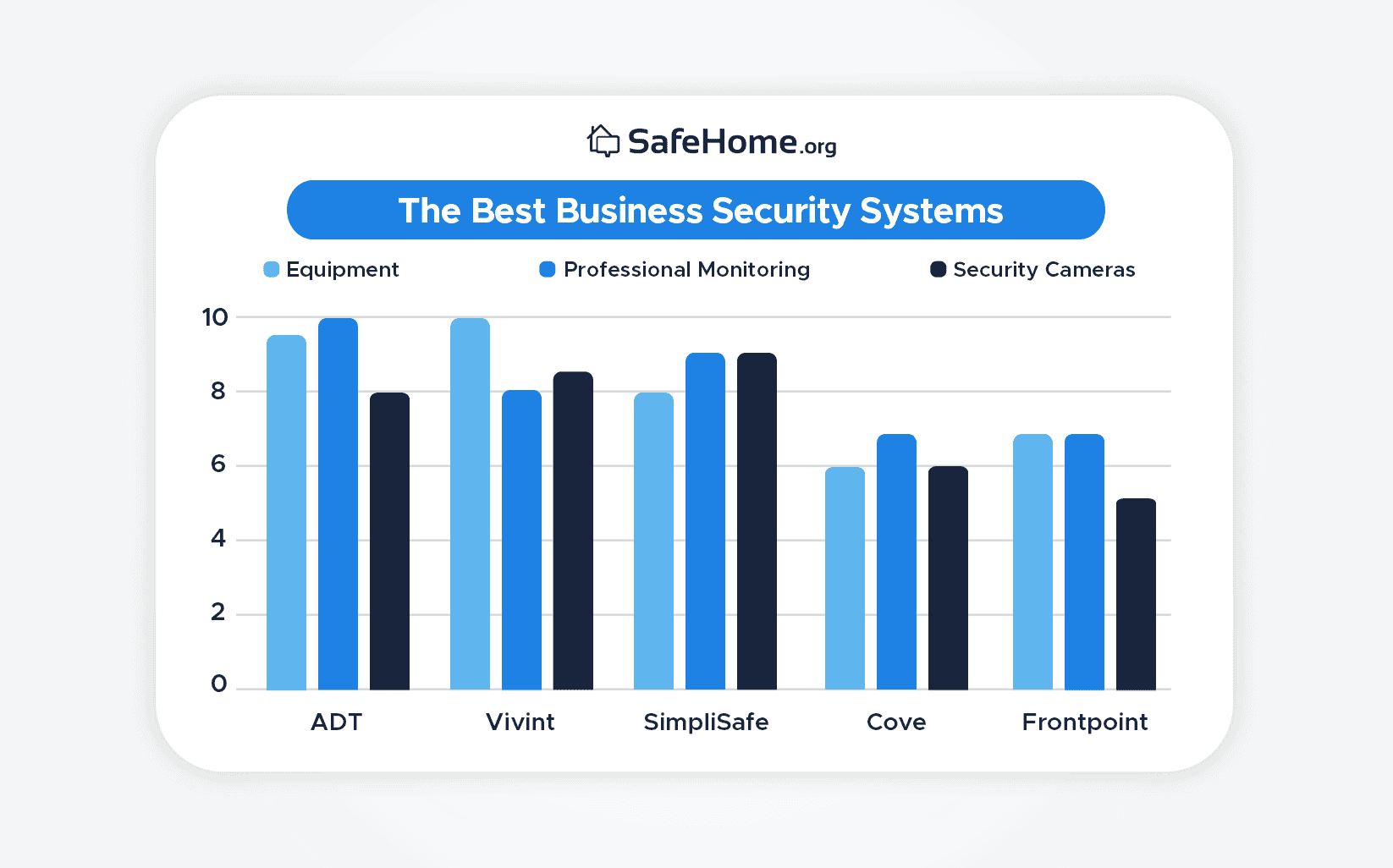
Now, to select and rank the best business security systems, we used our knowledge and experience in the industry to establish the factors that should be top-priority. We came up with these:
Equipment (40%): The devices need to be reliable and sturdy enough for different types of office environments.
Professional monitoring (30%): The monitoring center needs to be the eyes and ears when all the employees have left for the day.
Security cameras (30%): There should also be security cameras monitoring the area 24/7 and capable of recording incidents.
Using these criteria, here is how we scored our top five picks:
Rating the Best Business Security Systems
Why You Can Trust Us
We’re not like other websites that cover everything from photo frames to air fresheners. Our team of experts is trained to review safety and security equipment, and we focus on nothing else. We know what it takes to thoroughly assess security systems so our readers get in-depth and honest recommendations.
Our team has over 80 years of combined experience, making us the most accomplished home security team online. Since SafeHome.org began in 2016, our work has been featured in multiple major outlets, including The New York Times and The Washington Post. As a team, we have achieved:
45+ educational industry research/studies
70+ in-depth security system reviews
120+ detailed home security guides
12,000+ hours of research on security topics
All of our recommendations are based on first-hand product experience and a deep understanding of the home security industry. Now, let’s take a closer look at our top picks.
ADT has been safeguarding homes and businesses for over 150 years, building one of the most extensive security networks in North America. They maintain a presence across more than 200 locations in North America while operating 12 around-the-clock monitoring facilities. Several of these centers are dedicated specifically to commercial clients, offering advanced services such as cybersecurity protection. This vast monitoring infrastructure makes ADT one of our top picks for businesses that need reliable, multi-layered security coverage.
Pros & Cons:
Pros:
DIY and professional installation available
24/7 professional monitoring from ADT’s monitoring centers across North America
SMART monitoring via text message for faster response
Intuitive smartphone app
Financing available
Six-month money-back guarantee
Cons:
No touch-screen control panel
Video support is only available on the most expensive monitoring plan
No local storage options
Our Experience:
Equipment
Unlike the ADT home security system we reviewed, we scheduled a consultation with an ADT representative to design our office security system. Once they learned we’re security experts, they walked us through their equipment lineup and explained how scalable ADT business systems can be. They even discussed automation features like access control and intercom systems, but there was no pressure to add extras. We told them exactly what we needed, and they provided a straightforward quote based on those requirements.
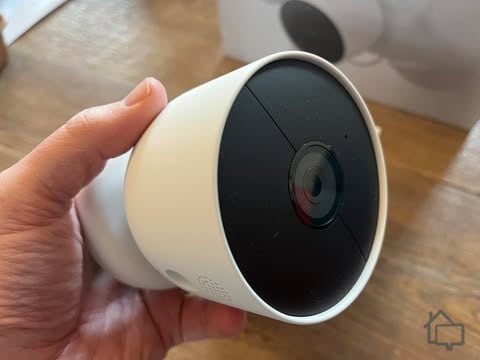
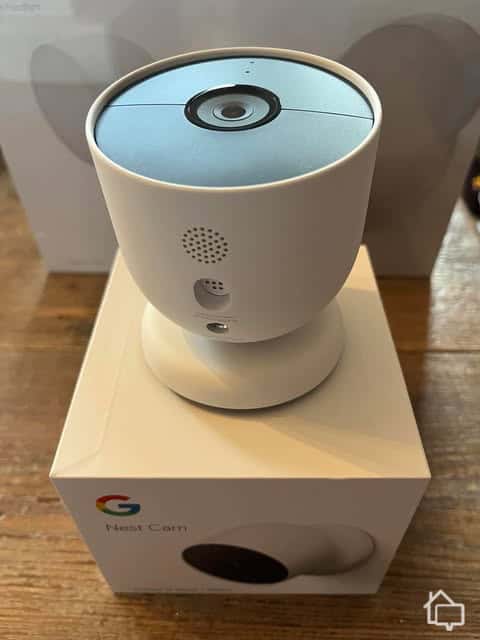
We were happy to use Google Nest Cams to protect our office instead of ADT’s older security cameras.
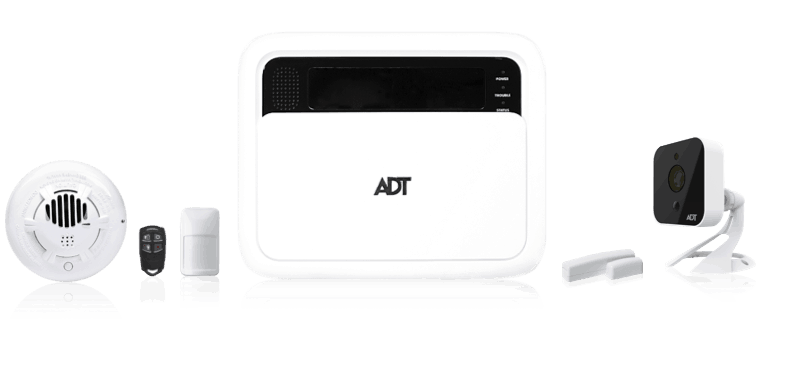
We opted for a compact system featuring a few motion sensors, two indoor cameras, a glass break sensor, an entryway sensor for our office front door, and a smoke alarm. The indoor cameras really impressed us because they were Google Nest models we’ve reviewed before, which we know are among the best indoor security cameras. They even include facial recognition, adding another layer of intelligent monitoring.
Professional Monitoring
You’ll need to call for a personalized quote, which includes pricing for an ADT monitoring plan. We chose the top-tier subscription to get 24/7 monitoring, and for a small additional fee, our Nest Cams recorded continuously with a 10-day rolling video history, which we consider essential for most businesses. With professional monitoring enabled, we consistently received phone call notifications within 30 to 45 seconds after a sensor was triggered and Alarm Messenger text alerts within five to 15 seconds.
ADT delivers this level of efficiency thanks to its 12 monitoring centers, more than any other system we’ve tested. Several of these facilities are dedicated exclusively to businesses, particularly enterprise-level companies. They handle more than just physical security; ADT also provides managed cybersecurity solutions to protect your digital assets alongside your physical premises.
Pro Tip: We recommend asking the consultant if the system comes with cellular backup. Most ADT systems do, and it ensures the system stays connected to the monitoring center if the internet goes down. It’s why ADT is one of the top cellular security options.
Security Cameras
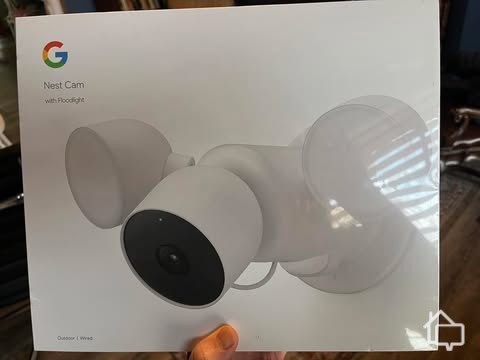
ADT offers every Google Nest outdoor camera. That includes a battery-powered outdoor camera, a wired outdoor camera, and a wired floodlight camera. The last option is the one we’d steer most business owners toward — especially if you have a parking lot or large exterior area to keep an eye on.
We installed the Nest Cam with Floodlight over our carpark so it is always well-lit.
All ADT security cameras are from Google Nest. That’s excellent for businesses because Nest Cams are highly customizable. You can set detection zones, customize the types of notifications you receive, and even teach your cameras to recognize faces. Our office Nest Cams alert us only when a stranger enters and pretty much ignore us while we’re working. We only set them to monitor all types of activities at night, when no one is supposed to be around.
The downside of these Nest Cams is their lack of local recording. We have a pretty strong internet connection, but if your place of business doesn’t, you might want to supplement ADT with better business security cameras.
Expert Tip: You may want to have your legal team or a legal professional review the security camera laws where your business is located before installing security cameras. Doing so could help you avoid legal trouble down the line.
Vivint is one of our top automation home security systems, and that extends to business applications too. Its high-tech equipment far exceeds that of DIY systems like SimpliSafe and Cove in terms of features. For example, Vivint offers a Car Guard vehicle monitoring service — a genuinely useful perk for businesses that manage vehicle fleets. Vivint's flexibility is another standout quality. It carries equipment suited for a wide range of business types, all designed to work seamlessly with its advanced automation platform.
Pros & Cons:
Pros:
Wireless equipment
Advanced home automation with extensive third-party integrations
7-inch touchscreen Smart Hub with live camera view and two-way talk
AI-powered outdoor, indoor, and doorbell cameras with smart detection
Professional installation service
Cellular monitoring with two monitoring facilities
Cons:
Equipment packages start at $199.99; adding extra devices can drive costs up quickly
Financing contracts can run up to 60 months
Short three-day cancellation window
Lack of pricing transparency on its website
Our Experience:
Equipment
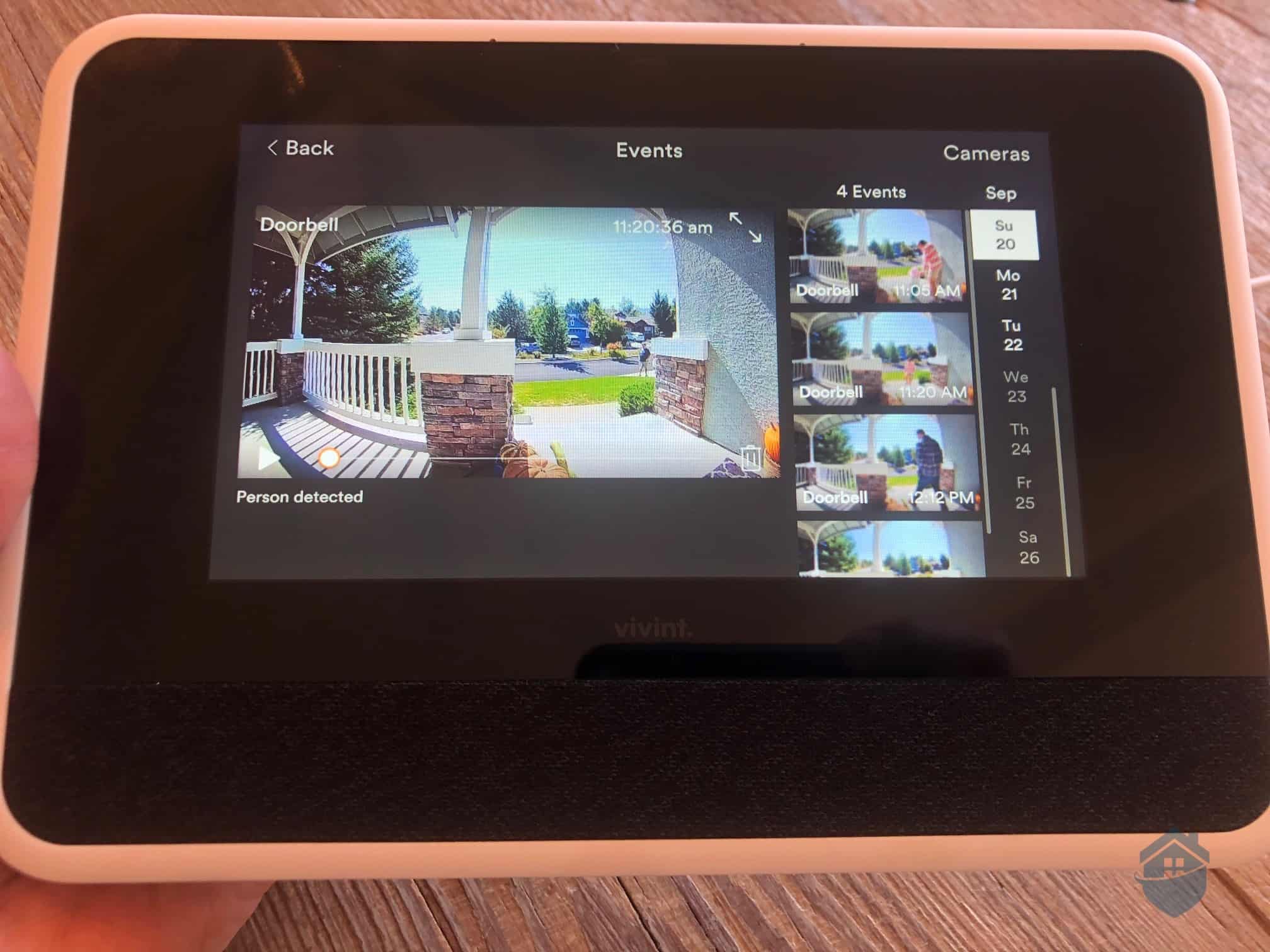
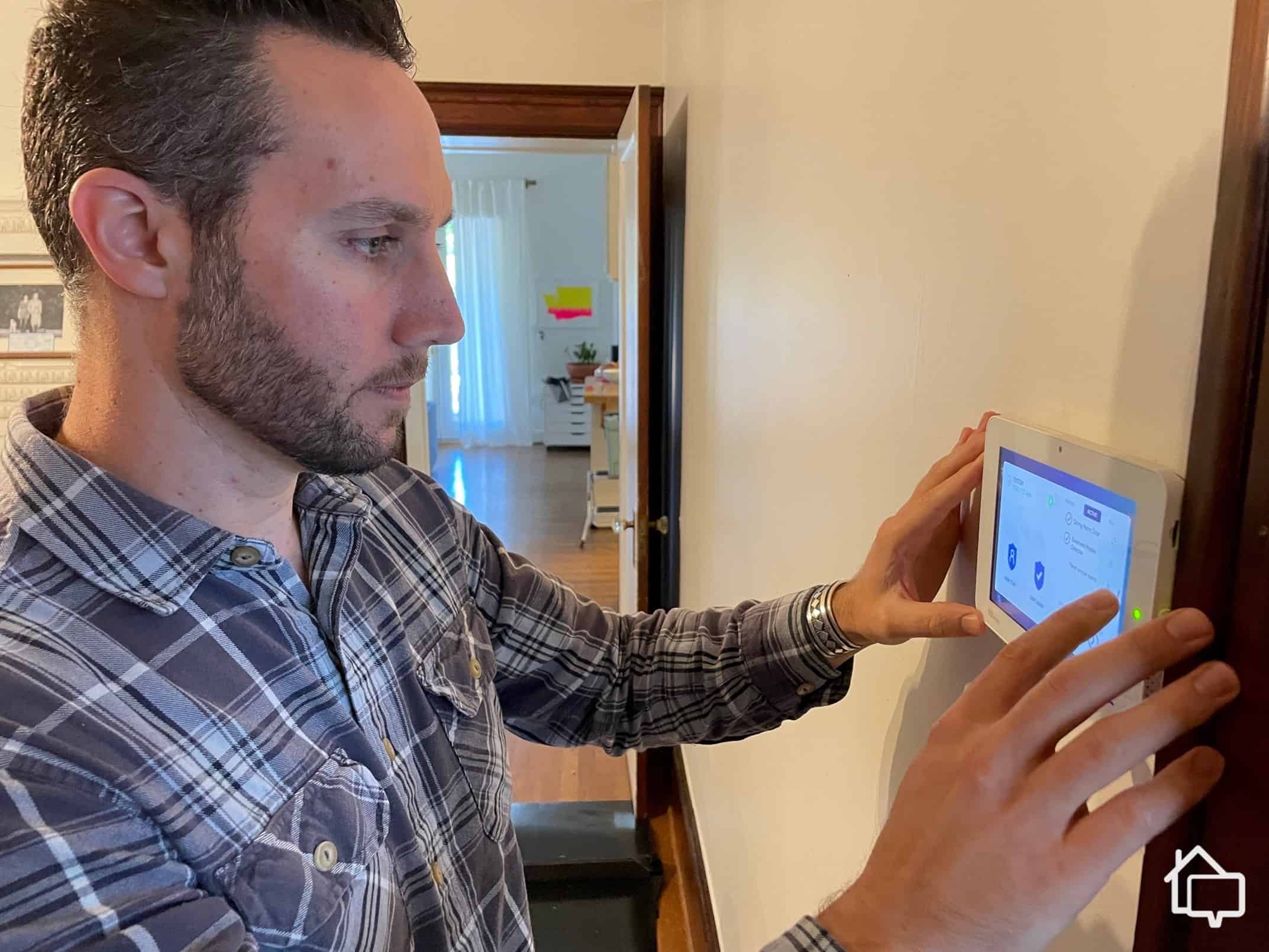
Our Vivint business security system was customized to our business type and professionally installed. We decided to get the same pieces of equipment as we did when we tested ADT and noticed immediately that the Vivint system has the technological edge, even with just the hub. Vivint’s touch screen control panel features two-way talk with the Vivint response center, displays live camera footage, and syncs automation devices easily.
Our Vivint control panel showing security camera recordings.
Our office runs a number of smart devices — a thermostat that keeps the workspace comfortable, smart bulbs that respond to ambient light, and speakers throughout the space. Thanks to Vivint’s Z-Wave compatibility, we could pull all of these into one system and manage everything from a single app. It’s the kind of integration that makes day-to-day operations easier.
Vivint doesn’t have ADT’s six response centers — it has two, one in Utah and one in Minnesota. That said, it still has a leg up on companies like SimpliSafe, Cove, and Frontpoint that outsource monitoring to third-party services entirely.
The response times are also impressive. We always receive a text alert in under 10 seconds and then a follow-up call alert 30 to 60 seconds later. Vivint even spoke with one of our employees through the touch screen panel after they accidentally triggered the alarm. Luckily, they knew the secret passcode to cancel it.Otherwise, the police would have been called.
Pro Tip: Make sure all essential personnel know the passcode to cancel alarms. Your business could face false alarm fees and even legal charges if the police are repeatedly called to your business for false alarms.
Security Cameras
Vivint’s cameras don’t offer facial recognition like the Nest Cams from ADT, but they do pack in some smart deterrence tech. The AI can detect potential threats based on how long someone lingers on your property. Once a threat is detected, the Active Deterrence feature triggers, which uses alarm tones and built-in LED lights to scare off would-be intruders before they break in.
The Vivint Outdoor Camera Pro can blare sirens and shine red lights to deter intruders.
You can read more about Active Deterrence in our Vivint home security system. Since we only bought the indoor camera for the office, we used the feature after hours. We also adjusted the settings to activate Active Deterrence when the camera detects a person for over a minute. Fortunately, we never had any break-in incidents.
Pro Tip: We find that automated response from security equipment – whether it’s alarm tones or lights – is effective in deterring crime.
SimpliSafe is a straightforward DIY security system, but it's also capable of a lot more. SimpliSafe offers some of the most advanced video security features on this list, including Intruder Intervention and Active Guard. With both features enabled, SimpliSafe's response center can use two-way talk through security cameras, sirens, and lights to actively deter potential intruders before they ever get inside.
Pros & Cons:
Pros:
Offers no-monthly-fee self-monitoring
Stylish wireless equipment
Professional installation service available
Equipment packages start at $250
Active monitoring features for SimpliSafe’s indoor and outdoor cameras
Cons:
Missing a few types of equipment, like garage door sensors
Offers only a battery-powered option for outdoor video security
Monitoring price increases regularly
No touch-screen keypad
Our Experience:
Equipment
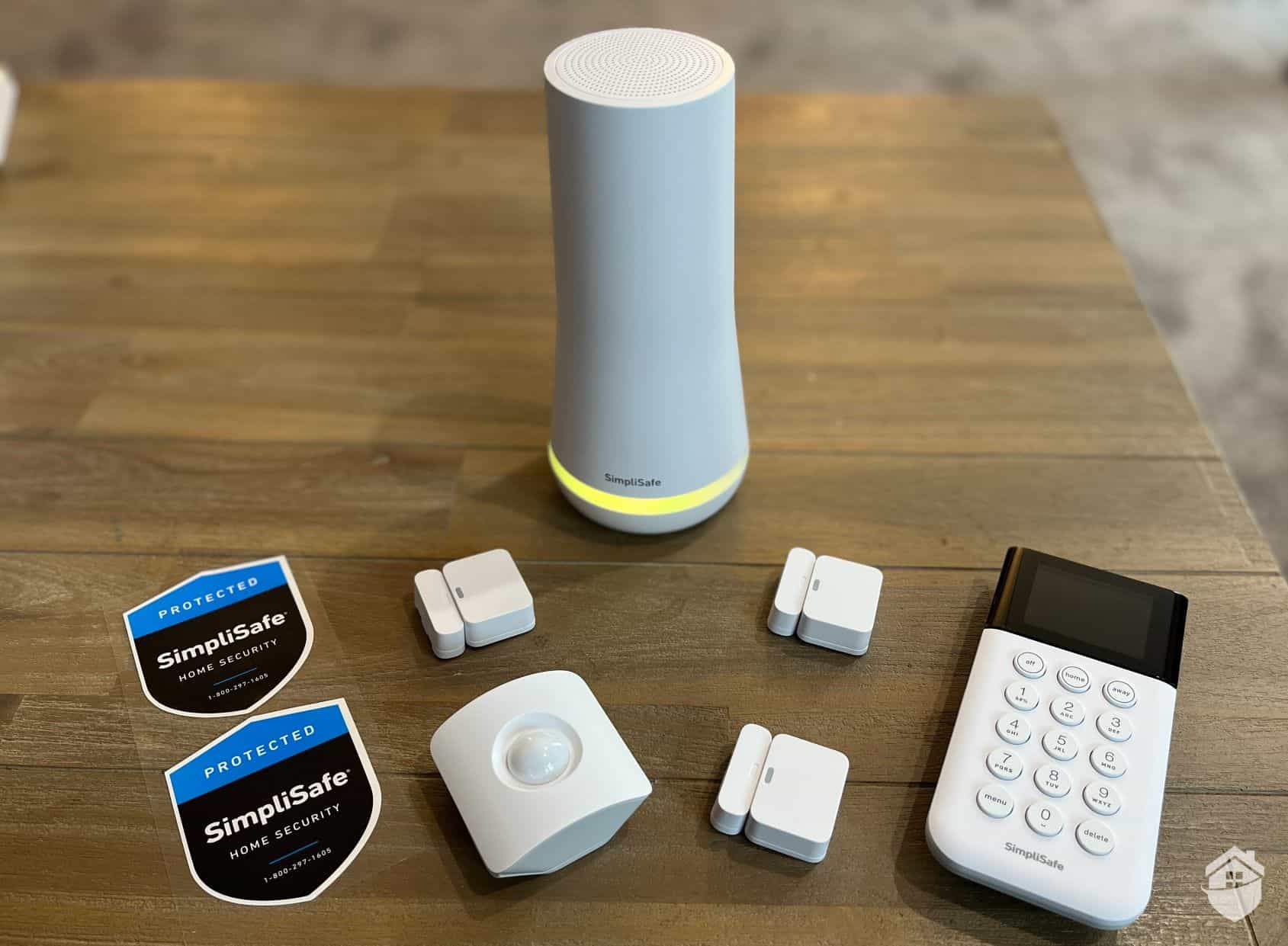
Unlike ADT and Vivint, we didn’t have to call in to buy our SimpliSafe system; we did everything online, and it was quick and easy. They even have pre-made packages for businesses specifically, although we prefer to build our own system.
Here’s our tester unboxing the SimpliSafe equipment and getting it ready to install around the office.
What stood out right away was SimpliSafe’s more limited equipment range compared to ADT and Vivint. It doesn’t offer a touch-screen keypad or advanced smart automation devices like the other two. That said, from our experience, SimpliSafe still provides enough options if your focus is strictly on security. We especially appreciate the dedicated panic alarm button—a smart addition for a retail counter or any business where quick alerts are critical.
Pro Tip: For businesses, it’s better to build your own SimpliSafe package, with only the exact pieces of equipment that you need. SimpliSafe has an Office Protection package, for example, but we found that it includes too many entryway sensors for our office. Plus, you can add more devices in the future if you move into a bigger space.
Professional Monitoring
SimpliSafe offers dedicated business security monitoring plans starting at $24.99 per month. We went with the Core Business plan at $34.99 per month, which includes the intruder deterrence features mentioned above. Active Guard Outdoor Protection is available on the Pro and Pro Plus plans.
The alarm response was consistent with our SimpliSafe home security review. After all, they are exactly the same systems. Alarm texts arrived about 10 to 20 seconds after triggered alarms. Phone calls follow 30 to 60 seconds later. That’s on par with the industry average and our expectations.
Security Cameras
Our favorite SimpliSafe feature is Intruder Intervention and Active Guard Outdoor Protection. And in our opinion, a lot of businesses can benefit from them, especially if the building is empty after-hours.
This is the wireless indoor camera that works with Intruder Intervention.
Basically, a SimpliSafe monitoring agent accesses the wireless indoor camera after an alarm is triggered. The first goal is to verify the alarm, as video verified alarms are usually responded to faster by the police. However, if the agent sees a potential intruder, they use the camera’s two-way talk to dissuade them. That’s even better than Vivint’s automated Active Deterrence feature. We tested Intruder Intervention both at home and in the office, and it worked seamlessly everytime.
FYI: Active Guard Outdoor Protection is a similar feature but uses the Outdoor Cameras. SimpliSafe agents can use sirens and strobe lights to deter intruders. You’ll need the Pro or Pro Plus monitoring plan — which starts at $69.99 per month for businesses — to access this feature.
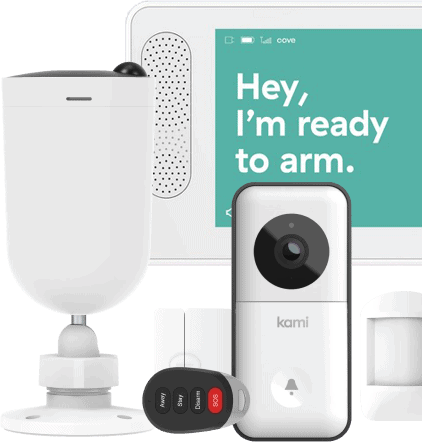
Even though Cove is our budget pick, it delivers reliable and efficient professional monitoring thanks to its partnership with RapidSOS. We'll get into that more below when we break down Cove's professional monitoring service, which starts at $22.99 per month.
Pros & Cons:
Pros:
Monitoring starts at $22.99 per month
Simple but functional mobile app and touchscreen controller
85 dB siren built into each Cove Hub and touchscreen keypad
Affordable equipment options
Frequently offers deals and discounts
Cons:
Best camera features are only available on the most expensive monitoring plan
Limited home automation and integrations
No self-monitoring option — a paid plan is required for the system to function
More limited equipment options than other brands
Our Experience:
Equipment
We think Cove is best suited for small businesses because its equipment and monitoring features aren’t quite at the same level as ADT or Vivint. But just like SimpliSafe, it’s a solid option if you want to focus on just security. It has security sensors and cameras, plus it also offers environmental sensors like smoke and gas leak detectors.
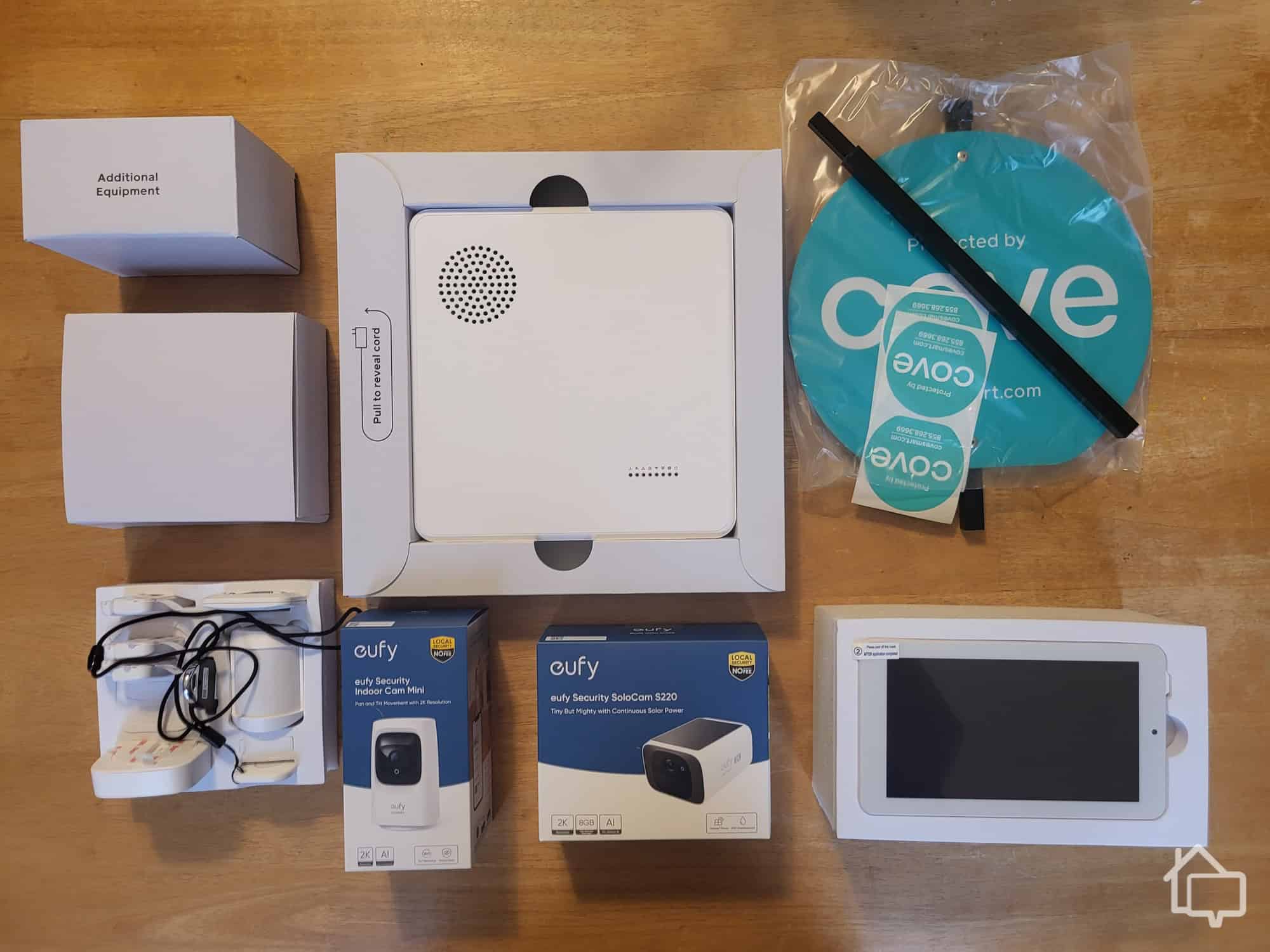
Cove’s equipment has expanded, including the addition of in-house security cameras.
We bought our Cove system online and designed it ourselves, like we did with SimpliSafe. It may have been easier if there were pre-made packages, but Cove requires every user to really consider their unique security needs by offering only custom security systems. And don’t worry about the cost. Cove is always running deals that cut the price of individual components; not entire packages.
Pro Tip: If you see a limited-time deal on Cove’s website, there’s no need to rush. In the several times we bought a Cove security system, there were always deals and discounts, sometimes up to 65-percent.
Professional Monitoring
Limited equipment aside, we believe Cove is a strong option if you’re looking for a professionally monitored security system. Cove partners with RapidSOS, a platform that links security systems directly to emergency responders to relay useful information.
We didn’t have any incidents that required police response in the office, but when we reviewed Cove at home, the police showed up during a break-in simulation. The officer knew which sensor was triggered (front door), which prompted him to knock on the front door first. He said that if it were a back door sensor that was triggered, he might have gone around the back of the house to catch the potential burglar.
FYI: Cove’s response was fast! We received both alarm texts and app notifications within 15 seconds of the alarm.
Security Cameras
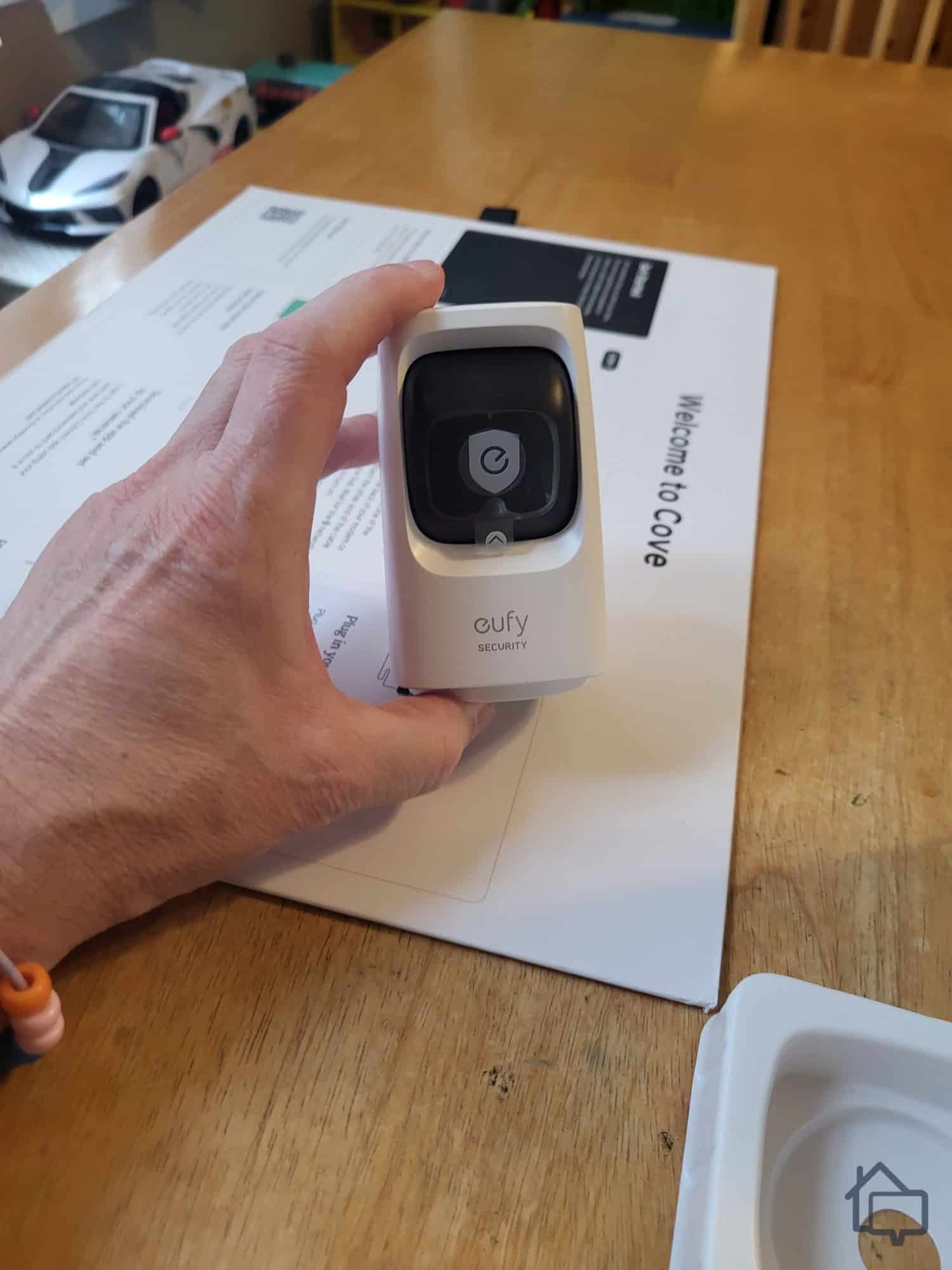
Cove’s cameras used to be from a brand called Eufy. Now, they offer a lineup of their own branded cameras with upgraded specs. A few standout upgrades include AI-powered object tracking and solar charging on the outdoor model. These new models also integrate directly into the Cove app. We see this as a big improvement, as when we tested the old Eufy cameras, we had to switch from the Cove app to the Eufy one to pull up a live feed and confirm alerts.
Our Cove indoor camera doesn’t take up a lot of space in our small office.
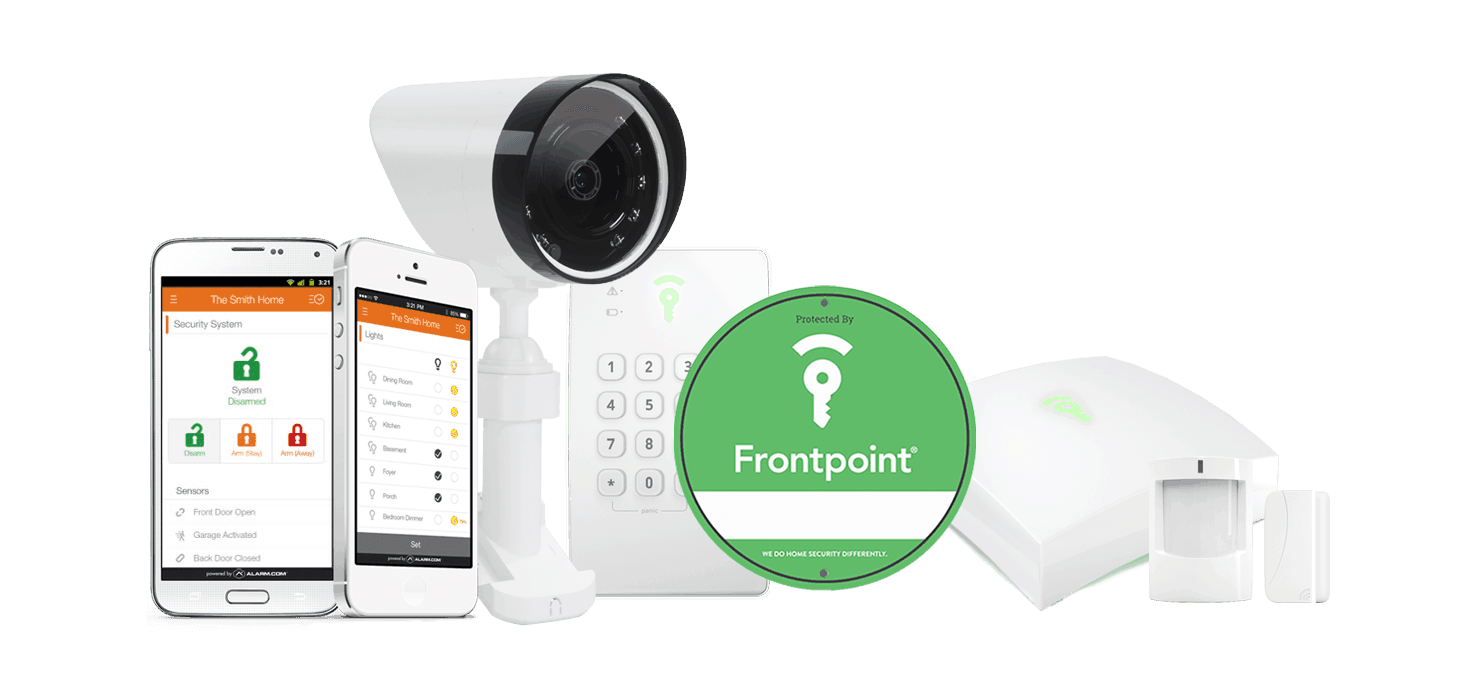
Aside from being one of the best security systems overall, Frontpoint is also known as a top pick for customer service. They have been in business for over a decade and currently have an A+ rating with the Better Business Bureau. But aside from that, Frontpoint offers a wide range of equipment, which we don’t often see from DIY options.
Pros & Cons:
Pros:
User-friendly online store with clear, upfront pricing
Budget-friendly pricing and no required contracts
Quick setup process with pre-configured components
Many Frontpoint cameras offer local video storage options
Cons:
Early termination fee applies for contracts after the 30-day trial
Above-average monthly monitoring costs
Touchscreen control panel costs extra
Tedious Smart Chime setup for wireless doorbell camera
Our Experience:
Equipment
Like SimpliSafe and Cove, Frontpoint is a DIY system. But we think Frontpoint is a better option when you need to scale your equipment. It’s actually one of the best security systems for large homes because of that, and we believe it’s also good for medium and large businesses.
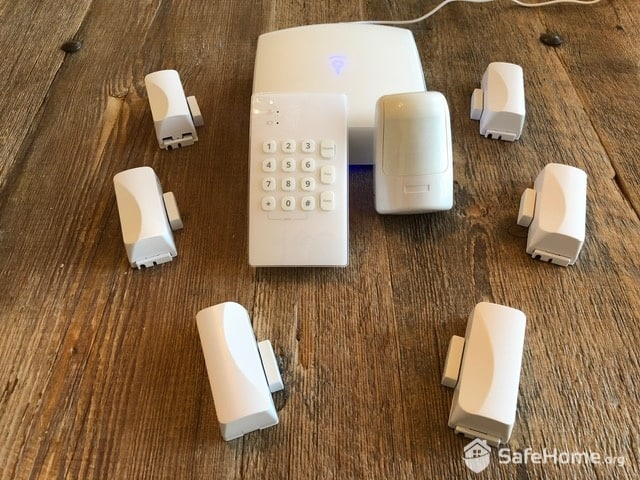
One issue we have with Frontpoint is the bulk and size of its entryway sensors.
We bought our Frontpoint system online, starting with the very affordable Essential package that comes with a hub, analog keypad, and two entry sensors. From there, we added indoor and outdoor cameras and automation products like light modules, smart locks, and smart plugs.
Professional Monitoring
If your business doesn’t have Wi-Fi, Frontpoint and most of the components will work as it’s fully cellular. The only exceptions are security cameras and automation devices that offer remote control.
Frontpoint’s reliance on cellular connectivity can affect response times, as cellular networks are not as fast as most home internet networks. During our testing, it took 45 to 60 seconds for us to receive alerts via phone call. That said, cellular networks tend to be more reliable, which is why we consider this a worthwhile trade-off for businesses with spotty internet connections.
Security Cameras
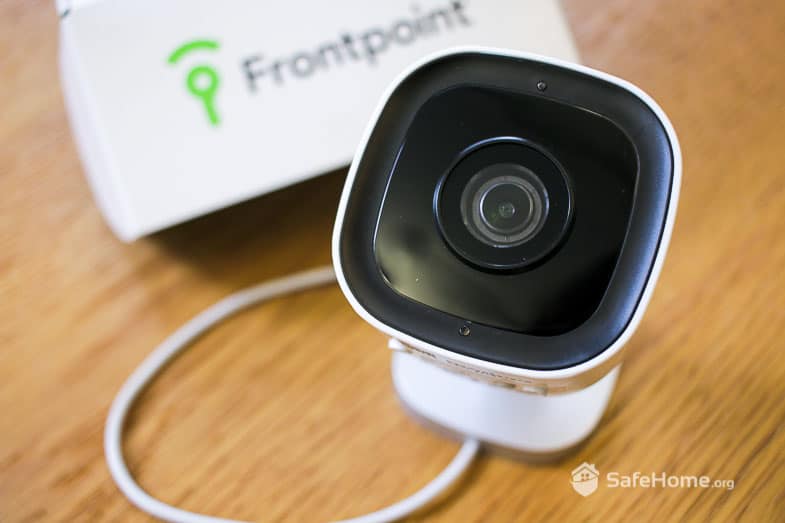
We were surprised to find out that Frontpoint’s outdoor camera also offers a deterrent feature similar to Vivint. Frontpoint calls it Perimeter Guard, and it works surprisingly well. We tested it at home when we did our Frontpoint review, but we think it could work great for businesses with parking lots as well as stores that close down at night.
Here’s the Frontpoint outdoor camera with the Perimeter Guard feature.
Another great thing about Frontpoint’s cameras is that they can record 24/7. They don’t need an internet connection either, unlike ADT’s Nest Cams that record continuously to the cloud. Instead, the Frontpoint cameras use a microSD card for local recording.
Pro Tip: If continuous recording interests you, check out our Lorex review. Instead of an on-board memory card, it uses a separate recording box to store footage. The advantage of this is that in case someone vandalizes your cameras, your video evidence is safe inside your device.
Product Specs:
Equipment Cost
Packages starting at $69
Monitoring Options
Professional or DIY
Monitoring Cost
Starting at $44.99 per month
Contract Lengths
Month-to-month
Installation Options
DIY
Smart Platform Integrations
Google Home, Alexa, and Siri
Why a Security System is Important for Your Business
Security cameras like these Google Nest Cams are essential for businesses.
If you have a business, installing a top-quality security system isn't optional. There are several reasons a security system is necessary, and without one, you risk losing far more than you'd expect.
A security system helps protect your business and employees from crime. A break-in can cost you thousands of dollars in lost assets, and recovering or recouping that loss takes time and money you'd rather not spend. Security systems also protect your business from fraudulent lawsuits. Slip-and-fall scams and staged workplace accidents are more common than most business owners realize, and a well-placed security camera can serve as undeniable proof when a claim doesn't add up. The same goes for employee or customer accusations of harassment, discrimination, or misconduct, where footage on hand can strengthen your defense.
A security system also helps you monitor inventory. The best way to make sure customers or employees aren't stealing from you is by installing security cameras. A surveillance camera helps you monitor and control what comes in and out of your place of business, and whether it's being paid for.
Pro Tip: If you’re running a store, it’s wise to have a dedicated security camera pointed at your cash register.
Expert Examined
From Anthony Travaglia, Retired Police Officer, Home Security Expert
“Having good video coverage of the outside and inside of your business is essential. If a burglary occurs at your business, cameras are law enforcement's best friend! Outside cameras can help police identify suspects or vehicles involved. While inside cameras can also help identify suspects and the areas touched by suspects. Knowing the areas touched by suspects helps with the processing of a crime scene in regards to dusting for fingerprints.”
How Much Do Business Security Systems Cost?
Business security systems span a broad range of costs. Some providers bundle everything into a package deal, while others let you build a system around your specific needs, piece by piece.
When choosing a security system for your business, start by thinking through installation. Do you want an industry-leading professionally installed system, or would you rather handle it yourself? DIY systems tend to be wireless and straightforward to set up. Hardwired systems, on the other hand, almost always call for professional installation, given the complexity of the wiring and electrical work involved.
Expert Advice: We recommend professional installation for advanced equipment like security cameras and access control systems. It's the surest way to know everything is installed correctly and functioning as it should.
All Vivint security systems are installed by a trained technician.
Most business security providers don't publish pricing upfront, so getting a quote is usually the only way to see what fits your budget. Costs depend largely on the size of your coverage area and the complexity of your security needs. As a general benchmark, a quality DIY business system typically runs under $500, while professionally installed systems can climb to $2,000 or more for larger or more complex spaces.
Then there are the ongoing costs: routine equipment upkeep and professional monitoring fees. Expect to budget roughly $300 to $500 per year for maintenance, depending on system size, and anywhere from $25 to $100 or more per month for monitoring, depending on service level and the number of devices covered. Planning for these costs upfront helps keep your business protected without any unpleasant financial surprises later.
So, is it all worth it? Consider what a burglary could actually cost you, according to FBI data:
In 2025, nearly 600,000 burglary offenses were reported nationwide, with property losses topping $30 billion — a significant financial burden for business owners across the board.1
Office equipment ranked as the sixth most valuable category of stolen goods, with nearly $17.5 billion worth taken that year.
Of that amount, only about $19 million — just over 1% — was ever recovered.
And that's just burglary. Businesses also lose significant money to vandalism, trespassing, and petty theft every year. Weighed against those numbers, our stance as experts is straightforward: investing in a security system isn't just worth it — it's the logical move for any business owner serious about protecting what they've built.
Expert Examined
From Anthony Travaglia, Retired Police Officer, Home Security Expert
“All businesses should have some type of security system. A loud alarm deters burglars from making entry into your business, and 24/7 monitoring will help notify police much faster. The goal of a speedy arrival by police is to hopefully catch the criminals still inside or to start searching the area for possible suspects. Time is of the essence when it comes to crimes in progress. The solvability rate increases exponentially when officers have a suspect in custody or a bead on possible suspects in the area.”
Recap
Every business, regardless of size, needs a reliable security system to protect its assets, employees, and customers. Based on our testing, ADT stands out as the top choice for most businesses. Its systems are highly customizable, so you can tailor sensors, cameras, and access controls to fit your specific layout rather than settling for a one-size-fits-all setup. Pair that flexibility with ADT's award-winning 24/7 professional monitoring, and you get real peace of mind knowing your office, storefront, or warehouse is being watched around the clock.
That said, ADT isn't the only strong option. Providers like Vivint, SimpliSafe, Cove, and Frontpoint are excellent alternatives, whether you're after advanced smart features, wireless flexibility, or something more budget-friendly. From our hands-on testing, our advice is to carefully compare each system's equipment options, monitoring plans, and security features side by side. Taking the time to match a system to your specific business needs means you end up with reliable protection — without paying for extras you'll never use.
We recommend every business security system include security cameras, entry sensors, and motion detectors. You should also be able to remotely monitor your system and access devices from an app.
Research shows the presence of security cameras and alarm systems can deter thieves and intruders. Some cameras from Vivint and SimpliSafe can even actively deter strangers when detected.
Not all security systems stay online during power outages. We recommend choosing a security system with cellular backup and a base station with a 24-hour battery.
Not all security cameras record continuously. Most are motion-activated, which is actually a smart setup. It saves bandwidth and cuts down on the amount of footage you have to sift through. That said, if you need around-the-clock recording, look into Lorex cameras. Their camera systems are built for continuous recording with local storage options to support it.
Businesses may be able to claim the cost of a security system in the year it is purchased and installed. But you should consult your accountant to see if you’re eligible.
Expert Examined
From Anthony Travaglia, Retired Police Officer, Home Security Expert
“Inside cameras can help in the investigation of employee theft and embezzlement. I worked on an investigation of an employee embezzling money from a restaurant inside the Paris Hotel in Las Vegas. Fortunately the restaurant had good video coverage of the inside of the restaurant including the register. Camera footage showed the employee stealing smaller amounts of money over several months. Due to the camera footage, the crime was solved quickly and the employee was eventually arrested.”
As a home security expert and Managing Editor for SafeHome.org, Rob Gabriele has written and edited over 1,000 articles related to home security. His expertise is in smart home protection with thousands of hours of testing and research under his belt. Formerly a reporter and producer for the USAToday network, Rob has been a writer and editor for over 10 years. He holds a Master’s of Science with an emphasis on writing from the University of Montana, and he currently lives in Indianapolis, IN.
 Updated August 18, 2026
copied!
Updated August 18, 2026
copied!