SafeHome.org may receive compensation from some providers listed on this page. Learn More
We may receive compensation from some providers listed on this page. Learn More
Best Home Security Systems Without a Landline
Want a modern security system without having to hook up to a legacy landline? SimpliSafe’s wireless equipment and cellular backup is our top recommendation.
Rob Gabriele, Managing Editor & Home Security Expert
Updated August 18, 2026
copied!
Safehome.org is dedicated to helping people rest easy at night. We’re here to show our readers how to get the most secure home possible for the best possible price. That’s why we never charge our readers for our content.
We participate in partnerships that we may receive compensation from. We never allow these partnerships to influence our trusted reviews and rankings.
Our editorial decisions are ours alone, and our recommendations are based solely on our expertise, experience, and opinions. Our reviews are the result of hours of careful research. When we endorse, rank, or review products and services, we’re making independent judgments that you can trust.
In order to keep our important content free to readers, we participate in affiliate programs, including the Amazon Services LLC Associates Program.
Our partnerships exist to help us serve our readers — never the other way around. We partner only with companies that meet our strict standards for quality, and we never allow our partners to dictate the content in our trusted reviews and rankings. Our goal is to deliver comprehensive, accurate, and up-to-date home security information to our readers, and everything that we do is in service of that goal.
Safehome.org is driven by one mission only: to become the #1 resource that helps the everyday person protect themselves and their family.
To this end, we’ve recruited industry experts to advise our editorial team. Our expert panel brings a wealth of experience from various backgrounds such as burglary detectives, identity theft experts, senior care professionals, and more. Rest assured that our reviews, guides, and recommendations all contain factual information from highly-reputable sources.
We also spend countless hours researching and testing products and services. Our objective findings are then distilled into SecureScore, an at-a-glance score that is both trustworthy and incredibly useful.
To maintain reader trust, we must remain unbiased, truthful, and thorough. This is a responsibility we take seriously. We will continue to recruit the brightest minds and deliver top-quality information in each of our reviews and SecureScore ratings. And that’s a SafeHome.org promise.
SimpliSafe
SecureScore™: 9.2/10
With straightforward DIY installation, high-quality equipment, and competitive pricing starting at $22.99/month for monitoring, SimpliSafe is a comprehensive security system that operates entirely without landlines.
ADT operates one of the most extensive professional monitoring networks in the industry with six monitoring centers across the U.S. All current ADT systems function without landlines using cellular and internet connections, with monitoring plans starting at $49.99/month.
Monitoring starting at $22.99 per month. combined with frequent equipment promotions from Cove, keeps your security system costs manageable both upfront and long-term, all without requiring a landline connection.
Let’s be honest — most homes no longer rely on landlines. Voicemails are a thing of the past, and now the same tech fits right in our pockets. Yet, many older security systems still depend on landlines to connect with monitoring centers. Even some of the best security systems still offer landline connectivity.
Modern home security systems use Wi-Fi, cellular networks, or both for reliable connectivity instead of landlines. That means you have a lot of options — so we tested over 30 systems to find the best ones available. SimpliSafe came out on top thanks to its dependable wireless equipment and cellular backup. That keeps your home monitored even when Wi-Fi goes down. ADT, Cove, and Frontpoint are also strong alternatives. Here's the full breakdown.
Our Methodology: How We Tested and Ranked The Best Home Security Systems Without a Landline
Our Approach
We test all home security systems ourselves. We buy the equipment, install the devices in our own homes, and test them for weeks or months. We like to get a feel for the features, app, and response time so we know what it’s like to live with the security system. This is the only way we can give honest recommendations.
Our Testing Setup
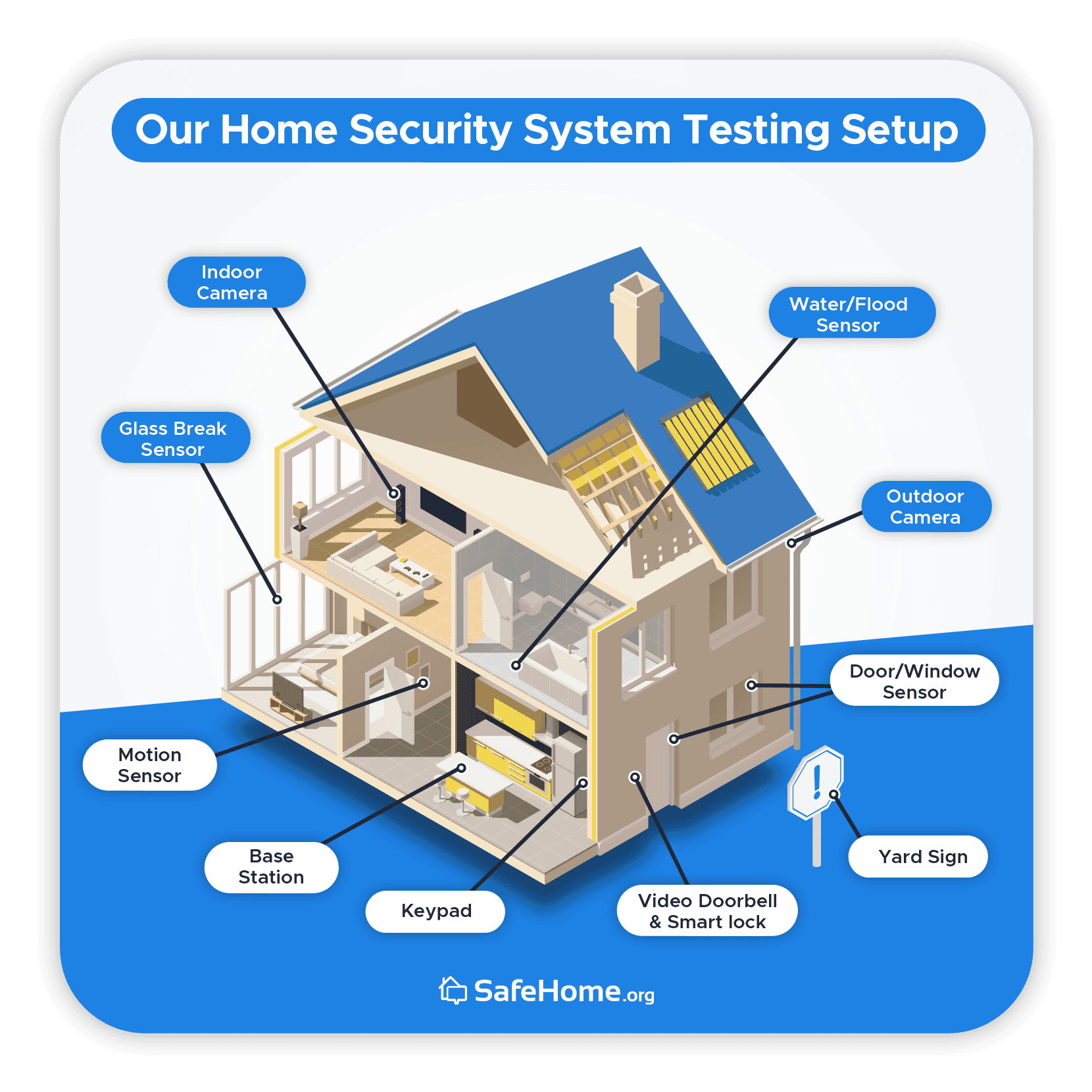
Multiple factors come into play when testing home security systems, but we try to compare apples to apples. So we install all the equipment in the same home – a two-story, 2,200-square-foot house owned by one of our experts. Using a real home environment means we get the most accurate results and can share the best recommendations.
We even buy the same equipment for each security system and install the devices in identical locations. You’ll see below where we typically set up our home security equipment.
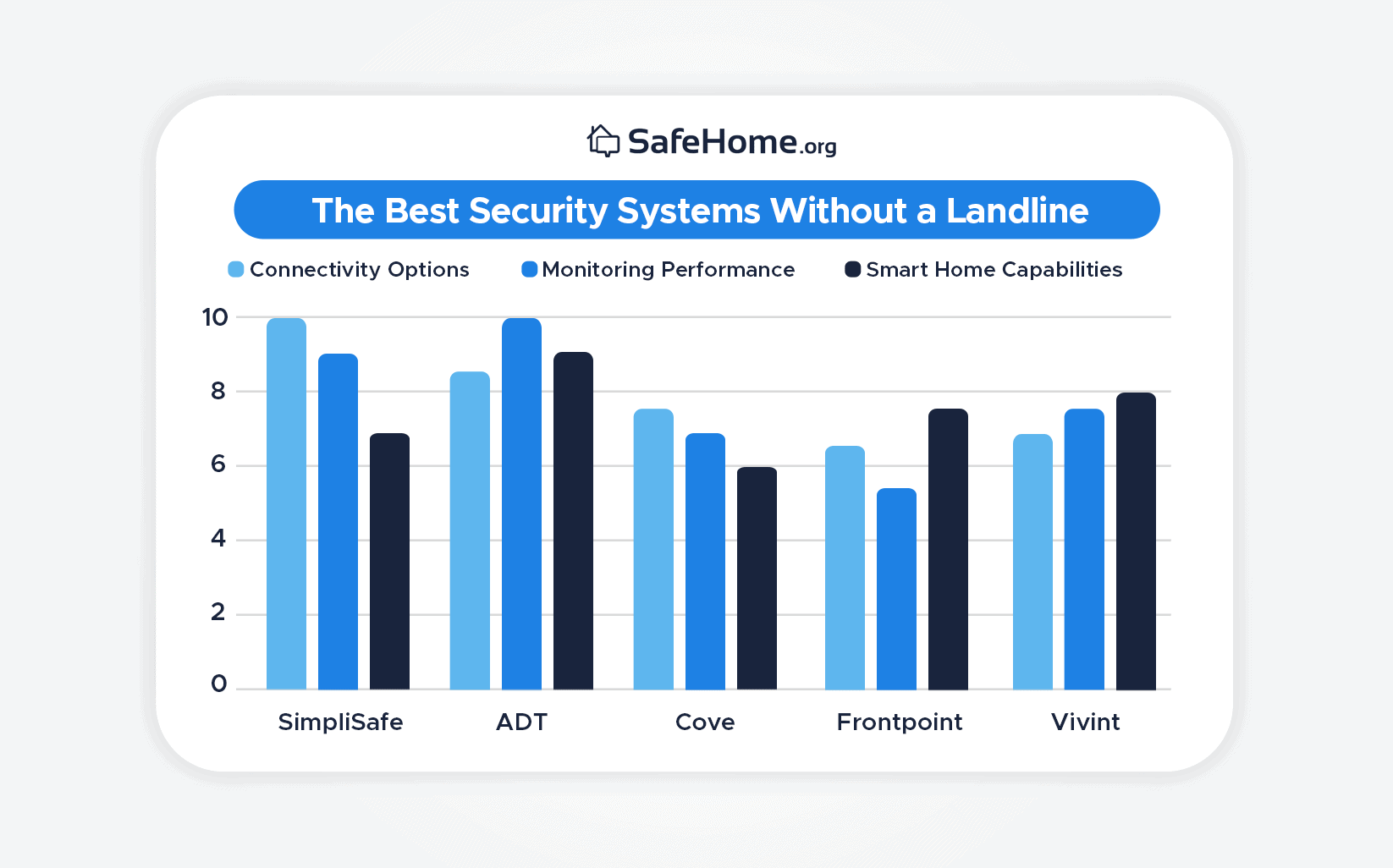
We looked at multiple factors when choosing the top security systems without a landline. Using our extensive experience in the security industry, here are the aspects we decided were the most important:
Connectivity options (40%): If landlines aren’t an option, you’ll need a reliable Wi-Fi connection and access to the cellular network as backup.
Monitoring performance (30%): We don’t want our lack of access to a landline to impact the performance of monitoring centers when an alarm is triggered.
Smart home capabilities (30%): It’s convenient if we can integrate the other smart devices in our home, such as Alexa, Google Home, and security equipment we’ve purchased separately.
Using these criteria to assess the security systems without a landline, here is how we arrived at the top five:
Rating the Best Security Systems Without a Landline
Why You Can Trust Us
We’re not like one of those websites that write reviews on everything from energy drinks to hard drives. Our team of specialists exclusively reviews security and safety equipment. This means we notice things others might miss, resulting in more accurate and in-depth recommendations. The experts who wrote this review were:
Rob Gabriele, Editorial Director & Home Security Expert
Jaime Fraze, Security Camera & Video Doorbell Expert
Derek Prall, Home Security Expert & Testing Coordinator
Joshua Lee, Former patrol officer and detective for a police department in Arizona.
Our experts have over 75 years of combined industry experience, making us the most accomplished home security team online. Since starting in 2016, SafeHome.org has been highlighted in several major outlets, including The Washington Post and The New York Times. Together, we have achieved:
40+ industry research/studies
60+ security system reviews
Over 100 home security guides
More than 10,000 hours of research
Every recommendation we make is based on first-hand product experience and a thorough understanding of the security industry. Now, let’s find out more about our top picks for security systems that don’t require a landline.
Summary of the Best Home Security Systems Without a Landline
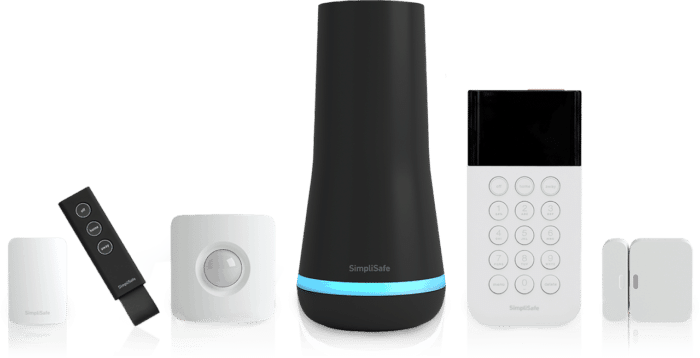
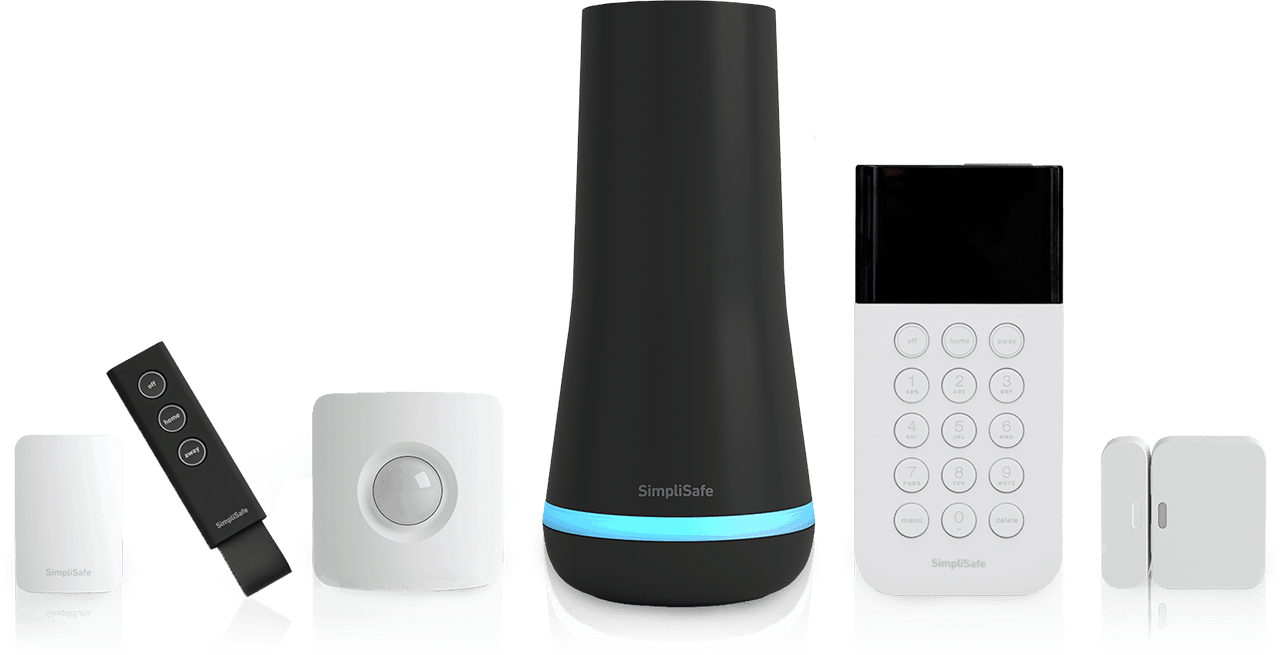
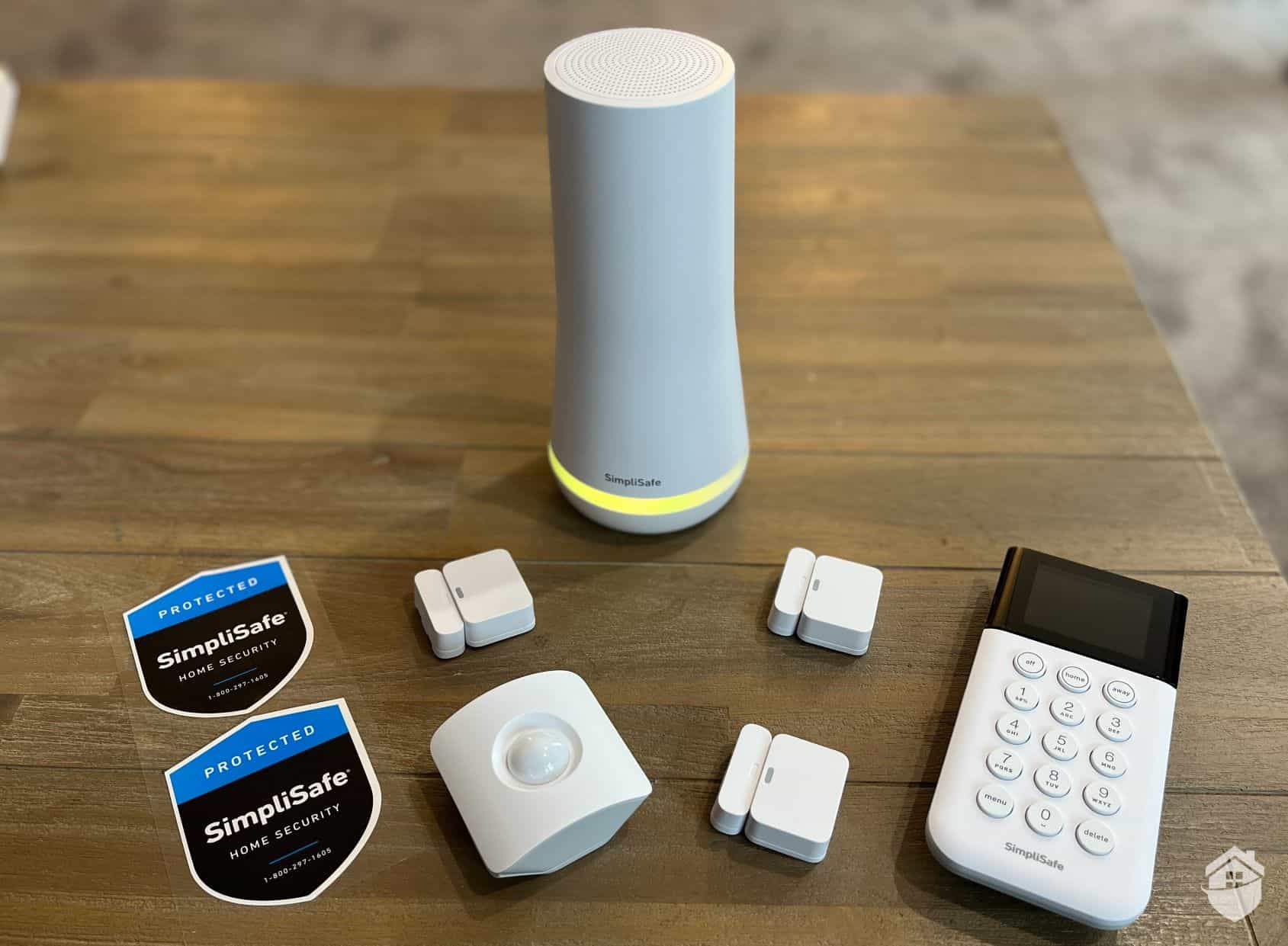
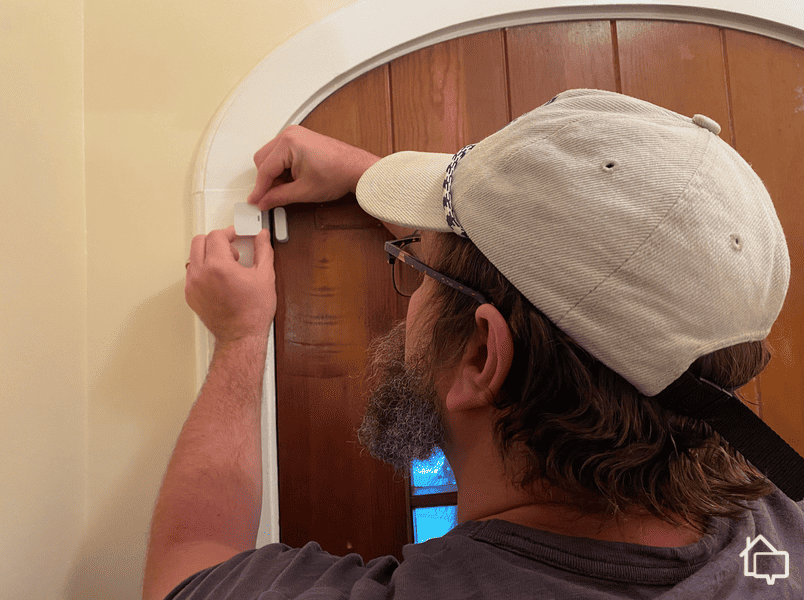
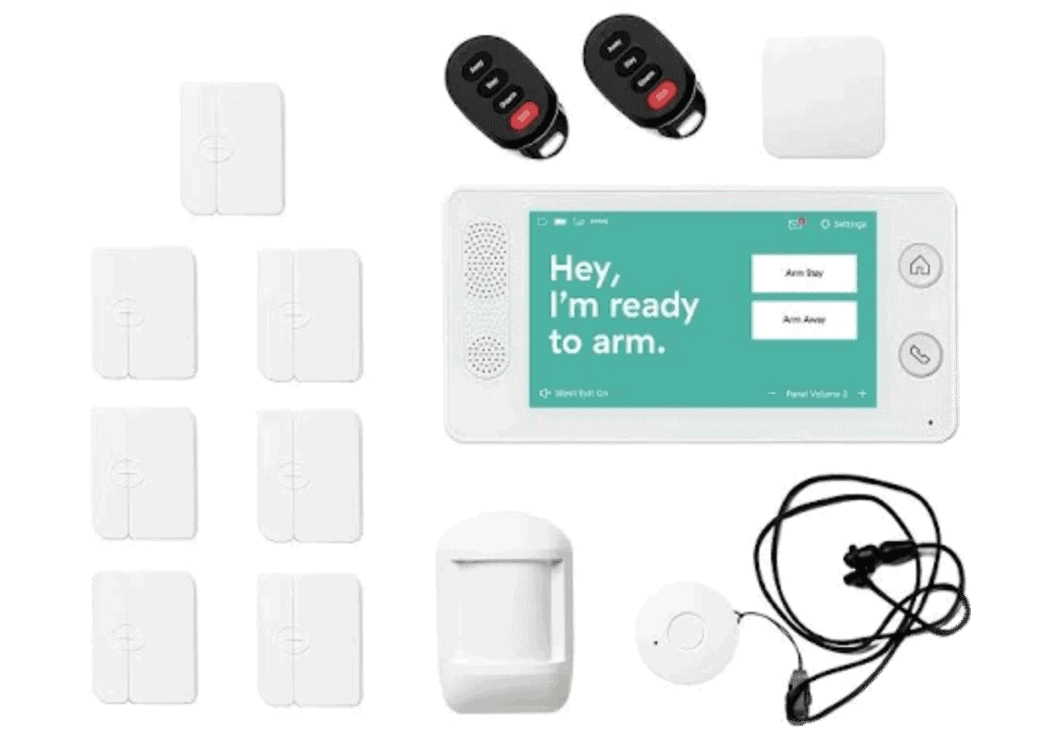
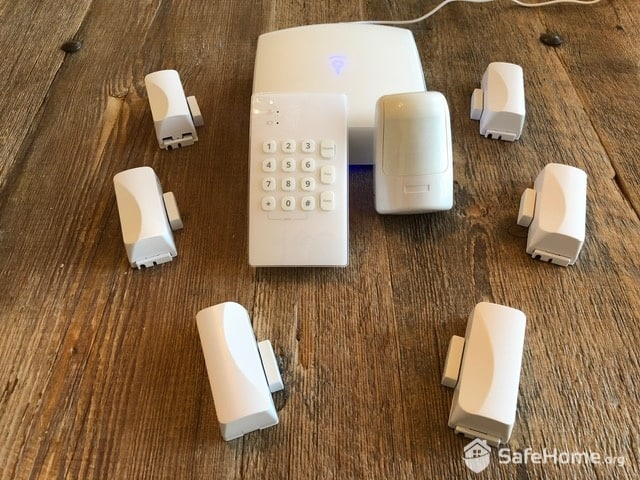
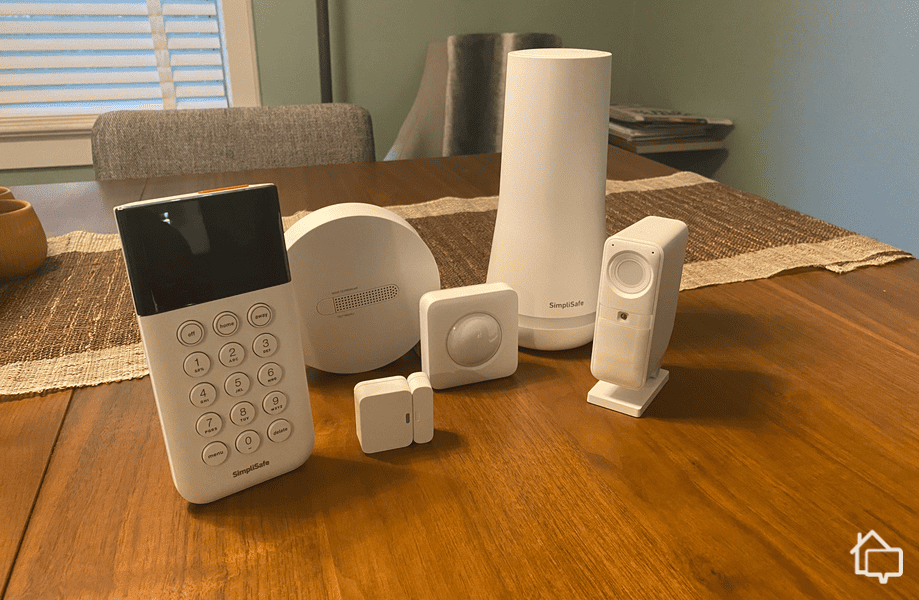
As a security system originally made for apartments, it’s no surprise that SimpliSafe doesn’t require a landline. In fact, SimpliSafe no longer sells any components that work with a landline. And it’s one of the best DIY security systems out there. I got the system up and running in about 20-25 minutes, but yours will probably take a bit longer since you’ll want to use the mounting brackets instead of the adhesive strips I used.
SimpliSafe Essentials Kit
Pros & Cons:
Pros:
No monthly fee required for self-monitoring
Stylish wireless equipment
Professional installation service available
Equipment packages start at $250.96
Active monitoring features for SimpliSafe’s indoor and outdoor cameras
Cons:
Missing a few types of equipment, like garage door sensors
Limited smart home and home automation capabilities
Premium monitoring plan required for advanced features
No touch-screen keypad
Our Experience:
SimpliSafe Wireless Equipment
Like I said, SimpliSafe has completely moved away from landline connections. Now, they use Wi-Fi as the primary connection with a cellular backup included in monitoring plans. I couldn’t find what cellular network they used, though, even in my package of equipment. So, I reached out to their customer support, and they indicated they use Verizon.
Wireless equipment also works on battery power, though. Both the Wireless Indoor Camera and the Outdoor Camera run on batteries. The only thing I had to hardwire was the video doorbell. It was the most complex piece of SimpliSafe equipment I’ve had to install.
SimpliSafe Monitoring
SimpliSafe made meaningful improvements to its monitoring lineup over the past few years. These aren’t just marketing claims—I’ve personally noticed the enhancements during my annual testing, though the price has increased accordingly with several adjustments since 2020.
This time, I chose SimpliSafe’s Cort monitoring plan at $32.99 per month because I wanted Intruder Intervention. With this feature, an agent can talk through my Wireless Indoor Camera during an active alarm. The first time it made me jump — all of a sudden there was a strange voice in my living room. I could see some privacy concerns there, but the indoor camera has a built-in privacy shutter that I use whenever I’m home. That put my mind at ease.
SimpliSafe’s monitoring plans extend beyond Core, though. You can also get standard monitoring for $22.99 per month, or operate completely DIY without any monthly fees. The Pro option is also available at $49.99 per month, which includes Active Guard Outdoor Protection that brings Intruder Intervention-like features to outdoor cameras.
SimpliSafe Smart Home Capabilities
I’ve been mostly singing SimpliSafe’s praises so far, but that’s about to stop. Unfortunately, SimpliSafe doesn’t offer much in terms of smart home capabilities. And if Apple HomeKit powers your smart home, it can’t integrate at all.
Installing a SimpliSafe entryway sensor
For Google Home and Amazon Alexa smart homes, SimpliSafe offers basic integrations letting you control your security system with your voice. You can’t disarm your system with your voice, though. It works with August Locks too, one of the best smart lock brands. I used my system with the August Wi-Fi Smart Lock, so it locked and unlocked when I armed and disarmed my SimpliSafe system.
Unlike SimpliSafe, ADT still offers landline security systems, but you can get all of their latest equipment without a landline connection. They mostly offer landline equipment for their long-standing customers who've used the same ADT system for decades. With a history stretching back over 150 years, ADT's continued support for these legacy customers is something we genuinely respect.
Pros & Cons:
Pros:
Professional installation; DIY installation available separately through ADT Blu
24/7 professional monitoring from ADT’s monitoring centers across North America
SMART monitoring via text message for faster response
Intuitive smartphone app
Financing available
Six-month money-back guarantee
Cons:
No touchscreen control panel on base system
Video support is only available on the most expensive monitoring plan
No local storage options
Our Experience:
ADT Wireless Equipment
Thankfully, even though ADT sells systems that use a landline, you need to specifically opt-in for a landline system. That meant I could look at all of their equipment online when I built my system without worrying about whether or not any specific component needed a landline. For cellular backup, ADT uses Verizon.
The ADT Hub can continue to send alerts to monitoring centers via cellular networks.
When I purchased my ADT system, I received a solid selection of components. While it wasn’t the most extensive setup, I got to test at least one device from every product category. The system was comprehensive enough to come with a significant price tag for professional installation, though it would have been more budget-friendly if I’d chosen ADT Blu instead.
I was particularly impressed with the Google Nest Cams during my review, though the professional installation fee makes it expensive. The floodlight camera also costs above industry averages at $279.99. That said, it’s not unreasonable as that’s still over $100 less than I paid for the Vivint Outdoor Camera Pro.
ADT Monitoring
If you want the most reliable monitoring in the industry, ADT is a great choice. They have six state-of-the-art monitoring centers — each equipped with a backup generator — spread throughout the U.S. That’s a lot of redundancy. It’s also how they got on top of my roundup of the security systems with the fastest response times.
On top of that redundancy, ADT also offers innovative monitoring features that genuinely make your home safer. One standout is ADT’s SMART monitoring, which sends you immediate group text notifications to your family whenever an alarm event occurs. Monitoring packages currently start at $49.99 per month. More expensive plans of up to $59.99 per month unlock features like home automation and video monitoring.
FYI:Before choosing a company for their cellular backup, make sure you have service with the cellular provider they use. Use the FCC’s cellular coverage map for an accurate mapping of coverage in your area.1
ADT Smart Home Capabilities
Anyone that uses Google smart home products will like ADT a lot. They’re partners with Google and sell Google Nest security cameras. So, the security system integrates really well. I integrated my system with my Nest Hub smart home to let us control the security system with my voice.
Since I got the Nest Hub Max with a decent-sized screen, I could check my Google Nest Doorbell from my kitchen whenever someone was at the door. Then, I could use the two-way audio to let them know I’d be right there and just needed to finish getting the cookies in the oven. Check out the other ways I used my video doorbell in my Google Nest Video Doorbell review. That’s also why I think ADT is the best security system for Google Home.
ADT also integrates with the Amazon Alexa smart home ecosystem, though we found the Google Home integration the most seamless. With Alexa, you can arm and disarm your system using voice commands, but camera integration requires additional setup steps. For Apple users, ADT works with Apple Watch and Apple TV, but does not support Apple HomeKit natively.
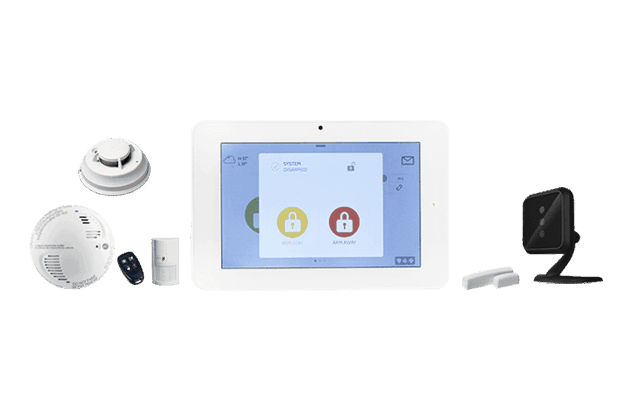
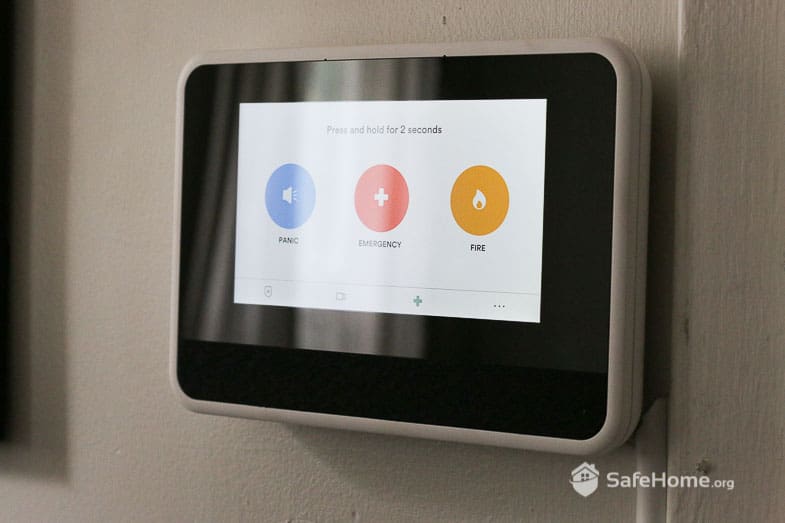
When I tested Cove, I got a police officer at my doorstep. But, don't worry, it was a good thing. I'll get more into that later. Cove is a budget-friendly security system that delivers solid protection without breaking the bank. While it may not have ADT's extensive network of monitoring centers or SimpliSafe’s option to skip professional monitoring entirely, Cove compensates with reliable equipment, frequent promotional pricing, and monitoring plans that fit most budgets.
Pros & Cons:
Pros:
Monitoring starts at $22.99 per month
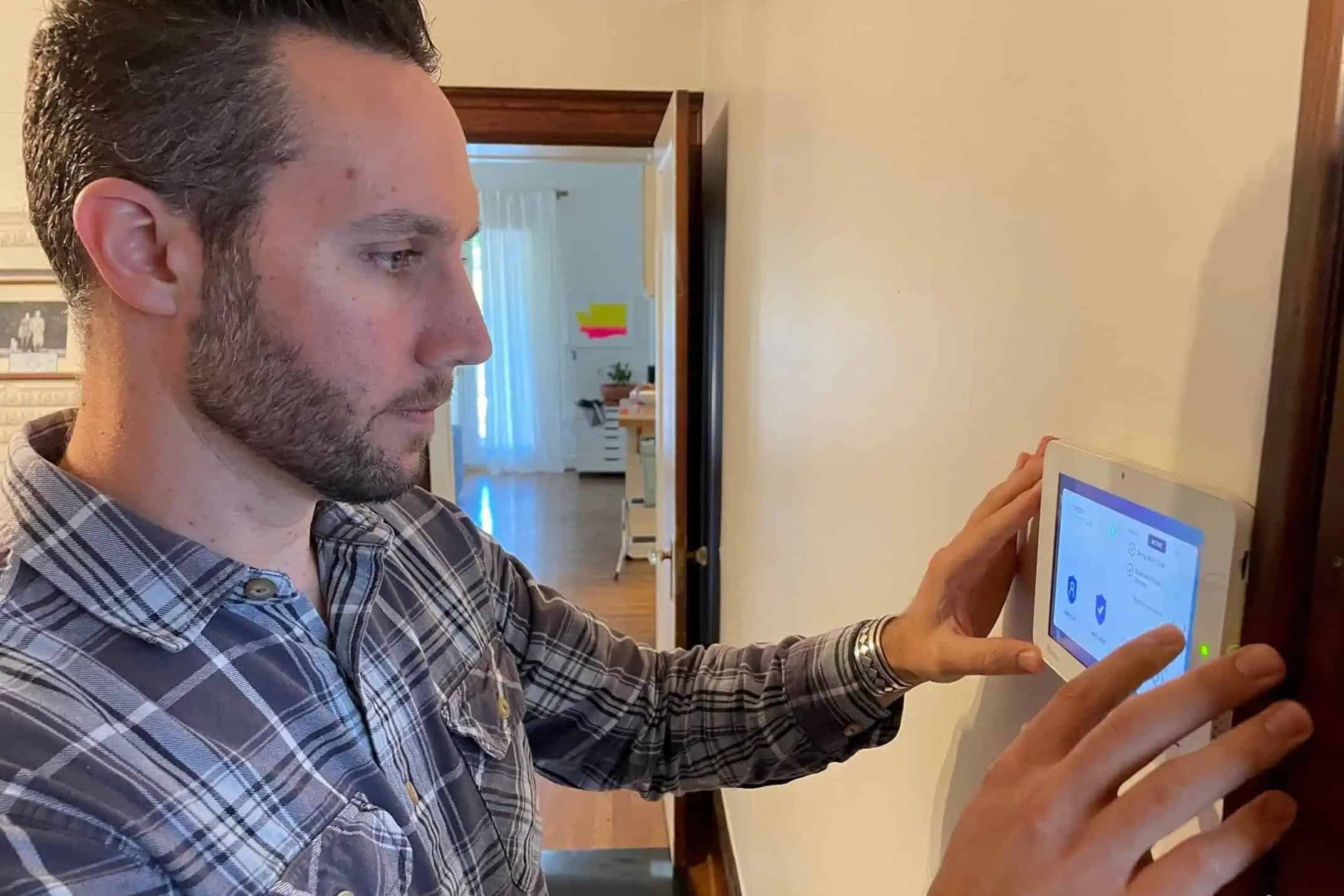
Simple but functional mobile app and touchscreen controller
85 dB siren built into each Cove Hub and touchscreen keypad
Affordable equipment options
Frequently offers deals and discounts
Cons:
Best camera features are only available on the most expensive monitoring plan
Limited home automation and integrations
No self-monitoring option — a paid plan is required for the system to function
More limited equipment options than other brands
Our Experience:
Cove Wireless Equipment
All of Cove’s equipment is completely wireless aside from its base station which needs to be plugged in. That came with a 24-hour backup battery, though, in case I lost power, and almost every other component used batteries and Wi-Fi for power and communication. That said, you can hardwire your video doorbell if you want. There’s also cellular backup with the AT&T network.
Aside from batteries, their outdoor camera has a solar panel for power — and that’s included at no extra charge. I consider that a nice touch you don’t see often at this price point. However, you can’t put the camera under an eave since the solar panel is on the top of the camera. I ended up installing it on the side of my garage. One thing to note: Cove offers its own camera lineup now, rather than sourcing from a third party like it used to.
Even though Cove doesn’t need to offer much for their monitoring to be worth their low prices, their monitoring is actually pretty impressive. Like I said earlier, it was good enough to bring the police to my doorstep during my test. That’s thanks to an exclusive partnership Cove has with RapidSOS. This technology allows Cove’s monitoring centers to relay information to a 911 dispatcher in real time, meaning the police got to my house before I could even tell Cove I was just running a test.
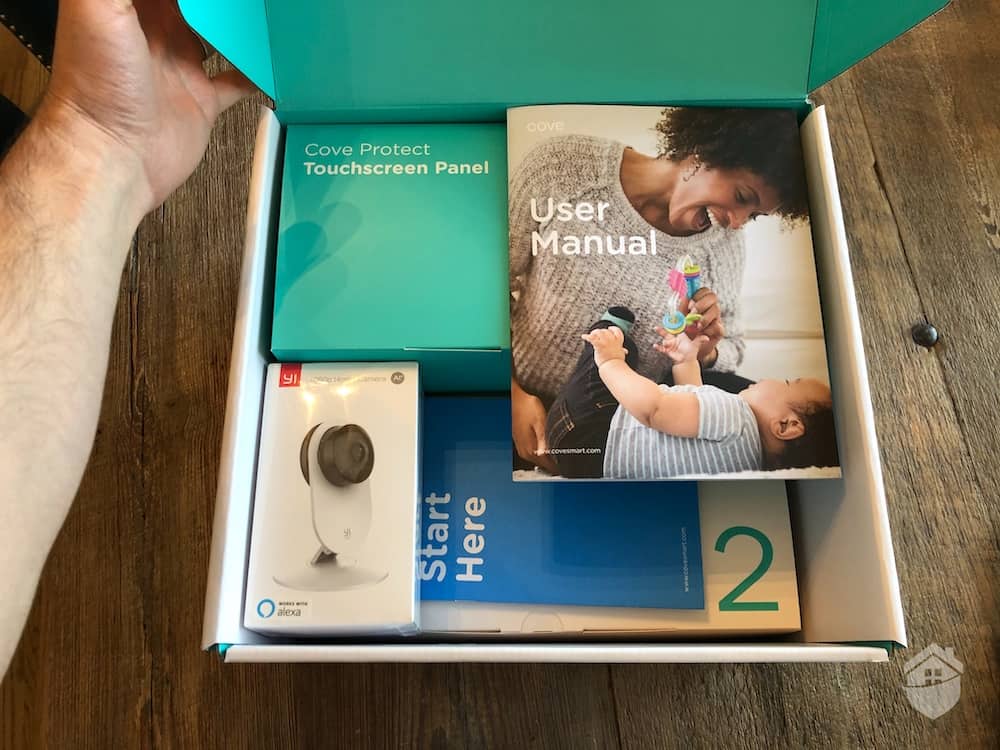
Unboxing the Cove system.
RapidSOS is included with all Cove monitoring plans, starting at just $22.99 per month for the basic option. If your setup includes cameras, you’ll need the $32.99 per month or $42.99 per month plan. The more expensive option extends your cloud storage for video recordings and adds AI-powered notifications.
Cove Smart Home Capabilities
Unfortunately, Cove doesn’t do great with smart home integrations. It doesn’t support Alexa, Google Assistant, or third-party devices like smart locks. That means I could only control my system through the Cove app or my Alarm Panel. I also couldn’t lock my August Smart Lock when I armed my security system like I could with SimpliSafe. Cove doesn’t offer its own smart lock either.
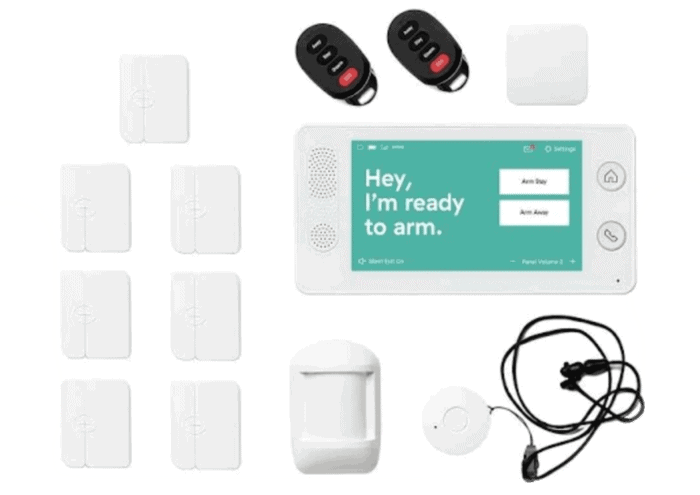
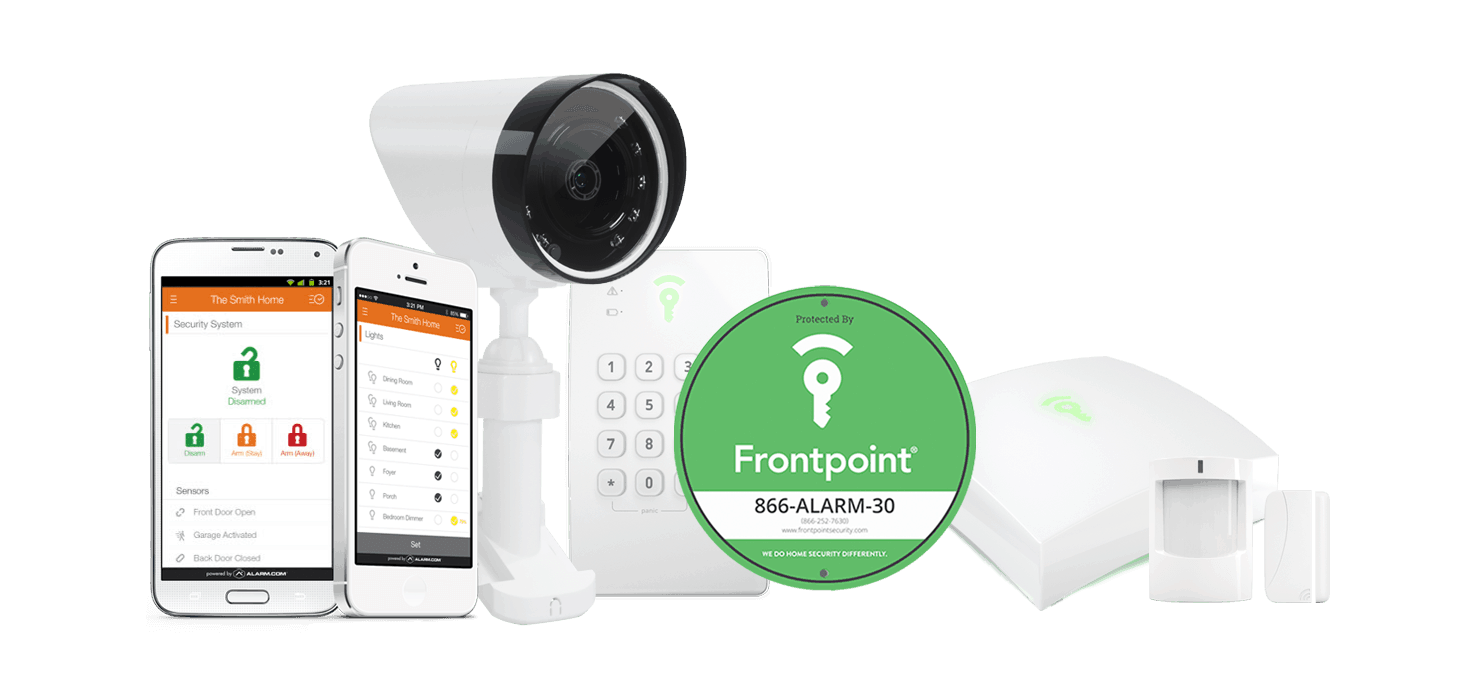
To put it bluntly, I used to not really like Frontpoint. It used to be a system I’d recommend you actively avoid. But over the years, Frontpoint took feedback into consideration and made meaningful changes. Nowadays, it has some innovative smart home features, high-quality equipment, and flat-rate monitoring.
Frontpoint equipment
Pros & Cons:
Pros:
User-friendly online store with clear, upfront pricing
Budget-friendly pricing and no required contracts
Quick setup process with pre-configured components
Many Frontpoint cameras offer local video storage options
Cons:
Early termination fee applies for contracts after the 30-day trial
Above-average monthly monitoring costs
Touchscreen control panel costs extra
Tedious Smart Chime setup for wireless doorbell camera
Our Experience:
Frontpoint Wireless Equipment
None of Frontpoint’s equipment can even connect to a landline. Actually, Frontpoint takes things even a step further by using your Wi-Fi as a backup to its cellular connection instead of the other way around, like most providers. To my surprise, that didn’t transfer to the wireless capabilities of the system. A good bit of components still needed to be plugged in for power.
One small frustration: some cameras require a wired power connection, which means you’ll need to install them within reach of an outlet. I put my wired outdoor camera over the garage, but that left a wire dangling down from the camera. It’s not a huge deal, but it is a little unsightly. Camera quality, though, is solid. Frontpoint’s cameras record in 1080p full HD at minimum, which is sharp enough to make out license plates on cars pulling into the driveway.
Frontpoint Monitoring
Frontpoint’s monitoring is on the pricier side. The main plan runs $49.99 per month. That sticker price can raise an eyebrow. However, it includes a cellular-first connection ensuring your system stays up even if your home Wi-Fi goes down. There’s also a lower-cost $44.99 per month monitoring plan that’s available if your system doesn’t have any cameras.
Most security companies stick to a single cellular provider — SimpliSafe uses Verizon, Cove uses AT&T — but Frontpoint takes a different approach. It combines AT&T, T-Mobile, and Verizon networks, giving you broader coverage and built-in redundancy if one network goes down.
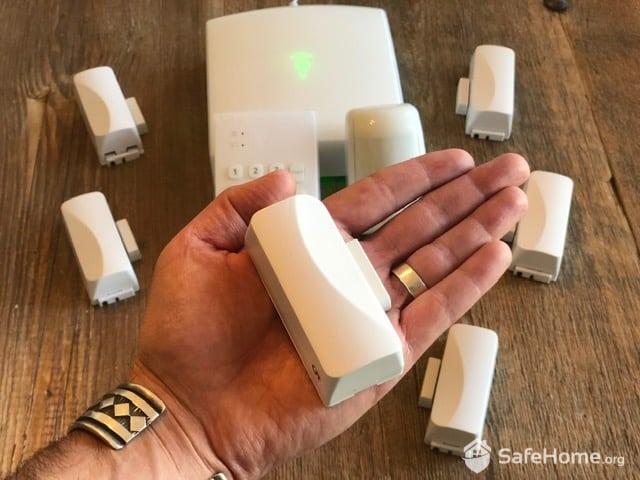
Holding Frontpoint’s door sensor
While I was testing Frontpoint, a snowstorm rolled through and knocked out a Verizon tower. I still had service, though, since the AT&T tower stayed up. That shows the power of Frontpoint’s triple-network system.
Frontpoint Smart Home Capabilities
Yes, Frontpoint integrates seamlessly with Siri, Alexa, and Google Assistant, allowing you to control your security system with virtually any voice-enabled device. But what excites me most about Frontpoint’s smart home capabilities isn’t just the voice control—it’s their geofencing feature.
Pro Tip: Don’t forget your phone! Frontpoint’s geofencing feature works by establishing the system’s proximity to your cell phone. If you leave it at home, it’s not going to work.
Basically, geofencing allowed me to set specific actions for my connected smart devices based on the location of my phone. To give you an example, I set my smart thermostat to kick up the temperature whenever I was home and lower it when I left to cut down on my heating costs.
Product Specs:
Equipment Cost
Packages starting at $69
Monitoring Options
Professional or DIY
Monitoring Cost
Starting at $44.99 per month
Contract Lengths
Month-to-month
Installation Options
DIY
Smart Platform Integrations
Google Home, Alexa, and Siri
Runner Up – Vivint
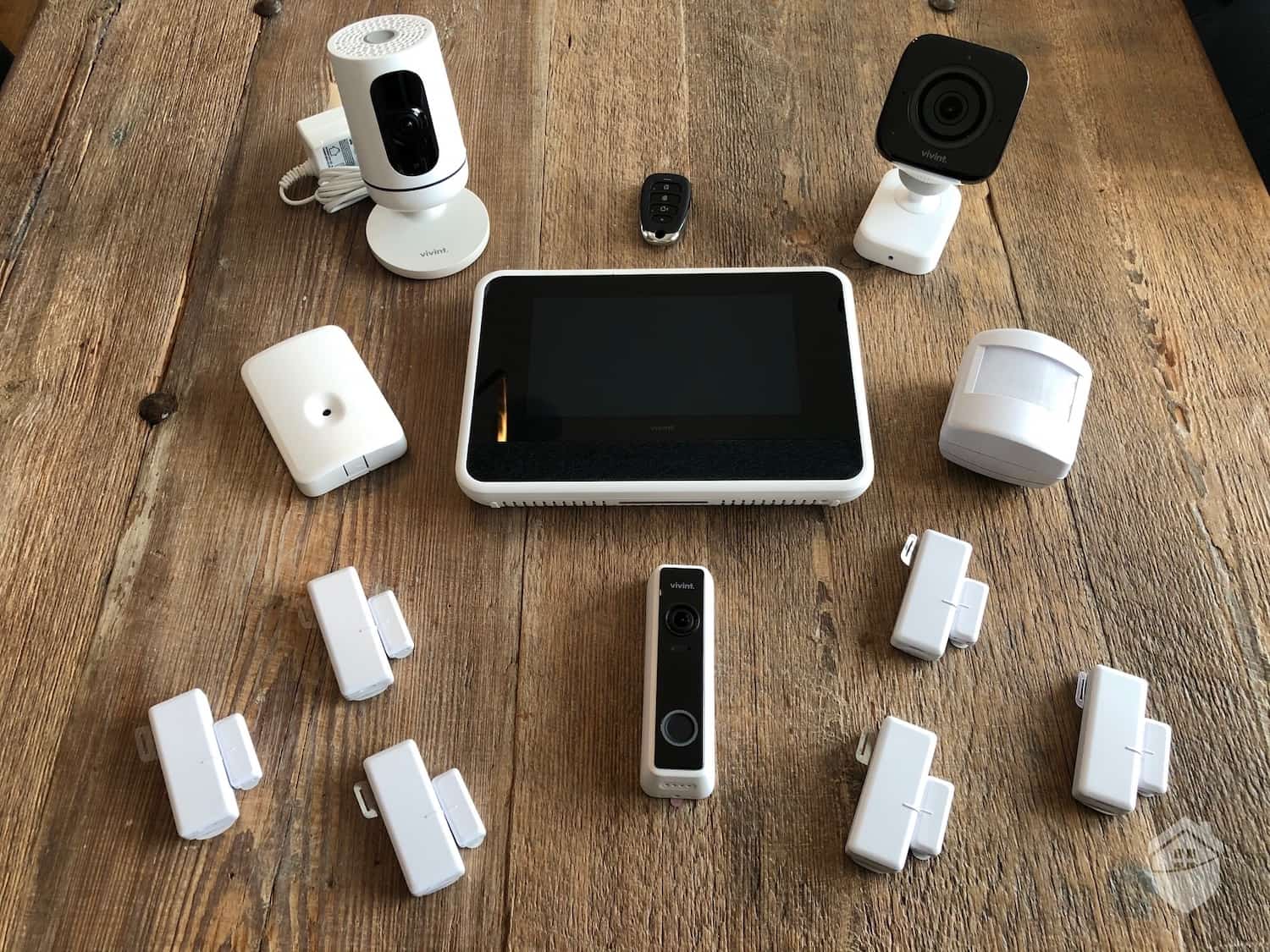
Our Vivint test system includes sleek-looking and high-tech equipment, as shown above.
You’ll struggle to find a more high-tech security system than Vivint. Some of the equipment is wireless, and others are connected to your internal wiring, but they all come with cellular monitoring. However, they only have two monitoring centers compared to ADT’s 12 centers.
Vivint integrates with Google and Alexa, as well as a broad range of smart home products through Z-Wave technology. The reason it's not higher on our list really comes down to cost. Vivint offers impressive security tech, but equipment prices are on the higher end and financing agreements can stretch up to 60 months.
Are Security Systems Without Landlines Reliable?
Home security systems without landlines are genuinely reliable. Cellular networks have expanded dramatically over the past decade, and today they cover the vast majority of the United States, reaching far more households than they did even a few years ago. Your signal might drop during a severe storm, but in everyday use, cellular and Wi-Fi connections hold up just as well as landlines, and in many cases they actually outperform them.
On top of that baseline reliability, the best wireless security systems also build in a cellular backup. So if your internet connection ever does go down, that backup kicks in automatically, keeping your security system fully operational without any gap in protection.
While wireless security systems are highly reliable today, you can technically still find landline-based systems on the market — they're just few and far between. Unless you're in a specific situation that genuinely necessitates a landline, I'd recommend going with a system that skips it entirely. They tend to be more advanced, easier to use, and more reliable overall.
That said, I get it: there are real circumstances where a landline is the practical choice. Here's when I'd actually recommend a security system with a landline:
You live in a rural area without quality internet service yet.
Your cellular reception is spotty at best.
Internet simply isn't an option in your home.
Essentially, if you can reasonably avoid a landline-dependent system, you should.
Reliability matters here for a reason bigger than convenience. You never know when you could become one of the more than 13 million property crime victims in the U.S. each year.2 A few more details worth knowing about who's affected:
23 percent of property crime victims were between 30 and 39 years old.
21 percent were between 20 and 29 years old.
Victims knew the offender in 79 percent of cases.
Males represented 55 percent of property theft victims.
Females represented 44 percent of property theft victims.
However you look at it, installing a reliable security system is a genuinely important step for anyone who doesn't want to become part of these statistics.
From Anthony Travaglia, Retired Police Officer, Home Security Expert:
Landline or wireless, any home security system is going to provide an added layer of protection when it comes to your home. Landlines do have some disadvantages as the line can be cut or disabled by would-be criminals looking to break in, whereas wireless systems are much harder to disable. Make sure whatever system you choose has a loud siren and covers all doors and windows. The sound of the alarm will most likely scare off most intruders and can also alert neighbors. Read more about Anthony Travaglia →
What Do Security Systems Use Instead of a Landline?
Instead of relying on a landline, modern security systems communicate alerts to their monitoring centers over the internet and cellular networks. That shift alone represents a meaningful security upgrade, closing off several vulnerabilities that landline-based systems have always carried. Here's a quick rundown of what those vulnerabilities actually look like:
Requires maintenance: Landline infrastructure needs regular upkeep to stay functional, which means your system's reliability is partly out of your hands. You're effectively trusting your town's aging phone lines to stay operational around the clock.
Susceptible to tampering: A landline can be tapped or physically cut, and either one can take your system offline at the exact moment you need it most, handing a burglar a clean, uninterrupted window to act.
Less flexibility: Wireless components can be moved and reconfigured freely, which makes it harder for anyone casing your property to identify predictable gaps in your coverage. Landline systems lose that advantage entirely, since components have to stay tethered to a physical connection.
Taken together, these vulnerabilities explain why landline-dependent systems have steadily fallen out of favor. Cellular and internet-based systems don't just modernize the technology, they close real security gaps that traditional setups were never built to handle.
Final Thoughts
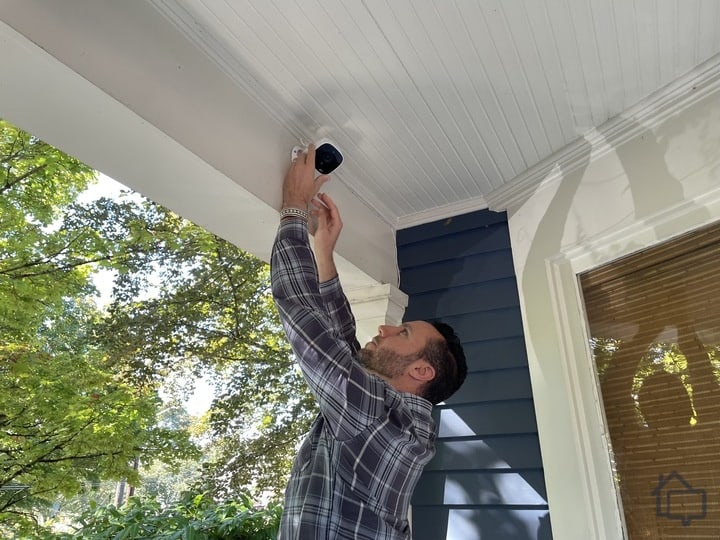
Installing a security camera
The good news is you now have more landline-free security options than ever before. The catch is that they're not all built the same way under the hood. Some systems lean on broadband internet as the primary connection and treat cellular purely as a backup, while others flip that setup entirely, running on cellular by default and falling back to Wi-Fi only if that connection drops. On top of that, coverage quality itself varies quite a bit depending on which carrier network a given provider partners with, so two systems with identical specs on paper can perform very differently depending on where you live.
That's why we recommend starting with a cell coverage map before you buy anything, checking which 4G LTE or 5G network actually performs best in your specific area, and then choosing a security system that partners with that carrier. It's a small step, but it makes a real difference: a system that looks great in a spec sheet is only as reliable as the signal it depends on, and a little upfront research now can be the difference between a system that stays connected when it matters most and one that goes silent at exactly the wrong moment.
FAQ About Home Security Systems Without a Landline
After testing dozens of security systems, my favorite system that doesn’t use a landline is SimpliSafe. The system gives you great value from the equipment to the monitoring. For a high-end option, I suggest ADT.
Yes, some security systems still require a landline. I think those systems are using antiquated technology, though, so I’d recommend an alternative unless your home doesn’t have internet access and cellular coverage. Some systems like ADT also offer a landline connection as an alternative.
Most security systems require an internet connection if they don’t use a landline. Frontpoint is one of only a few providers that use cellular as the main form of connection with your internet as a backup. So, you can still use their system without an internet connection or a landline.
No, professional monitoring does not require a landline. Your security system can still send alerts to your system’s monitoring centers over the internet or through cellular networks. That’s the way most security systems work nowadays.
As a home security expert and Managing Editor for SafeHome.org, Rob Gabriele has written and edited over 1,000 articles related to home security. His expertise is in smart home protection with thousands of hours of testing and research under his belt. Formerly a reporter and producer for the USAToday network, Rob has been a writer and editor for over 10 years. He holds a Master’s of Science with an emphasis on writing from the University of Montana, and he currently lives in Indianapolis, IN.
 Updated August 18, 2026
copied!
Updated August 18, 2026
copied!