Safehome.org is dedicated to helping people rest easy at night. We’re here to show our readers how to get the most secure home possible for the best possible price. That’s why we never charge our readers for our content.
We participate in partnerships that we may receive compensation from. We never allow these partnerships to influence our trusted reviews and rankings.
Our editorial decisions are ours alone, and our recommendations are based solely on our expertise, experience, and opinions. Our reviews are the result of hours of careful research. When we endorse, rank, or review products and services, we’re making independent judgments that you can trust.
In order to keep our important content free to readers, we participate in affiliate programs, including the Amazon Services LLC Associates Program.
Our partnerships exist to help us serve our readers — never the other way around. We partner only with companies that meet our strict standards for quality, and we never allow our partners to dictate the content in our trusted reviews and rankings. Our goal is to deliver comprehensive, accurate, and up-to-date home security information to our readers, and everything that we do is in service of that goal.
Safehome.org is driven by one mission only: to become the #1 resource that helps the everyday person protect themselves and their family.
To this end, we’ve recruited industry experts to advise our editorial team. Our expert panel brings a wealth of experience from various backgrounds such as burglary detectives, identity theft experts, senior care professionals, and more. Rest assured that our reviews, guides, and recommendations all contain factual information from highly-reputable sources.
We also spend countless hours researching and testing products and services. Our objective findings are then distilled into SecureScore, an at-a-glance score that is both trustworthy and incredibly useful.
To maintain reader trust, we must remain unbiased, truthful, and thorough. This is a responsibility we take seriously. We will continue to recruit the brightest minds and deliver top-quality information in each of our reviews and SecureScore ratings. And that’s a SafeHome.org promise.
The Best Home Security Camera for Intruder Prevention
SimpliSafe
SecureScore™: 9.3/10
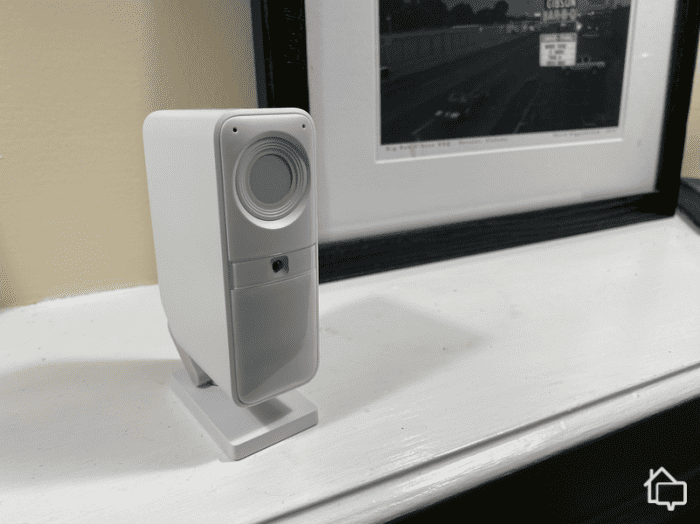
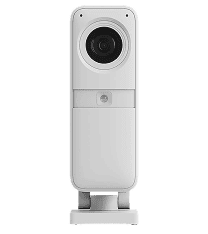
SimpliSafe’s indoor and outdoor cameras are easy to set up and feature HD resolution, two-way talk, and smart motion detection. Add a monitoring plan, and agents will use these cameras to actively deter intruders.
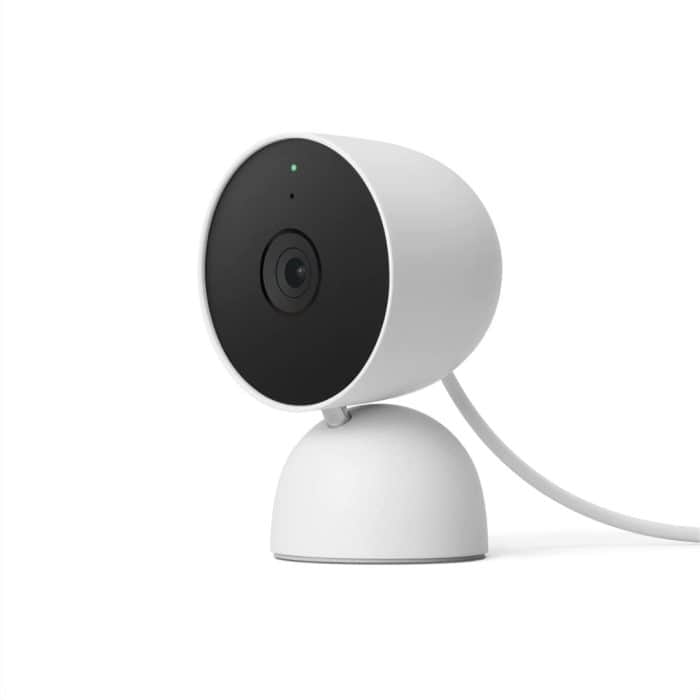
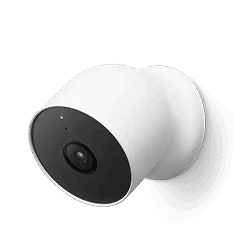
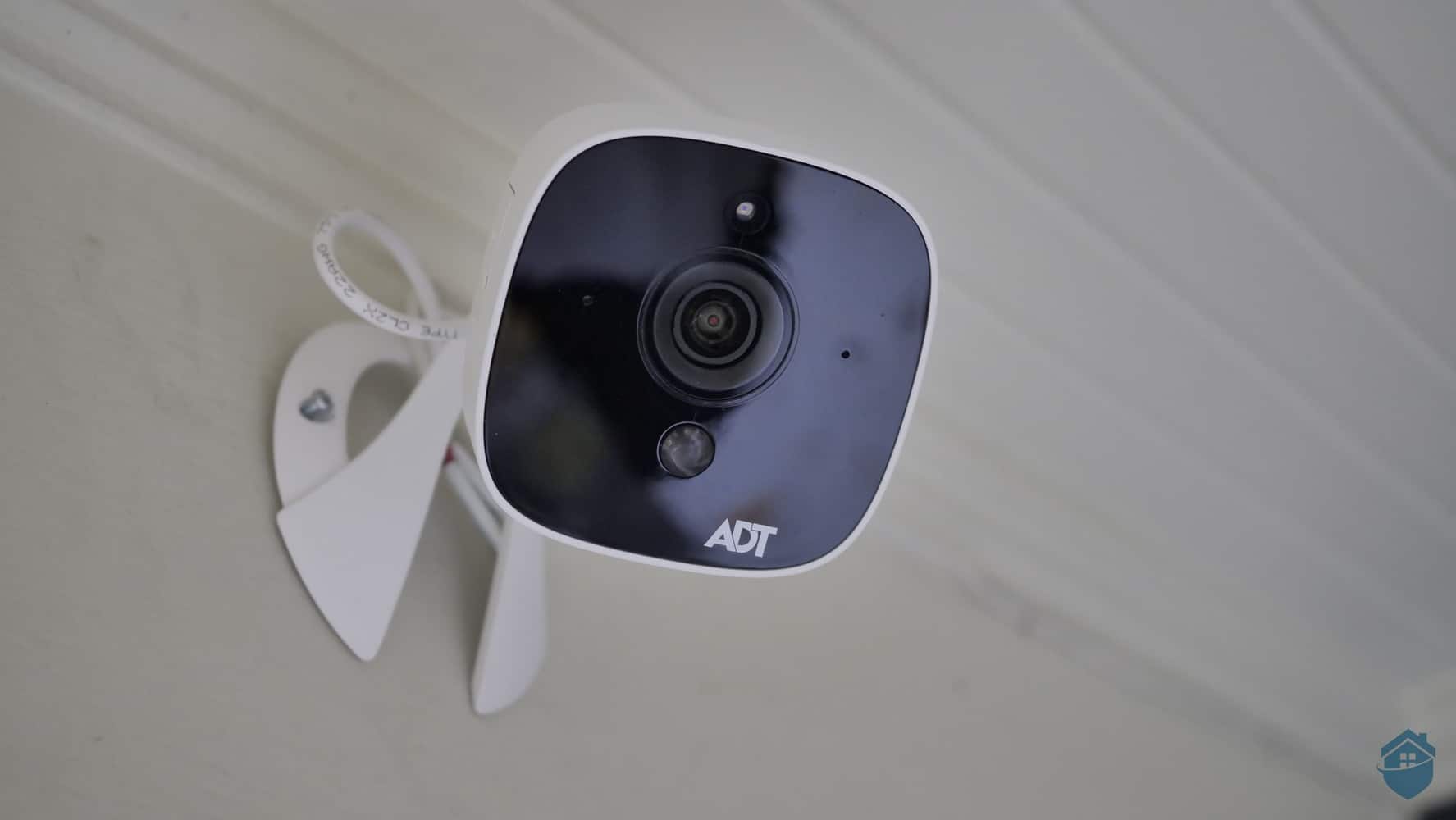
ADT offers several Google Nest security cameras. Besides built-in security features that include facial recognition, using Nest Cams with ADT lets you access professional monitoring perks such as video verification.
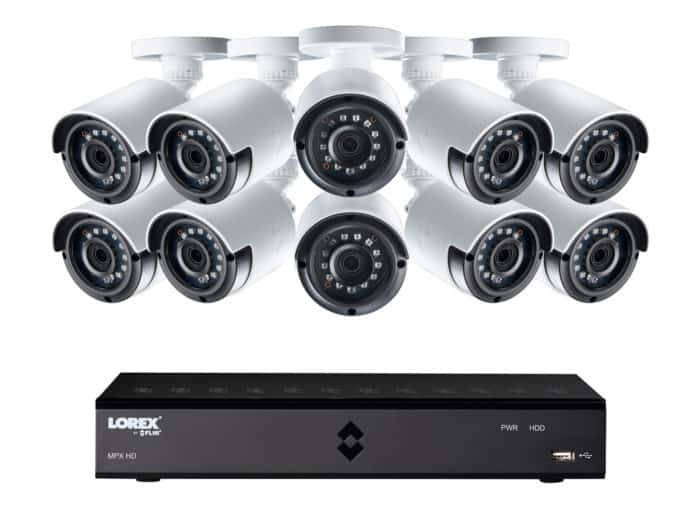
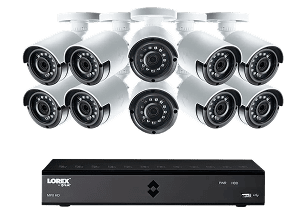
Lorex offers plenty of powerful cameras with reliable technology and image resolution up to 4K in some models. And with lots of equipment and bundling options, Lorex cameras won’t break the bank.
Bottom Line: The Lorex design and construction quality is second-to-none. And built-in DVR storage combined with impressive daytime video makes it a top choice for those willing to pay the price.
Editor’s Note: It’s no shock that SimpliSafe cameras are the highest rated on our list. Especially when the SimpliSafe home security system is one of our favorites for home protection. Pairing SimpliSafe’s cameras with their security system works best to protect your home and family from burglars.
Data shows that homes with visible security cameras experience 60 percent fewer break-ins than those without. That's one of the big reasons SimpliSafe tops this list. After testing over 25 cameras, SimpliSafe is the only one to offer monitoring that enables agents to actively deter threats identified by their outdoor camera’s AI.
Of course, SimpliSafe won’t be the right pick for everyone and some situations warrant more discrete cameras. We also liked the cameras offered by ADT, Lorex, and Ring for specific use cases. Let’s dig in to find the right security camera for you.
The Best Home Security Cameras of 2026
SimpliSafe - The Best Home Security Camera for Intruder Prevention
ADT - Best Security Camera With Professional Monitoring
Lorex - The Best Security Cameras Without a Subscription
SimpliSafe keeps things simple with just three camera models. There’s the Wireless Indoor Camera, the Outdoor Camera, and Video Doorbell Pro. That might seem limited compared to competitors with dozens of options, but SimpliSafe nails the fundamentals. Plus, in our tests, we found all three of these devices to be powerful, with clear HD resolution and up to 10x zoom capabilities. Connect them to one of the best DIY security system on the market and a SimpliSafe professional monitoring plan, and their coverage is unparalleled.
Pros & Cons:
Pros:
Easy to install
Smart motion detection
Intruder Intervention and Active Guard Outdoor Protection features
Activity zone feature reduces false alarms
Flexible, month-to-month monitoring plans
Cons:
Limited camera range
No 4K resolution option
Only offers cloud storage
Our Experience:
Our Experience with SimpliSafe Security Cameras
Camera Options
As we mentioned earlier, SimpliSafe only offers three security cameras. During our testing, all three were durable, reliable, and included at least 1080p resolution. They also feature two-way talk, which pairs with SimpliSafe’s intruder deterrence features.
To get the full benefit of SimpliSafe cameras, you need to integrate them with a SimpliSafe security system. All setups are customizable, featuring entry sensors, smart locks, smoke detectors, and more. Even these devices work better with SimpliSafe security cameras.
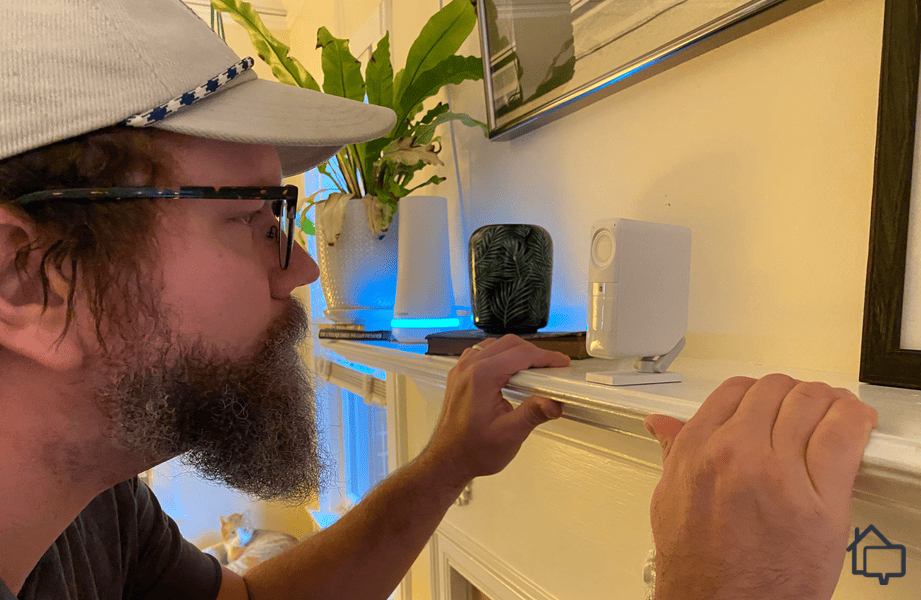
We liked to make sure the privacy shutter was closed on our SimpliSafe Wireless Indoor Camera when we were homeSimpliSafe offers solid self-monitoring options, but we recommend opting for one of their professional monitoring plans. Our favorite feature is Active Guard Outdoor Protection, which is included in the Pro plan for $50 monthly. Here’s how it works:
The camera detects movement
It uses A.I. to verify it was human movement
The camera alerts SimpliSafe and opens a live video and two-way audio link
A security professional assesses the situation (and uses two-way talk to attempt to scare away a burglar if there is an active break-in)
If they need to, this security professional reports the incident to law enforcement, including relevant information and video verification.
SimpliSafe’s Core plan costs $33 per month and works with the Wireless Indoor Camera, activating only during actual alarms to protect your privacy. Ring offers similar coverage at $20 per month, but its active monitoring features require a $100 monthly add-on.
It’s important to note that SimpliSafe’s plans require either a wireless indoor or outdoor camera. The Video Doorbell Pro alone cannot use the active monitoring features, so you’ll need at least one of the standard cameras to take full advantage of Intruder Intervention or Active Guard.
SimpliSafe lets you build either a budget-friendly home security system or a high-end setup, depending on your needs. Their packages range from $250 to $730, but deals are sometimes up to 60% off, so it’s worth waiting for a sale.
Included in these bundles are the Wireless Indoor and Outdoor Cameras, both featuring 1080p resolution, two-way talk, and AI-powered person detection. The Indoor Camera typically costs $150, while the Outdoor Camera is $200. With this range of options, you can tailor your system to match your home, lifestyle, and budget.
Here’s a quick look at SimpliSafer’s various camera offerings.
Features and Price
Wireless Indoor Camera
Outdoor Camera
Resolution
1536p
1080p
Night vision
IR
IR and spotlight
Field of view
125-degrees
120-degrees
Two-way audio
Yes
Yes
Smart alerts
Yes
Yes
Power source
Battery
Battery or Plug-In
Price
$149.99
$199.99
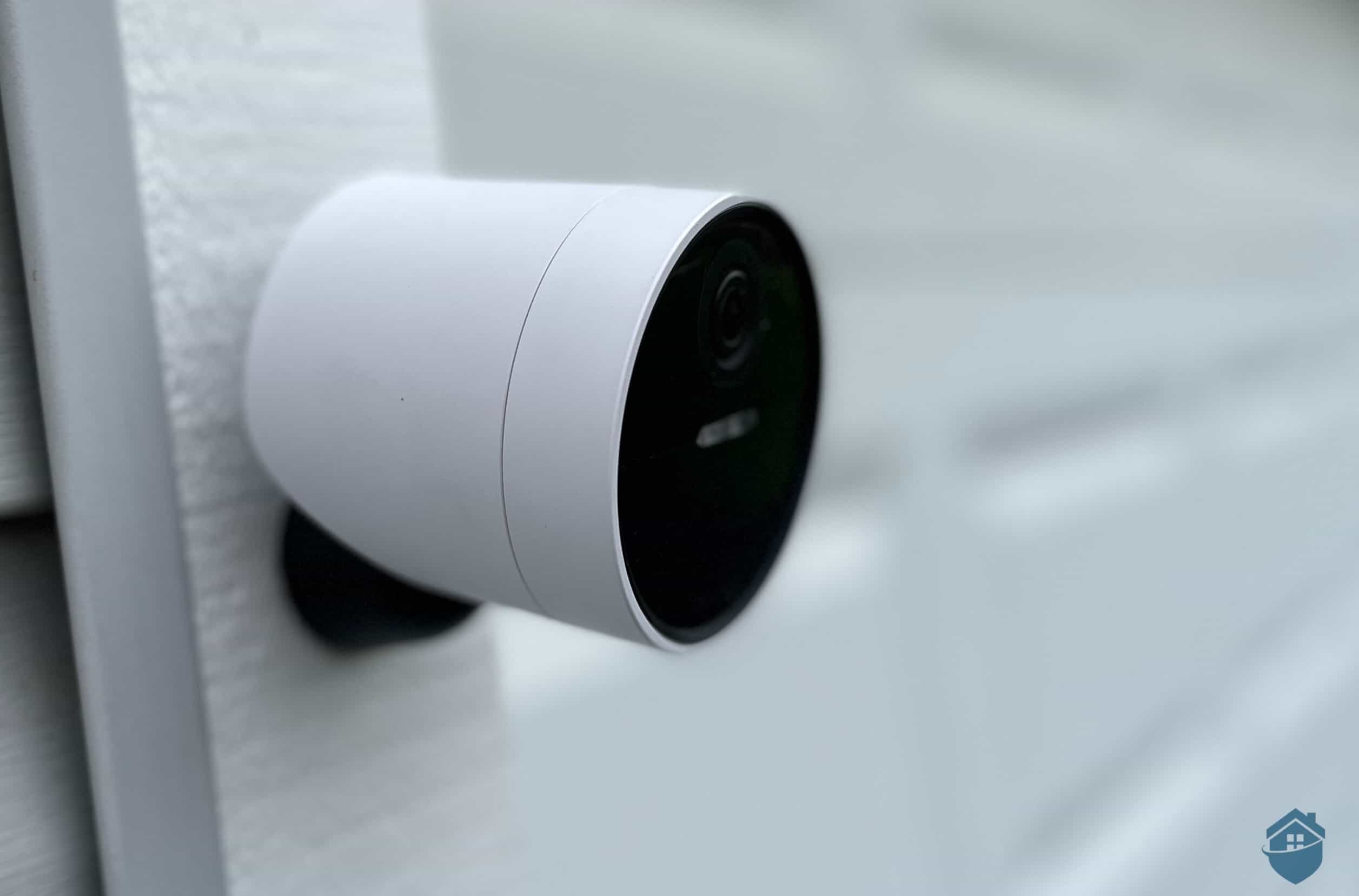
SimpliSafe Outdoor Camera on Garage
SimpliSafe’s self-monitoring option is free, though it doesn’t include video recordings. You can add cloud storage for $10 per month if you just need video access.
For full protection, we recommend one of SimpliSafe’s active monitoring plans. The Core plan ($33/month) adds video verification and agent intervention for the Wireless Indoor Camera. To cover the Outdoor Camera, you’ll need the Pro Plan ($50/month) for overnight coverage or the Pro Plus Plan ($80/month) for 24/7 monitoring. These plans give you scalable options depending on how much coverage you want.
Here’s an overview of SimpliSafe’s most popular subscriptions for systems that include security cameras.
SimpliSafe Subscriptions
Cloud Recording Plan
Core Monitoring Plan
Pro Monitoring Plan
Pro Plus Monitoring Plan
Monthly cost
$9.99
$32.99
$49.99
$79.99
Max no. of cameras
10
10
10
10
Cloud storage
30 days
30 days
30 days
30 days
Live Guard Protection
No
Yes
Yes
Yes
Active Guard Outdoor Protection
No
No (Requires Pro or Pro Plus plans)
Nighttime Coverage
24-hour Coverage
Video verification
No
Yes
Yes
Yes
Professional security system monitoring
No
Yes
Yes
Yes
Home Security Compatibility
We were intrigued by the fact that SimpliSafe cameras come from a well-established security system brand, unlike options like Lorex and Swann that solely offer security cameras. But that aspect proved to be a double-edged sword.
There are serious advantages to using a camera as part of a home security system, and SimpliSafe isn’t just any system. It’s one of our top-rated security systems. That means we didn’t just have video feeds. We had a network of sensors and detectors that created a net of security around our home. Components worked in sync to keep us more protected than cameras alone.
Keep in mind that SimpliSafe doesn’t offer free storage like Lorex. If you’re only interested in cameras, SimpliSafe subscriptions might feel like overkill. We recommend it for complete home protection.
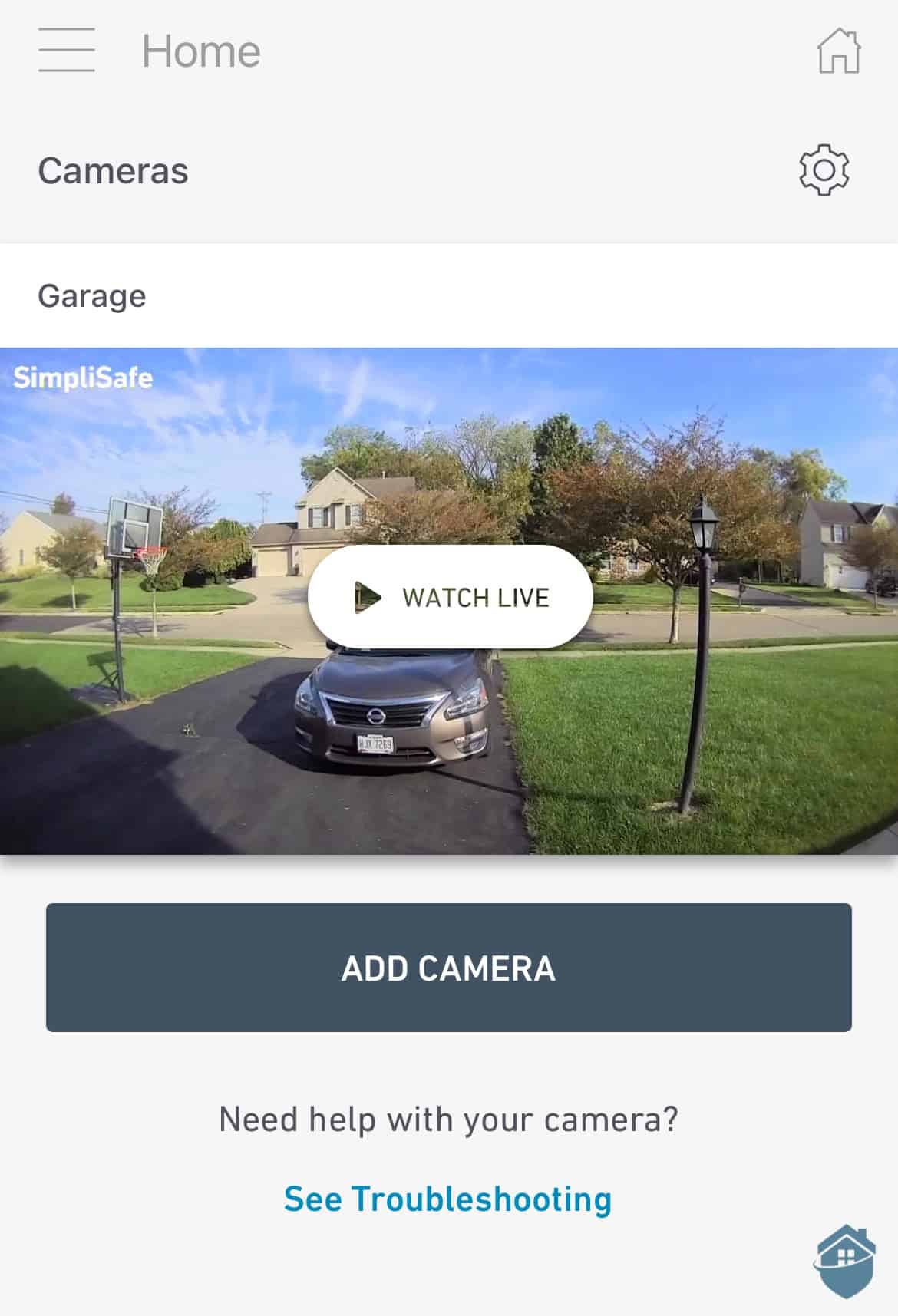
SimpliSafe’s Outdoor Camera video on the app
FYI: The Core plan is a monitoring subscription for the SimpliSafe security system. As such, it requires a working SimpliSafe system.
ADT brings 150 years of security expertise to the table and operates one of the country's largest networks of monitoring centers. They also offer cutting-edge Nest cameras with advanced facial recognition. They put that tech to good use, too, with their Trusted Neighbor that allows you to automatically allow friends and family into your home at specific times.
Pros & Cons:
Pros:
DIY and professional installation available
24/7 professional monitoring from ADT’s 12 monitoring centers across North America
SMART monitoring via text message for faster response
Intuitive smartphone app
Financing available
Six-month money-back guarantee
Cons:
No touch-screen control panel
Video support is only available on the most expensive monitoring plan
No local storage options
Our Experience:
Our Experience with ADT Security Cameras
Camera Options
ADT offers six cameras from the Google Nest range. They are:
Google Nest Doorbell (battery)
Google Nest Doorbell (wired, 3rd gen)
Google Nest Cam Indoor (wired, 3rd gen)
Google Nest Cam Outdoor (wired, 2nd gen)
Google Nest Cam (outdoor or indoor, battery)
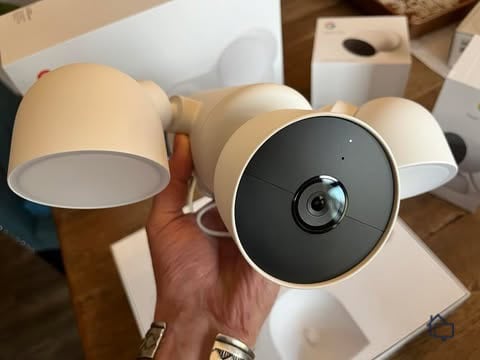
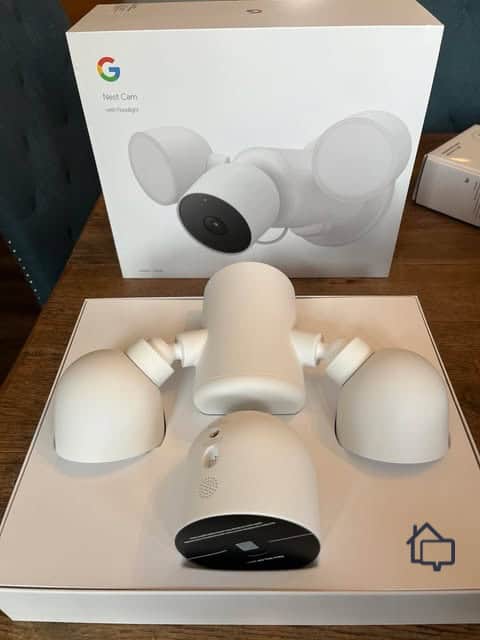
Google Nest Cam with floodlight
For the best coverage, we recommend mixing these devices strategically. We placed a Google Nest Indoor (Wired) at the junction between our entryway and living room for maximum visibility. The Google Nest Doorbell monitored our front entrance, while the Google Nest Floodlight provided both deterrence and recording capabilities for our driveway.
We should note that the Floodlight requires a bit of extra wiring. We signed up for ADT professional installation, though, so we didn’t have to tackle the problem at all. ADT is one of the best professionally installed security systems. Of course, you can also just purchase a battery-powered Nest Cam. There’s no attached floodlight, but this device offers the flexibility of working both indoors and outdoors.
The Google Nest Cam with floodlight is the only device in our ADT system that needed professional installation.
Equipment and Subscription Costs
ADT’s Wired Indoor Nest Cam starts at $99.99, which is comparable to similar Ring models. Here’s the current pricing for ADT’s Google Nest camera lineup:
Google Nest Cam Indoor (wired, 3rd gen)
Google Nest Cam Outdoor (wired, 2nd gen)
Google Nest Doorbell (battery)
Google Nest Doorbell (wired, 3rd gen)
Google Nest Cam (outdoor or indoor, battery)
Google Nest Cam with floodlight
Indoors or outdoors
Indoor
Outdoor
Outdoor
Outdoor
Both
Outdoor
Price
$99.99
$149.99
$179.99
$179.99
$179.99
$279.99
ADT’s wireless cameras cost more than our top pick, SimpliSafe. However, ADT offers more options. When we reviewed ADT, we tested both wired and wireless Nest Cams. The wireless device has more placement flexibility, but the wired one is easier to install – we just plugged it in. It’s also reliable if your internet tends to drop out.
For ADT’s professional monitoring plans, systems with cameras start at $39.99 per month. While that’s the only camera-compatible option, it also includes a Google Home Premium subscription. You also get SMART monitoring, which texts videos so you can instantly verify or dismiss alarms.
FYI: ADT operates 12 monitoring centers across North America. This might seem excessive, but it means that if one is unavailable due to a power outage or weather event, another center can take over and instantly handle alerts.
Home Security Compatibility
Unlike some companies that awkwardly integrate third-party devices, ADT unifies everything smoothly. The ADT+ app manages both ADT devices and Nest cameras in one place, and you can even add other Nest products like thermostats and smart locks to build a smarter, safer home.
All of Nest’s advanced features are accessible through the app. Activity Zones reduce false alerts, and Familiar Faces sends notifications about regular visitors. Paired with ADT’s Trusted Neighbor feature, you can set the system to disarm and unlock smart locks when friends or family arrive. We added our sister while on vacation so she could feed our fish.
Featured Highlight: Trusted Neighbor uses facial recognition on the Nest Doorbell to identify regular visitors. If you allow a person in your trusted circle, you’ll be able to set situations (e.g. during active alarms) or times that they’re allowed inside your home. Once they leave, the ADT system will re-arm and the door will lock automatically for your security.
Lorex started out selling security cameras to businesses, but even now that it’s focused on home security, Lorex still produces some of the best-built cameras in the business.
What sets Lorex apart is their massive range. We found dozens of models at every price point and feature level. Unlike SimpliSafe and ADT, Lorex ditches monitoring plans. You'll still get instant alerts and can view live footage anytime. The devices also include local storage, which means you can review recordings without paying extra.
Pros & Cons:
Pros:
Up to 4K resolution
Long-range color and Infrared night vision
Lots of equipment options
Free local recording with internal and local storage options
Smooth app experience
Strong reputation in security camera manufacturing
Cons:
Overwhelming amount of options
No professional monitoring for cameras
Occasional false alarms
Wired cameras can be tedious to install
Our Experience:
Our Experience with Lorex Security Cameras
Camera Options
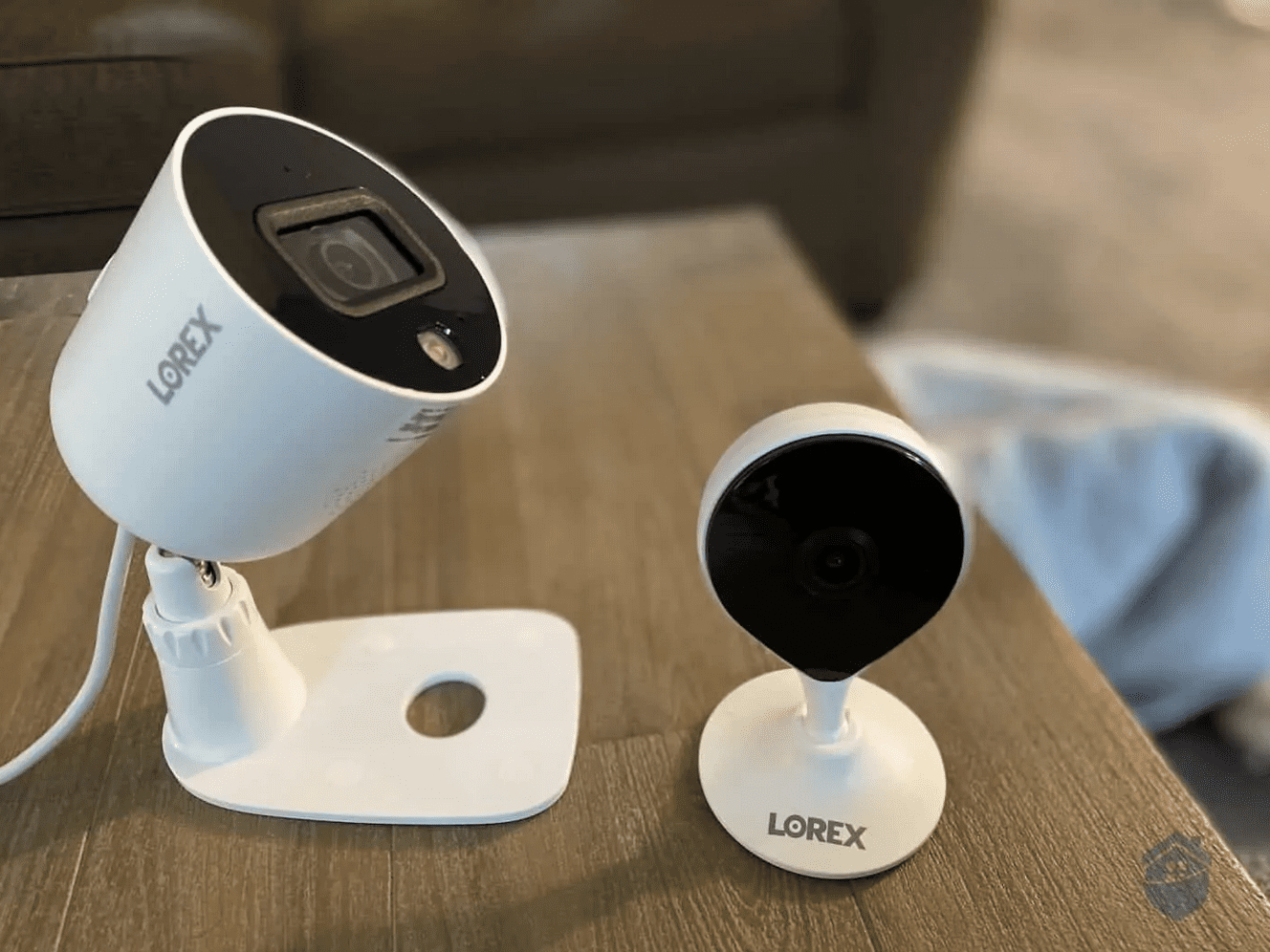
There’s not enough space on this page to list Lorex’s complete lineup. You’ll find bullet cameras, dome cameras, wireless models, and even NVR connections. Some people might find this overwhelming, while others will appreciate the variety of options.
Lorex cameras
Of course, if you’re looking for a camera that’s going to do its job, one that simply works to keep your family safe, that many options can be intimidating. Here are a couple of good suggestions, though.
We’re fans of Lorex’s Fusion Collection, for example. These cameras make use of NVR storage, so you never have to worry about paying a monthly fee to record and save videos. Cameras come in wired and wireless versions, but both work smoothly with the NVR. You can read more about our experience in our Lorex review, but here’s a quick specs highlight:
Specs
Lorex Smart Wi-Fi Camera
Lorex Outdoor Wi-Fi Camera
Resolution
1080p HD
1080p HD
Field of view
115-degrees
129-degrees
Two-way audio
Yes
Yes
Connectivity
Wi-Fi
Wi-Fi
Power source
Outlet (10-foot cable included)
Outlet (20-foot cable included)
Recording options
Local and cloud
Local and cloud
For enhanced features, we recommend Lorex’s 4K outdoor cameras. Beyond crystal-clear resolution that captures minute details, these cameras include Smart Deterrence. This is an automated defense system that works like this:
Motion detection and person detection combine to detect human movement.
Once the camera verifies someone is approaching, it activates built-in spotlights to startle any potential intruder.
The camera then sends an alert to your phone.
Once you open the Lorex app, you have the option to trigger a built-in siren. You can also use the app to modify the siren’s volume, intensity, and tone.
Smart Deterrence makes DIY monitoring significantly easier. It cuts down on false alerts and automates a response. That way, by the time you pull up your live feed, any threats will already be scurrying away. Plus, local recording options mean you can store the evidence without paying a monthly fee. These features are what put Lorex on our list of the best 4K cameras.
Smart Deterrence doesn’t replace professional monitoring. You won’t have monitoring agents verbally confront intruders or dispatch police. Lorex automates the process and doesn’t send assistance. The advantage is that you’re not paying for another subscription.
Motion Events on the Lorex app
Equipment and Subscription Cost
Most Lorex cameras cost $80 to $150. There are cheaper models, like the $39.99 Smart Wi-Fi Indoor Camera. That’s only $5 more than the Blink Mini we tested ($35) and $10 more than Wyze’s low-cost cameras ($20-$30). Similarly, Lorex’s premium 4K Dual Lens Wi-Fi cameras cost up to $200.
That said, Lorex offers bulk discounts that reduce camera costs when bought in a package. Here’s a quick look at a few of Lorex’s camera packages:
Lorex Fusion Collection Packages
Lorex Wireless Fusion
Lorex Fusion 4K
Lorex Fusion Indoor/Outdoor
Price
$469.99
$649.99
$829.99
NVR
16-channel w/ 2 TB storage
16-channel w/ 2 TB storage
16-channel w/ 2 TB storage
Indoor cameras
4 (all 4K)
0
2 (both 2K)
Outdoor cameras
0
2 (both 4K w/ PTZ)
4 (all 4K)
Keep in mind that external equipment like NVRs costs extra. As a result, we recommend investing in a total Lorex package rather than single cameras. In the long run, package deals are cheaper. An NVR and two cameras, for instance, starts at around $300. Here are a couple of more package examples. Balance these costs, though, against the fact that you don’t ever have to pay for monthly monitoring. And did we mention that Lorex installation is entirely DIY? That saves additional money.
Pro Tip: We recommend combining local storage with cloud backup. Some Lorex NVRs support personal cloud drive backups, while others work with Lorex’s optional cloud subscriptions starting at $2.99 monthly.
Home Security Compatibility
ADT, SimpliSafe, and Ring all offer complete home security systems. Lorex, however, specializes in cameras. Lorex doesn’t offer professional monitoring or connected systems with sensors. That’s not a dealbreaker for us. Lorex’s cameras are reliable and feature-rich, like their built-in motion sensors.
Plus, Lorex integrates well with a number of smart home devices, and many of these – from smart door locks to garage door openers – can significantly improve your security. Connect your system to your Alexa device or Google Home, and you get the convenience of voice activation. The fact is, when operating your system is easier, you’re more likely to use it properly and effectively, and that’s going to keep you safer.
We tested our Lorex NVR with our Echo Show 8, and discovered a handy list of Alexa commands:
“Talk to the front porch”: Initiated a two-way audio link between our Echo Show 8 and the wireless outdoor camera.
“Turn off front porch light”: Turned off the spotlight after Smart Deterrence was triggered.
“Show me the backyard”: Streamed live footage from the 4K camera in our backyard on our Echo Show 8’s screen. (The video quality was fuzzy due to our Echo Show 8’s screen resolution – 1280*800 pixels.)
We should note that while those voice commands worked the majority of the time, they didn’t always fire up instantaneously. There was about a five- to 10-second delay between us giving the command and Alexa responding. Nine times out of ten, that’s just going to be an annoyance. Every once in a while, though, it could delay your response to a real emergency. So while we’re thrilled that Lorex works with smart home platforms, we’re not big fans of how well those integrations work.
You probably know Ring for its video doorbells. Who doesn’t, right? Ring’s line of outdoor and indoor security cameras is just as impressive with almost as many options as Lorex. They’re easy to install and packed with useful features. Plus, professional monitoring starts at just $19.99 per month.
Pros & Cons:
Pros:
Easy DIY installation with minimal wiring
1080p HD video; up to 4K on newer models
Designed for indoor and outdoor use
Choose how you want to power your cameras (battery, wired, plugged in, solar)
Enhanced audio for clearer two-way talk
Built-in motion-activated lights on some models
Cons:
No 4K indoor camera options
Premium models cost over $250 per camera
Past privacy concerns (though Ring has since added end-to-end encryption)
Design aesthetics could be improved
Our Experience:
Our Experience with Ring Security Cameras
Camera Options
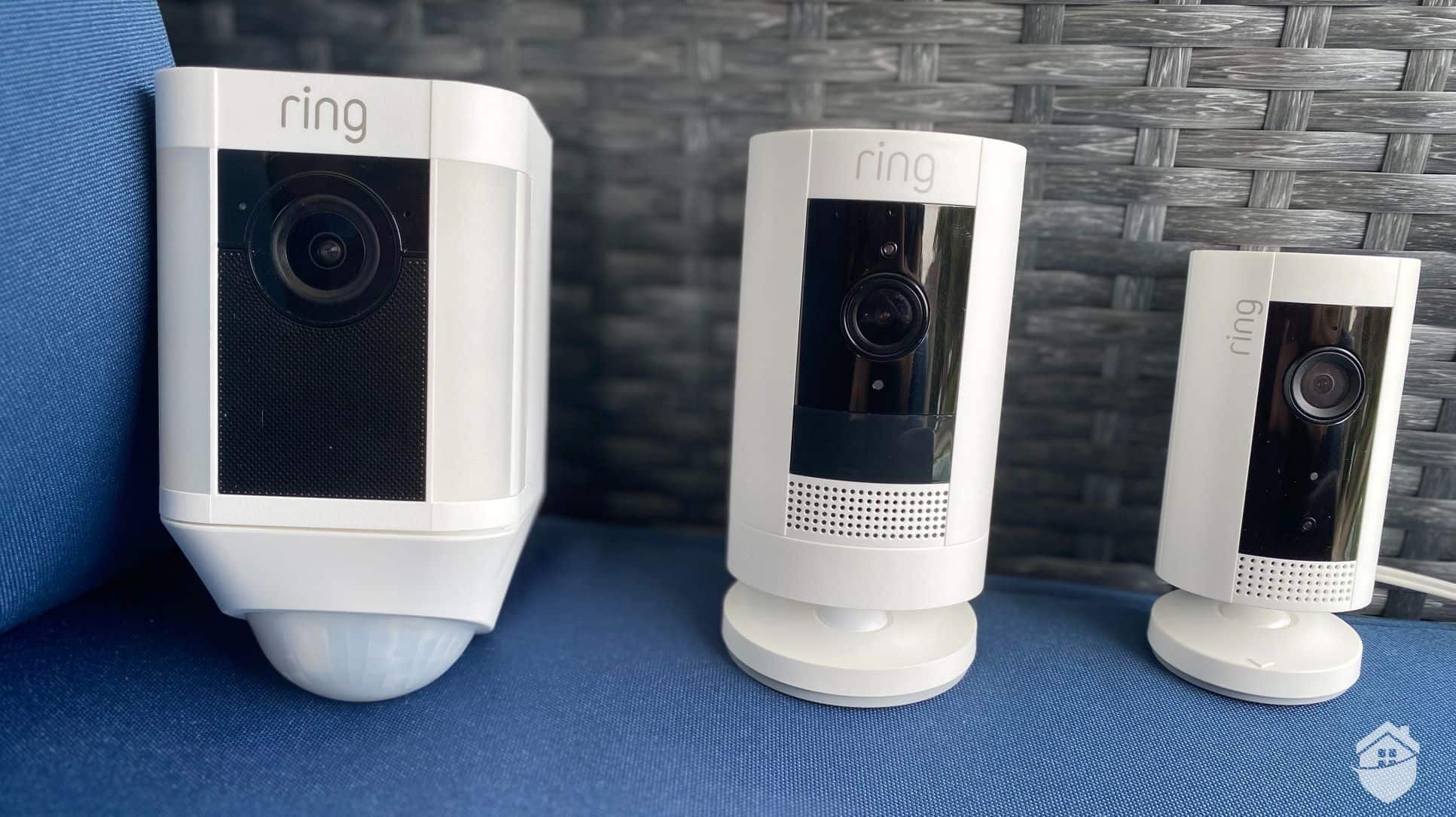
Ring’s Spotlight Cam, Outdoor Cam, and Indoor Cam
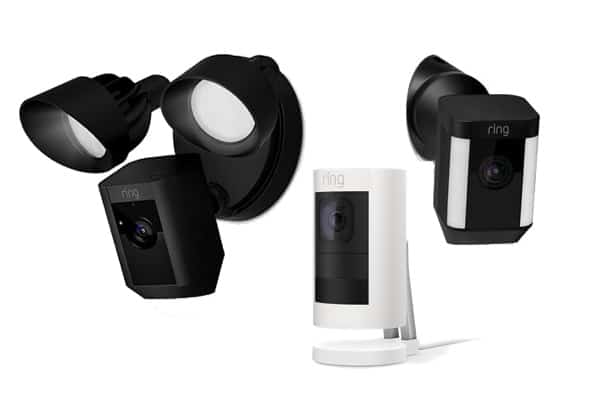
Ring’s range of models is a bit more limited than Lorex’s. For example, Ring doesn’t offer any cameras with 4K resolution or intruder deterrence. The company’s models also all look roughly the same. There are no dome models, or bullet cameras.
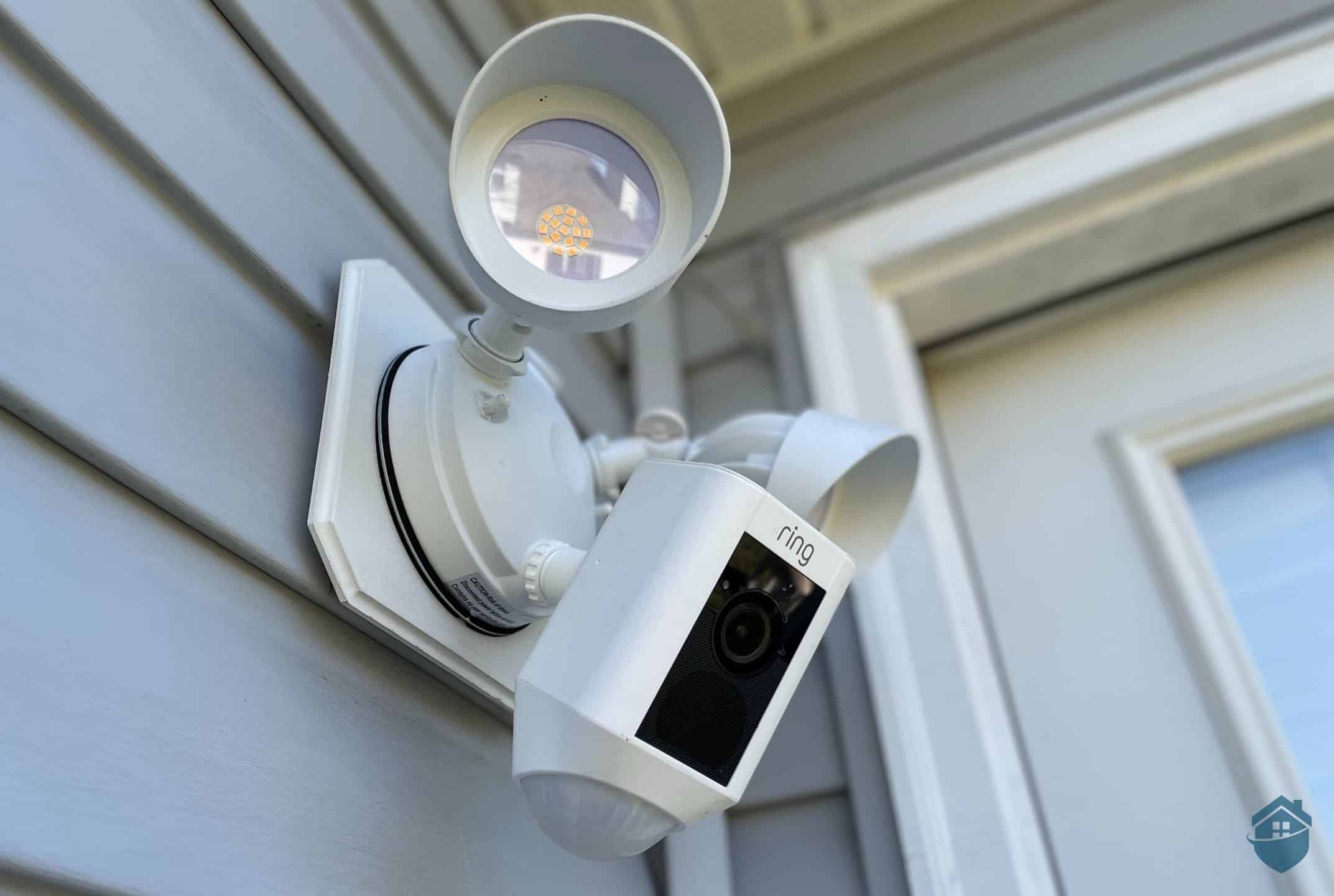
Most cameras support multiple power options including solar panels. Ring also leads the market with Spotlight and Floodlight cameras. Here’s how their power options break down:
Ring Power Options
Ring Outdoor Cam
Ring Spotlight Cam
Ring Floodlight Cam
Plugged-in
Yes
Yes
Yes
Battery
Yes
Yes
No
Solar
Yes
Yes
No
Hardwired
No
No
Yes
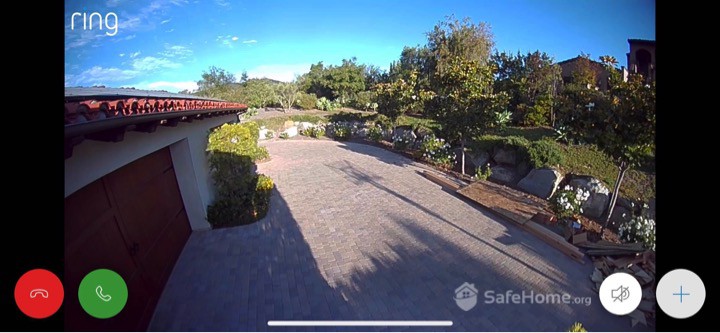
While most Ring cameras capture in 1080p HD, they’ve recently introduced 2K models. Even at 1080p, we found the HDR enhancement delivers impressive clarity. In our testing, for example, we could see everything from the neighbor’s dog nosing around our trash cans to the license plate on a speeding Camaro. All of Ring’s outdoor cameras come with night vision, so we didn’t have to worry about missing events at night. And with added spotlights and floodlights, we were able to startle that nosy dog away. Plus, all of the Ring security cameras we tested featured easy DIY installation that took us just minutes to complete. Lorex cameras can sometimes be tricky to get set up.
Ring Spotlight Cam Video Quality
Did You Know? Ring’s cameras come with enhanced noise cancellation, which worked really well during our tests. Even as a garbage truck passed our house, we were able to chat with the mailman outside our door with ease.
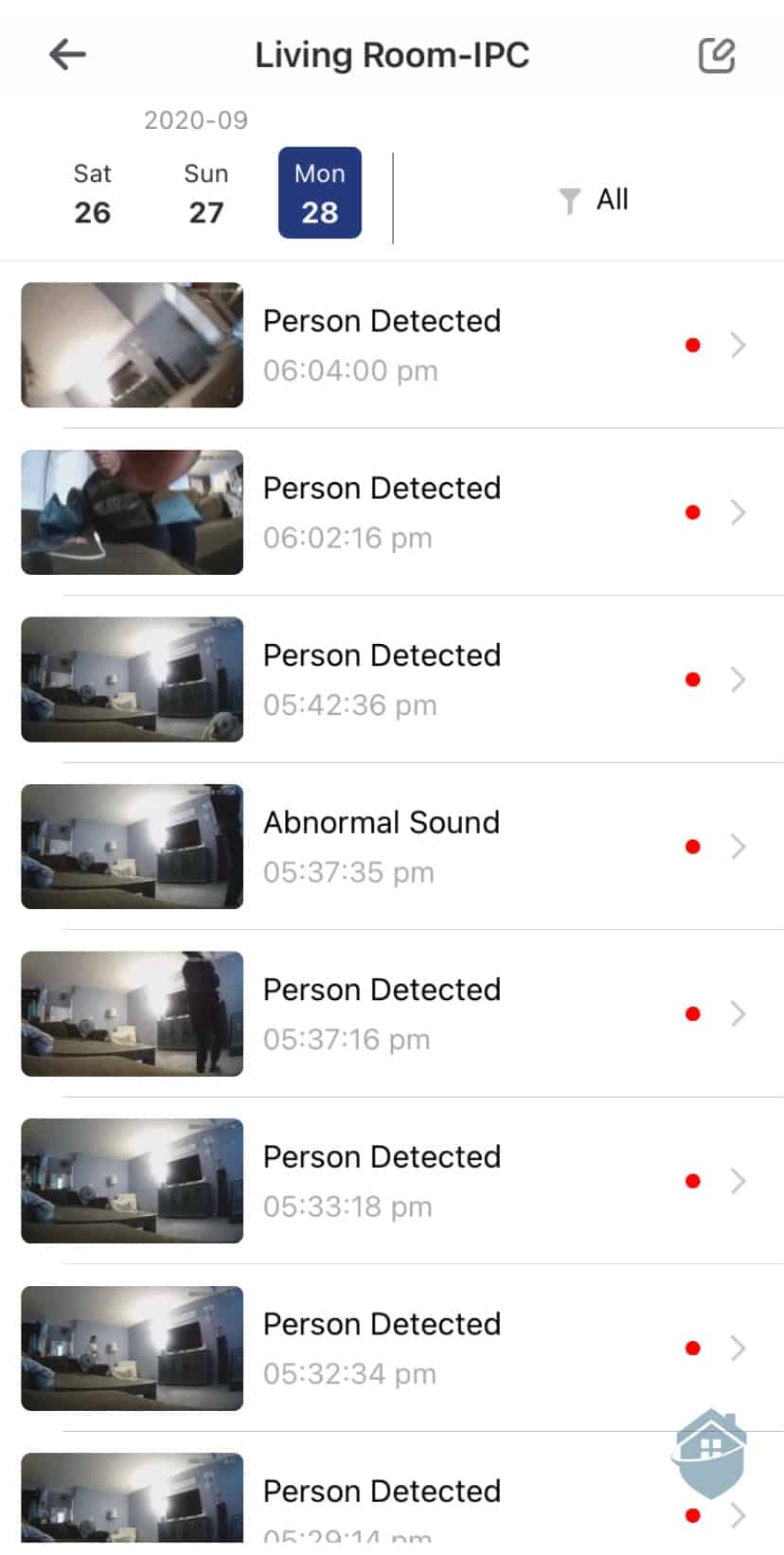
We did notice that Ring’s motion sensors don’t automatically trigger the siren. We had to manually activate it through the app after receiving an alert. The Floodlight and Spotlight Cams automatically illuminate when detecting motion. In a genuine emergency, we think an automatic siren activation would be more effective.
Equipment and Subscription Cost
When you buy a Ring camera, you get what you pay for. They offer cameras at almost any price point. On the low end, Ring charges $59 for its Wired Indoor Cam, $40 less than a comparable camera from SimpliSafe. Then, there’s the Floodlight Cam, which starts at $179.99, $100 less than a Nest Floodlight Cam. At both ends of the spectrum, Ring offers solid value. Here’s a more complete pricing overview.
Ring Security Cameras
Pricing
Ring Indoor Cam
$59.99
Ring Outdoor Cam
$99.99 to $209.99
Ring Spotlight Cam
$169.99 to $249.99
Ring Floodlight Cam
$199.99 to $269.99
Ring Floodlight
As for monitoring options, Ring – like SimpliSafe – lets you choose between self-monitoring and professional monitoring. Complete self-monitoring, without recording, won’t cost you a dime. Cloud storage for a single camera costs $5 a month, or you can store footage from an unlimited number of cameras for $10 a month.
Features and Price
Ring Solo
Ring Multi
Ring AI Pro
Price per month
$4.99
$9.99
$19.99
Max no. of cameras
1
Unlimited
5
Video history
180 days
180 days
180 days
Professional Monitoring
No
No
Yes
Our pick is the Ring AI Pro plan, which includes AI-powered features and professional monitoring. You might not get intruder deterrence features like SimpliSafe, but you do get facial recognition, video verification, and 180 days of cloud storage. Ring does offer another plan featuring live monitoring from security agents, but it’s $100 a month.
Home Security Compatibility
Ring began life as a video doorbell company. It has grown into a full-service home security company, though, offering every kind of device you could need, from entry sensors to smoke detectors, as well as a large selection of indoor and outdoor cameras. All of this equipment is up to the same high standards as Ring’s video doorbell. And all of it works seamlessly together.
Ring’s Amazon ownership also means Echo integration. During testing, we managed an entire doorstep conversation through voice commands. We pulled up the feed and dismissed a door-to-door salesperson without touching anything. Ring also offers Google Home compatibility for non-Alexa households.
Product Specs:
Connectivity
Wi-fi, ethernet
Power
Wired, battery, PoE
Field of View
Up to 140°
Resolution
Up to 4K
Storage
Cloud
Smart Platform Compatibility
Alexa and Google Home
How We Tested Home Security Cameras
Our home security camera recommendations come from thousands of hours of research and rigorous hands-on testing. These are products we have used ourselves, following our editorial guidelines to maintain objectivity, integrity, and accuracy.
For this specific guide, here’s what our security camera testing looked like:
Our industry experts thoroughly researched the market to find out the top security camera brands of today.
After narrowing down the pool, we selected security cameras to test from each company. We made sure to hand-pick options that would represent the brands well.
We purchased, installed, and set up the selected security cameras. This phase gave us insight on the setup process and overall usability of each option.
We lived with each security camera system for at least 2-3 weeks, taking on the mindset of a homeowner looking to protect their home and family (because we have homes and families, too!).
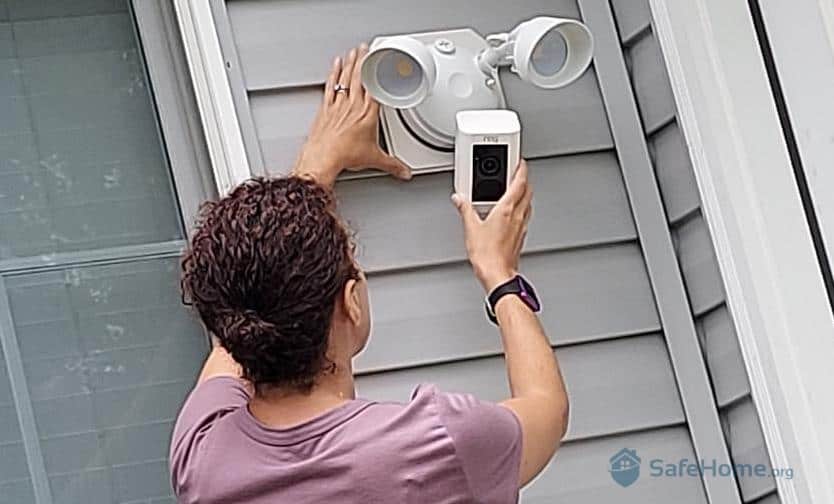
Installing the Ring Floodlight Cam
This whole process took us nearly six months, and after that, we compared notes and ranked our top picks. And as you can see, ADT, SimpliSafe, Lorex, and Ring topped the rankings.
How We Picked The Best Security Cameras for Home Use
Delving deeper into our testing process, we didn’t just blindly compare security cameras. We picked three main factors we firmly believe are most important to home security camera shoppers.
Wired vs. Wireless Security Cameras
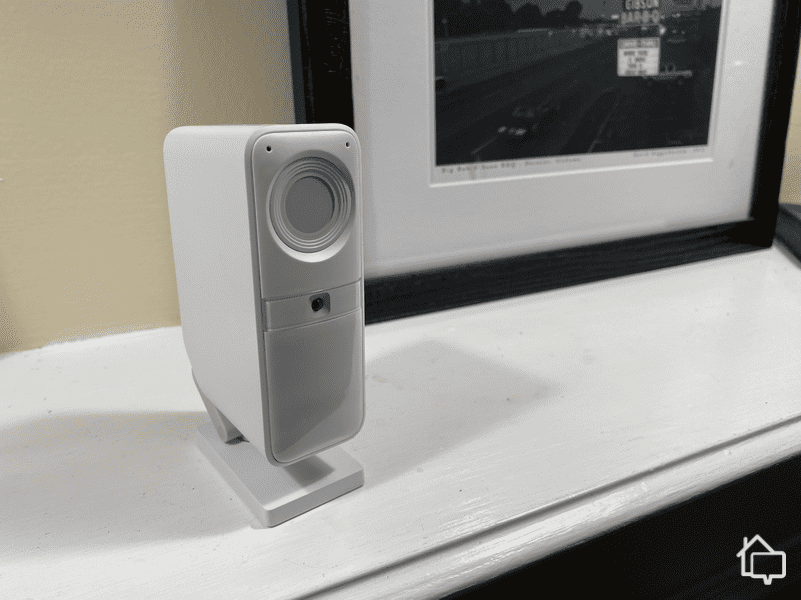
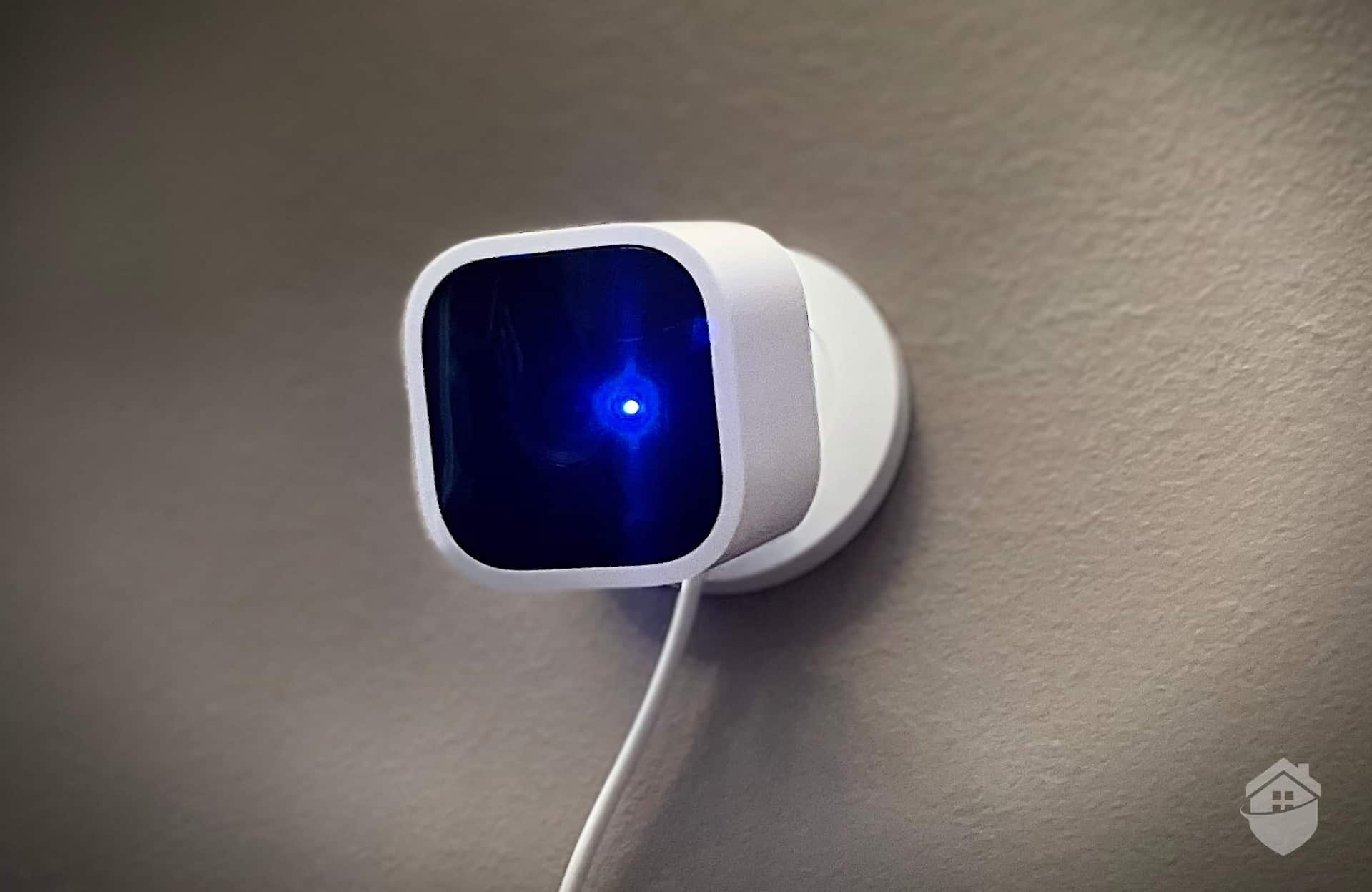
SimpiSafe’s Smart Alarm Wireless Indoor Camera
The first factor we considered when comparing devices was whether the cameras were wired or wireless.
Wired security cameras need to be plugged into a wall outlet for power and/or to a DVR for recording. They are reliable since they don’t face issues such as signal and battery power loss, but they are usually more challenging to install. On the other hand, wireless security cameras are Wi-Fi ready. Some of them are also completely wire-free since they use batteries for power.
We recommend using both types strategically. Wireless cameras are great for indoors where installation flexibility matters and Wi-Fi is strong. For outdoor perimeter coverage where Wi-Fi weakens, wired cameras provide the reliability you need.
Upfront Costs and Monthly Subscription Fees
The second factor we considered was cost. Typically there are two separate costs to consider – the upfront cost for the hardware and the on-going monthly cost of cloud storage.
When it comes to hardware, there’s enormous variation across the market. Most of this variation has to do with the technology and features available in different cameras. That said, the typical price for indoor cameras ranges between $80 and $120. The range for outdoor cameras is $150 to $200. The most affordable security cameras tend to fall within these price ranges. While you may be able to find even cheaper options, those options usually provide inferior technology or fewer features.
As for monthly costs, there are some cameras with free recording options via local storage. Lorex and Swann are great examples. A number of companies also allow you to access live footage for free with no recording options. If you’re interested in cloud storage, though, you can expect to pay between $5 and $12 per month depending on how many cameras you own. This depends on how many cameras you own and the features that come with the subscription. Of course, there are a number of companies that provide full 24/7 professional monitoring so you don’t have to watch your cameras constantly. Generally, the price for these services is between $18 and $40.
Smart Home Security Compatibility
Security cameras are an important piece of the home security puzzle, but they’re just that – a piece. You still need other security products if you want well-rounded home protection. Fortunately, current smart home technology has enabled security cameras to integrate with smart security systems.
There are two types of integrations we want to see from security cameras: Compatibility with home security systems and with smart platforms like Alexa and Google Assistant. The former enables seamless meshing with security-focused products like motion and entry sensors. The latter enables cameras to interact with automation-focused devices, allowing for improved user experience.
Other Security Camera Features We Evaluated
Besides those factors, we want to make sure our recommendations have most, if not all, of the necessary security camera features.
Fast Motion Activation
The best cameras detect and alert you to motion within two seconds, ensuring you can view events in real-time rather than after the intruder has left the frame.
Intuitive Smartphone App
A functional, well-designed app is also important as it will allow you to monitor your security cameras in real-time. An intuitive smartphone app will put your home security at your fingertips whether you’re lounging on your couch or traveling halfway across the globe.
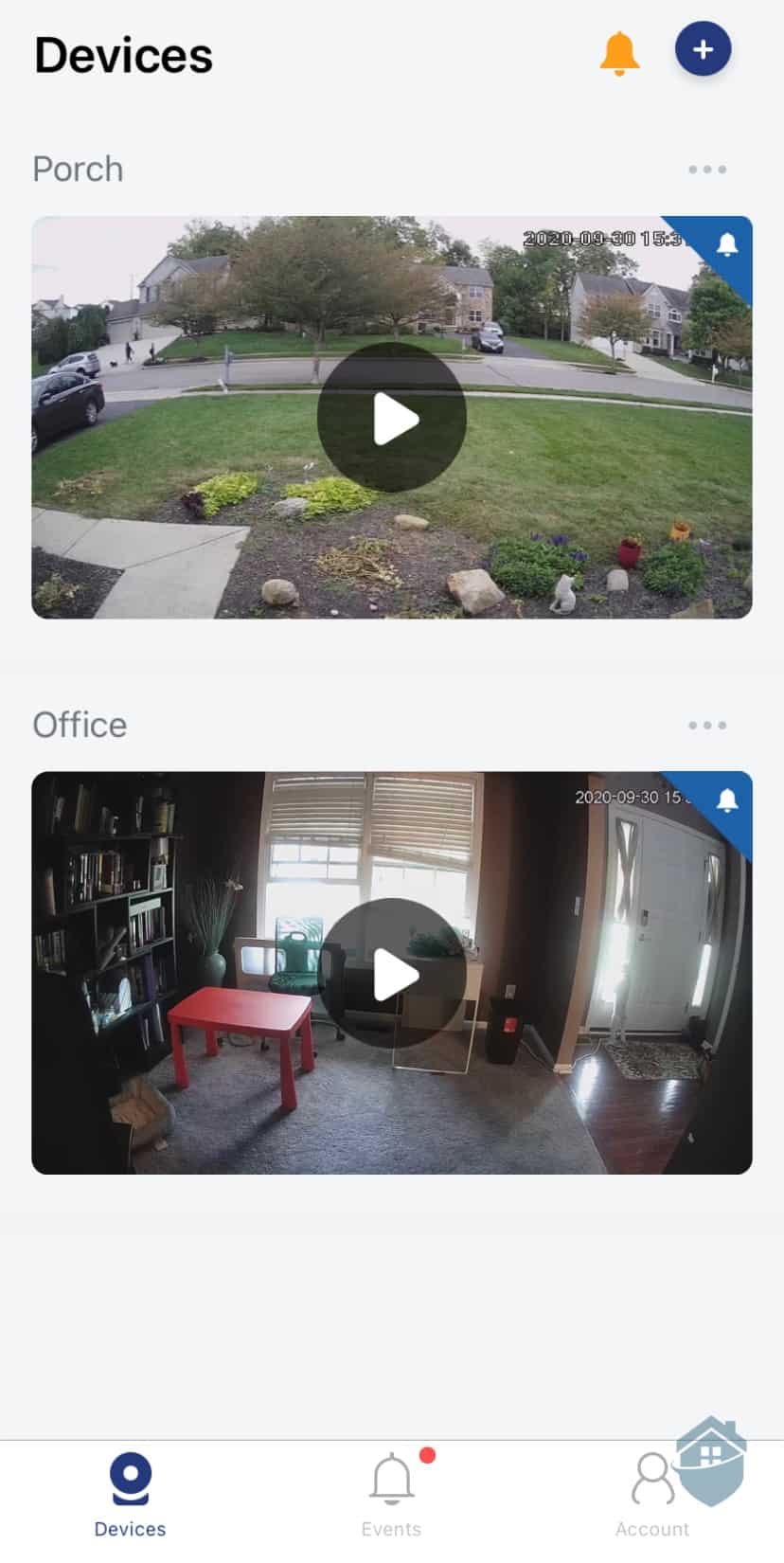
Lorex App Dashboard
Flexible Video Resolution
Clear video is non-negotiable. We consider 1080p HD the minimum acceptable quality. You only need 4K for capturing fine details like faces and license plates. We also suggest looking for adaptive streaming features, which adjust the footage to network conditions, keeping your feed smooth even when internet speeds fluctuate.
Night Vision
A camera’s ability to see at night is just as important as its video resolution. Most cameras use Infrared night vision that turns videos black-and-white, but we’ve been seeing a lot of outdoor cameras with color night vision thanks to their built-in lights.
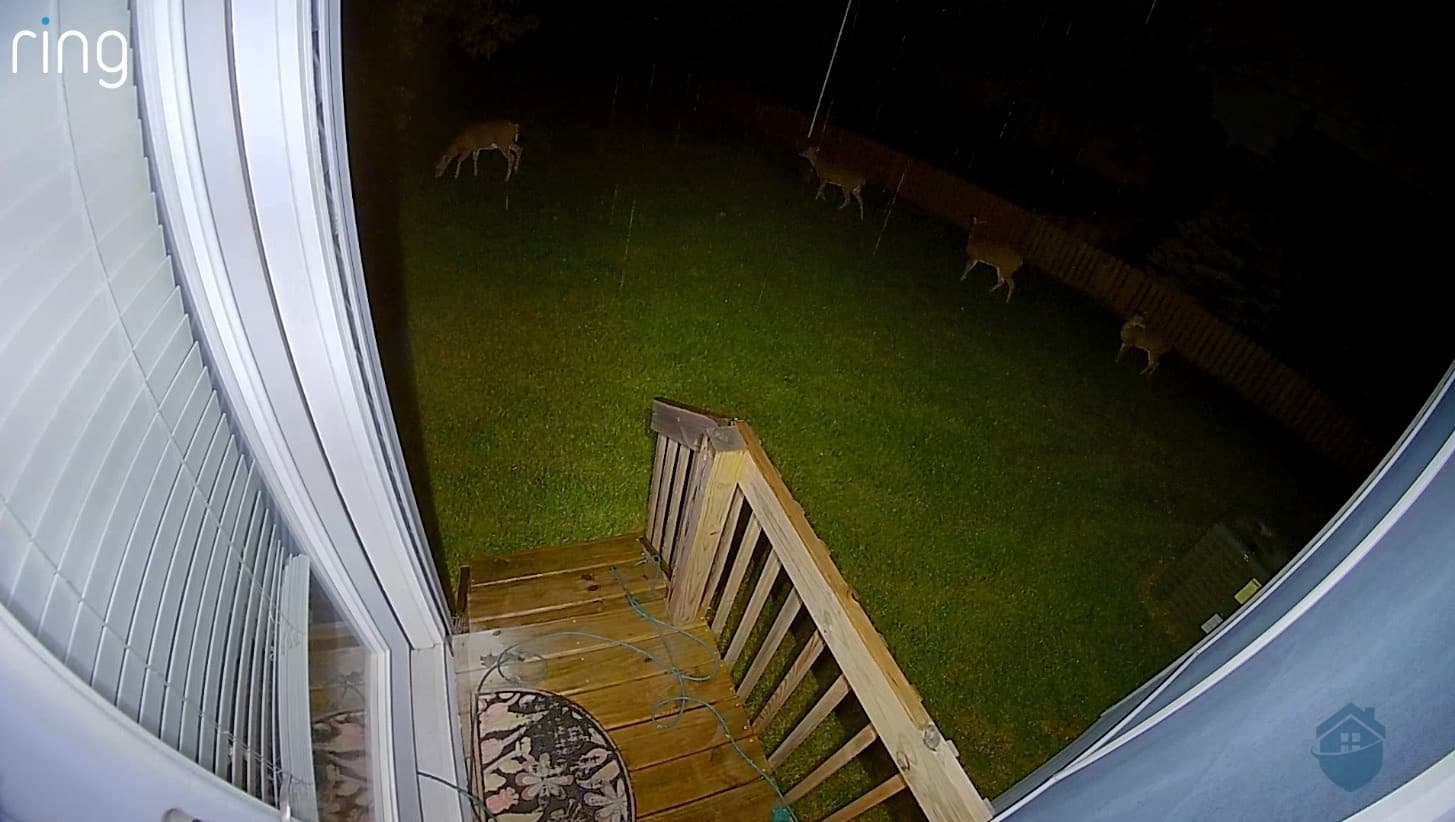
Ring Floodlight Cam Night Vision Video Quality
Two-Way Audio
Few things are as scary to burglars as hearing the homeowner’s voice say the police are on the way. Two-way audio is a vital burglar-deterring feature and every indoor and outdoor camera must have it.
Video Storage
If a camera doesn’t deter a criminal, the next best thing it can do is gather evidence. Most cameras today use cloud video storage, but we prefer those that can store videos locally but still offer cloud backup.
AI Facial Recognition
Facial recognition can reduce false alarms by distinguishing between familiar faces and strangers. Advanced AI can also differentiate between people, pets, packages, and vehicles. This gives you more context about what triggered an alert.
Other Security Cameras Worth Mentioning
While ADT, SimpliSafe, Lorex, and Ring best met our criteria, they weren’t the only good options we tested. Here are nine other security camera brands to consider if you want to expand your search horizon.
Wyze – Wyze security cameras start at $20-$35, but they offer person detection, advanced motion tracking, and free cloud and local storage.
Canary – Canary’s trio of cameras protects homes from inside out and offers useful extras like temperature sensing and air quality monitoring.
Google Nest – Armed with advanced facial recognition, person detection, and other AI features, Google Nest Cams offer smart security that ties in nicely with the Google Home platform.
Arlo – Arlo specializes in battery-powered indoor/outdoor cameras, with video resolution ranging from 1080p HD to 4K.
Blink – Owned by Amazon and a sister company of Ring, Blink cameras are simple and affordable, but it doesn’t offer as many options as its sister brand.
Kuna – Kuna cameras double as light fixtures, providing both video monitoring and smart security lighting without sacrificing style.
Zmodo – Zmodo is a good alternative to Lorex with its no-subscription approach, but most of its cameras have a narrow field of view.
Night Owl – If you can look past the buggy mobile app, Night Owl is another affordable option you can use without a subscription.
Reolink – Reolink is an innovative brand that offers a wide range of security cameras and is a good option for those looking for a cheaper alternative to Arlo.
Final Thoughts: Which Security Camera is Best for You?
If you’re looking to pair your security cameras with a security system, we recommend SimpliSafe or ADT. SimpliSafe’s great for anyone looking for a flexible and scalable system with active video monitoring options. We find ADT best for those looking for high-tech cameras with some of the most reliable monitoring in the industry.
For standalone cameras, we recommend Lorex or Ring. Lorex is great for anyone looking to avoid monthly fees as all of their cameras support local storage options. Ring offers the opposite. Some of the best cloud storage subscriptions with advanced features like backup internet that allows your cameras to still record even if your Wi-Fi goes down.
HDR improves the contrast and colors in the video of your security camera. This can help you more accurately identify faces and other identifying characteristics of people in your video feed.
We always look at the resolution and field of view when first assessing a security camera. At a minimum, we want 1080p resolution, a 125-degree field of view and infrared night vision. Then, we look for additional features that further enhance the video quality like HDR and color night vision.
While most security cameras do not require a subscription, many require it if you want to store any of your footage. That’s why we recommend Lorex for people looking to avoid subscriptions. All of their cameras offer local storage options so you can still record footage without a subscription.
Intuitively, it can feel like wired cameras are always more reliable. That’s not always the case. If you lose power during a storm, your wired security cameras go down, too. That’s why as long as you can keep your wireless camera’s battery charged, we find they offer more reliability.
Jaime Fraze has 16 years of writing and editing experience, with seven years spent writing about emerging technologies. As our home security camera expert, she has hand-tested and reviewed every major security camera brand and has written more than 300 articles on the topic. Previously, Jaime has contributed to award-winning media outlets such as the Rocky Mount Telegram and the Daytona Beach News-Journal. As a homeowner and mother of two, Jaime is constantly looking for ways to keep her home and family safe. She holds a bachelor’s degree in English/Journalism from the University of Delaware.
 Updated March 3, 2026
copied!
Updated March 3, 2026
copied!