Best Security Cameras With No Subscription in 2026

No fees, contracts, or subscriptions, and you won't sacrifice storage, quality, or vital features with these security cameras.

Page Hero Image

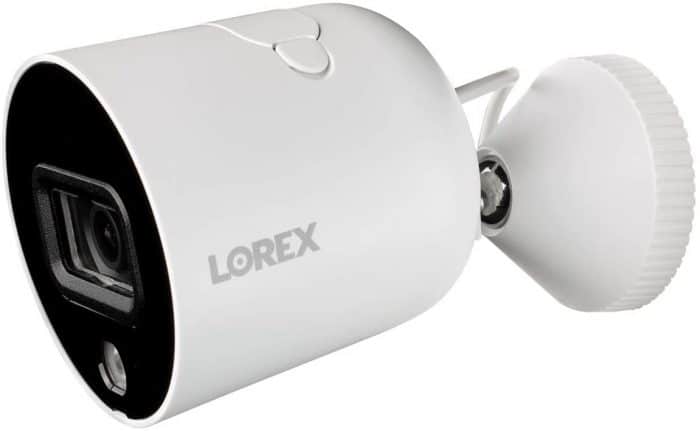
Lorex
SecureScore™: 9.2/10

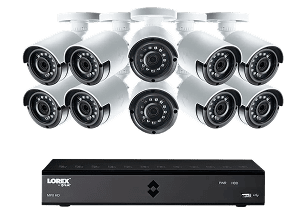
From major commercial applications to making sure porch pirates don’t steal your latest Amazon delivery, Lorex offers something for everyone. And with no subscription plan or monthly fees, what you see is what you get.

Shop Lorex Links to Lorex

Wyze
SecureScore™: 8.7/10

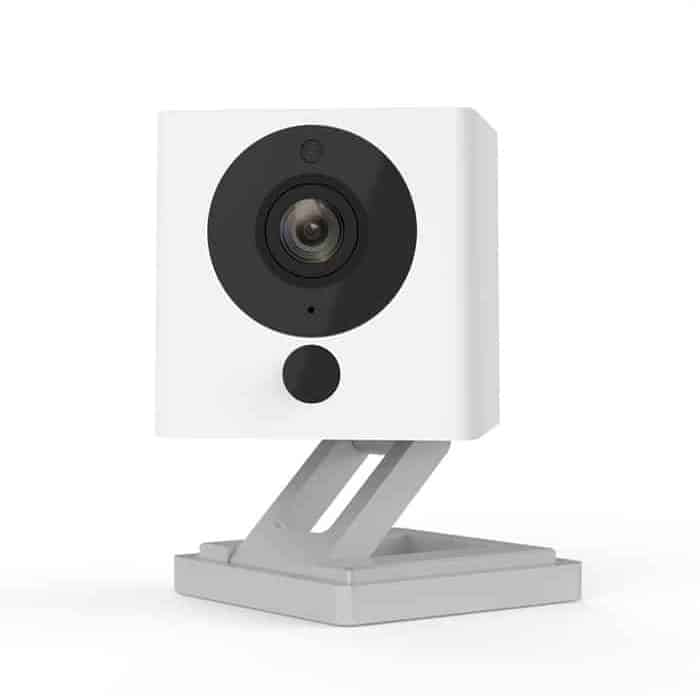
Impressive features offered at a great value, Wyze is another affordable option for folks who don’t want to get locked into a security system subscription.

View on Amazon Links to Amazon

Zmodo
SecureScore™: 7.3/10

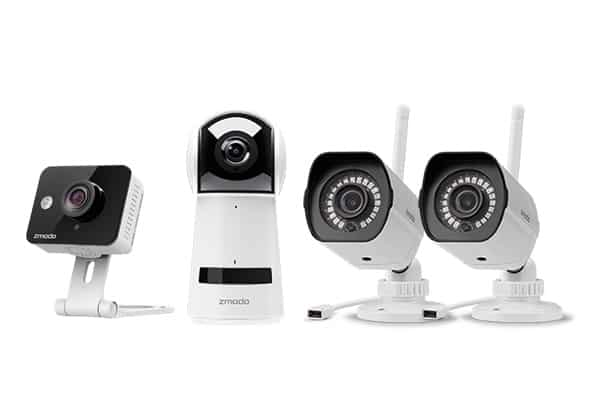
When you just want basic security cameras that work, Zmodo delivers. Every model is affordably priced with solid video quality and a robust design. Just don’t expect features that wow.

View on Amazon Links to Amazon

Editor’s Note: If subscription prices are getting in the way of you choosing a security camera, we have good news for you. Our roundup of the home security systems without monthly fees is the perfect combination of security systems with cameras at the best prices.

When looking to buy security cameras, you have to take into account that most manufacturers require a subscription for video storage or additional features. This is true even for many of the best security cameras – Google Nest, Ring, Arlo, etc. – which can feel a bit like buying a new car and having to pay $5 per month to run the air conditioner.

That’s not the case with all manufacturers, though. We’ve tested some options that can run without a subscription, and we picked the best ones to go here. You may have to make some compromises, such as checking alerts and recordings from your cameras more often, but with our top picks headlined by ADT and Lorex, you can more than sufficiently secure your home without paying monthly fees.

Expert Examined

From Joshua Lee, Active-duty Police Sergeant

“As a patrol officer supervisor over a very large district in our city, I have seen an increase in self-monitoring systems. I feel comfortable saying that the actual percentage of self-monitored security systems is closer to 50% or even more.” Read more about Joshua Lee →

Top No Monthly Fee Security Cameras

  • Lorex - Best Security Camera Quality
  • Wyze - Best Smart Detection
  • Zmodo - Most Affordable Options
  • Ring Alarm - Most Scalable Security
  • 1. Lorex - Best Security Camera Quality

    SecureScore™ 9.2
    Shop Lorex Links to Lorex
    Customer Service
    8.8
    Value
    8.9
    Equipment
    9.6
    Features & Technology
    9.7
    Ease Of Use
    8.9
    SecureScore™
    9.2

    Lorex simply offers some of the best quality cameras we’ve ever tested. They’re strong as nails with impressive tech that gives industry leaders like Ring a run for their money. To top it off, they also offer a lot of flexibility with how you store your video footage including options for continuous recording.

    • Up to 4K resolution
    • Long-range color and Infrared night vision
    • Lots of equipment options
    • Free local recording with internal and local storage options
    • Smooth app experience
    • Strong reputation in security camera manufacturing
    • Overwhelming amount of options
    • No professional monitoring for cameras
    • Occasional false alarms
    • Wired cameras can be tedious to install

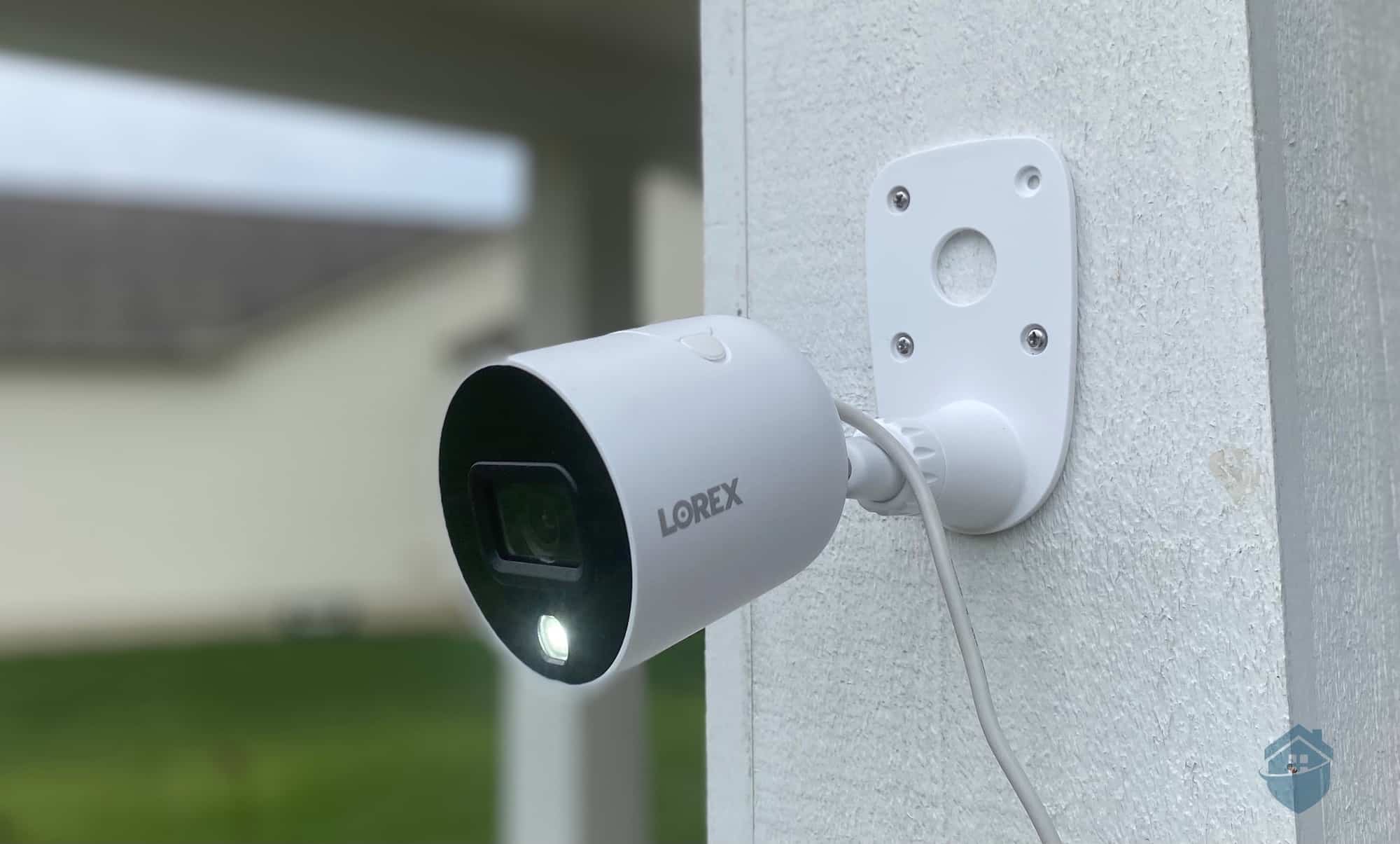
    We picked Lorex as the top option due to its superior-quality security cameras. It topped our list of the best 4K cameras because it has not one or two, but nearly a dozen 4K options. It also offers some of the best power-over-Ethernet (PoE) cameras, which is what we recommend because they’re easier to install than typical Lorex cameras. You only need one cable to power a camera and connect it to its DVR.

    We’ve tested multiple Lorex cameras over the years and have always been impressed by their reliability. Some models might not all have the most advanced features, but they catch anything and everything that happens in their field of view.

    In Our Experience: The latest Lorex system we tested was a four-camera unit with a 1 TB DVR. That amount of storage was enough to store about eight or nine days of rolling videos. Once full, the DVR wrote over the oldest recordings. 

    Lorex Outdoor Camera Installed

    Having security cameras can help deter and prevent office crimes.

    We have to warn you, though, buying Lorex cameras requires a significant investment. Not that Lorex cameras are expensive – they’re actually more affordable than most on the market – but you will typically need a system with four or more cameras to cover your home. Lorex packages that include a DVR starts at around $300, but can range up to $1,500 depending on the camera quality and features.

    Connectivity Wi-Fi, Ethernet, or PoE
    Power Wired, battery, or PoE
    Field of View Up to 180°
    Resolution Up to 4K
    Storage Free local, optional cloud
    Smart Platform Compatibility Alexa and Google Home
  • 2. Wyze - Best Smart Detection

    SecureScore™ 8.7
    Wyze Cam View on Amazon Links to Amazon
    Customer Service
    8.5
    Value
    9.4
    Equipment
    8.1
    Features & Technology
    8.5
    Ease Of Use
    8.8
    SecureScore™
    8.7

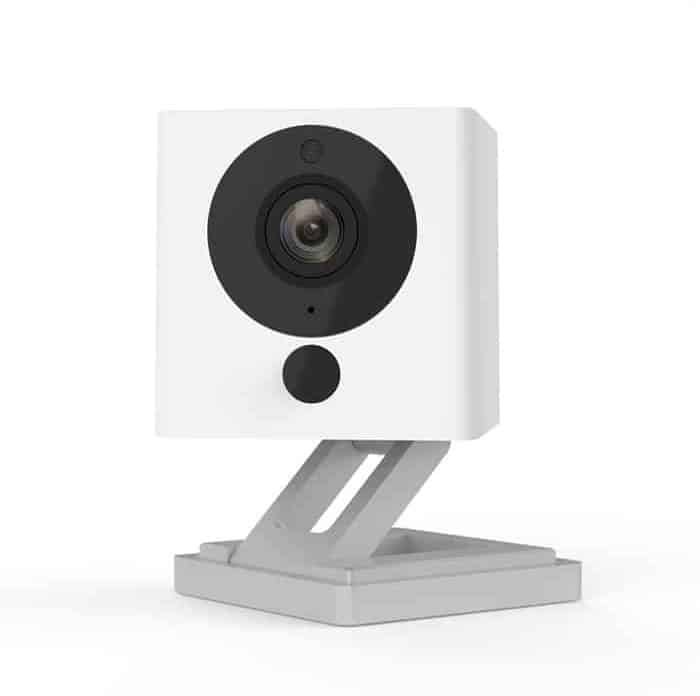
    Wyze is the most affordable security camera on this list. You’ll struggle to find a camera over $100, even if it has 2K resolution. You also don’t need a subscription to access features like person detection or activity zones. Wyze cameras might not match the quality of Lorex, but you still get good bang for your buck.

    • Low-Price and Feature-Rich Smart Home Cameras
    • Easy Online Shopping with Clear Product Selection
    • Local Storage via MicroSD Card
    • Unique Motion Tagging Accelerates Video History
    • Motion Detection Zones Reduce False Alerts
    • Advanced Sound Recognition
    • Smart Home Accessories Available
    • Compatible with Alexa, Google Home, and IFTTT
    • Face recognition requires monitoring plan
    • Corded Cameras Require Power Outlets
    • No Backup Batteries
    • Limited Video Storage without Upgrade

    Like Lorex, Wyze offers local storage. The Wyze Cam we tested included a microSD slot. We used a 32-GB card, but you can use one as large as 256 GB. Keep in mind that these devices don’t record continuously like Lorex cameras. You’ll only get motion events.

    What we really like about Wyze is that we were able to configure the detection to capture everything we want to and ignore the events we don’t want recorded. We set that up using activity zones for each camera. We simply highlighted the areas we want each camera to monitor. That’s it. If the movement occurs outside the highlighted grids, Wyze will ignore it and won’t record. If it occurs within the highlighted grids, we get an alert and Wyze records the event.

    We noticed some lag when streaming live video, even when we’re on the same network. It’s only a couple of seconds, but it was still noticeable. The audio quality is not as crisp as Lorex cameras either. We consider this an essential feature, so you can deter criminals. It will get the job done, but it’s subpar compared to other brands.

    Expert Examined
    From Joshua Lee, Active-duty Police Sergeant
    Joshua Lee
    I have two-way communication on the front and back outside cameras and two inside cameras [of my house]. I was inside with the family when I received a motion alert on my phone. A shady-looking individual was walking between my cars. I saw him trying to figure out a way into one of my vehicles. Instead of physically confronting the person and putting my family at risk, I used the two-way communication option to tell the person, ‘I am looking right at you’ and ‘get off my property.’ The suspect then ran away.
    Connectivity Wi-fi
    Power Wired
    Field of View Up to 110°
    Resolution Up to 1080p
    Storage Cloud, local
    Smart Platform Compatibility Alexa and Google Home
  • 3. Zmodo - Most Affordable Options

    SecureScore™ 7.3
    Zmodo Cameras View on Amazon Links to Amazon
    Customer Service
    6.9
    Value
    8.1
    Equipment
    7.4
    Features & Technology
    6.8
    Ease Of Use
    7.2
    SecureScore™
    7.3

    While Wyze cameras are affordable, they don’t match the quality of Lorex. Zmodo is another alternative that offers some similar features and connectivity options. You also don’t need a subscription to use them. Zmodo prices start at $39.99, and you’ll save more if you buy in bulk.

    • Low-Cost Cameras
    • Simple, Discreet Design
    • No Paid Subscription Required
    • Clear 1080p Video Quality
    • Numerous Indoor Camera Options
    • Works with Alexa and Google Assistant
    • 30-day Money-Back Guarantee
    • 1-year Warranty
    • Limited Features
    • Some Delay on Wake Time in App
    • Bulky design

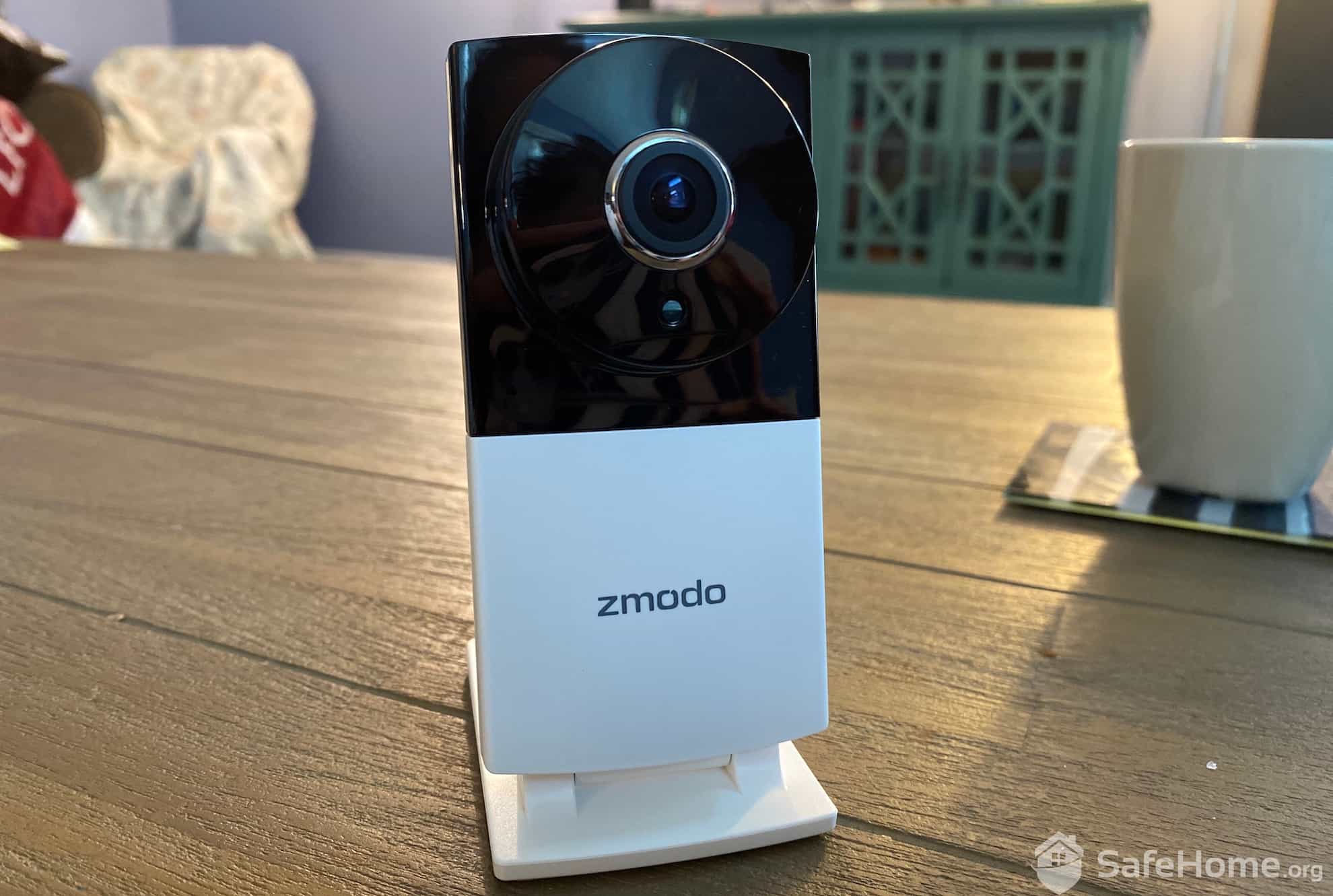
    We have a mixed experience with Zmodo. On one hand, we think their cameras work as intended. They have good video quality, most have two-way audio now, and thanks to their DVR, they can record videos without a subscription. They are actually like Lorex because they can record continuously.

    Zmodo Camera

    Our Zmodo indoor camera we got for less than $50.

    That said, Zmodo cameras aren’t as smooth to use as Lorex – or other brands on this list, for that matter. Live streams are laggy and alerts aren’t customizable. We also found that some camera models still don’t have two-way audio, which is a surprise to see in this day and age. And speaking of surprises, we were also shocked to see that Zmodo still offers 720p cameras. That would have been fine 10 years ago, but not today. 720p is simply not clear enough to capture important details.

    We like that Zmodo cameras can continuously record without a subscription. We still don’t recommend it over Lorex or Wyze, but it’s a solid alternative if your budget is tight and this type of feature is a non-negotiable.

    Funny name aside, Zmodo offers high-quality cameras at an affordable price point. And with no monthly subscription, you’ll end up saving even more when you go with this manufacturer.

    Connectivity Wi-fi, ethernet
    Power Wired, battery, PoE
    Field of View Up to 360°
    Resolution Up to 1080p
    Storage Cloud
    Smart Platform Compatibility Alexa and Google Home
  • 4. Ring Alarm - Most Scalable Security

    SecureScore™ 8.2
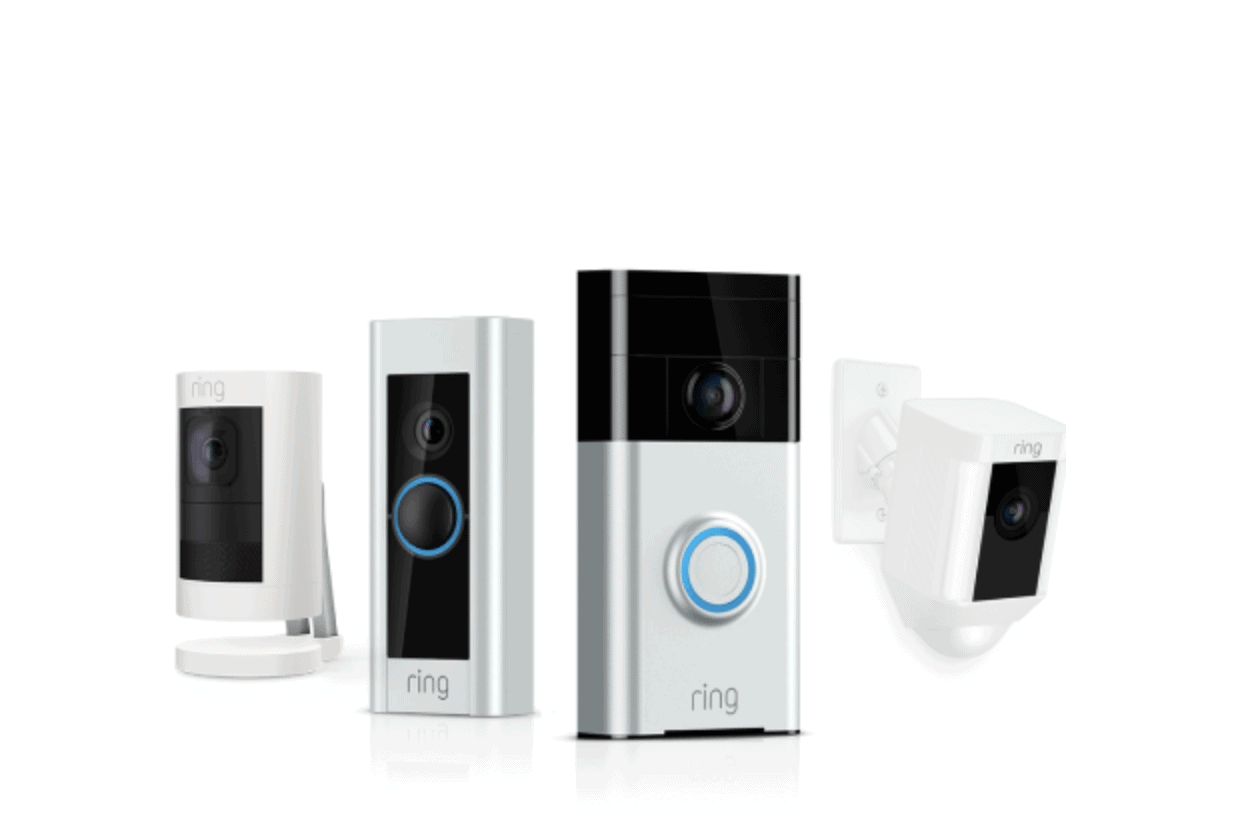
    Ring Stick Up Cam, Peephole Cam, Doorbell Cam, and Spotlight Cam Learn More Links to Ring.com
    Customer Service
    8.0
    Value
    8.3
    Equipment
    8.4
    Features & Technology
    8.2
    Ease Of Use
    7.9
    SecureScore™
    8.2

    If you want no-subscription security cameras now with the option to expand into whole-home security later, Ring’s a great option. Their high-quality cameras provide basic functionality without a subscription. Once you’re ready to expand, you can integrate them into a full Ring Alarm system. This flexibility helped Ring earn a spot on our list of the best no-contract security systems.

    • Wide selection of security and doorbell cameras
    • Affordable professional monitoring
    • Quick DIY installation
    • Seven-day practice mode for new professional monitoring subscription
    • Loud, built-in siren
    • Limited sensor options
    • Has faced past privacy concerns, most of which have since been addressed
    • Cameras need a subscription to record
    • Slower professional monitoring response times
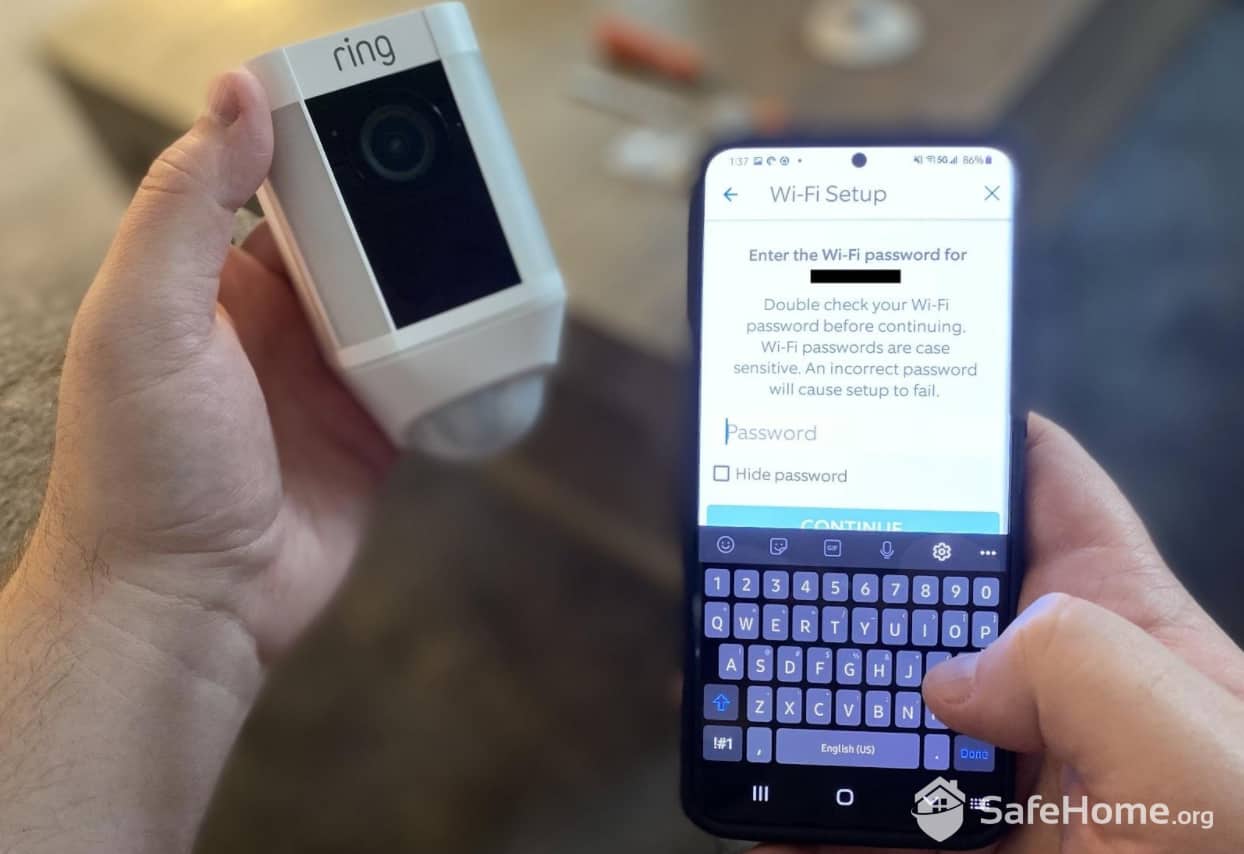
    Ring Spotlight Cam Connecting to WiFi

    To set up our Ring Spotlight Cam, we simply followed the onscreen instruction in Ring’s app.

    To rip the band-aid off, most Ring cameras do not support local storage. That means the only way to record your footage is with one of their Ring Protect subscriptions, which include cloud storage. These plans are generous as they offer up to 180 days of storage for video events, whereas most competitors only offer 30 days. Despite that, they charge competitive rates with $9.99 per month plans covering unlimited cameras. Still, this kept Ring off our list of the best self-monitored security systems.

    Aside from that issue, Ring makes high-quality cameras with impressive features and top-of-the-line specs. Even still, they keep prices low. Indoor cameras start at just $49.99. Not quite Zmodo-cheap, but still better than industry averages.

    The big benefit of opting for Ring cameras is the option to expand into a full security system through Ring Alarm later down the line. You’ll be able to keep using your Ring cameras, controlling everything from a unified app. This also gives you the option for professional monitoring with a Ring Pro plan, one of the best value security subscriptions we’ve tested.

    FYI: When we tested Ring Alarm, we started with free self-monitoring and then opted for a Ring Pro plan after two weeks. We found it was well worth the price as it unlocks most features on the Ring cameras and 24/7 professional monitoring. Head over to our Ring price guide for a full breakdown.

    Monitoring Options 24/7 professional and DIY
    Installation DIY
    Smart Platform Integration Alexa
    Equipment Cost From $199.99
    Monthly Monitoring Cost From $19.99
    Contract Length Month-to-month or 1-year

Final Thoughts on Security Camera Subscriptions

While some people might be okay paying a few bucks a month to access all of their security camera’s features or to have their feed professionally monitored, we certainly understand how that could be a turnoff for some consumers. Luckily there are some really solid security camera manufacturers out there that agree with this notion and have made their equipment fully functional without the need to continue paying for it.

Our top recommendation is Lorex because of the great build quality on the cameras as well as the option for continuous recording. Wyze is our second choice with its smart detection features that make self-monitoring easier. If you’re on a budget and want a basic security camera that simply works, Zmodo is a good alternative. Finally, we recommend Ring for anyone who wants cameras that can scale into a full security system later down the line.

Security Camera Subscription FAQs

Rob Gabriele
Written By
Rob Gabriele
Managing Editor & Home Security Expert

As a home security expert and Managing Editor for SafeHome.org, Rob Gabriele has written and edited over 1,000 articles related to home security. His expertise is in smart home protection with thousands of hours of testing and research under his belt. Formerly a reporter and producer for the USAToday network, Rob has been a writer and editor for over 10 years. He holds a Master’s of Science with an emphasis on writing from the University of Montana, and he currently lives in Indianapolis, IN.