SafeHome.org may receive compensation from some providers listed on this page. Learn More
We may receive compensation from some providers listed on this page. Learn More
SafeHome.org may receive compensation from some providers listed on this page. Learn More
We may receive compensation from some providers listed on this page. Learn More
A DIY home security system with impressively low monthly monitoring — but is it enough to protect your home?
 Updated August 26, 2026
copied!
Updated August 26, 2026
copied!

Ring Alarm is a DIY home security system made by Amazon-owned Ring, starting at $199.99 for equipment and $19.99 per month for professional monitoring. It installs without professional help, typically in under 30 minutes, and works alongside Ring’s video doorbells and security cameras through a single app.
We tested the current Ring Alarm system firsthand, evaluating setup, sensors, monitoring response, and app performance, to determine whether it still holds up as a security option in 2026. We found that it’s best suited for renters and homeowners who want affordable, self-installed coverage. It’s less suited for buyers who want advanced smart home integration or the fastest possible monitoring response times, where competitors like Frontpoint pull ahead.
Below, we break down pricing, equipment, setup, and monitoring in detail, along with what we liked and didn’t like after using the system.
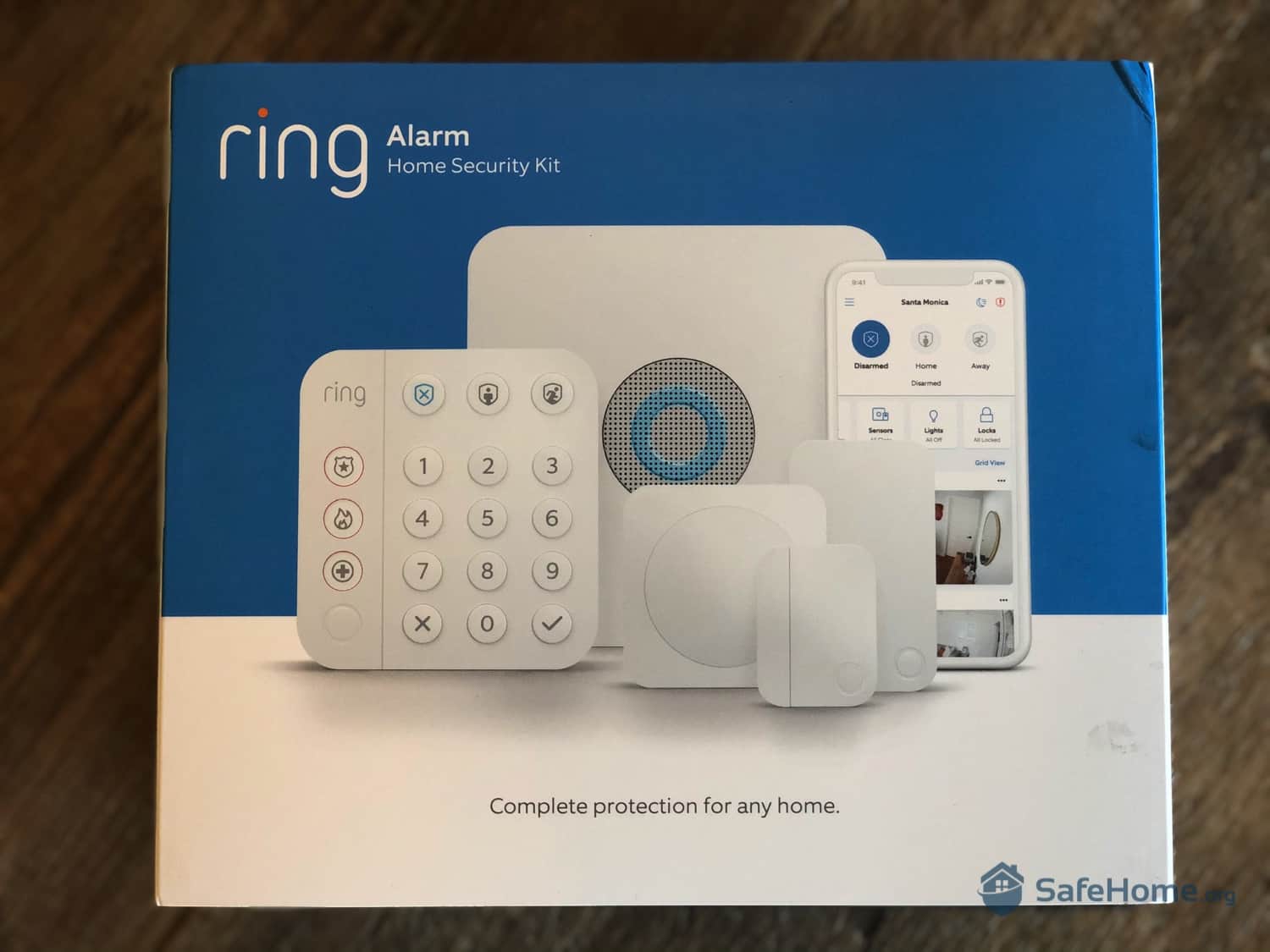
Ring Alarm (2nd Gen) Packaging
The long and short of it is this: Ring makes easy-to-use, DIY friendly, and affordable security systems. If you’re looking for comprehensive coverage with a little bit of tech flair here and there, Ring’s a great option. Is it the highest functioning system we’ve ever seen? No. Is it enough to protect most households? Probably.
Ring Alarm first launched in 2018 as one of the earliest DIY security systems to pair professional-grade sensors with an affordable, self-install model. Ring released a second-generation version in 2020, with a more compact hardware lineup and a keypad that adds quick access to police, medical, and fire responders. That second-generation system is what we tested for this review, and it remains the current version Ring sells today.
In 2021, Ring also introduced Ring Alarm Pro, a separate, more advanced system built around a base station that doubles as a Wi-Fi router.
The main difference comes down to the base station. Ring Alarm Pro’s base station doubles as an eero Wi-Fi 6 router, giving your home a security system and a mesh Wi-Fi upgrade in one device. Pair it with a Ring Protect Pro subscription and you also get 24/7 backup internet via LTE, so your system stays connected even if your home internet drops.
Between the two, we recommend going with the standard Ring Alarm unless you specifically need whole-home Wi-Fi or backup internet. It covers the essentials for less money, and that’s the better starting point for most households. Ring Alarm Pro is worth the upgrade only if you want to consolidate your router and security system into one device, or if you live somewhere internet outages are a real concern.
Check out more recommendations from the SafeHome team:
Ring offers several pre-configured kits scaled to different home sizes and security needs. Pricing starts at $199.99 for a five-piece setup, which is a great starting point for an apartment security system. Larger kits are available too, scaling up to a 14-piece system with more comprehensive coverage for $329.99.
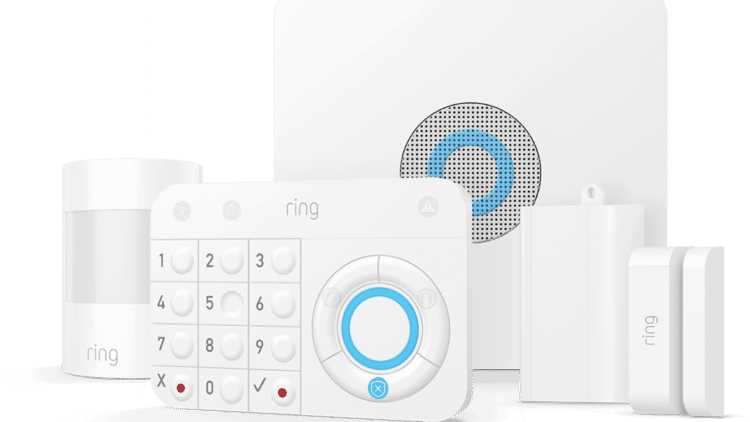
We went with the standard 8-piece kit for $249.99, which includes a base station, keypad, four contact sensors, a motion detector, and a range extender. A system of this size covers the essential entry points of a typical home.
One thing that stood out during unboxing is how compact Ring’s hardware is. The sensors are small and unobtrusive, but the bigger standout is the keypad, which is noticeably smaller than what you’ll find from some competitors. For a device mounted at eye level near your front door, that difference is noticeable.
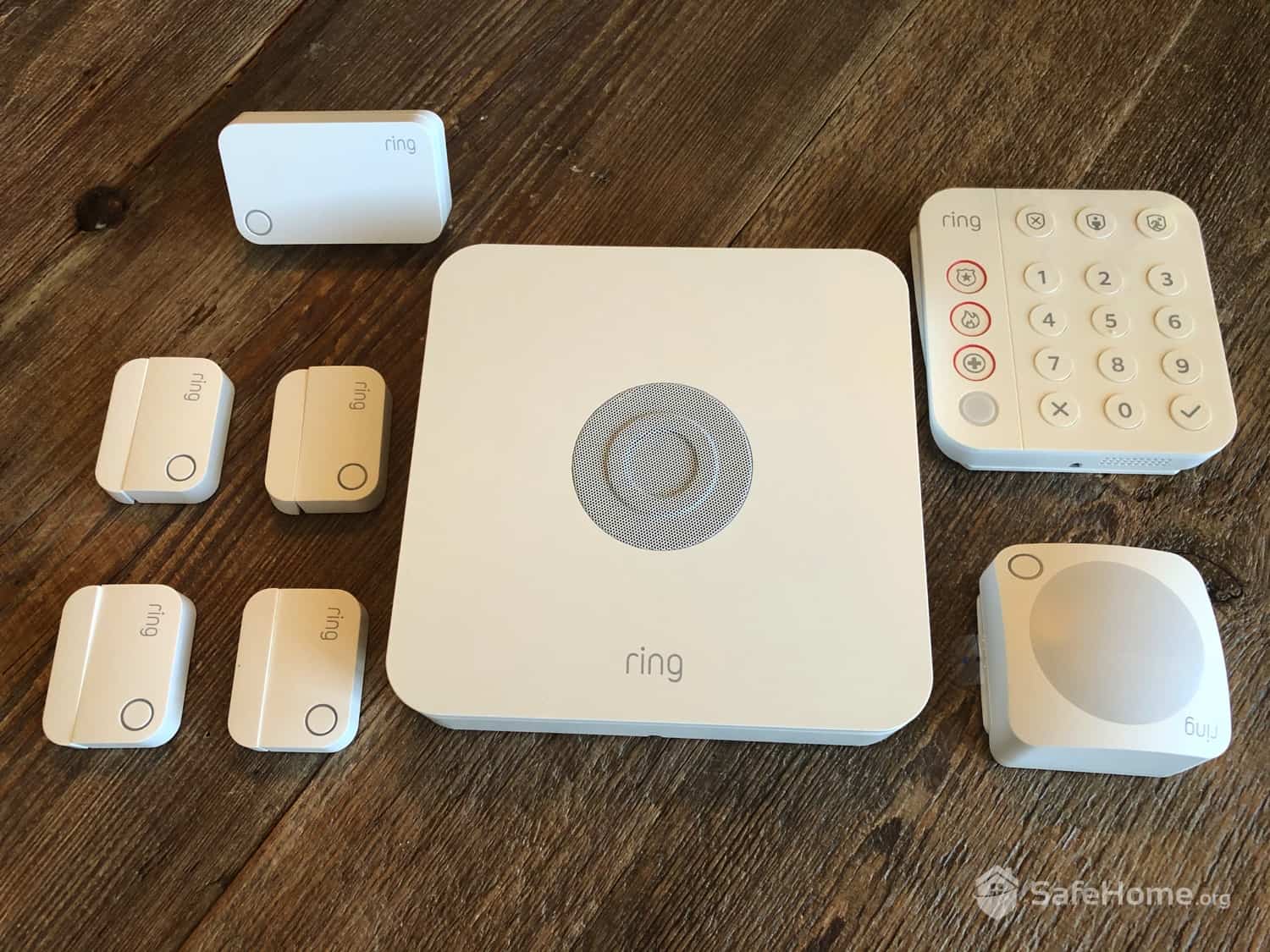
Ring Alarm (2nd Gen) Equipment
If you’re looking to build a full security system, we recommend choosing kits that bundle Ring cameras and doorbells together with Ring Alarm. They typically carry extra discounts, with prices ranging from $299.98 to $499.99. Bundles are also often featured during Ring Alarm’s Prime Day sale and Black Friday sale. So don’t forget to check Ring’s featured deals. They change all the time, but if you’re lucky, you can get up to $100 off your security system purchase.
Setting up Ring Alarm is straightforward and user-friendly. To begin, download the Ring app from your device’s app store. Once installed, tap “Set Up a Device” and select “Security Devices” from the menu options.
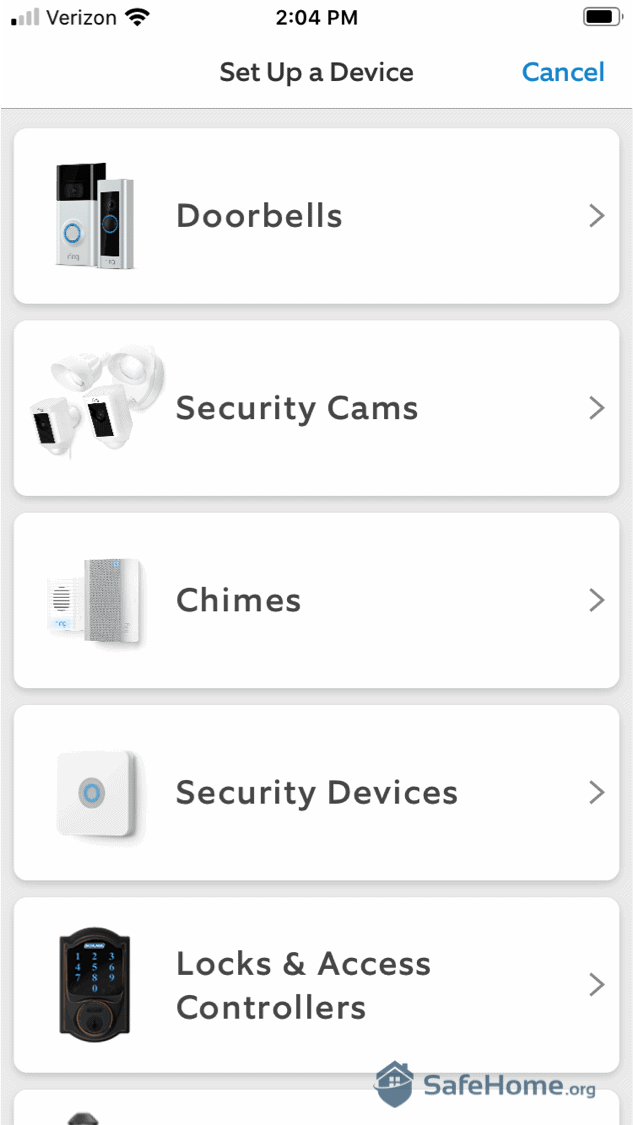
Ring Alarm App – Device Setup
While Ring advertises a quick setup time, expect to spend closer to 30 minutes for a complete installation. The base station alone requires several minutes to connect to Wi-Fi and complete necessary software updates. Plus, taking your time ensures everything is configured properly, preventing some early false alarms.
On that note, we suggest placing a pillow over the base station to muffle the siren while you’re testing or getting used to the system. The siren is ear-piercing — which is great in case of a break-in — but you wouldn’t want your neighbors thinking there’s something wrong when you’re really just getting familiar with a new security system.
Overall, though, the Ring Alarm system is pretty easy to install. We didn’t hit any snag, and the installation compares well to other DIY systems like SimpliSafe, Frontpoint, and Cove. For those who prefer professional installation, however, Ring has partnered with third-party service providers. Although, we suggest taking a look at ADT and Vivint, too. They’re two of the best security systems right now, and they both offer in-house professional installation. During testing, we found their installation service better than most other companies.
>> Learn More: ADT Pro Install Hands-On Review
Ring’s current sensors are compact and unobtrusive. During our testing, we also confirmed backward compatibility with older Ring Alarm systems. If you have the first-generation Ring Alarm by any chance, you can use old and new sensors together by pairing them with the second-generation base station. That’s because they all connect via Z-Wave.
Important Note: Amazon has launched a new generation of Ring sensors powered by Amazon Sidewalk — a wireless network that uses Amazon devices (Echo smart speakers, Ring sensors, etc.) to keep devices connected. The system we tested here, however, doesn’t use Amazon Sidewalk.
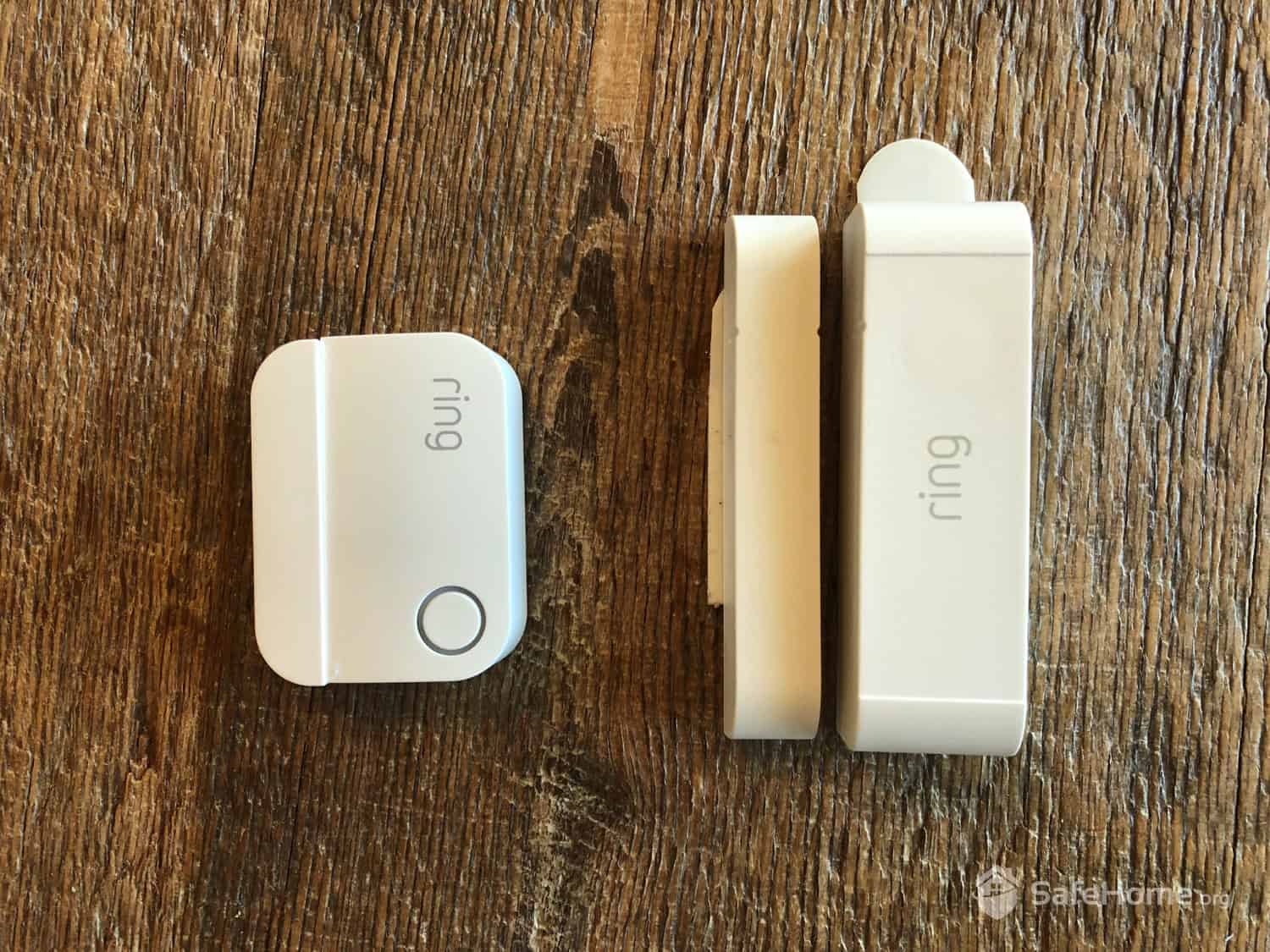
Ring Alarm Sensors – 1st Gen (right) vs 2nd Gen (left)
Battery life held up well in our testing. Contact sensors run on 3V lithium batteries rated for roughly three years, and the motion detector runs on two AA batteries with a similar lifespan under normal use. We didn’t hit a single low-battery warning across any sensor during the review period. The base station itself is hardwired but includes a rechargeable backup battery that kept the system fully armed and functional for close to 24 hours when we simulated a power outage, though app access and some secondary features were limited while running on battery.
We also tested the LED pairing indicator and the motion detector’s pet-sensitivity settings directly. The LED gave a clear, immediate confirmation every time a sensor connected, no guesswork. At the lowest sensitivity setting, the motion detector correctly ignored our test runs simulating a pet under 50 pounds, though it wasn’t flawless at every angle.
>> For Pet Owners: The Best Pet-Friendly Security Systems
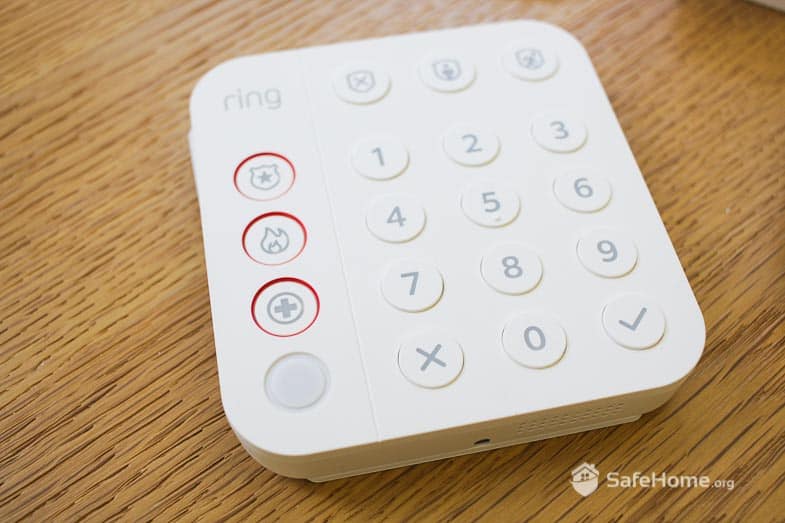
Ring Keypad
Ring’s keypad won’t blow you away if you’re comparing it to the sleek touchscreen panels from Vivint (see our Vivint review), but it holds its own as a push-button option. The keypad runs on a rechargeable battery that lasts up to six months per charge and includes dedicated police, fire and medical emergency buttons. Just like the panic button in the app, these buttons only alert the monitoring center if you’re subscribed to a Ring Protect Pro plan. Without a subscription, they’re essentially just very loud buttons.
One thing to note: When you go to disarm your system using the keypad, enter your PIN code AND press the shield with an “X” on it. If you forget to press the shield, trust us, it’s a very “alarming” mistake.
Ring can work as a no-monthly-fee security system. Every Ring system comes with a 30-day free trial of Ring Protect monitoring, and after that, you can skip paying altogether and self-monitor using your smartphone at no cost. The catch is that self-monitoring only gets you a phone notification when your alarm triggers. Police aren’t dispatched automatically, so you’ll need to call 911 yourself, and that’s a heavy responsibility to carry if you’re not home, asleep, or otherwise unable to react in time.
That’s why we recommend paying for professional monitoring instead. A Ring Protect Pro plan costs $19.99 per month, or $199.99 per year, and includes 24/7 professional sensor monitoring, video recording, smart alerts, remote arming and disarming, and cellular backup if your internet goes down. That’s a solid deal when you consider that most alarm companies charge over $40 per month for comparable coverage.
If you’d rather self-monitor but still want premium features for your Ring cameras, you have two options: Ring Protect Basic ($4.99 per month for one Ring camera or doorbell with 180-day video history and Ring’s AI features) or Ring Protect Plus ($9.99 per month for unlimited Ring cameras and doorbells at one location). Neither includes professional monitoring for your Ring Alarm equipment, so if you opt for a full system, Ring Protect Pro is the better choice.
Did You Know? The Ring Protect Pro plan includes the same camera features as Ring Protect Multi, including cloud storage for unlimited Ring cameras at one location. That’s why we think Ring Protect Pro is the better deal at only $10 more per month, since you also get 24/7 professional monitoring and AI features thrown in.
On equipment, Ring remains one of the most affordable home security options on the market. To put things in perspective, Ring’s most expensive kit (around $300) still costs significantly less than a basic system from Vivint (around $500).
| Ring Alarm Kit | Regular Price | Sale Price |
|---|---|---|
| Alarm Security Kit — 5 Pieces | $244.95 | $199.99 |
| Alarm Security Kit — 8 Pieces | $304.92 | $249.99 |
| Alarm Security Kit — 8 Pieces plus Indoor Cam | $354.91 | $299.99 |
| Alarm Security Kit — 10 Pieces | $299.97 | $279.99 |
| Alarm Security Kit — 14 Pieces | $464.86 | $329.99 |
Ring offers several ways to customize your system, but you do have to start with one of their alarm kits to get the base station that controls everything (it’s not sold separately). Once you have your kit, you can add extra devices, like environmental sensors for smoke/fire, carbon monoxide, frozen pipes, and flooding, plus additional contact sensors, motion sensors, and keypads.
Pro Tip: Ring’s outdoor contact sensors remain a standout in the home security industry. If you want to protect your entire property — think outdoor gates, utility sheds, guesthouses — then you should consider adding a few of these.
The app that controls the popular Ring doorbell and Ring cams is the same app that controls Ring Alarm. So if you have multiple Ring devices, you’ll be able to manage them all in one convenient place. If your alarm detects an intrusion, for example, you can immediately switch over to live camera feeds for visual confirmation and use two-way talk to deter the intruder. That seamlessness is one reason it’s one of our favorite home security apps.
One app feature you may appreciate is the panic button, symbolized by the little (!) in the upper-right corner of your dashboard. Pressing the button triggers the loud siren, which makes this feature great for deterring crime if you suspect an intruder has broken into or is breaking into your house.
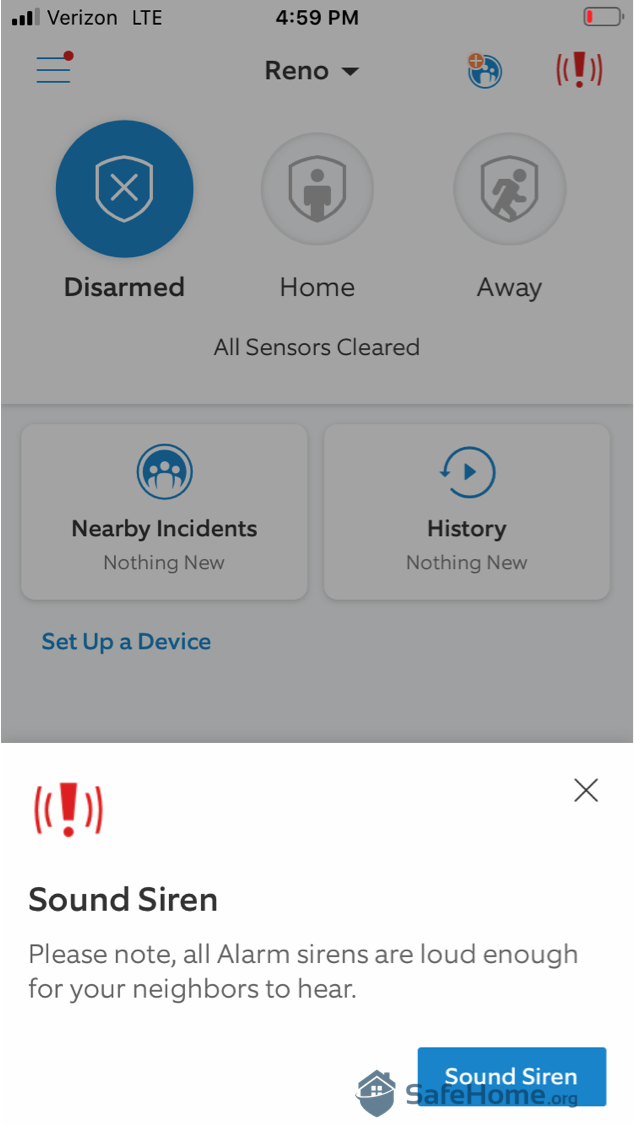
Ring Alarm Sound Siren
You can also customize modes for individual sensors. For example, if you like to go out onto your back deck when the weather is nice, you can switch your back door sensor to “unarmed” in the app, letting you come and go without setting off the alarm while the rest of the house stays secure.
Ring also does a good job with instant alerts. You can fine-tune the push alerts sent to your smartphone, and even with push alerts disabled, you’ll still get a notification if your alarm is tripped. There’s no way to turn this off, so even if you’re on vacation and someone breaks into your home, you’ll get an alert almost immediately.
Did You Know? Ring “Neighbors” is built right into the Ring app, under “Nearby Incidents” on the dashboard. This section lets you keep tabs on crime in your area, and other less threatening things like lost pets.1
When we signed up for 24/7 monitoring, we went into “practice mode” for seven days. We appreciate that Ring gives users time to learn the ropes, but seven days feels long. It might take a few days, and a few false alarms, before you fully understand how it all works, but by day three, you’ll likely wish the pros were backing you up already.
As for the siren, it’s pretty loud at 104 dB. We put the base station in an office downstairs, and though we could hear the alarm upstairs, it wasn’t very threatening. In our testing, one household member actually slept through the alarm entirely. To really scare off intruders, it would be nice to have 110 dB or more.
Pro Tip: Plug in your Ring base station somewhere central in your home. This will help the siren penetrate all rooms. Although Ring’s 104 dB siren holds its own against many competitors, placement in a central location makes a real difference in how well sound carries throughout the home.
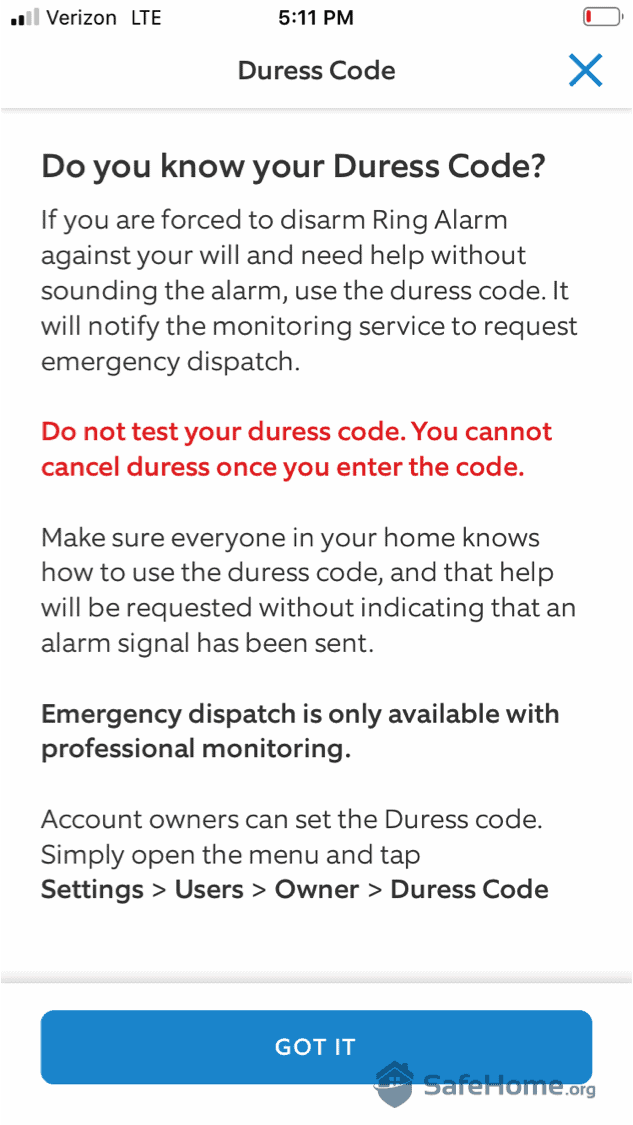
Ring Alarm Duress Code
Ring’s professional monitoring is part of the Ring Home Pro plan, priced at $19.99 per month or $199.99 per year. That makes it one of the most affordable professional monitoring options on the market. Plus, it bundles in 24/7 backup internet via cellular and a free extended warranty on Ring devices. This low cost for monitoring helps keep your long-term security budget reasonable. Just watch out for rate changes, as the entire industry has been adjusting rates over the last few years.
Ring also builds in a delay before contacting authorities when an alarm triggers. The intent is to cut down on false alarms, and given that false alarms account for the vast majority of alarm calls to police, that’s a reasonable design choice. But if you’re someone who wants near-instant response, it’s worth factoring in.2
Pro Tip: If you have Ring monitoring, you’ll need to give a verbal passcode to the Ring agent when your alarm goes off. It’s easy to forget your code when they put you on the spot, so make it memorable. Your emergency contacts will need to remember this passcode too.
After thoroughly testing the current Ring Alarm system, we have a few concerns worth flagging. None of these are deal breakers, but Ring has some room for improvement.
We still can’t fully recommend Ring’s motion sensors. The narrow field of vision creates blind spots on either side of the sensor, and the range and responsiveness aren’t as reliable as we’d like. We were able to improve performance somewhat by entering the sensor’s test mode, but even at its best, it completely missed a family pet during testing while in its “high-detection” mode.
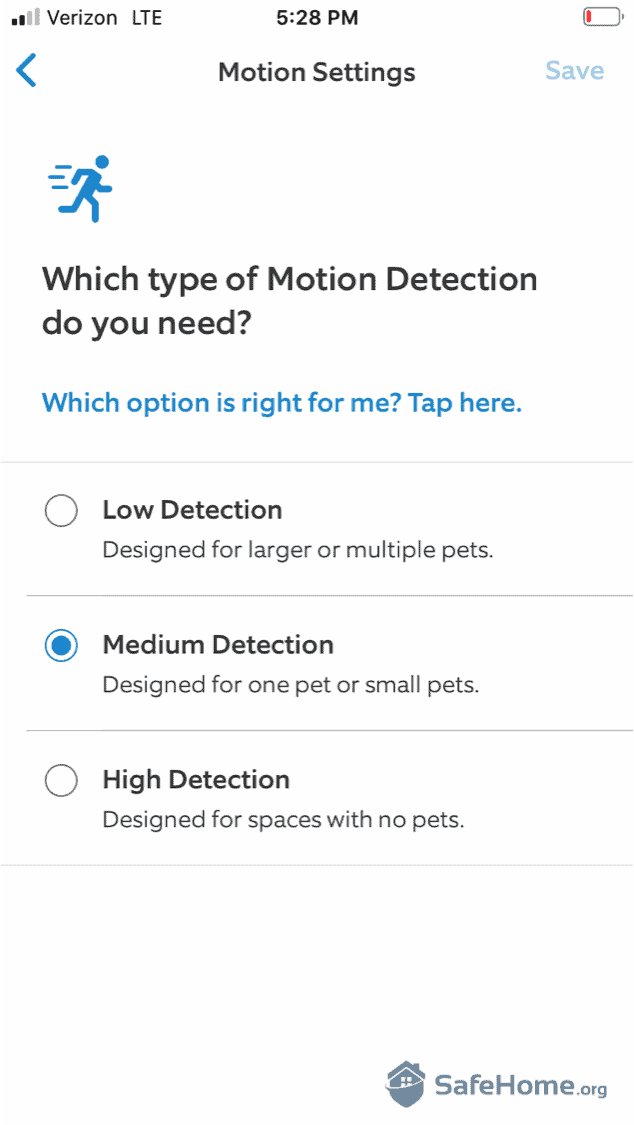
Ring Alarm Motion Settings
When you disarm the system, the base station practically shouts “DISARMED,” which can be jarring, and it prematurely woke a sleeping household member more than once during testing. When leaving a window open at night, Ring announces, “SENSORS REQUIRE BYPASS… HOME AND ARMED.” If you’re looking for stealth, this isn’t it.
The keypad panic buttons are helpful to have, but you must hold them down for a full three seconds for them to activate. That may not sound long, but it feels like it if your house is on fire or there’s an intruder breaking in. A two-second delay would be more practical.
One advantage Ring has over most competitors is the sheer size of its camera lineup. Where systems like SimpliSafe or Frontpoint typically offer just two or three camera options, Ring gives you a full line of Ring Doorbell Cameras and Ring Security Cameras to choose from, covering everything from budget-friendly models to more advanced options with color night vision and 3D motion detection. They all work with Ring’s alarm systems, and you’ll control everything in the same Ring app rather than juggling separate apps for your doorbell, cameras, and alarm.
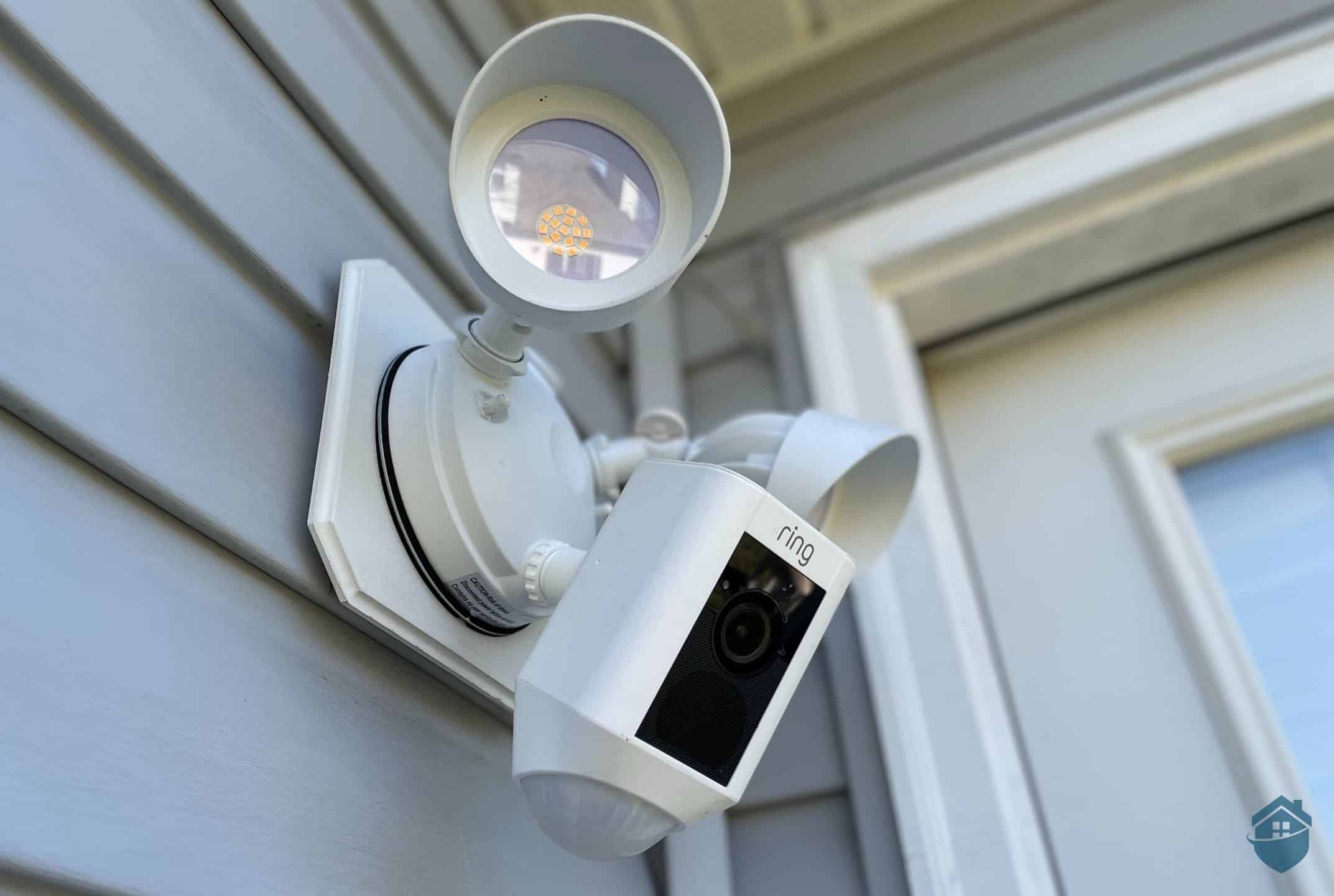
If you’re already a Ring Doorbell user, adding a Ring Alarm system is an easy call. It just makes sense to keep everything on one platform rather than mixing brands. And if you want to expand beyond doorbells and indoor cameras, Ring’s lineup extends to outdoor options too, like the Ring Floodlight Cam.
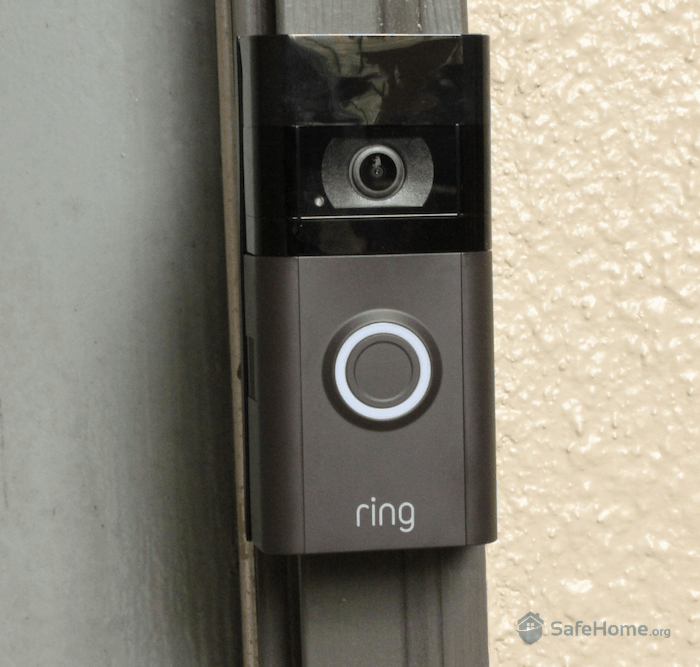
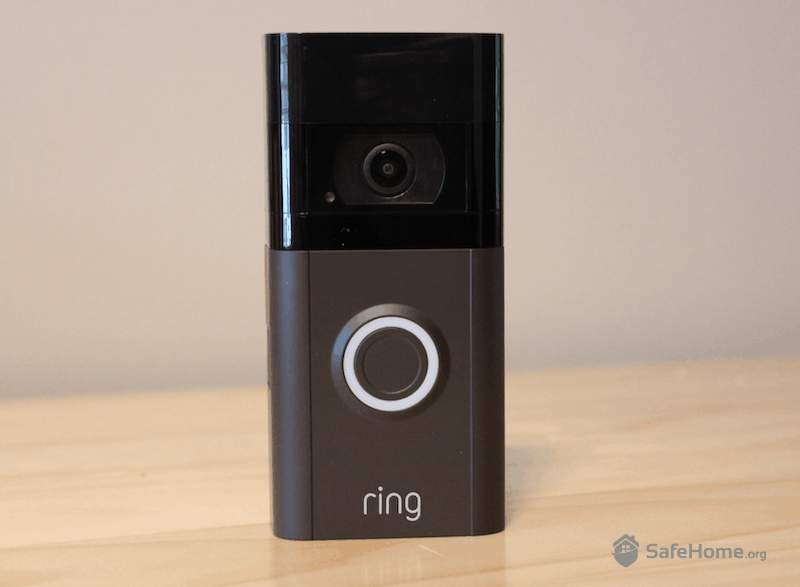
Ring Video Doorbell Installed
Just don’t expect cutting-edge home automation from Ring Alarm itself. It integrates with Amazon Alexa, smart locks, and Z-Wave–compatible devices, but that’s about the extent of it. At its core, Ring Alarm is designed for basic intruder protection rather than advanced smart home control.
Ring’s video doorbells and security cameras are some of the best devices in the industry, especially for outdoor security, and we’d recommend considering those regardless of which alarm system you choose. But when it comes strictly to alarm systems, there are stronger options available. If you’re willing to spend a bit more, Frontpoint is worth a look. If you want something closer in price to Ring, a SimpliSafe starter kit is a solid alternative.
Ring Alarm delivers solid, no-frills home protection at a price that’s hard to beat. Equipment bundles start at under $250, professional monitoring runs $20 a month, and the wider Ring camera and doorbell ecosystem gives you far more hardware options than most DIY brands offer. If you’re looking for affordable, easy-to-install coverage that plays well with other Ring devices, it’s a strong choice.
That said, Ring Alarm isn’t without its rough edges. The motion sensors aren’t as responsive as we’d like, there’s no way to arm or disarm the system silently, and the panic buttons require an awkward three-second hold to activate. None of these are dealbreakers on their own, but together they add up to a system that feels more budget-friendly than premium, especially if you’re comparing it against pricier competitors with more polished hardware and faster monitoring response times.
Whether Ring Alarm is right for you comes down to what you’re optimizing for. If cost and DIY simplicity matter most, Ring is one of the best values in the industry. If you want the fastest possible monitoring response or more refined equipment, it’s worth looking at Frontpoint or SimpliSafe instead. For most households, though, Ring Alarm still hits the sweet spot between price and protection.
Yes, Ring has a 30-day return policy on devices purchased directly from Ring.com. They also offer a one-year limited warranty on hardware. If you stay subscribed to a Ring Protect plan, you’ll receive an extended warranty on eligible devices for as long as your subscription remains active.
Yes, Ring has a range of wireless products that are not only easy to set up, but don’t require any effort to hide unsightly wires.
No, like most DIY home security systems, Ring is easy to install. We used the Ring app to follow the step-by-step instructions and were up and running in around 30 minutes.
Yes, Ring is compatible with Alexa. Both Ring and Alexa are owned by Amazon, so it only makes sense that they play well together.
Ring’s equipment bundles start at $199.99 for a 5-piece Ring Alarm kit. Although you can self-monitor your system, we recommend opting for professional monitoring through the Ring Protect Pro plan for $19.99 per month. It’s one of the best monitoring deals in the industry.
Haselton, T. (2019, August 3). Everyone's talking about this Amazon app that lets police see camera footage — here's what it's like. CNBC.
https://www.cnbc.com/2019/08/02/amazon-ring-neighbors-app-sends-video-to-police-departments.html
Slate. (2024). Stop Paying for an Expensive Home Security System. It’s Not Protecting You, Anyway.
https://slate.com/business/2024/07/home-security-systems-police-response-monitoring-false-alarms.html
Read, M. (2020, February 13). What It's Like to Own an Amazon Ring Doorbell Camera. New York Magazine.
https://nymag.com/intelligencer/2020/02/what-its-like-to-own-an-amazon-ring-doorbell-camera.html