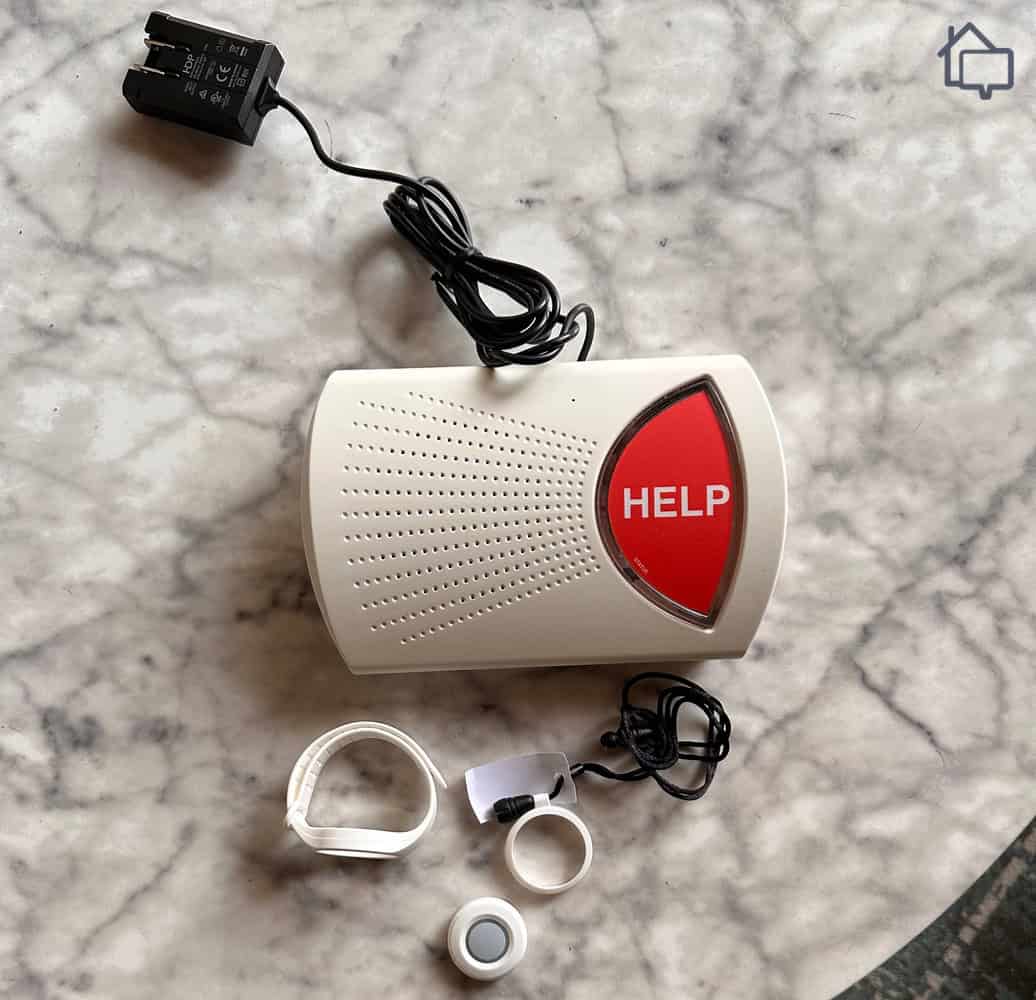
MobileHelp positions itself as one of the more affordable options in the medical alert space, with an at-home and mobile bundle starting at $44.95 per month. For a system that covers both home and on-the-go use, that price point is hard to ignore.
But price alone doesn’t tell the full story, so we purchased a MobileHelp system and spent several weeks putting it through its paces, evaluating everything from monitoring response times to overall equipment quality. What follows is everything we found, including how MobileHelp stacks up against the other medical alert systems we’ve tested and which package makes the most sense depending on your situation.
MobileHelp Key Features
In-Home & Mobile Monitoring
Nationwide Coverage
GPS + Wi-Fi Location Tracking
No Contracts
Fall Detection
Two-way calling
Plus: Our Team's Featured Picks
Check out more recommendations from the SafeHome team:
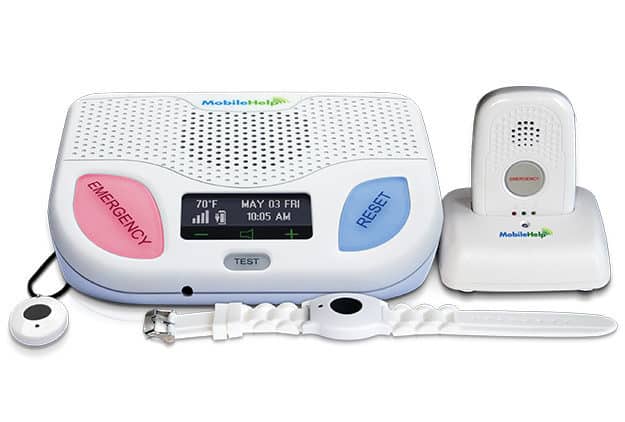
MobileHelp’s packages start at $25.95 per month for the Classic system. That’s on par with other providers, like Medical Alert’s plans, which offer basic systems at similar price points. MobileHelp also now offers the Elite, a compact all-in-one mobile device you can use at home and while on-the-go, at $41.95 per month.
MobileHelp At-Home Systems
MobileHelp At-Home Systems
Home Wired
Classic Cellular
Application
Home use only
Home use only
Help button range
600 feet
1,400 feet
Communication
Landline
Cellular (AT&T)
Monthly cost
$25.95
$25.95
Quarterly cost
$77.85
$77.85
Yearly cost
$285.45
$285.45
We recommend the MobileHelp Classic systems to older adults who spend most of their time at home.
At $25.95 per month with zero upfront equipment fees, the Classic Cellular is the stronger pick of the two. Cellular networks are simply more reliable than landlines, and the Classic Cellular backs that up with a 1,400-foot range from the help button to the base station compared to the Classic Landline’s 600 feet. That extra range gives you a lot more freedom to move around the house — whether you’re puttering in the garden or heading out to the garage.
Expert Insight: A 1,400-foot range is considered industry-best. Some of the best medical alert systems offer similar range in their at-home units, including Medical Guardian with its MGHome Cellular system.
MobileHelp Mobile Systems
MobileHelp has streamlined its mobile systems, offering only one compact mobile device — the Elite. We recommend it to users who want the most capable all-in-one devices, especially those who spend a significant amount of time outside their homes.
MobileHelp Elite is the brand’s most feature-rich mobile option to date. At just 1.5 ounces and 1.5″ × 2.6″, it’s notably compact — designed to be worn or carried without drawing attention. It runs on AT&T’s 4G LTE network and combines GPS and Wi-Fi location tracking for more precise positioning indoors and out. The Elite includes advanced fall detection, one-touch SOS, two-way calling, and a Find Me locator feature. It also transmits hourly heartbeat signals to MobileHelp’s monitoring center, providing passive wellness check-ins.
Here’s how much it costs on monthly, quarterly, and yearly payments:
MobileHelp At-Home Systems
Cost
Monthly
$41.95
Quarterly
$119.85
Yearly
$417.45
From Our Experts: MobileHelp Elite is great for individuals, but if you’re looking to save money and only need protection at home for you and your spouse, we recommend Bay Alarm’s packages. They offer free spousal monitoring – just buy a second help button.
MobileHelp Add-Ons
MobileHelp also offers add-ons to improve your medical alert system’s functionality, and some you can even get for free or at a discount.
Add-ons
Cost
Fall detection
$11 per month
Lock box
$2.99 per month (free with annual plan)
OnGuard Alerts
$2.99 per month
Fall Detection
Fall detection is one of the most valuable add-ons MobileHelp offers, and we strongly recommend it for most users. It runs $11 per month, but we regularly see it discounted. Fall detection is particularly useful for mobile units designed for outdoor use, because of external hazards such as uneven sidewalks and slippery surfaces.2 It comes in handy for at-home systems, especially if the wearer already has mobility problems or is frail.3
In our experience with the MobileHelp Classic Cellular, fall detection works well. We ran controlled simulations, and it detected the fall eight times out of 10. This is on par with the best medical alert systems with fall detection.
FYI: We’re disappointed that MobileHelp’s Home Wired doesn’t support fall detection, although that’s common at-home landline systems. When we reviewed ADT’s medical alert systems, the Medical Alert Basic also didn’t give us the option to add fall detection.
Lock Box
We also recommend getting a lock box, whether you’re buying an at-home or mobile system. It costs an extra $2.99 per month, but you can usually get it for free with any package or bundle simply by opting to pay annually.
A lock box lets you safely store spare keys to let emergency responders in during emergencies. MobileHelp will keep the lock box combination on file and then relay it to responders during emergencies.
Lock boxes are standard medical alert system add-ons, and MobileHelp’s $2.99-per-month price is the average cost. When we tested the MGMini by Medical Guardian, they also offered us a lock box for $2.99 per month.
OnGuard Alerts
OnGuard Alerts is another add-on worth considering at $2.99 per month, particularly for older adults who benefit from closer involvement from caregivers or family members.
The feature works by notifying your designated contacts via text and email whenever an emergency is triggered. It also opens up a shared portal where you and your family can manage contact preferences together. When we added OnGuard Alerts during testing, setting up three emergency contacts took only a few minutes. After setting it up, each of them reliably received notifications when we pressed the help button across our MobileHelp devices.
Our Experience with MobileHelp
We got to test several of MobileHelp’s products, including the MobileHelp Home Duo bundle (which includes the Classic Cellular and Micro systems) and the MobileHelp Solo mobile system.
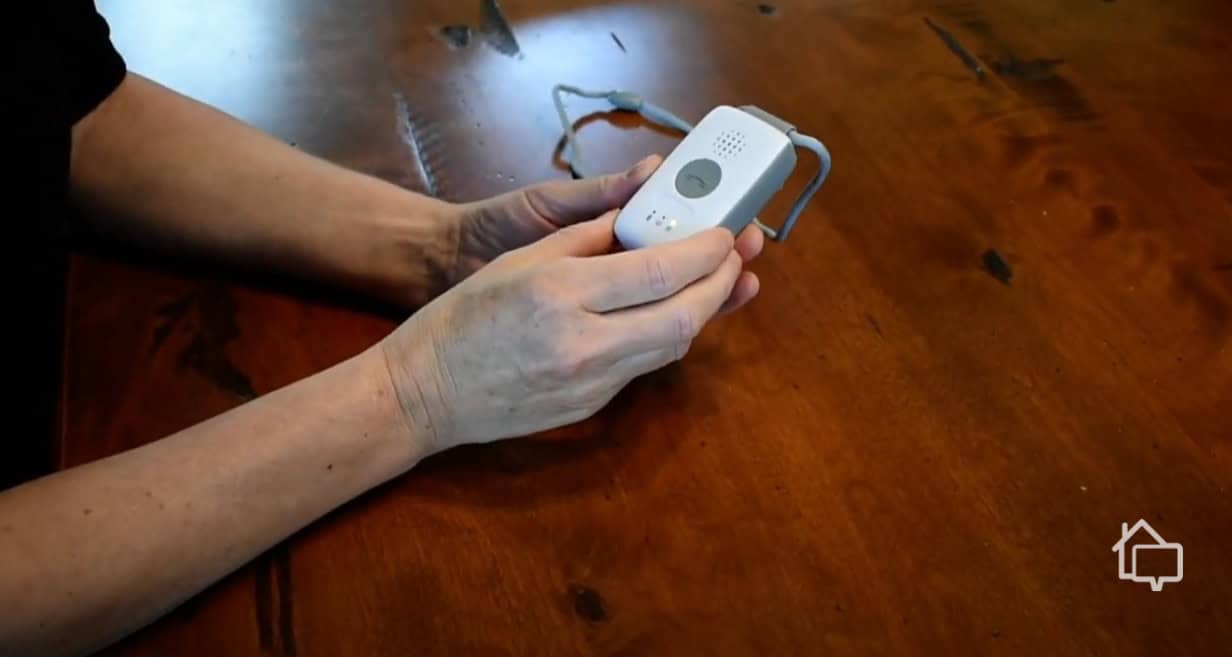
Our tester holding the MobileHelp Solo mobile base unit to test its responsiveness
MobileHelp Buying Process
We canvassed MobileHelp’s packages online, but we recommend getting a quote from the company itself. That way, they can help you pick out the best solution.
When we first requested a quote, the agent helped us assess whether the Classic Cellular or one of the mobile units was the better fit for our usage. After that, we finished up the sale and arranged shipping. We handled the shipping cost, but it was only $12.50 for each system — a small price to pay considering MobileHelp doesn’t charge equipment fees.
Expert Insight: Equipment fees can cost hundreds of dollars, and some companies charge an activation fee. The MGMini by Medical Guardian, for example, requires a one-time $149.95 equipment fee plus a $12.50 shipping fee.
SafeHome.org is sharing a live demonstration of the Mobile Device 4.0, or MD 4, an on-the-go medical alert device for active seniors.
Installing MobileHelp
Our orders arrived at our doorstep a few days later, and we got to installing them immediately. It didn’t take more than 10 minutes.
We simply plugged in the Classic Cellular base station and got the mobile units powered on. Then, we ran a quick test based on the instructions in the manual. After hearing “user auto test completed,” we knew the Classic Cellular was set up properly. For the Micro and Elite, all we had to do was hold down the help buttons and speak with the monitoring center. The agent confirmed both systems were working properly.
Pro Tip: We also recommend testing the range of your Classic Cellular or Wired Home system. Follow the manual to enter the “test” mode, and then walk around the house with your alert pendant to see how far you can go without the button disconnecting from the base station.
MobileHelp Emergency Response
Throughout the course of our hands-on MobileHelp testing, we ran several emergency simulations. As mentioned earlier, our MobileHelp Micro unit detected eight out of 10 simulated falls.
On top of that, MobileHelp’s emergency response time was good. We timed how long the three systems took to connect us to MobileHelp’s monitoring center, and these were their averages:
Classic Cellular: 31 seconds
Micro: 28 seconds
Elite: 29 seconds
As you can see, MobileHelp’s response was pretty consistent. We would have liked it to be a little faster – like some of the top-performing systems we’ve tested, which average around 16 seconds. Averaging 30 seconds is solid, though. We’ve tested systems that made us wait over a minute to get a live response from the monitoring center.
Battery Life
Testing MobileHelp systems for nearly a month revealed how their batteries perform in real-world use.
Classic Cellular
We didn’t have to recharge our pendant during testing. The manual claims five years before needing battery replacement. The base unit’s backup lasted approximately 28 hours after we unplugged it—close to its advertised 30-hour capacity.
Micro and Elite
The Micro and Elite pendants lasted about five days per charge. That’s comparable to other leading mobile medical alert devices we’ve tested, and it significantly outperforms options that require recharging every day or two. Full charging took about three hours. We ended up leaving it on the cradle overnight, and it worked fine.
Waterproofing
We also tested how well MobileHelp’s help buttons function in the shower. All their wearable buttons are water-resistant, and we’ve confirmed that wearing them while taking a shower doesn’t disrupt their functionality. The Elite is water-resistant, suitable for shower use, though not designed for full submersion. As with other MobileHelp mobile devices, users should avoid taking it into the bath.
The only ones you can wear in the bath and submerge in water are the button-only wearables. Fortunately, that includes the fall detection pendant. Bathrooms are one of the most dangerous rooms in the home accounting for roughly 235,000 household falls that result in an injury.4 It’s great to know MobileHelp keeps users covered even in the bathroom.
MobileHelp vs. Medical Guardian and Bay Alarm – Good Value, Low on Options
Overall, we think MobileHelp is a solid medical alert brand, but one drawback stands out compared to its competitors: limited equipment options.
Start with the wearables. When we tested Medical Guardian’s MGMove, it quickly became one of our favorite medical alert smartwatches on the market — and Bay Alarm Medical offers the same device, which helped both brands earn a spot on our best medical alert watches list. MobileHelp doesn’t have an answer to it. The only wrist-worn option in its lineup is a traditional pendant, and in our testing, it felt noticeably less versatile — and less discreet — than a smartwatch built for daily wear.
That gap is why we steer active seniors toward Bay Alarm Medical or Medical Guardian instead. Both give you a smartwatch that tracks falls and location without looking like a medical device. For more detail, our Bay Alarm Medical review covers the SOS Smartwatch in depth, and our MGMove review breaks down that device specifically.
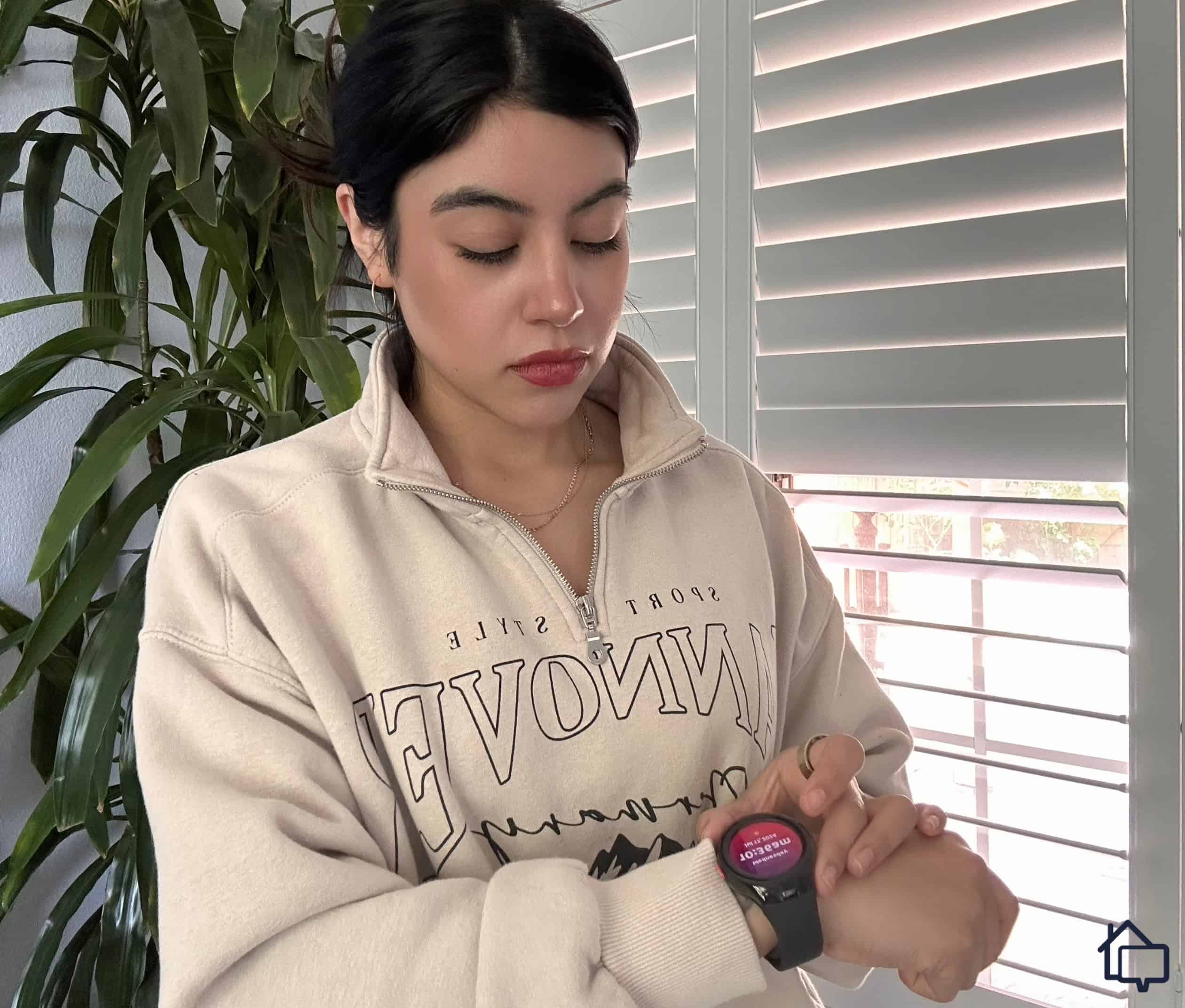
Many of MobileHelp’s competitors, including Medical Guardian, now offer medical alert watches
MobileHelp also lacks wall-mounted help buttons, which we found useful during our Life Alert testing. This matters particularly if you’re considering the Micro all-in-one unit. Wall-mounted buttons placed near floor level in bathrooms provide crucial backup if you fall.
However, MobileHelp now offers more compelling mobile coverage with the new Elite device, which adds Wi-Fi location, advanced fall detection, and passive heartbeat monitoring to the lineup. For users who want reliable mobile protection without a smartwatch, the Elite is a meaningful upgrade over older options. MobileHelp also excels with competitive pricing and a contract-free model with zero equipment fees, unlike Medical Guardian and Bay Alarm. You only pay the first month’s monitoring and shipping to get started.
Methodology: How We Assessed MobileHelp
We assess medical alert systems through hands-on testing, purchasing devices ourselves and using them for weeks to provide honest, helpful recommendations.
For MobileHelp, we focused on three key areas:
Value: We compared pricing and features against other systems we’ve tested to determine if MobileHelp offers good value for money.
Equipment quality and options: We tested both at-home and mobile systems to assess the brand’s versatility and available choices.
Response time and quality: We ran simulated emergencies to evaluate how quickly and effectively MobileHelp responds.
After nearly a month living with MobileHelp systems, we compiled this review based on our findings and real-world experience.
Bottom Line: Is MobileHelp Any Good?
Affordability is where MobileHelp consistently stands out in our testing. Across the systems we’ve evaluated hands-on, it’s one of the most budget-friendly, with no long-term contracts and no upfront equipment costs. For older adults who want dependable protection without added financial strain, that combination makes it a strong starting point.
The MobileHelp Elite has changed how we rank the brand’s mobile lineup. In our testing, it held its own against pricier competitors, offering advanced fall detection, Wi-Fi-based location tracking, and passive heartbeat monitoring — features we don’t always see at this price point. It’s the clearest sign yet that MobileHelp is investing in more advanced technology, not just low prices.
Where it falls short is customization. We found the equipment lineup and add-on selection noticeably thinner than competitors, which limits how much users can tailor a system to their needs. If broader flexibility or a smartwatch-style device matters to you, Medical Guardian is worth comparing. It costs more, but in our hands-on Medical Guardian testing, we found contract-free plans, a wider range of devices, and a caregiver app that most users found genuinely useful day to day. For anyone who wants more control over how their system is set up, Medical Guardian is the stronger fit based on what we saw in testing.
Yes, most MobileHelp systems support fall detection, but you need to buy it as an add-on. It costs $11 per month, but is often discounted. Take note that the Classic Landline doesn’t support fall detection at all.
All of MobileHelp’s emergency pendants are water-resistant, and we’ve confirmed in our tests that the Micro and Elite devices can work in the shower. Neither is designed for full submersion. The button-only wearables can be submerged.
MobileHelp’s Classic Landline system requires a working landline, but the Classic Cellular and the mobile systems don’t require a phone line. They use the AT&T network, and access to the network is included in the monthly fee.
Yes, MobileHelp mobile systems have GPS. The Micro uses GPS to ping the monitoring center with coordinates when the help button is pressed. The Elite adds Wi-Fi-assisted location for improved indoor accuracy.
After earning a degree in journalism, Jenny Wisniewski spent much of her professional life in education; however, she returned to writing in earnest in the senior care space, acting as caregiver to her mother. She has hand-tested the industry’s top medical alert systems, writing nearly 50 in-depth articles that help seniors age safely in place. Jenny also covers caregiving, Medicare, assisted living, memory care, and Alzheimer’s and Parkinson’s diseases. Previously, she’s written for national publications such as Country Magazine and Sierra Magazine. Jenny holds dual bachelor’s degrees in English/Journalism and Political Science from Miami University in Oxford, OH. She currently resides in Milwaukee, WI.
 Updated August 22, 2026
copied!
Updated August 22, 2026
copied!