SafeHome.org may receive compensation from some providers listed on this page. Learn More
We may receive compensation from some providers listed on this page. Learn More
SafeHome.org may receive compensation from some providers listed on this page. Learn More
We may receive compensation from some providers listed on this page. Learn More
Ring’s outdoor security cam boasts super-strong LED lights and top-shelf HD video quality
 Updated July 21, 2026
copied!
Updated July 21, 2026
copied!

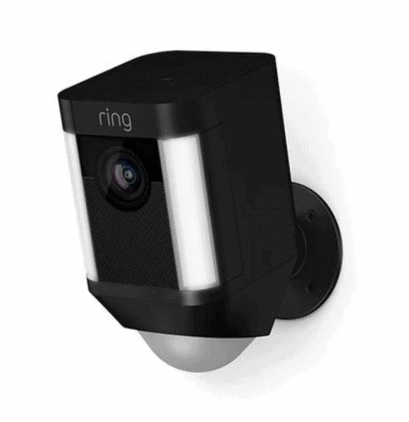
Editor’s Note: Ring’s spotlight cam is a great start to your security journey. Though, we recommend upgrading to an outdoor security system instead. Some of our recommendations come with professional installation and cameras that work in extremely low temperatures.
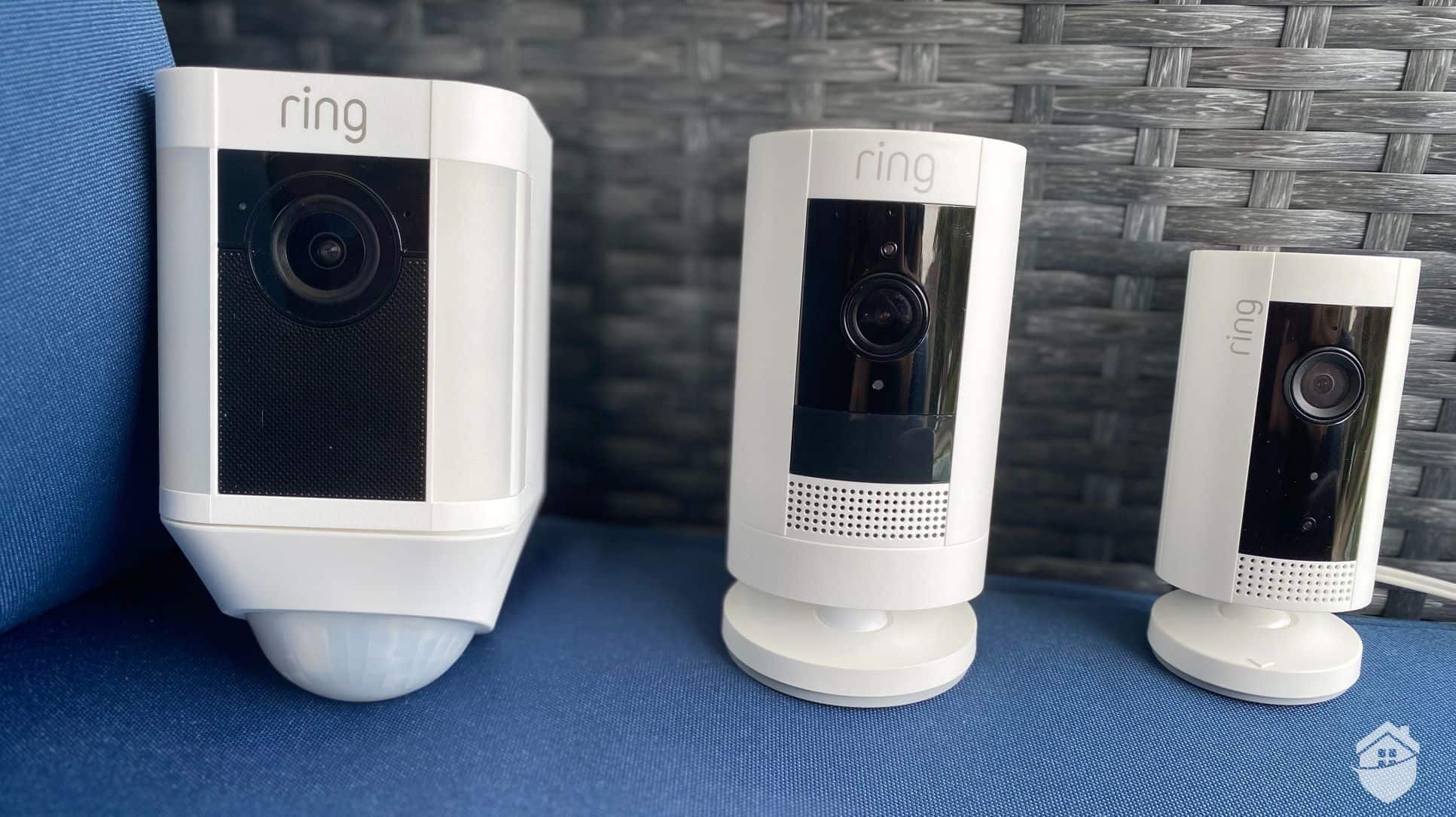
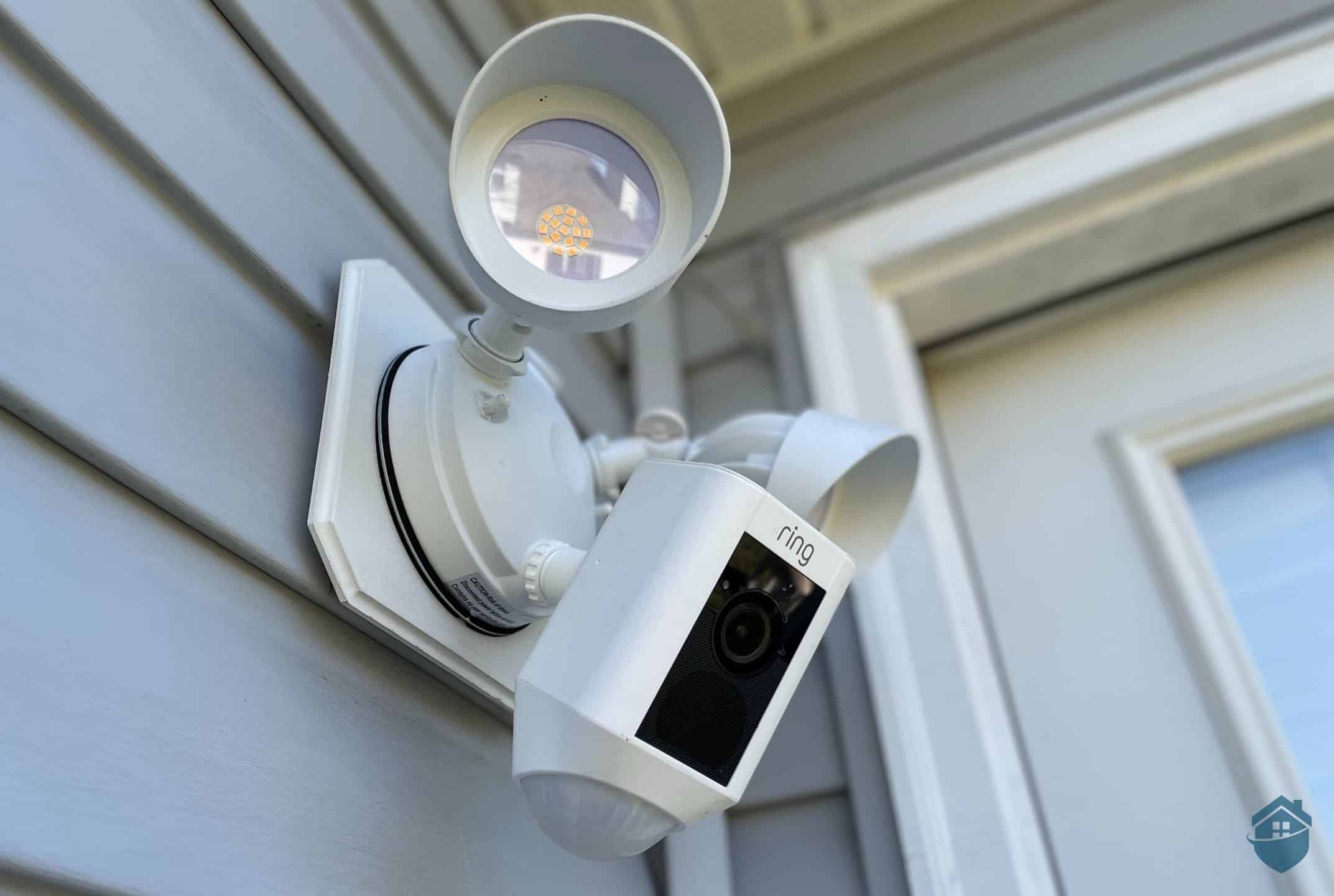
Spotlight’s on you, intruders! For this review, our team of home security experts got our hands on the Spotlight Cam, the versatile, wire-free home security camera from Ring’s Amazon-backed suite of cameras. With this camera, we’re getting Ring’s signature reliability with affordable protection plans starting at just $4.99 per month. But with the Spotlight model, we also get the standout feature: dual ultra-bright LEDs that illuminate up to 25 feet away.
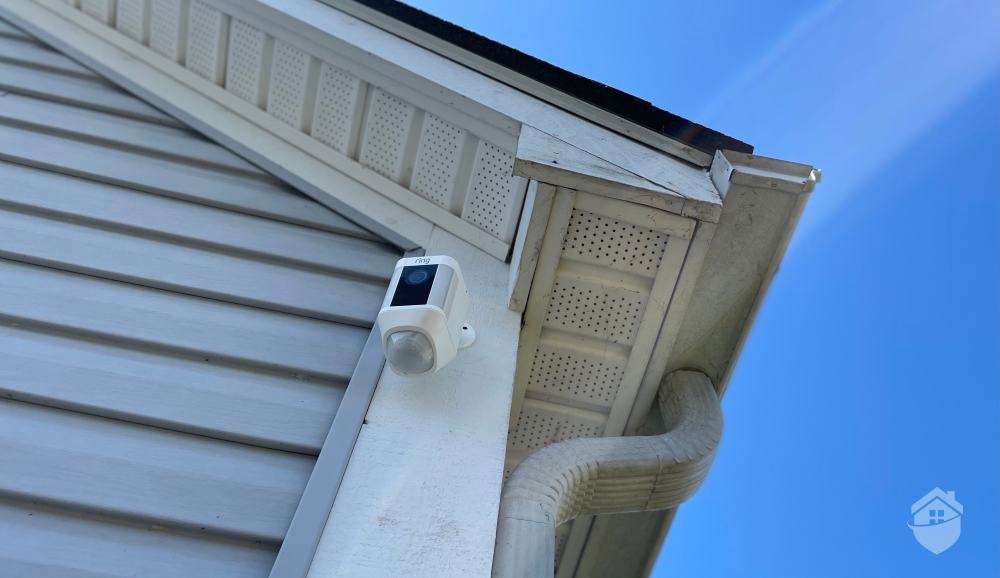
Ring Spotlight Camera
We spent several days researching, unboxing, installing, living with and fully experiencing our new Spotlight Cam to see how it stacked up against other outdoor cameras, as well as how effective it could be in deterring or stopping property crime. Here’s what it was like.
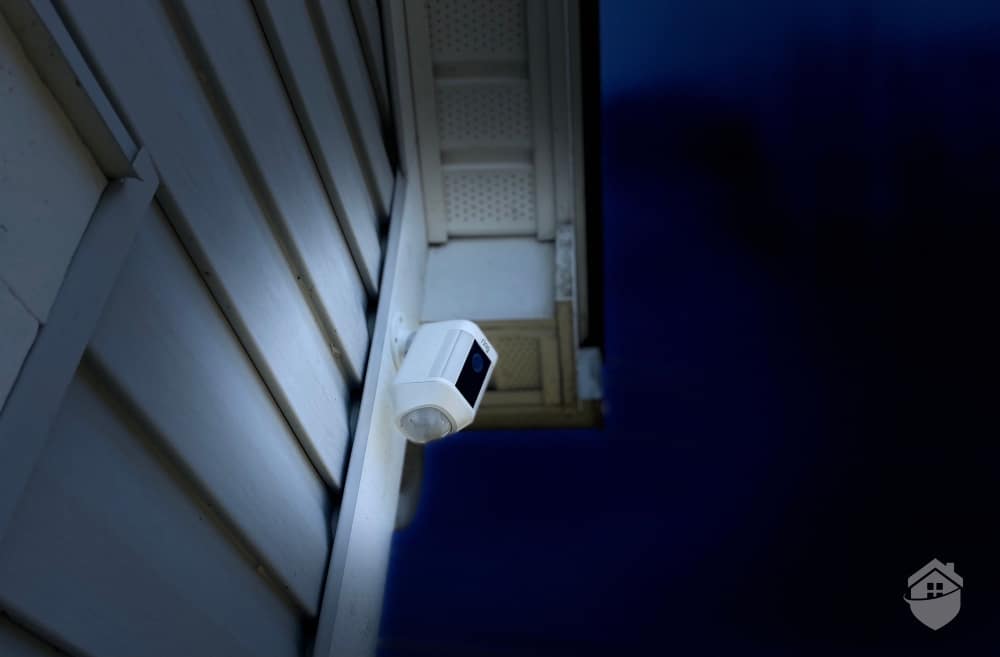
Ring Spotlight Camera at Night
Ring Spotlight is a powerful lighting component as well as a reliable camera. Those LEDs, though very customizable, are made to be bright and noticeable. It might feel like overkill, but these lights serve a dual purpose. They enhance video quality at night and act as a deterrent when motion triggers them. Spotlights are a great feature we’ve seen in other cams, like the Swann Wi-Fi camera, but with Ring, the picture looked exceptionally bright from our app – and now, we had motion-activated lighting, which is a huge boost in peace of mind, especially at night.
Since this is a battery-powered camera, we made sure to charge the battery using the provided USB cable before we installed the camera. But Ring offers flexibility here – the Spotlight Cam Plus comes in four power configurations: Battery, Wired, Solar, and Plug-In. For us, in particular, the battery option worked best with our home’s exterior. But we like that Ring gives us alternatives in case we’re not keen on climbing up and changing batteries, or if we’re looking to use our camera with a solar panel. (For another brand that does solar-powered cameras pretty well, check out our hands-on Reolink camera review.)
After our Spotlight Cam was fully charged, we lowered the battery into the camera’s compartment until we heard a click.
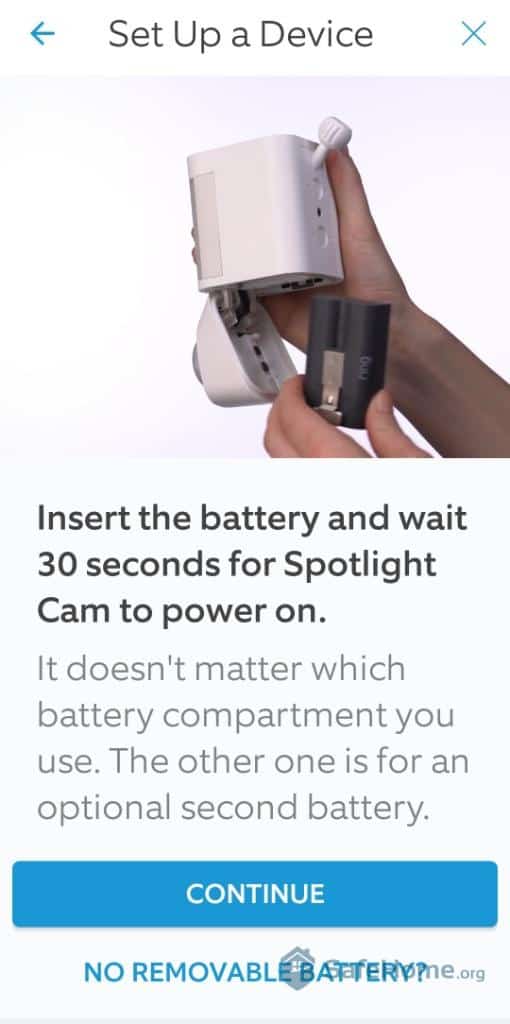
Ring App – How to Insert Battery
FYI: You’ll notice there are two compartments in the camera for a battery. That’s there in case you want to insert a second battery, for longer life. For more ideas on battery cams, we rounded up the best battery-powered cameras available right now.
Our firmware updated within five minutes, and we were in business. Then, we turned to the app. Since we already had a Ring Doorbell camera, we were familiar with Ring’s app and didn’t have to download it again.
That said, while testing the Spotlight Plus, we discovered that Ring maintains a hierarchy of user permissions. Only the primary “owner” account can customize motion zones, enable People Only Mode, adjust snapshot capture settings, and create schedules. Shared users can still perform essential functions like viewing live feeds, accessing video history, and receiving alerts, but they won’t have administrative control.
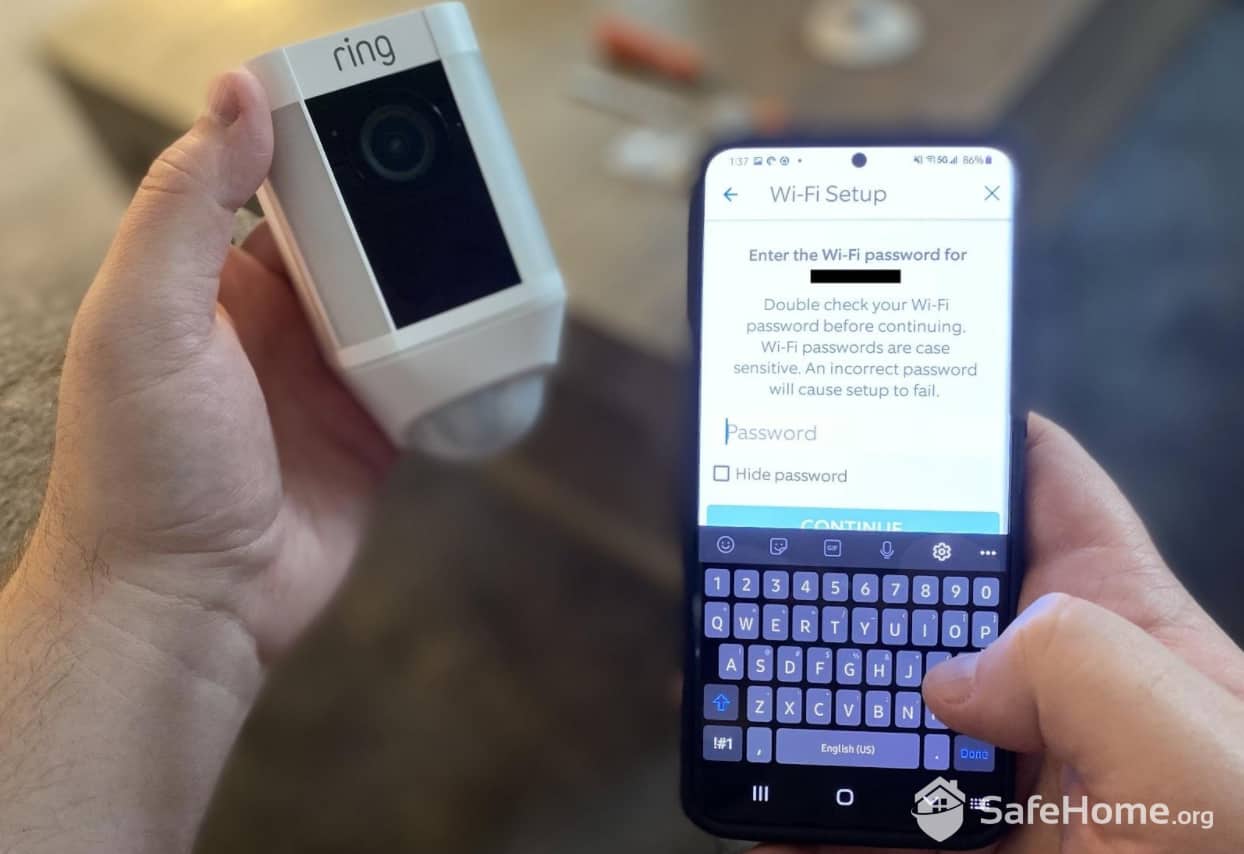
Ring Spotlight Cam Connecting to WiFi
The Ring app serves as your command center, and it’s not limited to mobile devices. Ring offers desktop apps for both Windows and Mac, giving you the flexibility to monitor your property from any screen. We found the desktop experience particularly valuable for detailed footage review. Those extra pixels make a difference when you’re trying to identify a package thief or verify if that midnight noise was just a raccoon.
Pro Tip: When deciding where to place your Spotlight Cam, keep in mind that higher-traffic areas will generate more motion alerts, which will drain your battery faster.
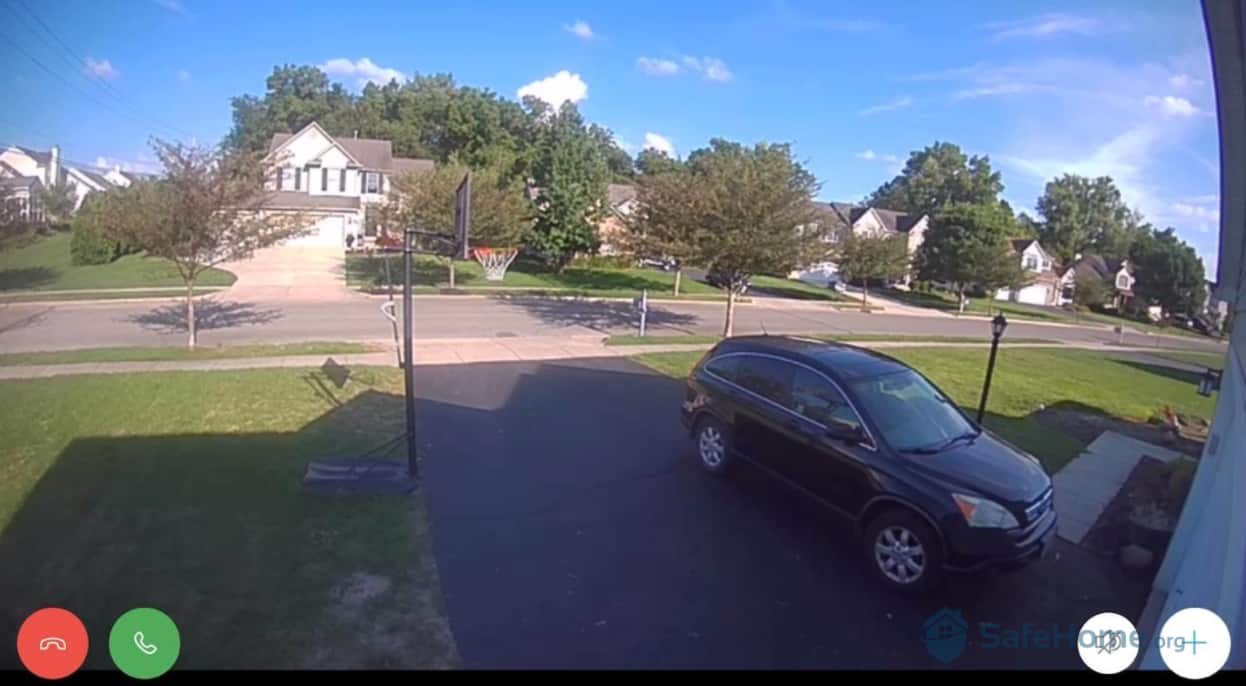
Ring Spotlight Cam Video Quality
Location is as vital to home security as it is to real estate, so we wanted to be smart and strategic when choosing where to place our camera. We decided it would work best above our garage, for a wide, clear view of our driveway, sidewalk, and street. This, in addition to our doorbell and additional Stick Up and Floodlight Cams from Ring, rounded out a stellar camera setup for our modest single-family home.
From there, we continued fine-tuning the camera’s settings to our liking.
FYI: Remember the 9-30 rule. To optimize your camera’s motion sensor, mount your camera 9 feet off the ground to detect human-sized objects at up to 30 feet.
After just a couple of minutes with our Spotlight Cam, we got our first motion alert.
A couple of minutes later, we got another one. And another, and another.
This continued until – oops! – we realized the camera was picking up motion every time a car passed by.
Time to fine-tune. Under the app’s Device Settings, we found Ring’s Smart Alerts feature a game-changer for reducing false alerts. This AI-powered feature distinguishes between people and other motion sources, filtering out cars, animals, and wind-blown objects. Once activated, our notification overload dropped by about 80 percent, leaving us with only the alerts that mattered.

Ring Smart Alerts
We did feel a bit shortchanged, though. What if People Only Mode causes us to miss important activity, like animals or sounds?
That’s when we discovered motion zones. In addition to customizing the type of motion you want to see, you can also pick certain locations within the camera’s view to focus on. And, if that’s not enough fine-tuning for you, we also like that you can change the frequency of your alerts, from light to standard to frequent. If you want to get motion alerts only at night, you can adjust for that, too.
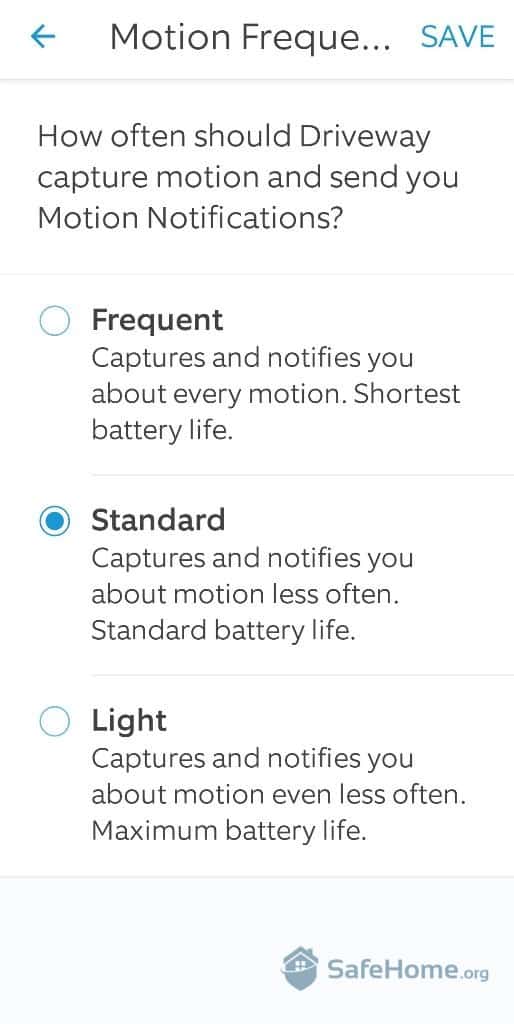
Ring App Motion Capture Frequency
These customization options have become table stakes in the security camera market. While competitors like Google Nest offer more advanced AI features including familiar face detection, Ring strikes a balance between functionality and simplicity that works for most homeowners.
Pro Tip: If you place your Ring Spotlight Cam near a street, but you don’t want to keep getting motion alerts every time a car passes by, we found that turning on People Only Mode was the best fix. Keep in mind, though, that only the primary account holder can access this mode.
Testing our Ring Spotlight Cam meant we had to interact with some functions that are available in almost every camera we review. One of those is two-way talk. These days, we wouldn’t even consider purchasing a security camera without two-way talk.
The Spotlight Cam delivered clear audio quality in both directions. However, we noticed a typical one to two second delay – standard for cloud-based cameras. On the plus side, the noise cancellation worked well to filter out ambient sounds like wind and traffic, making conversations intelligible even in less-than-ideal conditions.
And since we mounted it above our driveway, we got to use it a couple of times as an unorthodox way of greeting guests: “Hi, come on in, door’s open!”
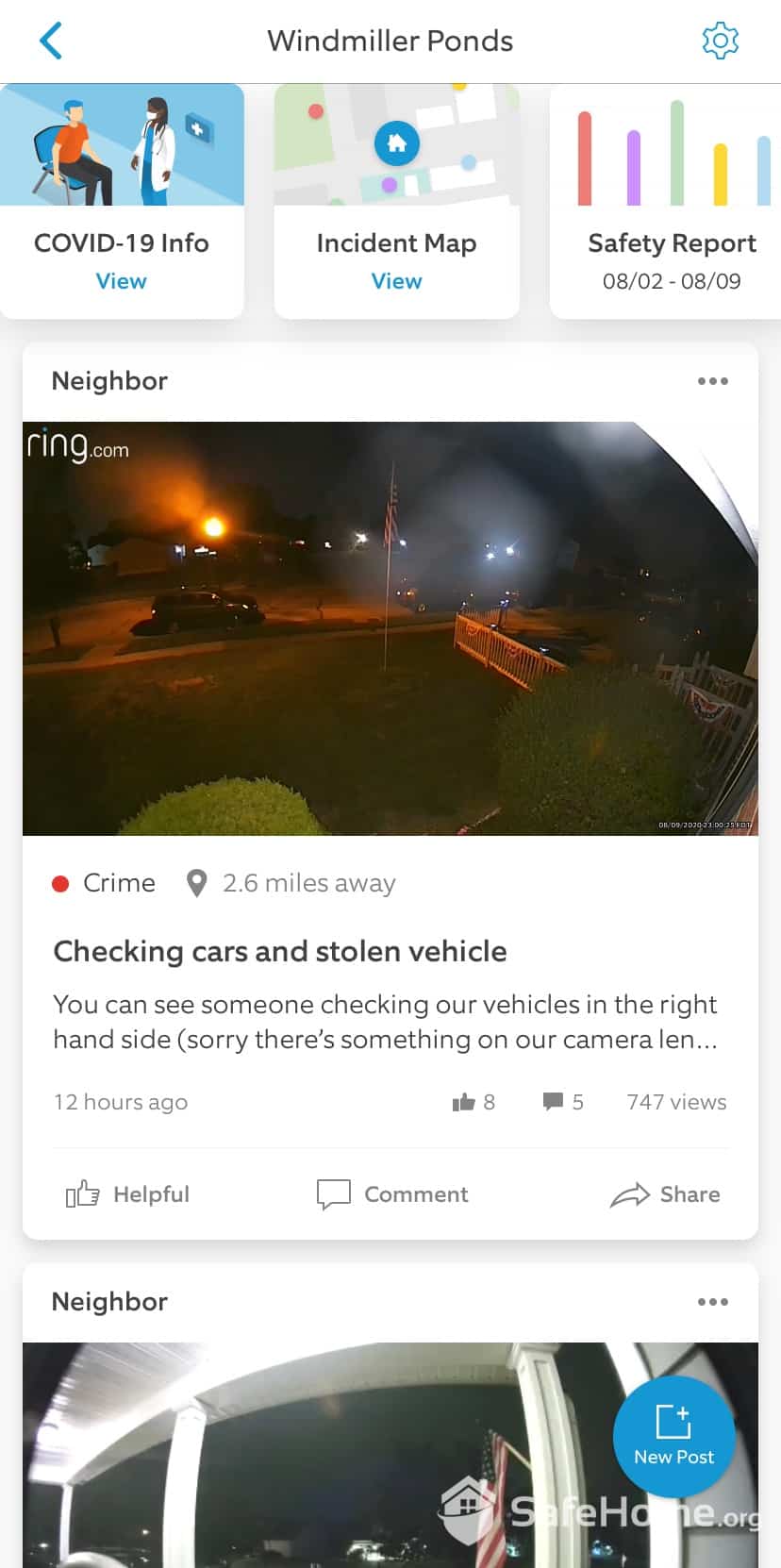
Neighbors App Dashboard
If you’re like us, you knew about Neighbors already. This free community watch feature integrates directly with your Ring app, creating a local network for sharing safety information. With over one million downloads on the Google Play Store alone, Neighbors app is one of the largest neighborhood watch networks.1 You can receive real-time crime and safety alerts from neighbors within a 5-mile radius, and even local police departments participate in many areas.
Ring’s outdoor cameras include a loud 110-decibel siren that is sure to scare off anyone – human, animal, or maybe even vegetable – who might be a threat. We know this purely by accident; we’re here to tell you that hitting the big red siren button on the app does, in fact, trigger the siren.
We love a good ear-piercing scream now and then. We’re not sure if our neighbors heard it, but our dog definitely did.
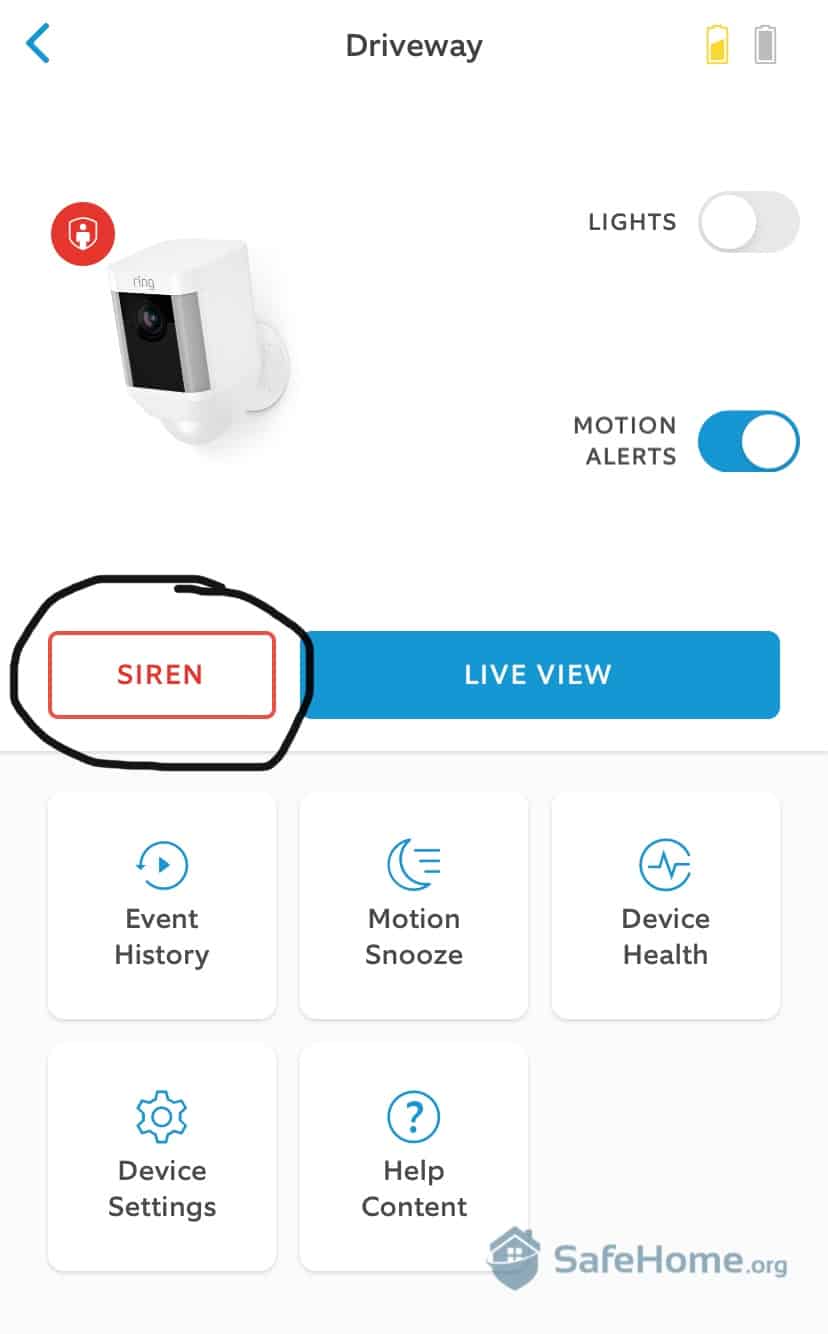
Ring Siren Activation
Here’s where things get a bit political in the smart home world. Ring, being an Amazon-owned company, plays beautifully with Alexa but keeps Google Assistant at arm’s length. This divide still exists, though Ring has expanded compatibility with other platforms like Samsung SmartThings and IFTTT.
We’d love to see Ring’s next release include Google Assistant compatibility as part of its smart home integration options, in addition to Amazon Alexa. For folks like us, who want to build our smart home with convenience in mind, this would be a really useful upgrade.
FYI: To fully unleash the Ring Spotlight’s smart home capabilities, we recommend using an Amazon Echo Show, which is basically Alexa with a screen.
The Spotlight Cam Plus’s 1080p HD video delivers consistently sharp footage, but it’s the combination with those dual LED spotlights that sets it apart. It produces up to 375 lumens, creating a wall of light that extends about 25 feet from the camera. During our testing, this meant we could clearly identify faces, read license plates, and spot details that would be lost in standard night vision footage.
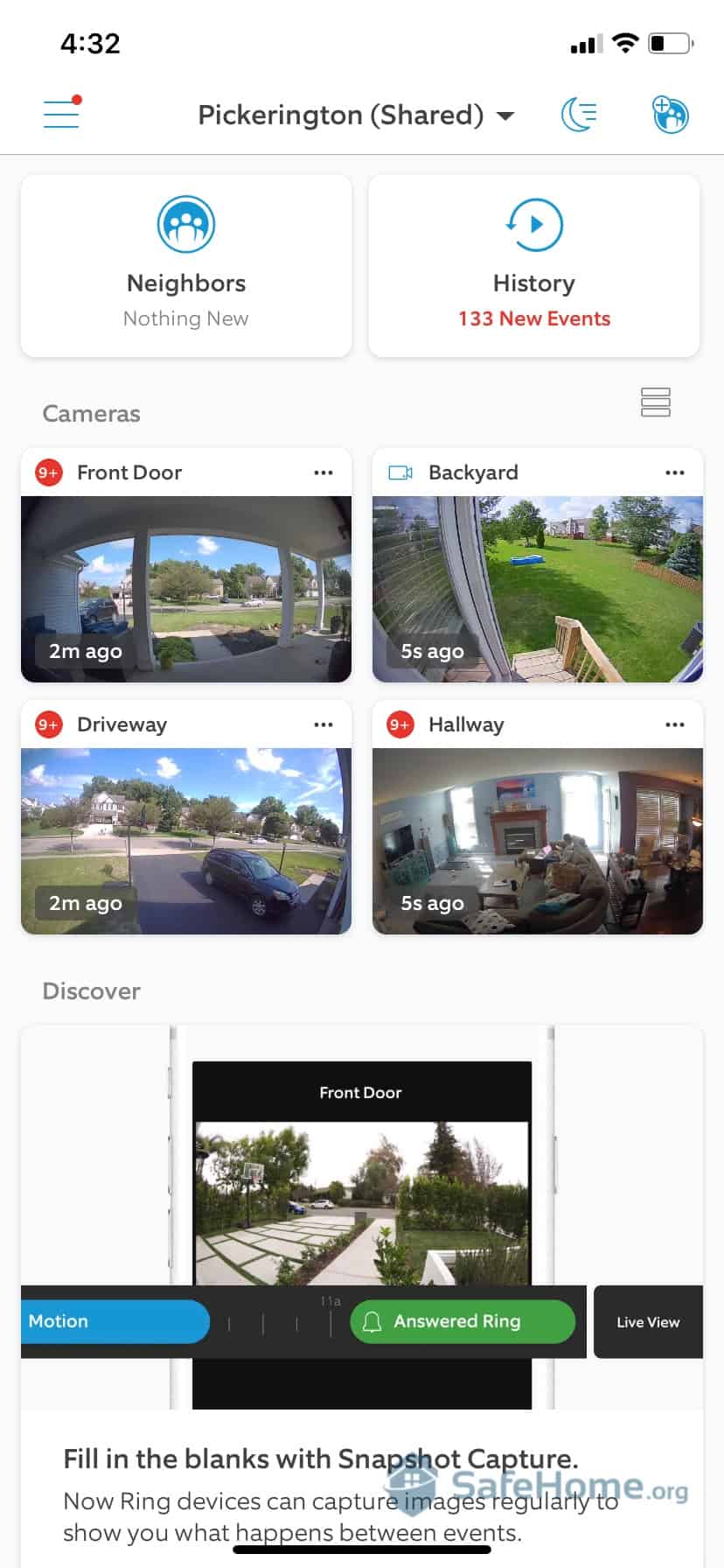
Ring App Homescreen
As much as we like the spotlight, you don’t always need to use it. The camera also features standard infrared. It provides decent black-and-white footage up to 30 feet. This dual approach means you’re not constantly draining the battery with the lights on, but you get brilliant illumination when it counts.
Pro Tip: We recommend cameras with infrared night vision because they don’t rely on ambient light. Seeing in the dark is never easy, but with infrared, you’ll see lots more detail at night.
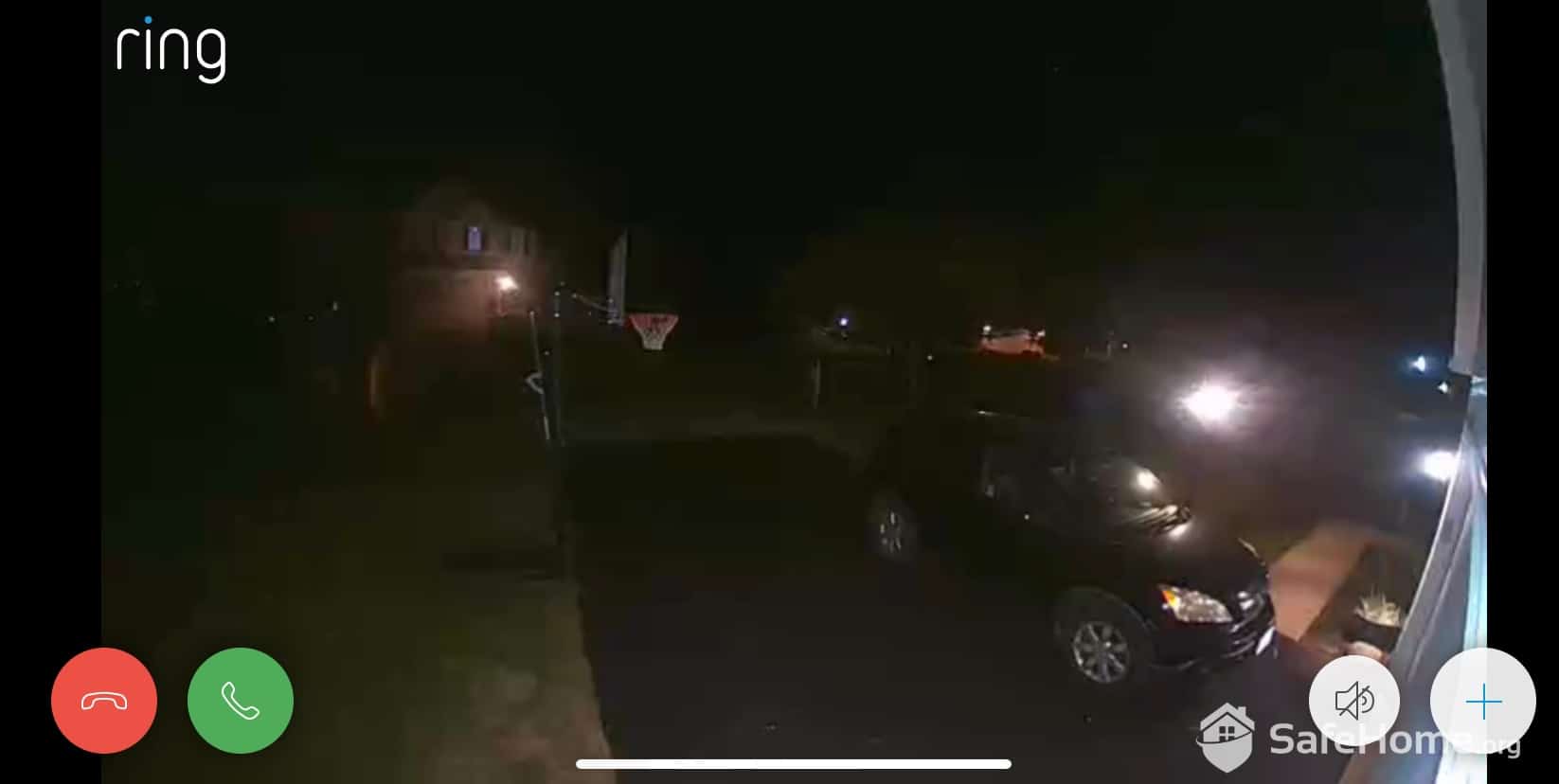
Ring Display – Night Vision
As home security experts, we’re firm believers that the more control you have over your devices, the more you’ll like them. Ring has mastered this philosophy, which explains why they’ve captured 28 percent of the home security market.2 This approach also makes it easy to add multiple Ring devices. They all live in the same app, share settings, and can be managed from a single dashboard.
With Ring, you get a full suite of security products that communicate almost seamlessly with one another, making it easy to add multiple devices to the same account. To be honest, we love having this level of control and convenience. No guesswork, no fuss.
Not everything worked like the well-oiled machine it was supposed to be, though. Like all the products we’ve reviewed, we did find some aspects of the Ring Spotlight Camera that could use improvement.
In our extensive tests of Ring’s Spotlight Cam, we were sometimes troubled by the glitchiness of the app, which we were able to view on both our desktop computer and our smartphones. Sure, we’re glad Ring has a desktop app – Arlo and Wyze don’t – but at times the live view failed to load properly once motion was detected. Instead of a real-time view of our driveway, we got this:

Ring Display Loading
This happened, we estimate, six times total out of the three days we spent reviewing this camera. After five or six seconds, the feed usually restored itself. But what about those precious seconds we lose every time the connection slows down?
Indeed, those are crucial moments you don’t want to miss. But do remember that wireless cameras do this basically across the board. When this happens, it’s rarely a sign of weakness with the brand or their network; more likely, it could just be a slowdown in your local network.
Note: If you’re really concerned about lags, perhaps a fully monitored home security system like the ones offered by Vivint or SimpliSafe is the way to go, as this issue generally does not happen with those systems.
Going further, we’re pleased to see Ring level up over past models in motion zones, giving us lots more control over our footage. footage. By drawing up to three customizable motion zones, we reduced false alerts by about 70 percent. The zones work well for excluding high-traffic areas like sidewalks while keeping your property fully monitored.
For what it’s worth, customizing motion zones with Ring isn’t going to be quite as detailed as what you’d get with another leading outdoor camera, Google Nest. We ended up with a fun, first-rate experience in our full Nest Cam brand analysis, but the prices are definitely on the high side, and we found many of their features are more of a luxury than a necessity.
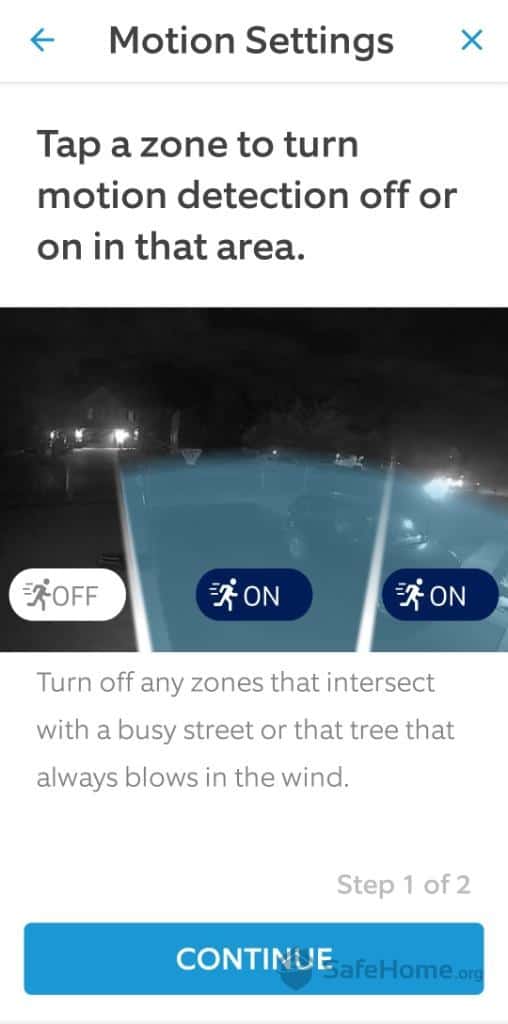
Ring Motion Setting Zones
Nest cameras cost about $100 to $200 more than comparable Ring models. While Nest offers superior AI features like package detection and familiar face alerts, Ring provides 90 percent of the functionality at a more accessible price point. For most homeowners, Ring’s feature set hits the sweet spot.
That said, we’d be very interested to see what Ring can do with artificial intelligence in future generations of their cameras. Maybe it’ll happen someday, but until then, we like that Ring is just as trustworthy with their indoor and outdoor security cams as they are with their video doorbells.
For more tips on choosing security equipment, visit our home security comparison guide.
Ring keeps the Spotlight Cam Plus competitively priced at $149.99 for both battery and plug-in versions. The solar bundle runs $209.98, while the wired version (with enhanced installation hardware) costs $179.99. These prices have remained stable, making Ring a predictable investment for budget-conscious buyers.
We also liked being able to choose the color; we chose white, but if your decor demands it, black is an option, too. Color isn’t our biggest priority, but this is another nod to versatility with Ring that some other brands lack.
As for prices, we put Ring on the mid- to high side cost-wise, but again, cameras and packages vary here. You’re not going to get rock-bottom Wyze Cam prices, though they still tested well (and looked cute in our home, too).
Feel free to read more about Wyze in our hands-on Wyze Cam review. But it’s important to note that Ring cameras do offer more – you won’t find any batteries or fancy hardware in Wyze’s kit, after all – we think the prices correspond nicely.
Here’s Ring’s current camera lineup. For a complete breakdown, check our Ring pricing roundup:
| Ring Camera | Power source | Cost |
|---|---|---|
| Spotlight Cam | Battery/Plug-in | $169.99 |
| Spotlight Cam | Wired/Solar | $229.99 |
| Spotlight Cam Plus Battery | Battery/Plug-in | $149.99 |
| Spotlight Cam Plus Wired | Wired | $179.99 |
| Spotlight Cam Plus Solar | Solar | $179.99 |
| Spotlight Cam Pro | Battery/Plug-in | $199.99 |
| Floodlight Cam (2nd Gen) | Wired | $199.99 |
| Floodlight Cam Plus | Wired | $179.99 |
| Floodlight Cam Plus | Wired | $199.98 |
| Floodlight Cam Pro | Wired | $199.99 |
| Floodlight Cam Pro | Plug-in | $299.99 |
| Outdoor Cam | Battery | $99.99 |
| Outdoor Cam Plus Wired | Wired | $159.99 |
| Outdoor Cam Plus Solar | Solar | $159.98 |
| Indoor Cam (2nd Gen) | Plug-in | $49.99 |
| Indoor Cam Plus | Plug-in | $59.99 |
| Pan-Tilt Indoor Cam | Plug-in | $59.99 |
Ring’s cloud storage starts with the Home Basic plan at $4.99 per month per device (or $49.99 annually). This gets you 180 days of video history. The Home Standard plan runs $9.99 per month (or $99.99 annually) and covers unlimited cameras at one location. For 24/7 recording, you’ll need the Home Premium plan at $19.99 per month (or $199.99 annually).
| Ring Subscriptions | Included Free | Ring Home Basic | Ring Home Plus | Ring Home Plus |
|---|---|---|---|---|
| Instant Mobile Alerts | Yes | Yes | Yes | Yes |
| Live Video Streaming | Yes | Yes | Yes | Yes |
| Two-Way Talk | Yes | Yes | Yes | Yes |
| Video History | No | 180 Days | 180 Days | 180 Days |
| Video Saving/Sharing | No | Yes | Yes | Yes |
| Snapshot Capture | No | Yes | Yes | Yes |
| 24/7 Recording | No | No | 14 Days | 14 Days |
| Extended Warranty | No | No | Yes | Yes |
| Monthly Price | Free | $4.99 | $9.99 | $19.99 |
| Yearly Price | Free | $49.99 | $99.99 | $199.99 |
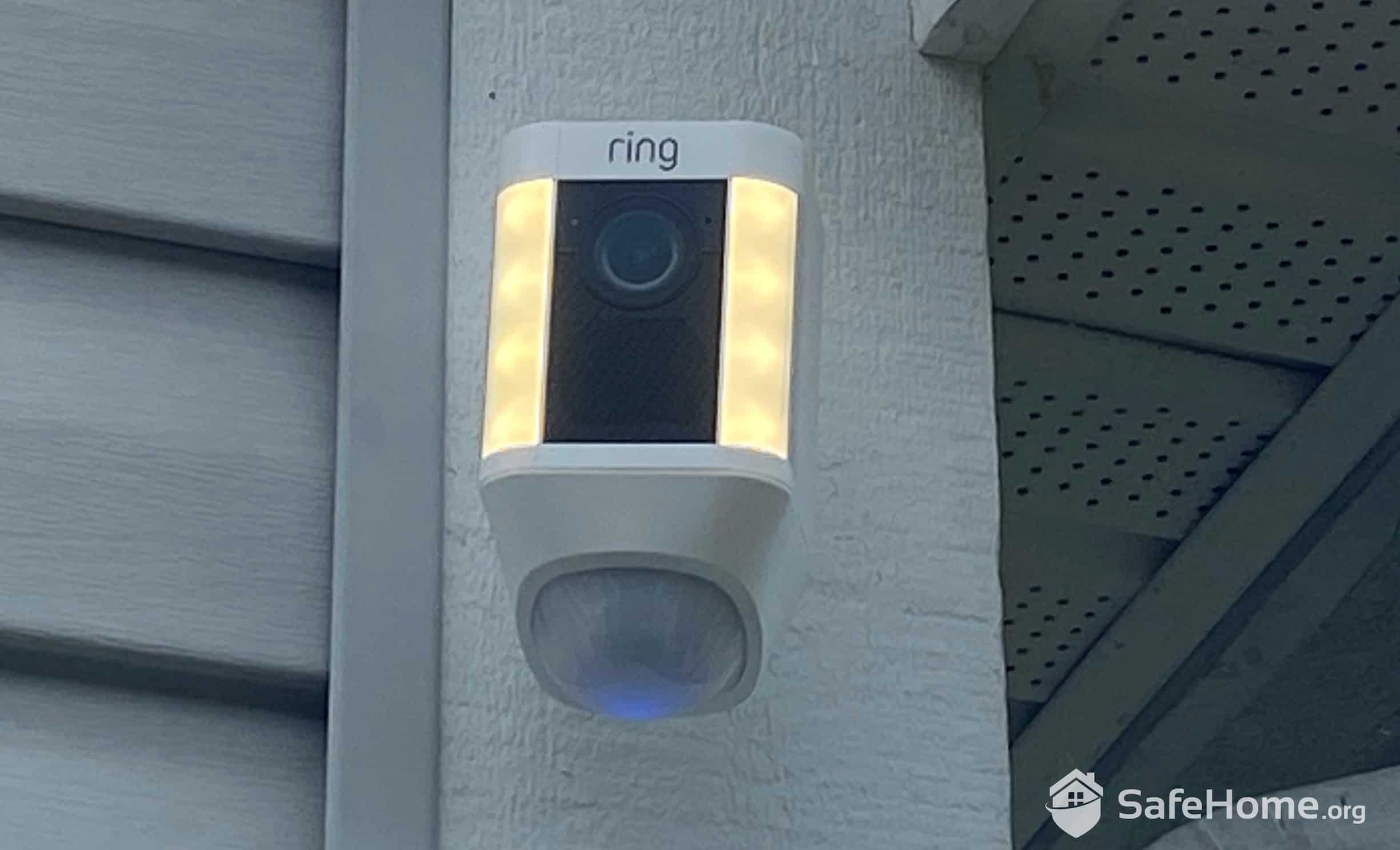
Ring Spotlight Cam at Twilight
Ring offers 24/7 support through multiple channels, including phone support that’s available round the clock (a big upgrade from their previous limited hours). Their online Help Center has also expanded with video tutorials, troubleshooting guides, and an AI-powered assistant that actually provides useful answers about 70 percent of the time.
For technical issues, we first consulted Ring’s comprehensive online resources and found solutions for most common problems. Their Community forum remains active with members sharing tips and troubleshooting advice. When we did need to call support, wait times averaged five to 10 minutes. Once we got through, the representatives were knowledgeable about both basic setup and advanced features.
If a human is available, we’d rather talk to them.
Ring Community
After living with this cam for several days and running extensive tests, we think Ring’s Spotlight Cam Plus deserves its place at the top of the industry. This camera has cornered the market in terms of user friendliness. For us, it excelled in all the ways that matter, from the 1080p HD resolution that allowed us to monitor our home, day or night, and view live feeds at any time, to the luminous, motion-activated LEDs that no criminal can escape from.
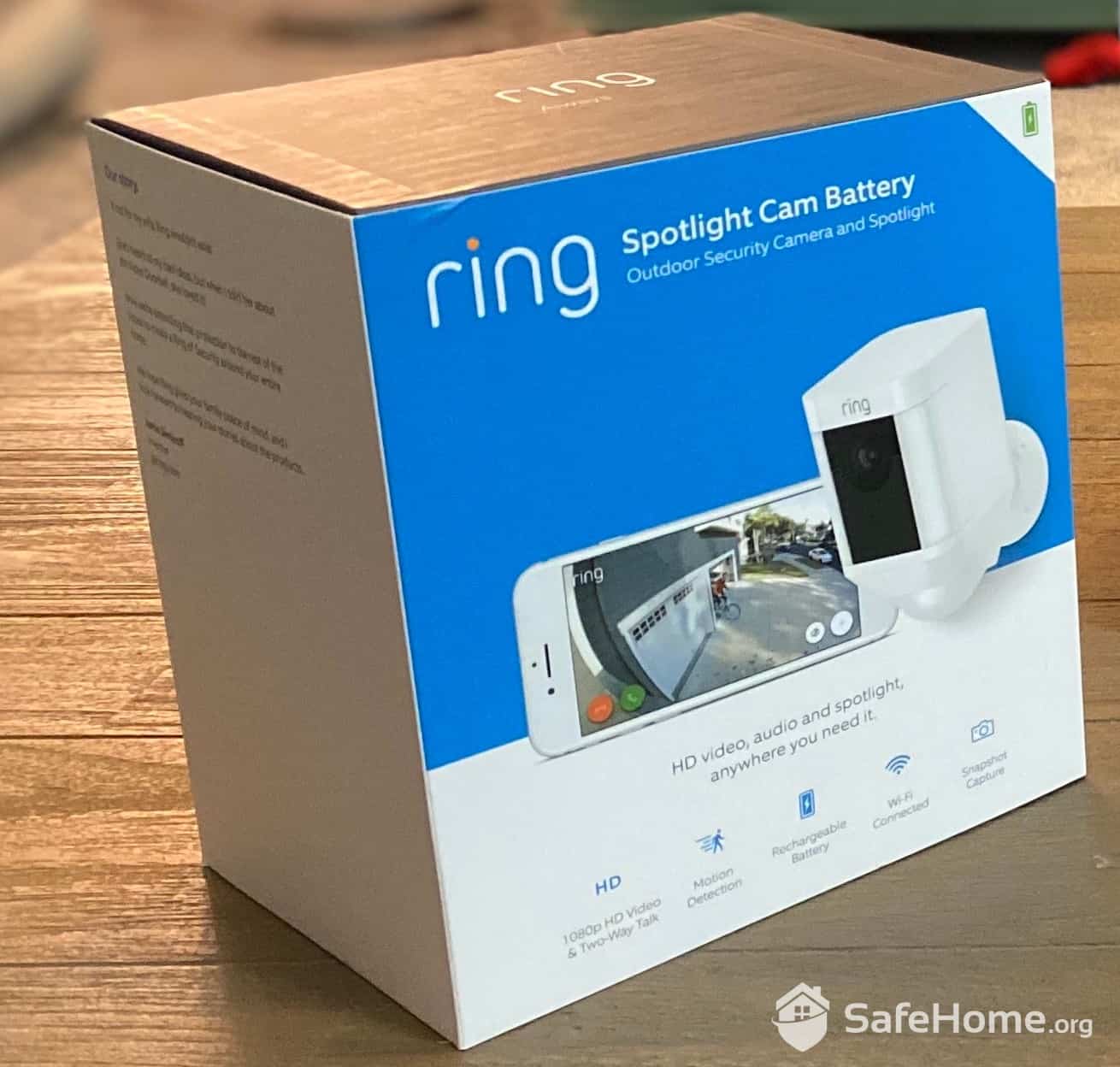
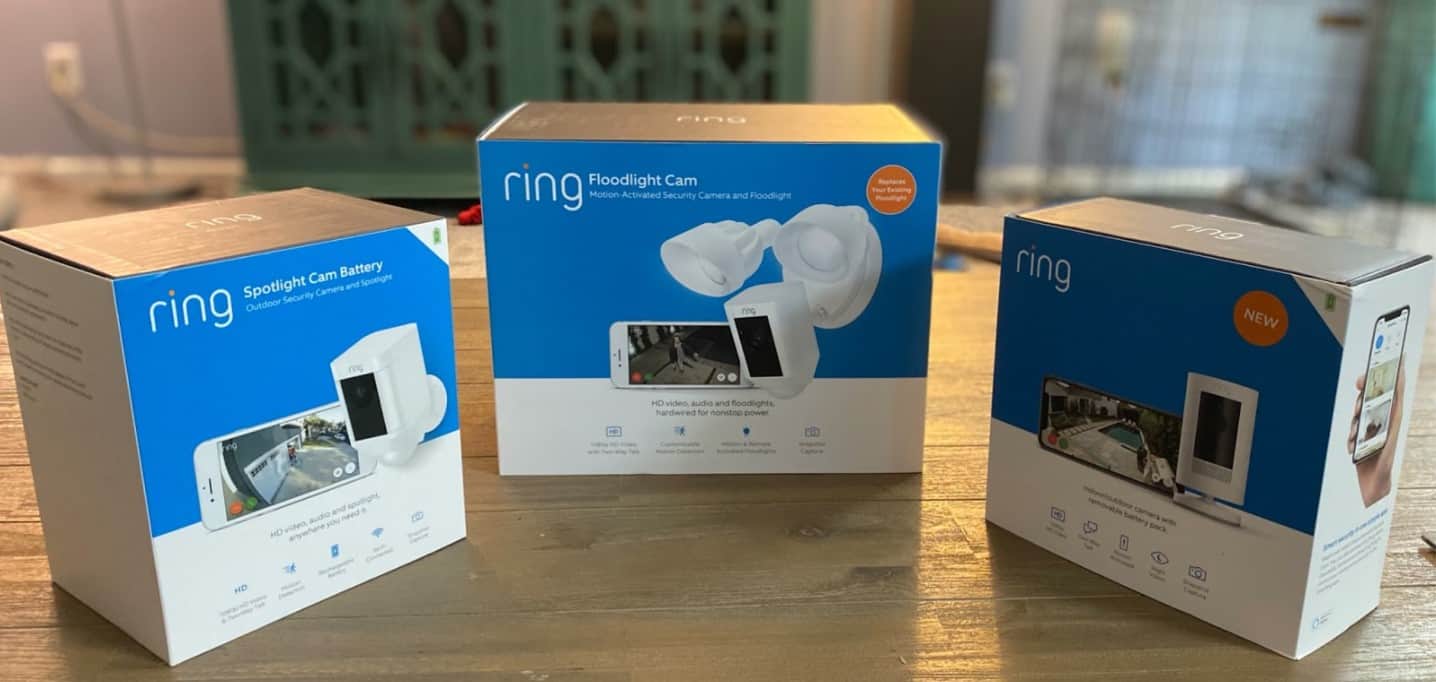
Ring Spotlight Cam Box
But make no mistake: The Spotlight Cam isn’t flawless, as with most technology these days. We would like to see a better user experience and a faster data transfer between the camera and the app. And while Ring has made incremental improvements to their motion detection algorithms, they’re still playing catch-up to Google Nest’s AI capabilities. The good news? Ring’s parent company Amazon continues to work on closing this gap.
The camera’s built-in spotlight gives you crisp, brilliant video during the day, and excellent night vision. The ultra-bright LED is meant to spook bad guys, and the built-in siren releases 110 decibels to send them fleeing.
The camera’s infrared night vision produces a quality picture in the dark, which is no small feat. But it’s still black and white until the spotlight is triggered. Then, like that scene in “The Wizard of Oz” when Dorothy walks out of her swept-up house and onto the Yellow Brick Road, everything suddenly appears in color.
Yes, Ring works with Alexa. If you have a display screen with your Amazon Echo or similar setup, you can use it for hands-free control of your Ring camera.
Ring is known for easy DIY installation, and the Ring Spotlight is no different. Installation is easy and fast, and help is easy to find if you have trouble.
When you open your Ring Spotlight Cam, you’ll see the camera, a mounting bracket, an interchangeable screwdriver bit, a drill bit, a screwdriver, screws, anchors, and cable clips.
Ring offers theft protection for their cameras. If your Spotlight Cam is stolen, Ring will replace it for free after you file a police report and submit it through their support system. This protection is automatic with no additional warranty purchase required.
Google Play Store. (Retrieved 2025). Neighbors by Ring.
https://play.google.com/store/apps/details?id=com.ring.neighborhoods&hl=en_US
Research Nester. (2025). Video Doorbell Market Size & Share.
https://www.researchnester.com/reports/video-doorbell-market/4993