Start with Wyze’s 5-Piece Security System from Walmart for under $90.
SafeHome.org may receive compensation from some providers listed on this page. Learn More
We may receive compensation from some providers listed on this page. Learn More
SafeHome.org may receive compensation from some providers listed on this page. Learn More
We may receive compensation from some providers listed on this page. Learn More
A DIY home security system with rock-bottom equipment and monitoring prices.
 Updated May 22, 2026
copied!
Updated May 22, 2026
copied!

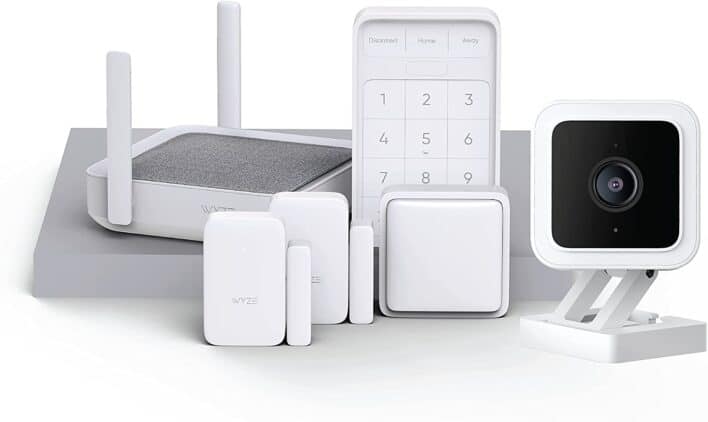
When it comes to home security, professional monitoring is a wise choice. Especially if you decide to go with Seattle-based Wyze, the purveyor of Wyze security cameras.
Today we’re sharing our hands-on experience with the Wyze Home Monitoring kit. You’ll learn how to use the equipment to secure your home and make the most of the system’s features. We’ll also compare it with competitors like Ring and SimpliSafe to see how it measures up. So let’s jump right in!
Pro Tip: We’ve seen Wyze regularly offer discounts on equipment bundles when you commit to an annual monitoring plan. Sometimes they include the Wyze Sense Hub at no extra cost.
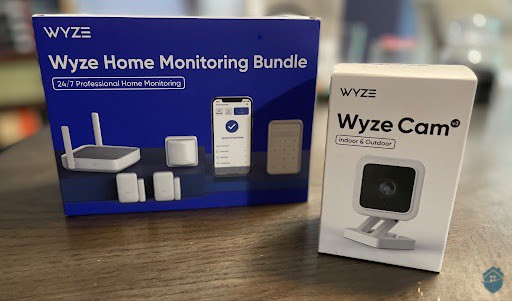
Wyze Sense Bundle
Start with Wyze’s 5-Piece Security System from Walmart for under $90.

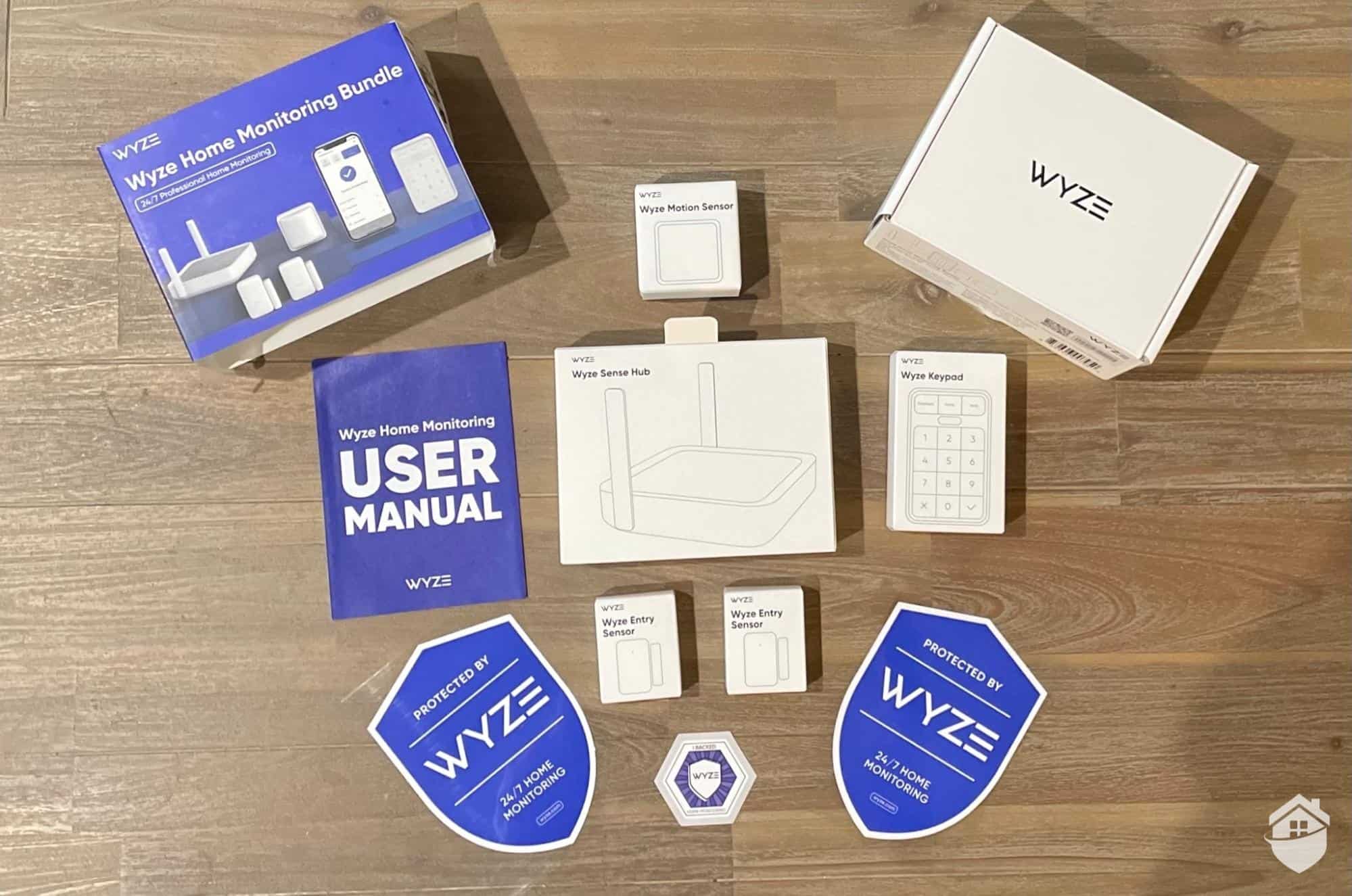
Wyze Home Monitoring Bundle
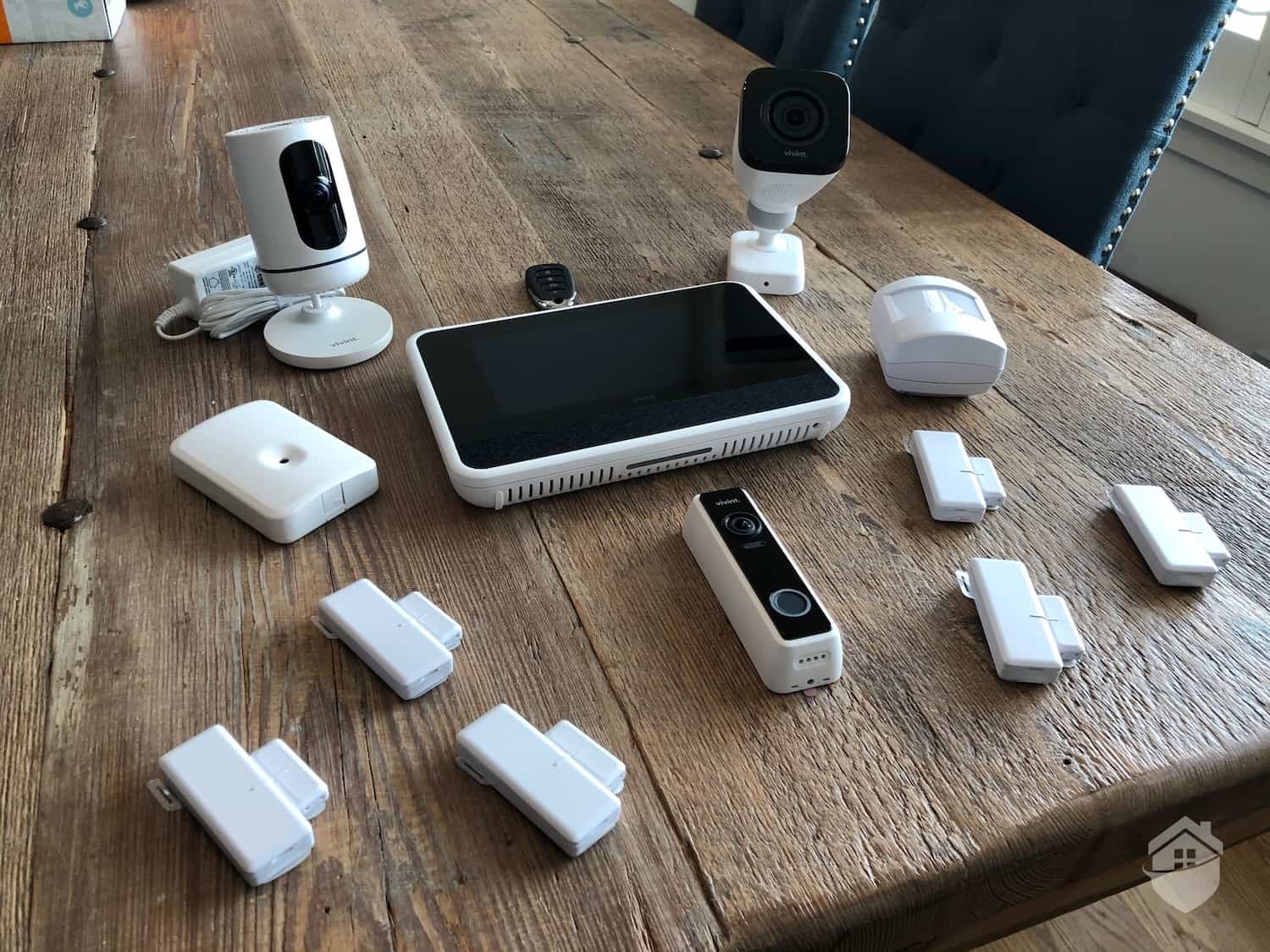
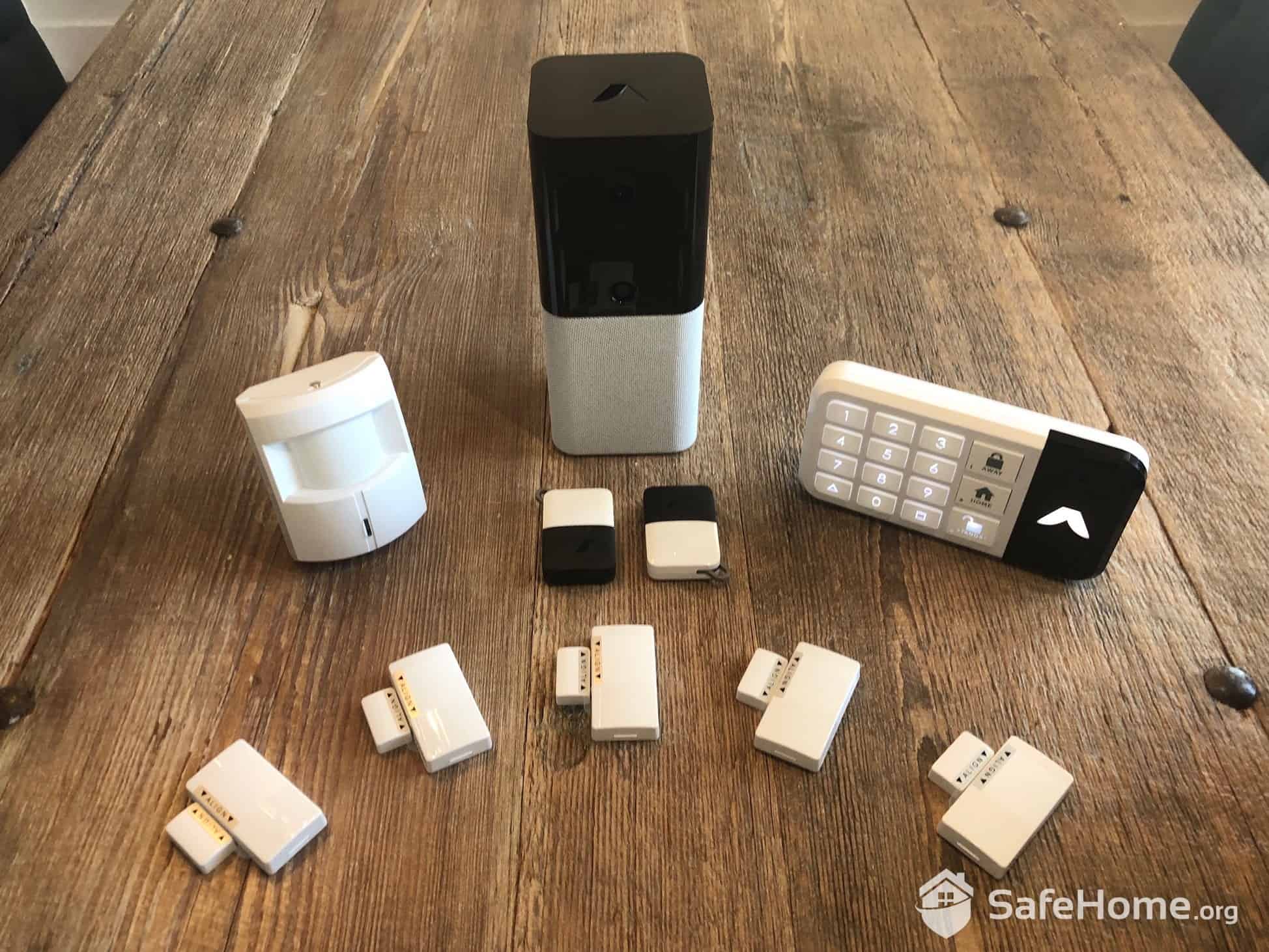
Our Wyze Home Monitoring kit came with the Wyze Sense Hub V2, a motion sensor, the wireless keypad, and two entry sensors. The kit also comes with window decals to advertise your monitored status. These stickers are a proven deterrent that can reduce break-in attempts by up to 60 percent.
Pro Tip: Wyze offers a flexible approach to their equipment packages. Rather than restricting you to fixed kits, you can now select your monitoring plan first, then choose the devices you need.
Not every kit is going to include this equipment, so if you need something else or would like to exclude some items, just head over to the Wyze website. They make it super easy to customize things.
We had the choice of seven core security devices beyond cameras: the hub, keypad, entry sensors, motion sensors, climate sensors, leak sensors, and extension probes for hard-to-reach areas. We didn’t find it as extensive as competitors, but it covers the essentials most homes need.
What truly distinguishes Wyze is the pricing structure. A comparable starter kit runs $99.99 directly from Wyze. Similar packages from SimpliSafe, Abode, or ADT Blu typically cost $200 to $350. That’s a substantial savings, making Wyze an attractive option for budget-minded consumers. Just manage your expectations regarding equipment variety.
We found Wyze’s camera prices competitive. Models cost from $36 to $150 each and include AI-powered features like person, vehicle, package, and pet detection. Wyze also offers professional monitoring, similar to Ring Alarm.
Did You Know? You can self-monitor your Wyze Home Monitoring without paying monthly fees. Keep in mind that you’ll lose professional emergency response capabilities.
The Wyze app won’t win any design awards, but it gets the job done. We found the interface straightforward and functional, serving as a central command center for all our Wyze devices.
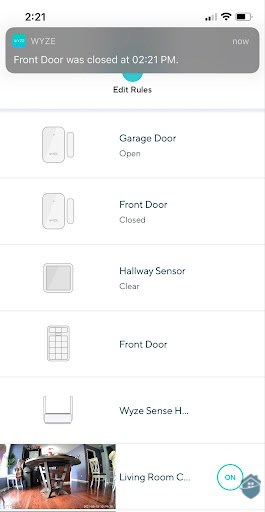
Wyze Sense App Screenshot
Each device pairing typically took about five minutes from unboxing to operational status. We only ran into two delays. The Wyze app needed an update, and our cameras needed firmware installations. These updates added about seven minutes each. In total, we recommend planning for about 45 minutes for a basic setup. Larger installations with multiple sensors will naturally take longer.
Fun fact: Wyze’s evolution from the original Wyze Sense to the current Home Monitoring system reflects significant improvements in range, battery life, and reliability. We noticed the newer equipment uses a more robust wireless protocol that reduces false alarms.
So what’s the final wisdom here?
If you’re looking for home security equipment that’s easy to use and won’t take the entire weekend to set up, you’re going to like Wyze. It’s not a flawless system, but there aren’t a whole lot of drawbacks, either.
Pro Tip: If you’re looking to compare DIY-forward security brands, make sure you pop over to our SimpliSafe review, too. They take a similar approach to home security as Wyze, and their prices aren’t half bad, either.
Now that we’ve talked about the setup, let’s talk about how well their home monitoring services performed.
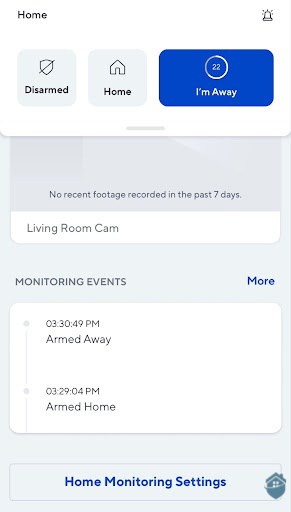
Wyze Sense Home Monitoring Screenshot
We spent a week putting Wyze Home Monitoring through its paces, examining installation nuances, app functionality, and real-world performance. The system stays true to Wyze’s philosophy of simplicity. However, we noticed a few quirks.
To start things off, I’ll discuss the components of the Wyze Home Monitoring kit, as well as how and where I used them in my 1,900-square-foot home.
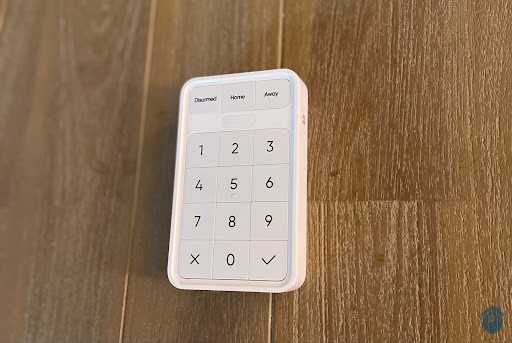
Wyze Sense Keypad
I placed the Wyze Sense keypad right next to the door that leads to my garage, which is where I enter and exit most frequently. That way, it was easy to arm and disarm the Wyze Sense system when someone walked into or out of the house. Believe it or not, this entering and exiting happens quite often around here, as my other job is to serve as head chauffeur to two sporty, active 12-year-olds.
I created a PIN during setup – no, I’m not going to tell you mine – and the rest was just peeling off the adhesive, powering on the keypad, and placing it on the wall.
The keypad runs on rechargeable batteries that last about 12 months between charges. We liked the slim profile (just under an inch thick) and clean white aesthetic, which blended seamlessly with our decor.
We also appreciated the panic button located on the right edge. If you’re in an emergency or someone is following you to your door, pressing this button instantly triggers the alarm and alerts the monitoring center without requiring your PIN.
Besides those, it’s a pretty standard and simple keypad, which matches the theme of Wyze’s simple DIY security system.
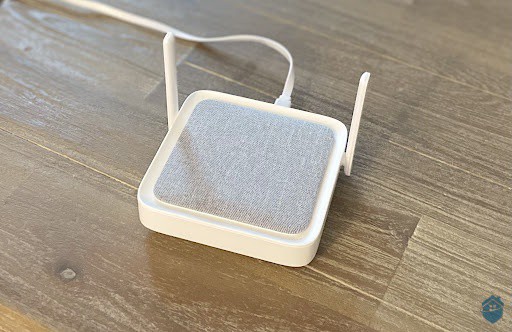
Wyze Sense Hub
The hub serves as the connection between your sensors and the Wyze app. We found the setup to be refreshingly quick. It took us about five minutes to connect to our Wi-Fi. It also doubles as a security device with an integrated 90-decibel siren loud enough to startle intruders and alert neighbors.
Remember the emergency button on the keypad? Yeah, it triggers the hub’s siren. The siren also sounds whenever any of the sensors detect a security breach. That’s super important; professional monitoring is optional with Wyze, so if you’re self-monitoring the system, the siren is going to be your first and main line of defense to drive away intruders.
The Wyze Sense Hub reminded us of a compact router with its square footprint and dual antennas. The mesh-fabric top panel could even pass as premium smart speakers. We’re particular about tech aesthetics, so we appreciate how it complements rather than clashes with our existing smart home devices.
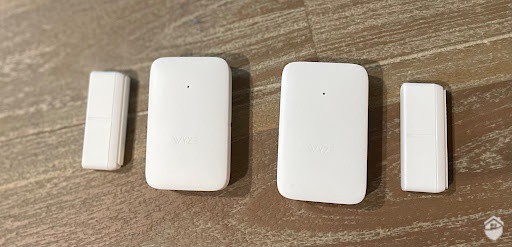
Wyze Sense Entry Sensors
I attached the two entry sensors that came with the Wyze Sense kit on my front and back doors. This helped me make sure one of those active preteens didn’t accidentally leave a door open, which could leave the house vulnerable to intruders. More importantly, these sensors can alert you to a break-in or burglary, whether you’re at home or away on vacation.
You’ve got a couple of choices when it comes to installing entry sensors. However, for the sensors to work correctly, you’ll need to make sure both pieces of the sensor are within an inch apart when you close the door.
One thing I don’t like about these entry sensors is the battery. One AAA battery goes into the main part of the sensor, and according to Wyze, it can last for about 18 months. Most entry sensors I test last for three to five years.
The use of an AAA battery instead of a coin cell battery (which is what’s typically used in entry sensors) also contributes to the sensor’s larger size. It’s not chunky, but I feel like Wyze could have designed the entry sensor smaller to go with the design theme of their other products.
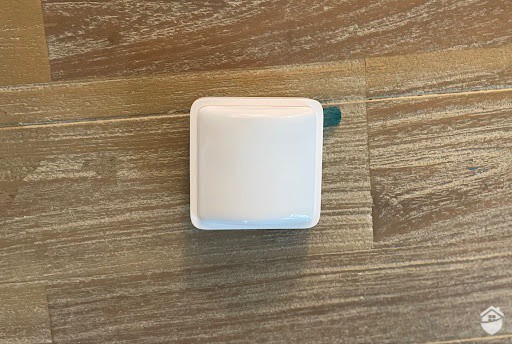
Wyze Sense Motion Sensor
Wyze Sense’s motion sensor detects motion up to 25 feet away and has a 120-degree field of view. Unlike Wyze’s cameras, the motion sensor only detects people, not pets. Knowing this, I decided to place the motion sensor high on my living room wall and let it track all the humans in the house. And it performed as expected.
Wyze specifically designed the motion sensor to diverge from the typical bulgy motion sensors we normally see. It’s square and, even though it has a bit of a bulge in the middle, it keeps a low profile overall. At the thickest, it measures only 1.1-inch. This makes the sensor great for tight spaces, especially for apartment residents with a limited space to work with.
By and large, installing the Wyze Sense kit was a breeze, and even on par with top DIY home security brands like SimpliSafe and Ring Alarm.
Truth be told, most of the time your security system is just going to help you keep an eye on the common comings and goings around your house. That said, will Wyze help protect you when the rubber meets the road? Will this system keep you protected from actual threats?
For me, this question goes back to peace of mind. I already knew Wyze was a reliable camera brand. With the new home monitoring kit, I had another layer of protection at my disposal, and I felt confident knowing it would kick in exactly when I needed it. Peace of mind? Wyze checked that box for me, too.
As I mentioned above, Wyze is a DIY security brand. You’re not going to run into big headaches setting up professional monitoring, especially now that Wyze lets you connect to the third-party monitoring center directly. Previously, with V1 Wyze Sense equipment, I could only access Noonlight through IFTTT (If This Then That) to get my system professionally monitored.2 Moreover, I couldn’t use the V1 Wyze Sense kit without purchasing a Wyze Cam, but that’s no longer necessary.
Take caution here, though: In the unboxing stage, I had trouble finding the activation code to access Wyze’s monitoring. That’s the first step to setting up the system, and without that code, I found myself … stuck.
But alas, all it took was a quick box inspection. I found the redemption code at the bottom of the Wyze starter kit box. That’s the code I used to add six months of professional monitoring to my account, which was included when I bought the Wyze sense kit. So make sure you look under that box – or, if you haven’t deleted your email receipt yet, you can find the code there, too.
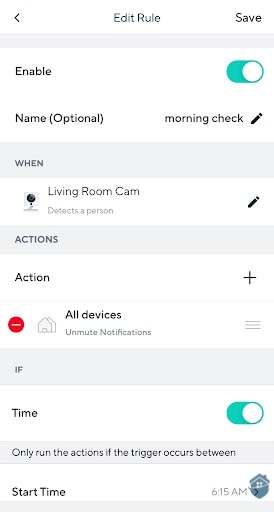
Wyze Sense Schedules and Rules Screenshot
With my system online, I set up a few “rules” and customized which notifications I wanted to receive in the Wyze app. For example, I set up a “rule” to arm the front door after 11 p.m. and before 7 a.m. every Monday through Friday, so if someone tried to break in, an alarm would sound, and the monitoring center would be notified.
I also set rules for away mode, which was useful for times when I knew the house would be unoccupied for several hours at a time. Luckily, no such burglar approached during my tests. But I still wanted to see how Wyze would respond to a threat as I continued testing the system. Here’s what happened when I accidentally triggered the alarm from my front door sensor in my initial tests:
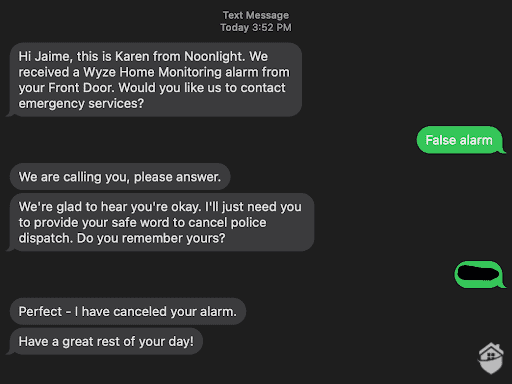 Wyze Sense Text Message Screenshot
Keep in mind here that the entire process – from the time the alarm went off to the time “Karen” canceled my (false) alarm – took no more than a minute. Response times can be critical in a real emergency, so knowing Wyze can act fast was extremely reassuring for me.
If you’re wondering why Noonlight texted instead of calling me, good catch! Most monitoring services will call you immediately in case of an alarm, but not so with Noonlight. First, they send you a text. If you don’t respond within 20 seconds, they give you a call.
That’s kind of like a double-edged sword in my opinion. On one hand, it makes canceling false alarms easier; just text back that it’s a false alarm and give them your safe word. On the other hand, in case of a real emergency, it extends the response by about 20 seconds. They’ll call the police only when you don’t respond to the call. 20 seconds is not a lot of time, but during a break-in, it’s an eternity.
While Wyze products have tons of great qualities, Wyze Home Monitoring might not be the system for you if you’re a hard-core smart home enthusiast. If you’re a fan of security systems that work with Alexa, you may be pleased with the Wyze skill in the Alexa app. You can tell Alexa to show your cameras’ livestreams, and you can ask her if your front door is open. If you added a Wyze smart light bulb to your purchase, you can tell Alexa to turn on your lights when you wake up in the morning.
If you’re not sure which voice commands you can use, the Alexa app comes in handy with tips for how to use Wyze with an Alexa device. But keep in mind you will have to spend some time linking the two accounts together. This is in addition to connecting each Wyze device individually to the app before you can use voice commands to control the Wyze system. It took me about 20 minutes to get everything linked up, and that was just for the core starter kit.
FYI: If I’d bought more equipment and add-ons to the system, I’d be adding more setup time, which sort of cancels out the extra convenience of using voice commands, to be honest. But don’t worry; Wyze makes up for that with a new person detection feature. If you have the V3 Wyze Cam like I do, you can get real-time voice alerts from Alexa, like “Person detected in living room cam!”
In the long run, it’s fairly easy to use an Echo Show or another Alexa-enabled smart speaker to control Wyze devices around the house, but limitations abound. Alexa won’t contact the monitoring center on your behalf in case of an emergency, and it won’t give you battery life updates for Wyze’s sensors.
By and large, using Wyze with smart home speakers is helpful, but it’s not going to provide much in the way of emergency response. For that, a fully monitored system might be a better fit. Check out our review of Vivint, one of the smartest security systems we’ve tested.
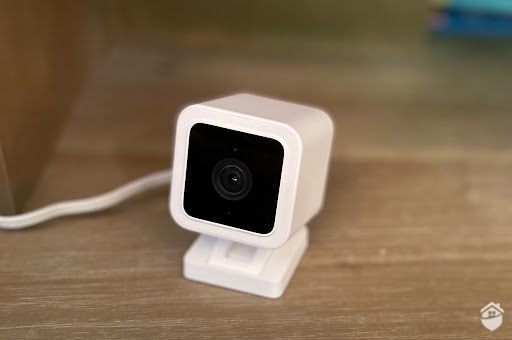
Wyze Sense Wyze Cam V3
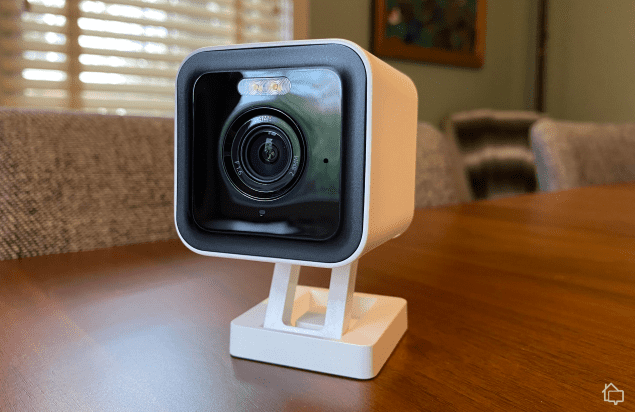
The Wyze Cam v3 isn’t a core component of the Wyze Sense starter kit, but I purchased one as an add-on. The third-generation, 1080p HD, plug-in camera came with some sweet upgrades over the original (V1) Wyze Cam. This includes things like a Starlight sensor for even sharper video quality at night, as well as more motion detection options. (Note: person, pet, and vehicle detection are available, too). The two features combine to record sharper images than V1, which you can learn more about in our full Wyze Cam review.
The new V3 cam also came prepared for the outdoors, with IP65-rated protection from water and dust. The original V1 Wyze Cams had no such weather protection, so again, you’re looking at a more flexible camera that works both indoors or outdoors. Do keep in mind, though, that the Wyze Cam is still plug-in only, with no battery backup.
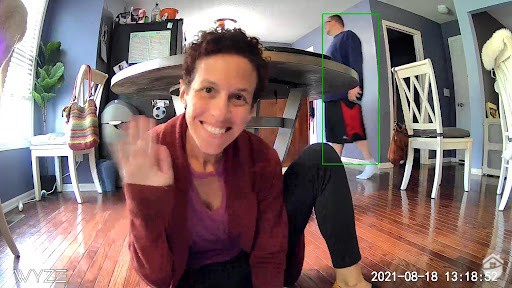
Wyze Sense Camera View
I used the Wyze Cam for various functions around the house, like making sure the kids started their homework as soon as they arrived home from school (and not a minute later!). I loved that when I set the camera to detect people only, Wyze drew a green rectangle to “tag” people in the frame, like my spouse in the background of the image above. This smart detection can help to isolate and notify you of a threat.
Since it’s protected for outdoor use, Wyze Cam also came in handy for me as a discrete set of eyes on my wrap-around porch. OK, I admit, it was actually a plan I hatched to catch my neighbor’s cat in the act of eating my fresh-grown tomatoes off the vine. My plan derailed, but the camera still worked well and even continued to record through an overnight rainstorm without missing a beat.
Throughout the testing period, the camera delivered colorful recordings in 1080p HD, even at night (though things got a little blurry from time to time, but I blamed my occasionally slow Wi-Fi and not the camera itself). Watch my clip below for a pleasant moonlight view:
Later on, when I set the camera to detect pets as well as people, the Wyze Cam helped me make sure our two puppies’ food and water bowls were full while I worked just a room away, as you can see in this video:
Expand your system with the Wyze Cam Pan v3 at Walmart for just $39.97.
There’s no two ways around this — Wyze has recently increased some of their prices. When they first came out, the first iteration of the Wyze Cam retailed for $19.99. The current version costs $35.98, and the pro model runs $53.99. There have been some significant increases in the technology Wyze is packing into these little cameras, but you always hate to see prices creep up as a brand becomes more popular.
This puts Wyze Cam V3 in the same pricing ballpark as the Blink Mini, another affordable (and similarly styled) security camera that you can read all about in our in-depth Blink Mini review, as well as our Blink camera pricing breakdown.
The good news? Despite the upgrades and equipment price hikes, Wyze’s Cam Plus video storage costs have remained staggeringly low at $2.99 per camera per month. Check Wyze’s camera pricing page for more cost considerations.
With all of Wyze’s changes over the years, you might be wondering just how affordable a Wyze Home Monitoring kit is compared to its competitors. We’ve got lots of details in our full Wyze Sense pricing page, but for now, here’s what you can expect to pay for Wyze Home Monitoring:
| Product | Price |
|---|---|
| Wyze Sense Entry Sensor 3-pack | $23.99 |
| Wyze Sense Leak Sensor Probe 3-sensors, 1 probe | $33.99 |
| Wyze Sense Climate Sensor 3-pack | $23.99 |
| Wyze Sense Keypad | $18.99 |
| Wyze Sense Motion Sensor | $8.99 |
The Seattle-based Wyze has become quite popular with renters looking to secure their apartments and is a big draw for pet owners because of their pet-friendly sensors and cameras. While cameras are Wyze’s bread and butter, the brand has added some interesting and unconventional accessories to its lineup over the years, like robot vacuums, sprinkler systems, and even remote-control cars. Some, not all, of these accessories can be controlled using the Wyze app.
| Product | Description | Price |
|---|---|---|
| Wyze Plug Outdoor | Smart plug | $14.99 |
| Wyze Watch | Smart/fitness watch | $33.99 |
| Wyze Robot Vacuum | Room-mapping floor vacuum | $293.99 |
| Wyze Thermostat | Smart thermostat | $73.99 |
| Wyze Headphones | Noise-canceling headphones | $89.99 |
Wyze’s monitoring works differently than traditional security systems with in-house professional monitoring services. Wyze’s monitoring is significantly cheaper than those traditional brands, especially ADT, which charges up to $60 per month.
With Wyze, you’re getting a third-party monitoring center, Noonlight, at the low price of $9.99 per month with the purchase of a Wyze Home Monitoring starter kit. That’s Wyze’s only option to access professional monitoring. If these monitoring options seem too restrictive for you, pop over to our full ADT analysis page or read our Brinks review. Both brands have several monitoring options.
That said, it’s hard to compare dedicated professional monitoring to a third-party monitoring service. With Noonlight, you’re communicating through SMS texts with no guarantee you’re dealing with a real human. That’s one reason Wyze’s monitoring is so much cheaper than those traditional brands.
On the bright side, a professional monitoring plan from Wyze includes a free subscription to Wyze Cam Plus, which is equal to 14 days of video storage for all your Wyze cameras.
Additionally, you can get discounts on the professional monitoring fee if you pay yearly. You’ll only pay $99.99 per year (about $8.33 monthly cost) and you’ll even receive a free Wyze Sense Hub, perfect if you’re still building out your system. This, once again, highlights Wyze’s advantage as a budget-friendly option for DIYers, renters, or even homeowners with basic security needs.
FYI: Choosing home security equipment comes down to your needs and preferences, but monitoring will usually be a fixed cost once you decide on your provider. With that in mind, Wyze’s professional monitoring — at just $9.99 per month — is just about the lowest we’ve seen.
While it doesn’t have the same time-honored reputation as classic security systems like ADT, Alder, and Frontpoint, Wyze is gaining ground in the home security industry as a leading budget brand.
For basic intruder protection, Wyze Home Monitoring is a solid pick. Equipment is lightweight and very easy to install with peel-and-stick backings. You can add more Wyze Cams, like the Wyze Cam Pan (with 360-degree views, to boot) and Wyze Cam Black, to your system, as well as a flurry of Wyze accessories and add-ons such as smart plugs, a smart floor lamp, and even a remote-control car.
Clearly, this brand has something different to bring to the table, and as a working mom, I couldn’t help feeling a little giddy that all of this equipment was so inexpensive. That said, I soundly recommend Wyze Home Monitoring as a great choice for the budget-conscious, but if you’re looking for a system with greater protections, this might not be for you.
The Wyze core starter kit comes with a Wyze Sense hub, a keypad, two entry sensors, and one motion sensor. Cameras are not included.
No, Wyze is an independent security brand and is not owned by Amazon. The company’s founders did meet while working at Amazon, though.
Yes. With both the Wyze Home Monitoring kit and the Wyze Cam V3, you can set Wyze to detect people, vehicles, or just all motion.
Wyze Home Monitoring is very easy to install. Its sensors are battery-powered, wireless, and come with adhesives, so all you have to do is peel and stick the equipment wherever you’d like. Wyze Cams, however, are wired and require access to a power outlet.
Yes, but it’ll become a local alarm system, and you won’t have access to push notifications, professional monitoring, or two-way audio.
Roston, Brittany A. (2021, Apr 13). Wyze teams with Noonlight to offer smart home users 24/7 monitoring. Slash Gear.
https://www.slashgear.com/wyze-teams-with-noonlight-to-offer-smart-home-users-24-7-monitoring-13668223/
Martin, James A. and Matthew Finnegan. (2020, Sep 25). What is IFTTT? How to use If This, Then That services. COMPUTERWORLD.
https://www.computerworld.com/article/3239304/what-is-ifttt-how-to-use-if-this-then-that-services.html