Brinks Home has roots tracing back over a century. Combining fully customizable security setups with reliable professional monitoring, they’re one of the most recognized names in the industry. In 2010, Brinks Home merged with ADT, making it part of one of the largest home security providers in North America.1
There’s a lot we like about Brinks. They have a stellar reputation, some of the best equipment in the industry, dependable professional monitoring, and fast response times. That said, there are some trade-offs to consider. Before we dive in, here’s a quick look at the pros and cons.
PROS
Rate-lock guarantee
High-quality modern security system
Third-party smart-home integrations
Strong home automation
Alarm.com equipment
CONS
App can be inconsistent; some users report glitches and reliability issues
Lack of pricing transparency
Requires a 36-month contract
Some components and sensors look dated
Plus: Our Team's Featured Picks
Check out more recommendations from the SafeHome team:
Brinks — named for their founder Perry Brinks — can trace its history in the home security space back to the 1800s. It wasn’t until the 1990s, though, that Brink’s Home Security came to be. They’ve also since dropped the apostrophe from their name while partnering with other security providers to offer customers higher tech features and solutions.
Throughout the ’90s and early 2000s, the company built serious momentum, with offerings that competed with ADT home security systems. Then — poof! — the brand seemed to vanish. After Broadview Security (formerly Brink’s Home Security) was acquired by ADT in 2010, the Brinks name fell off the map for nearly a decade. Fast forward to 2018, and Brinks Home Security made a notable comeback when MONI Smart Security rebranded under the Brinks name, re-establishing itself as a competitive player in the industry.
First Impressions
We appreciated that Brinks sells straightforward equipment bundles that are easy to use and customize.
What we didn’t love is that Brinks locks you into a multi-year contract. Most commitments run 36 months or longer, depending on the package and any active promotions. That’s a serious commitment. We had to find out whether Brinks is actually worth it for the long haul. Let’s see.
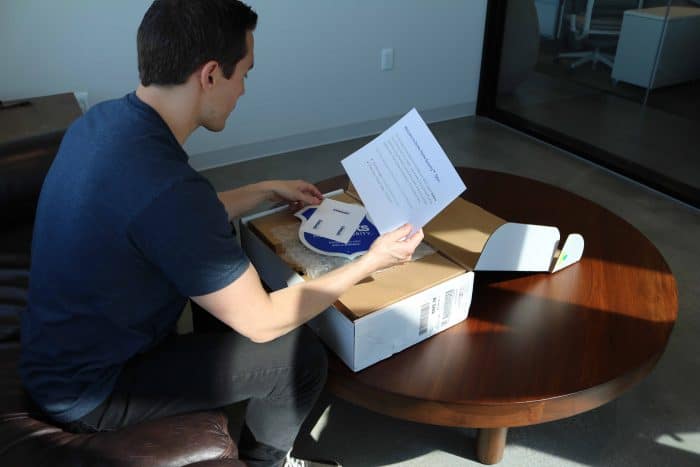
SafeHome.org Editor Andrew Garcia unboxing the Brinks Home Security system
The Brinks Experience
One of the first things we noticed about Brinks home security is the consultative approach baked into the buying process. It shows up immediately on the website. Unlike ADT, there’s no option to buy directly online. Instead, we worked with a sales rep who customized a package to fit our specific setup.
There’s something to like here. A consultative approach avoids the one-size-fits-all trap that hurts some competitors. But the lack of a self-serve option is a real limitation, especially since ADT, a direct rival, gives customers the choice of calling for a quote or buying online outright. It’s not a dealbreaker, but it’s worth knowing going in.
Below is a breakdown of the packages Brinks offers, based on pricing from our most recent hands-on test. Pricing in your area may vary, but this should give you a solid sense of what to expect cost-wise.
Brinks Home Security Packages and Pricing
Smart Security Essential
Smart Security Complete
Smart Security Ultimate
Equipment Price
$199.00
$349.00
$699.00
Monthly Monitoring Price
$39.99
$44.99
$54.99
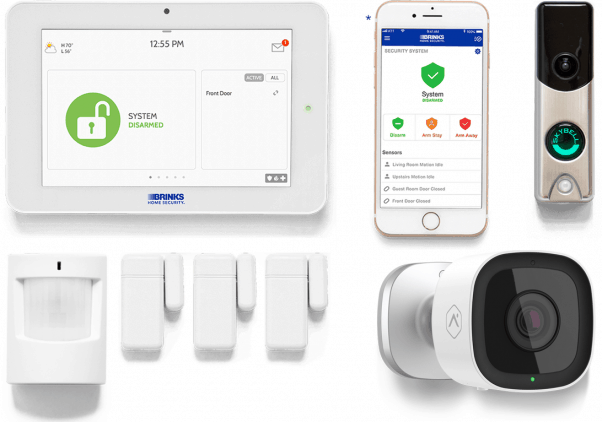
Touch-Screen Control Panel
1
1
1
Wireless Door Sensors
2
2
3
Wireless Motion Sensor
1
1
1
Yard Sign and Stickers
1
1
1
HD Video Doorbell
Not Included
1
1
Outdoor Camera With Night Vision
Not Included
Not Included
1
These tiers give a solid sense of how Brinks structures its packages and what to expect at each price point. That said, since every configuration is tailored to the individual customer, your actual quote may look a bit different. It’s worth confirming current pricing and availability directly with a Brinks representative, since offers can shift.
Brinks runs on a fully customizable model, so working with a rep means handpicking exactly what you need, including security cameras, sensors, smart locks, and thermostats. A zero-percent APR financing option is also available to help spread out the cost.
FYI: Brinks Home Security offers a 30-day, money-back guarantee, and a two-year warranty on equipment.3
Installation
Brinks offers free two-day shipping, so everything we needed to get set up arrived on the doorstep quickly. True to the company’s shift toward a more DIY-friendly model, installation was straightforward, taking about 30 minutes start to finish in our testing. Not quite as fast as SimpliSafe, but solidly in the same ballpark.
For anyone who’d rather skip the DIY route, Brinks lets you text or call customer care to schedule professional installation, which comes with a fee. Worth noting too that professional installation has historically been bundled into the Ultimate package, a nice perk if that’s the tier you’re leaning toward.
Testing Brinks
Once the devices are in place, the focus shifts to the equipment and monitoring service itself. Brinks sources much of its hardware from established manufacturers, so the devices feel high-quality and dependable, and they communicate well with each other and the central hub.
That integration matters more than it might seem. Testing each component individually only tells part of the story. The real measure of a security system is how well everything works together, and with Brinks, that communication held up seamlessly in our testing, which translates to better protection against break-ins, burglaries, and package theft.
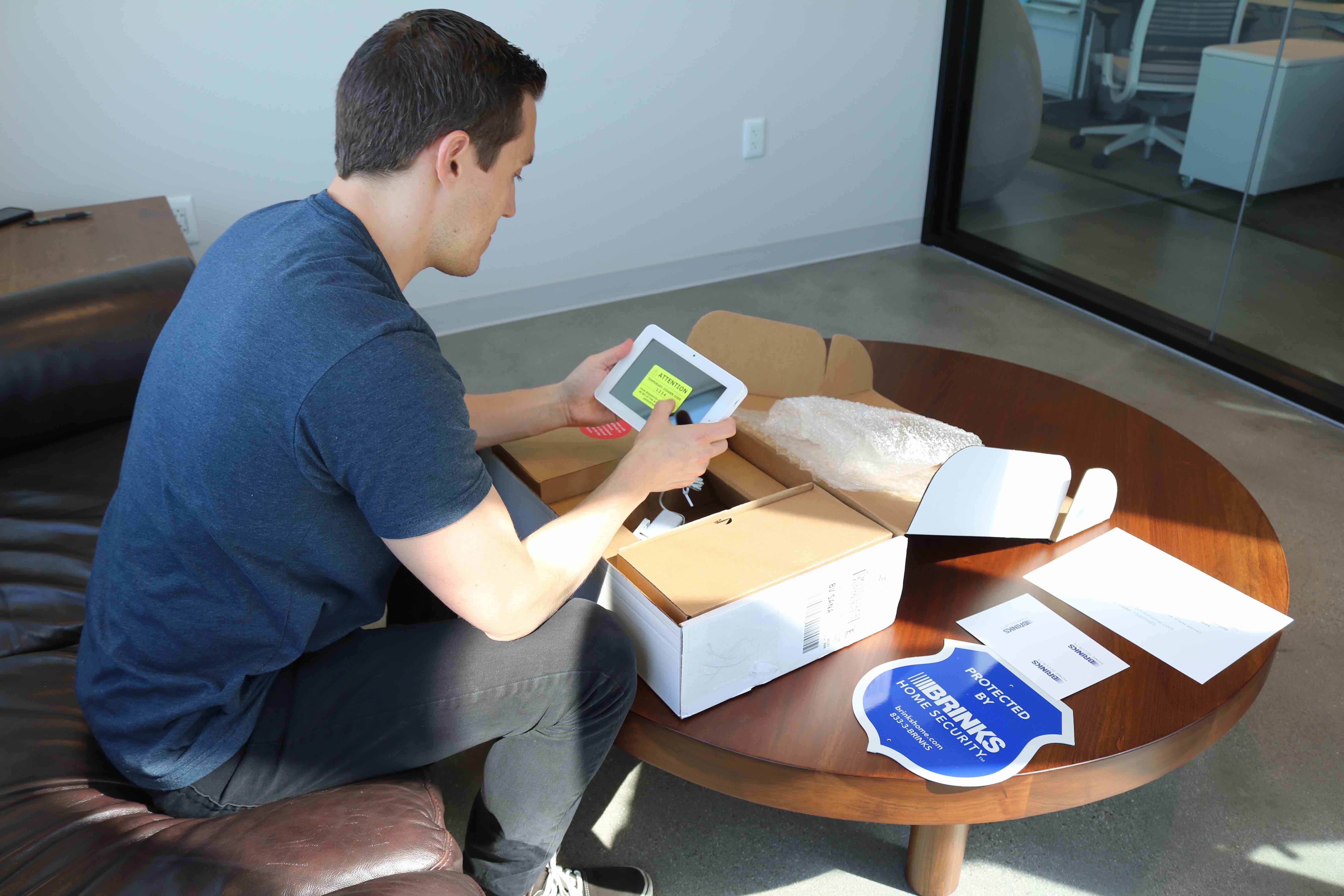
SafeHome.org Editor Andrew Garcia evaluating the Brinks IQ 2.0 Control Panel
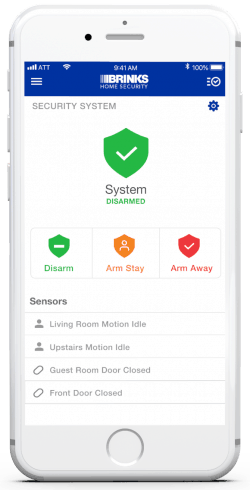
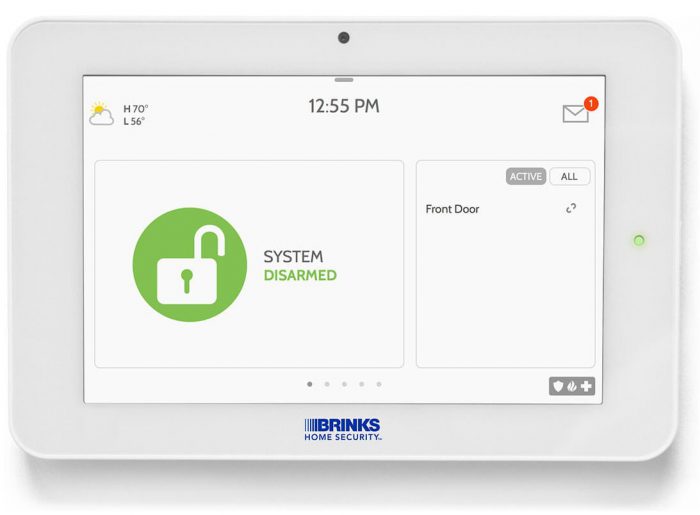
You’ll be able to arm and disarm the alarm and perform other commands using the Brinks Smart Hub — a sleek touch-screen control panel that serves as the nerve center of your system. You’ll also be able to control your system remotely with the Brinks app. The app gets the job done, but it doesn’t match the polish of the Ring app or the ADT+ app. Its interface felt basic compared to how advanced my Brinks system actually was. That said, Brinks has continued to refine the Smart Hub experience with meaningful improvements from earlier control panel options.
Did You Know? Many home security companies offer free self-monitoring through their apps. Brinks is not one of them. While you can access and control your system using the Brinks Home app, you have to pay a monthly fee for professional monitoring.
During our testing, Brinks’ entry sensors and motion detectors were highly responsive. We didn’t experience any false alarms. When the alarm triggered, a Brinks monitoring agent contacted us to assess the situation. It gave us greater confidence in the system’s ability to protect against burglary and home invasions.
While we strongly recommend professional monitoring, we wish Brinks offered a free self-monitoring option. Most DIY systems, such as SimpliSafe, let customers use their equipment without monthly fees, but professionally installed systems like Brinks require a subscription. If you’re looking for self-monitoring, check out our guide to the best home security systems with no monthly fee.
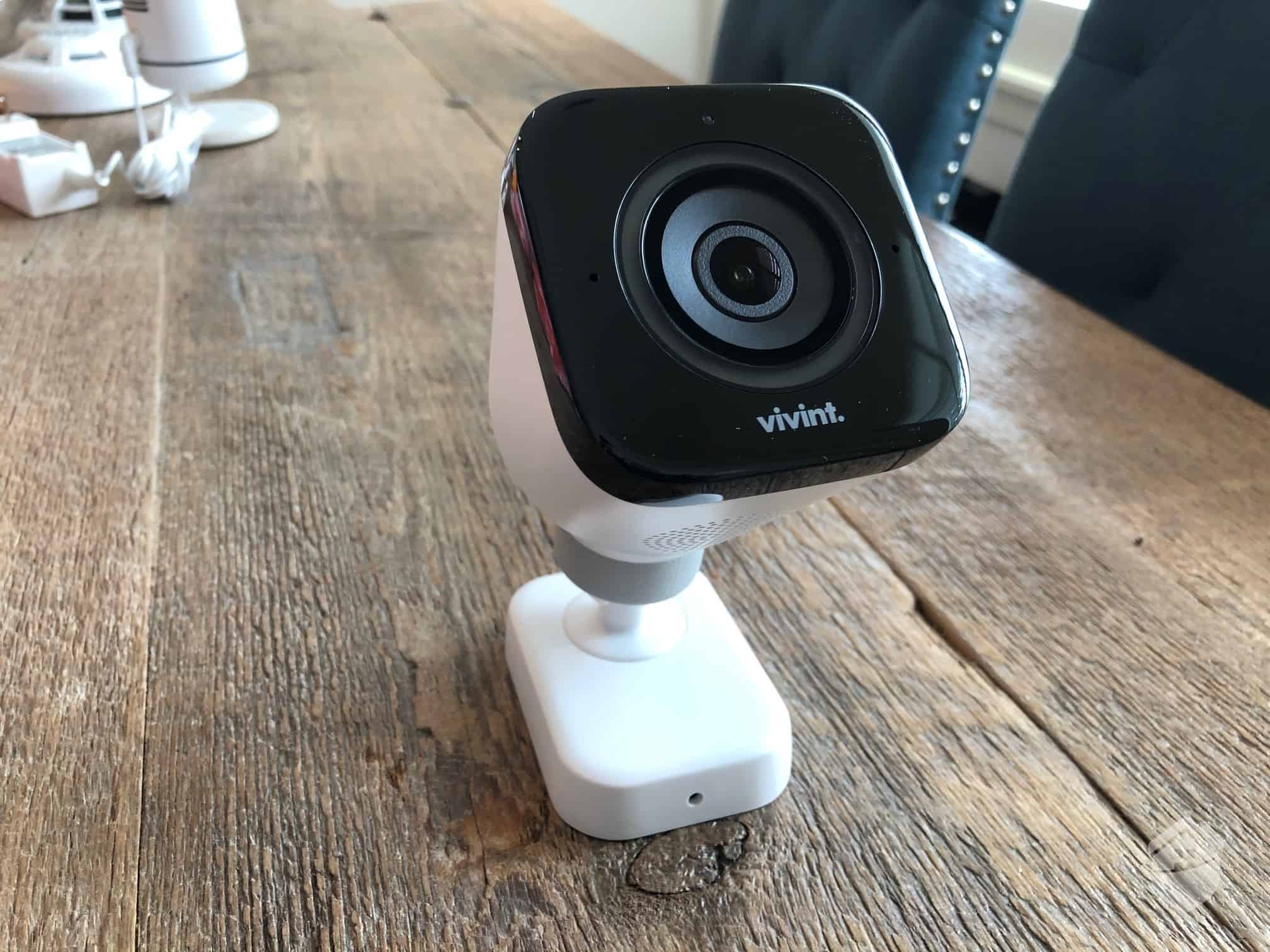
The SkyBell doorbell camera delivers 1080p HD video quality, bringing it in line with most doorbell cameras on the market today. The outdoor security camera is a bit better, with improved image quality and ease of use. Brinks also offers an indoor 1080p HD camera.
Brinks Monitoring
Brinks home monitoring depends entirely on the size of the package you select. Generally speaking, it’ll run you between roughly $39.99 to $54.99 per month. For context, the industry average hovers around $25 to $50 per month, so Brinks sits slightly above the middle of that range.
Pro Tip: If you’re worried about upfront costs, Brinks offers equipment financing options, allowing you to spread payments over time with approved credit.
Brinks home monitoring cost depends on the size of the package you select. Generally, it will run between roughly $39.99 to $49.99 per month. For context, the industry average hovers around $25 to $50 per month, so Brinks is at the higher end of that range.
All these features work together to protect your home from crooks and criminals. LiveVoice Assist connects you to a monitoring agent quickly and conveniently through the control panel during emergencies. ASAPer makes communication a bit easier despite the chaos an unexpected alarm might cause. And cloud storage keeps video evidence of events, which you can use in case of a break-in.
Brinks Add-Ons and Upgrades
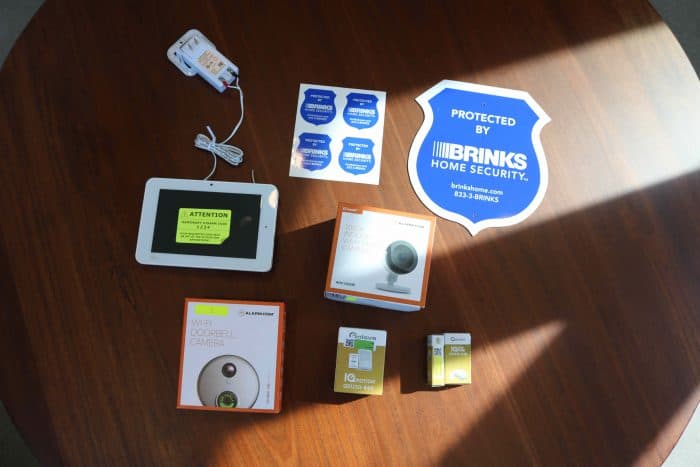
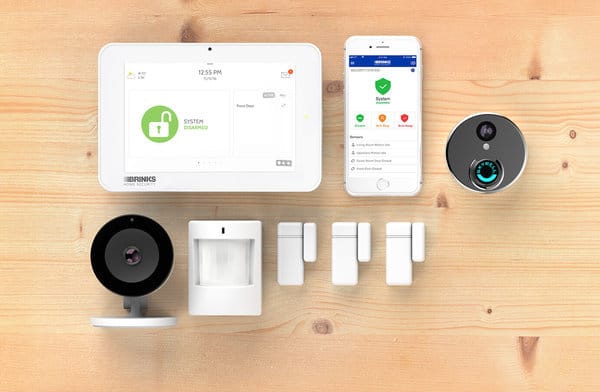
Brinks Home Security offers an extensive lineup of add-ons and upgrades. During our testing, we found the equipment durable and reliable. You can add any of these items to your equipment package:
Door and Window Sensor – Add additional sensors to your home security system for $29 apiece, which is a great deal.
Motion Detector – Cover more rooms and entryways with add-on motion detectors at $59 each. (These are designed to recognize and ignore pets under 40 pounds.)
HD Indoor Camera – You can set up extra indoor cameras inside your home for $199 per camera. (This is a bit pricey compared to the industry average.)
IQ Smoke Detector – Protect your home and family against fires with the Brinks IQ Smoke Detector for $89.
Smart Home Automation – Your Brinks alarm system serves as your hub for dozens of smart home devices that integrate with Google Assistant, Amazon Alexa, Apple, and other home automation platforms.
Other Emergency Devices – Brinks also sells fire ($99), flood ($49), and glass-break detectors ($79), so you can be prepared for any disaster.
While Brinks offers solid equipment options, we found its camera lineup is a mixed bag. Some models are priced higher relative to their features and real-world performance. If you’re drawn to Brinks for their core security equipment, it’s worth comparing their camera offerings against third-party alternatives that might deliver more bang for your buck.
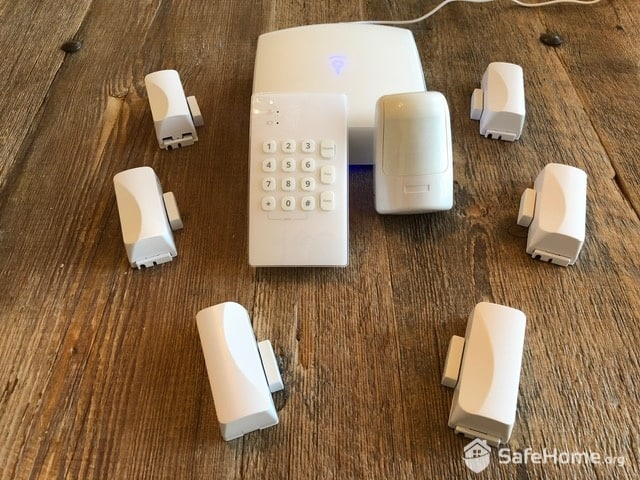
Our Brinks Home Security Test Equipment
Brinks Features and Tech
Brinks Home Security focuses on practical, affordable solutions rather than cutting-edge technology, making it ideal for budget-conscious homeowners wanting professional monitoring. If you prefer the latest equipment, check out Vivint home security packages. Despite its streamlined approach, Brinks delivers several useful features that enhance everyday home security.
Smartphone Controls
The Brinks security app lets you arm, disarm, and tap into your live video streams using your smartphone or other mobile device.4 This feature performed well for me, but I’d like to see a more user-friendly design.
On the bright side, just having an app improves a security system tremendously. Security apps let you control and monitor your system from anywhere, so even if you’re away, you can use it to protect your home. Specifically with the Brinks app, I was able to check camera live footage and use two-way talk to speak with visitors. If there were a burglary, that feature could have served as a great crime-stopper.
Cloud Video Storage
Brinks’ upper-tier plans include cloud video storage, letting you save recorded clips and footage for later review or use as evidence. Cloud storage typically runs an extra $5 to $10 per month at competing companies, so having it bundled into select Brinks plans is a genuine perk. While recorded video won’t stop a break-in in real time, having that footage on hand can be valuable — whether you’re working with local law enforcement or filing an insurance claim after the fact.
Brinks IQ 2.0 Control Panel
Brinks IQ 2.0 Control Panel features an LCD touch-screen for a streamlined look and user-friendly operation. It gave me greater control over my system than I typically get from a push-button panel. And the Brinks panel doubles as a smart home hub, seamlessly connecting all the smart devices in the house into one central unit.
30-Day Guarantee
While their warranty isn’t exactly a feature, it’s certainly worth mentioning here. All Brinks equipment comes with a 30-day, money-back guarantee. This assurance allows you to test- drive their system for a full month to ensure it’s right for you. If you find it’s not the best fit, simply return it for a full refund. It’s worth noting that while a 30-day guarantee has become fairly common in the industry, plenty of companies still skip it altogether — so the fact that Brinks includes it is a small but meaningful win for buyers who aren’t sure if they’re ready to commit.
Brinks Specs
Communication method
Cellular, Wi-Fi
Professional monitoring
Yes (required)
Setup and installation
Professional
Setup time
30 minutes
Average response time (professional monitoring)
30 seconds
Control panel
Touchscreen
Equipment options
Entry, motion, glass break, etc.
Indoor and outdoor security cameras
Yes
Home coverage
1,500 – 3,000+ sq. ft.
Compatibility of companion app
iOS and Android
Warranty on equipment
2-year
Monthly cost for monitoring
$39.99 to $54.99
Equipment cost
$199 to $699
Equipment financing
Available
System release date
2018
Brinks Customer Service Experience
Quality customer service makes all the difference, and Brinks excels here. They offer ASAPer and LiveVoice assist, ensuring highly trained emergency personnel are always available. Traditional customer support channels are staffed by Brinks security experts.
Phone support connects you directly with their dedicated care team, and you can even text in your questions — a convenient touch you don’t see everywhere. Every time we reached out, the experience was solid and consistent. Staff were friendly and genuinely helpful, even when we threw some trickier questions their way.
Tip: Never underestimate the importance of customer service when choosing a home security company. You never know when you’ll need tech support, billing assistance, or help getting out of your contract in a pinch.
For website contact, a ticketing system is available. Extensive self-service resources answer most basic issues. There’s also a Brinks online community where you can connect with other users to ask questions and share solutions.
Brinks customer support options including phone, text, and online community
On the customer satisfaction front, Brinks Home holds an A+ rating with the Better Business Bureau as of 2026. This reflects the company’s ongoing efforts to resolve customer complaints spanning billing, tech support, and general inquiries. It’s not a perfect score, but it signals they actively work to resolve issues rather than letting them pile up.
The Last Word
Overall, Brinks impressed us as a solid system for the money. In our testing, the touchscreen control panel felt genuinely modern, setup took about 30 minutes, and the entry sensors and motion detectors were consistently responsive — we didn’t run into a single false alarm during our time with the system.
If we were buying again, we’d likely go with the Smart Security Complete package. It keeps equipment costs down without giving up much, and between the deep customization, solid smart home integrations, and flexible financing, Brinks delivers real value for homeowners who want professional monitoring without doing the installation themselves.
The trade-off worth weighing is the contract. Brinks typically locks you into 36 months, and some customers report the cancellation process is strict. That’s worth factoring in up front. That said, for anyone planning to stay put and wanting long-term, professionally monitored protection, that commitment is easier to justify. All in all, it’s a system we’d recommend.
Our Methodology: How We Test Security Systems
We’re dedicated to providing unbiased reviews, and our team identifies brands offering dependable, high-quality security equipment and monitoring services. Our process begins with extensive research, meticulously gathering and comparing information on various systems.
Once we identify reliable systems, we purchase and install them in our homes for hands-on testing. We conduct extensive feature testing and assess each system’s strengths and weaknesses in protecting our homes and families. We even simulate burglaries, home invasions, and package theft scenarios to evaluate breach detection.
Testing typically lasts at least a week, though we often keep systems up to a month to understand long-term use. Then we write first-hand accounts covering ease of use, performance, features, customer service, pricing, and more.
Guardian Protection is a regional provider, so coverage varies by ZIP code even within its service states. The fastest way to check is to enter your address on Guardian’s site or ask a rep directly when you call for a quote.
Not always. Paying for equipment upfront and skipping financing or promo deals is the most reliable way to avoid a contract with either provider — just confirm that in writing before you sign anything, since contract terms can vary by rep and by current offer.
ADT’s flagship Pro Install system requires professional monitoring, but ADT’s DIY line, ADT Blu, offers self-monitoring plans starting at $9.99 per month. Guardian requires a paid professional monitoring plan across all of its packages, with no self-monitoring option.
In most cases, yes — maintaining a professional monitoring subscription with either provider can qualify you for a homeowner’s insurance discount. Both providers can supply a Certificate of Monitoring for your insurer.
ADT owns and operates its own network of monitoring centers — 12 nationwide, six of which are dedicated to residential customers. Guardian also provides professional monitoring, though it’s less transparent than ADT about its monitoring infrastructure.
As a home security expert and Managing Editor for SafeHome.org, Rob Gabriele has written and edited over 1,000 articles related to home security. His expertise is in smart home protection with thousands of hours of testing and research under his belt. Formerly a reporter and producer for the USAToday network, Rob has been a writer and editor for over 10 years. He holds a Master’s of Science with an emphasis on writing from the University of Montana, and he currently lives in Indianapolis, IN.
 Updated August 22, 2026
copied!
Updated August 22, 2026
copied!