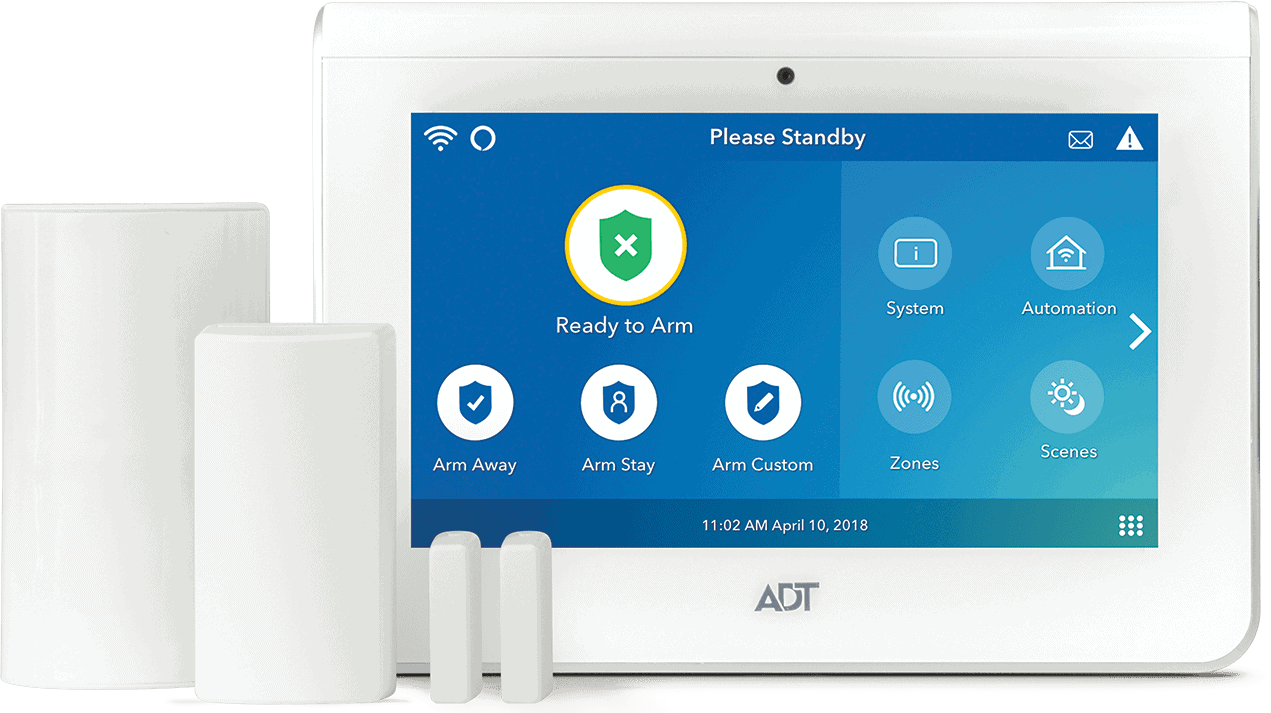


ADT has come a long way from being just a home security system with a big blue yard sign. These days, they're trying to compete in the smart home space with a surprisingly robust automation platform. After spending time with ADT's automation ecosystem, we can tell you it's more capable than most people realize. It's also not without its quirks, even though ADT is still one of the best home security systems we’ve tested. Let's break down what ADT actually offers for home automation and whether it's worth the investment.
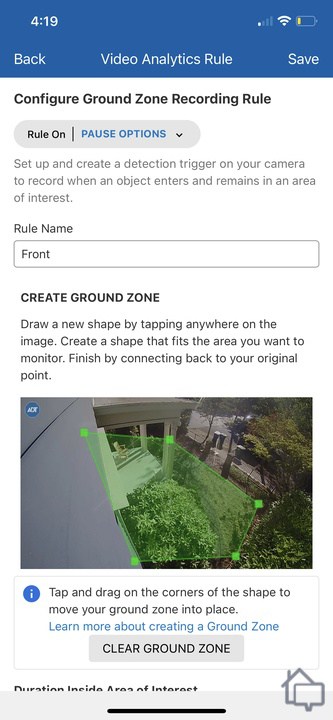
We set up motion zones in ADT+ to reduce false alarms from passing traffic.
Pros and Cons
Pros:
- Google Nest devices included with most equipment bundles
- Geofencing automates arm/disarm functions seamlessly
- Z-Wave and Matter support for broad compatibility
- Trusted Neighbor feature for remote access control
- Professional monitoring backs up automation features
Cons:
- Requires professional monitoring subscription for full automation features
- Equipment costs higher than DIY alternatives
- Limited third-party integrations compared to standalone platforms
- Some Nest devices require professional installation
Google Nest Integration: ADT's Smart Home Foundation
ADT partnered with Google in 2020, and that relationship has shaped their automation strategy. Most ADT equipment packages include Google Nest devices, like the Nest Doorbell (battery) we reviewed or Nest Cam (outdoor or indoor, battery) we tested. The integration isn't just about slapping a Google logo on the marketing materials. It's actually baked into how their system operates.
The practical benefit here is that your ADT security sensors can trigger your Nest devices. For example, if your door sensor detects entry while you're away, your Nest Cam automatically starts recording. Similarly, if your smoke detector goes off, your Nest Thermostat can shut down your HVAC to prevent smoke circulation. We think this is a useful safety feature that demonstrates thoughtful integration.
What impressed us most was how smoothly voice control works. You can use Google Assistant or Amazon Alexa to arm your system, check sensor status, or view camera feeds on your Nest Hub.
Pro Tip: If you already own Google Nest devices, check with ADT which models are compatible before signing up to avoid buying duplicates.
Trusted Neighbor: Remote Access Without Sharing Codes
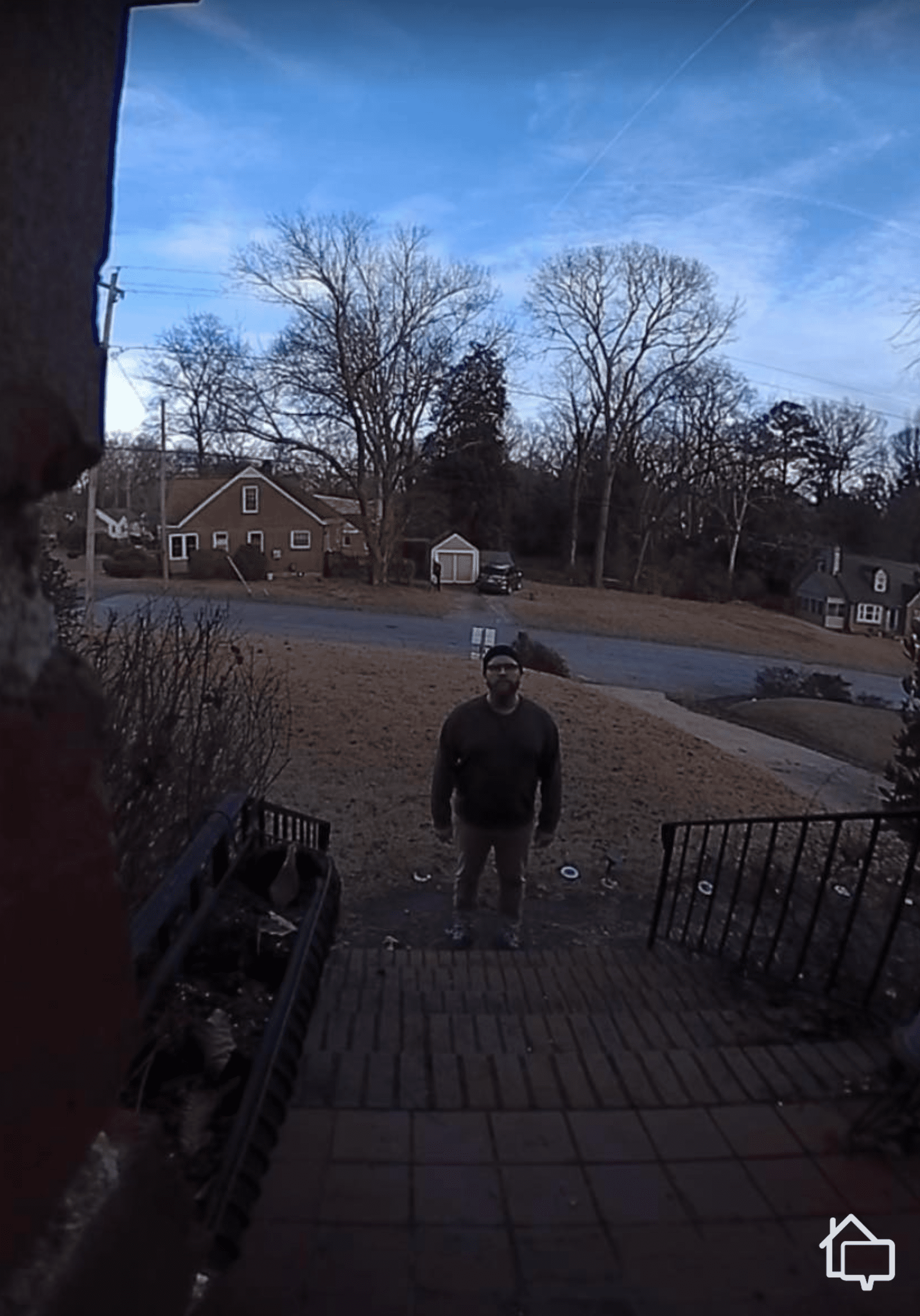
ADT Trusted Neighbor can unlock smart locks and disarm the system when the Nest Doorbell recognizes an authorized person.
Trusted Neighbor is an ADT feature that can let someone you trust into your home without giving them your alarm code or a physical key. Everything is done through the ADT+ app, and you don’t even have to approve entries manually.
Here's how we used it in our testing. We set up a Trusted Neighbor profile for our dog walker who comes every Tuesday and Thursday at 2 PM. They can access our home only during those specific time windows. When they arrive, our Nest Doorbell recognizes their face and lets them know through the ADT+ app that they are allowed to enter. They can then use the ADT+ app to disarm the system and unlock our ADT smart lock. With smart lock purchases growing each year, solutions like this will become a necessity, and ADT is leading the charge.1
The feature also works for permanent trusted neighbors, like adult children, close family members, or property managers who need ongoing access. You can customize their permissions, including whether they can view cameras, control smart home devices, or just disarm the alarm. The only catch is that you and your trusted neighbor need the ADT+ app installed and an ADT account.
FYI: We like that Trusted Neighbor creates a log entry in your ADT app, so you always know exactly when someone enters and exits your home. It’s useful for tracking when older adults leave the house or kids arrive home from school.
Home-Away Geofencing: Automation That Tracks Your Location
ADT's geofencing feature uses your smartphone's location to automatically arm and disarm your system based on whether you're home. The system creates a virtual boundary around your home. During our testing, it was about a half-mile radius. When we left that boundary, ADT automatically switched to “Away” mode, arming our sensors and activating cameras. When we returned, it switched to “Home” mode.
Here's where ADT gets smarter than geofencing features from other companies. The system can account for multiple family members. If you leave for work but your spouse is still home, the system stays in “Home” mode. It only switches to “Away” when the last person leaves the geofence perimeter. This prevents the false alarms that plague simpler geofencing systems.
Like Frontpoint, you can tie geofencing to other smart home actions. For instance, when you leave, your smart thermostat can automatically adjust to an energy-saving temperature, and your smart lights can turn off. Smart thermostats are known to save homeowners up to 10 percent on heating and cooling costs annually.2 Geofencing helps maximize those savings by ensuring adjustments happen automatically.
>> Check Out: The Best Smart Home Automation Security Systems in 2026
Smart Home Device Control: Lights, Locks, and Thermostats
ADT supports the major smart home device categories you'd expect: smart locks, lights, thermostats, garage door controllers, and cameras. The ADT+ app serves as your central control hub, which is one of the best security system apps we’ve tested.
Smart Locks
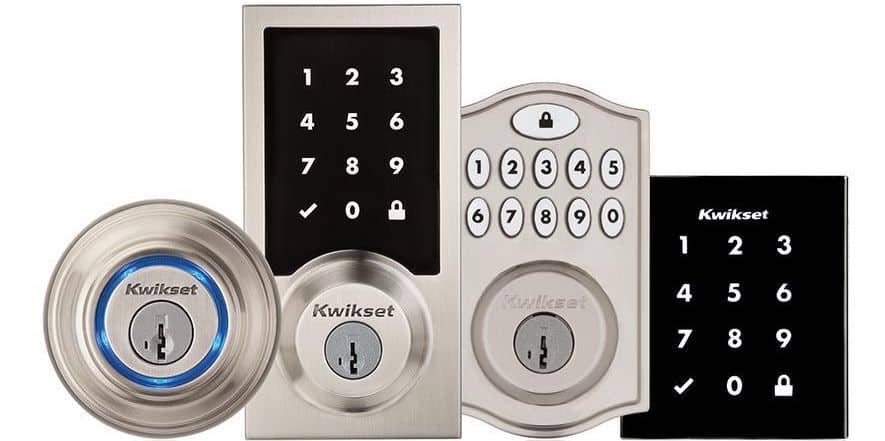
Yale smart locks are available on ADT’s website, but Kwikset devices can also be connected to your system.
Smart locks are probably the most popular automation add-on. ADT offers the Yale Assure Lock 2 and Yale Assure Lock on its website. You can also integrate Kwikset offerings. Both are solid brands with good track records, but with Yale, ADT can professionally install the device for you. You can control these locks remotely, receive notifications when they're used, and integrate them with your security system. For example, we created a “Goodnight” scene that locks all our doors and arms our system at 10 p.m. when we go to bed.
>> Check Out: The Best Smart Locks of 2026
Smart Lights
ADT lets you control Z-Wave compatible bulbs and switches through the ADT+ app. You can set lights to turn on automatically when motion is detected or when your alarm is triggered. The only limitation with ADT's smart home control is they don't integrate with every smart device on the market. If you've already invested heavily in a specific ecosystem, check compatibility before committing to ADT.
>> Find Out: Can Smart Lights Deter Burglars?
Smart Thermostats
Thermostat control works with Google Nest, as well as Honeywell and ecobee. Beyond basic temperature adjustments, you can tie thermostat settings to your security modes. We have it set to lower the temperature when we’re not home and the alarm is armed, then return to comfortable temperatures when we’re back and the system is disarmed.
FYI: ADT's smart garage door controller can automatically close your garage if it's been open for more than 10 minutes. We’ve used it several times when we were in a rush and forget to close it manually.
Z-Wave and Matter Support: Future-Proofing Your System
ADT supports Z-Wave and Z-Wave Plus technology. Z-Wave is a wireless protocol specifically designed for home automation, and it's known for reliability and low power consumption. There are over 4,500 certified Z-Wave products available, giving you substantial flexibility in building out your system.3
That said, we discovered that ADT uses a proprietary hub that combines their security panel with Z-Wave control. This means you can't use a third-party Z-Wave hub with ADT equipment. You also can't use ADT's hub without a professional monitoring service. It's an all-in-one approach that simplifies setup but reduces flexibility.
ADT also supports Matter, the new smart home standard backed by Apple, Google, Amazon, and Samsung. Matter launched in late 2022 with the promise of making all smart home devices work together regardless of manufacturer. While Matter device availability is still ramping up, ADT's commitment to supporting it suggests they're thinking about long-term compatibility.
>> Find Out: 5 Smart Home Dangers to Look Out For
Automation Rules and Scenes Via the ADT+ App
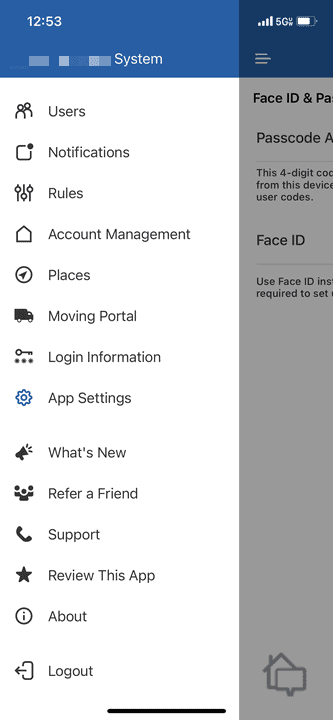
We set up our rules, scenes, and schedules inside the ADT+ app.
The ADT+ app is where all the smart devices and features come together to create automation. The app lets you create rules (if X happens, do Y) and scenes (activate multiple devices with one command). These rules are powerful but require careful setup to work effectively. For example, we set up one when the smoke detector activates. The rule unlocks all doors and turns on all lights so everyone can get out quickly.
We found scenes to be simpler and more immediate. Our “Leaving Home” scene locks all doors, arms the system in Away mode, adjusts the thermostat to 68 degrees, and turns off all lights. We can trigger scenes manually through the app or via voice commands with Google Assistant. Our recommendation is to start with simple scenes before building complex rules. We found it the best way to learn how devices respond and identify conflicts that trigger unexpected behaviors.
You can also use the scheduling feature to turn on your lights every evening at sunset (the app knows your location and adjusts seasonally), or schedule your thermostat to warm up the house before you wake up. The app interface is not as polished as dedicated smart home platforms like SmartThings or Home Assistant, but it gets the job done. One advantage ADT has is that it combines security and automation in one platform. For instance, triggering automation based on security modes is seamless in ADT+ but requires workarounds with competitor setups.
ADT Pricing and Plans
ADT's automation features are tied to its professional monitoring plans. Here's what you're looking at:
| Feature | Secure | Smart | Complete |
|---|---|---|---|
| 24/7 Intrusion, Hazard, and Environmental Monitoring | Yes | Yes | Yes |
| Voice Control | Yes | Yes | Yes |
| Smart Home Automation Alerts | No | Yes | Yes |
| Security Camera Support | No | No | Yes |
| Trusted Neighbor | No | No | Yes |
| Monthly Cost with DIY Installation | $24.99 | $29.99 | $39.99 |
| Monthly Cost with Professional Installation | $34.99 | $39.99 | $49.99 |
Equipment costs are separate and vary based on what devices you select. Basic packages start at $269 for the Base and an entry sensor, but most people end up in the $1,000 to $1,500 range after adding cameras, smart locks, and sensors for multiple entry points.
Pro Tip: ADT discounts equipment frequently and even offers free devices from time to time. We recommend keeping an eye on our ADT Black Friday and ADT Cyber Monday pages for the best deals.
ADT Equipment Costs
Here's the cost breakdown for individual devices available on ADT’s website that you can add to your security system:
| Device | Cost |
|---|---|
| Google Nest Doorbell (wired, 3rd gen) | $179.99 |
| Google Nest Doorbell (battery) | $179.99 |
| Google Nest Cam Indoor (wired, 3rd gen) | $99.99 |
| Google Nest Cam Outdoor (wired, 2nd gen) | $149.99 |
| Google Nest Cam (outdoor or indoor, battery) | $179.99 |
| Google Nest Cam with floodlight | $279.99 |
| Google Nest Hub | $99.99 |
| Google Nest Thermostat | $129.99 |
| Google Nest Learning Thermostat (4th gen) | $279.99 |
| Yale Assure Lock 2 | $209.99 |
| Yale Assure Lock 2 Touch | $299.99 |
| ADT Garage Door Opener | $100.00 |
| Appliance Smart Plug | $50.00 |
| Smart Light Bulb A19 | $30.00 |
Installation costs start at $100, with the final amount dependent on the number of devices needing to be set up. You’ll need to call ADT to organize this service, which we recommend. ADT technicians do an assessment of your home to figure out the best places to put equipment. They also demonstrate how to use the automation features.
You will need to agree to a 36-month agreement, which also means early termination fees apply. They are significant, working out to be 75 percent of the remaining contract value. The good news is that ADT offers a six-month money-back guarantee. This gives you plenty of time to get familiar with the system and decide if it suits your needs.
FYI: You can avoid the three-year contract by buying your security system off the website. You’ll become an ADT Self Setup customer, which means you’re responsible for installing the equipment. Fortunately, you get the same award-winning professional monitoring at a cheaper rate.
Wrap Up: Is ADT Automation Good?
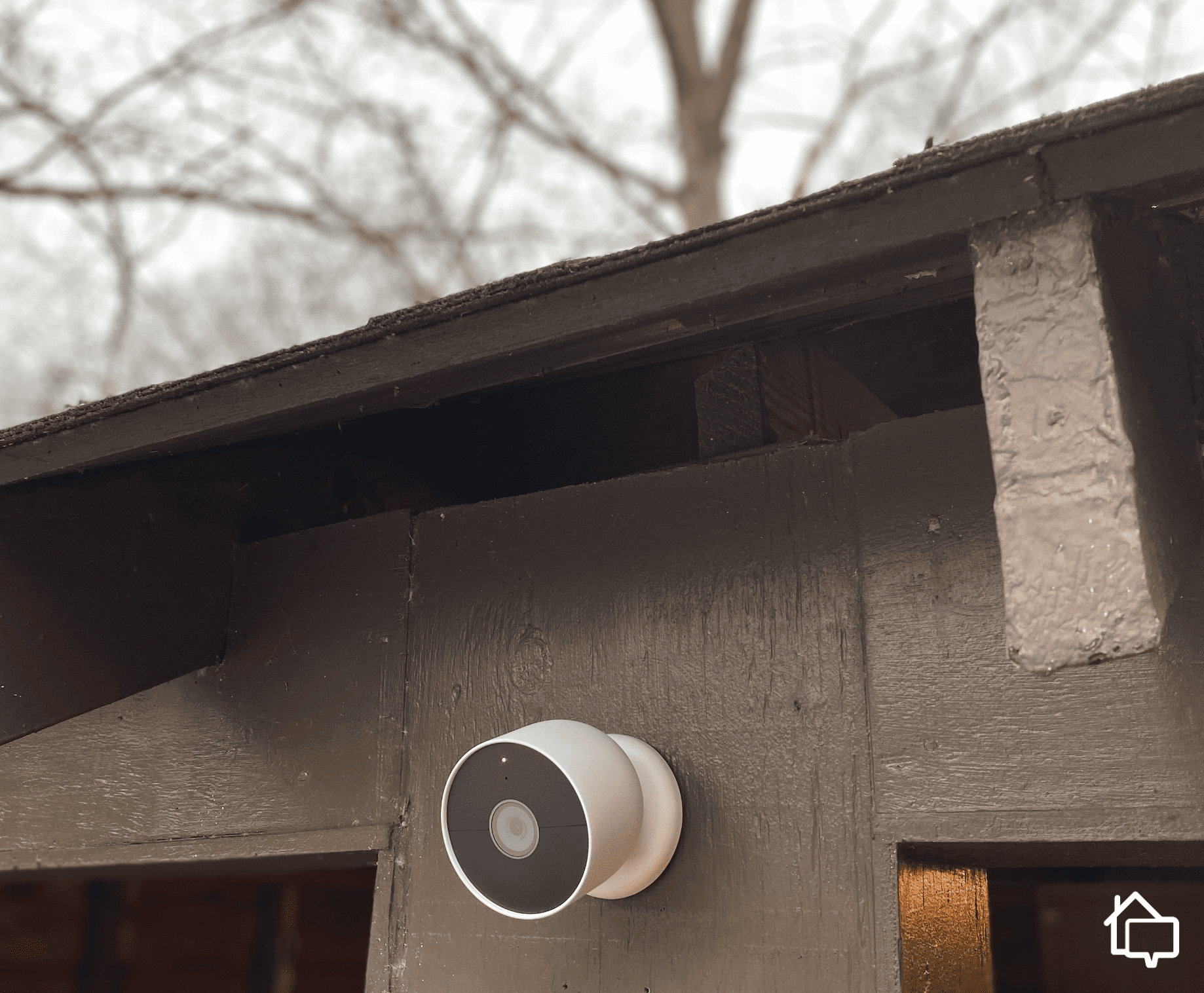
Our indoor smart lights turn on every time our outdoor Nest Cam detects motion.
If you're already considering ADT for professional monitoring, the automation features add extra value without requiring you to manage multiple separate platforms. The Google Nest integration is thoughtful, geofencing actually works reliably, and Z-Wave support provides room for customization.
For anyone who wants the peace of mind that comes with professional monitoring and automation features that work seamlessly with their security system, we think ADT delivers a solid experience. The platform does what it promises without the complexity of managing separate security and smart home systems. Just go in with realistic expectations about costs and flexibility, and you'll likely be satisfied with what ADT's automation offers.
Frequently Asked Questions
- Can I use my existing smart home devices with ADT?
Yes, if they're Z-Wave compatible or Google Nest products. Other devices may have limited functionality or require separate control apps.
- Does ADT automation require professional installation?
Professional installation is optional, but we recommend it. ADT technicians know the best places to set up equipment, and they walk you through how to set up automation rules.
- Can I control ADT automation with Alexa?
Yes, ADT offers an Alexa skill for basic control, but Google Assistant integration is more comprehensive. You can arm/disarm and check status via Alexa, but with more limited scene and device control.
- How many automation rules can I create?
ADT+ allows unlimited event-based automation rules and scenes. This applies to Nest and Z-Wave devices.
- Will ADT automation work if I cancel monitoring?
No, ADT requires the Smart or Complete subscription plan for automation features to function. You’ll need the Complete package if you want to set up rules for your security camera.
- Can multiple family members use geofencing simultaneously?
Yes, ADT's geofencing supports multiple user profiles and only changes modes when the last person leaves or the first person arrives. Each family member needs the ADT+ app installed on their phone.
- What happens to automation if the internet goes down?
ADT's security monitoring uses cellular backup, so your alarm will still contact the monitoring center during internet outages. Most smart home automation features require internet connectivity, though.