SafeHome.org may receive compensation from some providers listed on this page. Learn More
We may receive compensation from some providers listed on this page. Learn More
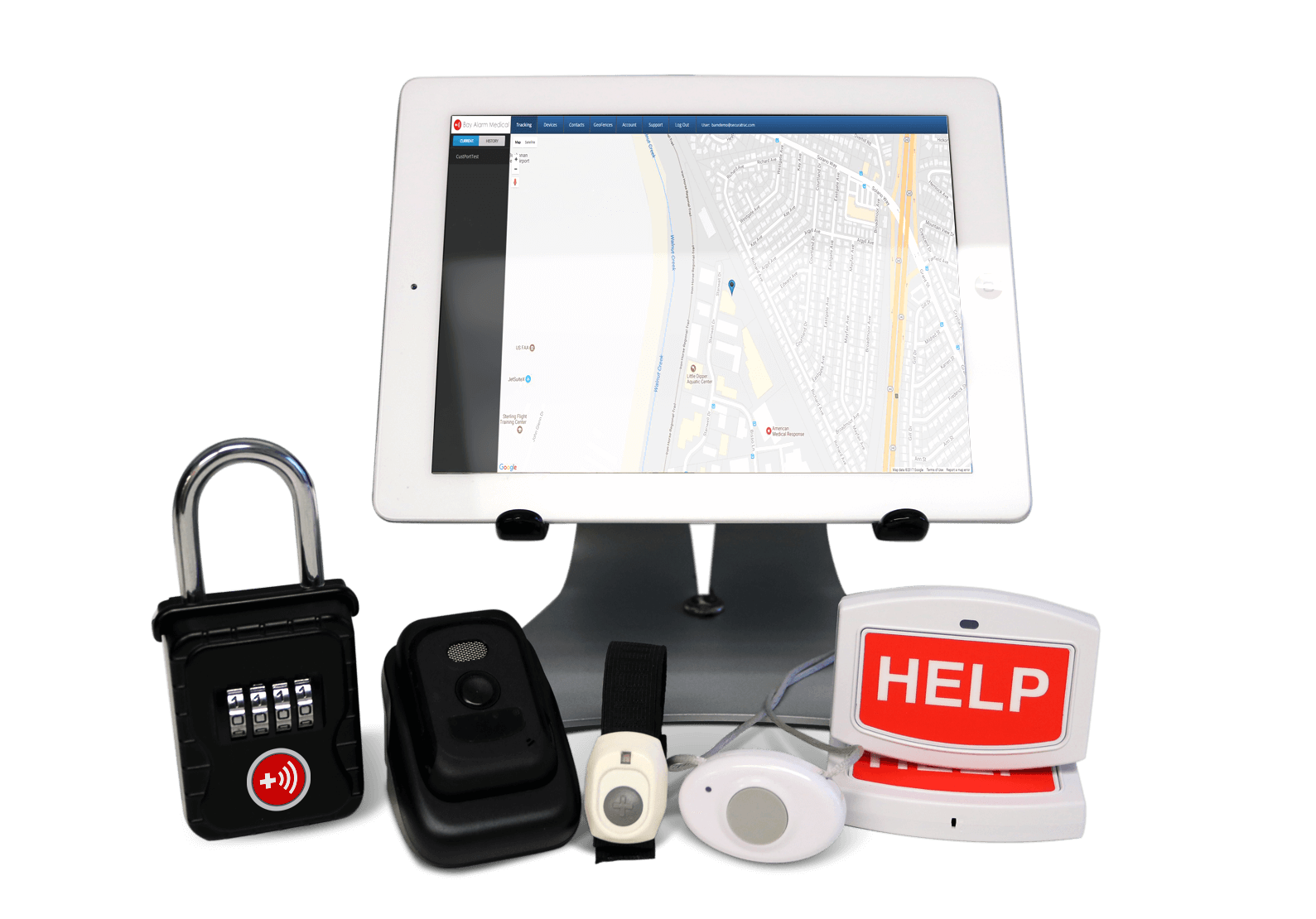
Bay Alarm Medical is an extremely popular waterproof medical alert system that’s both affordable and feature-rich. With Bay Alarm, you get high-quality equipment and a 15-day risk-free trial to test it out.
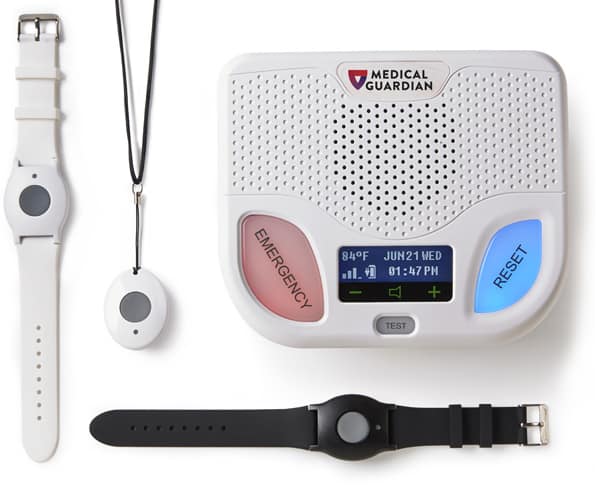
Medical Guardian is a well-respected brand that boasts an A+ BBB rating. All of Medical Guardian’s help buttons are waterproof. That makes this option perfect for active wearers or those who want to wear their help button in the shower.
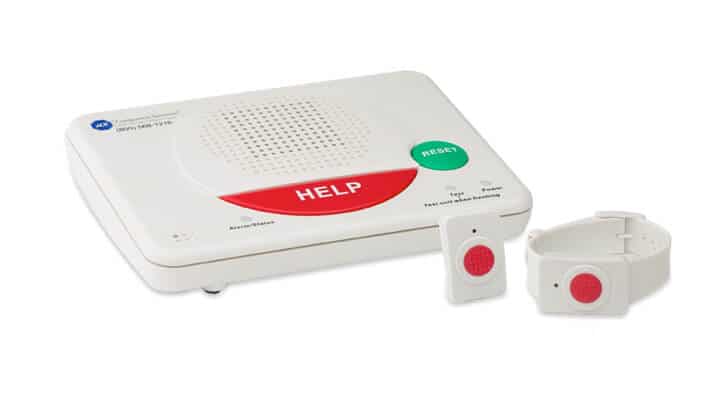
ADT goes beyond making their wearable devices waterproof — they also made their Wall Mount Button waterproof. This is a perfect solution for those at heightened risk while showering since you can mount a large button right in your shower.
You’re at a high risk of falling in the shower, which can require medical assistance. Those falls are also more likely to cause injury than falls anywhere else.1 Being able to take your medical alert device with you in the shower is one of many reasons you need waterproof medical alert devices. Our tests revealed that Bay Alarm offers the best waterproof medical alert devices, followed by Medical Guardian and ADT Health. Read on for all the details.
Water resistance is one of the aspects we assess when testing medical alert systems. We submerge our devices in water and take them with us in the bath. Then, we test to ensure they remain fully functional. Bay Alarm offered us the best waterproof medical alert devices, closely followed by Medical Guardian and ADT Health. Read more to learn about them.
>> Read More: The Best Medical Alert Systems of 2026
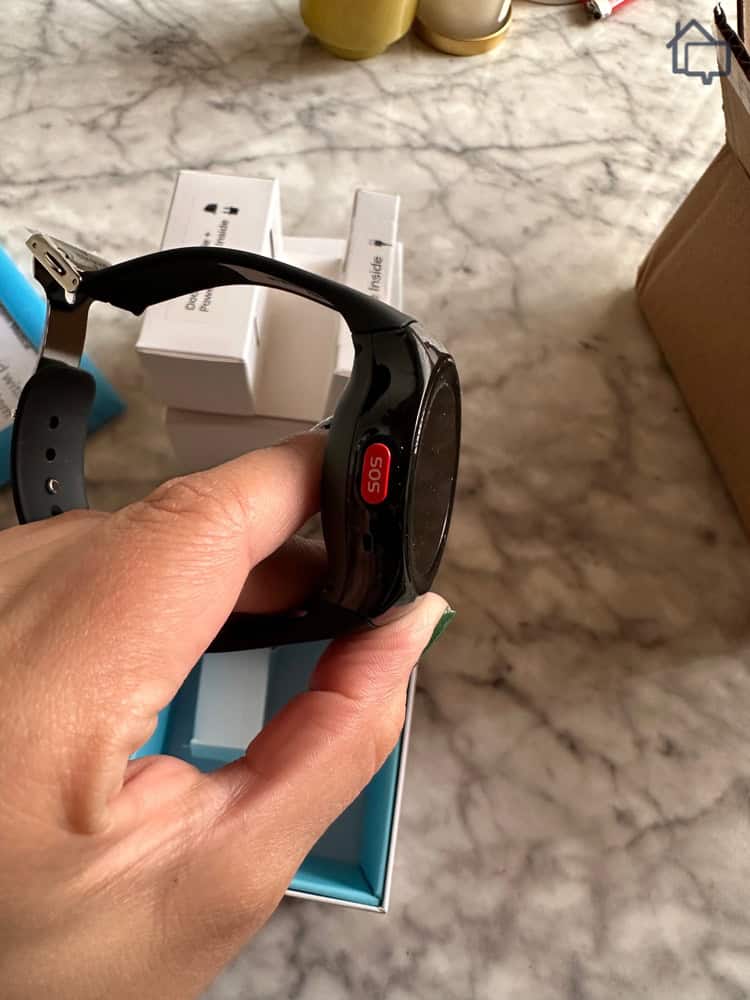
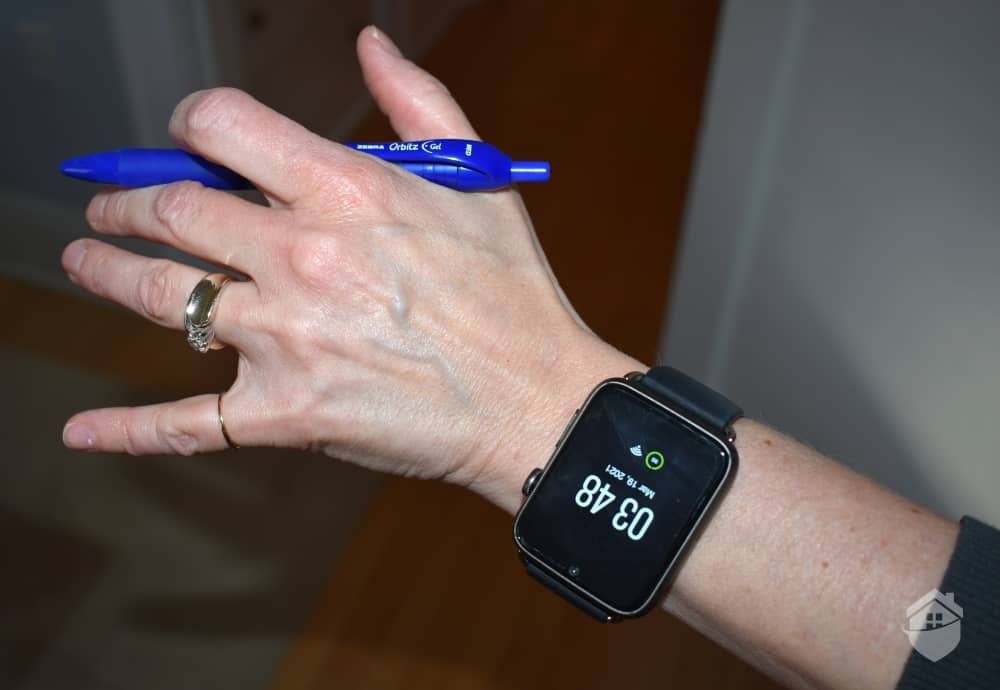
We brought our Bay Alarm Medical SOS Smartwatch swimming so we could press the SOS button on the side if we needed help.
| System |
Bay Alarm Medical
|
Medical Guardian
|
ADT Medical Alert System
|
Lifeline
|
|---|---|---|---|---|
| Ranking |
1st
|
2nd
|
3rd
|
4th
|
| SecureScore™ | 9.3 | 9.1 | 8.9 | 8.2 |
| IP Rating | Up to 67 | 67 | 67 | 67 |
| Monthly Fee | Starts at $27.95 | Starts at $27.95 | Starts at $26.99 | Starts at $27.95 |
| Upfront Costs | Starts at $0 | Starts at $149.95 | Starts at $99 | Starts at $99.95 |
| Read Review | Bay Alarm Medical Review | Medical Guardian Review |
Everything about Bay Alarm Medical is easy. When purchasing our system, their website clearly showed our options and how much each one costs. Once it arrived at our doorstep, getting our system up and running only took about 15 minutes. Using it on a daily basis couldn’t be any simpler either.
>> Check Out: Cheapest & Most Affordable Medical Alert Systems of 2026

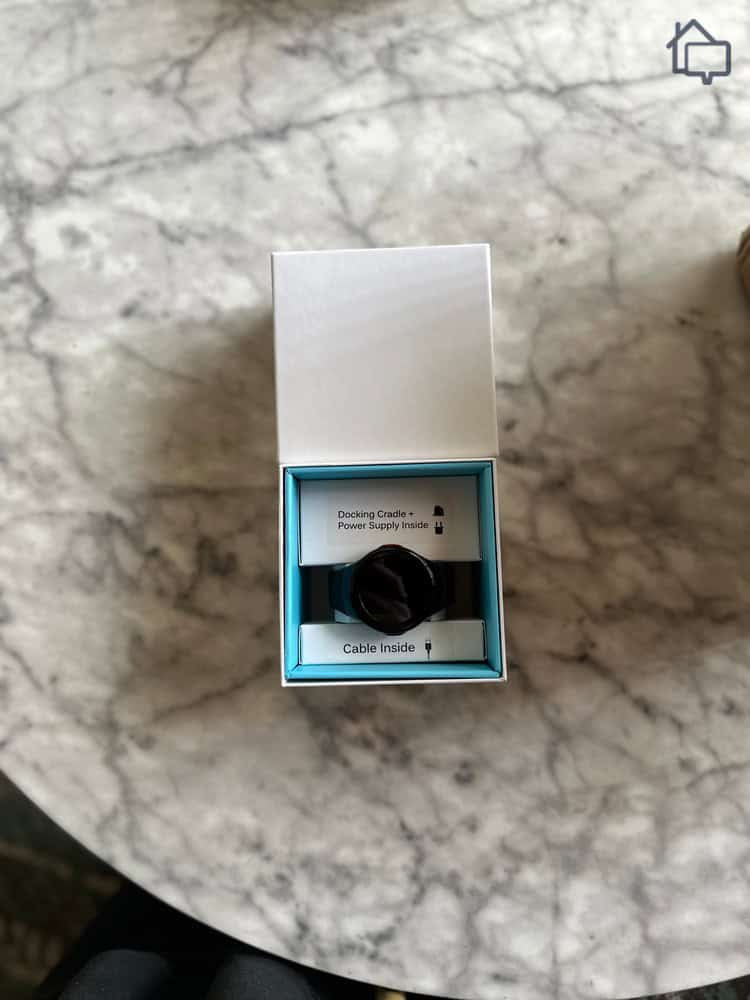
We bought a Bay Alarm Medical SOS Smartwatch so that we could test Bay Alarm’s most water resistant device.
While all of Bay Alarm Medical’s wearable devices offer some amount of water resistance, they’re not all equal. They all worked after we showered while wearing them, but some we needed to take off before hopping in the pool.
More specifically, the SOS All-In-One and the GPS Help Button only received an IPX6 rating whereas the SOS Micro and SOS Smartwatch received an IP67 rating. The second number in those ratings refer to the water resistance of the device with the six meaning it can withstand being sprayed with water, but cannot be submerged, whereas the seven means the device can be submerged in three feet of water for up to 30 minutes.
Did You Know? A seven rating for water resistance on the IP scale is as high as you’ll get for a medical alert device. That’s largely because these devices require a pushable button and movable parts are difficult to make fully waterproof.
For offering some of the best equipment in the industry, Bay Alarm does it at surprisingly low prices. They’re one of the most affordable options, especially for couples since they offer monitoring for two devices at the same price as monitoring for one. Here’s an overview of Bay Alarm Medical’s pricing:
| System | SOS Home | SOS All-In-One 2 | SOS Micro | SOS SmartWatch |
|---|---|---|---|---|
| Upfront Costs | None | $149 | $149 | $199 |
| Extra Alert Button | $40 | Not available | Not available | Not available |
| 360° Bundle | Not Available | +$20 per Month | +$25 per Month | +$25 per Month |
| Fall Detection | +$10 per Month | +$10 per Month | +$10 per Month | +$10 per Month |
| Cellular Support | +$7 per Month | Included in Base Price | Included in Base Price | Included in Base Price |
| Base Price Per Month | $27.95 | $34.95 | $34.95 | $39.95 |
Industry Comparison: While Bay Alarm’s pricing increased slightly in recent years, they remain competitive in the medical alert market. Medical Guardian’s home systems also start at $27.95 per month, while Lively offers lower-cost plans beginning at $24.99 monthly. Check out our Lively price guide and Lively review to see if their affordable options will fit your needs.

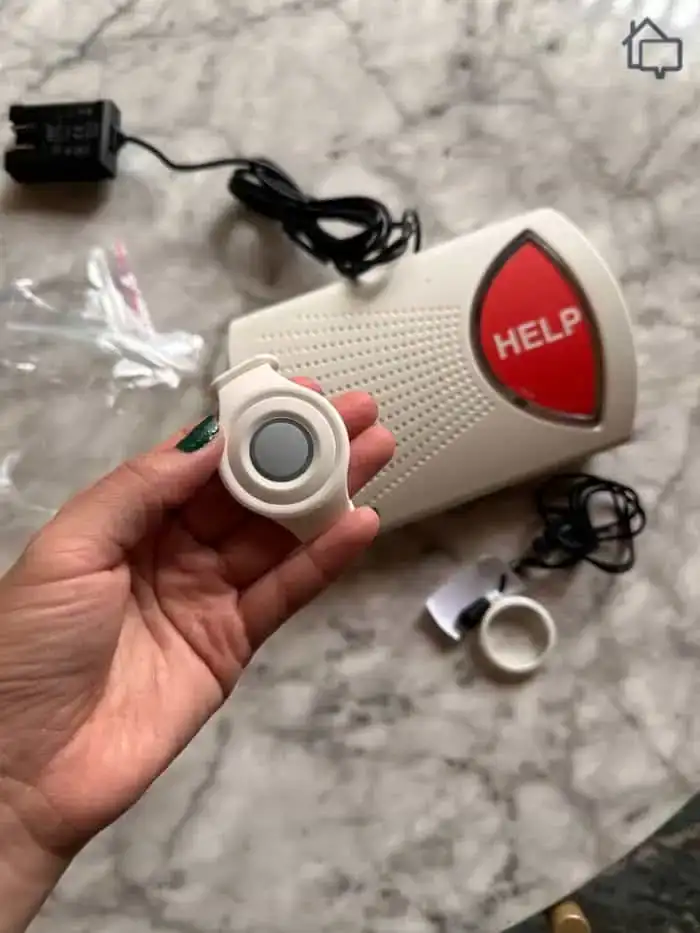
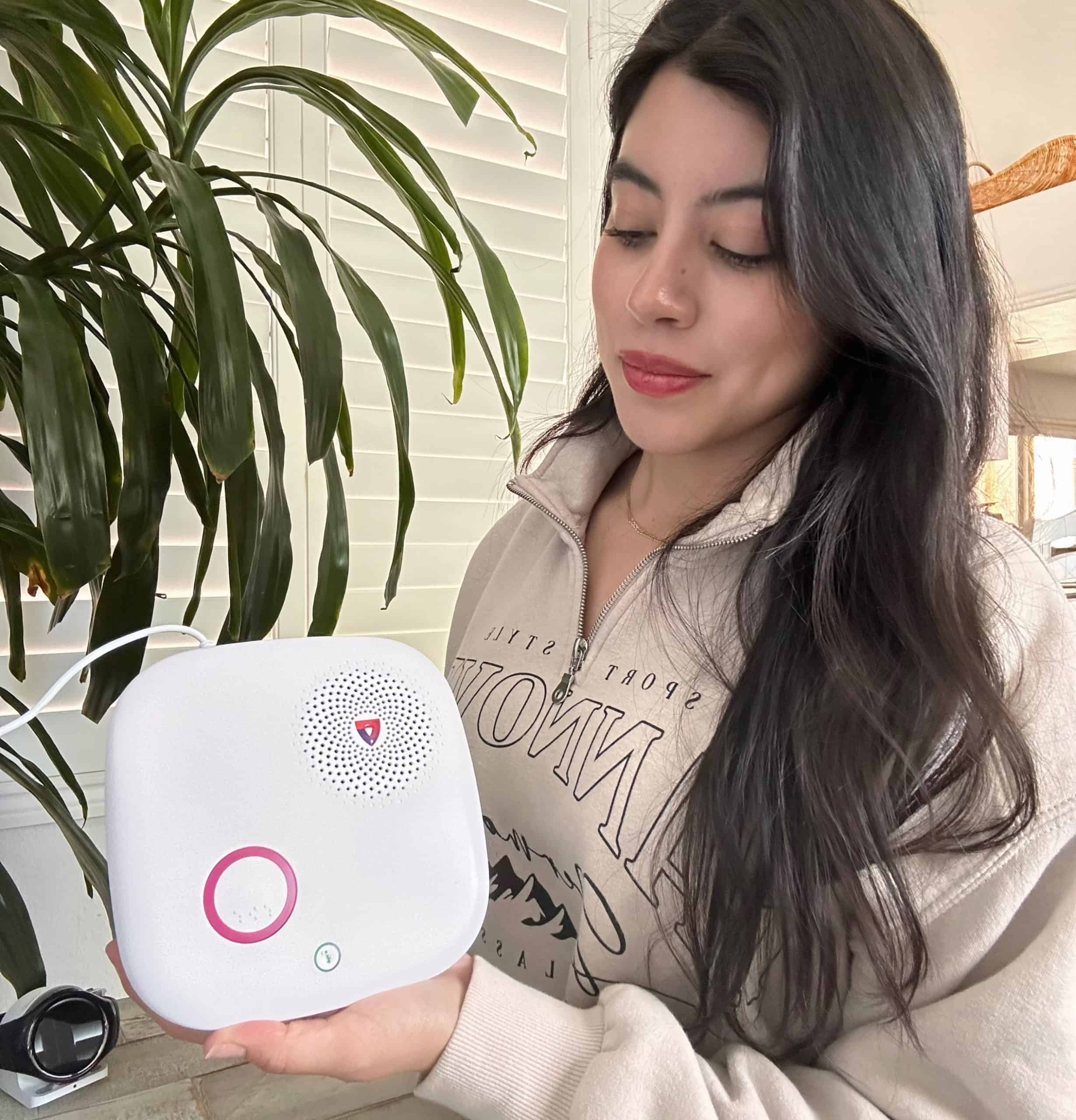
The pendant that came with our Bay Alarm SOS Home system is water resistant so we could take it with us in the shower.
Where Bay Alarm’s usability really stands out is with their mobile app. Caregivers can see the location of their loved one clearly displayed on a map with a pin showing their location. That’s typical of a caregiver app, although when we tested MobileHelp, we found out that some providers limit the amount of times you can check up on your loved one’s location. Bay Alarm let us check as often as we wanted.
That’s not all, though. Bay Alarm’s mobile app lets caregivers manage every aspect of the user’s account. It let us check our purchase history, change emergency contacts, and add home entrance details for first responders. This makes it so your loved one doesn’t need to worry themselves with all the technical details of their medical alert system.
The rest of the system takes a similar approach where the responsibility of the user is minimal enabling them to receive as much help as they need to manage the system.
| Connectivity | Landline and cellular |
|---|---|
| Fall Detection | $10/month |
| In-home Range | Up to 1,000 feet |
| Battery Backup | Up to 32 hours |
| GPS Option | Yes |
| Money-back Guarantee | 15-day |
If you’re looking for an at-home system you can still use when meandering through your garden or lounging on your back porch, Medical Guardian should be at the top of your list. Their at-home systems feature an impressive 1,400-foot range and all of their wearable alert buttons are at least water resistant.
Unlike with Bay Alarm Medical, every wearable Medical Guardian device is IP67 rated. That means you can take them in the shower or swim with them. As a reminder, we could only swim with some of Bay Alarm Medical’s alert devices since they were only rated IPX6.

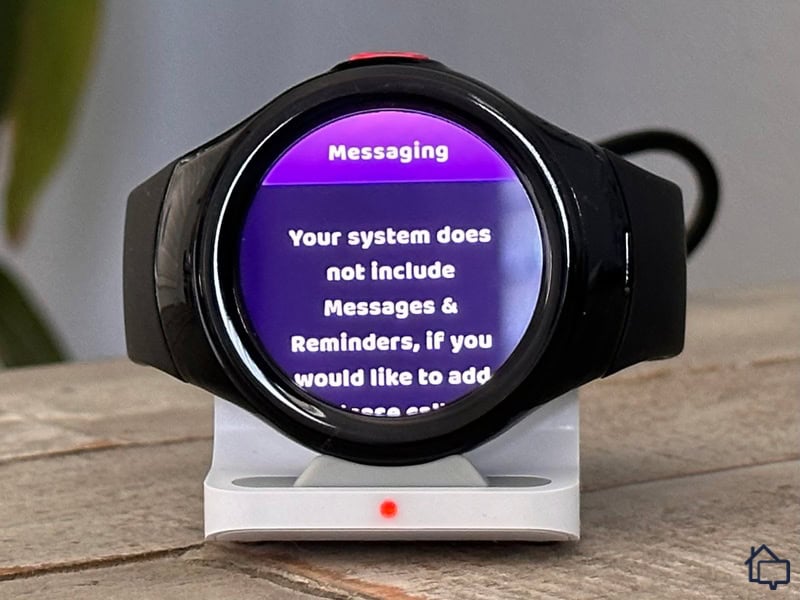
Medical Guardian’s MGMove charged us extra if we wanted to access the Messages & Reminders feature.
Regardless of which system you want, expect to pay for the equipment upfront or finance it with Medical Guardian. No free equipment here. If you’re looking for free equipment, Bay Alarm Medical offers their at-home system with no upfront fees and ADT offers all of their systems with a flat $99 activation fee but no cost for equipment.
We understand why Medical Guardian charges for their equipment, though, because it’s some of the best in the industry. They made our list of the best medical alert smartwatches and the best medical alert necklaces. Here’s how much Medical Guardian charges for their equipment and services:
| Medical Alert System | MGHome Landline | MGHome Cellular | MGMini | MGMini Lite | MGMove |
|---|---|---|---|---|---|
| Equipment Fee | $149.95 | $149.95 | $149.95 | $149.95 | $199.95 |
| Shipping Fee | $12.50 | $12.50 | $12.50 | $12.50 | $12.50 |
| Additional Pendant | +$2.99 per month | +$2.99 per month | +$2.99 per month | Not Available | Not Available |
| Fall Detection | +$10 per month | +$10 per month | +$10 per month | +$10 per month | +$10 per month |
| Price per Month | Starts at $27.95 | Starts at $34.95 | Starts at $39.95 | Starts at $42.95 | Starts at $38.95 |
>> Learn More: Medical Guardian MGMove Review 2026

Medical Guardian’s app is functional, but we think it could use a redesign to make it more user friendly.
Don’t expect a Bay Alarm quality mobile app from Medical Guardian. It’s still functional, but not nearly as easy to navigate and you cannot easily outsource all of your account management to a caregiver. Caregivers can still check the location of devices they manage, though. Check out our Bay Alarm vs Medical Guardian guide for an in-depth comparison.
What made Medical Guardian easy for us to use was its impressive range. That 1,400-foot range meant we didn’t need to worry about our device disconnecting when we swam in our backyard pool. It also allowed us to install our base station anywhere we wanted in our house since the range was not a limiting factor. Range limitations on other systems meant needing to install our base station in the middle of our house.
| Connectivity | Landline, cellular, and Wi-fi |
|---|---|
| Fall Detection | $10/month |
| In-home Range | Up to 1,400 feet |
| Battery Backup | Up to 36 hours |
| GPS Option | Yes |
| Money-back Guarantee | None |
Bathrooms are one of the most dangerous rooms in most homes with slippery floors, hard surfaces, and hot showers that can cause dizziness or fainting. As a result, a significant portion of falls causing in-home injuries occur in bathrooms.2 ADT’s wall-mount medical alert button offers IP67 waterproofing and works with their at-home or on-the-go system with no upfront costs. Most providers only offer wall-mount medical alert buttons with at-home systems.
We already mentioned that ADT Medical’s wall-mount alert button is IP67 rated, which means it can be submerged in water; not that you’d need to. We recommend putting one up in the shower or near the tub for easy access. Don’t go putting it in the tub, though.
All other ADT alert buttons are IP67 rated as well. This means users do not need to think about whether or not they’re wearing the right alert button for any activity. With all buttons rated at IP67, you can take any of them with you everywhere you go.
FYI: During a medical event, you can become cognitively impaired. That’s when having a large, wall-mounted help button becomes useful. You don’t need to think about where it is or how to untangle it out of your clothes. All you need to do is hit the big button on your wall and help will be on the way.
ADT Medical’s pricing structure includes a $99 activation fee across all systems. While they advertise “free equipment,” this activation fee effectively serves as a fee for the equipment. That said, $99 remains competitive compared to other providers — Medical Guardian’s systems, for example, start at $150 for equipment. Plus, ADT regularly discounts this activation fee down to $59.
Either way, $99 is an affordable price for a medical alert system considering Medical Guardian’s systems start at $150. Here’s a complete breakdown of ADT Medical’s prices:
| Medical Alert System | Basic | Plus | On-The-Go |
|---|---|---|---|
| Activation Fee | $99 | $99 | $99 |
| Wall-Mount Button | Not Available | +$2.99 per month | +$2.99 per month |
| Additional Pendant | $14.99 upfront + $5 per month | $14.99 upfront + $5 per month | Not Available |
| Fall Detection | +$11 per month | +$11 per month | +$11 per month |
| Monitoring Fee | Starts at $26.99 per month | Starts at $34.99 per month | Starts at $ 36.99 per month |
ADT Medical takes a streamlined approach to usability. Unlike Bay Alarm and Medical Guardian, there’s no mobile app to navigate — just straightforward, plug-and-play equipment. Setup is simple: plug in and charge your equipment, call ADT to activate your system, and you’re ready to go. From there, just press the help button on your pendant or the wall-mount button when you need assistance.
This approach surprised us, because when we tested ADT’s home security system, we had the exact opposite experience. It was filled with technology and they make one of our favorite home security system apps. We think this is something they should add to their medical alert system, even if just for caregivers.
>> Read About: ADT vs Bay Alarm Comparison – Which System is Best?

| Connectivity | Landline or Cellular |
|---|---|
| Fall Detection | $11/month |
| In-home Range | 300 feet or 600 feet, depending on system |
| Battery Backup | Up to 20 hours |
| GPS Option | Yes |
| Money-back Guarantee | 30-day |
AARP members can save on a Lifeline medical alert system through exclusive discounts. Benefits include free shipping, free activation, and 15 percent off annual subscriptions. That brings the price of an at-home system down to under $100 upfront, including your first month of monitoring — making this one of the most valuable AARP medical alert partnerships available.
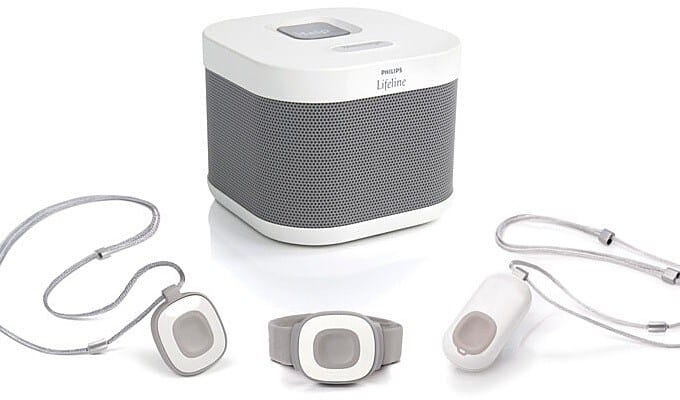
All Lifeline devices with a help button — except the base station — can be submerged in water for up to 30 minutes. We appreciate this consistency across their product line, as it makes it simple to understand your device’s waterproofing without having to check each model individually.
If you’ve browsed Lifeline’s website, you might think they only offer three systems. However, the Home and Mobile Systems each have two different configurations, bringing the total to five distinct systems. That can make price comparisons tricky, so we created a Lifeline pricing table comparing all your options:
| System | Home Landline | Home Cellular | On the Go Standard | One the Go Mini | Smartwatch |
|---|---|---|---|---|---|
| Device Fee | None | None | None | None | $159 |
| Setup Fee | $99.95 | $99.95 | $99.95 | $99.95 | Free |
| Shipping Cost | $29.95 | $29.95 | $29.95 | $29.95 | $29.95 |
| Fall Detection | +$15 per month | +$15 per month | +$15 per month | +$15 per month | +$15 per month |
| Key Lockbox | Free with an annual plan or $2.95 per month | Free with an annual plan or $2.95 per month | Free with an annual plan or $2.95 per month | Free with an annual plan or $2.95 per month | Free with an annual plan or $2.95 per month |
| Monthly Fee | Starts at $27.95 | Starts at $34.95 | Starts at $39.95 | Starts at $44.95 | Starts at $34.95 |
Pro Tip: AARP members get $50 off of their Setup Fee through the free activation promotion. That means you won’t get that discount when buying a Lifeline Smartwatch since they label the upfront cost as an equipment fee instead of a setup fee.

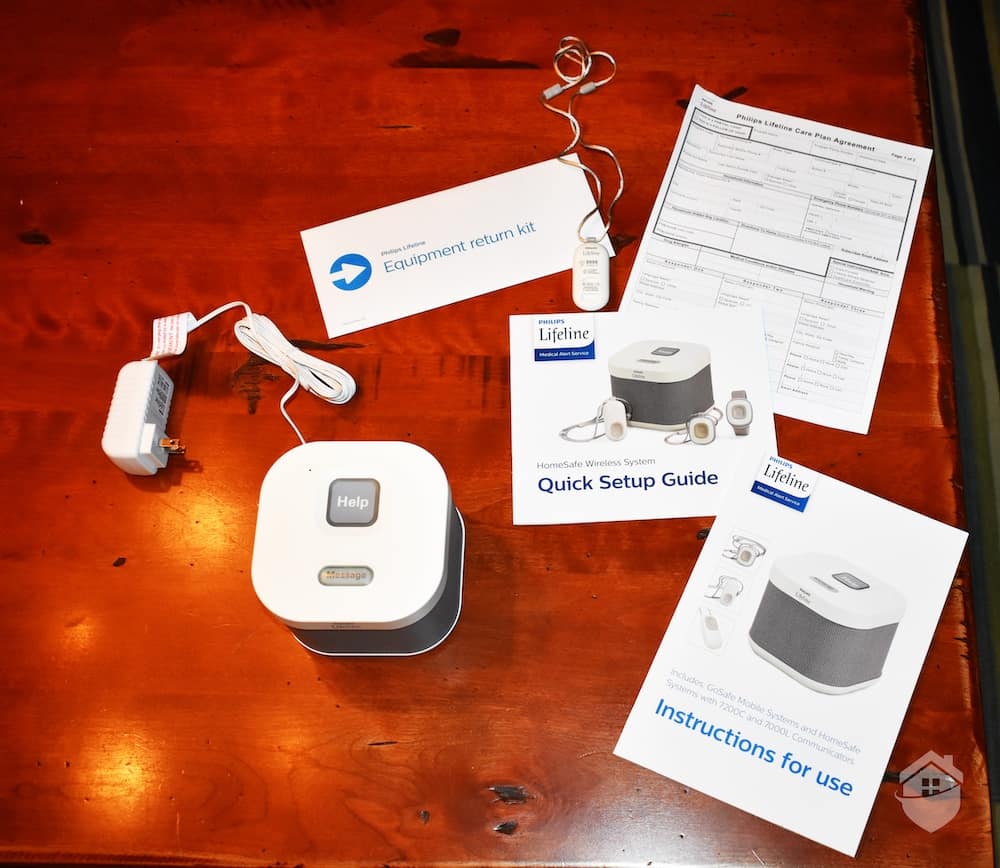
We were able to have our Lifeline system fully set up and functional within 10 minutes of it arriving at our house.
Setting up a Lifeline alert system is remarkably straightforward. It took us just four steps — one of which was simply unpacking the equipment from the shipping box. Our entire setup process took approximately 10 minutes from start to finish.
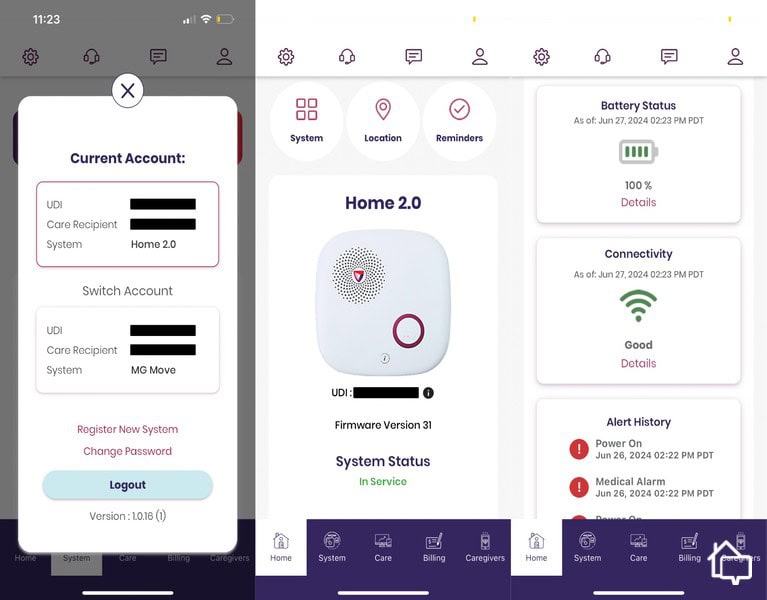
After that, we also set up the Lifeline mobile app which provided nearly as much functionality as the Bay Alarm mobile app for caregivers. However, we still preferred the Bay Alarm mobile app. Our Lifeline app was slow to refresh and missed notifications from time to time. Aside from the mobile app, though, using our Lifeline system to request assistance was simple.
>> Read More: Philips Lifeline vs. Medical Guardian 2026
| Connectivity | Landline or Cellular |
|---|---|
| Fall Detection | $15/month |
| In-home Range | Up to 800 feet |
| Battery Backup | Up to 30 hours |
| GPS Option | Yes |
| Money-back Guarantee | None |
We don’t run a lab for testing an electronic device’s waterproofing, so we relied on the International Electrotechnical Commission’s (IEC) IP rating.3 They conduct third-party tests on electronic devices of all kinds to determine their water resistance. After finding out which medical alert systems offer water resistant devices, we bought 10 systems and tested them out. We assessed each system based on the following criteria:
While those are our main criteria, our team of senior care experts look at every aspect of a system that can help keep a senior safe during a medical emergency. After using each system in our own home, we reach out to industry experts and real customers to get a full picture of the quality of each system before we make our recommendations.
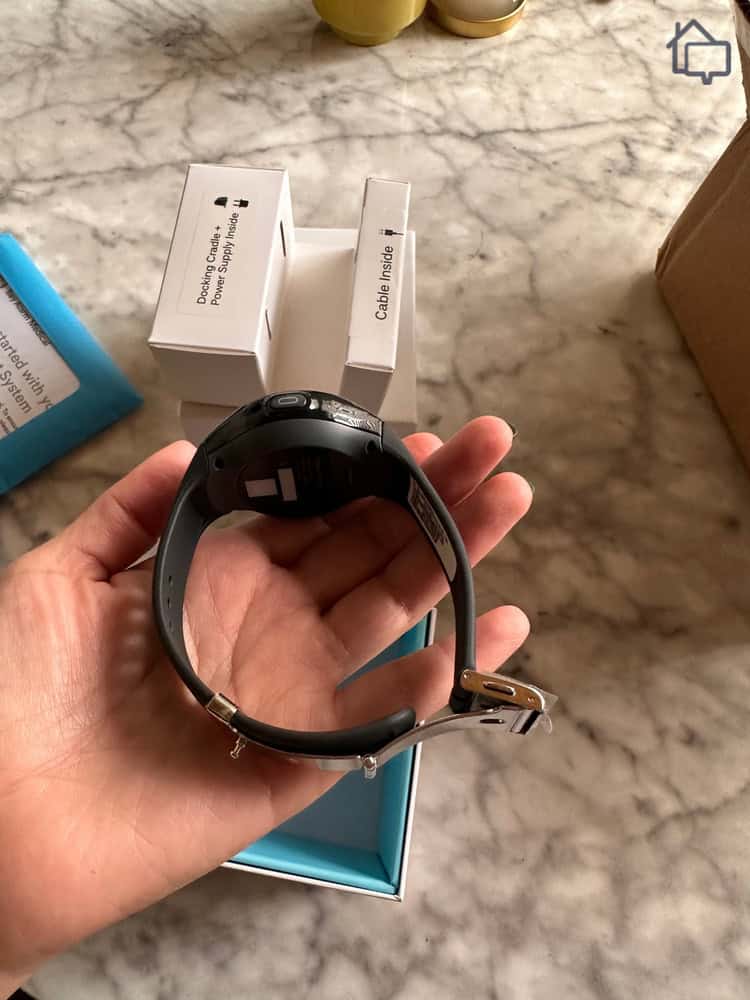
We appreciated the sleek design of the Bay Alarm SOS Smartwatch.
An IP rating uses two numbers to indicate how dustproof and waterproof a device is. The first number measures dust protection, and the second number measures water protection.
For waterproofing, most wearable medical alert devices have a 6 or 7 rating. A 6 can handle water jets from any direction—think rain or shower use. A 7 allows submersion in up to 3.3 feet of water for 30 minutes, making it safe for swimming.
For dustproofing, devices usually have a 6 or an X. A 6 means the device is completely dust-tight, protecting internal electronics. An X means it hasn’t been tested for dust resistance.
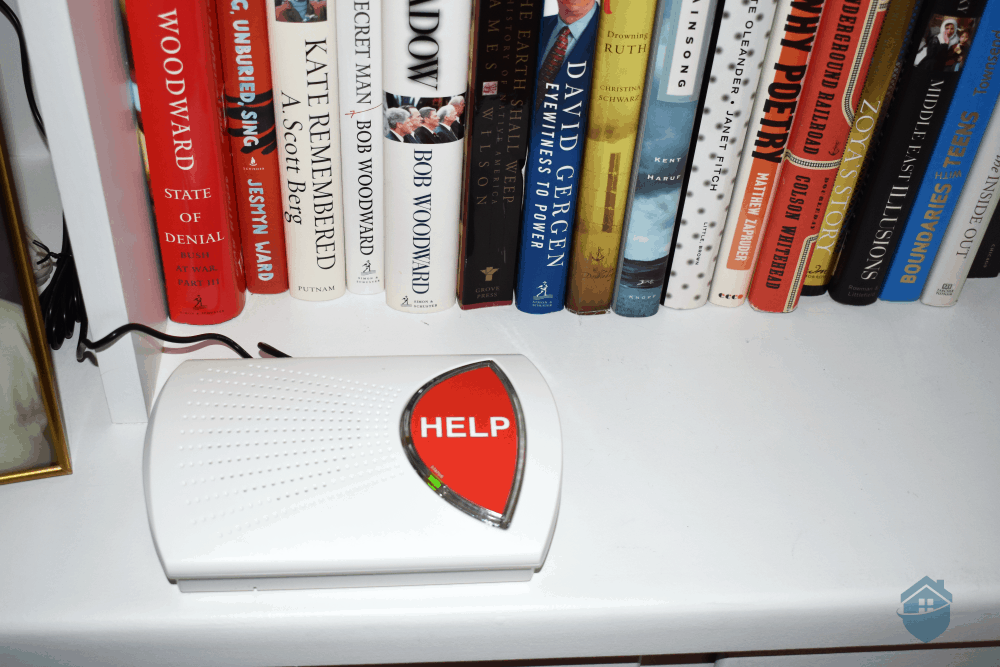
We bought the Medical Guardian MGHome Cellular which includes a waterproof help button pendant.
We strongly recommend choosing a medical alert system that includes at least one wearable waterproof device. Here’s why:
A waterproof device adds peace of mind and protection for everyday scenarios—and unexpected mishaps.
Almost everyone benefits from a waterproof medical alert system—it just depends on how much water exposure you expect.
For those who swim or participate in water activities, we recommend a wearable with an IP67 rating, such as the Bay Alarm SOS Smartwatch or systems from Medical Guardian, ADT, or Lifeline. If you only need protection in the shower or light rain, devices with an IPX6 rating, like most Bay Alarm options, will be sufficient.
No, not every medical alert system offers waterproof devices, but most providers at least offer some wearable devices that are water resistant. If the device has a built-in speaker or microphone, odds are it is at most water resistant.
You can only swim with your medical alert device if it has an IP67 rating. That means the device can be submerged in up to 3.3 feet of water for up to 30 minutes.
It’s a bit of a misnomer to call a medical alert device waterproof. If you submerge any medical alert device deep enough into water, it will spring a leak. When a medical alert system advertises a device as waterproof, they typically mean it has an IP67 rating, meaning it can withstand being submerged in up to 1 meter (about 3.3 feet) of water for up to 30 minutes.
No, some of the most affordable medical alert systems offer waterproof devices. For instance, Bay Alarm Medical's in-home systems include waterproof medical alert pendants and start at $27.95 per month, about average for the industry.
Generally, medical alert devices with built-in microphones or speakers are not going to be waterproof. But, to know for sure if a device is waterproof, you need to look up its IP rating. Devices with an IPX6 rating can withstand powerful water jets and are safe for use in the shower or rain, while devices with an IPX7 rating can be temporarily submerged in water up to 3.3 feet deep for up to 30 minutes.
University of Nebraska Medical Center. (2024). Learning from Falls — Falls in the Bathroom. https://www.unmc.edu/patient-safety/_documents/2024-08-collaborative-call-handout-post-call-follow-up.pdf
Verywell Health. (2025). How Showering Can Worsen Symptoms of Fibromyalgia and ME/CFS. https://www.verywellhealth.com/problems-showering-chronic-fatigue-syndrome-3973041
International Electrotechnical Commission. (Accessed 2025). IP ratings. https://www.iec.ch/ip-ratings