SafeHome.org may receive compensation from some providers listed on this page. Learn More
We may receive compensation from some providers listed on this page. Learn More
SafeHome.org may receive compensation from some providers listed on this page. Learn More
We may receive compensation from some providers listed on this page. Learn More
NordVPN held up well in our testing, with fast nearby-server speeds, a kill switch that worked every time we tried to break it, and a device limit worth knowing about before signing up the whole household.
 Updated September 23, 2026
copied!
Updated September 23, 2026
copied!

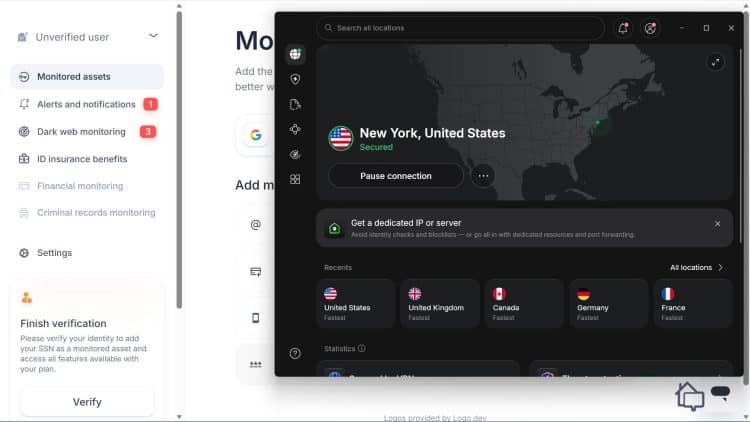
The average household today isn’t running one device off the internet. It’s running on average 18 devices, which includes phones, laptops, a smart TV, and game consoles.1 A VPN needs to keep up with that reality across every device in the house.
NordVPN is one of the most recognized names in the VPN market, built around three subscription tiers that add extras like antivirus and identity protection on top of the core VPN. That said, recognition alone doesn’t prove it holds up in real use. We tested it across an older Windows laptop, a newer PC, a MacBook, and mobile devices. Our testing covered speed, gaming latency, the kill switch, leak tests, and advanced features like Next-Generation Antivirus, Double VPN, and Onion Over VPN. Here’s what we found, along with a full breakdown of pricing and plans.
Did You Know? NordVPN caps you at 10 simultaneous device connections per account. That’s generous compared to many competitors, but a larger household running several smart TVs, consoles, phones, and laptops at once can still hit that ceiling faster than expected.
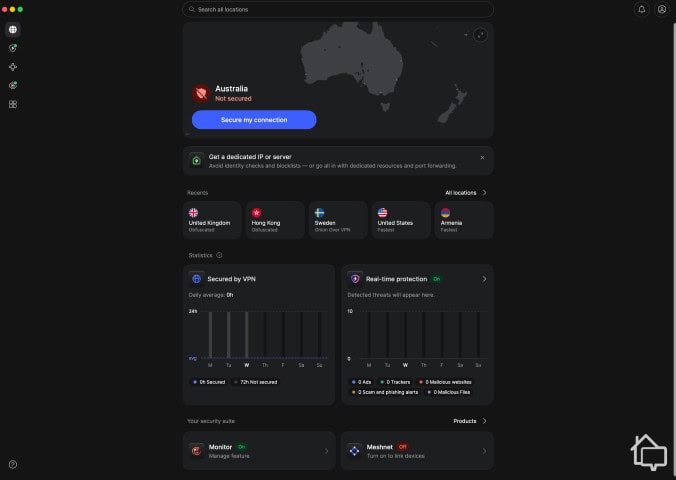
NordVPN running on a MacBook Pro
NordVPN is one of the best VPNs we’ve tested, and its current lineup is built around three tiers: Basic, Complete, and Prime. Each one includes the core VPN, with Complete and Prime layering in additional security tools like next-generation antivirus and identity protection.
Key features at a glance:
NordVPN’s pricing depends on which tier you choose and how long you commit.
| Plan | Monthly | 1-Year | 2-Year |
|---|---|---|---|
| Basic | $14.99 | $5.49 | $3.49 |
| Complete | $19.99 | $6.49 | $4.49 |
| Prime | $29.99 | $9.49 | $7.49 |
Basic is a strong starting point on its own. It includes every core NordVPN feature, from the VPN itself to the audited no-logs policy and the full kill switch, with nothing gated behind a higher tier.
Complete and Prime don’t unlock more VPN, they add separate tools on top of it. Complete brings in next-generation antivirus, an upgraded version of the baseline scam and phishing protection already built into Basic. It adds real-time malware scanning on top of that DNS-level filtering. Complete also comes with ad and tracker blocking and a password manager.
Prime, the top tier, unlocks identity theft protection through a lighter version of Coveron, NordVPN’s own identity protection service. That version has a smaller credit monitoring footprint than the full standalone subscription. That said, it’s best suited for people who actually need identity protection rather than a default upgrade path. Being the top-tier plan doesn’t automatically make it the one we’d recommend.
Pro Tip: The two-year plan on any tier brings the steepest discount. If you’re not ready for that kind of commitment, the money-back guarantee gives you a full 30 days to decide if NordVPN is worth sticking with.
Beyond the three main tiers, NordVPN offers two standalone add-ons.
A Dedicated IP costs $3.69 per month on a two-year plan. It’s an IP address assigned only to you, not shared with other NordVPN users. That can make services like online banking or video conferencing more stable, since some sites treat frequently-changing shared IPs as suspicious.
Incogni, a data removal service that requests your personal information be taken down from data broker sites, is also available as an add-on for around $4.49 per month.
For most households, we recommend the Complete plan as the sweet spot. It adds next-generation antivirus and a password manager on top of the core VPN for a modest price jump over Basic. Most people get more day-to-day value out of those extras than they would from Prime’s identity protection bundle, unless identity monitoring is specifically something you’re shopping for.
A kill switch exists for the moments a VPN connection unexpectedly drops, which happens occasionally with any provider due to network hiccups or switching Wi-Fi networks. Without one, your device would quietly fall back to your regular, unprotected internet connection, exposing whatever you were doing right when you needed protection most.
NordVPN’s kill switch works at both the app level and the system level.
NordVPN’s kill switch isn’t turned on by default, but once you do turn it on, it defaults to the system-level mode rather than the app-level one unless you switch it yourself.
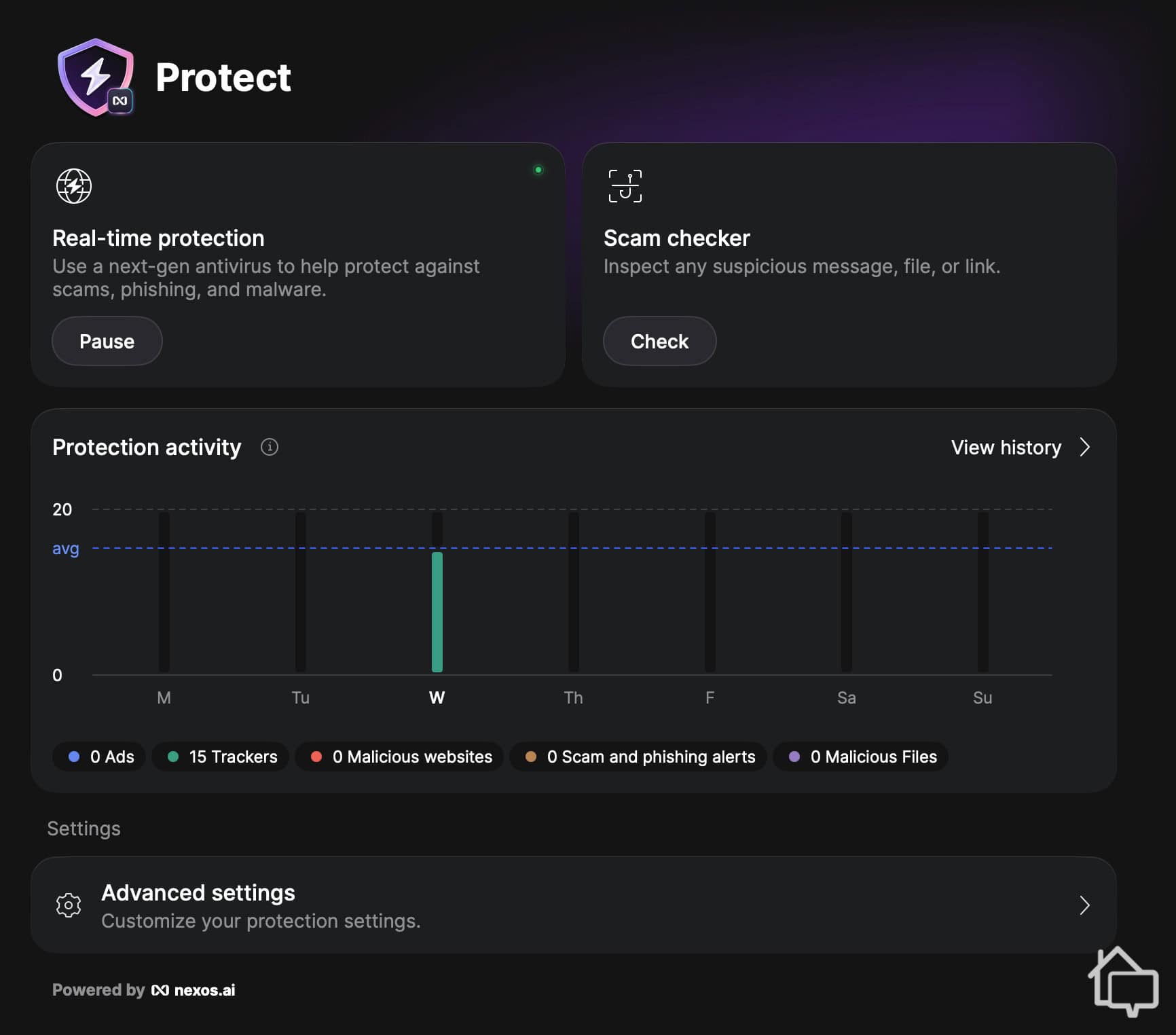
NordVPN next-gen antivirus in action.
Next-gen antivirus scans downloads for malware, blocks known phishing and malicious sites, and filters trackers and ads. It’s included on the Complete and Prime tiers.
It runs in the background. As files download, it checks them against known malware signatures, and it blocks fraudulent sites before the page can even load. We tested it using EICAR files, industry-standard files designed to safely trigger antivirus detection without containing actual malware. It caught every one we tried. It also blocked a phishing link we intentionally clicked from a test email, stopping the page from loading rather than just flagging it after the fact.
Double VPN routes your traffic through two VPN servers instead of one, encrypting it twice for an added layer of privacy. It’s broadly known as VPN multi-hopping in the industry. Your traffic gets encrypted at the first server, then encrypted again at a second server before reaching its destination, making it harder to trace your activity back to your original IP address even if one server were compromised.
While useful if you’re really cautious about your privacy, note that Double VPN comes at a real speed cost. In our testing, Double VPN cut our connection speed by roughly 50 percent compared to baseline. That’s actually an improvement, which shows that the technology behind it is getting better. In the past, whenever we tested VPN multi-hopping, speeds usually dropped by about 80 percent. Still, 50 percent is a significant hit, so we’d recommend turning it on only situationally, such as when you’re handling especially sensitive information on a network you don’t fully trust.
This routes your traffic through the Onion network on top of the VPN connection, giving you access to onion sites without needing a separate Tor browser.
Your traffic passes through NordVPN’s server first, then through the Onion network, combining Tor’s anonymity benefits with the convenience of not installing a separate browser. In our testing, this successfully unblocked onion sites we tried to access, though it’s a niche feature most users won’t reach for often given how narrow its use case is compared to the rest of NordVPN’s toolkit.
FYI: Onion routing adds layers of encryption and bounces your traffic through multiple independent relays, making it significantly harder to trace back to you than a standard VPN connection alone. For privacy-conscious users, it’s the closest thing on this list to true anonymity, though it typically comes with a real speed trade-off.
Obfuscation disguises VPN traffic as regular internet traffic. Some networks and governments actively scan for and block traffic patterns typical of VPN use. If you’re on a network like that, without obfuscation your VPN connection could get blocked outright rather than just detected. NordVPN’s Obfuscated Servers, a dedicated server category you select in the app, mask those patterns so your connection looks like ordinary web traffic instead. That keeps you connected in situations where a standard VPN server would otherwise fail.
In addition to Obfuscated Servers, NordVPN created a protocol designed specifically for obfuscation. It’s called NordWhisper, and it’s optimized to improve speed and expand server availability for obfuscated connections. We didn’t test this against an actively VPN-blocking network for this review, but the speed held up well on a regular network.
This isn’t a core VPN feature, but it’s a useful one. Dark Web Monitor scans for your personal information appearing in known data breaches and alerts you if it finds a match. It’s included on all tiers.
During testing, it continuously checked breach databases against the email and other details we provided. It also sends alerts if any of the monitored information turns up. We didn’t have a confirmed breach during our review, so we can’t speak to detection speed firsthand. But just having this feature shows how committed NordVPN is to securing its users’ data.
Meshnet lets you create a private, encrypted network between your own devices or with people you invite.
Once set up, it functions like a virtual LAN, useful for securely accessing a home computer remotely, transferring files directly between devices, or hosting a small multiplayer game session without routing traffic through a third-party service. We didn’t put it through extensive dedicated testing, but the few times we tried it, it worked as expected.
| Connection | Avg. Download Speed | Speed Reduction vs. Baseline |
|---|---|---|
| Baseline (no VPN) | 95.0 Mbps | — |
| Nearby Server | 82.0 Mbps | 14% |
| Distant Server | 41.0 Mbps | 57% |
During testing, we ran multiple speed tests across different server locations at different times of day to account for normal fluctuations in network traffic. Nearby servers held up consistently. We streamed in 4K without any lag, and everyday browsing felt no different from our baseline connection.
Distant servers were less predictable. The average drop we measured landed around 57 percent, but we saw real variability from one server to the next. In one extreme case, a distant server slowed page loads so dramatically that Google’s homepage took around 20 seconds to load, though switching to a different server resolved the issue immediately. That kind of occasional inconsistency on far-away servers isn’t unique to NordVPN, and we’ve run into it with other VPNs too.
To see how NordVPN performs for gaming specifically, we measured ping on both nearby and distant servers and compared it against our unprotected baseline. Nearby servers were the clear winner. Baseline ping under 10ms increased to a still-playable 30 to 40ms once connected, a small enough jump that we didn’t notice any real difference during actual gameplay.
Farther servers climbed higher, peaking at 120ms in one extreme case. Even so, most of our distant-server connections stayed under 100ms, which is still within the recommended ping speed for fast-paced games.2
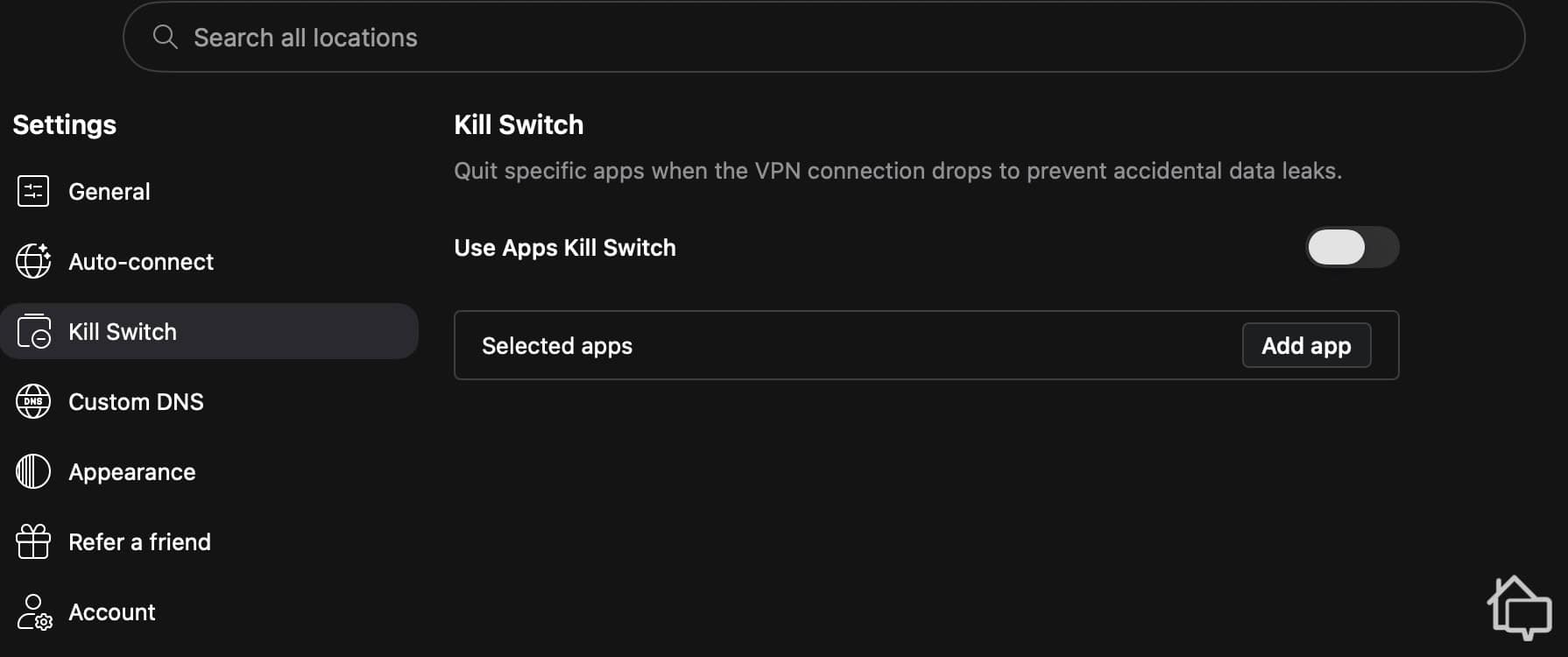
NordVPN Kill Switch
To test the kill switch, we manually dropped our connection multiple times across different servers and checked whether any traffic slipped through during the gap. It worked every time, with both the app-level and system-level versions functioning as expected.
We also ran 15 DNS and IP leak tests across multiple server locations over two days to check for a different kind of exposure: whether our real IP address or DNS requests were visible outside the encrypted tunnel. Every single test came back clean.
We installed NordVPN across four different devices to see how consistent the experience was. That included an older Windows laptop, a newer Windows PC, a MacBook, and mobile devices. The app is noticeably heavier than most VPN apps we’ve tested, which showed up as a longer install time on the older Windows laptop specifically.
Once installed, though, performance held up well across the board. We didn’t notice any drag on even the oldest device. Connection times were fast and consistent too, about five seconds for the first connection after clicking connect, and just one to two seconds for every connection after that.
Switching servers was straightforward in our testing. We picked a new location from the list, and reconnecting took just a few seconds every time, regardless of how far apart the servers were.
The one real limit we ran into was NordVPN’s 10-device cap. Larger households should plan around this specifically, since we hit that ceiling during testing and couldn’t connect any additional devices afterward, even while logged into the account with the app installed on the new device.
| NordVPN | Surfshark | Private Internet Access | |
|---|---|---|---|
| Starting Price | $3.49/mo | $2.49/mo | $1.79/mo |
| Simultaneous Connections | 10 | Unlimited | Unlimited |
| Kill Switch | App and system-level | App-level | Customizable, app-level |
| No-Logs Audit | Independently audited | Independently audited | Verified in court |
| Server Countries | 137 | 100 | 91 |
NordVPN leads on server network size, with 137 countries compared to Surfshark’s 100 and PIA’s 91. It’s also the only one of the three with a kill switch that operates at both the app and system level rather than just one. The one place it loses ground is device limits: Surfshark and PIA both allow unlimited simultaneous connections, while NordVPN caps out at 10. For most households, that ceiling won’t matter, but if you’re running more than 10 devices at once, it’s worth weighing against NordVPN’s stronger kill switch and bundled antivirus.
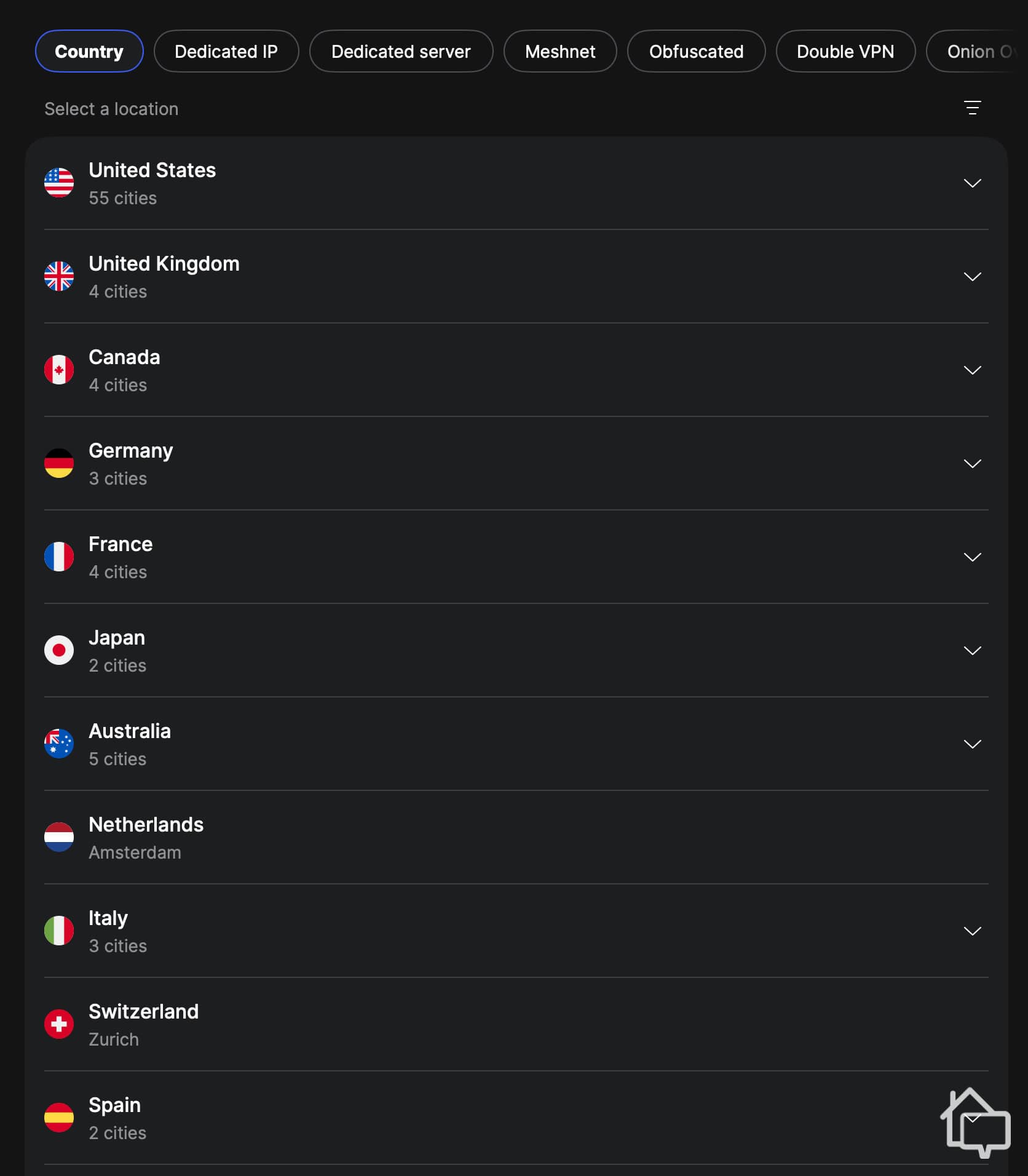
NordVPN server locations
Based on our testing, yes, particularly for households that want strong core security without shopping for antivirus and a VPN separately. The kill switch worked every time we tested it, leak tests came back clean across the board, and the next-generation antivirus caught real threats rather than just existing as a checkbox feature. Nearby servers stayed fast for streaming, gaming, and everyday browsing alike. Distant servers were more of a mixed bag, which is worth knowing if you regularly connect to far-off locations.
The 10-device limit is the main thing to plan around if you’re covering a large household, and the app’s heavier footprint is worth knowing about if you’re installing it on older hardware.
NordVPN’s Basic tier starts at $3.49 a month on the two-year plan, with Complete and Prime running higher for additional features. Month-to-month pricing starts at $14.99.
Up to 10 simultaneous connections per account. We hit this limit during testing and couldn’t add another device until we disconnected one already in use.
Yes, at both the app level and the system level. It isn’t turned on by default, but once you enable it, it defaults to the system-level mode. It worked every time we tested it.
It’s been renamed to next-gen antivirus. The functionality is the same: it scans for malware, blocks phishing and malicious sites, and filters trackers and ads.
On nearby servers, the latency increase was minor in our testing, from under 10ms baseline to 30 to 40ms. Distant servers had a bigger impact, but stayed under 100ms in most of our tests.
Parks Associates. (2026). The Connected Home Has Entered Its Replacement Era.
DC Speedtest. (2025). Ideal Ping Speed for Gaming in 2026: The Definitive Guide.