There are countless home security systems on the market, but only a few we trust to reliably protect a family. Based on our hands-on testing, Cove is one of them. The brand has consistently earned a spot on our list of the best security systems because it delivers quality hardware and monitoring at a fair price.
That said, we never take a system’s reputation for granted. With Cove’s refreshed lineup, we ordered a full package and tested it thoroughly. We tripped the alarm to gauge volume, ran every Echo voice command, and even stayed up late to assess the video doorbell’s night vision.
Here’s us tripping the panic alarm via Cove’s panic button.
The verdict? Cove has its limitations – every system does – and we’ll detail each of them here. Still, our tests proved it offers better value than most which is why it remains one of our top recommendations for reliable, comprehensive home security.
Expert Examined
From Rob Gabriele, Managing Editor & Home Security Expert
“In an emergency, I like homeowners to have as many options as possible to seek help. Cove hits this mark with their three-tier response system. Using the control panel, live-assist allows you to talk directly to an agent professionally monitoring your home. Insta-text is another option which can send notifications via text message to your phone in the event your alarm is triggered. You can also opt to receive a phone call directly from an agent monitoring your home when the system detects an intruder.”
Ordering a Cove system requires slightly more effort than browsing a retail store, but the process is straightforward. While not quite as instant as Ring (see our complete Ring Alarm review), it’s significantly simpler than providers like Vivint that make you call. We completed an online questionnaire about our home and living situation, and Cove generated a security system specific for our needs.
You always have the option to take matters into your own hands by skipping the questionnaire though. As with other companies (see our SimpliSafe review), the hub and touch-screen keypad are required with every system, but there is a wide range of options when it comes to sensors and cameras.
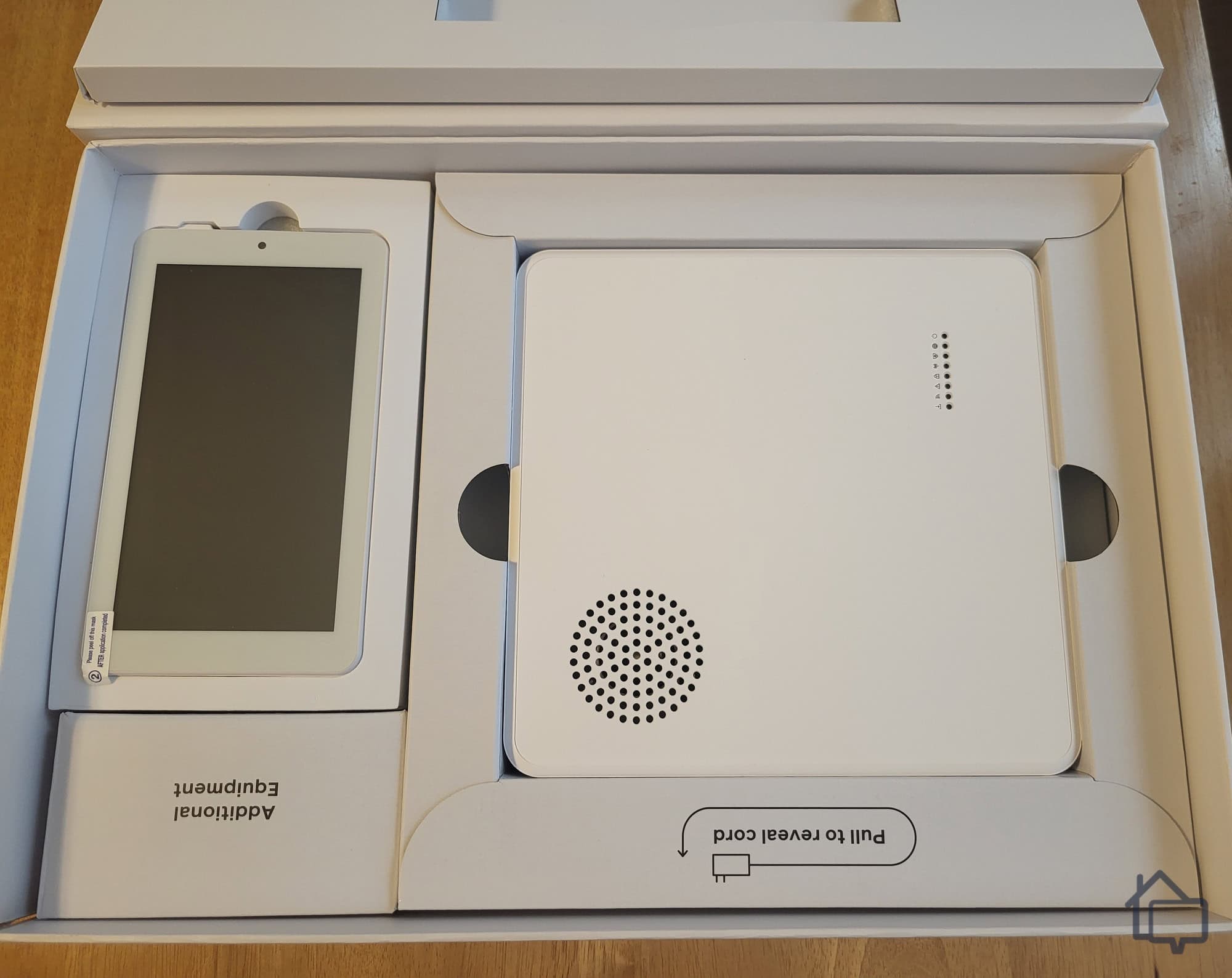
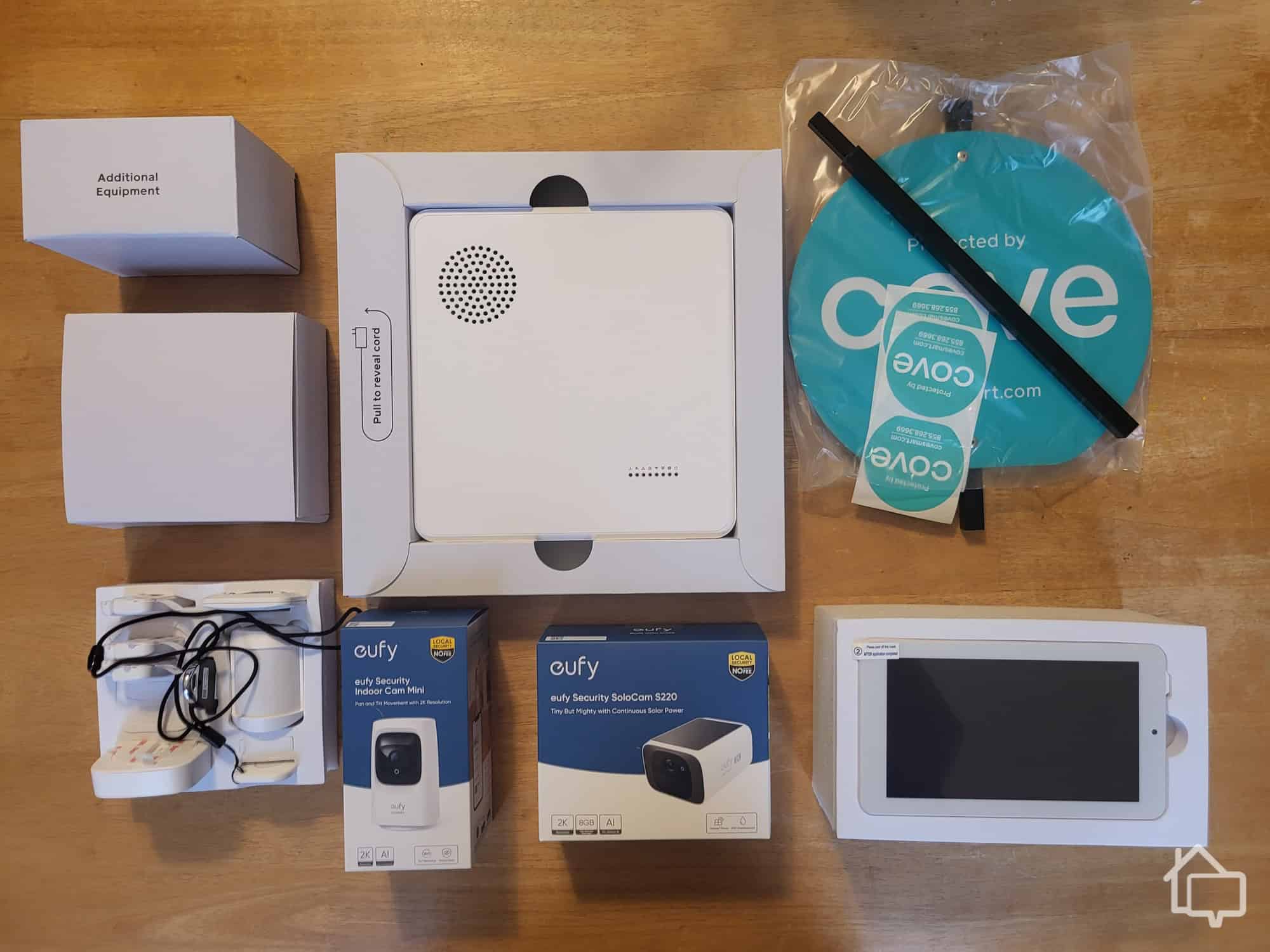
Our Cove package featuring the hub and touch-screen keypad.
Once we chose our equipment (more on those options later), Cove guided us to pick a monitoring plan. We also got to name each device. We named our living room camera Daisy. It’s fun, but also practical: every component arrives pre-connected to the hub and clearly labeled, making setup and organization easy.
After paying, Cove sent both an email and a text prompting us to set up our system portal. Through it, we could manage our account, pay bills, and get help with any questions. The text promised updates on shipping—very convenient. At this point, we were impressed; it felt like Cove had everything under control, and it’s easy to see why they appear on our list of best self-installed home security systems.
Unfortunately, our excitement faded when equipment delivery proved slower than expected. The shipping text never arrived, so we logged into the portal to check. We reached a friendly live-chat representative immediately, but she couldn’t provide a firm shipping date — only that we’d receive a text when it shipped. She mentioned delivery would take five to seven days once it shipped. Not ideal, but perhaps unsurprising given Cove’s mixed reputation for customer service.
Turns out, we smiled a bit too soon.
Getting the equipment to our house turned out to be a bit more trouble than the ordering process led us to believe. We waited for several days, but the shipping text never arrived. So we did the next logical thing: We logged in to our portal to check on it.
The good news is that we got a polite customer-service representative on live chat almost immediately. Unfortunately, she couldn’t tell us when our equipment might ship, only that the company would send a text when it does. We already knew that. It would be a few days, she said vaguely. She also mentioned that when it shipped, it would take five to seven days to arrive. Not what we wanted to hear, but what can you do? Maybe not surprising given that Cove doesn’t show up on our list of the best systems with great customer service.
Our Cove package arrived, but we waited seven days from the time we placed our order.
We should point out that we ordered during the holidays, so maybe a bit of a delay is forgivable. Even so, when you’re purchasing home security equipment, you want it sooner rather than later. We even asked about expedited service — we were willing to pay extra to get everything a little faster — but we were told that’s not a thing Cove offers.
All’s well that ends well. Our conversation must have made an impact, because the next morning we received a text confirming our shipment. To our delight, it arrived in two days rather than five. The video doorbell we purchased was on back order, which likely explains why the order took awhile to ship. Ultimately, we give Cove high marks for organization, even if the company stumbled slightly in execution.
Unboxing and Installation
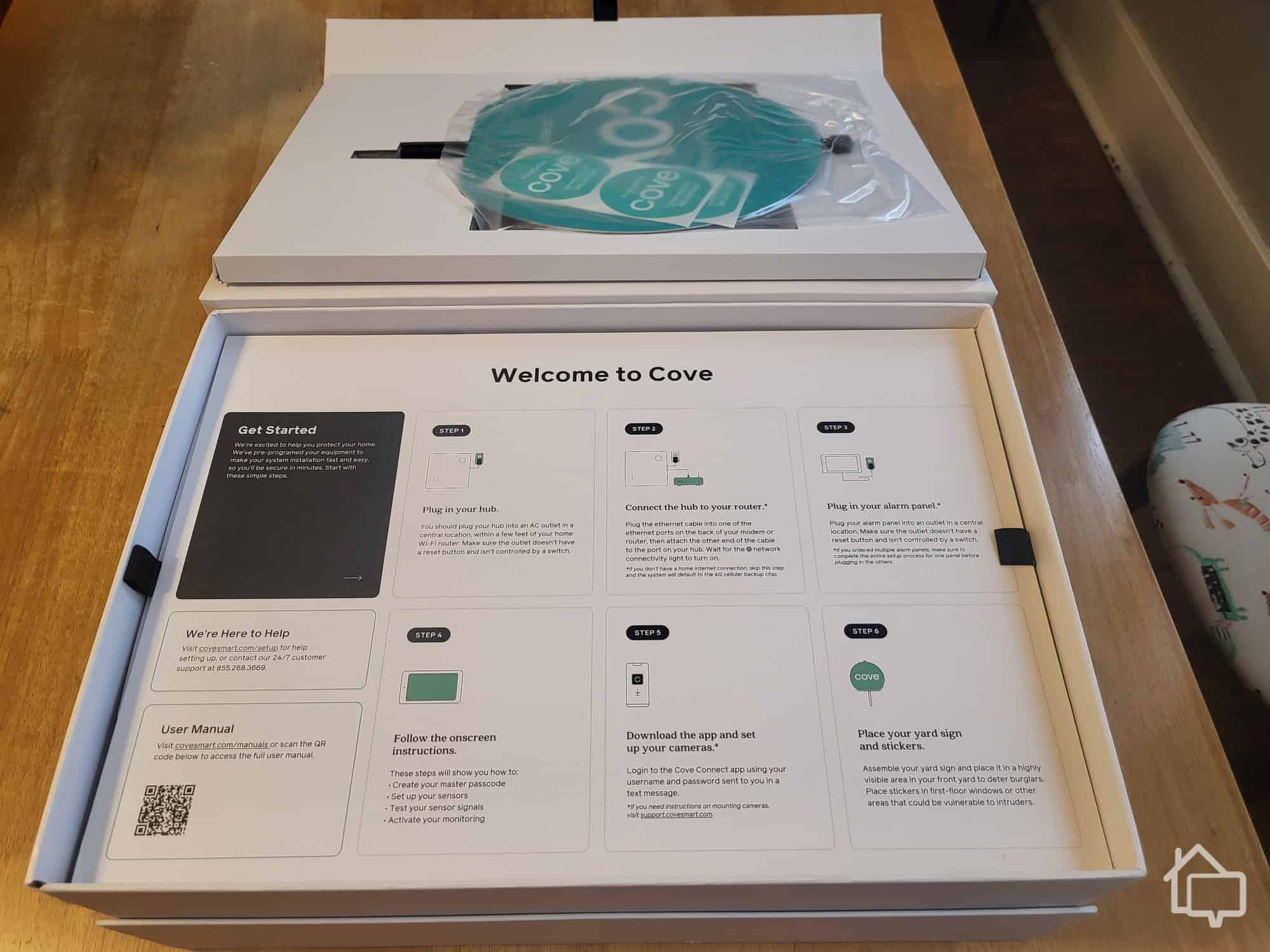
Everything, sans video doorbell, arrived via UPS in a single, nondescript, brown box. Inside was a Cove box with everything neatly packaged inside. When we say neatly packaged, we mean neatly packaged. Not only was every sensor and every camera tucked away in its own little hidey-hole, but the box cover doubled as a set of picture instructions to help us get started setting up our system. That’s efficiency.
After opening the package, this set of picture instructions welcomed us and helped us get started.
We haven’t come across any other system that makes installation quite as simple and straightforward as Cove does. There just wasn’t any way to make a mistake. While it’s easy to set up Cove on your own, they offer professional installation for a fee — pricing varies, so check Cove’s website for the latest rates.
Sensor installation was primarily peel-and-stick, but there were options in some cases for more permanent mounting. The smoke detector we ordered, for instance, needed some basic handyman work. We had to mark where we wanted it to go with a pencil and then turn a couple of screws to get the mounting hardware in place. Nothing we couldn’t handle. We rent, though, and we live in a historic home, so peel-and-stick was the better option in most cases since it minimized damage to our 110-year-old walls.
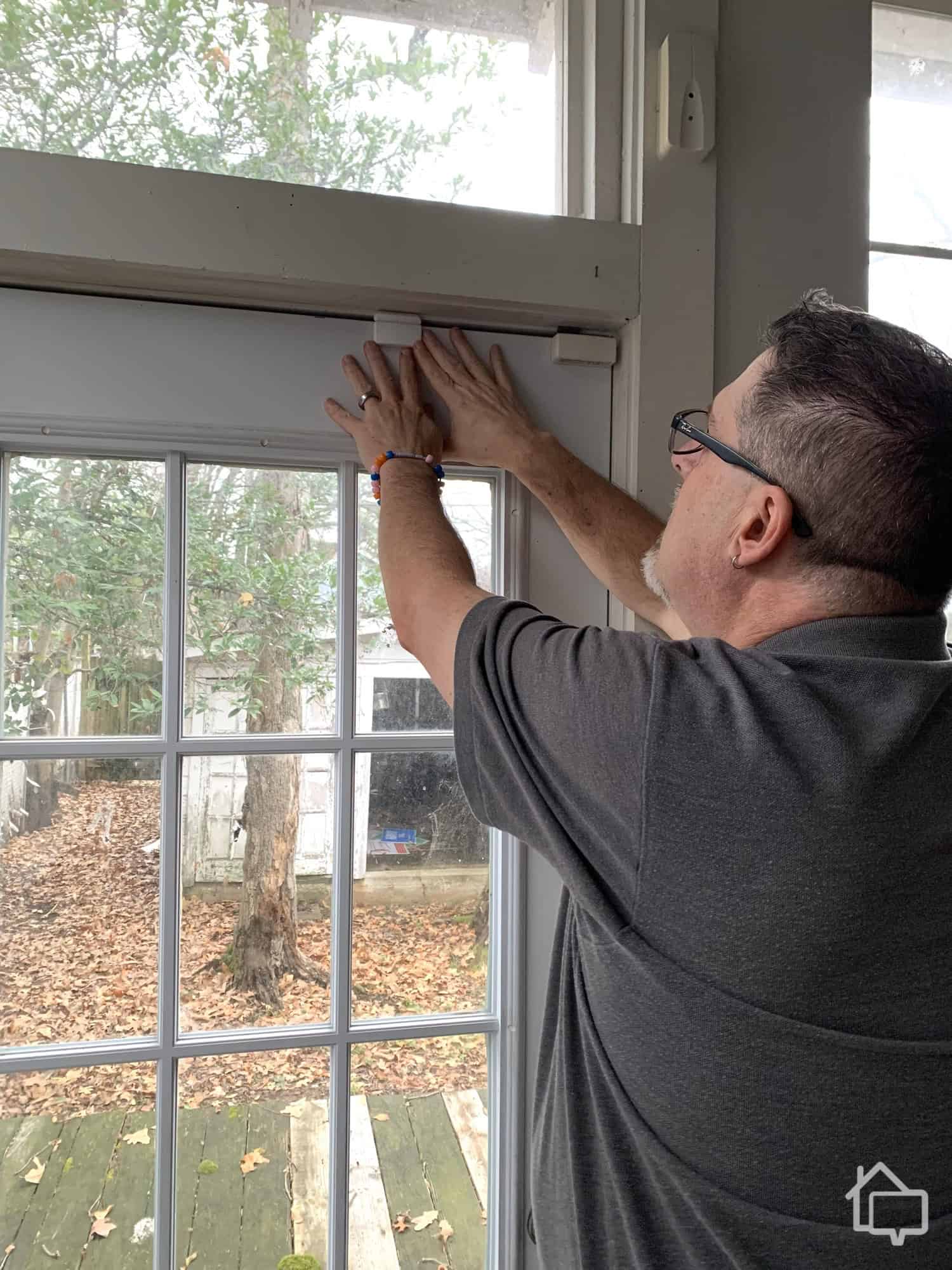
Here’s us mounting the window sensor. You can see how much smaller it is than the older window sensors we have.
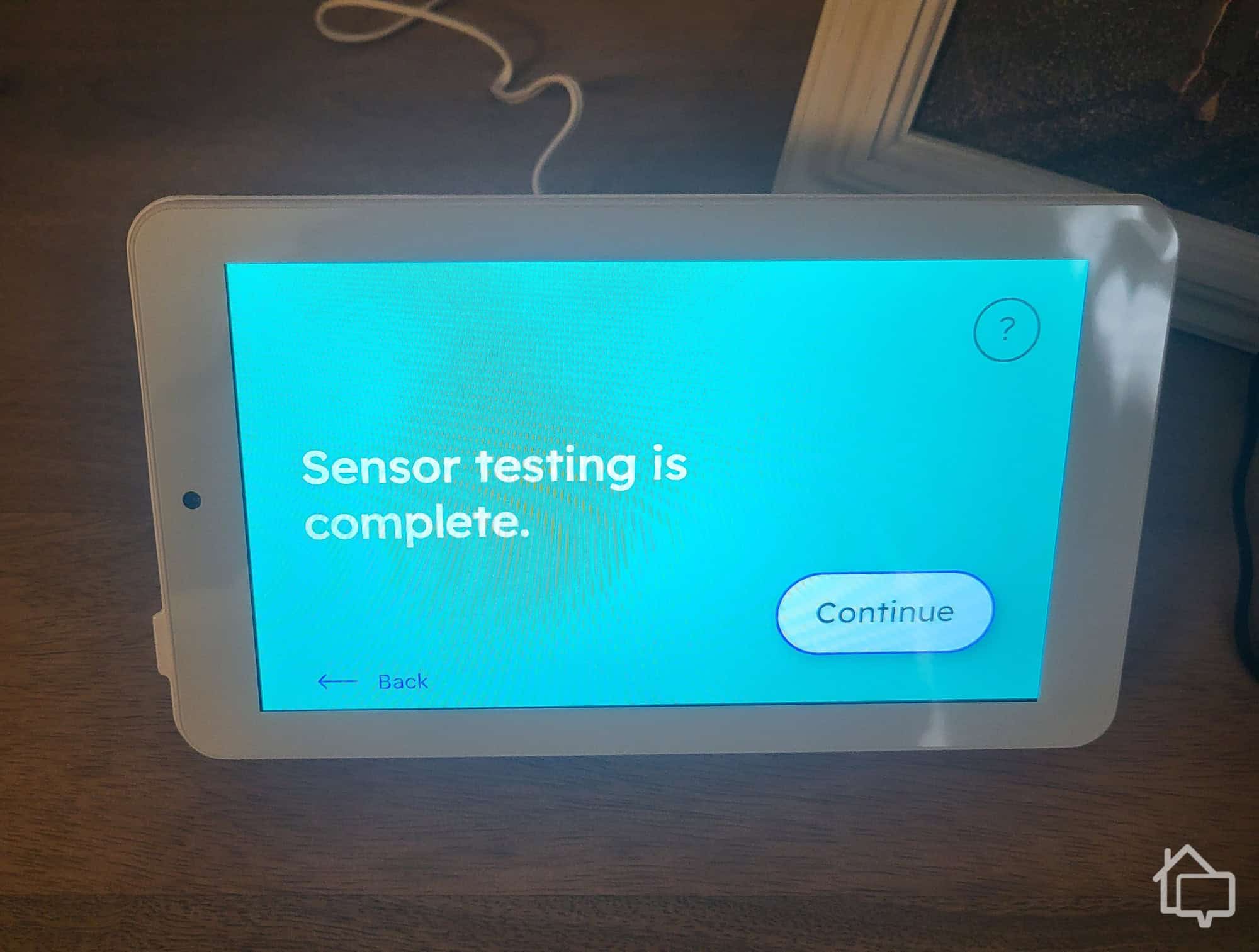
Everything worked like a dream, and by the time the control panel directed us to do a final check on the sensors, that big smile had started to creep onto our faces again.
There was a minor hiccup with system testing. The touchscreen panel indicated the monitoring center would call us once our system was up and running. When that call never came, we reached out directly — and sat on hold for about 20 minutes before getting through to a rep. Once connected, they wrapped up the setup quickly.
And then we started on the cameras.
Next up, we set up the security cameras, which took a bit more work than the Cove sensors.
Cove doesn’t manufacture its own cameras, choosing instead to offer Eufy devices. Before we go any further, we should say that these are great cameras. Check out our review of Eufy’s video doorbell, for instance. The problem is that because Cove doesn’t make the devices, it can’t preprogram them the way it does its touch screen and sensors. That means the installation process is a bit trickier.
Camera installation is designed to work through the Cove app. The app itself is intuitive — locating the camera setup button is easy, and once you tap it, you get clear, step-by-step guidance. That said, we hit a wall during our setup when the app repeatedly couldn’t find our devices. Switching to our 2.4 GHz Wi-Fi band didn’t solve it either.
After a couple of days of troubleshooting, we called customer service and found out the Cove app was having technical issues with camera installation. Unfortunately, they couldn’t give us a timeline for a fix. The rep’s workaround? Install the cameras through the Eufy app instead.
Side Note: While functional, the Cove app has room for improvement to better compete with other leading brands. In the meantime, check out the best home security system apps we’ve tested, which all feature easily navigable interfaces and plenty of customizations.
To be fair, we should have called way sooner than we did. We can be stubborn about trying to figure things out on our own, and this time it cost us an extra couple of days. Even so, it would have been nice to know the installation system didn’t work before spending two days trying to figure out what was wrong.
Everything eventually worked out. It wasn’t ideal having to use two separate apps for a week, but by then Cove had worked out its app issues and we got the system to recognize our cameras. The video doorbell arrived around the same time, and just like that we had everything up and running. The holidays, right? Even so, getting everything up and running didn’t go quite as smoothly as we hoped.
Expert Examined
From Joshua Lee, Active-duty Police Sergeant
“Self-monitored systems have higher missed alerts simply because the owner has to be the one monitoring the system. If the owner happens to be away from their phone, they won’t be able to alert the police on time. I can talk as a victim myself. I used a self-monitoring system, but while I was away at work, my vehicle was burglarized. The security system sent the motion alert to my phone, but I was unable to look at it until hours later. When I finally sat down to look at my phone, I saw my car being burglarized. By that time, there was very little for police to do since the suspect was wearing gloves and covering his face.” Read more about Joshua Lee →
Equipment
For all the headaches we experienced during setup, the equipment itself is a different story entirely. Cove’s hardware is solidly built, reliable, and gives you a solid amount of control over how everything behaves — which means you can dial things in exactly the way you want.
Once everything was set up, we started testing each component piece by piece — even the Cove key fob.
Hub and Touch Screen
The hub is a hub — a flat, white, plastic box with lots of blinking lights that sits next to the router and connects the various pieces of the system. It’s reasonably unobtrusive and does its job, which is what you want in a hub.
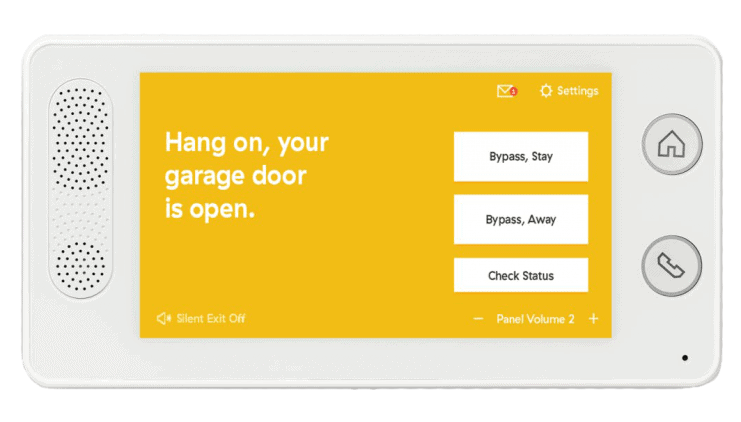
We were far more impressed with the touch-screen control panel. As a starting point, it has some heft to it. Clearly, there is some sophisticated hardware inside. It’s also sleek, with a clever design that features a mount that doubles as a stand if you’re setting it up on a flat surface.
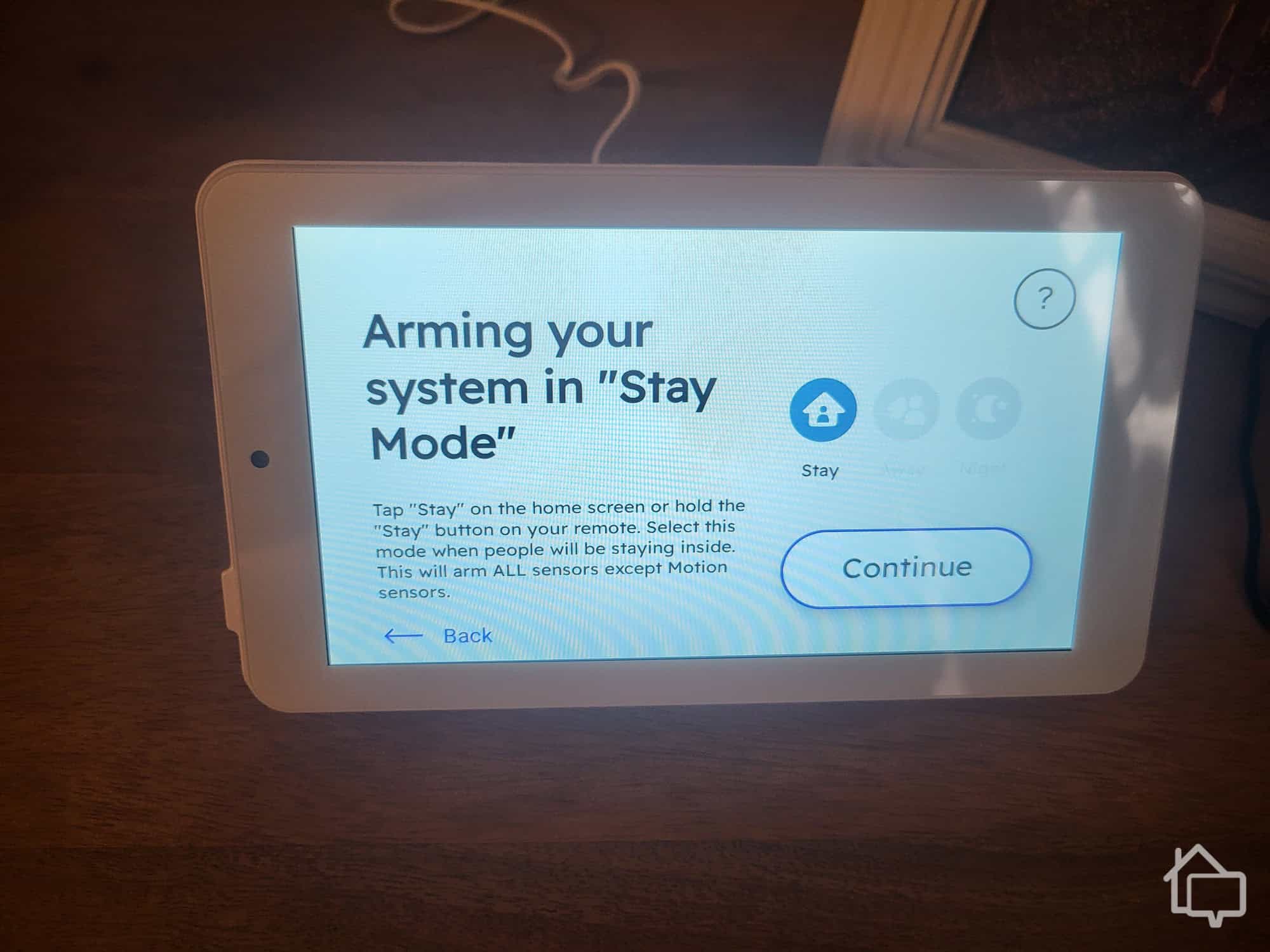
Controlling and managing the entire system was a breeze using the Cove touch-screen controller.
The hub delivers everything you need to manage your system and monitor sensors without cluttering the interface. Navigation is intuitive — a simple touch takes you between the four core modes: Stay, Away, Night, and Unarmed. You can pull up camera feeds once connected, and adjusting settings is refreshingly straightforward.
Door Entry Sensors
The sensors had a nice weight to them that made us feel like they were substantial pieces of equipment. Yet Cove has managed to make them sleek and discreet too. They’re not going to ruin your home’s aesthetic, and, in all likelihood, guests won’t even notice they’re there. Peel-and-stick makes them easy to install, and they come with their names already assigned, which makes installation that much simpler.
Like most entry sensors, they’re magnetic. When the connection between the magnets breaks, they send a signal to the hub. If you’re home, you’ll get a friendly voice alert that your door is open. If you’re out and about, the alert is sent via a text message.
Window Entry Sensors
Cove says its window sensors work differently from its door sensors. They look and feel exactly the same as the door sensors, but who are we to quibble? The main thing is that they install just as easily as the door sensors, and they work just as reliably. Raise a window, get an alert.
Glass-Break Sensors
The thing about window entry sensors is that they won’t work if a home invader decides to just break your window’s glass — and, let’s face it, that’s the more likely scenario. Enter the glass-break sensor. Cove’s glass-break sensors are simple square, white tiles you place on the wall opposite your windows. They listen for the particular frequency of breaking glass and let you know any time they pick it up. Like every other piece of equipment from Cove, they’re both sleek and sturdy — the perfect combination.
Motion Sensors
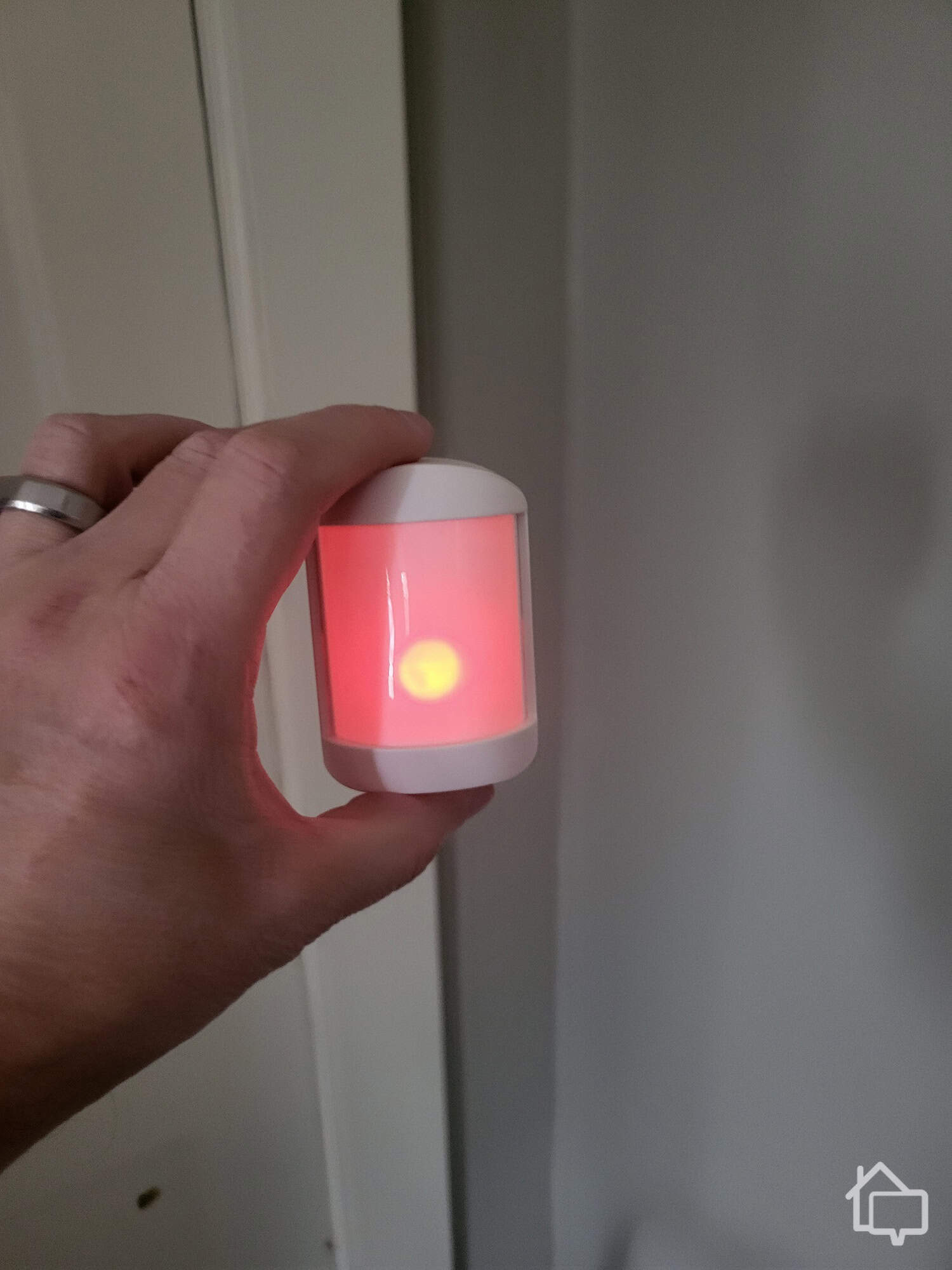
The Cove motion sensor lights up when it detects movement.
This is the one piece of Cove equipment that is a bit more lightweight. The motion sensors felt less solid and more plasticy. Those qualities, however, are actually part of how the device works. The plastic front, for instance, allows the sensor to see what’s happening in front of it and simultaneously allows us to see the red light that comes on when the sensor picks up motion.
Smoke Detector
Your home probably already has a smoke detector. Ours certainly has several — in the kitchen, the hallways, and the bedrooms. An off-the-shelf smoke detector is great for alerting you to potential fire hazards that happen when you’re at home. They’re designed to emit an ear-piercing alarm that can wake you from even the soundest slumber.
But what happens if a problem develops while you’re running errands, traveling for work, or out for the evening? The advantage of having a Cove smoke detector is that you receive instant mobile notifications no matter where you are. Then, you can call emergency services if needed, potentially saving your home from serious damage.
Flood Sensor
A flood sensor can be a valuable piece of equipment for a number of reasons. We live in an older home, and we don’t always trust the pipes — especially in winter. A flood sensor ensures we’re protected if something bursts. The devices are great if you have older appliances — dishwashers, washers, and dryers — or if you just worry about flooding emergencies in general.
Cove Home Cam
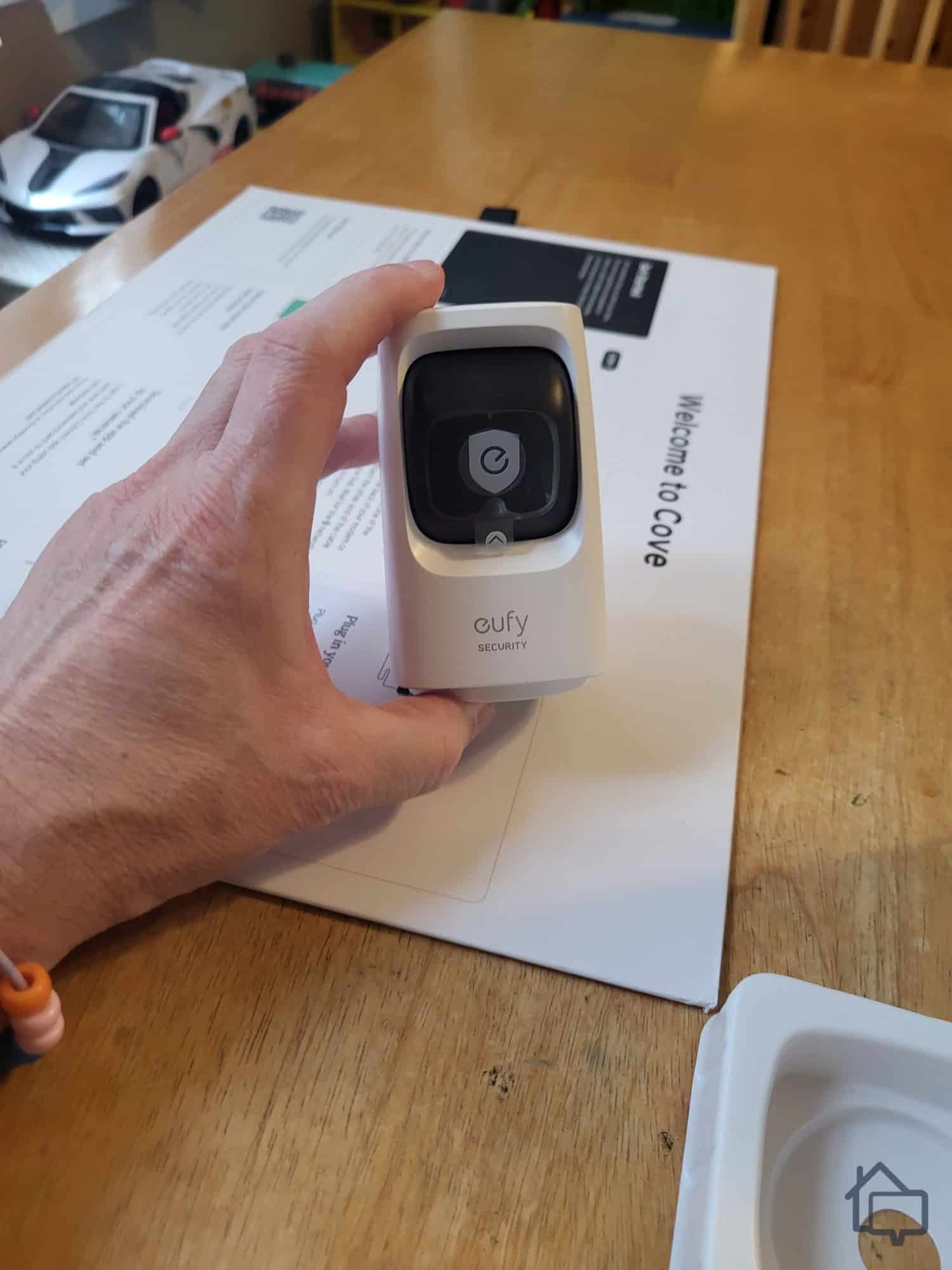
Overall, we like Cove’s wired indoor camera. It seems to just be the Eufy indoor cam they used to offer, except with a rebrand and slight redesign. These compact devices deliver impressive features at an excellent price point. With pan and tilt functions and digital zoom capabilities, the indoor models can capture a complete 360-degree view of any room — all in sharp 2K resolution.
Night vision ensures you won’t miss anything regardless of lighting conditions. Plus, with sound detection, your camera can start recording even before someone enters the room. You can toggle between motion-triggered recording and continuous recording, and there’s no need for a cloud storage subscription. Footage saves directly to an internal microSD card (sold separately). All this for just $60.
Eufy Wired Indoor Camera
Call us Eufy fans. These little cameras come packed with features and offer tremendous value. With pan and tilt functions and the ability to zoom, the indoor models can literally capture everything happening in a room — a complete 360-degree view — and, with 2K resolution, it’s all crystal clear.
There’s night vision, so you won’t miss a thing no matter what time of day or night activity occurs. Plus, with sound detection, your camera can capture events even before someone enters the room. You can choose between triggered recording and continuous recording, and you don’t even have to worry about paying for a cloud storage plan. Footage saves right to your mobile device. All this for just $60.
This small but mighty indoor camera pans and tilts to maximize its coverage area.
With indoor cameras, we always worry a little about privacy. When we shut down our Eufy indoor camera, it actually rotated to face the wall, so we knew no one could watch us stumbling through our evening yoga exercises.
Expert Examined
From Joshua Lee, Active-duty Police Sergeant
“Home security technology has gotten better, cheaper, and easier to install, which is why we are seeing an influx in home security video evidence for non-burglary crimes. For that reason, police always look for video surveillance that we can use as evidence of a crime. I remember responding to a large fight in the street. When we arrived, everyone left except for the victim who was unresponsive on the ground. The key to finding the suspects and finding the truth in that investigation was a neighbor’s home surveillance video that recorded the entire incident.”
Cove Outdoor Camera
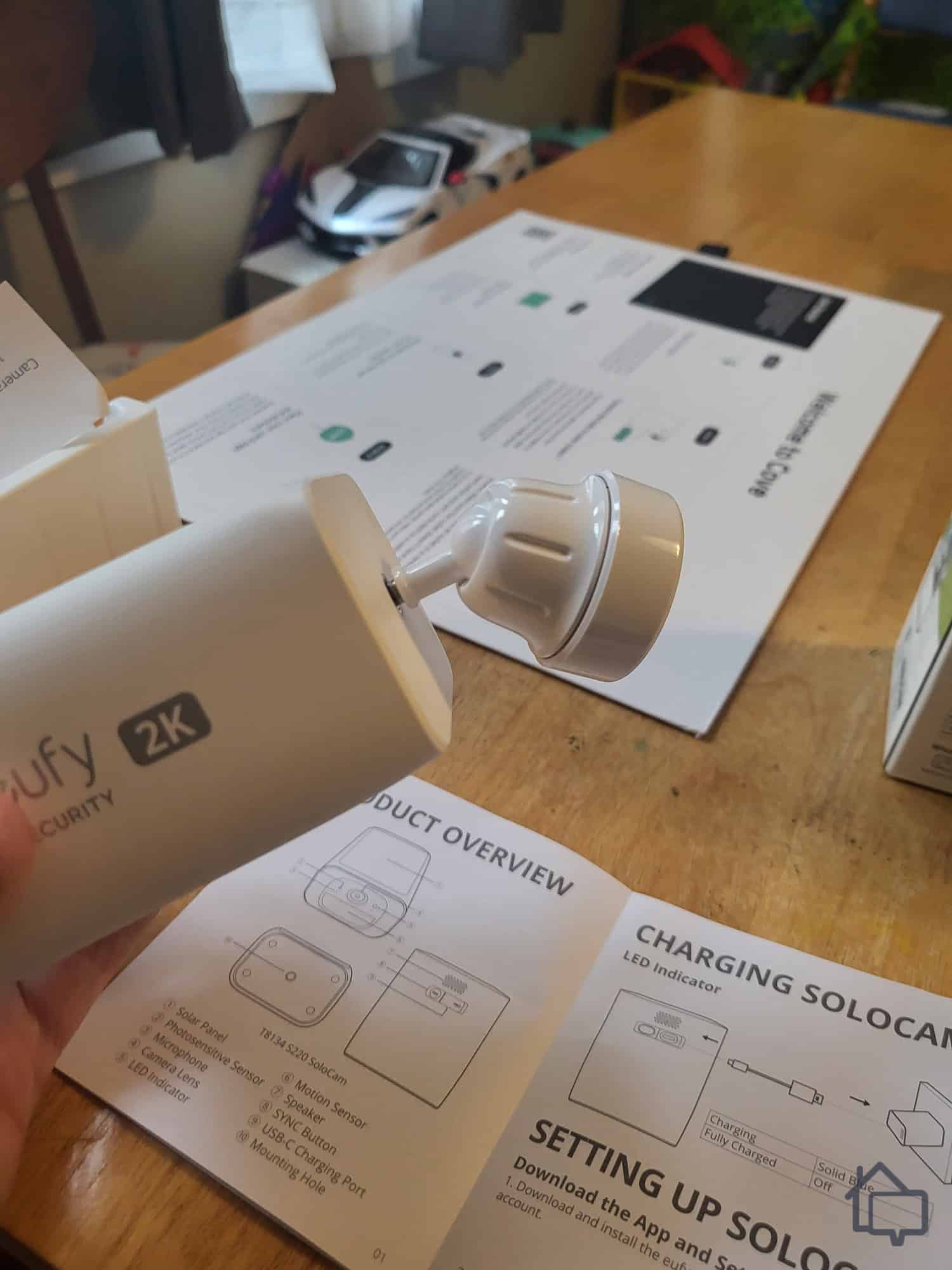
We were equally impressed with the Cove outdoor camera. Priced at $160, it’s built to handle the elements with an IP65 rating—meaning it’s completely dust-tight and can survive through heavy rain storms. Some of the extra money also goes into the solar panel, which comes standard and eliminates the need to change batteries. Mount the camera at any height you want — higher angles give you broader coverage of your property — and you’ll never need to climb back up on a ladder for battery swaps.
The outdoor model doesn’t pan and tilt like the indoor version, but it features an adjustable mount so you can dial in exactly what it sees. It offers both color night vision and infrared night vision for low-light situations. As with the indoor model, you can store all your footage on an internal microSD card.
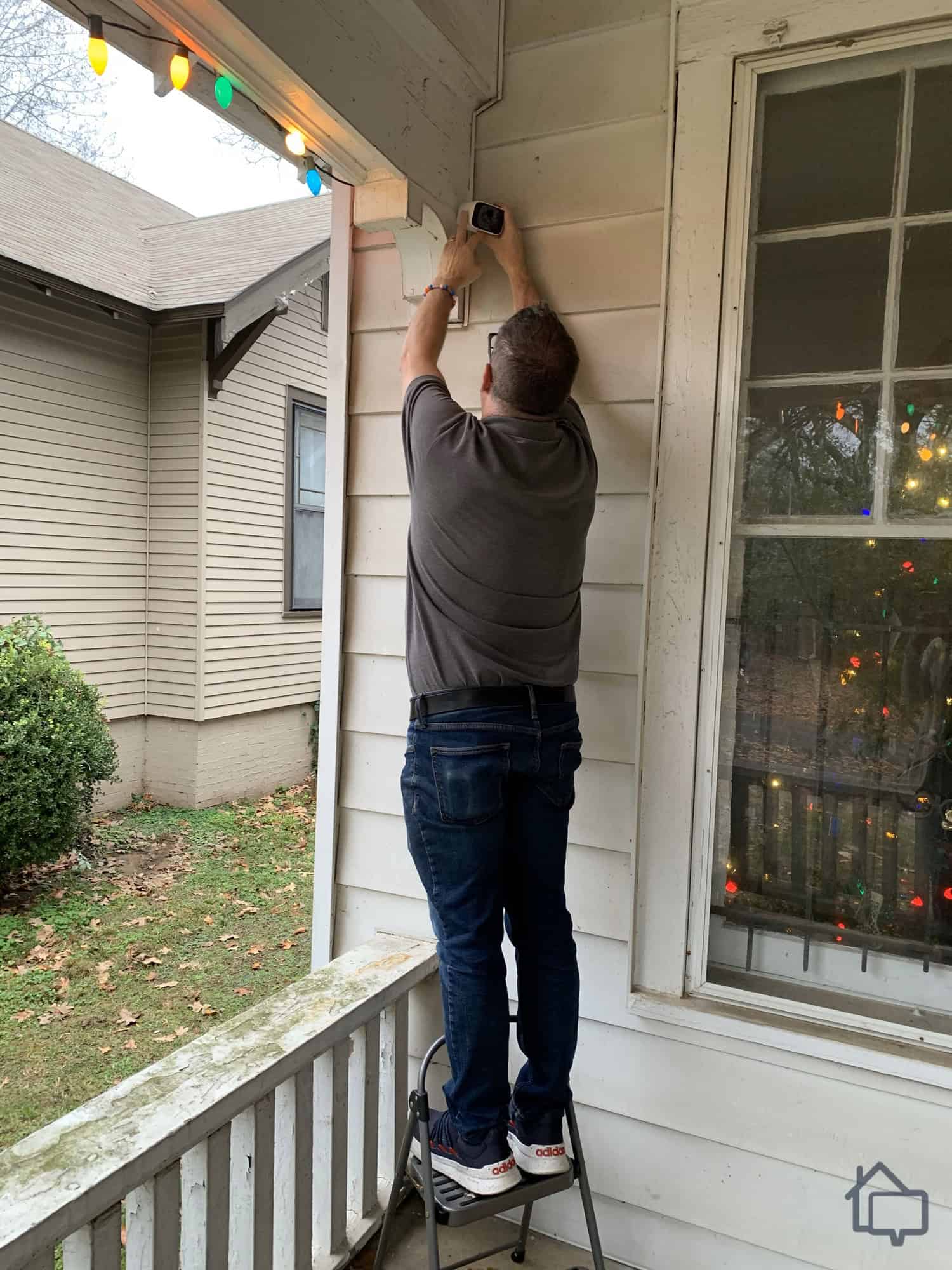
The outdoor camera’s mounting bracket may not look sturdy, but it held up pretty well.
Just a note: Outdoor cameras can work anywhere. We suspected we may have squirrels in the attic, so before we installed our camera outside we set it up in our rafters to see what we could see. Luckily, no squirrels. Yay! But then what are those noises we keep hearing? Now we have to worry about ghosts.
Cove Video Doorbell
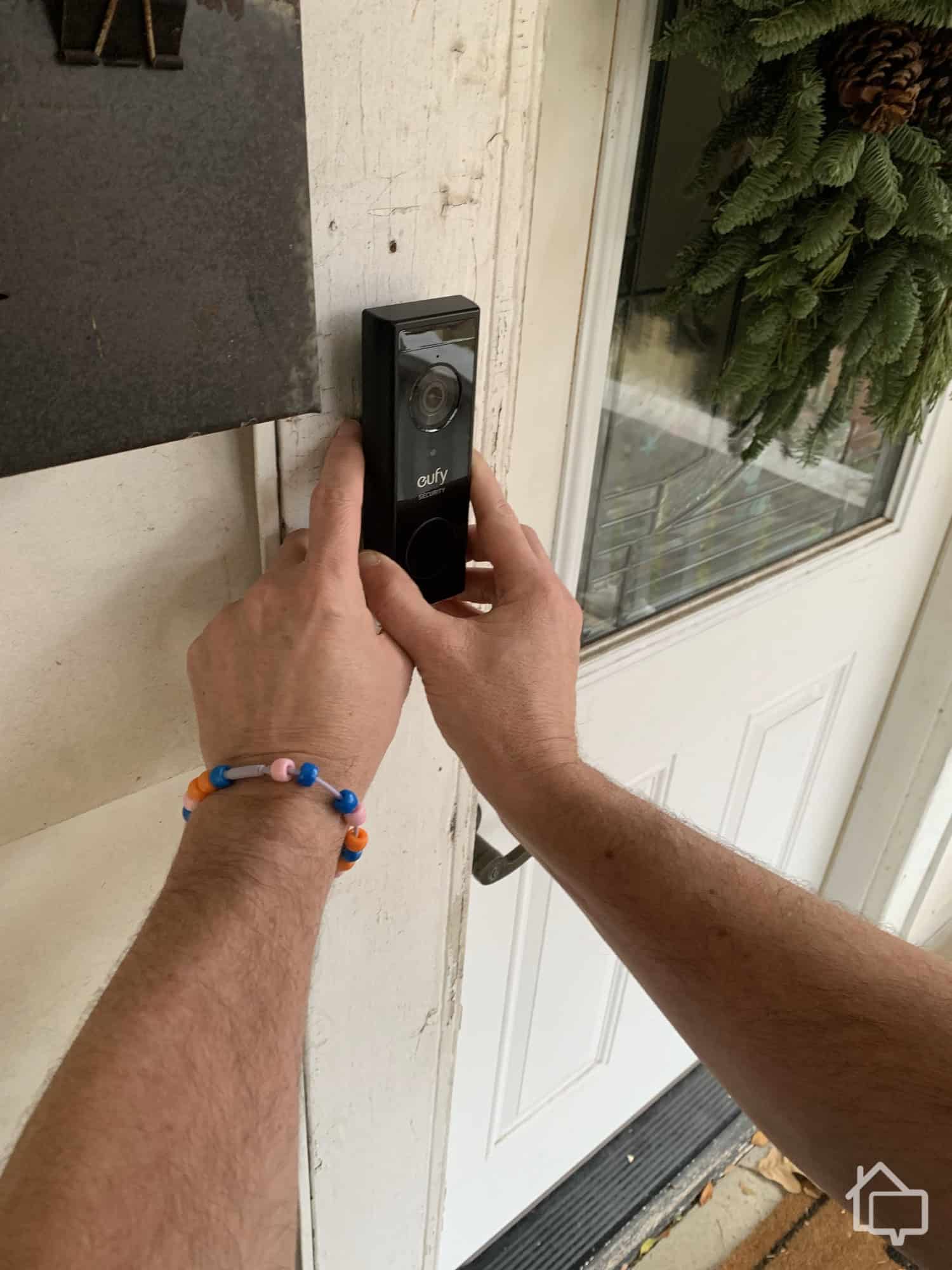
The Cove video doorbell comes with all the same great features as the other cameras, including 2K resolution, night vision capabilities, and two-way talk. It includes person detection, which means we didn’t have to worry about false alarms every time a car happened to drive by. It even features an IP67 rating, so it can withstand almost any environmental conditions. And, of course, as a video doorbell, it sits right at the entrance to your home.
One of the standout features of this doorbell is the flexibility in power options. You can hardwire it to replace your existing doorbell or rely on battery power for a completely wireless setup. Either way, it comes with its own chime, so you won’t need to purchase additional accessories. Of course, unless you want to store footage on an internal microSD card.
We had to wait a couple more days before it arrived, but it was easy to set up the Eufy video doorbell.
Key Fob
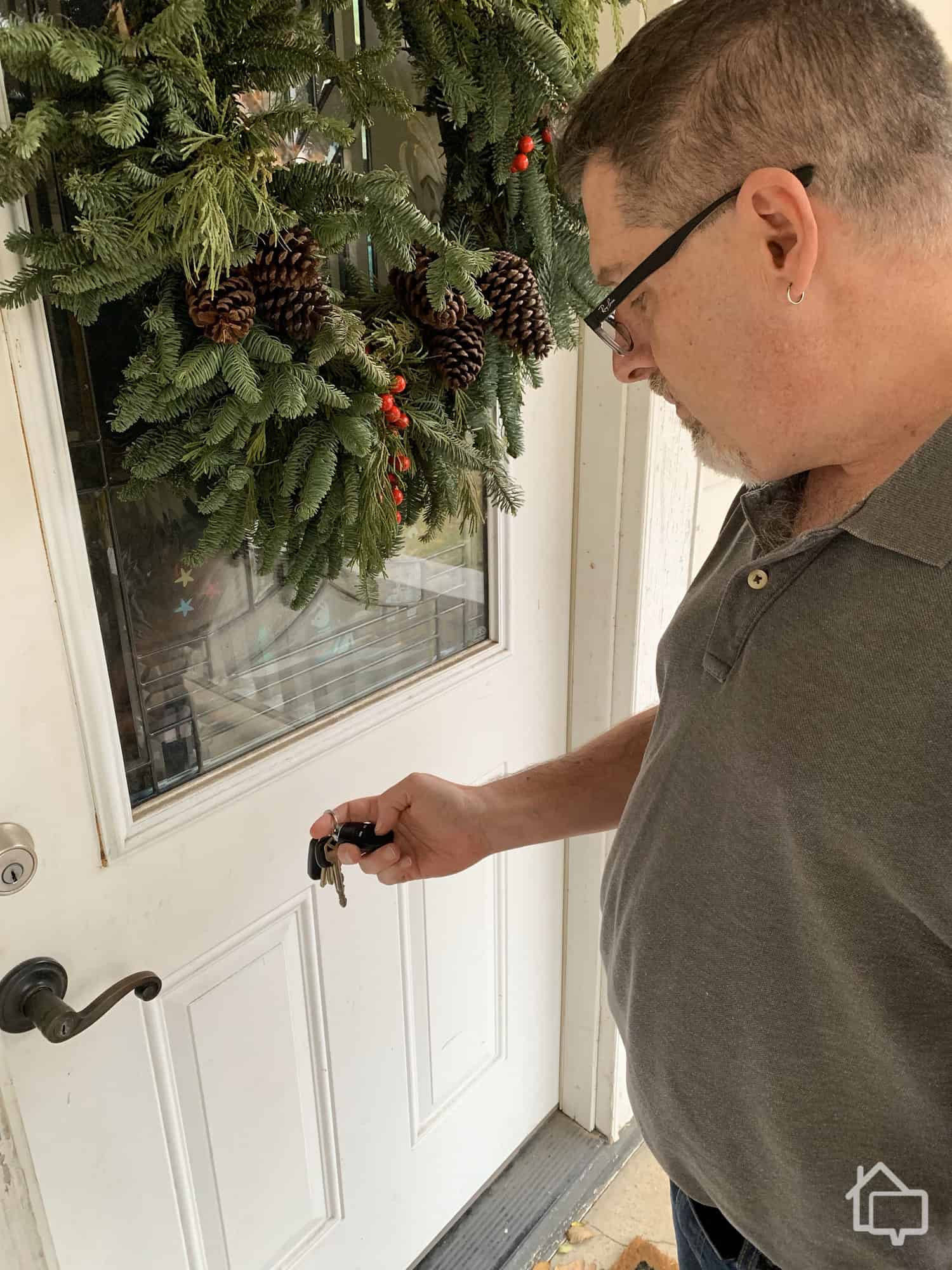
The entire Cove system is accessible via the Cove app, and you can make lots of adjustments depending on how you want to secure your home. For simple actions, such as turning the system on and off, you can also purchase a handy key fob. We liked having control over our system in our pocket, and it’s nice to be able to shut down the system before we open the front door. No more rushing to the control panel to try to get everything turned off before the alarm sounds.
Panic Button
We also purchased a panic button to test how Cove’s version compares to other systems. While we didn’t anticipate needing it often, we kept it nearby when contractors or service providers were in the home. It’s a simple but effective layer of added security that provides peace of mind in unexpected situations.
Yard Sign
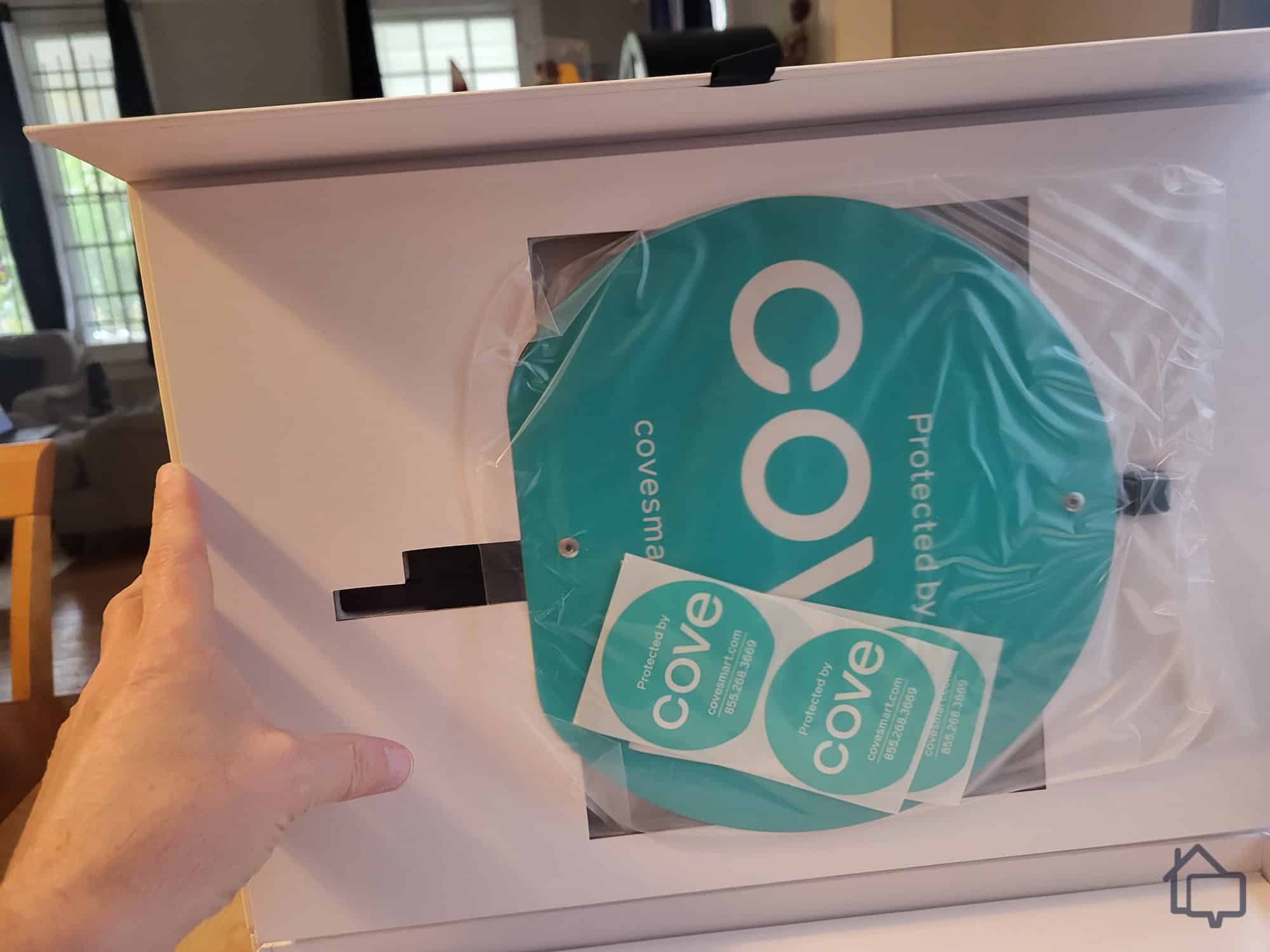
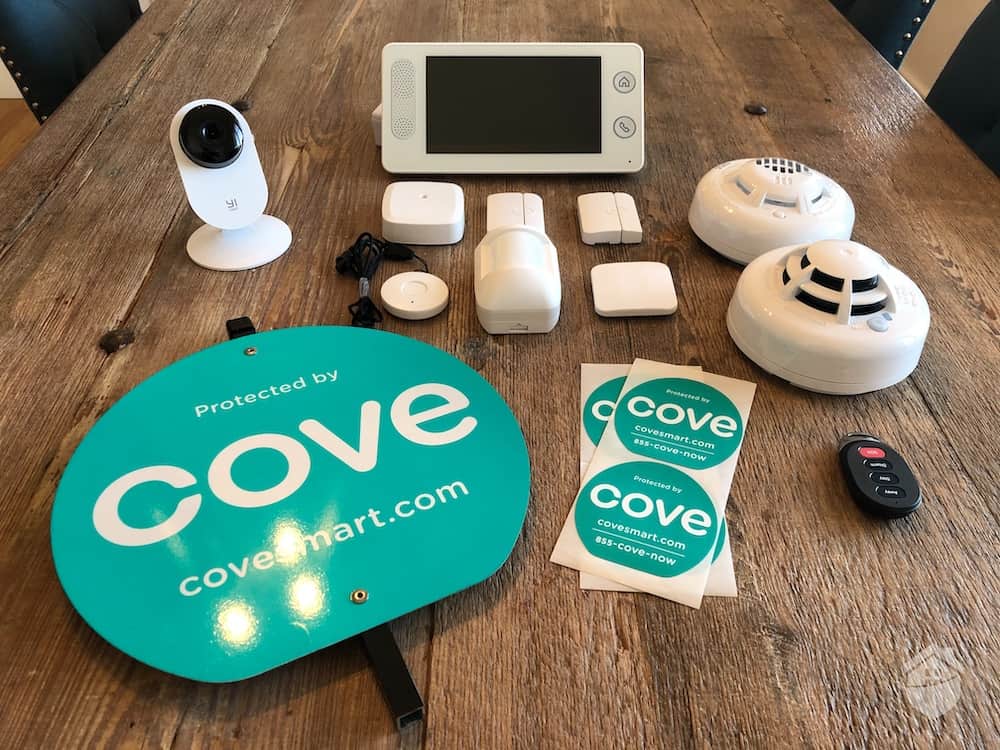
You always want to put up your sign. It lets anyone who may have eyes on your home know that you take security seriously. All yard signs do that, but Cove signs carry the added weight of the Cove name.
Additional Equipment
There are two Cove devices we didn’t test personally, but based on the quality of everything else the company produces, we’re confident they deliver the same reliability.
Carbon monoxide sensor: Carbon monoxide sensors can be a valuable addition to any home security system since they detect the odorless — and potentially deadly — gas. As with the smoke detector, Cove carbon monoxide sensors let you know there’s a problem even if you’re not at home. We were a little surprised that Cove doesn’t offer a combined smoke and carbon monoxide detector, but it’s probably on their to-do list.
Secondary siren: The integrated touch-pad siren was plenty loud enough to cover our entire home. If you have a larger home or multiple floors, though, you may consider investing in an additional siren.
Get Cove Home Security Today
SecureScore™:
8.8/10This rating is derived from our editorial team's research, hands-on product testing, and customer surveys.
Cove doesn’t offer self-monitoring options. If you purchase their equipment, you’re required to subscribe to a professional monitoring plan. But here’s the reality — professional monitoring is essential for a truly effective home security system.
OK, DIY can save you a little money, but it’s just not as safe. Home invaders don’t strike when you’re sitting on your couch with your Cove app pulled up. They strike when you’re at the movies, or on vacation, or in the shower. While we were testing our system, we stepped out with friends to an escape room — not exactly the ideal situation to handle a home security alert. With a monitoring plan, though, we knew Cove would take care of any issues that came up.
FYI: If your home security system features an on-site alarm, you should check with local authorities as part of your installation process. Many municipalities require homeowners to register their systems. Registration also ensures emergency personnel will respond to alerts at your home.
Expert Examined
From Joshua Lee, Active-duty Police Sergeant
“The first thing police dispatchers receive from the monitoring station is the property address. This will allow patrol officers to drive toward the home. Another important piece of information we receive from the monitoring station is the alarm type: panic button, glass break, door or window trigger, motion. After we receive the alarm type, the monitoring station will send us the location of the alarm (for example, glass break, kitchen window). All of this information allows patrol officers to plan accordingly while they are driving to the home.”
Cove doesn’t require long-term contracts, so you can cancel service if you happen to come across a better deal from another company. And you get to choose between two plans.
Cove Basic delivers 24/7 monitoring, alarm verification, and complete control over your system through the Cove app, all for just $19.99 per month. That’s on par with some of the more budget-friendly monitoring plans available, such as Ring’s AI Pro plan.
Cove’s monitoring covers all Cove equipment you have in your home, but we recommend the Cove Plus plan if you have security cameras.
We opted for the Cove Plus plan, which includes camera support and complete integration with Alexa and Google Home. Plus, we got a lifetime equipment warranty. The Plus plan costs an additional $10 per month, bringing the total to $29.99. That’s competitive with similar services from other companies. SimpliSafe’s professional monitoring plan with video support runs $32.99 per month — slightly more than Cove, and it does include a few extras like video verification that Cove doesn’t offer.
FYI: Quite frankly, no one can match SimpliSafe’s Core monitoring plan. For $32.99 per month, professional monitors actually review camera footage any time an alarm goes off. They’ll also talk home invaders out of what they’re doing with your camera’s two-way talk. For an additional fee, this same feature is also available for outdoor security cameras.
Pricing
Last, but certainly not least, let’s talk a little about Cove pricing. With any home security system, there are three basic costs to worry about: equipment, installation, and monitoring.
Installation
Installation with Cove is DIY and free of charge. While you can pay for professional installation, most customers find the DIY approach straightforward. Some systems don’t even require a screwdriver. We hardwired our doorbell and mounted our outdoor camera, and still managed to finish the full install in under an hour. If you decide you want professional installation, it starts at $129.
Equipment
On paper, Cove sits in the mid-range tier for home security pricing. Packages run from around $410 to $1,170 at retail, but Cove almost always has a sale running. As of mid-2025, the company is offering significant discounts across all equipment packages, making Cove systems considerably more affordable than competitors like ADT. (Note: Sale prices change frequently—check Cove’s website for current offers.)
Packages
Equipment
Retail price
Current sale price
Basic Guard DIY
6 pieces
$410
$124.99
Essential Watch
11 pieces
$579.99
$149.99
Advanced Security
16 pieces
$739.98
$249.99
Premier Protection
19 pieces
$899.97
$299.99
Fortress Elite
24 pieces
$1,169.95
$494.99
Premade packages are convenient if you aren’t sure what you need for your home security, but Cove also lets you put together your own package. That will usually save you money on equipment you don’t actually need. On paper, equipment prices are fairly ho-hum. If you catch Cove during one of its many sales, though, you can get some top-tier equipment at very reasonable prices.
Equipment
Retail price
Current sale price
Hub
$150
$45
Touch-screen panel
$150
$45
Door sensor
$15
$4.50
Window sensor
$15
$4.50
Motion detector
$50
$15
Glass-break detector
$50
$15
Secondary siren
$150
$45
Smoke detector
$95
n/a
Carbon monoxide detector
$95
n/a
Flood sensor
$50
$15
Key fob
$30
$9
Panic button
$30
$9
Indoor camera
$59.99
$49.99
Doorbell camera
$99.99
$69.99
Outdoor camera
$159.99
$80
Cove lets you pay through Affirm, so you can spread the cost over four payments with no interest charges. In addition, you’ll have a full 60 days to try your equipment risk-free, and shipping is 100 percent free.
Monitoring
Sensor testing.
Cove requires monitoring, so you need to budget this monthly expense when you’re deciding if Cove is right for you. The company offers two plans: the Cove Basic plan and the Cove Plus plan. Here’s what you get with each.
Features
Cove Basic
Cove Plus
Smartphone control
Yes
Yes
24-hour battery backup (on hub and keypad)
Yes
Yes
Dual connection (cellular and Wi-Fi)
Yes
Yes
24/7 customer support
Yes
Yes
InstaText fast response (text-based alerts)
Yes
Yes
Alarm verification (via phone, text, or app)
Yes
Yes
Fire, smoke, and flood detection
Yes
Yes
24/7 live alarm monitoring
Yes
Yes
Camera support
No
Yes
Alexa and Google Home voice control
No
Yes
Equipment warranty
No
Yes
Price
$19.99 per month
$29.99 per month
Pro Tip: Looking to save a little money? Go with the Cove Basic plan. It doesn’t include camera storage, but you can get free local storage through the Eufy app.
The Bottom Line
Minor hiccups during setup are easy to overlook when you consider the value Cove delivers. While our system didn’t ship instantly, it arrived within a reasonable timeframe. The video doorbell followed within a week, and even having to contact the monitoring center ourselves gave us an opportunity to experience Cove’s responsive customer service firsthand.
Our only real complaint had to do with the camera installation. There’s really no excuse for the fact that we couldn’t get our three cameras to connect to the Cove app. Yes, there’s a work-around — we were able to access camera footage through the Eufy app — but “work-around” is not a word you want to hear when you’re dealing with home security. Luckily, that problem also got fixed, if not quite as quickly.
Despite these occasional frustrations, we confidently recommend Cove. Few competitors offer such high-quality equipment packed with features at this price point. The value in Cove’s packages is undeniable. Add in dependable professional monitoring and responsive customer support, and you have a security solution that checks all the boxes for peace of mind.
No, Cove does not allow customers to self-monitor their systems. You must choose between a Basic monitoring plan, which costs $19.99 per month, and a Plus plan, which costs $29.99 per month.
The primary advantage of Cove’s Plus plan is that it provides support for video feeds. If your system includes cameras, you can access them only with the Plus plan. In addition, the plan includes support for both Alexa and Google Home, and it comes with a lifetime warranty on all equipment.
There are other strong home security systems worth considering alongside Cove. ADT is widely regarded as an industry leader, with over 150 years of experience and a network of monitoring centers across the U.S. SimpliSafe and Vivint are also solid options, each offering features and flexibility that may appeal to different types of homeowners.
One of the key downsides to Cove systems is the fact that the company doesn’t manufacture its own cameras. Instead, it offers Eufy devices. Eufy offers excellent cameras, but Cove’s use of third-party equipment sometimes creates problems in how well the various parts of the system communicate with one another. In addition, manufacturing its own cameras may allow Cove to offer lower prices on the devices.
As a home security expert and Managing Editor for SafeHome.org, Rob Gabriele has written and edited over 1,000 articles related to home security. His expertise is in smart home protection with thousands of hours of testing and research under his belt. Formerly a reporter and producer for the USAToday network, Rob has been a writer and editor for over 10 years. He holds a Master’s of Science with an emphasis on writing from the University of Montana, and he currently lives in Indianapolis, IN.
 Updated March 12, 2026
copied!
Updated March 12, 2026
copied!