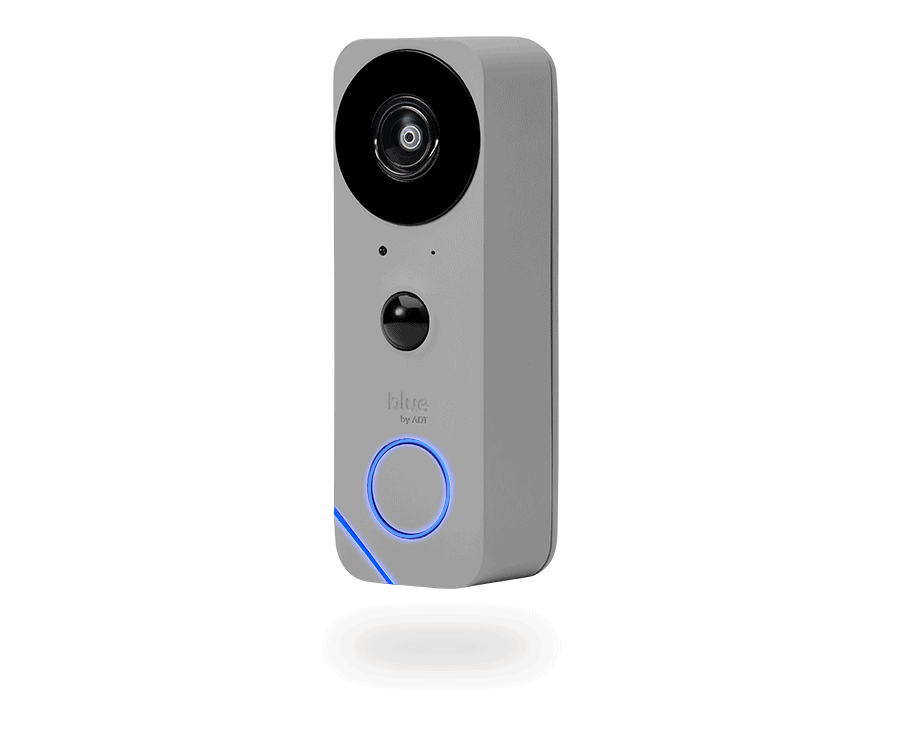
If you’re buying an ADT security system and looking to add doorbell cameras, you’ll encounter Google’s Nest Doorbell lineup. Specifically, you’ll have a choice between the Nest Doorbell (battery) and the Nest Doorbell (wired, 3rd gen). ADT has partnered with Google Nest to offer these smart doorbells as part of their comprehensive home security packages, giving you ADT’s professional monitoring alongside Google’s innovative doorbell technology.
Our team has spent months testing both models, and we’re here to walk you through what makes each one worth considering, and where they fall short.
Functions Independently or With ADT Security System
Works With Google Assistant, Amazon Alexa and IFTTT
Free Basic Cloud Video Storage
60-Day Cloud Storage Plans Available
CONS
Unattractive Equipment
Facial Detection Not 100% Accurate
Limited Add-Ons Available
No Color Night Vision
Monitoring Plans Are Pricey
Overview of ADT’s Nest Doorbell Options
ADT used to offer its own doorbell camera a few years ago, but that ADT doorbell didn’t really meet our expectations. The video quality was substandard and it lacked advanced security features we’ve come to expect from ADT, such as person detection. That’s why we think partnering with Google is a smart choice.
The two options available are:
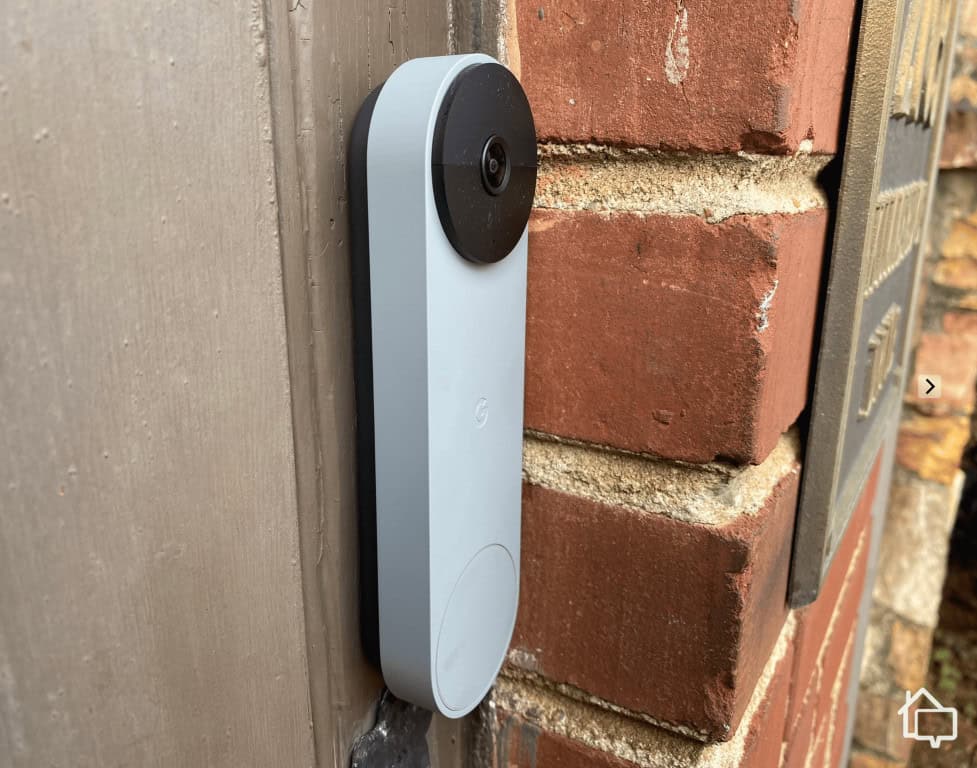
Nest Doorbell (battery): This is a battery-powered doorbell you can install on any door frame. We recommend it if you don’t have existing doorbell wiring.
Nest Doorbell (wired, 3rd gen): While this model requires hardwiring to a doorbell setup, its edge is that it offers higher quality videos than the flexible, battery-powered Nest Doorbell. It also comes with smarter AI features.
Here’s a quick specs comparison:
Nest Doorbell (battery)
Nest Doorbell (wired, 3rd gen)
6.3 x 1.8 x 1 inches
6.3 x 1.5 x 0.9 inches
Battery-powered
Wired
1080p HD with HDR
2K with HDR
145-degree FOV
166-degree FOV
Note that these doorbell cameras are also available as standalone devices, just not from ADT. We reviewed the Nest Doorbells we bought from the Google Store. They’re the same hardware available from ADT.
See the product in Augmented Reality to find the perfect match for your home.
SCAN QR CODE
Point your smartphone at the QR code below to see the product come to life in augmented reality!*
*Augmented reality works on the following devices: iPhone (iOS 12+) and Android (8.0 with ARCore 1.9+ support)
ADT Doorbell Camera Key Features
Beyond some minor differences in specs, the Nest Doorbells from ADT share the same core features. Both enabled us to keep an eye on our front door, offering standard doorbell camera functionalities such as motion detection, live video streaming, smartphone alerts, night vision, and two way audio.
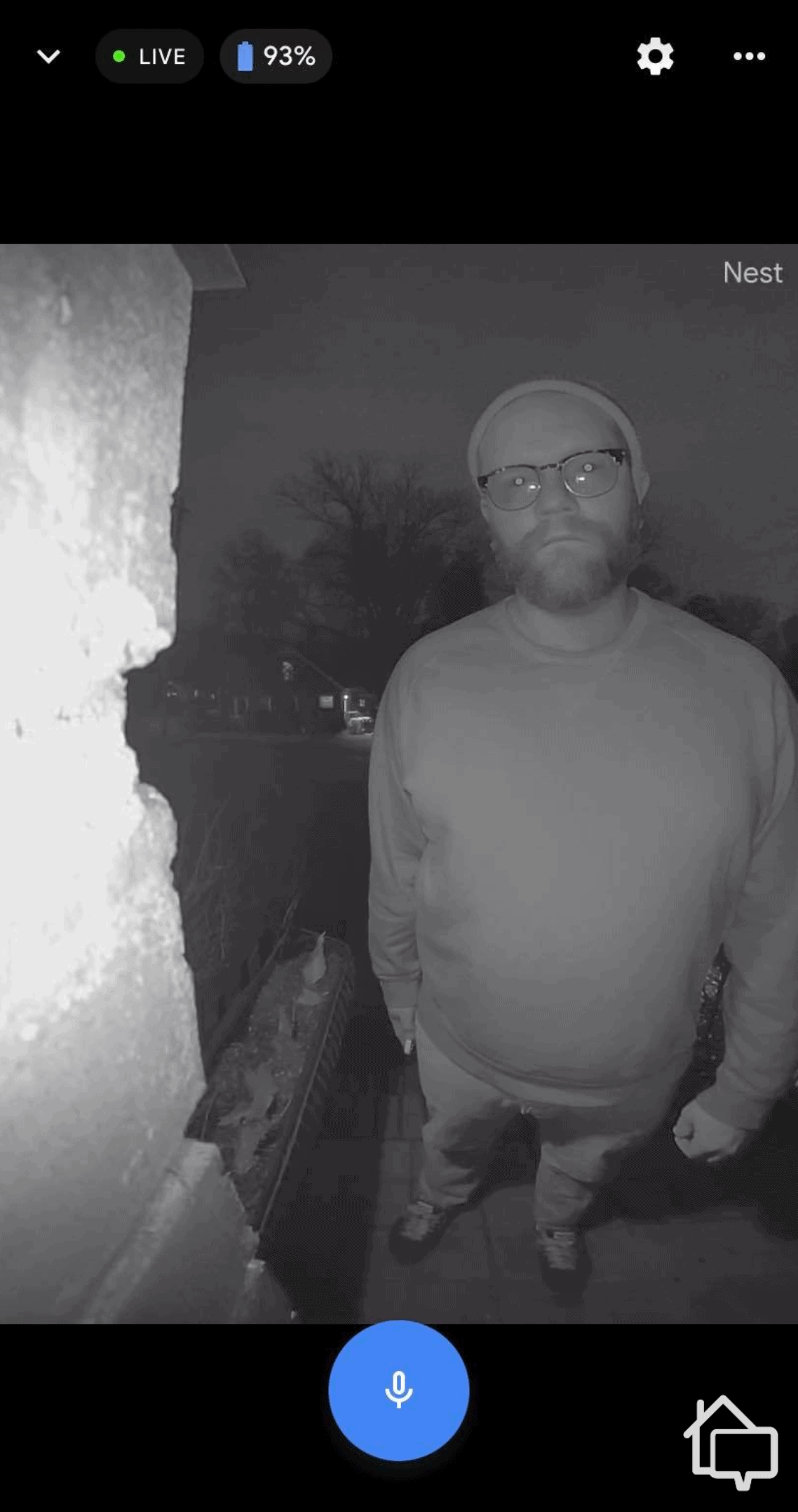
On both models, night vision uses infrared LEDs to maintain visibility in complete darkness. The Nest Doorbell automatically switches modes based on ambient light levels. During our testing, we could clearly identify faces and read package labels even at midnight. Just note that when infrared night vision is on, everything turns black-and-white. Glare – such as from street lamps or porch lights – can also affect visibility. Smart doorbell camera placement is key.
Expert Advice: ADT is one of the top security systems for professional installation, and in our experience, ADT technicians are trained to prioritize optimal device positioning. If you have concerns about your doorbell camera placement, you should raise them during the installation so ADT techs can find a workaround.
Nest Doorbell nighttime footage with infrared night vision
Two-way audio is another core feature we tested heavily. It lets you communicate with visitors through the Google Home or ADT+ app. While this is a standard feature, we found that Nest Doorbells have noise suppression and echo cancellation to minimize feedback. The audio quality is clear enough for normal conversation, but we noticed that wind can occasionally interfere with outdoor audio pickup. That’s another aspect to consider during installation.
According to research from Parks Associates, 36 percent of U.S. internet households now own at least one smart home device, with video doorbells ranking among the top three purchased categories. The Nest Doorbell’s integration with Google Assistant enables voice commands like “Hey Google, show me the front door” to pull up live video on Nest Hub displays or Chromecast-enabled TVs.
Installation and Setup Process
ADT doorbells need to be professionally installed by one of its technicians. It’s not a bad thing. They know the best placements for maximum coverage and will show you how to manage the device and set up automations in the app.
Installing the battery-powered Nest Doorbell took the technician approximately 20 minutes. They then helped us download the Google Home app, sign in to our existing Google account, and scan the QR code on the doorbell to begin pairing. This is still required to use the Google Home app, even though the Nest Doorbell is accessible through the ADT+ app after setup.
FYI: The ADT technician will test the doorbell’s video quality before permanently mounting it. They understand that Wi-Fi dead spots near the front door can cause streaming issues if you’re not using a range extender.
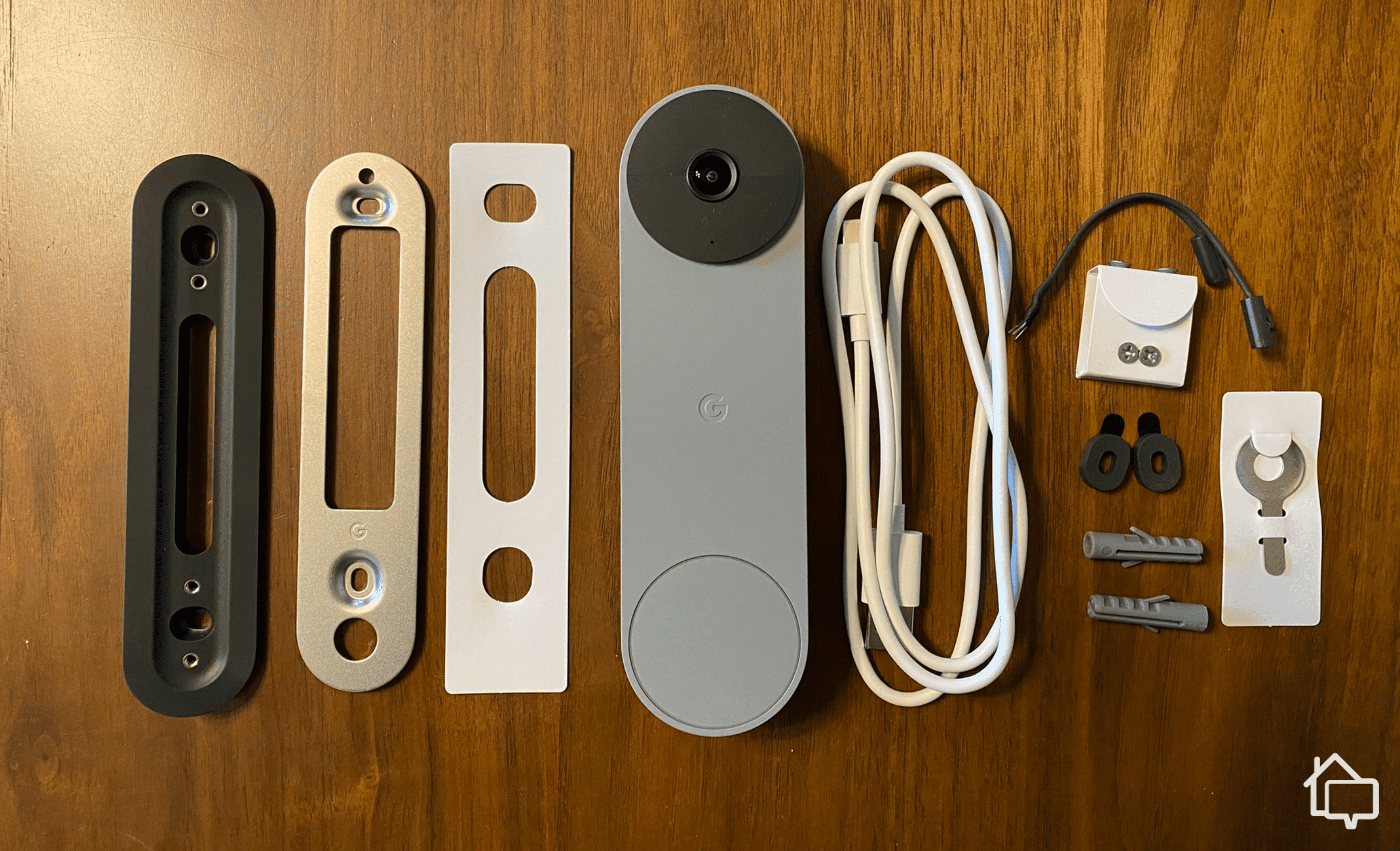
Everything included in the Nest Doorbell (battery) mounting kit
For the wired version, it took the technician about 15 minutes. We could tell they knew what they were doing.
Like the battery doorbell, we found the integration seamless overall. The technician also demonstrated some of the ADT features like Trusted Neighbor and Home | Away, which are not available if you’re using the Nest doorbell as a standalone device.
In our experience testing security cameras and doorbell cameras, specs don’t tell the whole story. Sure, the ADT’s Nest Doorbell (wired) may have a 2K resolution compared to the battery model’s 1080p HD, but in practice, the difference in video resolution made minimal impact. We mean that as a good thing. The video quality on the battery version impressed us just as well as the wired version did.
Here’s our observation:
Colors appear natural and balanced – not oversaturated like some cheaper doorbell cameras we tested.
HDR worked well, processing challenging lighting conditions like direct afternoon sunlight and backlit subjects. When a delivery driver approached our door one bright afternoon, we could still make out facial features instead of a silhouette.
The 30 frames per second doesn’t sound impressive, but we think it captures videos smooth enough for front door monitoring. Even with slight network delays, people and vehicle movement appear natural.
When live streaming, expect some video and audio delays depending on how fast and stable your internet connection is. We noticed that on our 250 Mbps fiber-optic network, the delays are anywhere around 2 to 3 seconds. But on days when the connection is slower, we say delays of about 5 to 7 seconds.
The camera lens isn’t hydrophobic, so during heavy rain or snow, water droplets can get on the lens and obstruct portions of the view. We occasionally got blurred spots during those weather events.
Security Tip: Visible video doorbells can deter package theft by increasing the perceived risk of being caught, especially for opportunistic thieves.1
Smart Detection Capabilities
This is where we think ADT users benefit the most from the company’s partnership with Google. The Nest Doorbell’s on-device machine learning analyzes video locally to distinguish between people, packages, animals, and vehicles. This means you’ll receive specific alerts like “Person detected” or “Package delivered” rather than generic motion notifications.
During our month-long testing period, the person detection proved remarkably accurate, correctly identifying humans in roughly 95 percent of instances. It successfully ignored swaying tree branches, passing cars on the street, and our neighbor’s cat wandering across the porch—all common false triggers for basic motion detection.
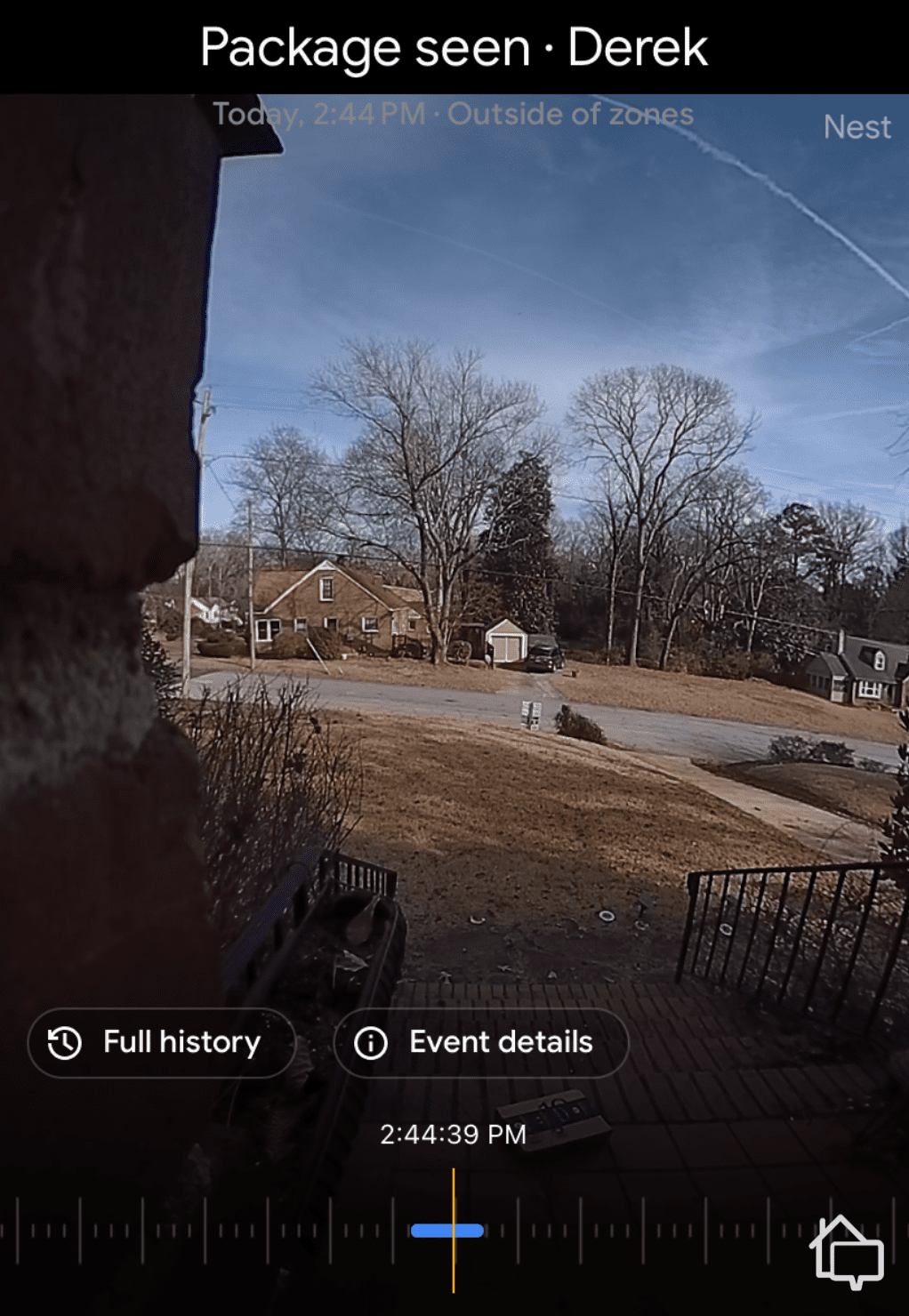
Nest Doorbell package detection in action
On the other hand, package detection works by recognizing box shapes and delivery person patterns. When UPS dropped off a package and walked away, we received a “Package delivered” notification within seconds. However, the system occasionally misidentified larger packages as people when the box occupied most of the camera’s view.
With an ADT monitoring plan, you get facial recognition that learns to identify familiar faces over time. After training the system with about a week’s worth of footage, it began correctly announcing “Sarah is at the front door” when our sitter dropped by, versus “Person at the front door” for strangers.
Avoiding False Alarms: Customize your activity zones in the ADT+ app to exclude high-traffic areas like sidewalks. This reduces unnecessary alerts from passing pedestrians who never approach your door. Learn more in our guide to dealing with security system false alarms.
Pricing and Subscription Plans
There are two things to consider when it comes to ADT’s doorbell camera pricing. First is the equipment cost. Both Nest Doorbell variants cost $179.99 from ADT, which is how much they also cost from the Google Store. That said, if you don’t have an ADT security system yet and you want your doorbell from them, you’ll need to buy an ADT package, which ranges from $404 to more than $1,500 depending on system size.
The second expense to consider is the minimum three-year contract and professional monitoring cost, which you’ll need if you want to unlock ADT’s best features. Pricing starts from $49.99 per month and includes:
Access to ADT’s redundant network of six monitoring centers
24/7 response to police, fire, and medical emergencies
Access to the ADT+ app
Home automation and smart home integrations
Google Home Premium features, including Familiar Face alerts
30-day cloud storage for unlimited Nest Doorbells and Nest Cams
Battery vs. Wired: Which Should You Choose?
In our opinion, choosing between the battery and wired Nest Doorbell depends on your specific installation requirements and maintenance preferences. Here’s our practical breakdown:
Choose the battery model if:
You’re renting and can’t drill holes or run wiring
Your home lacks existing doorbell wiring
You want to install the doorbell on a gate, garage, or secondary entrance without electrical access
You prefer the flexibility to relocate your doorbell seasonally or experimentally.
You have compatible doorbell wiring already in place
You live in an extremely cold climate where battery performance suffers
You want truly maintenance-free operation without recharging concerns
In our experience, the wired model offers better long-term reliability with zero battery anxiety, but the battery model’s installation flexibility is genuinely valuable for homes with challenging wiring situations or renters who want professional-grade security without permanent modifications.
Our Final Verdict
After testing both models, the Nest Doorbell proves to be a strong, polished option—especially if you’re already using Google Home or ADT. Video quality is sharp, smart alerts are impressively accurate, and everything works smoothly inside ADT’s ecosystem.
If you’re an ADT customer, the Nest Doorbell makes a lot more sense since video storage is bundled into your monitoring plan, giving you cleaner integration and simpler billing. If you’re shopping standalone, though, it’s worth comparing alternatives like Ring or Arlo, which offer better subscription value in our opinion.
Only with a Google Home Premium Advanced subscription ($20 per month), which provides 10 days of 24/7 continuous recording and 60 days of event history. The standard Google Home Premium plan records only when motion or doorbell presses are detected, and clips are saved for only 30 days.
Yes, you can stream live footage to any TV with a Chromecast or Google TV built-in by saying “Hey Google, show the front door.” Nest Hub smart displays also work seamlessly with voice commands.
Google estimates approximately 200 GB per month with continuous recording enabled, or about 20 to 40 GB with event-only recording. Bandwidth usage scales with activity levels and selected video quality settings.
The battery model continues functioning during outages until the battery depletes, but the wired model loses power immediately. Both require Wi-Fi to record, so if your router lacks battery backup, you’ll lose recording capability even with the battery doorbell.
Yes, you can add household members through the Google Home app, giving them full access to live video, recorded events, and doorbell controls. Each person uses their own Google account to maintain separate notification preferences.
As a home security expert and Managing Editor for SafeHome.org, Rob Gabriele has written and edited over 1,000 articles related to home security. His expertise is in smart home protection with thousands of hours of testing and research under his belt. Formerly a reporter and producer for the USAToday network, Rob has been a writer and editor for over 10 years. He holds a Master’s of Science with an emphasis on writing from the University of Montana, and he currently lives in Indianapolis, IN.
 Updated August 14, 2026
copied!
Updated August 14, 2026
copied!

 View in your Home!