SafeHome.org may receive compensation from some providers listed on this page. Learn More
We may receive compensation from some providers listed on this page. Learn More
SafeHome.org may receive compensation from some providers listed on this page. Learn More
We may receive compensation from some providers listed on this page. Learn More
Basic but affordable DIY home security systems with a Telo twist
 Updated April 3, 2026
copied!
Updated April 3, 2026
copied!

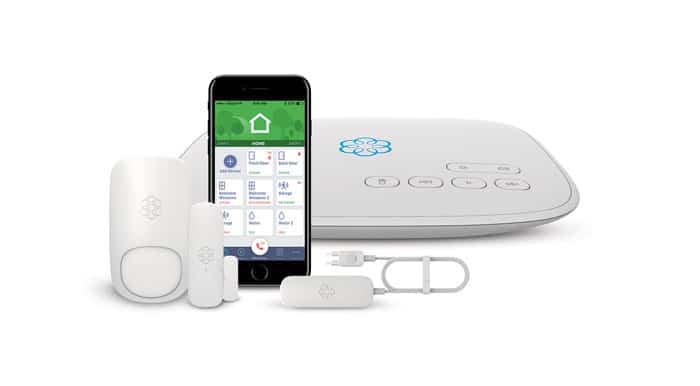
If you’re not familiar with Ooma home security, we think you’ll appreciate what this budget-friendly system has to offer. We recently tested Ooma and put it through our comprehensive evaluation process. Sure, their equipment lineup isn’t exactly extensive, but if you’re a DIY enthusiast who values user-friendly technology and affordability, then Ooma is worth considering for protecting your home.
So what’s Ooma all about? Think of Ooma as a streamlined alternative to Ring or SimpliSafe. It offers fewer products, but Ooma is also more affordable. It’s slightly cheaper than its big-name competitors, making it an attractive option for budget-conscious homeowners. In fact, if ever there was a wild card in the security industry, Ooma is it! We’re going to share our hands-on experience with Ooma to help you decide if it’s the right fit for your needs.
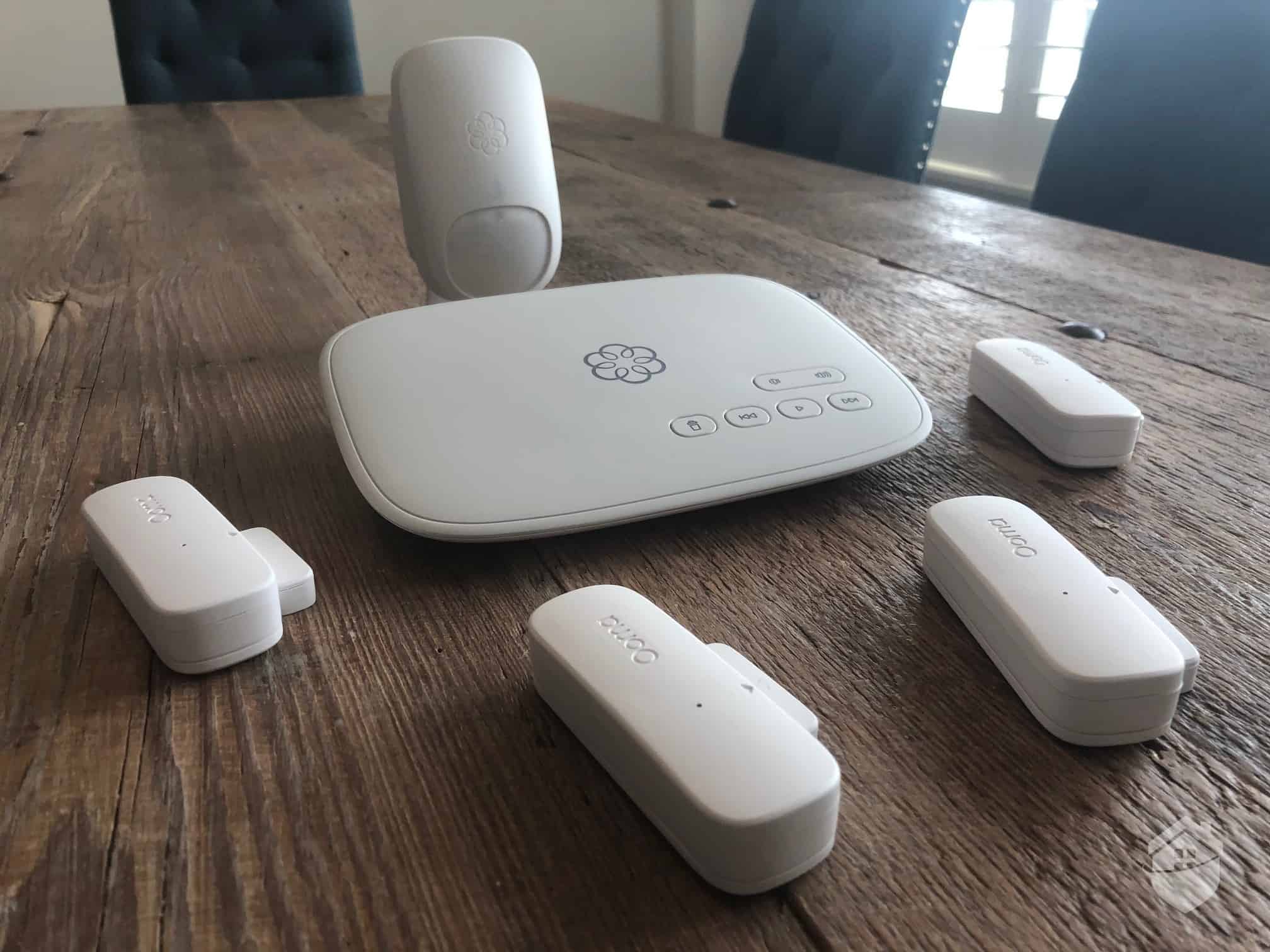
Ooma Smart Security Equipment
Unlike bigger home security brands that offer packages and plans galore, Ooma only offers two base packages. This actually made it pretty easy deciding on our equipment and monitoring. Here’s the gear we chose:
Currently, the Ooma Smart Security Starter Pack retails for $179.99. Though we have seen it on sale occasionally. We added a couple of extra door/window sensors at $24.99 each, and you’ll probably want to do the same depending on your home’s layout. In total, we invested about $230 in Ooma, making it one of the more affordable home security systems we’ve tested. For comparison, SimpliSafe’s pricing for a comparable starter system begins at around $250.
Note, however, that you’ll also need to purchase a siren separately if you want active deterrence and the ability to scare bad guys away. This is something we’re not used to seeing.
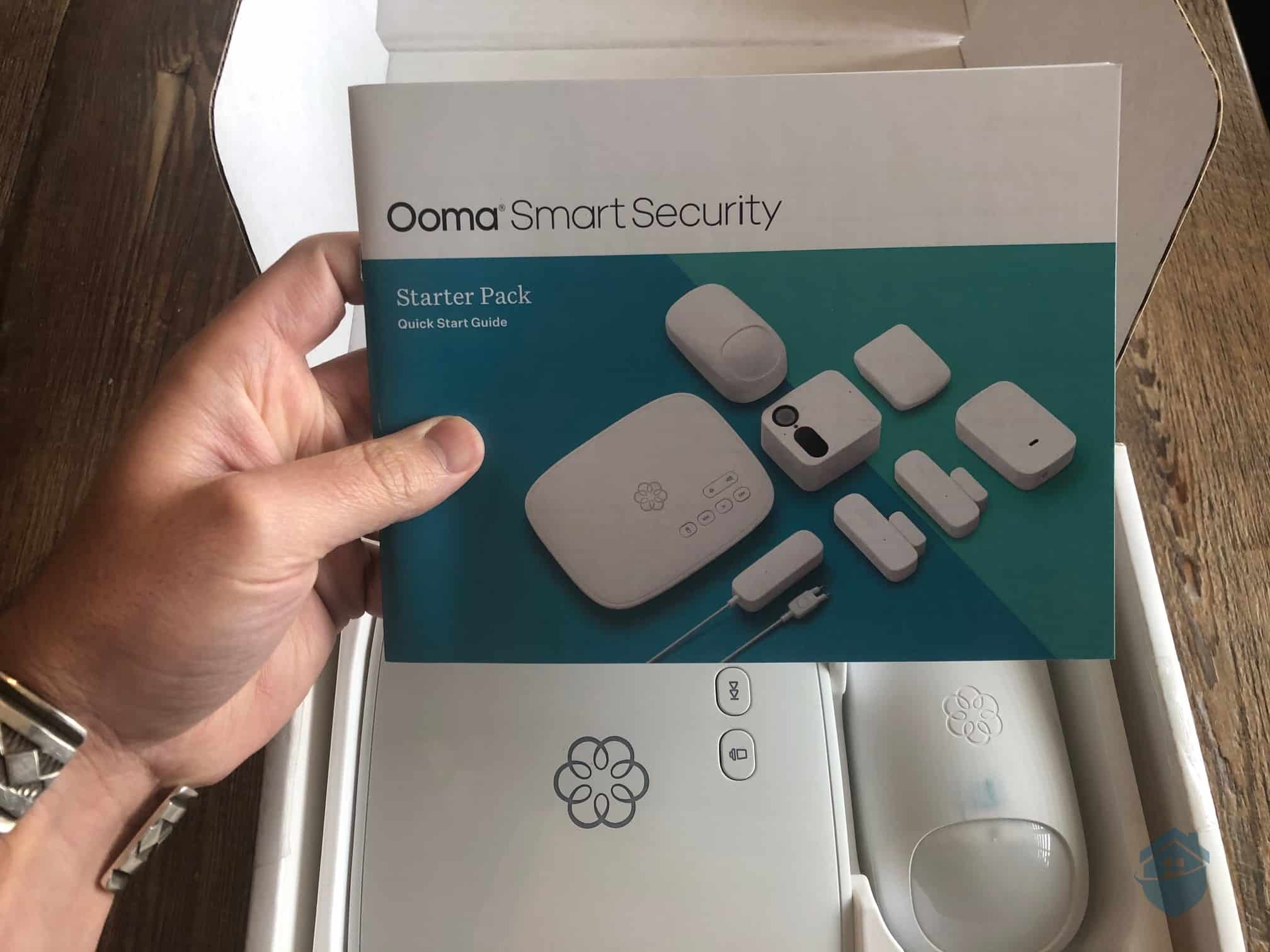
Ooma Smart Security Starter Pack
Moving right along…
While unboxing our test unit, we noticed the packaging could have been better. The user manual wasn’t protected in a plastic sleeve, causing some ink transfer onto our Ooma motion detector. It’s a minor oversight, but worth noting if you’re particular about pristine equipment out of the box.
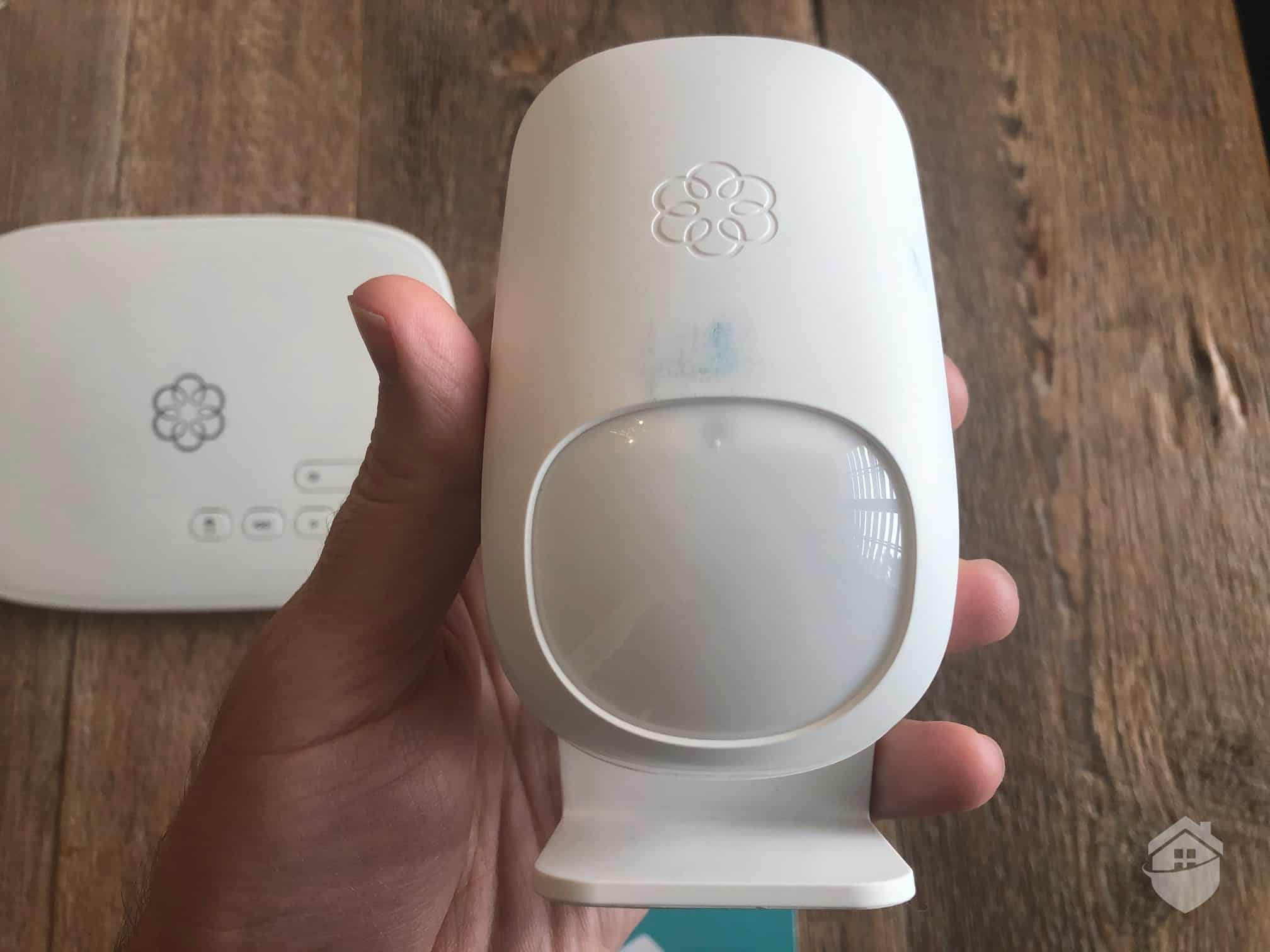
Ooma Motion Detector
Fortunately, a quick wipe solved the issue without any lasting damage. Setting that small hiccup aside, we were genuinely impressed with the equipment itself. The base station (Telo) was notably more compact and lightweight than we anticipated—a refreshing change from bulkier hubs we’ve tested. Plus, it features a distinctive flower-shaped emblem that illuminates in various colors, adding a subtle visual appeal.
That said, you have to connect this little guy to your Internet router, so it probably won’t be displayed for the world to see.
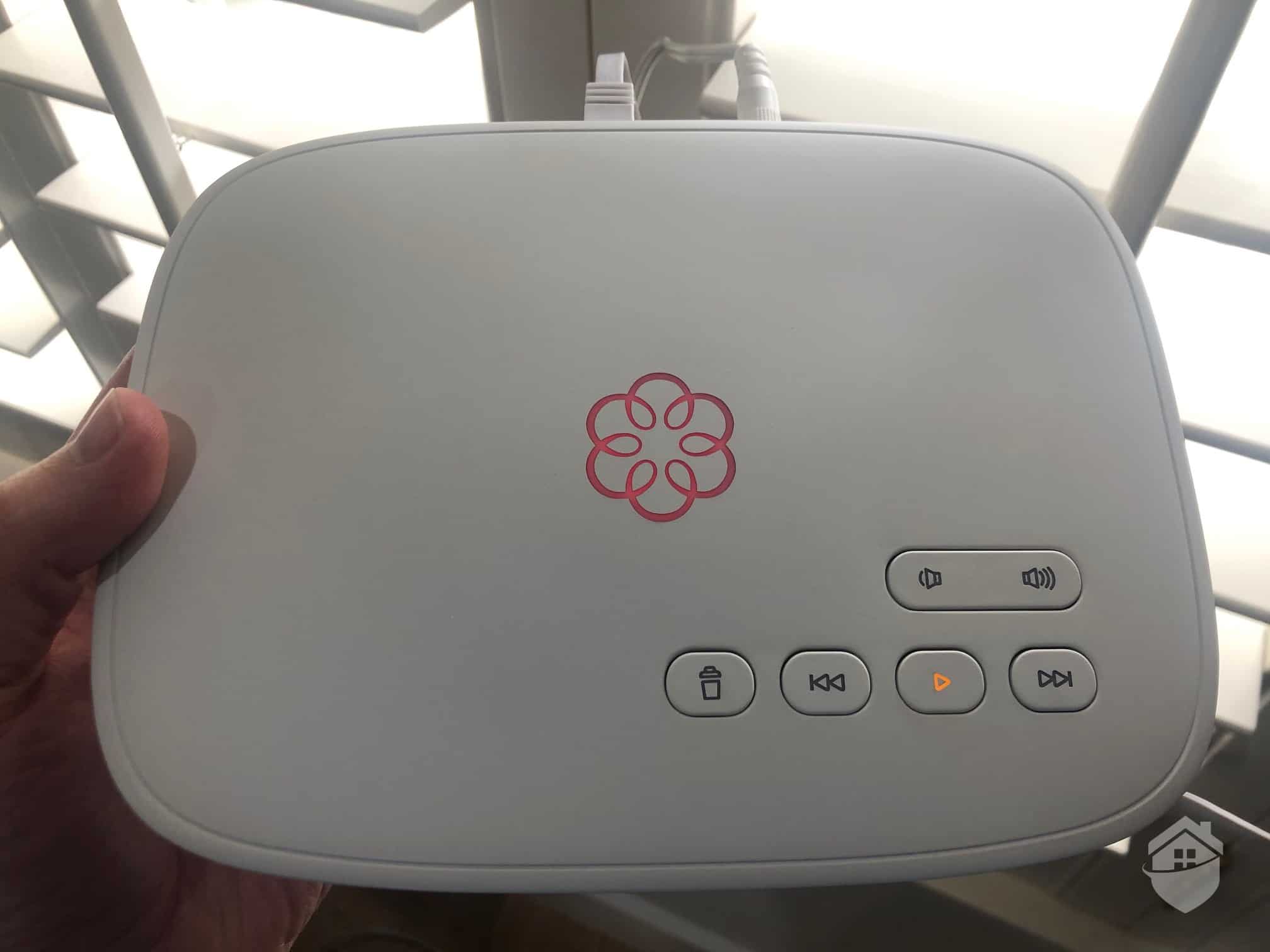
Ooma Smart Security Telo Hub
The entry sensors are fairly noticeable. Their larger footprint might not appeal to minimalists, but we found the design surprisingly sleek and thoughtful. They also pack a unique feature we don’t often encounter in this price range. We’ll dive deeper into the sensors shortly, but first, here’s one shown for scale.
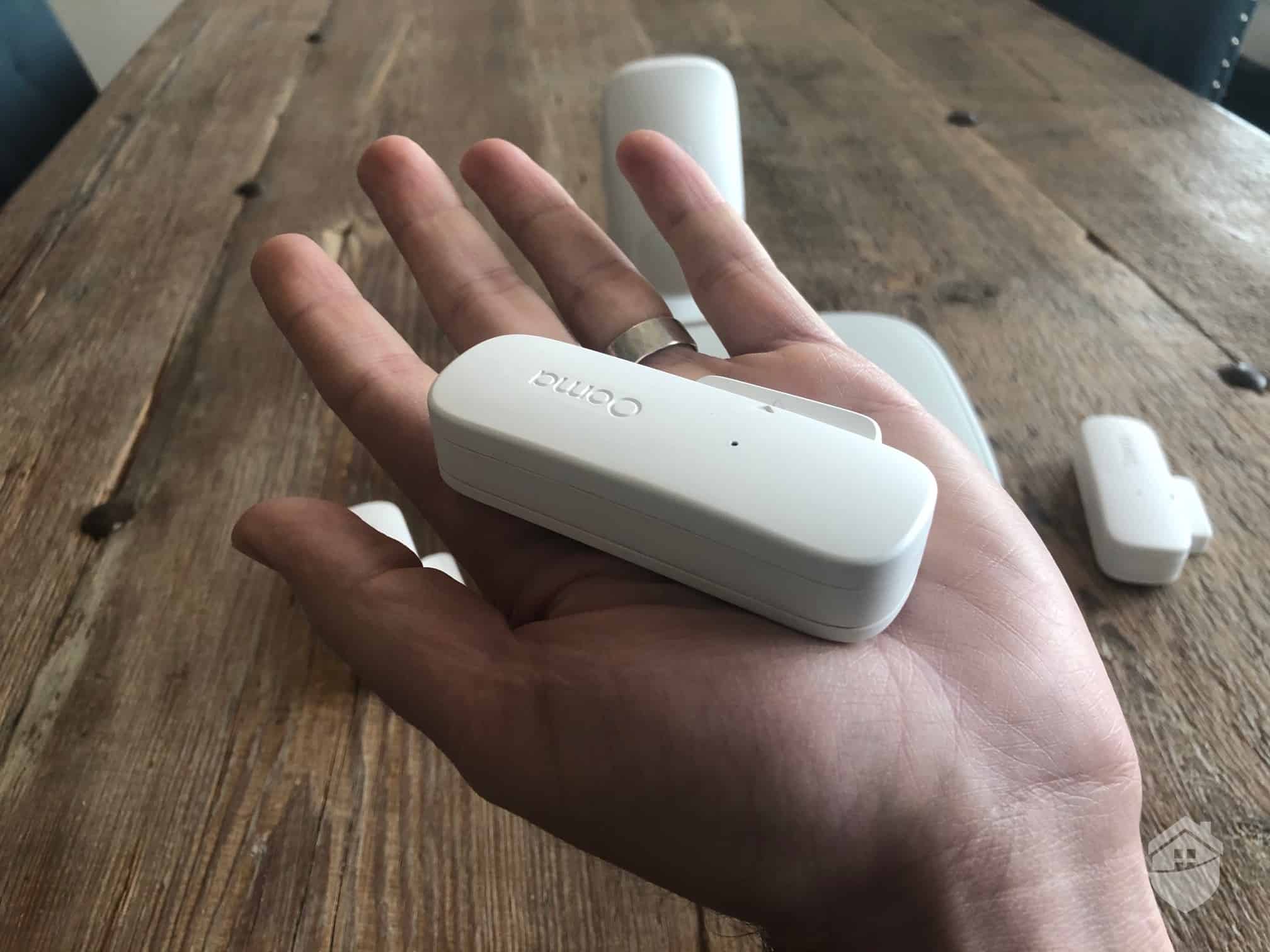
Ooma Door/Window Sensor
Excellent question! The Ooma Telo serves as your central hub, coordinating communication between all your Ooma devices. That goes for your entry sensors, motion detectors, and security cameras. If an alarm is triggered, it relays the signal to the monitoring center. Like most hubs, it includes a built-in siren, but the Telo brings some additional capabilities that set it apart.
Ooma made its name in the VoIP (Voice over Internet Protocol) industry, and the Telo reflects that heritage. Essentially, it connects your landline phone to your Internet router, enabling free nationwide calling within the U.S. Think of it as a dual-purpose device: a robust VoIP phone service that doubles as a home security hub. The question is—does it excel at both? Let’s dig in.
DIY installation has become the gold standard for modern home security systems. Equipment arrives pre-configured, ready to deploy, and typically sets up in under 15 minutes. Ooma fits this mold perfectly—and honestly, the quick, painless installation process was one of our favorite aspects of the entire experience.
When we opened the user manual, on the very first page it said: “The Ooma Smart Security app will be the main tool you use to control your home security system.” No complaints here! We’re big fans of app-based controls and being able to arm and disarm our system using our smartphones. It’s like Ooma knows our love language; so we went ahead and downloaded the app.
FYI: You’ll notice that Ooma’s base packages don’t include a keypad or control panel. That’s because you can download the Ooma app and have all of your settings and controls at your fingertips. This is becoming standard in the industry, but as you’ll read later in this review, there’s lots to like about Ooma’s app.
You’ve probably dealt with a frustrating app before. If so, we think you’ll appreciate that the Ooma Smart Security app maintains solid ratings in app stores. We downloaded it and started creating our new account, and the process was straightforward.
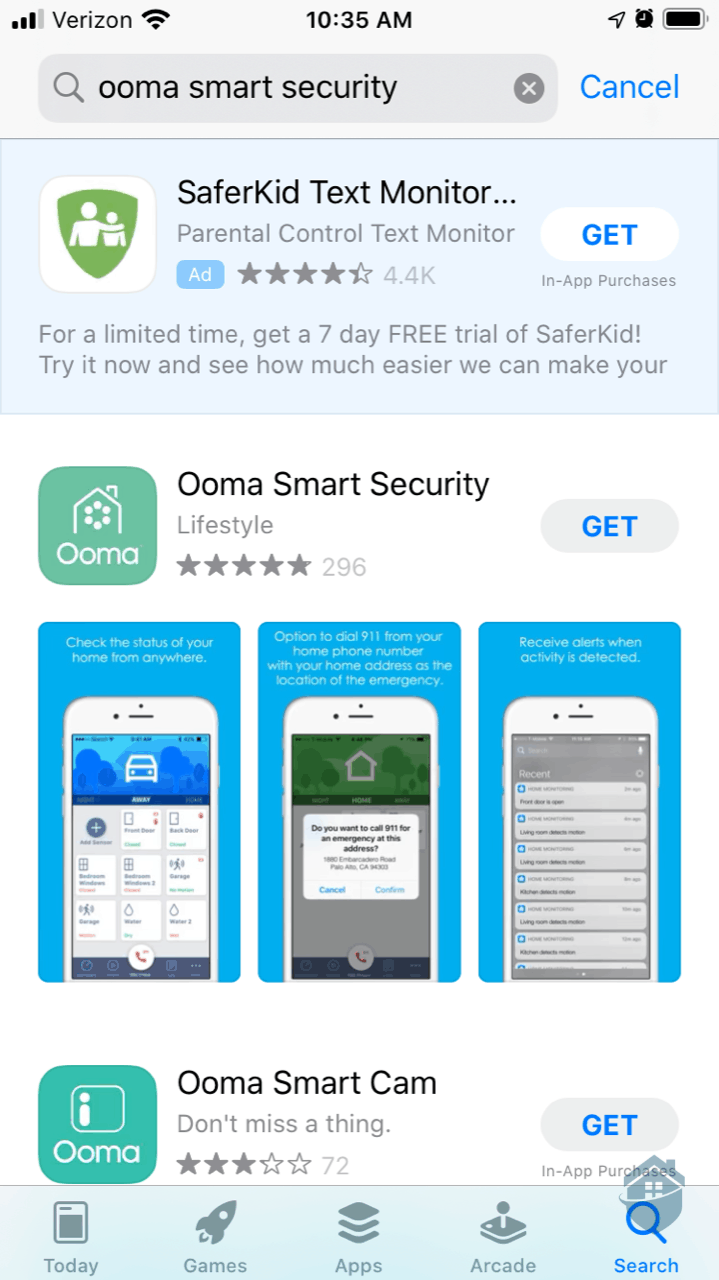
Downloading Ooma App
Now, you’re probably really curious about Ooma’s overall functionality and how it protected our home. So we’ll try not to belabor the setup and installation process. But just so you have an idea of what’s in store, here are the 10 basic steps:
Step 1: Select “Create Account” in the app.
Step 2: Enter the 7-digit code on the bottom of your Telo.
Step 3: Enter some basic info like your name, phone number, email address, and service address.
Step 4: Enter your Ooma number. Wait… what’s an Ooma number? We couldn’t find ours anywhere, so we decided to call in to customer support.
Pro Tip: We eventually found our Ooma number in our Ooma welcome email. It’s a 10-digit phone number with area code, similar to your own phone number, but different. This is your default number if you choose to use VoIP.
Step 5: Speak with a polite Ooma agent who lives/works overseas, and maybe hear a rooster in the background? Yes, that happened, but it honestly made the experience more enjoyable.
Step 6: Plug one end of the ethernet cord into the back of the Telo, and plug the other end into your router so that it connects directly to your internet.
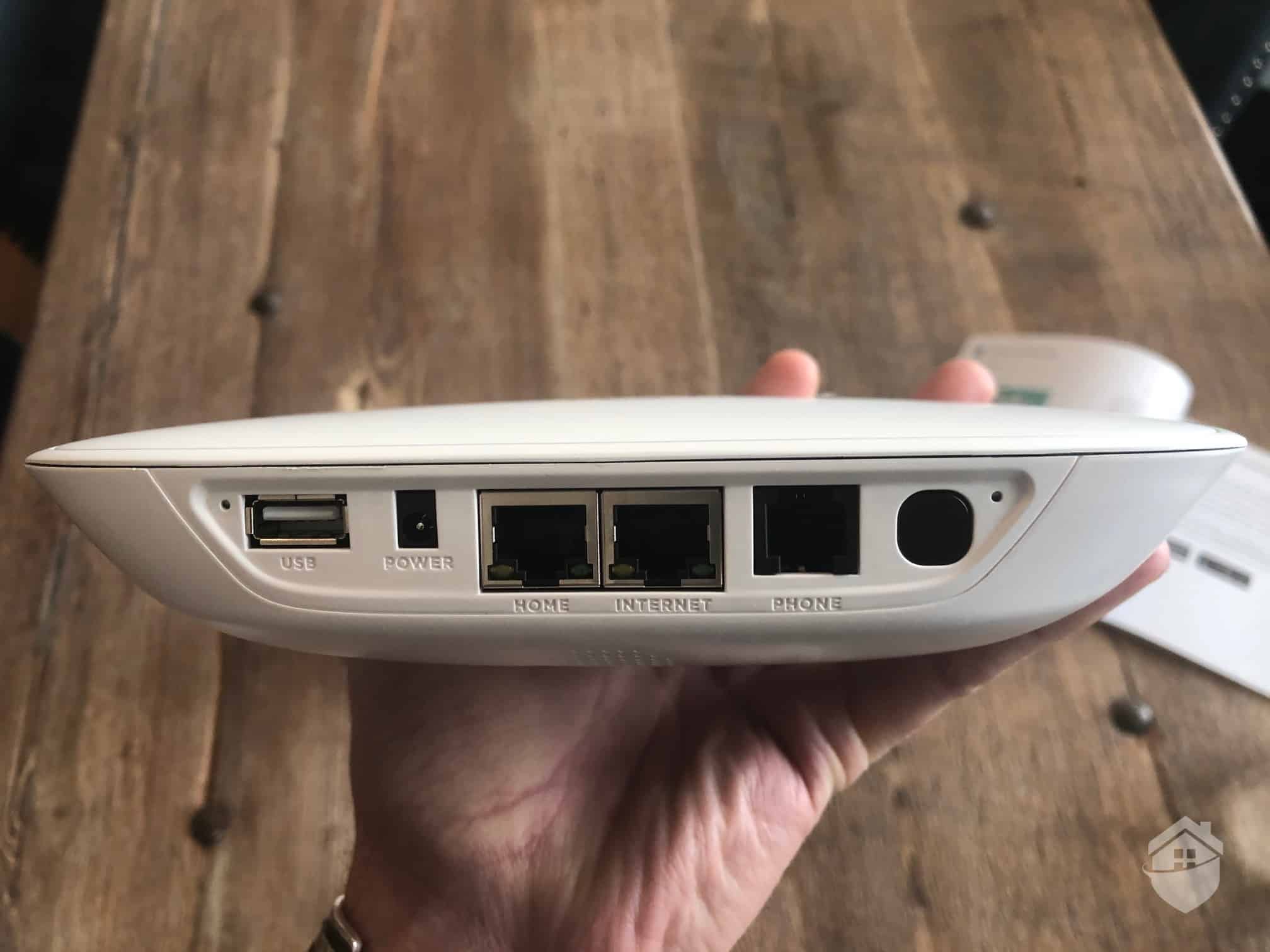
Ooma – Back of Telo
Step 7: Plug in the Telo’s power cable into a standard AC outlet.
Step 8: Allow the base station to download and install the latest software. The system indicates this may take up to 30 minutes, though in our testing it completed in less than five minutes.
Step 9: When the flower emblem on the Telo turns solid blue, it’s time to add your door/window sensors and motion sensor to your system. Pop the batteries into the sensors, and then follow the in-app instructions to pair the sensors to the Telo.
Keep In Mind: The sensor pairing button can only be seen when the back cover of the sensor is off. Don’t get the pairing button confused with the “tamper proof” button, which is also on the back of the sensor. The manual makes this pretty clear.
Step 10: Mount your sensors to your door and window frames using the included adhesive strips. No tools required.
For a visual comparison, check out the photo below showing Ooma’s sensors (top) alongside Vivint’s sensors (bottom). While Vivint’s sensors are more compact, we found Ooma’s design to be more aesthetically appealing and easier to work with.
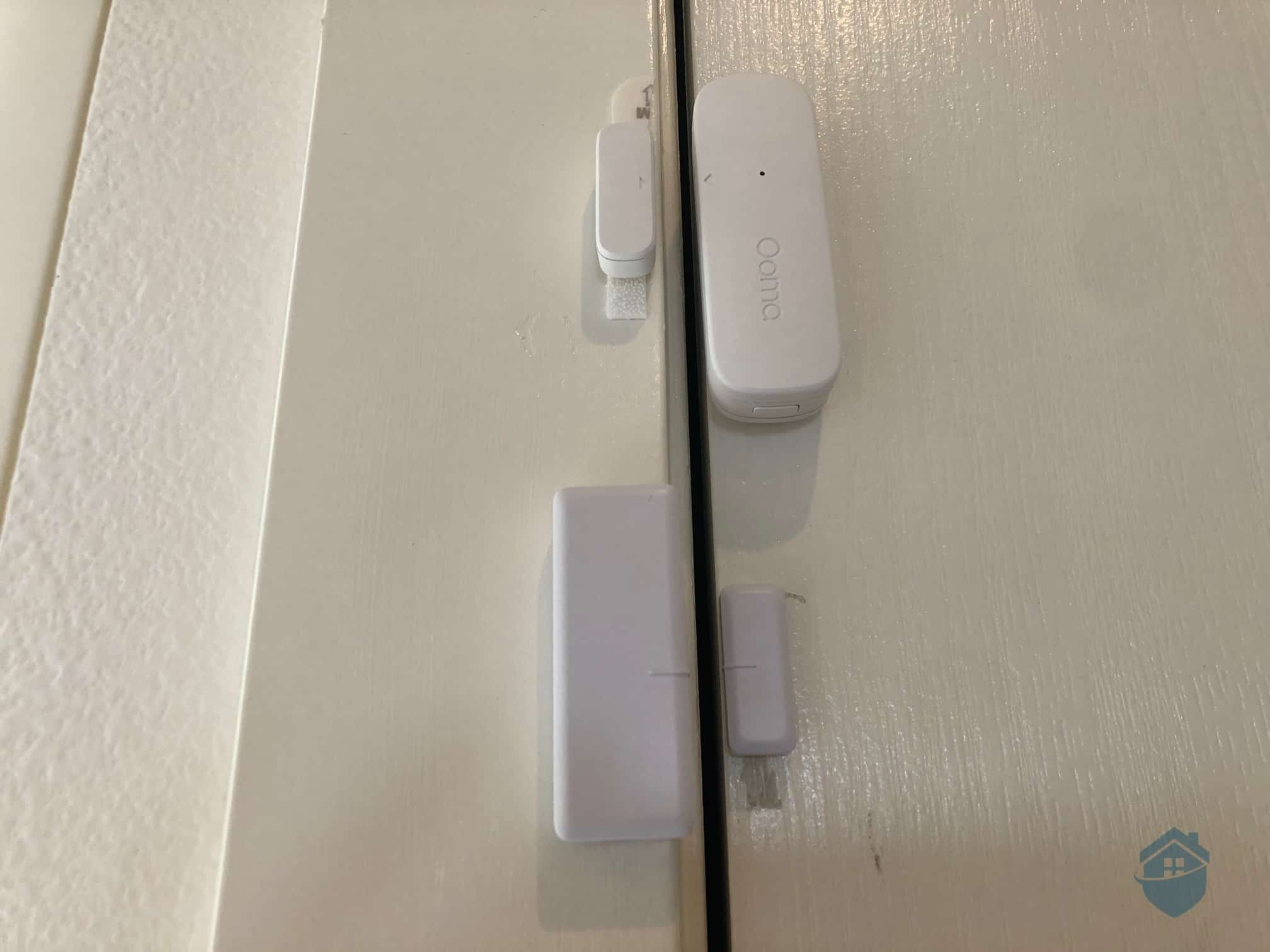
Ooma Sensor compared to Vivint
Right away, we found our Ooma security system to be very user-friendly. This is in part due to its basic feature-set; there just wasn’t a whole of technology to get tripped up on. But keep in mind this also means there’s not a lot of technology to enjoy (not even a siren!). Ooma is one of those “what you see is what you get” systems, with a couple of interesting twists found in the app.
We managed our system entirely in the Ooma app (remember, there’s no keypad!). The app provided straightforward control over all our security settings. You’ll find a simple sliding banner at the top to arm and disarm your alarm.
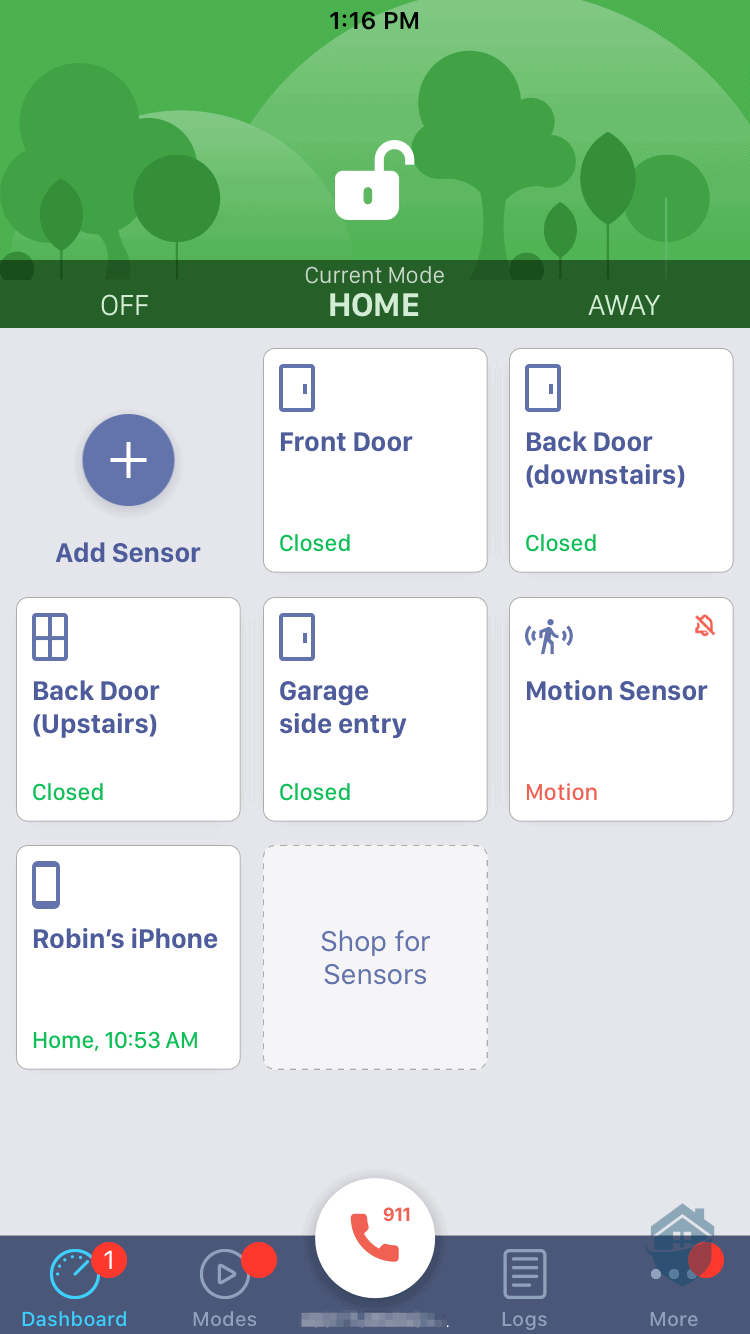
Ooma App Dashboard
On the Ooma dashboard, we had the usual “Off,” “Home,” and “Away” modes. But we also had the ability to customize modes to our heart’s content. And that we did! We found this to be one advantage Ooma has over many other DIY security systems.
We set up custom modes to fit our lifestyle, including a “Dog Walker” mode for our weekly pet care visits. One of our favorite features is the ability to create custom schedules for each mode. We configured our system to automatically disarm 10 minutes before our dog walker’s arrival and re-arm immediately after their departure.
There’s an obvious benefit to note here. That is, it’s nice not having to scramble to disarm our system in time. So spending a few minutes in the app to customize these settings makes a lot of sense to us.
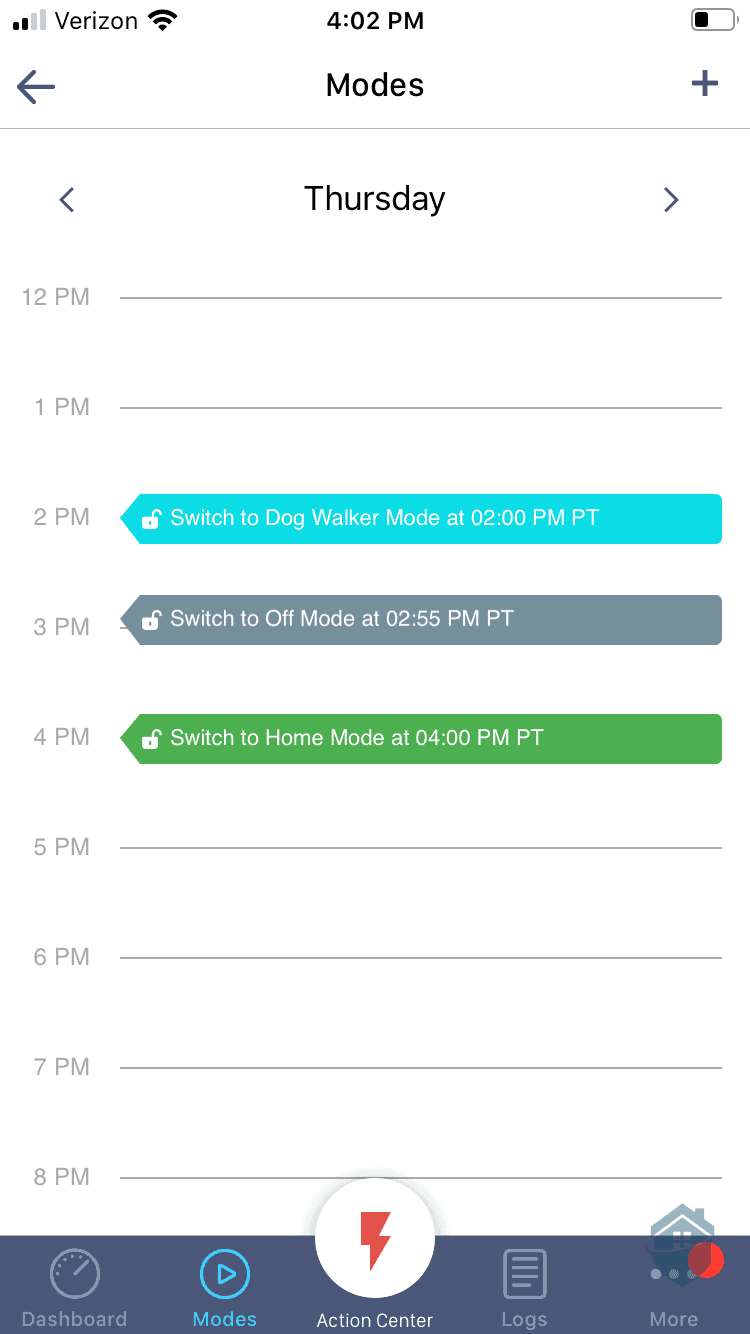
Ooma App – Modes
We also configured our Ooma to automatically switch to “Home” mode at 11 pm and “Off” at 6 am every day. This smart scheduling meant we didn’t have to worry about forgetting to arm our system before bed or accidentally setting off a false alarm when we woke up.
We can see Ooma’s Modes and Schedules being useful in all sorts of scenarios. Kids coming home from school, contractors stopping by to put in some work, nannies ready to clock in… and on and on. Of course, it’s not exactly groundbreaking technology (it’s actually fairly simple), but we think it’s a nice touch to dress up an otherwise barebones system.
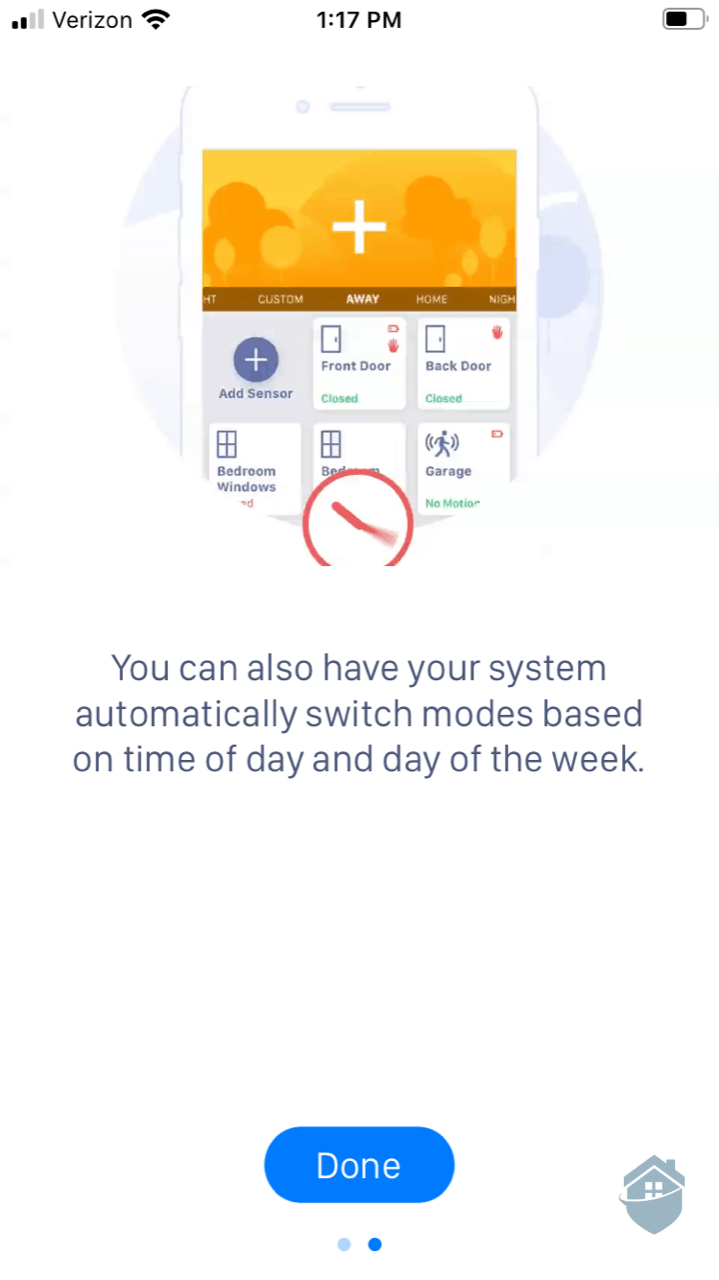
Ooma App – Setting the System
Another mode that Ooma offers is geofencing.2 This allowed us to define a virtual fence around our home, and whenever we went beyond the geofence our system would automatically arm. We’re always happy to see this feature offered in DIY systems, just be sure to set it up correctly.
You’ll need to enable geofence on all mobile devices in your family. If you don’t, you’ll be in for a fright. In fact, a while back we were testing Abode — another brand that offers geofencing — and we forgot to enable geofencing on the wife’s phone. Then, while leaving for the day with the wife still at home, our system armed “Away” with her still in it. Sure enough she walked by a motion sensor and the alarm went off. That’s a mistake you only make once!
Another feature we liked is the custom notification system. From the dashboard, we could select individual devices and fine-tune exactly what alerts we received. When there’s activity in your home, you want to know immediately—especially if that “activity” turns out to be an intruder.
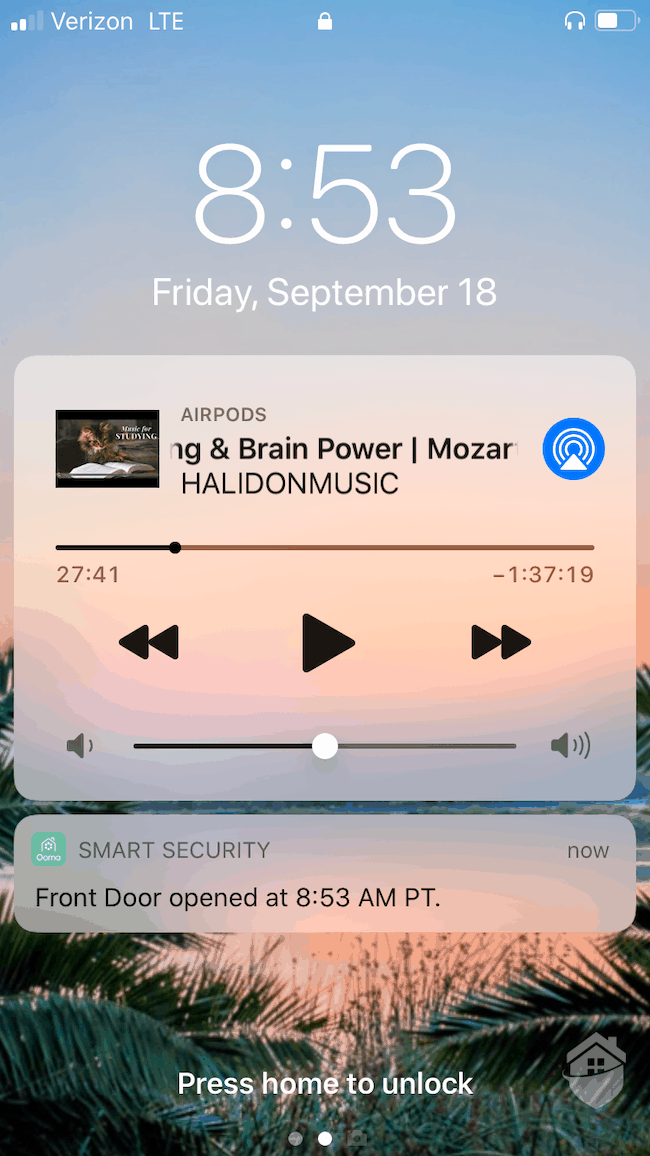
Ooma Notification
Ooma delivers solid alert customization options. You can choose push notifications through the app, email alerts, SMS/text messages, or even a traditional phone call. We don’t see this level of flexibility with many DIY systems, so Ooma deserves credit here.
Pro Tip: If you’re expecting a lot of activity in a short window, you can pause all notifications for five minutes with a single toggle. Look for this option under the “More” tab in the Ooma app. We found it handy when family dropped by for quick visits.
The around-the-clock monitoring offered by Ooma is decent, though not exceptional. During our testing, we experienced response times averaging around 30 seconds, which is in line with industry standards. It’s important to note this represents the time it took for Ooma agents to contact us. It’s not the time required for emergency services to arrive at your location.3
For some reason, though, Ooma put our system on a “grace delay” default, meaning they wouldn’t call us until a full minute after our alarm went off. This is to reduce false alarms and give us time to disable our system, but 60 seconds is far too much time for an alarm delay (imagine the head start that would give a criminal!). Thankfully, you can reduce this delay. We set ours to 15 seconds for good measure.
Ooma’s professional monitoring service is one of the most affordable options on the market. It costs $14.99 per month for 24/7 professional monitoring—significantly lower than many competitors. Just remember that you’ll need to purchase a siren separately (typically around $49.99) if you want an audible alarm to deter intruders in real-time.
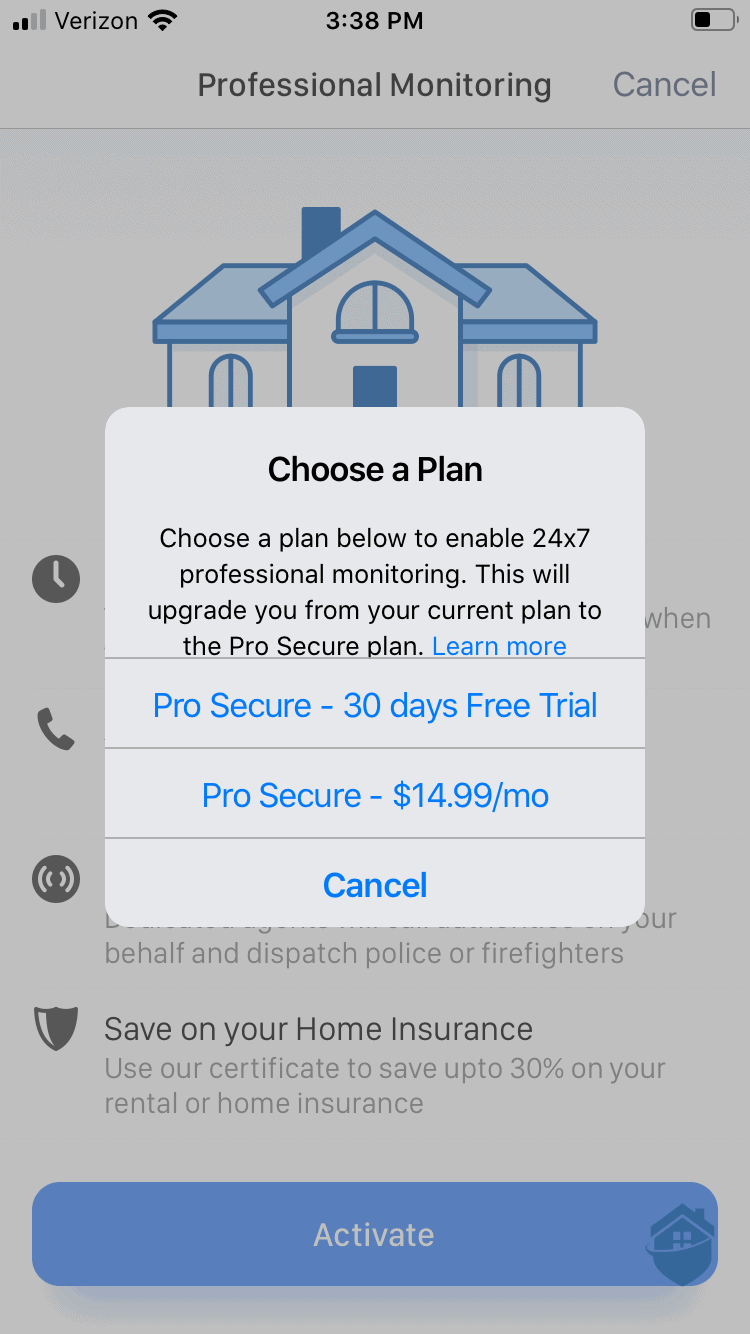
Ooma App – Choosing a Monitoring Plan
We also tested the Ooma Butterfleye camera, but it’s no longer available for purchase and we don’t want to waste your time. The company has shifted its focus toward its core smart home security products and sensors rather than standalone cameras.
If you’re looking for wireless security cameras with similar features—such as 1080p HD resolution, rechargeable batteries, and local storage—you may want to explore our guide on wireless, battery-powered security cameras.
Ooma’s pricing is competitive, especially for budget-conscious homeowners seeking basic home security. However, the starter kits still include limited equipment, so you’ll likely need to purchase extra sensors to secure your home. Keep in mind that the Telo base unit does not include a built-in siren—you’ll need to buy one separately for around $50.
| Smart Security Starter Pack | Smart Security Starter Pack with Water Sensor | Ooma Smart Security 12-Piece Bundle |
|---|---|---|
| 1 Ooma Telo | 1 Ooma Telo | Telo + Motion Sensor |
| 1 Motion Sensor | 1 Motion Sensor | 6 Door/Window Sensors |
| 2 Door/Window Sensors | 2 Door/Window Sensors | Smoke Detector |
| — | Water Sensor | Water Sensor |
| — | — | Siren |
| $179.99 | $209.99 | $399.99 |
FYI: SafeHome is now livestreaming! Got questions about home security? Email us at info@safehome.org, and we’ll answer your questions live on our next stream—personalized advice, straight from the experts. Find us on YouTube @safehome_org. Don’t miss out!
We like the direction Ooma is heading with their straightforward and affordable home security systems. It’s a company that continues to focus on simplicity and value. We would, however, still like to see the Telo come with a built-in siren—and a few more camera options would be a welcome addition. But overall, Ooma offers solid value, especially if you’re working with a tight budget.
Does it measure up to some of our best home security systems? We think it gives some DIY systems a run for their money. Just keep in mind that Ooma is designed for straightforward protection. You’re not going to get advanced features or extensive equipment options. If you’re looking for affordable equipment and budget-friendly monitoring, Ooma is worth considering.
No, Ooma operates on a flexible month-to-month basis with no long-term contract required. You can cancel your service anytime without facing early termination fees or penalties.
Ooma provides basic home automation integration through voice assistant compatibility. The system works with both Amazon Alexa and Google Assistant, allowing you to control certain features through voice commands, though the automation capabilities remain somewhat limited compared to full smart home platforms.
Yes, Ooma offers video surveillance options including wireless security cameras with high-definition resolution and local storage capabilities. These cameras integrate with the Ooma Smart Security system to provide visual monitoring of your home.
Ooma’s security systems are entirely wireless, which makes installation straightforward and DIY-friendly. You won’t need to drill holes or run wires through your walls, and you can set up the system yourself without professional installation in most cases.
Yes, Ooma offers professional monitoring starting at $14.99 per month. 1 The plan includes 24/7 response to alarms and emergency dispatch. Keep in mind that for effective burglary deterrence, you may want to add a siren to your system, which is a separate cost.
Ooma. (2025). Ooma Home Security.
https://www.ooma.com/home-security/
Federal Communications Commission. (2020). Voice Over Internet Protocol (VoIP).
https://www.fcc.gov/general/voice-over-internet-protocol-voip
White, S. (2017, November 1). What is geofencing? Putting location to work. CIO.
https://www.cio.com/article/2383123/geofencing-explained.html
Boris, T. (2019, January 15). The Harsh Reality of Home Security Systems & Their Response Times. DeepSentinel.com. https://www.deepsentinel.com/blogs/news/the-harsh-reality-of-home-security-systems-their-response-times/
Stock, L. (2016, April 19). Silicon Valley Business Journal reveals fastest-growing private companies. Silicon Valley Business Journal.
https://www.bizjournals.com/sanjose/news/2015/10/16/silicon-valley-business-journal-reveals-fastest.html