Editor's Note: Jitterbug recently released new versions of the Flip2 and Smart4 medical alert phones called the Flip3 and Smart5. As the name suggests, they offer largely the same features, except with slightly upgraded hardware.
Some older adults aren’t hunting for the latest AI-powered features or a state-of-the-art camera system. All they really want is a dependable, no-fuss phone with large text, simple menus, and quick access to the people and services they rely on most.
The Jitterbug Flip2 and Smart4 are designed for these older adults. They also come with plans that include practical features like medication reminders and on-call nurse consultations. Here’s a full breakdown of what Lively offers so you can decide whether it’s the right fit for you or a loved one.
The Smart4 tri-rear camera is lower-tech (13MP/2MP/2MP)
Unreliable internet connections
Phones aren’t waterproof, unlike medical alert pendants
Our Lively Experience
Sign-Up Process
Lively products are available for purchase in-store, over the phone, or on the Lively website. We bought our phones off the website, which we think is the easiest option. The product pages have everything you need to make a decision about the right device for your needs.
Lively’s website guides you through each purchasing step. We selected our service plan, chose a data package, and added everything to our cart. The site also offers optional accessories like tempered glass screen protectors and protective cases, though we decided to skip those extras.
If you get stuck, Lively’s customer service team is available by phone. Alternatively, you can visit Best Buy to see the phones in person. This can be useful if you want to get hands-on with the product before committing.
FYI: Lively can transfer your existing phone number to its network. It shouldn’t take long: The FCC requires that phone number transfers be completed within one business day from when the new service begins.2
Installation and Setup
Setting up a Lively phone is simple and quick. We just followed the on-screen prompts to create a 4-digit PIN and connect to our Wi-Fi network. After activating, Lively added an activation fee to our first month’s bill. The entire setup process took us about 10 minutes from start to finish.
Once your phone is activated, you can personalize your Lively device. Each Lively manual includes instructions for advanced setup options, such as recording a custom voicemail greeting or changing your ringtone.
Lively phones are built around ease of use for seniors, with technology that stays approachable even for those who didn’t grow up around computers. The user-friendly design holds up well too, whether you’re dealing with diminished eyesight or hearing, or hands that aren’t as steady as they used to be.
Did You Know: A Lively phone can detect falls and call for help automatically when synced to a Lively medical pendant. You can learn more about this in our Lively phone review.
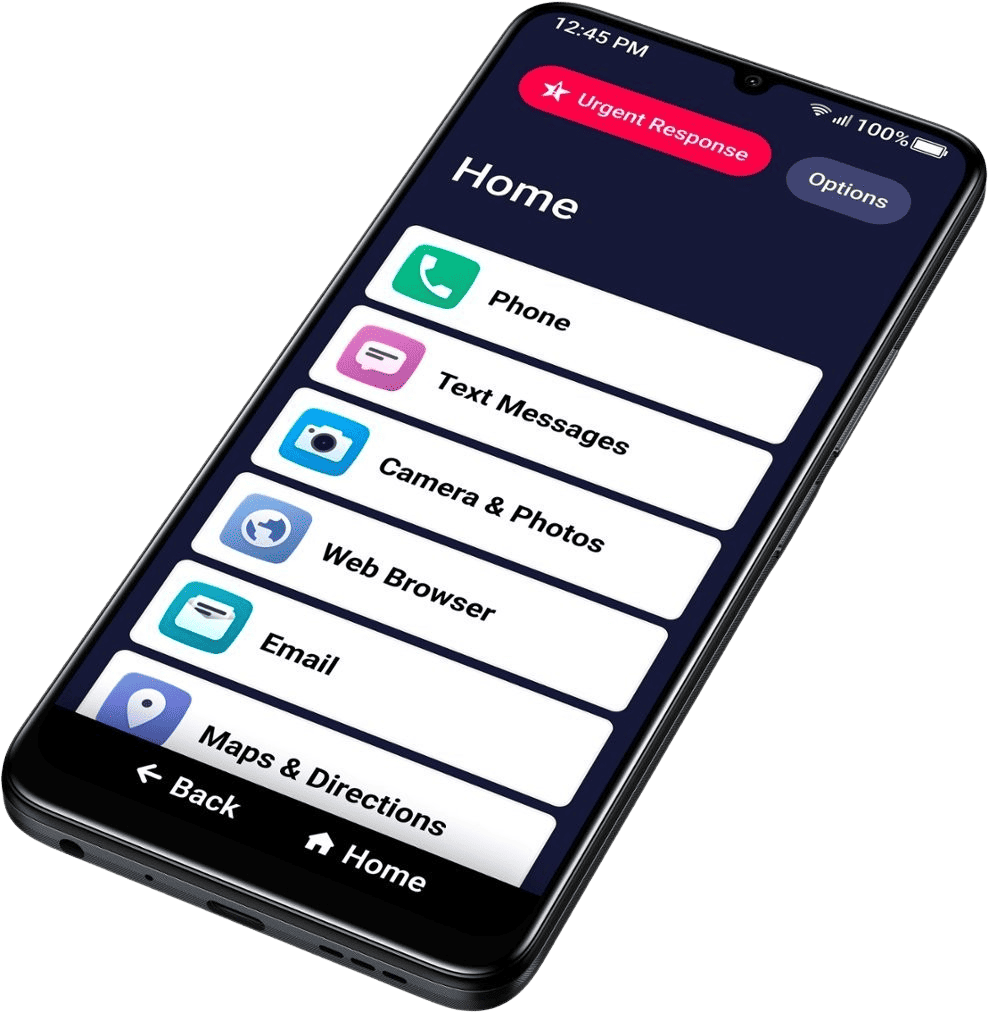
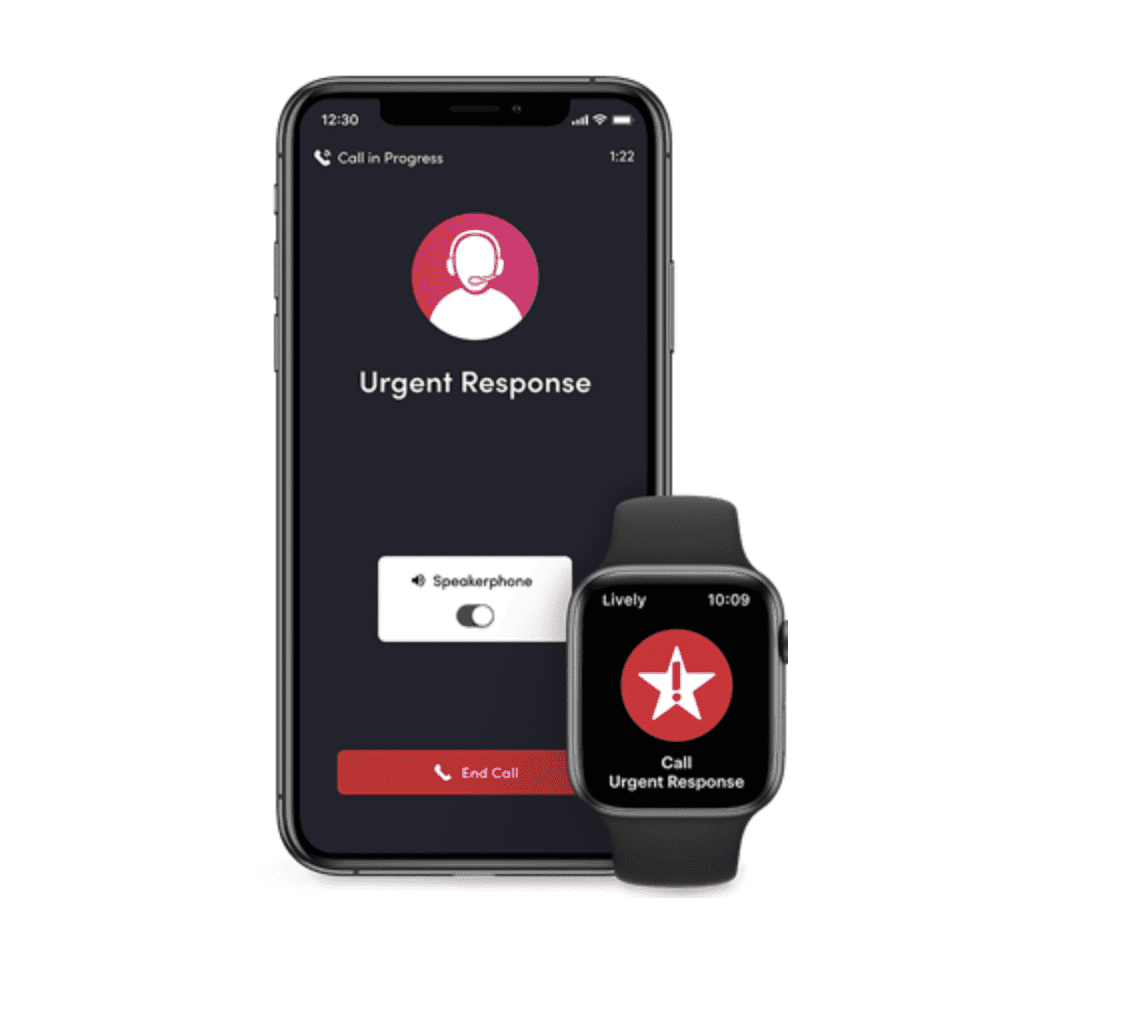
The Lively Flip2 has a backlit display and extra-large dialing buttons, while the Jitterbug Smart4 displays a simplified menu in a large, easy-to-read font. For users on a phone plan with medical monitoring, getting help is as easy as pressing the big red Urgent Response button on either device. This connects to emergency personnel within seconds.
On size and portability, we found the Smart4 a bit bulky for pants pockets, especially with a protective case attached. If a phone that’s easier to carry on the go matters more to you, the foldable Flip2 is the better pick.
Pro Tip: If size is a concern, we recommend looking into traditional (but highly effective) mobile alert units, like those offered by Bay Alarm Medical.
24/7 Monitoring
The Urgent Response service is Lively’s one-button connection to agents certified by the International Academies of Emergency Dispatch. It’s available on the Preferred and Premium plans and is designed for both emergency and nonemergency situations. You can call for anything from forgetting your medicine while traveling to needing an ambulance dispatched. In fact, if you call 911 on the Flip2 or Smart4, Lively agents can join the call to share your location and medical history, ensuring you receive better, more informed assistance.
For medical advice, you’ll need the premium plan. With it, you can call for an immediate connection to a certified nurse who can answer medical questions and help coordinate prescription refills. Both the Preferred and Premium plans also assist in emergencies.
We’ve always liked Lively customer service and have just one complaint: their limited hours. However, since we last tried their products, Lively customer service has become more accessible.
You’ll be able to reach out for help by phone from 7 a.m. to 10 p.m. ET on weekdays and 9 a.m. to 6 p.m. ET on weekends. If you’d rather not call, you can submit an online form instead. In our experience, we received a helpful email response within a couple of hours of submitting a query. Not bad at all.
FYI: Lively agents are based in the U.S., which is a business decision we can appreciate.
Contracts and Return Policies
Obviously, it’s important to know the terms when you sign up with a new phone or medical alert system. Fortunately, Lively lets you pay month-to-month without requiring a long-term commitment. This is standard practice in the industry, especially for brands that require an upfront equipment purchase such as Lively.
Here’s a breakdown of the current plans with the paperless billing discount included. Keep in mind it’s an extra $5 per month if you prefer a physical bill mailed to you.
x
Basic
Preferred
Premium
Ask Lively
Yes
Yes
Yes
Lively Rides
Yes
Yes
Yes
Urgent Response
No
Yes
Yes
Nurses On-Call
No
No
Yes
Cost Per Month for Flip2
$14.99
$34.99
$44.99
Cost Per Month for Smart4
$19.99
$39.99
$49.99
If you order and aren’t happy with your Lively phone, you can return it within 30 days for a refund, minus a $10 restocking fee. The only “catch” is that you might not be refunded for talk, text, or data usage, depending on how much you’ve used. We think that’s fair.
Lively Phones
Lively has two phones: the Jitterbug Flip2 and Jitterbug Smart4. The main difference, besides the design, is that the Smart4 connects to the internet. But, both models include access to all of Lively’s services like Urgent Response and on-call nurses.
Jitterbug Flip2
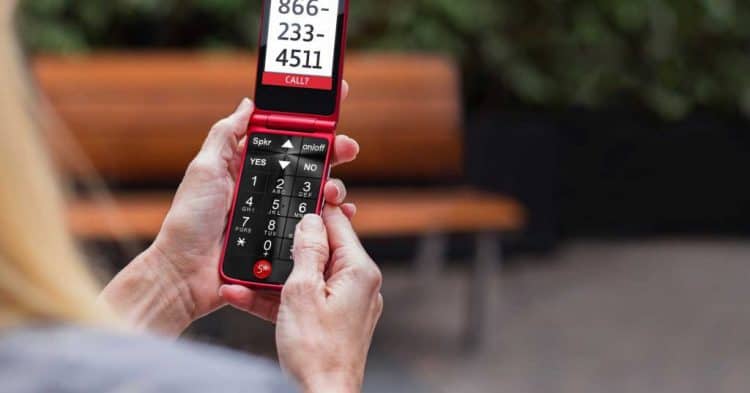
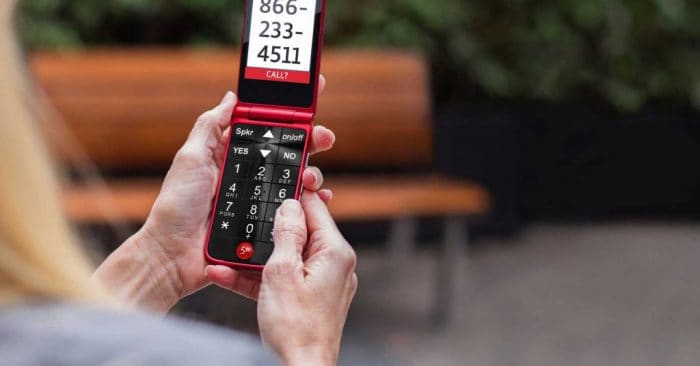
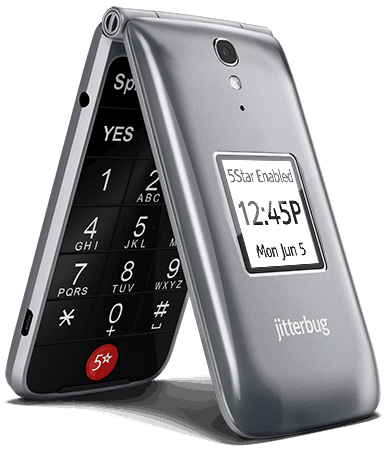
As you can see below, the Flip2 resembles classic flip phones from the early 2000s. The device is best for seniors who don’t need internet access and just want something they can use to text or call. You’ll also notice that the Flip2 has an extra button for access to Lively’s 24/7 emergency help service.
We found the Jitterbug Flip2 phone to be more pocket-friendly than the Smart4.
The Flip2 has some other bonus features like a hearing aid-compatible speaker, oversized keypad for easy dialing, and 16 GB of storage. That’s plenty of room for photos, which can be taken from the 8 MP rear camera or 5 MP front camera. Additional features include:
Large, bright screen
3.5 mm headset jack
Pre-installed brain games to support cognition
Available in red and graphite
GPS and Bluetooth support
Retails for $79.99
Jitterbug Smart4
The most advanced Lively phone, the Smart4, is an Android smartphone featuring a 6.75-inch touch screen that makes texting, gaming, and watching videos a breeze. However, its larger size does sacrifice some portability compared to the Jitterbug Flip2. It’s not quite as pocket-friendly for on-the-go use.
The Jitterbug Smart4 screen size is perfect for tech-savvy seniors.
Like Jitterbug Flip2, Smart4 is hearing aid-compatible and allows dialing and texting by voice. It’s also preloaded with brain games, and you can download more apps from Google Play. We also like that it has a 13 MP camera and 32 GB of storage.
Something to Note: Studies suggest that playing video games can help older adults enrich their memory functions, helping prevent Alzheimer’s disease and dementia.2
The phone costs $119.99 and it requires a cellular data plan. All plans include 1 GB of data, with options to expand your data limit for an additional fee. Some other features include:
Long-lasting battery and fast charging
Call captioning for real-time speech-to-text
Video chat
Google Assistant
MicroSD slot for expandable storage
Phone Accessories
Like other cell phone companies, Lively sells chargers, screen protectors, and other accessories. It’s nice to have options for customizations and personalizing your phone. So, we appreciate the lineup of add-ons and accessories that Lively offers. Here are upgrade options for Jitterbug Flip2 and Jitterbug Smart4.
Lively Add-Ons & Accessories
Price
Smart4 Screen Protector
$19.99
Extra Wall Charger
$24.99
Stereo Earphones
$24.99
Bluetooth Headset
$39.99
Smart4 Dual Layer Hard Shell Case
$24.99
Smart4 Wallet Case
$39.99
Senior-Friendly Services
The big red button on the Flip2 and Smart4 isn’t just a feature—it’s a gateway to a range of services designed specifically for seniors. Lively’s plans include:
Tech Support: Lively agents guide you through texting, sharing photos, updating contacts, and other phone basics.
Personal Operators: Need a phone number, directions, or help deciphering your grandkid’s slang? Lively agents have you covered.
Urgent Response: IAED-certified agents are available around the clock to connect you with emergency services or provide support during stressful situations, like getting lost or feeling short of breath.
Emergency Profiles: Medical professionals can access your emergency profile for fast, personalized assistance.
Care Advocates: These specialists help with daily organization, goal-setting, and connecting you with local health and wellness experts.
Together, these features make the Flip2 and Smart4 more than just phones—they’re tools for safety, support, and peace of mind.
While Lively focuses on mobile phones, they also offer the wearable Mobile2 pendant, a good choice if you already have a phone you like. But how does it stack up against other leading brands like Bay Alarm Medical and Medical Guardian?
Lively Vs. Bay Alarm Medical
Bay Alarm Medical provides a broader selection of devices, including pendants, wristbands, and smartwatches. Their at-home systems do not require an upfront equipment fee, which can offer better value for some users. Additionally, we find their fall detection to be one of the most accurate in the industry.
When reviewing Medical Guardian, we found its equipment is comparable to Bay Alarm Medical’s, but typically at a higher price point. Monthly service fees range from $27.95 to $49.95, with fall detection adding $10 per month to any plan. On the plus side, there’s no activation fee — unlike Lively, which charges a one-time $35 setup fee.
Our Review Methodology
How We Test
We believe the best way to recommend medical alert systems is by using them ourselves. Our team spends weeks or even months rigorously testing devices on criteria like design, cellular service quality, and compatibility with other medical alert equipment.
What We Test
Our team looked at multiple factors when assessing medical alert systems. Some of the additional criteria we looked at include:
Affordability: We compared the prices of newer and older Apple and Samsung models against the upfront costs of a medical alert system.
Emergency response time: We timed how long it took for the monitoring center to respond to our SOS request.
Flexibility: We read the terms and conditions to make sure we weren’t locked into any contracts and could switch plans as our needs changed.
Why You Should Trust Us
Our team of senior care experts conducted all tests on the medical alert systems. They have over 50 years of combined experience in the industry and know exactly what to look for when evaluating this equipment. We also spoke with industry experts and real customers to gather insights on how they use their devices day-to-day.
Summary and Recommendations
Overall, we found Lively to be a budget-friendly brand offering excellent phone solutions for seniors. The Flip2 is ideal for those who prefer simplicity and minimal tech, while the Smart4 works well for grandparents who enjoy staying connected online. In testing, our main complaint was slower data processing, but otherwise, both devices deliver solid value as reliable phones designed specifically with seniors in mind.
The Jitterbug Flip2 retails for $79.99 and the Jitterbug Smart4 costs $119.99. You’ll also need to pay a one-time activation fee of up to $35, plus your first month of service, which varies based on the plan you choose. In total, expect to spend between $120 and $205 upfront.
There are no setup fees but Lively charges a $35 activation fee per device. You can sometimes find promotions that waive this fee if you call during specific sales events.
Yes, you can use your current phone with any Lively plan including their plans with Urgent Response. That lets you turn almost any compatible smart phone you own into a medical alert device.
After earning a degree in journalism, Jenny Wisniewski spent much of her professional life in education; however, she returned to writing in earnest in the senior care space, acting as caregiver to her mother. She has hand-tested the industry’s top medical alert systems, writing nearly 50 in-depth articles that help seniors age safely in place. Jenny also covers caregiving, Medicare, assisted living, memory care, and Alzheimer’s and Parkinson’s diseases. Previously, she’s written for national publications such as Country Magazine and Sierra Magazine. Jenny holds dual bachelor’s degrees in English/Journalism and Political Science from Miami University in Oxford, OH. She currently resides in Milwaukee, WI.
 Updated August 26, 2026
copied!
Updated August 26, 2026
copied!