It shouldn’t come as a surprise, but 15 percent of all spending on identity theft insurance products goes to LifeLock.1 It comes from the trusted brand behind one of the best antivirus apps around, after all. But LifeLock isn’t just an optional add-on you click at checkout. It’s its own product, one you can buy standalone or paired with a Norton 360 subscription.
But is it as good as its flagship antivirus software? LifeLock has some genuinely distinctive features, like up to $3 million in insurance on its top plan and the ability to lock your credit file with one click. That last feature alone earned it a spot on our list of the best credit monitoring and protection services. That said, there are a few rough edges, like limited credit monitoring on the entry-level plan and pricing that shifts after your first year. Let’s get into what we loved and what gave us pause.
PROS
Up to $3 million in identity theft coverage per adult on the Total plan
Can be bundled with Norton 360, a high-quality antivirus
Includes alerts for bank account takeovers, and 401(k) and investment accounts on Total
Every plan includes at least $1 million in identity theft coverage
Quality notifications with helpful descriptions and tips for minimizing exposure
CONS
Expensive even with an annual plan discount
Only the entry-level Core plan lacks three-bureau credit monitoring
Prices increase after the first year, though LifeLock doesn’t publish exact renewal rates
PROS
Up to $3 million in identity theft coverage per adult on the Total plan
Can be bundled with Norton 360, a high-quality antivirus
Includes alerts for bank account takeovers, and 401(k) and investment accounts on Total
Every plan includes at least $1 million in legal fee coverage
Quality notifications with helpful descriptions and tips for minimizing exposure
CONS
Expensive even with the annual plan discount
Core, the entry-level plan, only includes two-bureau credit monitoring
Prices increase after the first year
LifeLock Features, Plans, and Prices
When we started looking at LifeLock’s plans, it seemed simple at first — three tiers to choose from. The deeper we looked, the more options we found. Between Core, Advanced, and Total, each available as an individual plan and with select tiers offered for couples and families, plus separate Norton 360 bundles, there’s a lot to sort through. If you’re specifically looking for a family plan, see our breakdown of LifeLock’s family plans or check out other top options for family identity protection.
We’ve tested over 20 identity theft protection services, so we’re used to comparing plans, but LifeLock’s lineup still took some untangling. We built a table to compare LifeLock’s tiers feature by feature. For the full pricing breakdown, see our guide to LifeLock’s plans.
Features
Core
Advanced
Total
Identity and SSN alerts
Yes
Yes
Yes
Credit monitoring
2-bureau
3-bureau
3-bureau
Insurance for lawyers and experts
$1 million per adult
$1 million per adult
$1 million per adult
Personal expense compensation
$25,000 per adult
$100,000 per adult
$1 million per adult
Stolen funds reimbursement
$25,000 per adult
$100,000 per adult
$1 million per adult
Dark web monitoring
Yes
Yes
Yes
Synthetic (fictitious) identity monitoring
Yes
Yes
Yes
Bank and credit card activity alerts
Yes
Yes
Yes
TransUnion credit lock
No
Yes
Yes
401(k) and investment activity alerts
No
No
Yes
Social media monitoring
No
No
Yes
Bank account takeover alerts
No
No
Yes
Home title monitoring
No
No
Yes
Phone takeover monitoring
No
No
Yes
Monthly price
$12.49
$19.99
$34.99
Annual price
$124.99 (~$10.42/mo)
$199.99 (~$16.67/mo)
$349.99 (~$29.17/mo)
Identity Monitoring
Before we get to LifeLock’s insurance coverage, let’s cover how it actually keeps your identity safe day to day.
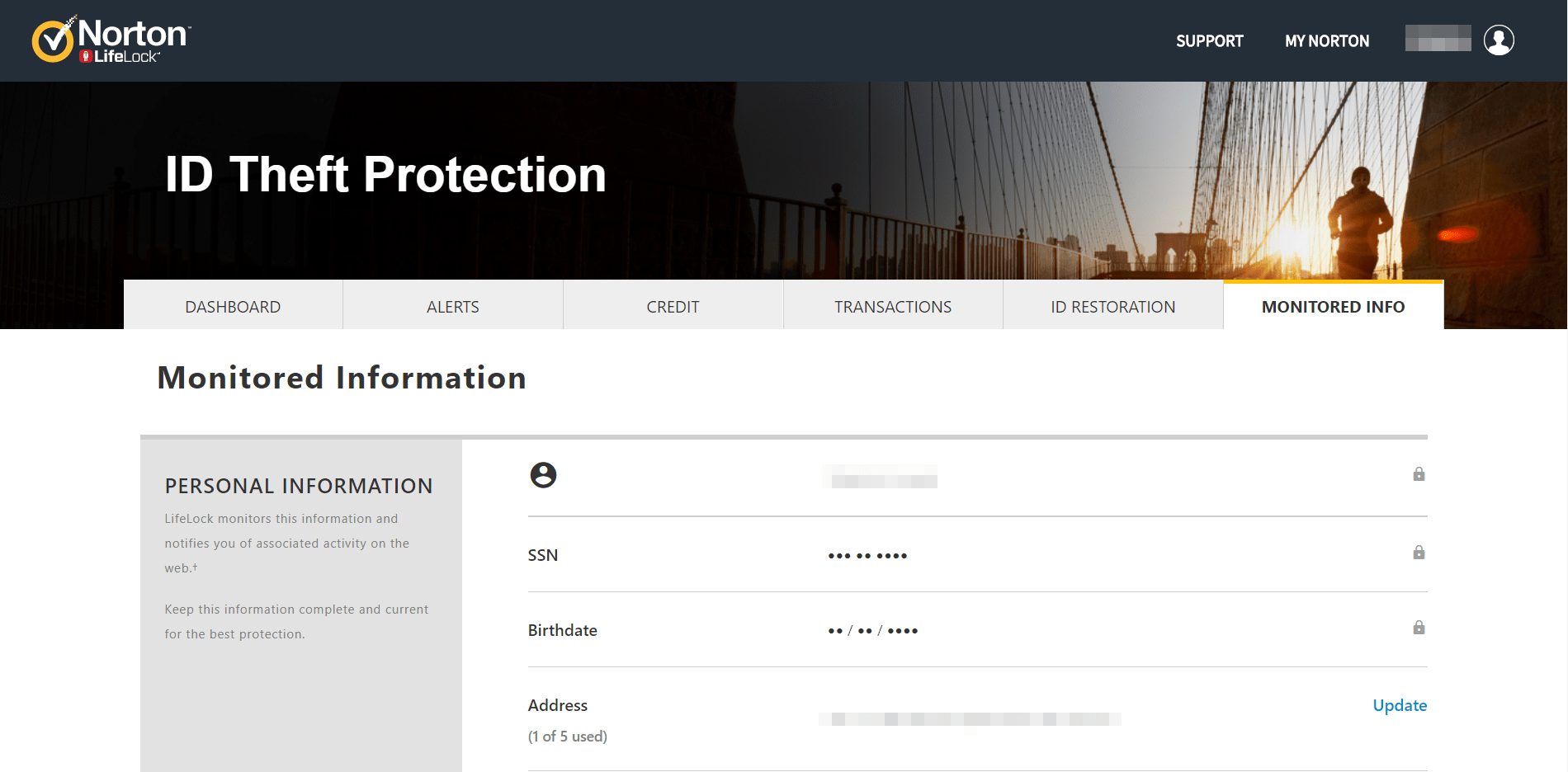
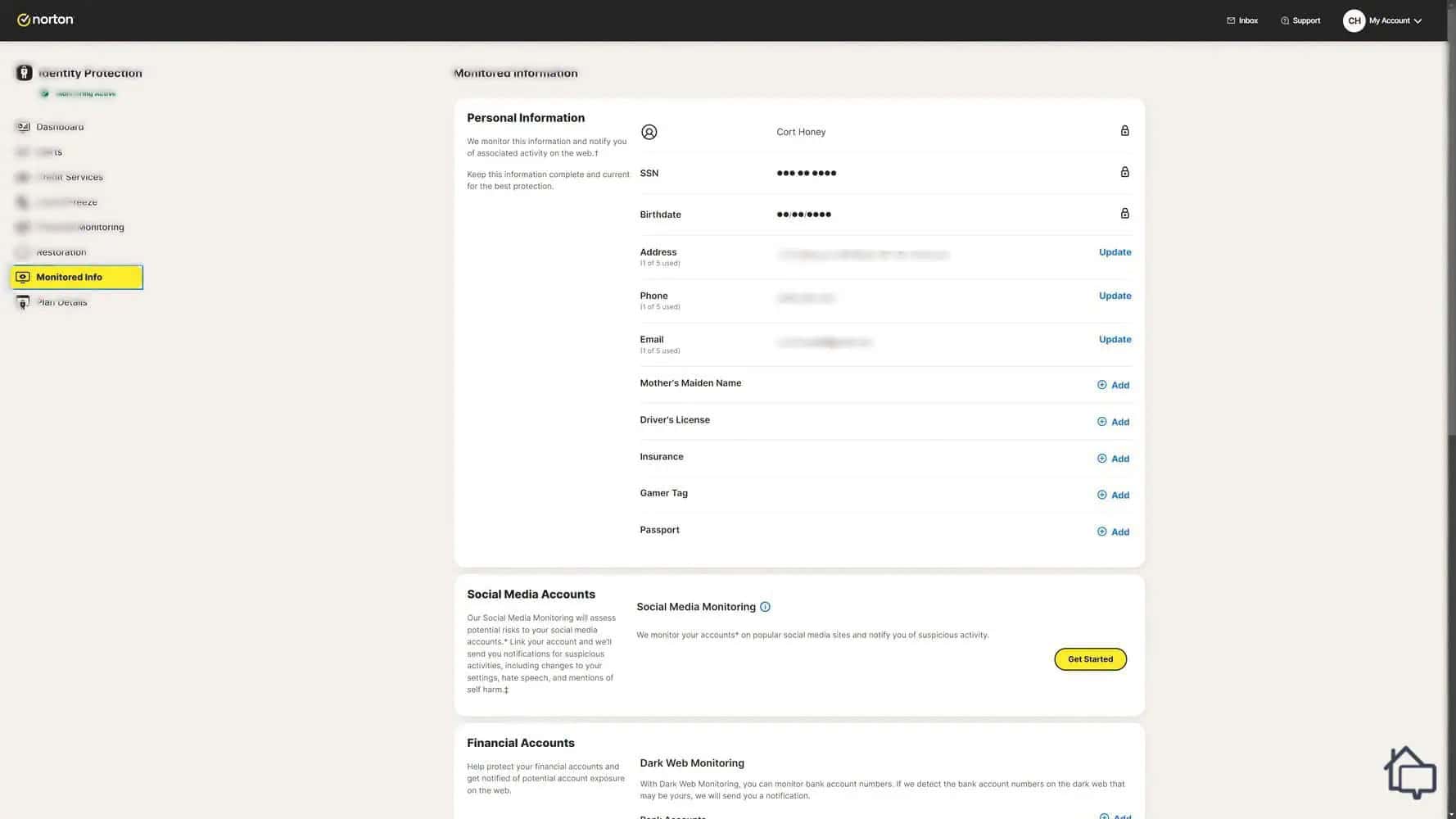
When we signed up, LifeLock asked for some basic information, our name, date of birth, address, phone number, and Social Security number. LifeLock uses these details to scan for suspicious activity tied to your identity.
Pro Tip: If you don’t have all your information on hand right away, you can skip ahead and add it later from the Monitored Info tab in your account.
The information LifeLock used when monitoring our identity.
About two hours after we set up our account, we got our first alert. Our information had turned up on the dark web. After clicking “Review This Activity,” we found the only thing exposed was an old email address we no longer use.The alert page also gave us tips for securing our information further. It was clear and easy to follow, though we’ll admit that first alert made our heart skip a beat before we dug in and realized it wasn’t serious.
Dark web monitoring was the only alert we personally triggered, but LifeLock watches several other areas too.
Identity and SSN alerts. Rather than watching one specific place, this tracks activity tied to your Social Security number directly, background checks, credit checks, and any instance of your SSN turning up across LifeLock’s databases.
Synthetic identity monitoring. Criminals have moved beyond stealing a whole identity outright. Now they’ll often combine pieces of a real identity with fabricated details to build a synthetic one. LifeLock watches for exposed information, like old addresses, that could be used this way.
Social media monitoring. This has its own dedicated tab, and it goes further than identity issues alone. Through our own testing, we confirmed it also monitors for hate speech and mentions of self-harm, which makes it a genuinely useful feature for parents keeping an eye on kids’ accounts.
Bank account activity alerts. We linked our checking and savings accounts to our LifeLock profile, which let it monitor for signs of fraud and alert us immediately if something looked off.
401(k) and investment activity alerts. Available on Total, this works the same way, just extended to investment and retirement accounts. It’s a feature we don’t see from many other providers.
Bank account takeover alerts. This watches for suspicious login activity, the kind you’d see if someone were trying to break into your online banking using a stolen username and password.
FYI: We take social media seriously too. We put together a full breakdown of hate on social media if you want to better understand cyberbullying and related issues.
Credit Monitoring
LifeLock’s credit monitoring impressed us. There are three pieces to it. It helps you track your credit score and open lines of credit, it lets you freeze your file with two of the three bureaus, and its standout Credit Lock feature lets you toggle your TransUnion file on and off instantly. Here’s how each works.
Monitoring Your Credit Score
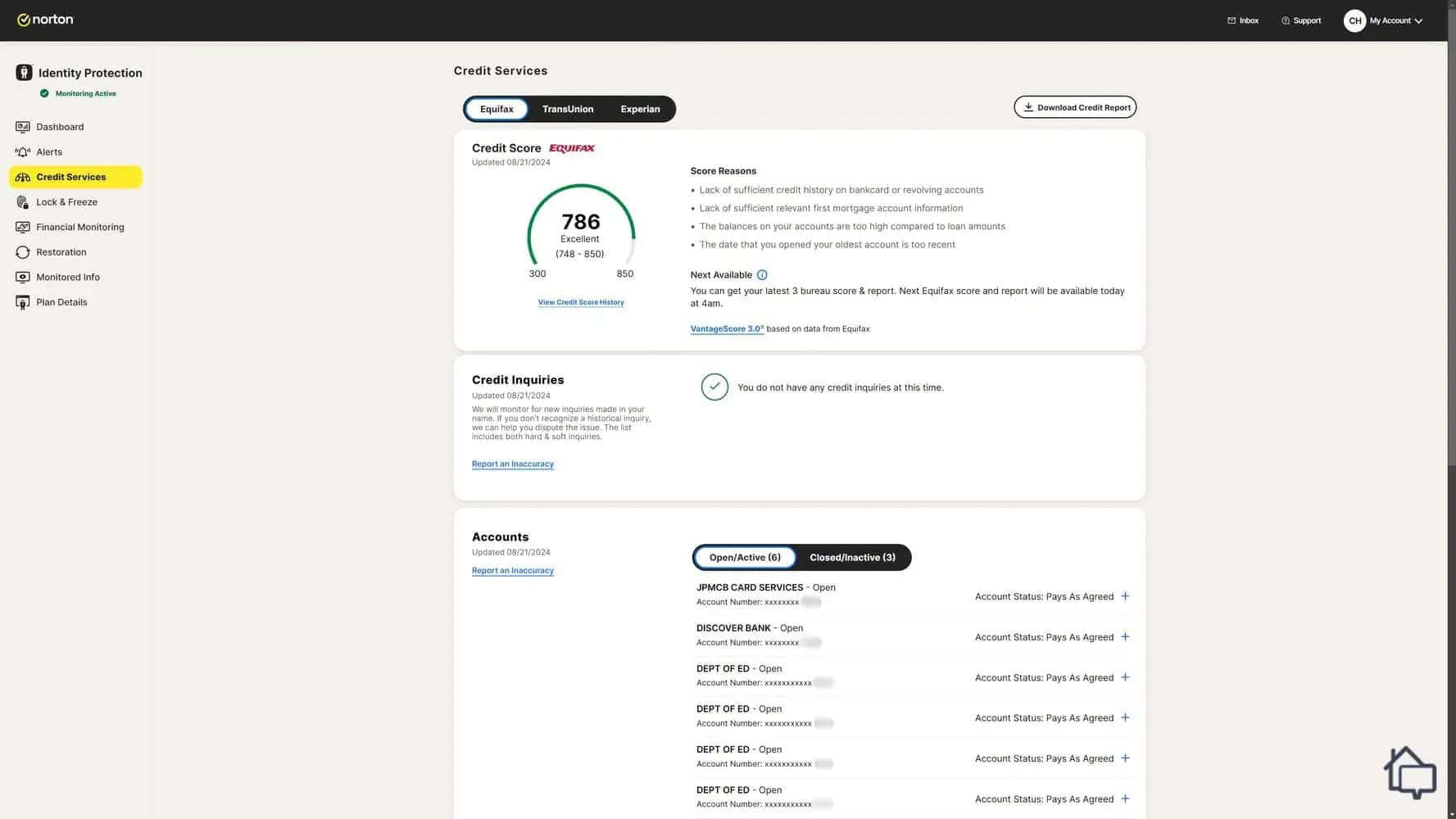
We could monitor our credit score, current loans, and past loans in a simple interface with LifeLock.
LifeLock’s credit services page is easy to navigate. We could see our credit score, current lines of credit, and past lines of credit all in one place, with alerts any time our score shifted or a new account opened in our name.
Freezing Your Credit
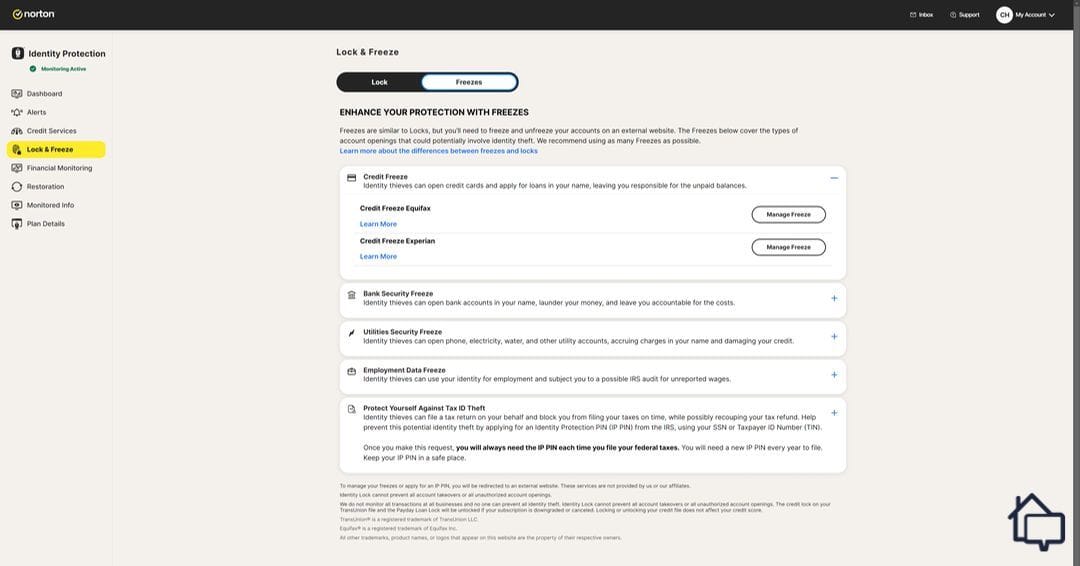
LifeLock could help us activate a freeze on our Equifax or Experian credit file
You’ll notice you can only freeze two of the three major bureaus directly through LifeLock’s dashboard. That’s because LifeLock handles the third, TransUnion, differently, more on that below. If we’d frozen our Equifax and Experian files, we’d have needed to wait for them to unfreeze before applying for new credit. LifeLock’s Credit Lock feature is what gets around that.
LifeLock’s Credit Lock
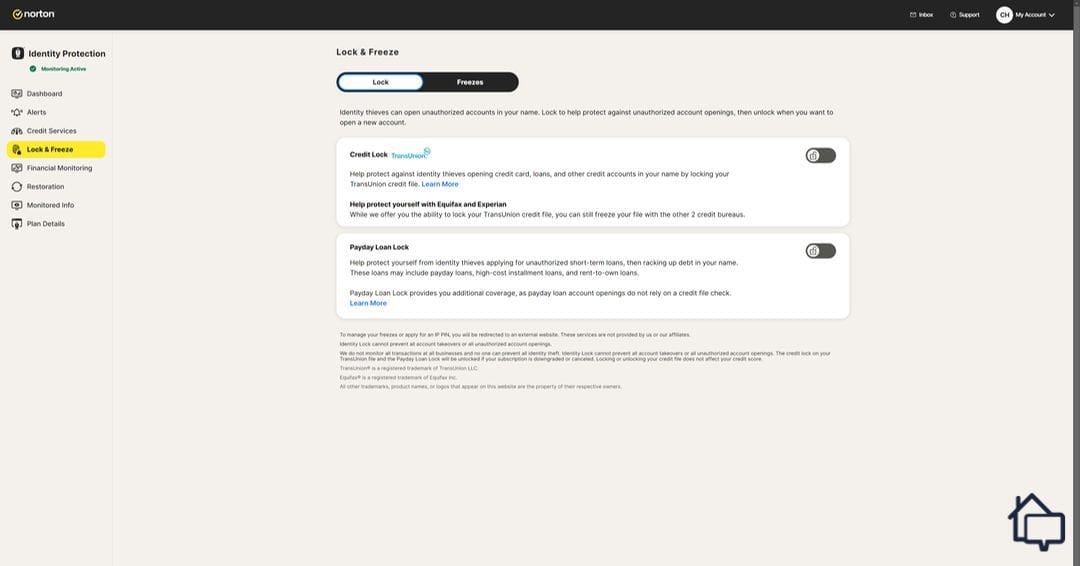
Unique to LifeLock, we could temporarily freeze and unfreeze our TransUnion credit file with the press of a button.
This is where LifeLock’s credit protection really stands out. Credit Lock lets us freeze our TransUnion file and unfreeze it instantly, meaning we could keep our other two bureaus locked down while still having a usable credit file on hand for emergencies. The same feature also lets us block payday loans from being taken out in our name.
Restoration Services
No identity theft protection service is 100 percent effective, so if your identity does get stolen, you’ll need real support. LifeLock backs this up with insurance covering legal expenses, stolen funds, and personal expenses.
On Total, we had $1 million in coverage across each of the three categories. That level of coverage is part of why LifeLock made our list of the best identity restoration services. Every plan includes $1 million in legal fee and expert coverage regardless of tier. The other two categories scale with your plan, $25,000 each on Core, $100,000 each on Advanced, and up to $1 million each on Total.
Our identity stayed safe throughout testing, so we didn’t have to file a claim ourselves. LifeLock does have a full page dedicated to the claims process, though, which gave us confidence it would run smoothly if we ever needed it. To file a claim, you’d call LifeLock directly and describe the situation over the phone, and they’ll connect you with an identity restoration expert to help you through it.
Did You Know? Identity theft protection services typically split their insurance into categories like this so they can offer strong coverage for things like legal help, while keeping more subjective categories, like personal expenses, separately capped. Learn more in our guide to identity theft protection services.
Online Dashboard
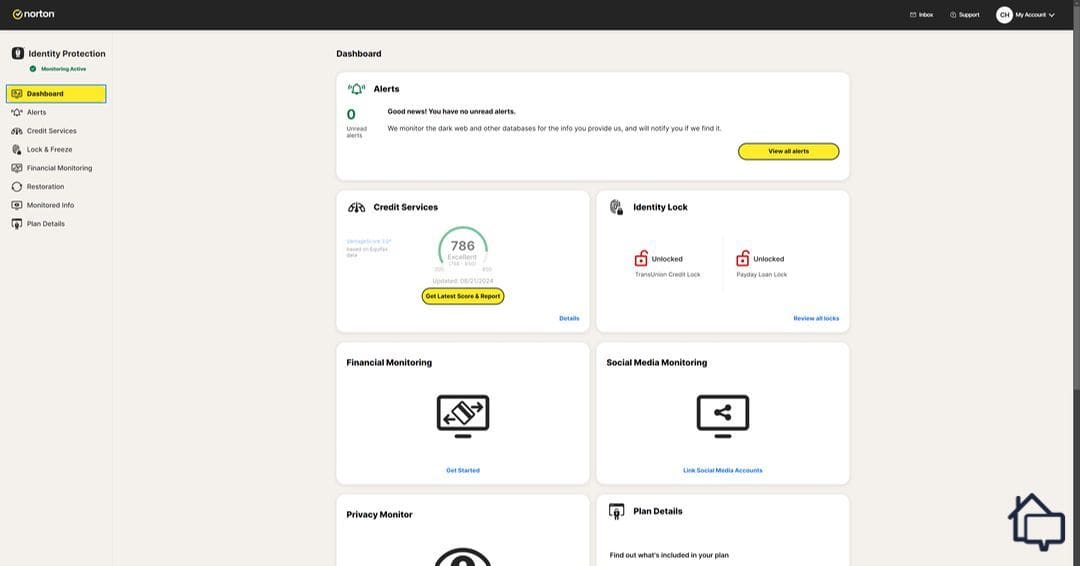
LifeLock’s dashboard showed us key information from each submenu.
The online dashboard was our preferred way to manage LifeLock day to day. Typing on a keyboard made entering our information easier than doing it on a phone or tablet, and the layout made sense, we could find whatever we needed quickly, whether that was unlocking our TransUnion file or reviewing past alerts.
Logging in gives you an overview of your current status right away, alerts at the top, followed by credit information. At the bottom, there’s a helpful checklist of monitored info you can still add.
Device Security
For extra protection, you can bundle LifeLock with Norton 360, which adds Norton’s VPN and antivirus software.
The VPN kept us anonymous online, encrypting our connection and routing it through a secure server so our ISP couldn’t monitor our activity. We weren’t as impressed with the VPN specifically, though. It has servers in around 40 countries, while a dedicated service like NordVPN covers more than 100.
Norton 360 bundling isn’t available across every LifeLock tier, and it’s individual plans only, couples and family plans can’t add it. There are only two bundle options.
LifeLock Bundle
Devices Supported
Select (Core features + Norton 360)
5 devices
Ultimate Plus (Total features + Norton 360)
Unlimited devices
If unlimited device coverage matters to you, Ultimate Plus is the one to go with. Select works well if you’re covering a small number of personal devices, but keep in mind it’s capped at five and only available on an individual plan. Also, LifeLock Select is similar to Core, so three-bureau credit monitoring, the up to $3 million insurance, and home title monitoring are not available through this plan.
Get Support When You Need It
LifeLock’s white-glove, US-based restoration team files the paperwork and manages claims. View plans to learn more.
SecureScore™:
9.7/10This rating is derived from our editorial team's research, hands-on product testing, and customer surveys.
Before buying a subscription, we’d recommend signing up for the free trial, which is exactly what we did. We did run into a hiccup during checkout worth knowing about. When we first tried signing up in Firefox, clicking “Start 30-day trial” still showed the full charge under “Total Due Today,” which was confusing given the fine print states the trial begins as soon as the transaction completes. We switched to Chrome to double check, and the total there correctly showed $0.00 due.
The takeaway: before you submit payment on any LifeLock signup, double-check that the amount due actually reflects $0 for the trial period, regardless of which browser you’re using. It only took us a minute to catch, but it’s an easy thing to miss.
LifeLock Mobile App
When we searched for LifeLock on the Google Play store, we were surprised to see it rated 4.6 out of 5. That’s not because we expected little from LifeLock specifically, it’s that identity theft protection apps in general don’t tend to score that well.
Once we installed it, it was easy to see why it’s rated so highly. On first open, we were prompted to either buy a plan or log in. Since we’d already purchased on desktop, we logged in, set up a PIN (or fingerprint) for faster access, and granted notification permissions before landing on the mobile dashboard.
We weren’t able to grab screenshots, since the app blocks screenshots, but it mirrors the web dashboard closely, just resized for a smaller screen without feeling cluttered. We also liked being able to reach customer support directly from the app’s menu.
Final Thoughts on Our Time With LifeLock
We’d recommend LifeLock to friends and family, particularly if you can make the most of what Total offers — $3 million in coverage, Credit Lock, and three-bureau monitoring.
If you’re working with a tighter budget, we wouldn’t necessarily point you toward Core. You can often get more for less with a provider like Aura. When we reviewed Aura, we found it matched a lot of what Total plus Norton 360 offers, for around $12 per month. See our Aura vs. LifeLock comparison for a full breakdown of how the two differ.
Yes, LifeLock is on the pricier side. There’s no getting around it. You can save by paying annually, but it still costs more than Aura and Identity Guard, our other two favorite identity theft protection services.
If your budget allows it, Total gets you the most coverage, $3 million in identity theft insurance plus home title and phone takeover monitoring you won’t find on the lower tiers. If three-bureau credit monitoring is your main priority without needing Total’s full insurance ceiling, Advanced covers that too, at a lower price point.
If you need a VPN and antivirus anyway, the Norton 360 bundles get you both at a solid discount. Norton’s antivirus is genuinely top-tier, though its VPN, with servers in around 40 countries, is a bit more limited than dedicated VPN services.
LifeLock can’t improve your credit score directly, but it can help you improve it yourself through the Credit Services dashboard, where we could monitor all our open lines of credit, our current score, and tips for building it up.
Yes. LifeLock’s family plan covers two adults plus up to 10 children, built on the Advanced tier. Keep in mind Norton 360 bundling is only available on individual plans, so you won’t be able to add it to a family or couple plan.
With a decade of experience as a journalist, Derek Prall has been covering home security for over three years. He has spent more than 1,000 hours researching security solutions and has covered almost 100 topics related to home safety. Previously, Derek has covered tech issues at American City & County magazine, where he won numerous national awards for his coverage. Derek graduated with dual bachelor’s degrees in English and Communications from Furman University and now lives in Atlanta, Georgia, with his wife and two cats.

 Updated July 15, 2026
copied!
Updated July 15, 2026
copied!