Wyze Lock Bolt Review: A Smart Lock With a Fingerprint Scanner for $70? What’s Going on Here?

We tested Wyze’s new Lock Bolt to see if this too-cheap-to-be-true smart lock was the one we wanted on our front door.

Wyze Lock Bolt Image
SecureScore™: 8.7 / 10 This rating is derived from our editorial team's research, hands-on product testing, and customer surveys.
View on Amazon Links to Amazon
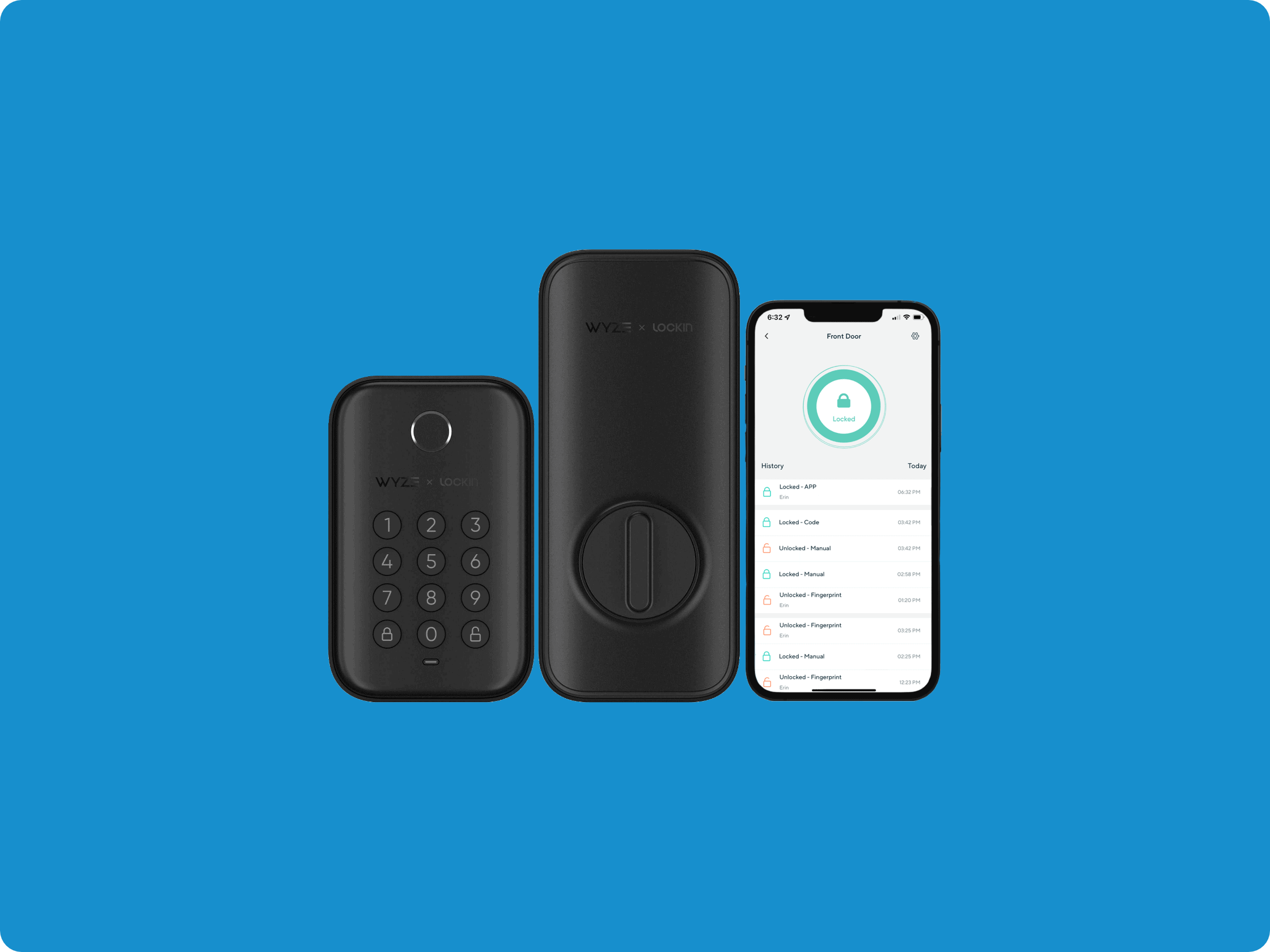
The Wyze Lock Bolt, interior and exterior, with the Wyze app

The Wyze Lock Bolt, interior and exterior, with the Wyze app

When I first heard about the Wyze Lock Bolt, I wasn’t sure what the folks at Wyze were up to. That’s because Wyze had already put out a Wi-Fi smart lock I liked a lot — Wyze Lock. The Wyze Lock works with Google Assistant (or Alexa). You can access it from anywhere. At $80, it’s also competitively priced.

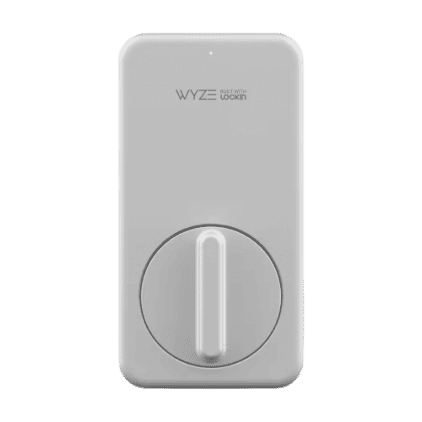
The Wyze Lock Bolt comes in satin nickel and matte black finishes. We like its sleeker aesthetic compared to other models. But word on the street was — how do I put this nicely? — the Bluetooth-only Lock Bolt just wasn’t that smart.

Then again, the Lock Bolt came with a cutting-edge fingerprint sensor and was at least half the price of the brainier Wyze Lock — or most other top smart locks we’ve reviewed in these pages, for that matter. So the question I had was pretty simple: Is the rock-bottom Wyze Lock Bolt smart enough on the day to day to make me say goodbye to my pricier Wi-Fi-enabled deadbolt?

In this hands-on Wyze Lock Bolt review, we’re going to find out.

Did You Know? Bluetooth 5.0 and newer versions include enhanced security features that make hacking attempts more difficult. Criminals would need to be within 30 feet and have sophisticated equipment to even try hacking them.

Wyze Lock Bolt Pros and Cons

PROS
  • Fingerprint scanner for quick entry
  • Great battery life
  • Budget price
  • Simple installation
  • Automatic or manual locking
  • Remote passcode generation for emergencies
  • Waterproof
  • Now compatible with Wyze Video Doorbell Pro

CONS
  • Bluetooth-only, no Wi-Fi
  • Fingerprint sensor wonky at times
  • No smart home integration

Wyze Lock Bolt: The Big Picture

Before I get into the nitty-gritty, I’ll just say that with a Bluetooth smart lock like the Lock Bolt, you’re sacrificing two key smart lock features. The first is remote unlocking, which I’ll get into more below because the Lock Bolt does have a clever workaround for this.

The second possible deal breaker is no smart home integration. Without Wi-Fi, the Wyze Lock Bolt is simply walled off from your connected home. So if you’ve been steadily building a smart home that runs like a digital Swiss clock, you may want to consider a smart lock that works with your other smart stuff.

With that out of the way, I’ll also say that the cheap, stylish Wyze Lock Bolt was more than enough for my needs, and it may very well be for yours too.

Wyze Lock Bolt: What You Get in the Box

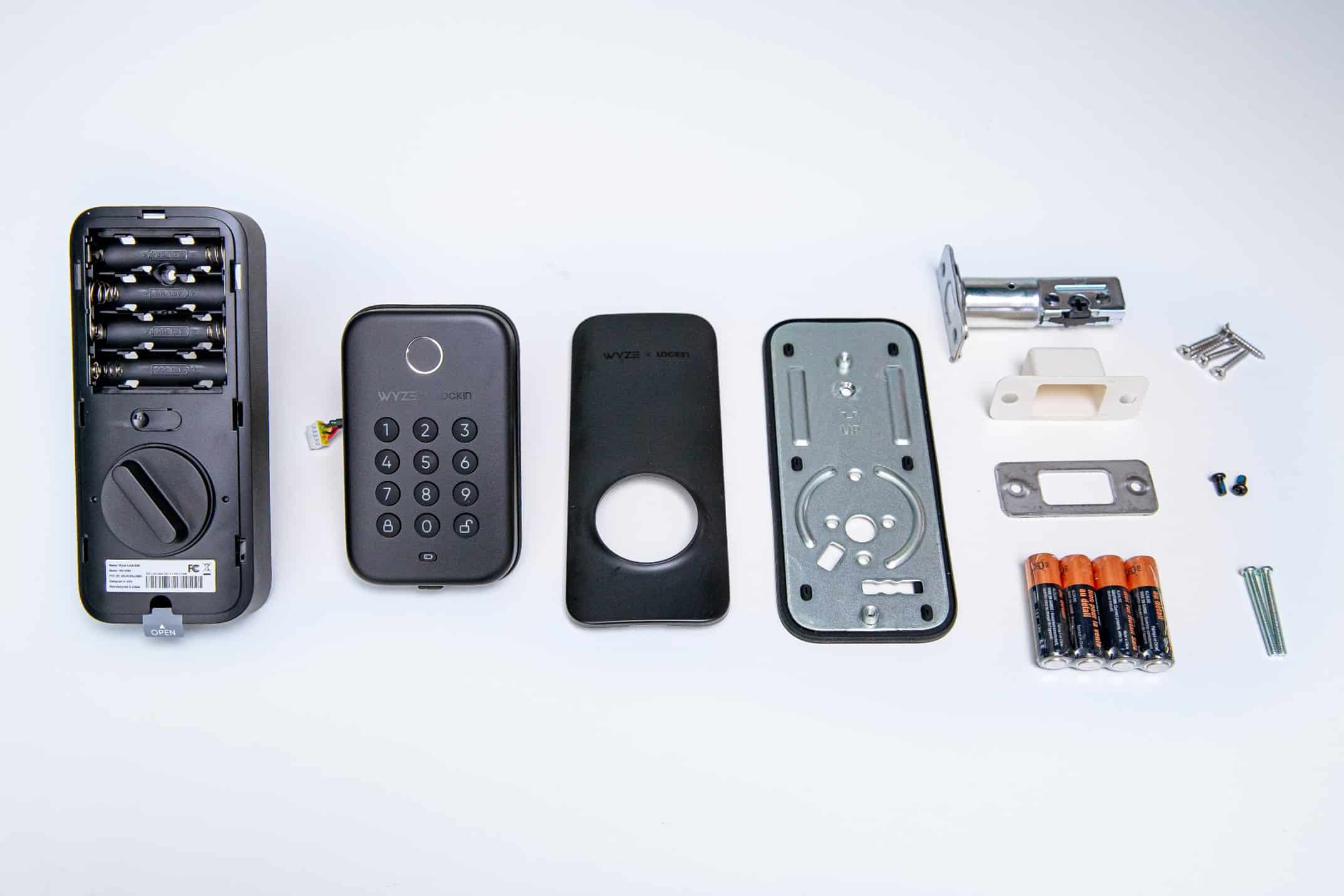
Don’t be afraid of those parts. The Wyze Lock Bolt is actually easy to assemble.

Don’t be afraid of those parts. The Wyze Lock Bolt is actually easy to assemble.

As far as major hardware goes, the Wyze Lock Bolt doesn’t have that much. Besides the deadbolt itself, my box came with a keypad (for outside) and a thumb turn lock (for inside). So, in terms of actual assembly time, the Lock Bolt is easier than it looks.

That said, there are smaller parts involved, including mounting plates and screws. So make sure you don’t toss any of them by accident — especially the measuring template. That little rectangle of paper will come in very handy if you’re having trouble making the Lock Bolt fit your door!

FYI: Wyze makes a lot more than just smart locks. If you’re considering adding a budget camera or two to your home security arsenal — always a good idea — we’ve also tested Wyze’s indoor and outdoor security cameras.

Installing the Wyze Lock Bolt

I’m always hesitant to describe any hardware installation as easy. With small parts and screwdrivers, plenty can go wrong.

If you’re replacing an existing deadbolt, like we were, installation can take up to 30 minutes. We found the process straightforward. You’ll need to adjust the deadbolt length to match your door’s specifications. Simply turn the housing over and extend its length to the appropriate measurement.

The only other part of this otherwise pain-free installation that might rattle your nerves is holding the keypad in place while you fit and screw in the interior assembly. If it’s too many parts to juggle at once, just get someone to hold the keypad while you install the lock. It takes only a minute or two.

Installation Tip No. 1: What we call the “backset” is the distance from the edge of your door to the bore hole (the big hole on the face of your door). Standard backset measurements are 2 ¾ inches (70mm) and 2 ⅜ inches (60 mm). If your backset is 2 ¾ inches, you’ll have to extend the length of Wyze’s deadbolt.

Pairing the Wyze Lock Bolt With the Wyze App

Pairing the Wyze Lock Bolt with Wyze’s app was a 2-minute operation

Pairing the Wyze Lock Bolt with Wyze’s app was a 2-minute operation

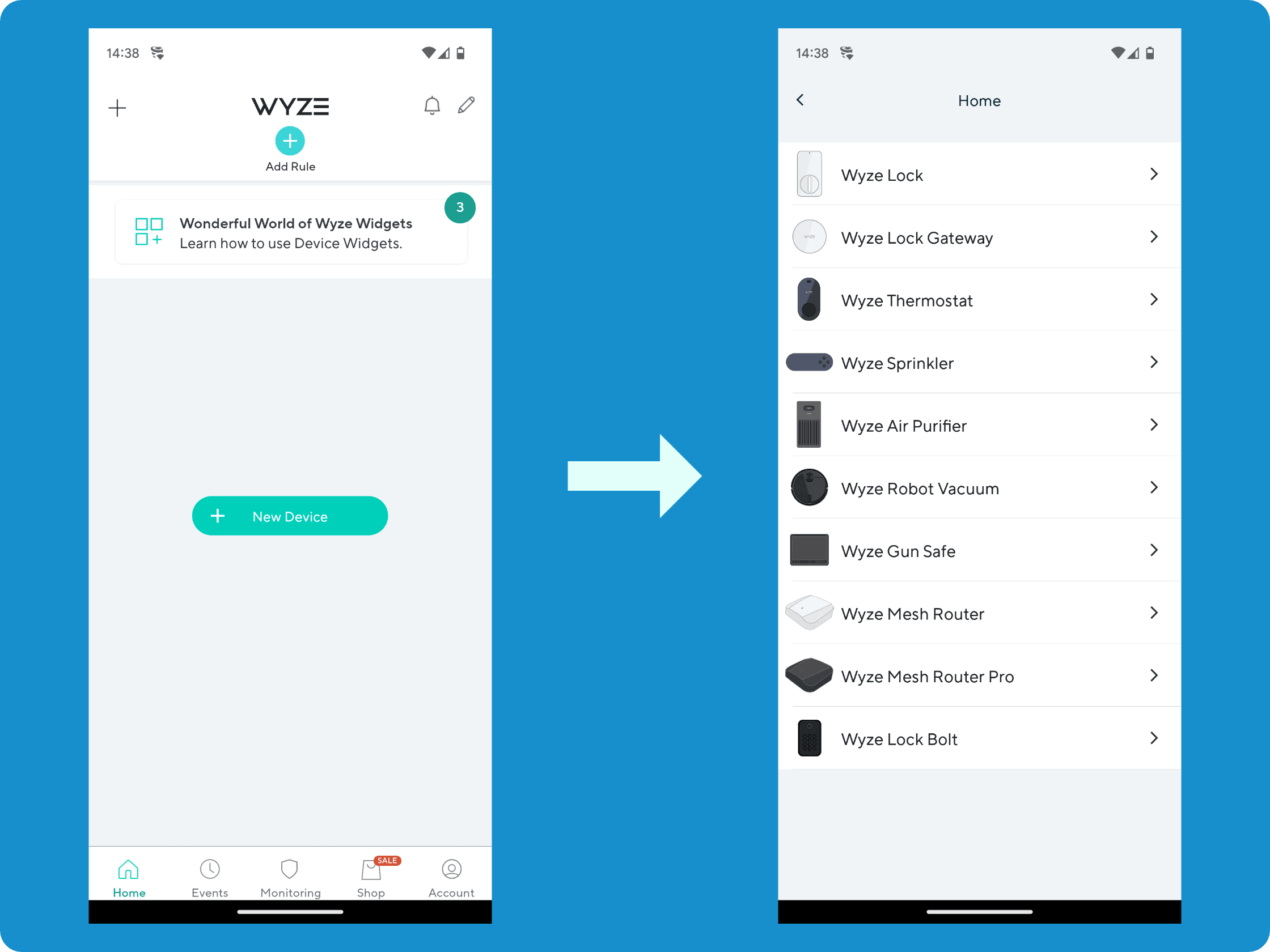
Connecting the Wyze Lock Bolt to the Wyze app was a piece of cake. You will need the app and a Wyze account to set up your Lock Bolt, so if you don’t have them, go ahead and get those ready first.

Once I was online and inside the app, I added the Wyze Lock Bolt to my system and pressed the pairing button above the lock for three seconds. My keypad lit up and beeped immediately.

It took the app under 10 seconds to locate my Lock Bolt, and then a minute or two more to wrap up the configuration. After that, Wyze walked me through the final steps, prompting me to add my first code (more on this below) and fingerprint.

Installation Tip No. 2: You may be tempted to stick the batteries into your Lock Bolt before you’ve got the interior assembly screwed in place. Hold off on that. The way the Lock Bolt is set up, you won’t be able to get the screws in if the batteries are already inside.

Wyze Lock Bolt Specs and Cost

Technical Specifications

Color Matte black or satin nickel
Weight 2.75 lbs
Dimensions (interior assembly) 7.3" x 5.3" x 2.3"
Dimensions (keypad) 4.5" x 2.75" x 0.75"
Power source 4 AA batteries (included)
Battery life Up to 12 months
Connectivity Bluetooth 5.0
Range 16 ft
Fingerprint storage 50
Passcode storage 20
Weatherproofing IPX5

As you can see from the specs above, the Wyze Lock Bolt is fairly compact, sports great battery life, and works with fingerprints. That last is a standout feature I haven’t seen elsewhere. But it’s the Lock Bolt’s budget pricing that really demolishes the competition.

At $79.99, the Wyze Lock Bolt is one of the most affordable smart locks on the market. It’s cheaper than the Wi-Fi-enabled Wyze Lock and other premium competitors, which can cost $200 to $300 more.

To make this concrete, the entry-level August Smart Lock, our No. 1 pick for smart locks this year, sells for around $200. That’s not even that expensive, considering the August’s quality, but it’s still an arm and a leg more than the $74 Lock Bolt. Another of our favorite locks of 2023, the Yale Assure Lock 2, starts at $239, while the Schlage Encode is a hair cheaper at $236.

I could go on, but I think you get the picture. The Wi-Fi-less Lock Bolt is a garage sale find compared to the rest of the best smart locks we’ve tested.

FYI:  Smart locks with ANSI/BHMA Grade 1 or Grade 2 deadbolts provide the same physical security as traditional locks. The Wyze Lock Bolt meets these standards, making it just as resistant to physical attacks like kicking or prying as traditional deadbolts.

Wyze Lock Bolt: Everyday Use

At the end of the day, what most of us are looking for in a smart lock — after complete security —  is ease of use. At least, that’s how I approach smart locks. Wyze threw no curveballs here. The Lock Bolt was pretty much as easy to integrate into my daily routine as it was to set up.

Lock Bolt Fingerprint Scanner

The Lock Bolt’s fingerprint sensor uses similar technology to smartphone fingerprint readers. We needed to give it a second try occasionally (especially in very cold or wet conditions). It worked reliably about 95 percent of the time.

Lock Bolt Keypad

After you get used to opening your door with your finger, you probably won’t be going back to the “old-fashioned” keypad. But it was there if I wanted it — with the capacity to store up to 20 passcodes.

Lock Bolt Automatic and Manual Locking

To lock my door, I also had two options. I could hit the lock button on the keypad manually whenever I left the house. Or I could program the Lock Bolt to lock itself after, say, a minute, two minutes, or whenever. If you’ve got kids, I think you know which option I chose. That said, my inner security stickler appreciated that lock button as a failsafe.

Did You Know? If you like the deadbolt you already have — and don’t like screwdrivers — check out the Sesame smart lock. At $119, it’s pretty cheap and you can literally fit it over your trusted deadbolt in seconds.

Wyze Lock Bolt: Remote Unlocking

Now, about the elephant in the room: remote unlocking. This is a feature you get with Wi-Fi smart locks that lets you lock or unlock your door from wherever you are.

To zoom out a bit, we’ve tested top-of-the-line home security systems that used this technology to arm and disarm themselves when we got within 20 feet of the front door. It’s called geofencing and it can come in very handy if you’re a home automation

The Wyze Lock Bolt isn’t equipped with geofencing. In fact, the Lock Bolt doesn’t even use proximity locking and unlocking. That’s the technology that locks and unlocks your car doors automatically via RFID (radio frequency identification) if you have remote access.

Did not having this tech bother me? Not really. I tested my Lock Bolt for a week and got used to not being able to unlock the door remotely or automatically when I was nearby. Using my finger was simple and quick enough. (I feel kind of silly even having to say that.)

However, since this is my front door we’re talking about, I did flash-forward uncomfortably to a possible scenario in the future where someone — a guest or even my own child — is standing outside my door and I’m running errands and can’t let them in. Fortunately, I found a solution to this problem that worked great.

Pro Tip: If entrusting your children with a password is too risky or you think they won’t remember it, the Wyze Lock Bolt allows you to store up to 50 fingerprints.

Wyze Lock Bolt: Special Features

One-Time Codes

We like the Wyze Lock Bolt’s temporary access code feature. Through the app, you can generate single-use codes that expire after an hour. You can even grant access remotely through the lock itself if it isn’t Wi-Fi connected. We used it for package deliveries, dog walkers, and our teenage kids who always forget their code.

Anti-Peeping Technology

The Lock Bolt has one more feature that I really liked. When using the keypad, I could enter as many numbers as I wanted. As long as my four-digit passcode was embedded in the mix of gibberish in the right order, the Lock Bolt would recognize it and let me in.

Anti-peep technology is standard in quality smart locks, but we were impressed to see it at this price point. You can enter up to 20 random digits total, as long as your actual code appears in the correct sequence within the string. We think it would be useful in apartment buildings or busy neighborhoods where someone could be spying over your shoulder.

Did You Know? If you have a Wyze Video Doorbell Pro installed, you can add a locking/unlocking button to your Doorbell Pro’s live feed. This will let you lock and unlock your Wyze Lock Bolt remotely via the Wyze app.

Bottom Line

I’ve used Bluetooth smart locks before, and I still use one on my office door. Mine is totally hassle-free, and so is the Wyze Lock Bolt.

What makes the Lock Bolt worth the $80 is its combination of biometric security, auto-lock functionality, and emergency access codes. Add in the Wyze Video Doorbell Pro integration for remote control, and you have a capable smart lock ecosystem for around $200.

Well, maybe you need it to integrate with your smart home? If that’s you, then the Wyze Lock Bolt is probably not going to make the best choice for your next smart lock. But for anyone else — kids or no kids — this is one ridiculously affordable smart lock that gets the job done.

Wyze Lock Bolt Home FAQ

Citations
  1. NordVPN. (2021, Jan 21). All you need to know about Bluetooth security.
    https://nordvpn.com/blog/bluetooth-vulnerabilities/

Rob Gabriele
Written By
Rob Gabriele
Managing Editor & Home Security Expert

As a home security expert and Managing Editor for SafeHome.org, Rob Gabriele has written and edited over 1,000 articles related to home security. His expertise is in smart home protection with thousands of hours of testing and research under his belt. Formerly a reporter and producer for the USAToday network, Rob has been a writer and editor for over 10 years. He holds a Master’s of Science with an emphasis on writing from the University of Montana, and he currently lives in Indianapolis, IN.