ADT operates more monitoring centers across the country and Vivint equipment includes more advanced automation features, but SimpliSafe has a unique intruder deterrence feature that sets it apart from both competitors. After testing a SimpliSafe system in our home for eight weeks, we’re ready to share what we discovered.
Expert Examined
From Joshua Lee, Active-duty Police Sergeant
“In a study on burglars from the University of North Carolina, it was found that 83% of burglars admitted to looking for security systems before they attempted the burglary. If they found security measures in place, half the burglars left. As a police officer myself, I believe most, if not all, burglars look for surveillance systems including cameras, which explains why most victims of home burglaries are the ones without visible signs of home protection.” Read more about Joshua Lee →
PROS
Offers no-monthly-fee self-monitoring
Stylish wireless equipment
Professional installation service available
Equipment packages start at $250
Active monitoring features for SimpliSafe’s indoor and outdoor cameras
CONS
Missing a few types of equipment, like garage door sensors
Limited smart home and home automation capabilities
Monitoring prices have increased multiple times
No touch-screen keypad
Pro Tip: Finding the right security system for your family is a bit like picking out a new car. Do you need a sedan or a truck? Do you want a minivan or an SUV? Your individual needs should dictate what you ultimately purchase.
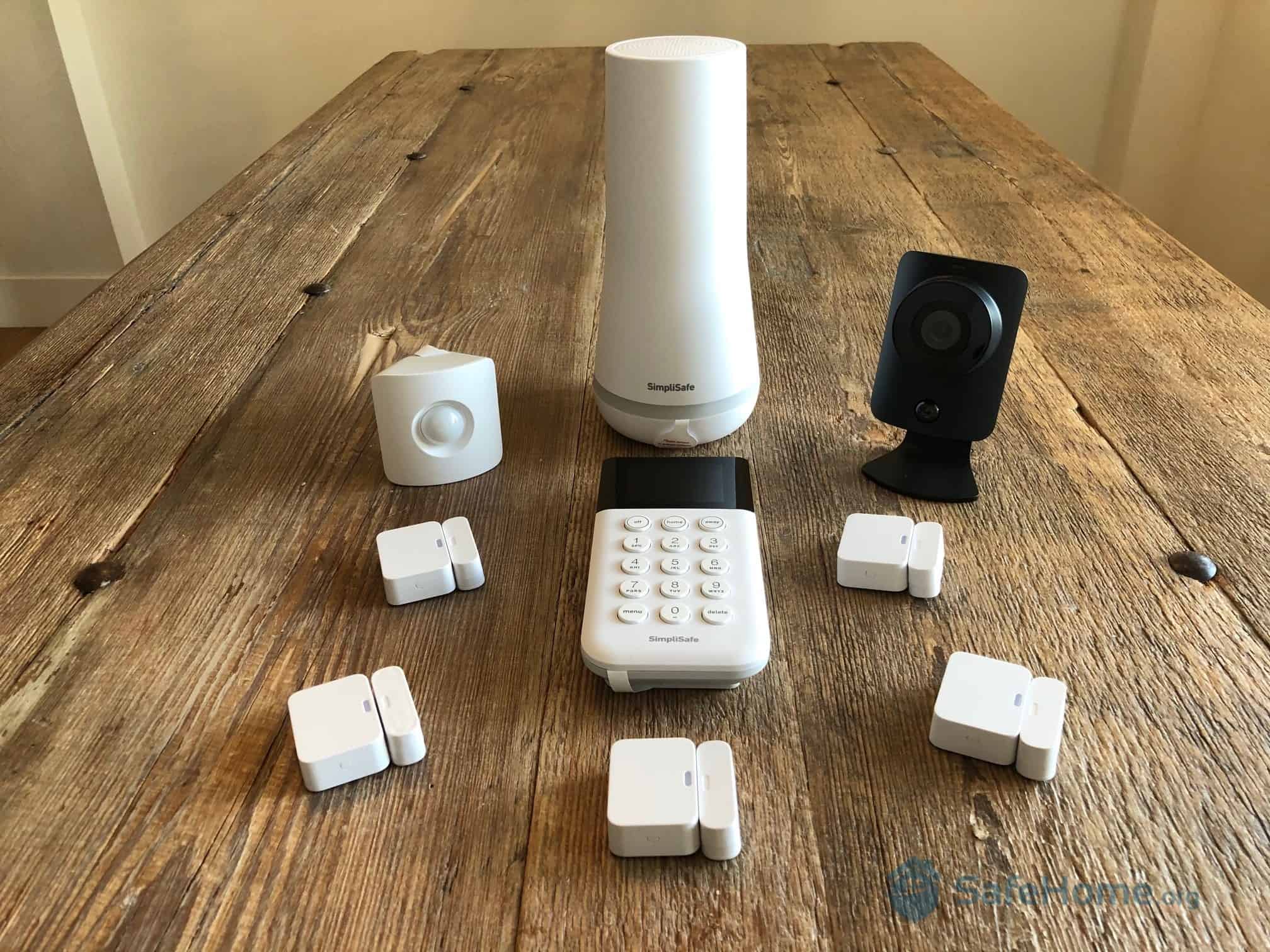
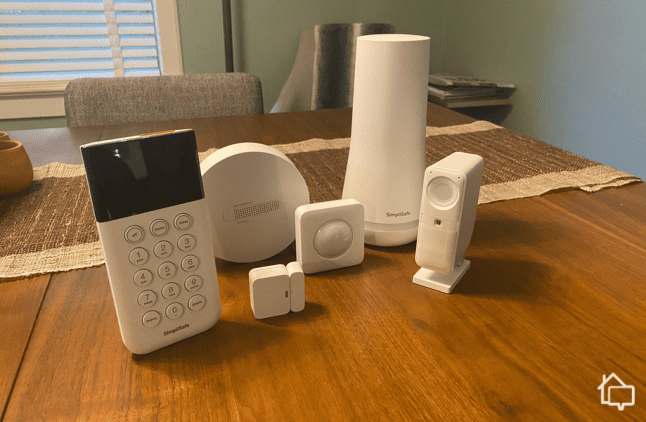
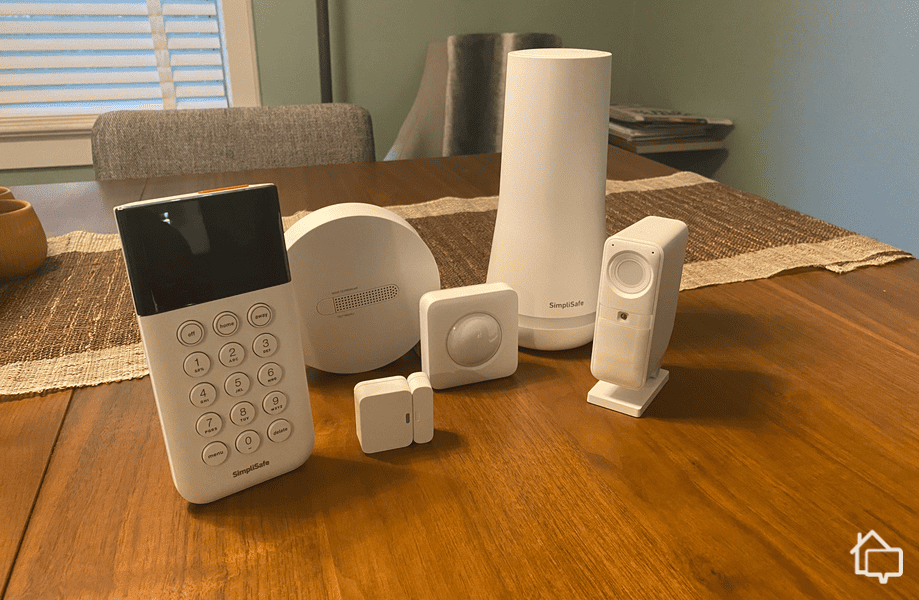
SimpliSafe has some new and improved equipment to test. Here it is sitting on our dining room table.
Let’s take a look at what SimpliSafe customers have to say about their experience with the system.
Consumer Survey
SafeHome surveyed 25 SimpliSafe customers across 10 categories. Here’s what we learned:
Customer Service & Support:
3.9 out of 5
Monitoring:
4.0 out of 5
Installation Experience:
4.2 out of 5
Equipment & Technology:
3.8 out of 5
Reliability:
4.0 out of 5
Home Automation:
4.2 out of 5
Cameras:
4.4 out of 5
Mobile App:
4.1 out of 5
Ease of Use:
4.5 out of 5
Overall Satisfaction:
4.0 out of 5
Every home has unique security needs. What works for one household might not suit another. That said, we found it encouraging that SimpliSafe users consistently report positive experiences across the board.
Order SimpliSafe Today
SecureScore™:
9.2/10This rating is derived from our editorial team's research, hands-on product testing, and customer surveys.
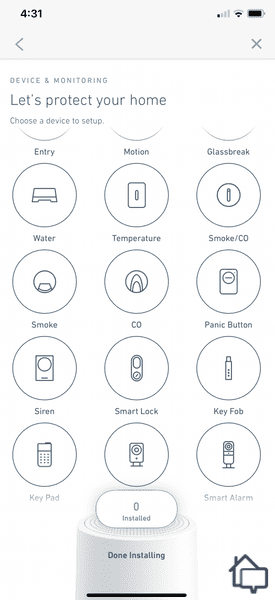
Adding equipment to our system through the SimpliSafe App.
We used the SimpliSafe app to manage devices and monitor our property. The app walked us through the setup with clear, step-by-step guidance. The app even enables one-touch device pairing and provides instant access to troubleshooting resources if you need them.
We also used the app to arm and disarm individual sensors and the entire system. The app also lets you:
Check the status of your equipment
Change the settings of particular pieces of equipment
Receive real-time alerts
Dismiss or confirm alarms
Watch live video feeds from your cameras
View recordings from your security cameras
Schedule system activities
Add new pieces of equipment to your system
We found the app’s interface intuitive. You won’t waste time hunting for features or scrolling endlessly to adjust your motion detector sensitivity. Everything is right where you’d expect it.
Expert Examined
From Joshua Lee, Active-duty Police Sergeant
“I was on patrol when an out-of-state victim called 911 saying that someone suspicious was hanging outside his home. The homeowner activated his alarm using the app which scared away the would-be intruder. Since the homeowner gave a detailed description of the suspect, we were able to quickly find him. As a police officer, we are routinely called by homeowners who are self-monitoring their systems. Sensors and motion detectors that alert the homeowner via the app make it easy to self-monitor as long as the homeowner is paying attention.”
SimpliSafe Equipment: First Impressions, Setup, Features, and Stats
Here’s our home security expert, Derek, detailing his first-hand experience with the SimpliSafe security system.
Right out of the box, we noticed the substantial feel of each component. The devices felt durable, yet maintained a modern, minimalist aesthetic.
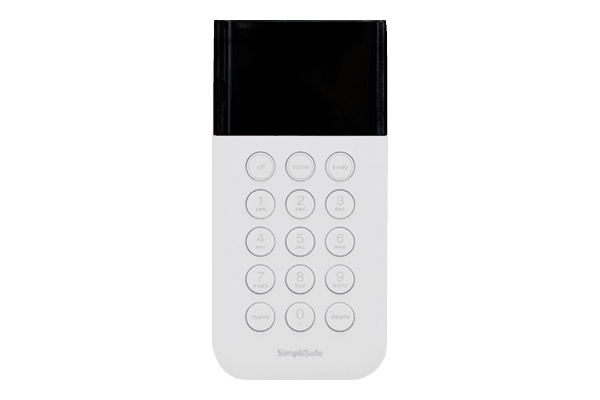
We had one minor gripe. The SimpliSafe keypad still uses physical buttons. The design itself is fine and matches the rest of the equipment perfectly. We would have preferred a touchscreen since pressing actual buttons feels somewhat dated.
Let’s examine each component of our test system in detail.
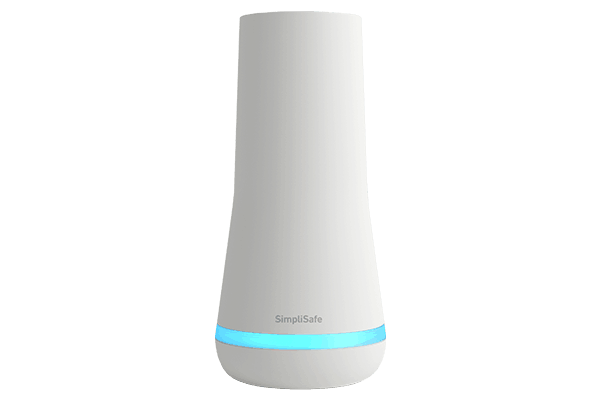
Base Station
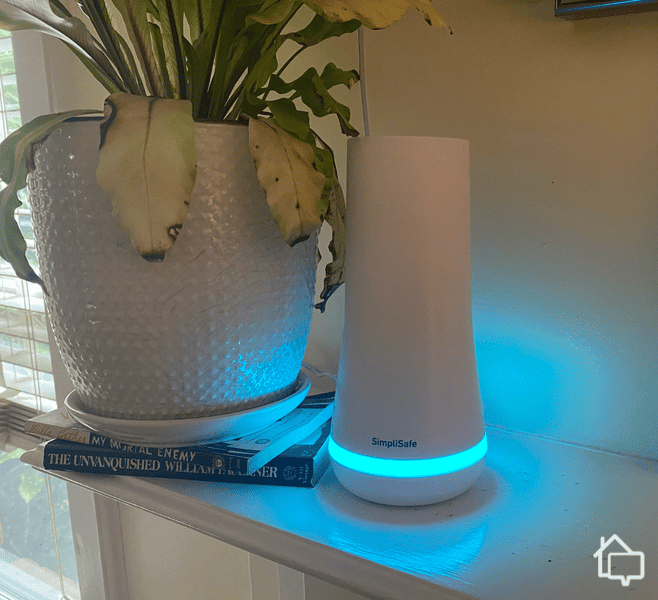
The SimpliSafe Base Station sitting on our mantle. Please ignore the plant we need to water.
First Impression
The hub is the system’s brain. While it’s a mandatory component (standard for security systems), SimpliSafe’s version distinguishes itself with voice command functionality and a helpful LED status indicator along the bottom edge. It reminded us of ADT’s base station, but at a more affordable price point.
The hub comes pre-configured, which is a time saver. Once we turned it on, it automatically detected our SimpliSafe devices. It even includes cellular backup connectivity and a 24-hour battery reserve to keep you safe during power failures.
Pro Tip: If you’re looking for more options to keep an eye on your property, you might consider checking out our guide to this year’s best security cameras. There are plenty of other options there, including SimpliSafe’s cameras.
Setup and Install
You want to set up your base station first since every other component of your system has to connect to it. Likewise, it allows your system to communicate with your mobile app.
We ran into a minor hiccup with the setup instructions. The guide suggested placing the base station anywhere, so we put it in our living room. After plugging it in, we noticed weak Wi-Fi reception. Moving it closer to our router in the office solved the connection issue immediately.
Once connected, we assumed it needed to stay there permanently. After a quick chat with customer service, we learned we could relocate it to our preferred spot in the hallway. This information would have been handy in the documentation.
An exclusive feature from SafeHome. Now see SimpliSafe’s Base Station in augmented reality!
SCAN QR CODE
Point your smartphone at the QR code below to see the product come to life in augmented reality!*
*Augmented reality works on the following devices: iPhone (iOS 12+) and Android (8.0 with ARCore 1.9+ support)
Something You Should Know
While the base station includes battery backup for emergencies, it’s designed to stay plugged into a socket. The battery provides roughly 24 hours of backup power during outages. Keeping it near an outlet maintains a full charge.
Motion Sensor — Gen 2
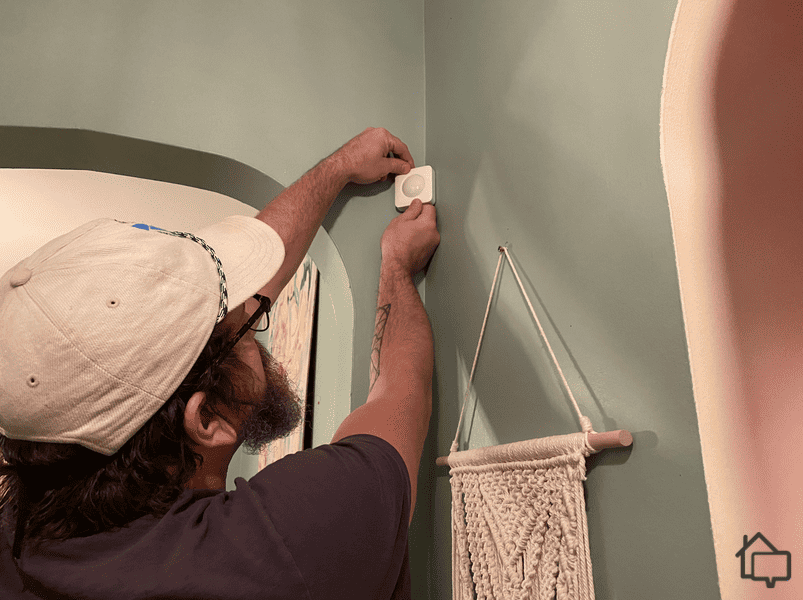
Here we are installing the new and improved SimpliSafe Motion Sensor.
First Impression
SimpliSafe’s motion sensors have a clean square profile with gently curved corners. The adhesive mounting strips keep them in place. Despite their lightweight construction, they feel solid and well-engineered. One of ours even survived an accidental drop during installation.
Setup and Install
The SimpliSafe app includes clear installation guides. While it’s straightforward, we recommend following the instructions precisely. We removed the adhesive backing and pressed firmly against the wall as directed. The instructions state 30 seconds of pressure. We learned the hard way that timing matters. Our first attempt at just 15 seconds resulted in the sensor falling.
Something You Should Know
Motion sensors detect movement more effectively when subjects move horizontally across their viewing area. Direct approaches sometimes go unnoticed. We recommend positioning them perpendicular to doorways rather than facing them directly. You should also mount them six to eight feet high to get optimal coverage of your space.
Entryway Sensor
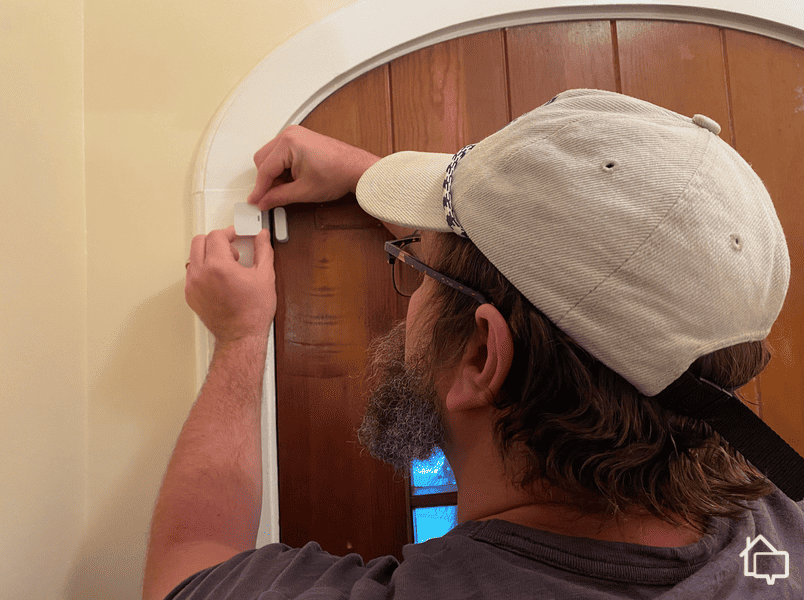
Installing an Entryway Sensor on my front door
First Impression
We don’t think SimpliSafe’s entry sensors are as sleek as their other equipment. They’re larger than Abode’s sensors. The simple installation makes up for the bulkier design. We liked how they utilize the extra space and have an LED indicator to confirm operational status.
Setup and Install
Learning from our motion detector experience, we applied the adhesive strips for the full 30 seconds. Every entry sensor stayed put. A quick sync button press completed the setup.
Something You Should Know
Our older-style home has non-standard door frames, which we were concerned about. Fortunately, SimpliSafe’s sensors activate only when separated by more than two inches. This generous tolerance means imperfect door-to-frame alignment won’t cause problems.
Keypad
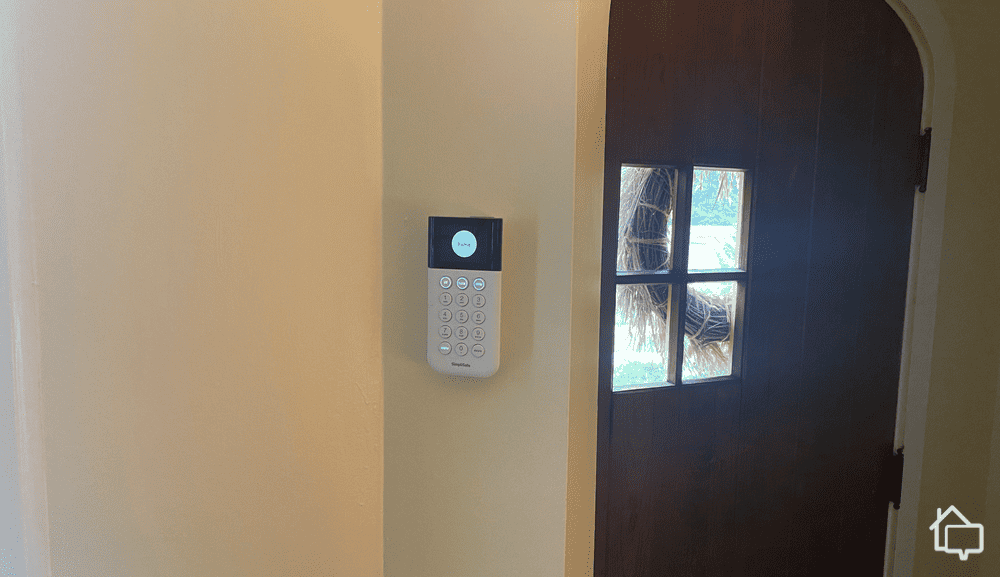
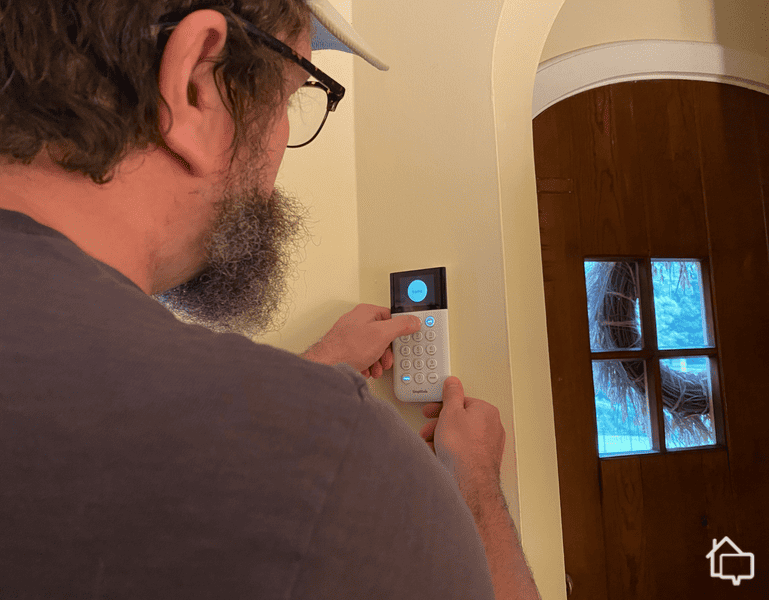
SimpliSafe’s Keypad installed next to my front door.
First Impression
We feel physical button keypads are outdated in this touchscreen era. We still found the keypad was solidly constructed and it performed flawlessly. We could access system controls and make adjustments through simple button presses.
Setup and Install
We found pairing the keypad tricky until we learned that it needed to be adjacent to the base station for setup. Once we paired it at close range, we installed it in its intended position by the front door.
This requirement wasn’t documented in the setup guide. We think most people might leave their keypads near their base stations simply because they don’t realize relocation is possible after pairing. Beyond this issue, installation was simple enough with the familiar peel-and-stick mounting.
An exclusive feature from SafeHome. Now see SimpliSafe’s Keypad in augmented reality!
SCAN QR CODE
Point your smartphone at the QR code below to see the product come to life in augmented reality!*
*Augmented reality works on the following devices: iPhone (iOS 12+) and Android (8.0 with ARCore 1.9+ support)
The thing is, this extra step wasn’t mentioned in the instructions. Since it’s not an intuitive step, it probably should have been. We wonder how many users leave their keypads with their hubs because they don’t realize they can move them once the two devices are paired. At any rate, the rest of the process was easy enough – more peel-and-stick command strips, and we were done.
Pro Tip: SimpliSafe’s support team is available through the app. Our survey respondents consistently praised their helpfulness. You can also browse their comprehensive online knowledge base for detailed product documentation.
Something You Should Know
The keypad has a panic button for emergencies. Pressing it triggers an immediate alarm, which can be effective for deterring intruders. With a SimpliSafe professional monitoring plan, this button also dispatches authorities.
Note that SimpliSafe also offers self-monitoring. In that case, you’ll have to dial 911 yourself. That’s just one more reason why we always recommend professional monitoring plans. Sure, keeping an eye on your own system can save you money, but what do you do in the middle of a burglary if you don’t happen to have a hand free for dialing? Still, if you’re looking to DIY your home security, SimpliSafe offers one of our favorite self-monitored home security systems.
Smoke/CO Sensor — New
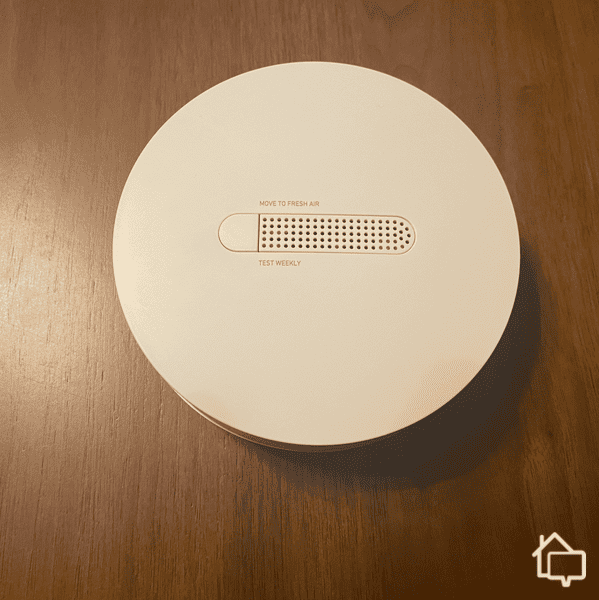
SimpliSafe’s new smoke detector and carbon monoxide monitor ready to be installed in my upstairs hallway.
First Impression
The smoke/CO detector looks and feels like a…well, like a smoke detector. OK, like a high-end smoke detector – smallish, slimmish, and a little sleeker than some low-end models. This isn’t your average smoke detector, though, the kind you might pick up at Ace Hardware. Because it’s integrated into the SimpliSafe system, you can control it through the app. More importantly, you get alerts through the app, so even when you’re not at home, you can respond to potential emergencies.
Did You Know? Keeping a working fire alarm in your home reduces the fatality rate of a house fire by about 60 percent.1 SimpliSafe can help keep your fire alarm functional by sending alerts to your smartphone if its battery gets low.
Setup and Install
We installed the unit on an interior wall and had a devil of a time installing it how we wanted it. Turns out the button and speaker holes are horizontal. We had to break out a pencil to mark the drill holes, and there was a level involved. We may be a little too particular, though. If you’re the average, everyday homeowner, you can probably get it up in a couple of minutes. Pair it with the app, and you’re done.
Something You Should Know
Most people know how important smoke detectors are, but very few people know just how dangerous carbon monoxide is. If your home has fuel-burning appliances like water heaters, stoves, or clothes dryers, you absolutely need one of these in your home. Luckily, SimpliSafe’s sensor monitors both smoke and CO and will alert you any time it detects either in your home.
Pro Tip: You need to be really intentional and deliberate about where and how you install this piece of equipment for it to be effective.
Smart Alarm Wireless Indoor Security Camera
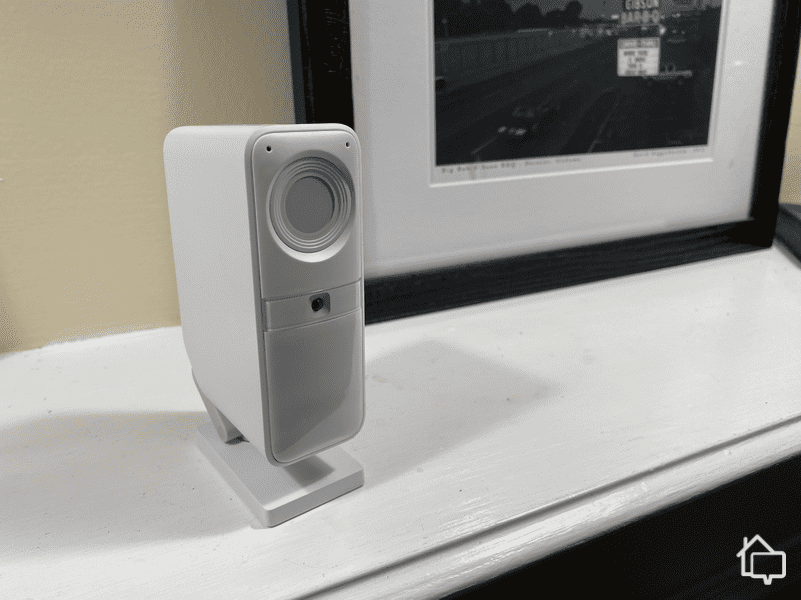
SimpiSafe’s new wireless indoor security camera on my mantle.
First Impression
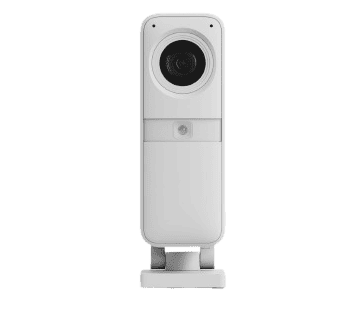
The Wireless Indoor Camera is one of the best SimpliSafe cameras we’ve reviewed. It’s packed with security features like AI-powered motion detection, activity zones, and a privacy shutter that only opens when it detects intruders. If you have the Core monitoring plan, SimpliSafe agents can even access your live feed and use the two-way speaker to scare the intruders off.
We saw the Intruder Intervention in action during our testing. While simulating a break-in, the Wireless Indoor Camera came to life and a SimpliSafe agent spoke to us. We told them what we were doing, and the privacy shutter closed. This all happened in under 45 seconds.
Pro Tip: If you’re looking for more options to keep an eye on your property, you might consider checking out our guide to this year’s best security cameras. I’m sure you’ll find exactly what you’re looking for over there.
Set Up and Install
Setting up the Wireless Indoor Camera took about 10 minutes. You can sit it on a shelf or mount it to a wall. As you can see above, we set it on our mantel. We recommend checking that the camera is fully charged first. Once it’s charged, just connect it to the Wi-Fi and update the firmware.
FYI: Keep in mind this camera is only for indoor use. You’ll need the Outdoor Camera for perimeter protection. It offers a similar feature to Intruder Intervention, except agents can use the built-in spotlight and siren to scare off threats. This feature put it on our list of the best outdoor security cameras.
Something You Should Know
Most security camera resolutions start at 1080p, which is the industry standard. The Wireless Indoor Camera records in 1536p. We didn’t notice a significant difference, but we could read labels on our porch packages.
The Wireless Indoor Camera captured everything it needed to in our tests. We found it easy to adjust the settings in the app. The audio quality and low latency are also some of the best we’ve seen in a camera in this weight class. During our testing, there was only one time when the audio malfunctioned, but that was easily solved by restarting the live feed.
The Day-to-Day with SimpliSafe: Running Some Tests
Testing out SimpliSafe’s keypad.
We checked that our security system was functioning properly in “practice mode.” This allowed us to trigger as many alarms as we needed to see if everything was working. It was also a good opportunity to verify online complaints we had read about malfunctioning equipment. After hours of stress-testing, we didn’t have any issues.
Every time we triggered an alarm, we instantly received a notification on our phone to confirm or cancel the alert. If we didn’t respond within 30 seconds, someone from SimpliSafe would call. If you’re on the Core, Pro, or Pro Plus plan, the monitoring center speaks to the intruder using the two-way speaker on the Wireless Indoor Camera and Outdoor Camera.
A quick demonstration of the audio and video quality of SimpliSafe’s new indoor camera.
What We Liked
We like how simple and user-friendly SimpliSafe is as a security system. It took us less than an hour to set up everything, with most of that time dedicated to the video doorbell because we had to connect it to our existing wiring.
We were able to manage everything from the SimpliSafe app, even when we weren’t home. It was easy to check the indoor camera live feed and adjust the sensitivity of motion sensors to reduce false alarms. We could also arm the system remotely if we forgot after leaving the house.
What We Didn’t Like
While we found it easy to install SimpliSafe devices, we did take a few extra steps to secure our equipment. For example, the motion detectors can stick to the walls with Command Strips. We were worried about hearing a crash in the middle of the night, so we mounted them with the included bracket.
We also weren’t a fan of the keypad. It works fine, but it looks a little dated. We prefer using the touch screen panel from our Vivint review. Vivint also includes advanced features like home automation and third-party smart device integration that SimpliSafe doesn’t offer.
SimpliSafe Monitoring
SimpliSafe has two self-monitoring plans. One is free. The other is $10 a month and includes cloud storage for video recordings. We recommend choosing one of their professional monitoring plans. Unlike ADT and Vivint, you don’t need to sign up for the most expensive plan for camera support.
Optional monitoring is one of the reasons SimpliSafe is on our list of the best security systems with no monthly fee. However, we think you’ll get more out of your SimpliSafe system by subscribing to one of these plans.
Standard
Core
Pro
Pro Plus
Cloud storage for camera recordings
No
Yes
Yes
Yes
Intruder Intervention
No
Yes
Yes
Yes
Active Guard Outdoor Protection
No
No
Yes (8pm to 6am)
Yes (24/7)
Cellular backup
Yes
Yes
Yes
Yes
Monthly cost
$22.99
$32.99
$49.99
$79.99
Expert Examined
From Joshua Lee, Active-duty Police Sergeant
“I remember responding to a call where the homeowner watched a suspect break into his home via a live security-camera feed. While the suspect was rummaging through the victim’s home, the victim remoted in and said “I can see you. Leave my stuff and get out.” The suspect dropped everything, ran outside, and was arrested by responding officers. The victim called the police first but used his alarm system to communicate with the suspect to leave his property alone.”
Premium Monitoring at a Price: Live Guard Outdoor Monitoring
When you first look at the chart above, you might have a hard time finding the difference between the Core plan and the Pro and Pro Plus plans. But, there’s a pretty big difference with a brand new feature specifically for the wireless outdoor camera. It expands Live Guard Monitoring for the Smart Alarm indoor camera to the outdoor camera with a few extra tricks. Here’s how it works:
Your outdoor camera uses A.I. to detect when someone is approaching your home.
Next, it uses facial recognition to see if the approaching person matches any of your saved profiles.
If they’re a stranger to the camera’s A.I., your system contacts SimpliSafe’s monitoring center, and an agent gets involved in the situation.
Facial recognition is only available with outdoor monitoring. Turns out, there’s less expectation of privacy outdoors.
Order SimpliSafe Now
SecureScore™:
9.2/10This rating is derived from our editorial team's research, hands-on product testing, and customer surveys.
Overall, the system we were using – one home base, one keypad, two entryway sensors, one motion sensor, one wireless indoor camera, and one smoke/CO sensor — cost $484.93. Not bad in our opinion, especially for how protected we felt during the test period.
Pro Tip: We’ve provided all of the retail prices for you here, but keep in mind that SimpliSafe almost always has a sale running. Right now you can get 50 percent off any new system when you sign up for any monitoring plan with it. Be sure to bookmark our SimpliSafe deals guide for more up-to-date information.
That said, SimpliSafe offers different packages, all of them great values. Even better, SimpliSafe is almost always running a deal, whether it’s for Prime Day, Black Friday, Valentine’s Day, or the Fourth of July. You can sometimes get packages for up to 70 percent off, plus freebie cameras and monitoring. Keep an eye out, and you can rack up some savings.
SimpliSafe Packages
Package
Normal Price
Current Sale Price
Monthly Prices
The Foundation
$250.96
$100.40
N/A (Must order at least $150 to finance)
The Starter
$282.94
$113.20
N/A (Must order at least $150 to finance)
The Hearth
$412.91
$165.20
$17.20/ $6.88
The Knox
$495.87
$198.40
$20.66/ $8.27
The Lighthouse
$482.93
$193.20
$20.12/ $8.05
The Haven
$533.86
$213.60
$22.24/ $8.90
The Beacon
$733.90
$293.60
$30.58/ $12.23
You can also build your own system. Here’s a complete breakdown of SimpliSafe’s equipment and their costs.
SimpliSafe Required Equipment
Equipment
Price
Base Station
$129.99
Keypad
$69.99
SimpliSafe Sensors
Equipment
Price
Entry Sensor
$15.99
Motion Sensor
$34.99
Glassbreak Sensor
$39.99
SimpliSafe Cameras
Equipment
Price
Wireless Indoor Camera
$149.99
Wired Indoor Camera
$99.00
Video Doorbell Pro
$169.00
Wireless Outdoor Camera
$199.99
SimpliSafe Hazard Sensors
Equipment
Price
Water Sensor
$19.99
Smoke and CO Detector
$69.99
Smoke Detector
$44.99
Temperature Sensor
$29.99
SimpliSafe Add-Ons
Equipment
Price
Panic Button
$19.99
Key Fob
$24.99
Smart Lock
$1199.99
Extra Siren
$59.99
Extra Keypad
$69.99
Yard Sign
$3.99
As you can see, none of this equipment is really going to break the bank, even when you’re buying multiple pieces to outfit your home comprehensively. SimpliSafe’s costs are among the best in the industry, and their protections are too. More on that in the next section.
How SimpliSafe Compares to Other Security Systems
When you’re considering which security system will protect your family, it helps to shop around. We offer a number of head-to-head guides, like our SimpliSafe vs. Ring Comparison guide. Here’s a quick snapshot, though, of a few other options. Then, we’ll talk about safety and give you our final verdict.
Security System Side-by-Side Comparison
Provider
SimpliSafe
Vivint
ADT
DIY Install?
Yes
No
No*
Customizable Packages?
Yes
Yes
Yes
Security Camera Option?
Yes
Yes
Yes
Self Monitoring Option?
Yes
No
No
Cost
Affordable
Moderate
Can Be Expensive
*ADT does offer a DIY option, but when we reviewed ADT Self-Setup, we found that their focus was still primarily on professionally-installed systems.
So now that you’ve got a good idea of how SimpliSafe stacks up, let’s talk about things from a different perspective…
Will SimpliSafe Deter Burglars?
SimpliSafe’s Intruder Intervention and Active Guard Outdoor Protection are designed to deter burglars. The Wireless Indoor Camera and Outdoor Camera instantly alert you to threats, and the SimpliSafe monitoring center is on standby to scare off intruders using the two-way speaker.
Not many security systems offer crime deterrence features like this. Vivint’s intruder deterrence is included with its outdoor camera. Ring Alarm offers a virtual security guard as an optional add-on, but it will cost $99 per month. Considering SimpliSafe’s intruder deterrence features start at $31.99 per month, we think you’re getting a good deal.
Does SimpliSafe Call the Police?
If you’ve subscribed to a professional monitoring plan, SimpliSafe will use the security cameras to verify the situation and call the authorities. For those on a self-monitoring plan, you’ll handle alerts yourself. You can check the cameras from the SimpliSafe app and identify threats. If you spot one, you’ll need to contact authorities.
The Verdict on SimpliSafe’s New Equipment
Here’s a quick recap in video form of what we thought about SimpliSafe’s security system.
Let’s bottom line this. SimpliSafe is high on our list of the best video systems – number two – because it’s reliable and customizable. If you’re looking for a system that you can install yourself, you can’t do better. If you’re looking for a system that gives you the option to self-monitor or sign up for professional monitoring, it’s tops again. Its new Core monitoring system is setting a new standard for the industry at a price that’s reasonable.
While its equipment selection isn’t quite as wide as some other companies, you can count on SimpliSafe devices. Put that together with an easy-to-use app and strong customer service, and, SimpliSafe might not be for everyone, but it will be for a lot of you.
How We Test Security Systems: Our Methodology
We spend countless hours testing security systems, but the evaluation actually starts before we have equipment in our hands. We conduct exhaustive research on manufacturers to make sure they’re up to our standards — and the standards of our readers. Only then do we install them in our own homes to see what it’s like living with them day-to-day to give you our honest insights, experiences, and recommendations.
Is SimpliSafe Right For You?
SimpliSafe is one of the most flexible security systems in the industry. You can buy equipment bundles or build a system from scratch. Monitoring is optional, and most plans include camera support. It’s also easy to add more equipment in the future and change monitoring tiers any time you want.
SimpliSafe might not be as advanced as ADT or Vivint, but innovative features like Intruder Intervention and Active Guard Outdoor Protection are what make it a reliable home security system for any type of home.
SimpliSafe’s most advanced monitoring package costs $79.99 per month, standard monitoring is $21.99, and self-monitoring is free. That said, we recommend Core Monitoring for most people at $31.99 per month.
SimpliSafe offers four security cameras: A battery-powered indoor camera, a wired indoor camera, a wireless indoor camera and a battery-powered outdoor camera.
With a decade of experience as a journalist, Derek Prall has been covering home security for over three years. He has spent more than 1,000 hours researching security solutions and has covered almost 100 topics related to home safety. Previously, Derek has covered tech issues at American City & County magazine, where he won numerous national awards for his coverage. Derek graduated with dual bachelor’s degrees in English and Communications from Furman University and now lives in Atlanta, Georgia, with his wife and two cats.
 Updated November 25, 2025
copied!
Updated November 25, 2025
copied!



 View in your Home!