There’s no doubt that Medical Guardian offers one of the top medical alert systems. Their devices are high-tech and their monitoring team is responsive. However, that doesn’t mean it’s the ideal fit for everyone. After all, choosing the right medical alert system depends on your specific needs, lifestyle, and budget.
That’s why our team of care experts spent four weeks putting two Medical Guardian systems through rigorous real-world testing. During our evaluation, we discovered impressive features and a few limitations you should know about before making a purchase. We’ll share everything in this comprehensive review of Medical Guardian. Let’s get started.
Key Takeaways
All devices require a one-time equipment fee ranging from $149.95 to $199.95.
Fall detection is not included with any Medical Guardian device, but it can be added for an extra $10 per month.
Most Medical Guardian devices can be used anywhere in the U.S. with a 4G cell network.
Did You Know?Falls are the leading cause of injury and inury-related death in adults over the age of 65.1 That’s why we always recommend opting for fall detection in your medical alert system. If you’re prone to falls, you can reduce your risks with one of thebest medical alert systems with fall detection.
Packages and Pricing
Let’s cut to the chase. What comes with a Medical Guardian package, and how much does a system cost?
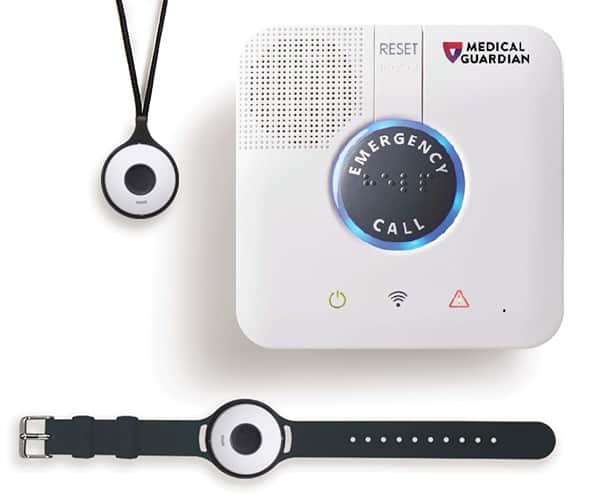
For starters, the company offers two at-home systems – one landline-based and one cellular. Both include a base station, charging cable, and either a lanyard or wrist button for a $149.95 upfront fee. Monitoring fees start at $27.95 per month for the landline system or $34.95 per month for the cellular system.
FYI: In the past, Medical Guardian leased its home-based equipment, so customers didn’t have to worry about up-front charges. Nowadays, all packages require an equipment investment of at least $149.95.
Alternatively, you can invest in one of Medical Guardian’s four mobile systems. While they cost more than the in-home options, they deliver advanced capabilities like GPS tracking. This means when you press the help button, Medical Guardian’s monitoring agents can pinpoint your exact location and dispatch emergency services directly to you. That keeps you protected whether you’re at the grocery store, walking in the park, or visiting family.
Here’s the complete list of plans, and for more detailed information, we recommend checking out our complete Medical Guardian price guide.
Medical Guardian System
System type
Connection type
Monthly plan cost
Equipment fees
MGMini
Mobile/wireless
Cellular
$43.95
$149.95
MGMini Lite
Mobile/wireless
On-the-go
$46.95
$149.95
MGMove
Mobile/wireless
On-the-go
$42.95
$199.95
MGHome Landline
At-home/landline
Landline
$31.95
$149.95
MGHome Cellular
At-home/cellular
Cellular
$38.95
$149.95
If you’re overwhelmed by all of Medical Guardian’s many choices, we suggest checking out our ADT Medical Alert System Guide. ADT offers just three options, though you can always add customizations to those three to suit your individual needs.
Expert Examined
From Christopher Norman, a Board-Certified Geriatric Nurse Practitioner with the National Council on Aging (NCOA)
“In my experience, well-intentioned family members that are comfortable with technology may get a medical alert system (MAS) that has a variety of features that THEY think they will find useful, but if the user is intimidated by them or resistive to them, then the usefulness is limited. When shopping for a MAS, pay for features you and/or the intended user will actually use – with the recognition that needs will likely change over time – rather than paying for all the features just because they’re available.” Read more about Christopher Norman →
Choosing Options and Apps
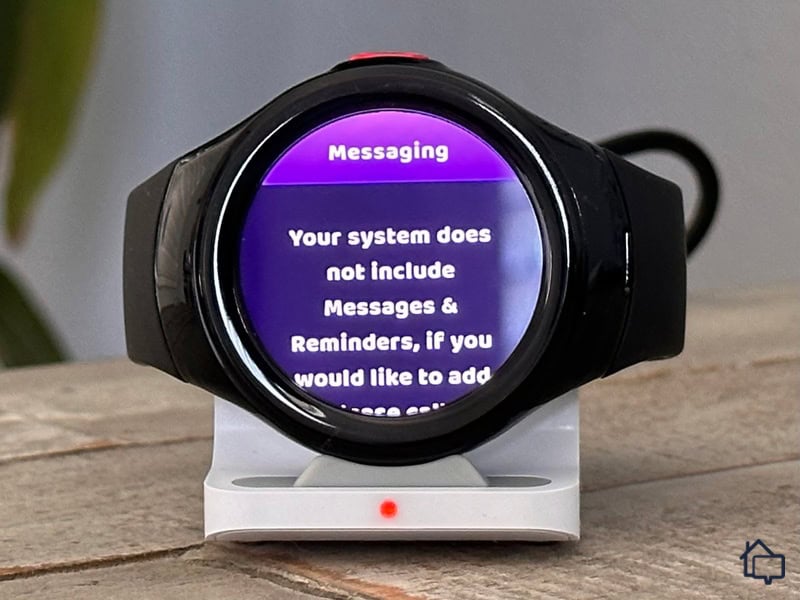
Medical Guardian charges an extra fee to unlock Messages and Reminders on the MGMove smartwatch.
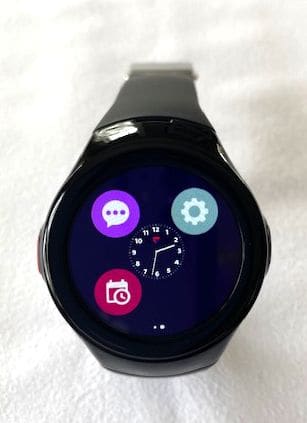
No matter which Medical Guardian device and plan you select, you’ll receive a robust set of features. Take the MGMove smartwatch, for example. It provides dependable medical protection through a built-in SOS button. Unlike a home-based system, though, you can take this protection anywhere. Plus, you have access to several useful apps, as long as you’re willing to pay an extra $5 per month.
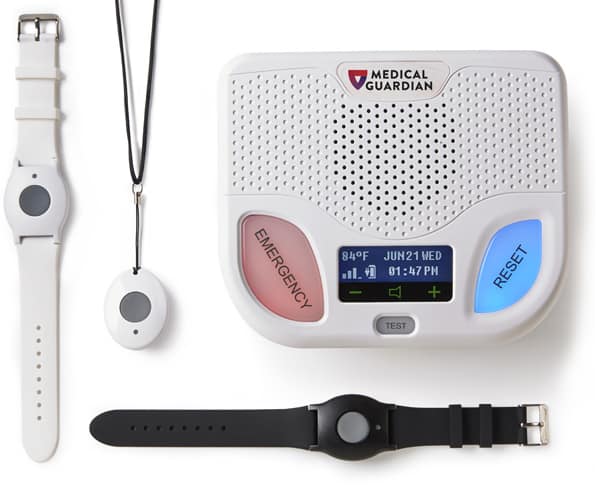
If you prefer an in-home system, Medical Guardian delivers impressive features there too. You can choose between a wristband or pendant help button. Both options give you an extensive 1,400-foot range from the base station. That’s enough coverage to reach your backyard, garage, or even your neighbor’s driveway in most cases.
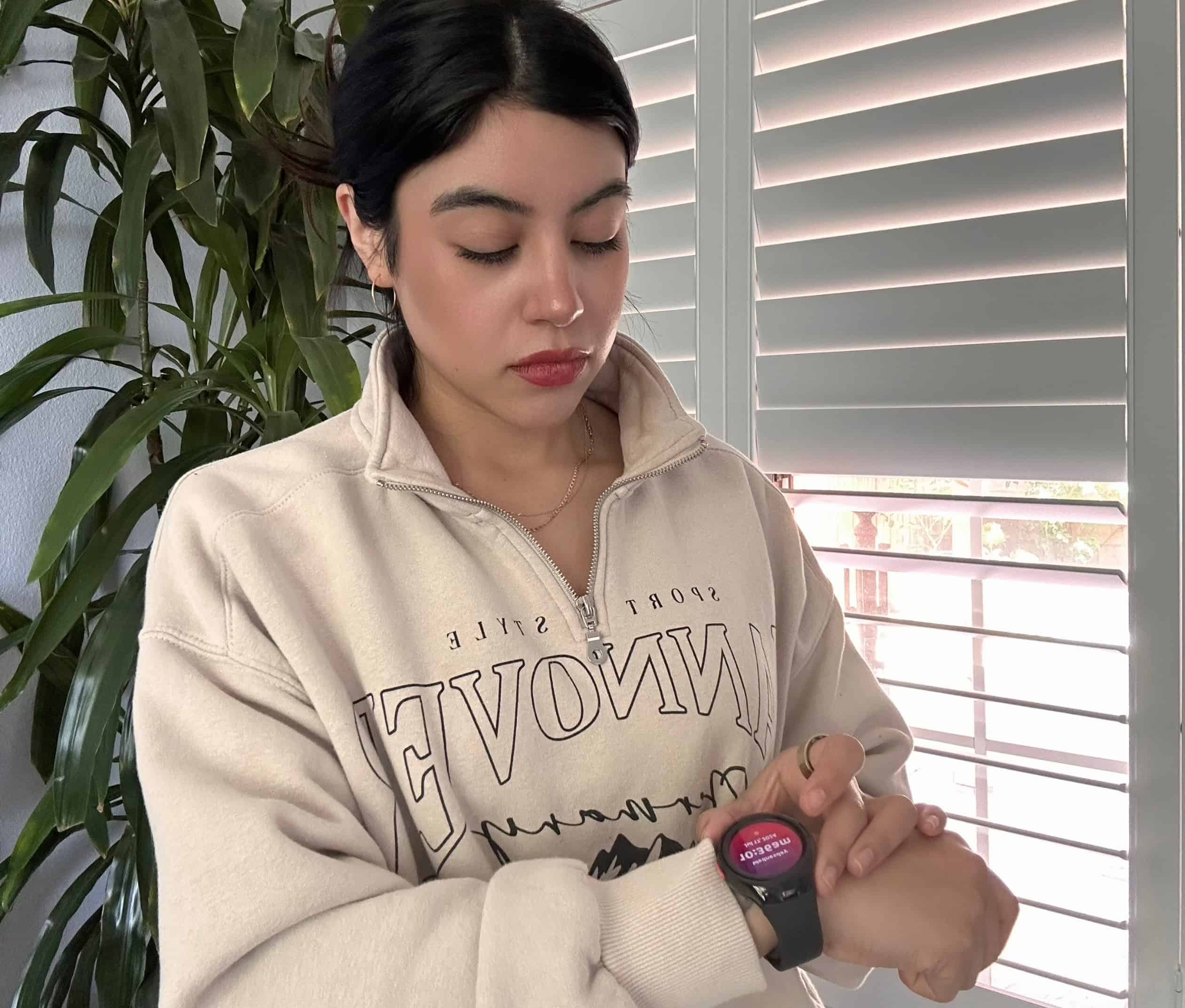
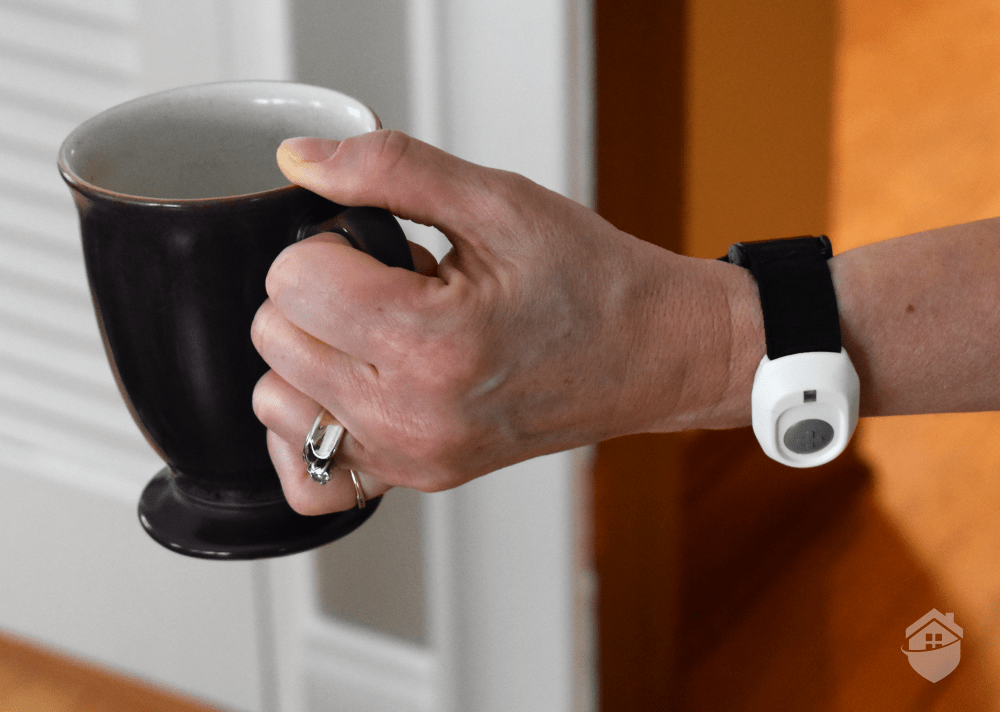
Here we are testing the help button on the MGMove smartwatch.
Below is an overview of all the add-on equipment you can order for any Medical Guardian device. Most of the features and add-ons can be used with different devices, but they’re not universally compatible with all of them.
Add-on equipment
Cost
Features and functionality
MG Protection Plan
$6.99 per month
Covers damaged equipment and comes with unlimited free battery replacements
Elite 911
$9.99 per month
Speaker box that connects to a 911 operator at the touch of a button
Two-way communication
Works with any cell network
Entryway lockbox for keys
$2.99 per month
Allows first responders, friends, and family members to gain entry to your home in case of an emergency
OnGuard alerts
$2.99 per month
Lets you send text messages and emails to people in your Care Circle in case of an emergency
Support Circle apps
$5 per month
Lets you chat with loved ones
Can also schedule reminders
Fall detection
$10 per month
Automatically detects falls and calls for help without needing to press a button
Wireless wall button
$2.99 per month
Help button with a 500-foot range that connects to Medical Guardian’s monitoring center wirelessly
Voice-activated wall button
$4.99 per month
Activates hands-free calls to Medical Guardian’s monitoring center
Comes with a call button and emergency pull cord
Additional alert pendants
$2.99 per month (each)
Water-resistant
Can be used as a bracelet or necklace
Expert Examined
From Christopher Norman, a Board-Certified Geriatric Nurse Practitioner with the National Council on Aging (NCOA)
“In the case of a fall or history of falling, many people have told me that the fear of falling is worse than whatever pain was experienced during the actual fall. There are lots of levels to this: anatomical (whether or not a body part is injured or broken), psychological (threatened independence), emotional (fear), and even cultural (how we generally as a society fear and revile aging as a time when we get weaker or lose the things we love). Any intervention that can lessen the multi-layered concerns that accompany falling is worth investigating in my book.”
FYI: We noticed that a help button (worn as a necklace or wristband) used to be included with the original Mobile Guardian, but that’s no longer the case with the MGMini. Since it’s a newer system, an extra help button will cost you an additional $2.99 per month.
Ordering Medical Guardian
Buying Experience
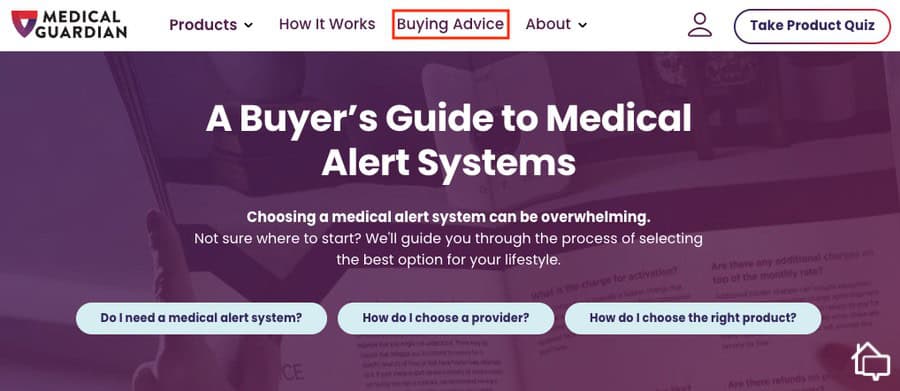
Medical Guardian’s website strikes the perfect balance between comprehensive information and user-friendly design. Clear product photos show exactly what you’ll receive, while straightforward descriptions help you understand each system’s capabilities. There’s even a personalized quiz that asks about your lifestyle and preferences to recommend the ideal package for your needs.
Need even more help? A separate landing page includes buying advice, statistics, price comparisons, reviews, and a complete FAQ. Of course, if you prefer, you can call Medical Guardian directly and talk to an actual person.
Getting our system delivered was just as easy. We wanted a complete picture of Medical Guardian’s equipment and monitoring plans, so we ordered not one but three different Medical Guardian packages. As part of our testing, we ordered each one separately, at different times, just to see how quickly – or slowly – they’d arrive. Our results are included below.
Product
Delivery time
Ground shipping
Overnight shipping
Second-day shipping
MGMove
3 business days
7 to 10 business days
Guaranteed next business day if ordered before 2 p.m. ET (not on holiday)
Guaranteed next business day if ordered before 2 p.m. ET (not on holiday)
MGHome Cellular
3 business days
7 to 10 business days
Guaranteed next business day if ordered before 2 p.m. ET (not on holiday)
Guaranteed next business day if ordered before 2 p.m. ET (not on holiday)
MGMini
4 business days
7 to 10 business days
Guaranteed next business day if ordered before 2 p.m. ET (not on holiday)
Guaranteed next business day if ordered before 2 p.m. ET (not on holiday)
We typically opt for standard ground shipping to save money, but we appreciate that Medical Guardian offers expedited options for those who need their system immediately. Expedited shipping is perfect if you’re preparing for a loved one’s hospital discharge or upcoming surgery.
We used Medical Guardian’s Buying Advice page to pick out the two systems we tested.
Installation Process
Unfortunately, we had to exercise some patience after our boxes arrived – the equipment needed a full charge before we could begin setup. Once everything was powered up (about three hours later), the actual installation proved remarkably straightforward.
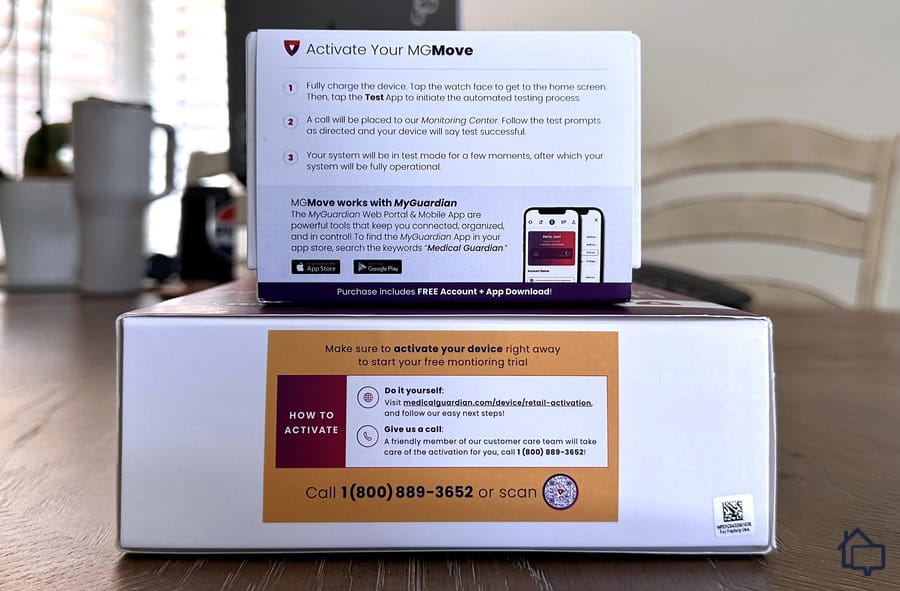
For starters, every box had the system’s QR code on the side. As a backup, you can get these same instructions through the Medical Guardian website. You can also call customer service directly if that’s your preference. The point is that Medical Guardian makes the directions easy, and it makes them easy to access.
The clear instructions right on the box made it easy for us to set up our MGMove and MGHome systems.
During the install, there’s some basic subscriber information to provide, like your product number to make sure Medical Guardian knows who you are. You also have to choose a payment option to set up your monthly monitoring subscription. Otherwise, installation is just a matter of finding a good spot where you can plug in your equipment. The whole process, start to finish, took us around 15 minutes.
At that point, we were ready to power up our devices and do a little testing.
Response Time
One of the most critical factors we evaluate in any medical alert system is response time. When it comes to a medical emergency, every second counts as a faster response reduces the severity of the emergency.2
On average, our MGMini and MGMove connected us to a live monitoring agent in just 23 seconds. That includes the time from pressing the button to hearing a human voice ready to help. That’s impressively fast, though we did experience one outlier where the automated system kept us waiting for about 90 seconds before connecting.
Testing the MGMove Medical Alert Smartwatch by Medical Guardian
Pro Tip: If you’re looking for a smartwatch alert system, check out our guide to the best medical alert systems worn as watches. Apple surprisingly landed on our list, but you’ll have to read the article to find out why.
Things went south, though, when we started our MGHome tests. We went through our normal routine of calling out through the device. But the device just rang and rang, no matter how long we stayed on the line. No answer from an agent or automated system. We got onto Medical Guardian’s online database, trying to figure things out, when we noticed a few missed calls on our phone, which we had left in another room.
We dismissed these as spam, the way you do when you get an unlisted number. Just as we were puzzling over the whole mystery, though, our phone rang once more. Again, no number listed, but we took a chance and answered. Sure enough, an agent was on the line.
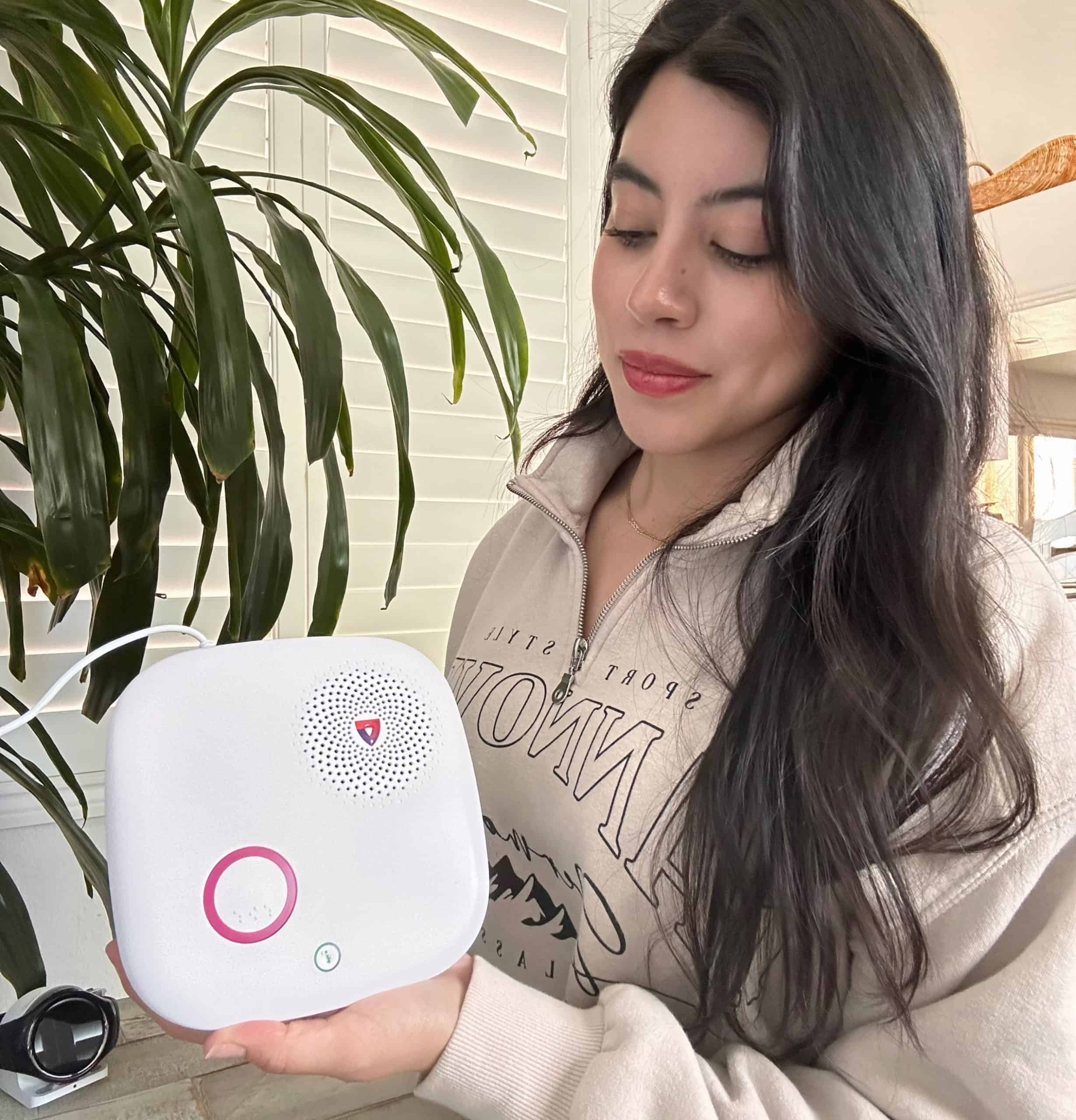
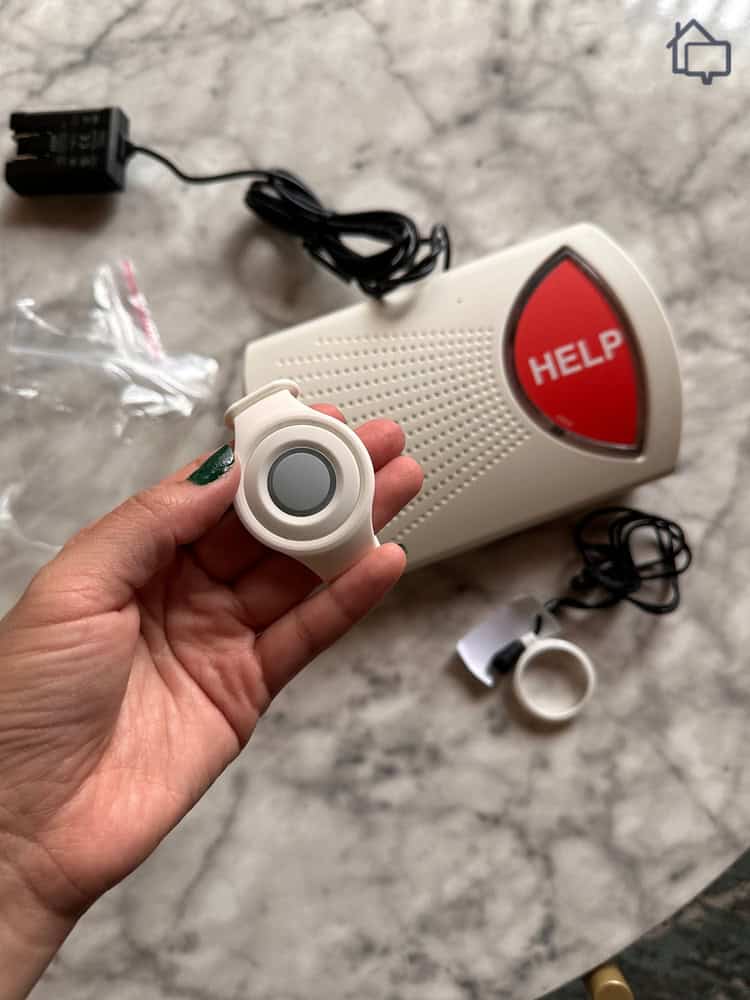
After pressing the information button on our MGHome, it told us the current status of our system.
The whole situation escalated from there. Because the monitoring center hadn’t been able to get in touch with us by phone, agents decided to get in touch with our local sheriff. And while the center recognized the mistake and tried to recall emergency dispatch, the process was already set in motion.
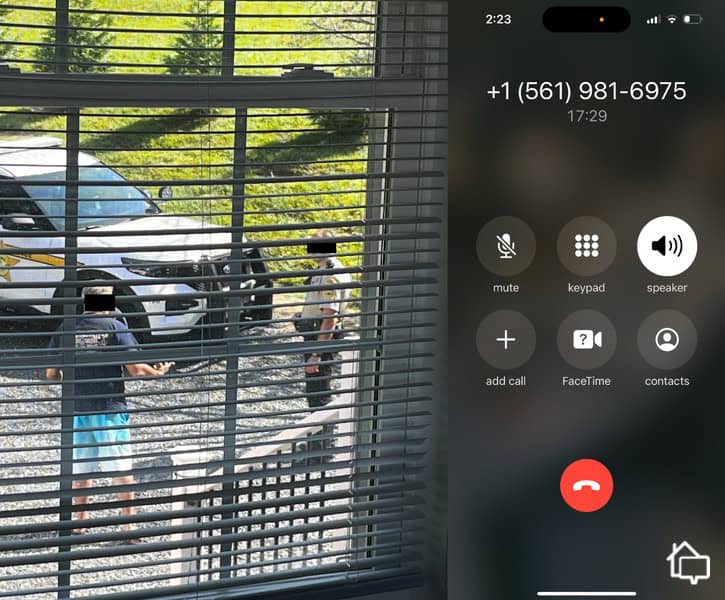
About 30 minutes after we’d started the whole process, a couple of officers started knocking on our door. It was just a wellness check, but having police at your door is still nerve-wracking. The good news is that the whole incident verified the vigilance of Medical Guardian’s and our local sheriff’s office.
Now, here’s the big question: what exactly went wrong? Turns out, our box had connectivity issues. In simple terms, it was dropping calls. It took us about 20 minutes to arrive at that answer, and in the end, Medical Guardian was able to reset the device over the phone.
Still, the whole incident gave us pause. It’s certainly possible we made a mistake in setting up our equipment. It’s also possible the device itself was faulty. Either way, it’s a reminder that you should always go through the standard setup tests within the first 24 hours of installing your system.
One of our tests was a bit too realistic and resulted in the police at our home.
The whole debacle had a silver lining. We gained absolute confidence that Medical Guardian takes emergencies seriously. Even when technical issues arose, the monitoring center followed proper protocols to ensure our safety. While explaining the situation to responding officers and worried family members wasn’t ideal, it reinforced that we’re never truly alone with this system.
FYI: If Medical Guardian devices aren’t as discreet as you’d like them to be, check out our guide about Lifeline. The GoSafe 2 is smaller and less noticeable than most Medical Guardian devices.
MyGuardian App
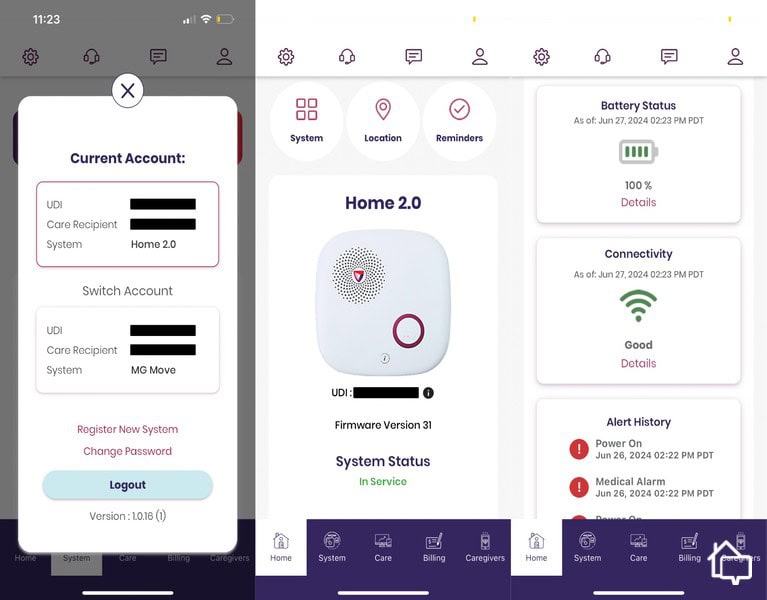
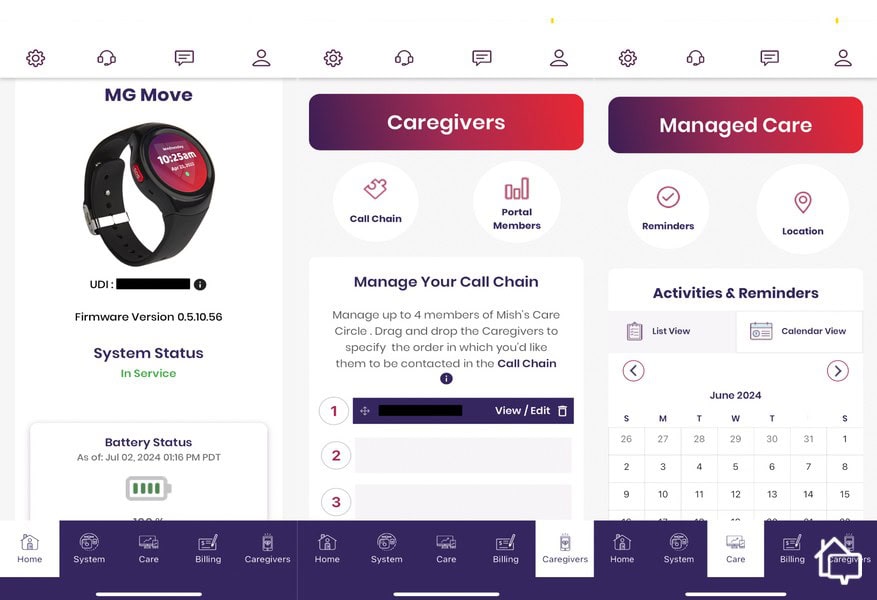
A companion app can make or break the user experience with a medical alert system. The MyGuardian app exceeds expectations by putting complete control at your fingertips. We could instantly view all our connected devices, toggle them on or off, and access critical features with just a tap.
Medical Guardian’s mobile app made it easy to manage both of our systems.
MyGuardian’s standout feature is its intuitive design. Everything we needed was immediately accessible from the home screen – no hunting through confusing menus or buried settings. Whether we wanted to update emergency contacts, check our billing, or view our daily step count from the MGMove, it was always just one or two taps away.
We used the mobile app to add caregivers, manage our reminders, and check the status of our MGMove.
Medical Guardian frequently offers promotional pricing to make their systems more accessible. As of late 2024, you can save up to 50 percent on select devices. Additionally, Medical Guardian includes free activation, free shipping, and a complimentary lockbox with annual plans – a solid value package. We recommend checking their website before purchasing to catch the latest deals. Here’s what’s currently available:
MGMini
MGMini Lite
Deal and perks
Up to $100 off, plus free shipping and setup
Up to $100 off equipment, plus free shipping and setup
Services
Cellular/landline
Cellular/landline
Equipment
Wearable medical alert button
Wearable medical alert button
Options and add-ons*
Free lockbox included with annual plans for new customers
Free lockbox included with annual plans for new customers
Reading the Fine Print
The fine print might not be thrilling reading material, but understanding it can save you from surprises down the road. When you’re depending on a medical alert system for your safety, you need to know exactly what you’re agreeing to. Here’s what we found in Medical Guardian’s terms and conditions.
Contracts
You may be happy to know that Medical Guardian maintains a no-contract policy across all its subscriptions and equipment purchases. While monthly monitoring is required to keep your device active, you can cancel anytime without penalties or termination fees. Once you purchase equipment, it’s yours to keep forever. Note that Medical Guardian discontinued its 14-day money-back guarantee on equipment. However, you can still get a prorated refund on subscriptions.
Warranties
Medical Guardian provides a manufacturer’s warranty that remains active throughout your subscription period. There’s also a one-year warranty that covers materials and workmanship. The MGMove smartwatch includes an additional 90-day warranty specifically for technical issues and malfunctions, giving you extra peace of mind with this more complex device.
Bottom Line
Medical Guardian offers medical alert options for everyone – seniors, individuals with medical conditions, or people prone to falling. Likewise, the company can protect you whether you’re a confirmed homebody or an active on-the-go senior.
We also like the fact that Medical Guardian systems are simple to set up and use. We found the controls intuitive, with all functions at most a couple of clicks away. The customer support agents we talked to were also friendly and ready to help.
While their prices are slightly higher than some competitors, they offer top-tier products and services that justify the investment. With reliable monitoring, user-friendly technology, and no long-term contracts, Medical Guardian remains one of our top picks for medical alert systems.
Medical Guardian systems typically are not covered by standard health insurance plans. However, some Medicare Advantage plans, long-term care insurance, or state Medicaid programs may provide partial or full reimbursement. Contact your insurance provider to verify coverage options.
Medical Guardian has a free manufacturer’s warranty that is active as long as you have a subscription. It also offers product warranties that protect against defects in materials and workmanship for up to one year after your purchase.
Response times for Medical Guardian alert systems average 20 to 30 seconds based on our testing and user reports. During our evaluation, we achieved an average response time of 23 seconds, though times may vary based on network conditions and call volume.
Yes, Medical Guardian’s monitoring center will contact 911 and dispatch emergency services when needed. They first attempt to reach you through the device to assess the situation, then contact your designated emergency contacts if necessary. After that, they dispatch appropriate emergency responders based on the severity of the situation.
After earning a degree in journalism, Jenny Wisniewski spent much of her professional life in education; however, she returned to writing in earnest in the senior care space, acting as caregiver to her mother. She has hand-tested the industry’s top medical alert systems, writing nearly 50 in-depth articles that help seniors age safely in place. Jenny also covers caregiving, Medicare, assisted living, memory care, and Alzheimer’s and Parkinson’s diseases. Previously, she’s written for national publications such as Country Magazine and Sierra Magazine. Jenny holds dual bachelor’s degrees in English/Journalism and Political Science from Miami University in Oxford, OH. She currently resides in Milwaukee, WI.
 Updated November 27, 2025
copied!
Updated November 27, 2025
copied!