SafeHome.org may receive compensation from some providers listed on this page. Learn More
We may receive compensation from some providers listed on this page. Learn More
SafeHome.org may receive compensation from some providers listed on this page. Learn More
We may receive compensation from some providers listed on this page. Learn More
Bay Alarm Medical’s four distinct alert systems each provide meaningful protection for the most unexpected emergencies.
 Updated November 25, 2025
copied!
Updated November 25, 2025
copied!
Bay Alarm offers both medical alert systems and home security systems. While Bay Alarm delivers consistently strong performance across both product lines, we wondered whether the company is spreading itself too thin?
We tested their medical alert systems to find out. In our testing, we learned that while Bay Alarm Medical has some limitations, the company excels in multiple areas. Take cellular monitoring equipment, for instance. This technology helps Bay Alarm enhance the reliability and coverage of its medical alert devices. You can feel safer knowing that help is available even during power outages or landline failures.
Want to know more about what we discovered in our Bay Alarm Medical tests? Keep reading.
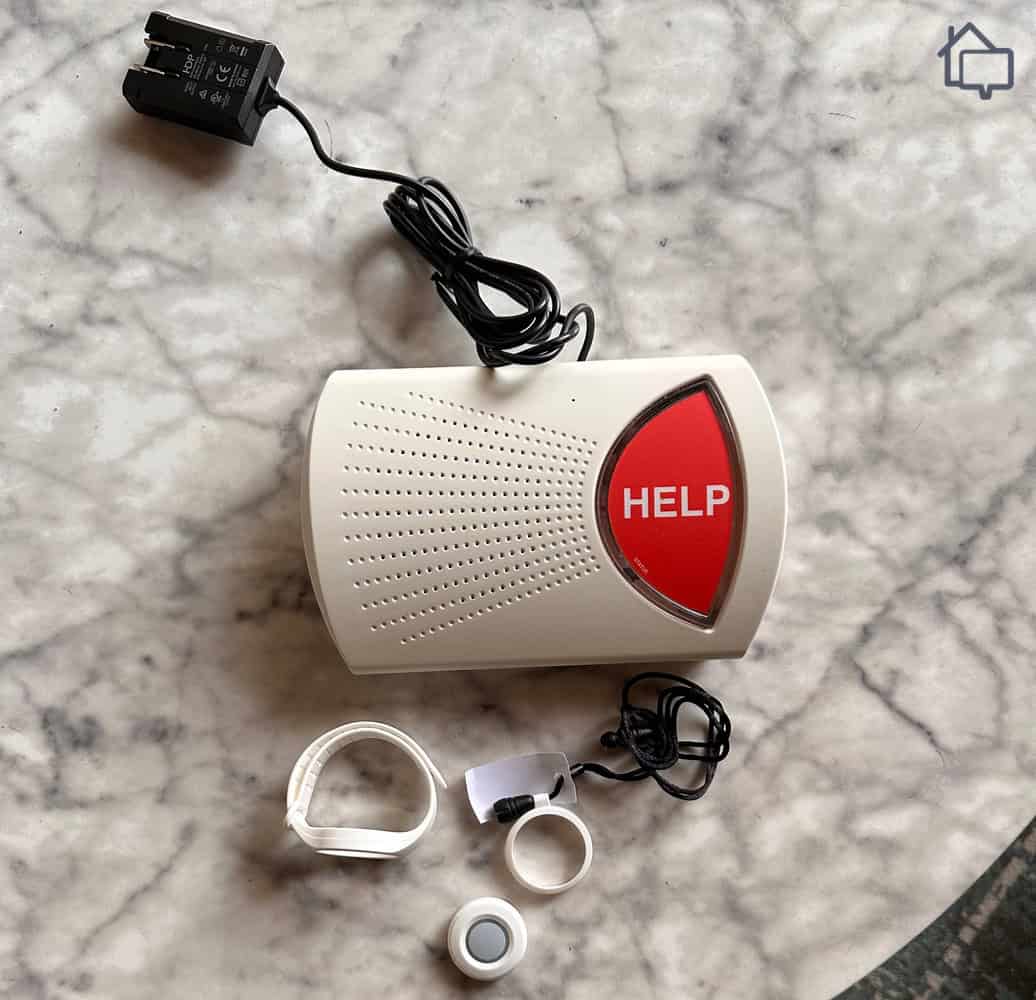
Bay Alarm Medical home device unboxed

Bay Alarm’s website made comparing all four systems easy. Each one is displayed prominently with clear product images and feature comparisons. Click the picture, and you get a full page explaining the system in detail. If only all company homepages were this easy to navigate.
Pricing is just as straightforward. Throughout the purchasing process, we clearly compared equipment costs, monthly fees, and optional add-ons before heading to checkout. We also liked that there were no surprise fees or hidden charges when we completed our test purchase. This made it easy to compare features like landline and cellular connectivity. Our advice? Go with cellular if you can. Landline systems cost less upfront, but we find cellular systems more reliable because they continue to work during power outages. It’s worth the extra monthly fee.
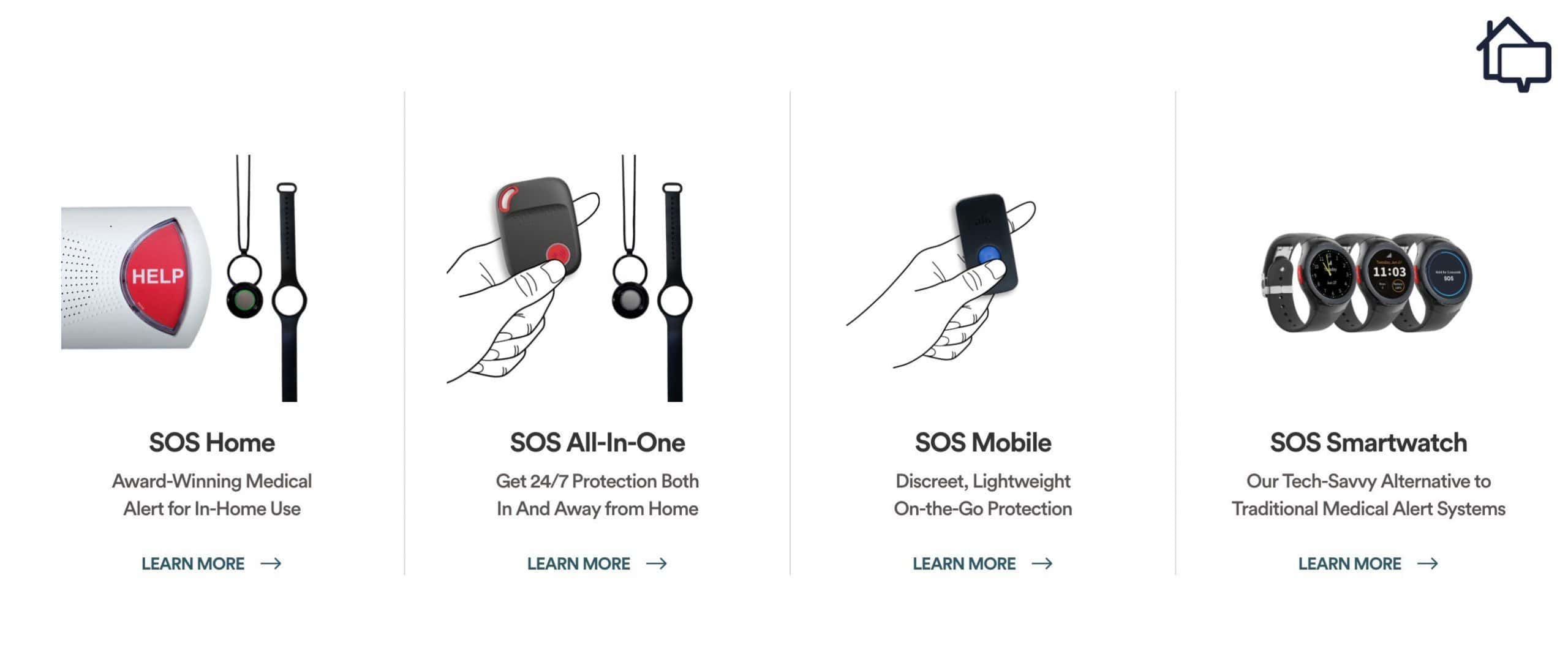
Bay Alarm device options
While you can’t build a system from scratch with Bay Alarm, all of their packages are customizable. For example, we added Fall Detection to our plan for $10 more per month (a standard price across the industry). We also added two wall-mounted emergency buttons for $35 each. Once you choose a base package, you’ll find these options under the “add-ons” tab at checkout.
Pro Tip: If fall detection is a top priority for you, check out our guide to the best medical alert systems with fall detection. We encourage adding fall detection, especially for older seniors or those with mobility issues who are more prone to accidental falls. And even if you don’t need it now, it’s nice to know that fall detection is available as an add-on if or when you do need it.
Setting up our Bay Alarm Medical equipment was straightforward. The comprehensive video tutorials walked us through each step. We had our system up and running in less than 10 minutes. Granted, we set up home security equipment for a living. Even so, we had zero problems getting these devices up and running.
Whether you like figuring out problems on your own or getting personal help, Bay Alarm has you covered. Their homepage’s FAQ, Help Guides, and instructional videos provided us with the information we needed to reset the combo on our Bay Alarm lockbox. We found a guide with clear step-by-step instructions.
During our test calls to customer service, we consistently reached knowledgeable representatives within three minutes. When we called with a lockbox question, our representative walked us through the reset process and offered tips for creating a memorable but secure combination.
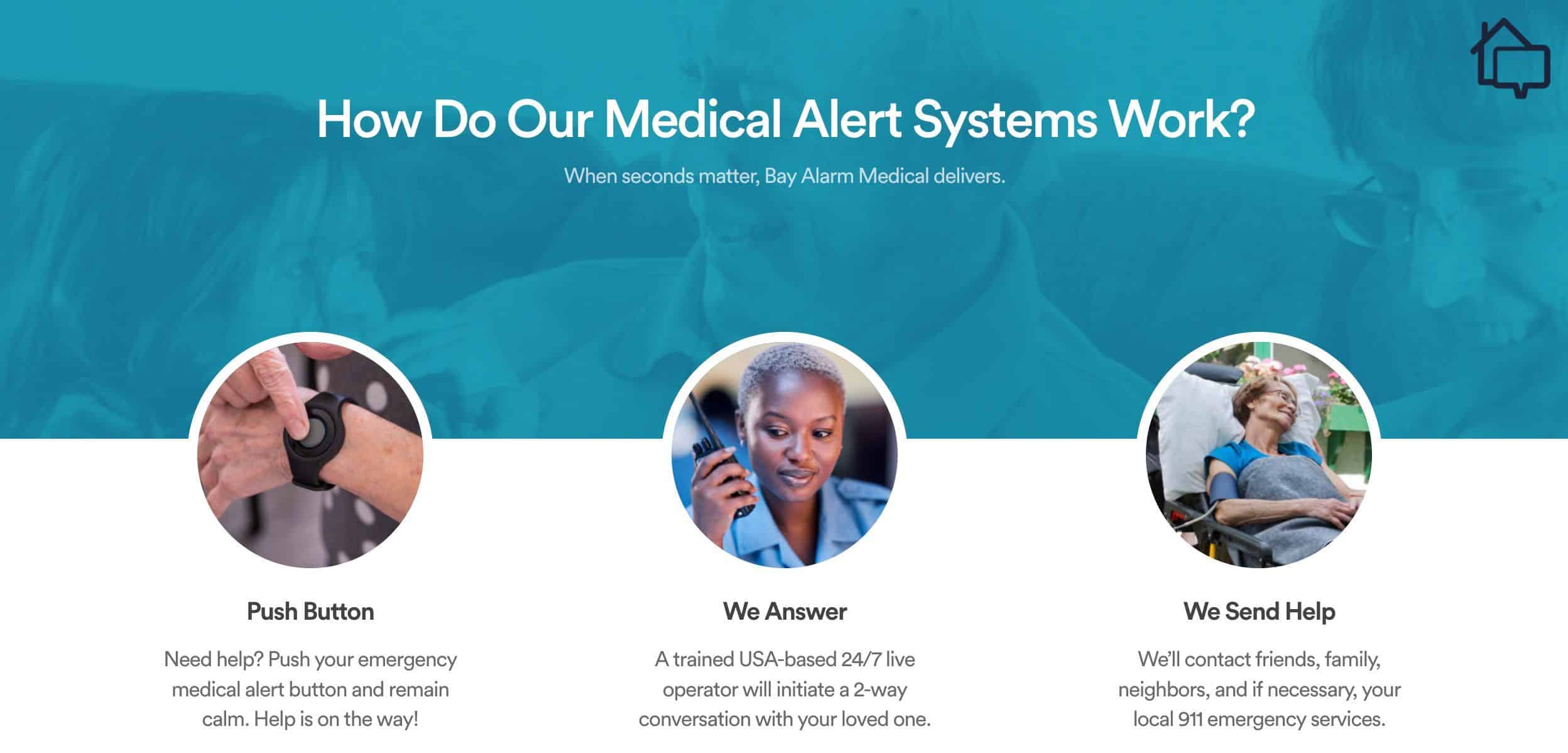
How Bay Alarm devices work
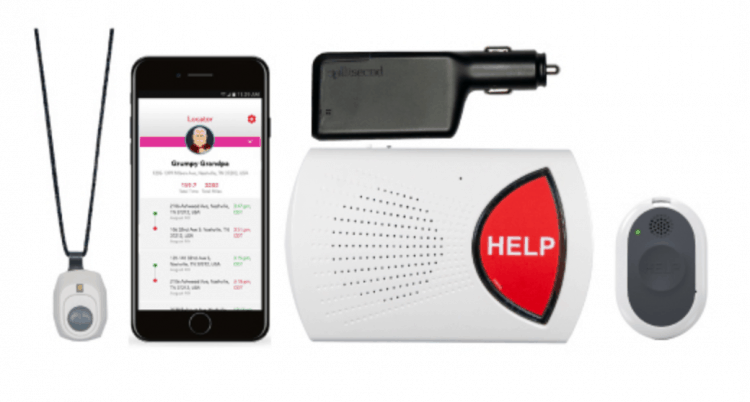
As we hinted at before, Bay Alarm Medical offers four separate medical alert systems. Each one comes with 24/7 professional monitoring and options to customize the system based on your needs.
Let’s start with Bay Alarm’s SOS Home system. This is a home-based system offered with either a landline or cellular connection. The cellular version has a higher monthly fee because it needs to access the networks. You can also add Fall Detection to either system for an extra $10 per month. Here’s a full breakdown of the SOS Home’s options:
If you’re a senior on the go, Bay Alarm’s SOS Micro package would be a better fit. This system works anywhere, so you can stay protected wherever you roam. You can bundle this system with fall detection or an SOS Home. All three options require a $149 equipment fee and a monthly fee as follows:
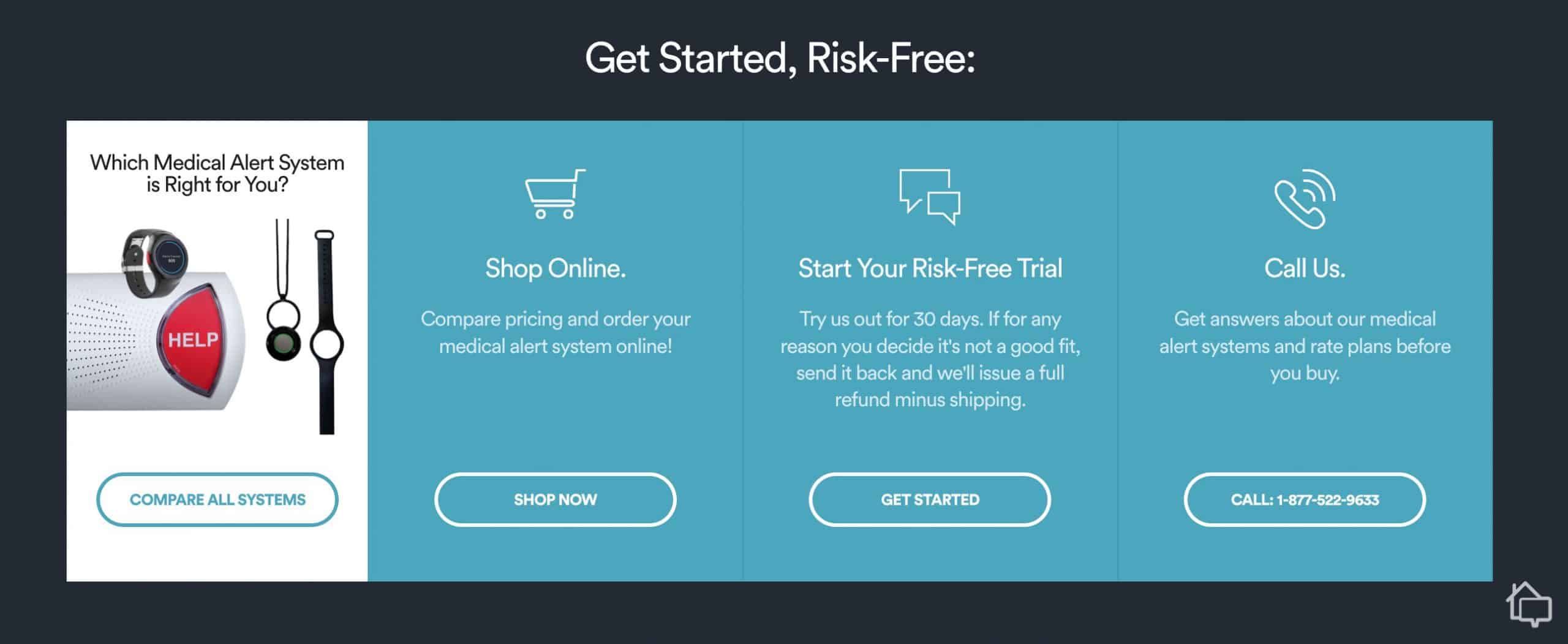
Bay Alarm purchase help and options
The SOS All-In-One 2 is another mobile system. It works as a standalone device that you can wear as a lanyard just like the emergency button for the SOS Home system. However, the All-In-One 2 works anywhere like the SOS Micro. Equipment costs vary from $149 to $245 depending on the plan.
As for monitoring, you have three plan options.
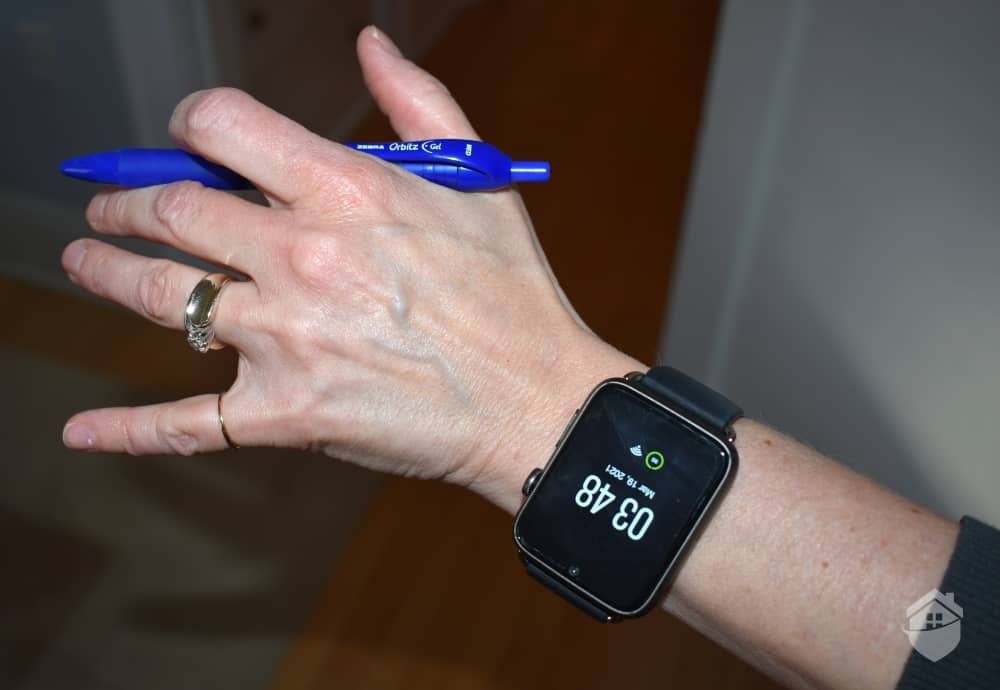
Finally, Bay Alarm offers a stylish SOS Smartwatch. The smartwatch offers the mobility of the Micro but adds features like a step tracker and a weather app packaged in a sleek high-tech design. It can help conceal the fact that you’re using a medical alert system. The Smartwatch requires an initial investment of $199, but you can choose from multiple monthly plans.
Pro Tip: Take a look at our guide to the best medical alert systems to see how Bay Alarm Medical stacks up against some of the top brands in the industry. You may even change your mind and go for another system altogether.
Below is an overview of all of Bay Alarm Medical’s alert systems.
| Bay Alarm Medical Alert systems | System type | Connection type | Monthly plan cost | Equipment fees |
|---|---|---|---|---|
| SOS Home Landline | At-home/landline | Landline | $27.95 | $0 |
| SOS Home Cellular | At-home/wireless | Cellular | $34.95 | $0 |
| SOS Home Cellular w/ Fall Detection | At-home/wireless | Cellular | $44.95 | $0 |
| SOS Micro | Mobile/wireless | On-the-go | $34.95 | $149 |
| SOS Micro With Fall Detection | Mobile/wireless | On-the-go | $44.95 | $149 |
| SOS Micro 360 Bundle | Mobile/wireless | On-the-go | $59.95 | $149 |
| SOS All-In-One | All-in-one | At-home/on-the-go | $34.95 | $149 |
| SOS All-In-One With Fall Detection | All-in-one | At-home/on-the-go | $44.95 | $187 |
| SOS All-In-One w/ Fall Detection and 360 Bundle | All-in-one | At-home/on-the-go | $54.95 | $245 |
| SOS Smartwatch | Mobile/wireless | On-the-go | $39.95 | $199 |
| SOS Smartwatch With Fall Detection | Mobile/wireless | On-the-go | $49.95 | $199 |
| SOS Smartwatch 360 Bundle | Mobile/wireless | On-the-go | $64.95 | $199 |
Every Bay Alarm Medical system connects you to its U.S.-based monitoring centers. In our testing, the average response time was less than 30 seconds. The centers are available 24/7/365. They’re even open during holidays and severe weather events. That said, each system comes with its own particular equipment and set of features. To get the most out of your medical alert system, you want to choose the system that is best going to suit your individual needs.
SOS Home
SOS Mobile
SOS All-In-One 2
SOS Smartwatch
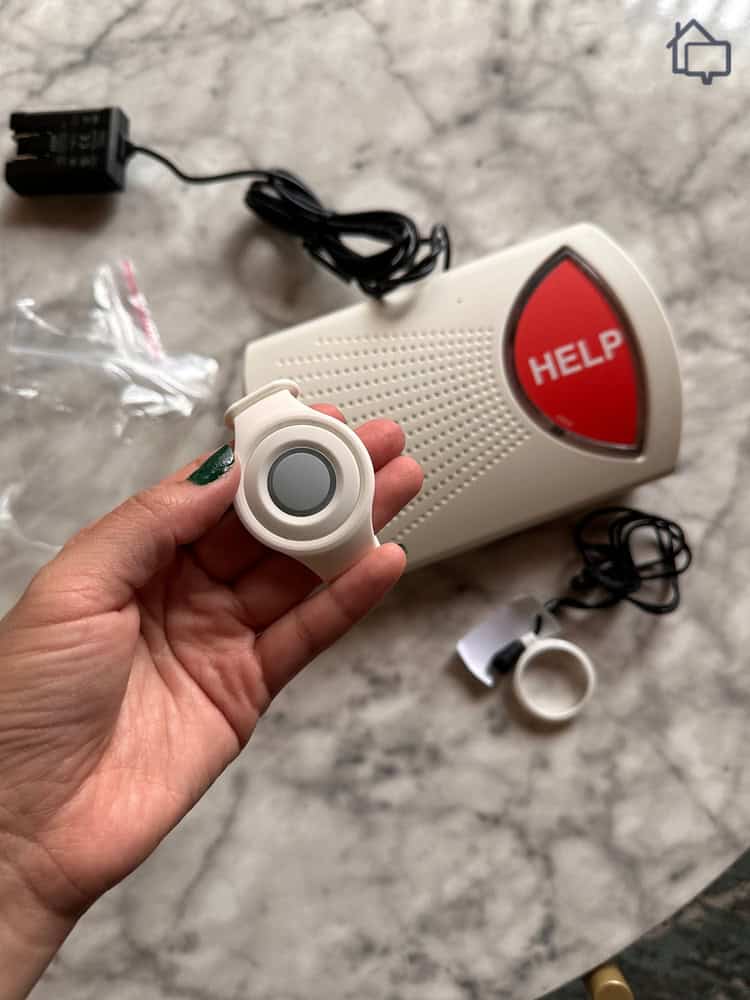
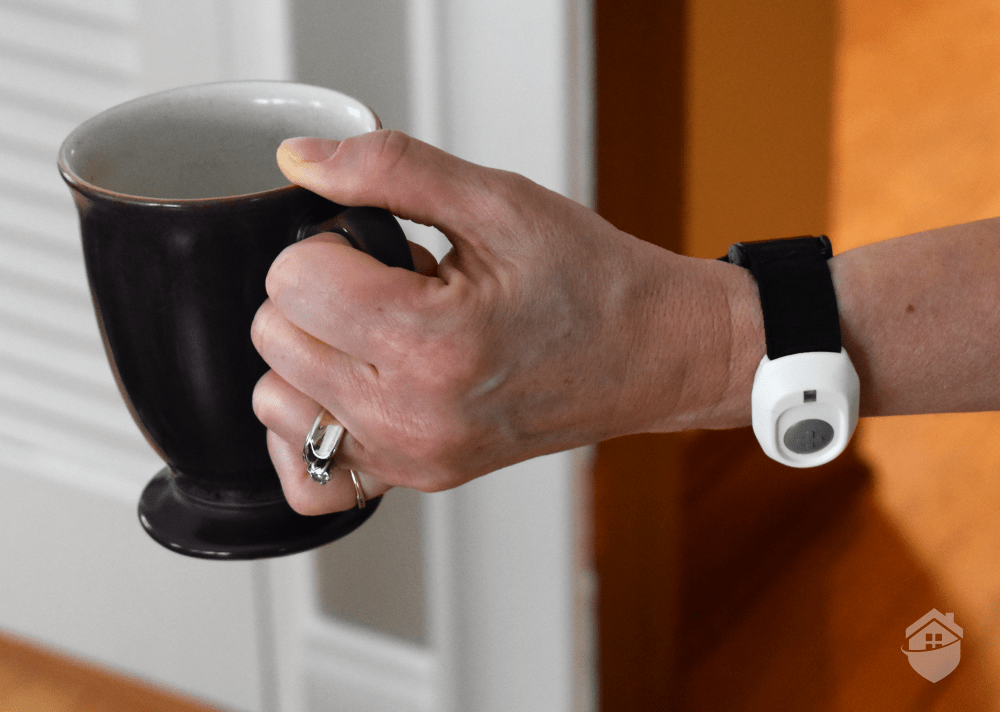
Holding extra pendant for Bay Alarm Medical home device
Pro Tip: If the smartwatches by Bay Alarm Medical caught your eye, check out our review of the best medical alert systems worn as watches. Surprisingly, Apple landed on our list, but you’ll have to read on to find out why.
Bay Alarm Medical also offers an extensive selection of add-ons to enhance your system’s functionality and convenience:
| Add-on equipment | Cost | Features and functionality |
|---|---|---|
| Fall detection | $10 per month |
|
| Extra buttons | $40 each |
|
| Wall buttons | $35 each |
|
| Lockbox | $30 each |
|
| Vial of L.I.F.E. Kits | $8 each |
|
| Extra auto fall-detection buttons | $10 each |
|
| Warranty plan | $4.95 per month |
|
| Bella Charms | $25 each |
|
| Bella Bands | $17 each |
|
| Additional charger | $49 each |
|
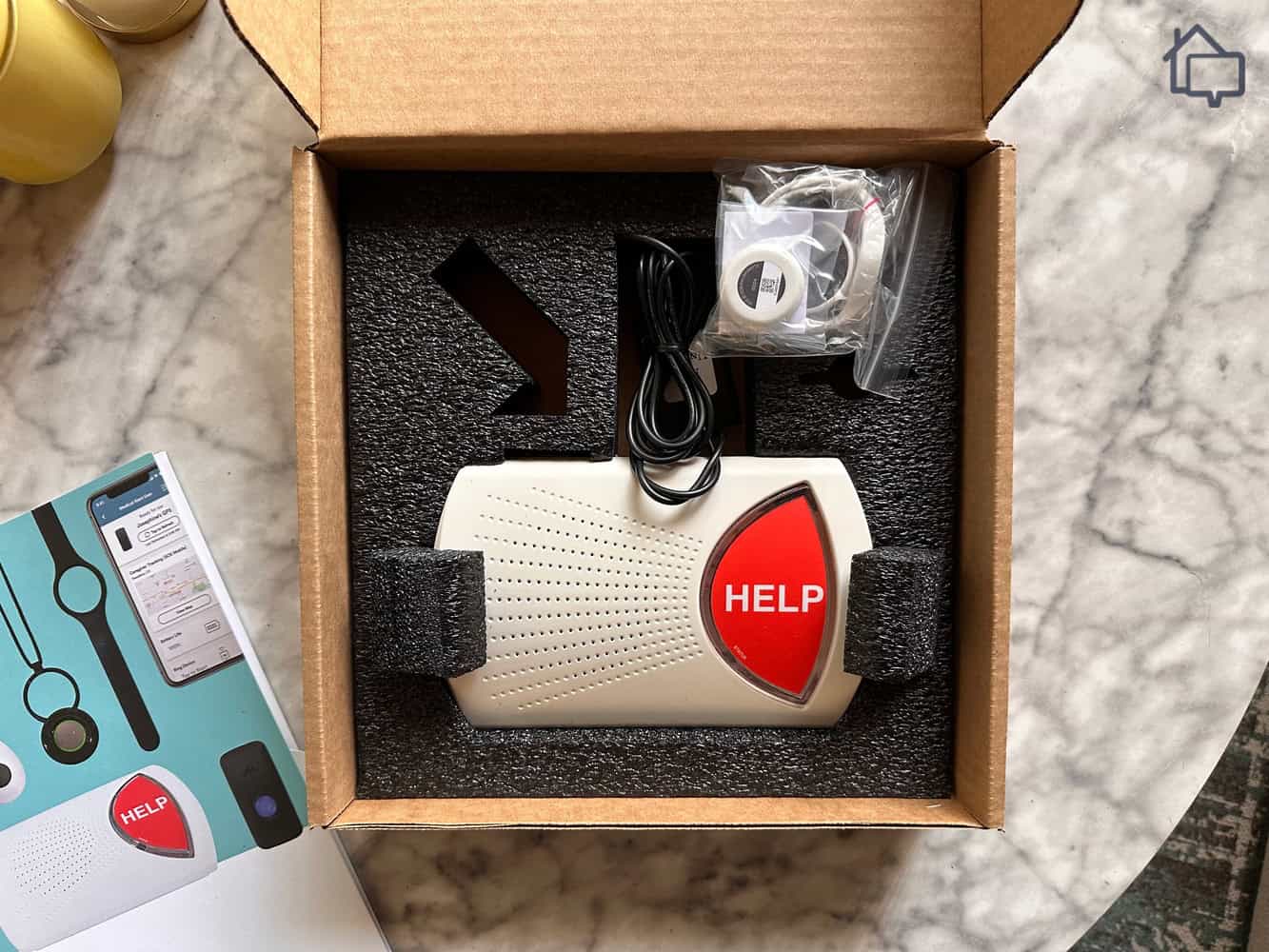
Bay Alarm Medical home device in box
We recommend downloading the Bay Alarm Medical mobile app, available for both iOS and Android devices. It makes system management less of a chore and means you can manage it from anywhere. The app includes system guides so you’re never lost while using your equipment. We also like that the app features real-time billing information, payment history, and automatic payment setup options. It saved us a call to the customer service team. The app also stores all of your personal information. It’s easy to update all this data as your life changes, and you have access to it no matter where in the world you might go.
Don’t worry, though: you can use all of your equipment and access all of its features even if you never open the app. The app also has a family sharing feature that lets designated loved ones help manage your account. They can also receive alerts when you use your device and update your emergency contact information. It’s perfect for adult children who care for aging parents.
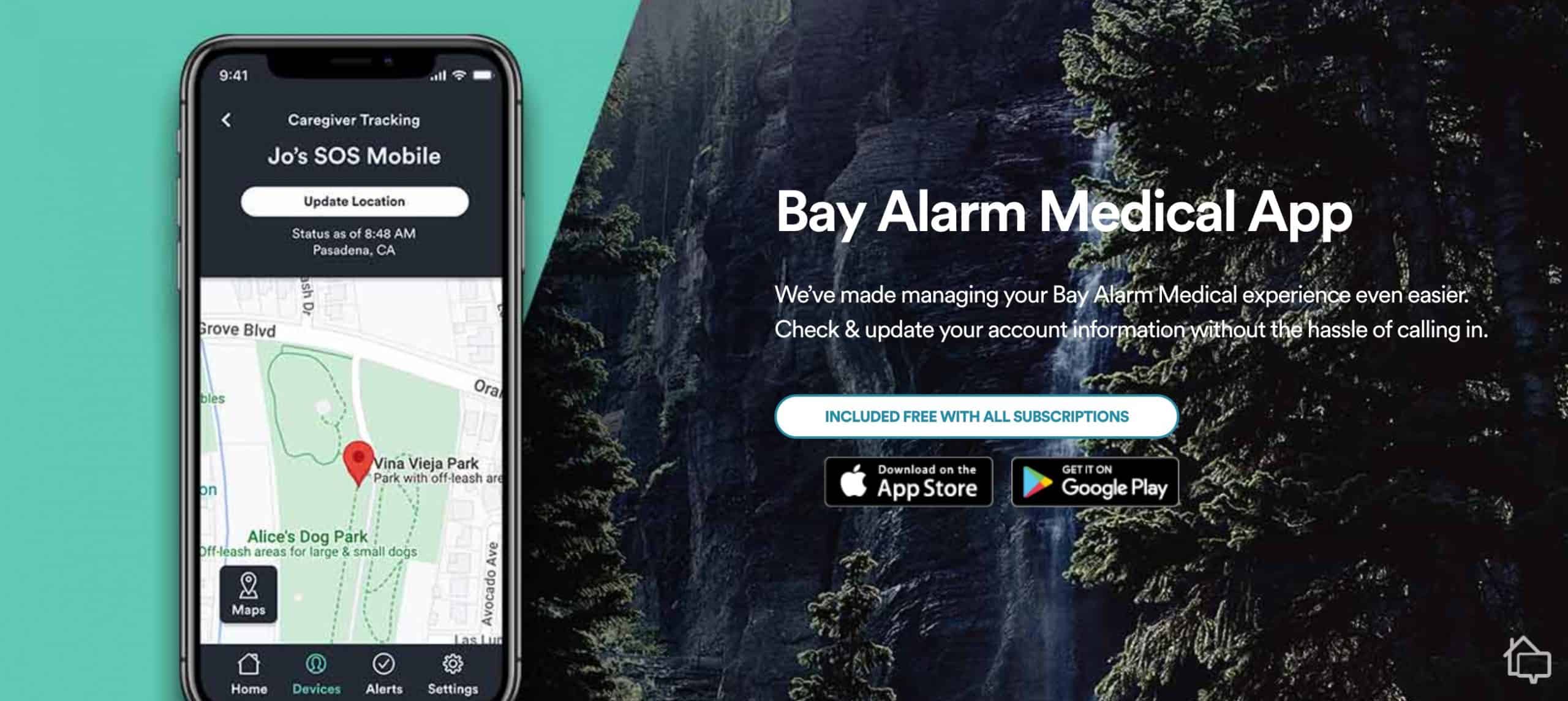
Bay Alarm mobile app download page
During our tests, we found it much easier to get answers through the app than by dialing up customer service. The app’s knowledge base covers everything from troubleshooting device issues to understanding billing cycles. It even has video tutorials and step-by-step guides that load instantly. Whether it’s questions about our equipment, making payments, or adjusting our plans, we prefer to have the information laid out in front of us on a screen. If you like a human voice, though, Bay Alarm has you covered.
We see Bay Alarm frequently offer promotional pricing on its equipment. Special discounts can lower the cost of equipment by 20 to 40 percent. For instance, the $199 SOS Smartwatch currently costs $159.20 after the 20 percent discount.
We also recommend taking a look at Bay Alarm’s 360 Bundle deals. Basically, you get a wearable mobile device and an in-home system for one low price. Of course, just buying one or the other is cheaper. However, if you need both kinds of coverage, this deal can save you around $35 a year over purchasing them separately.
In addition, Bay Alarm offers couples two-for-one coverage. When one person in a household signs up for coverage, their spouse is covered at no extra charge. That can add up to enormous savings over the long term.
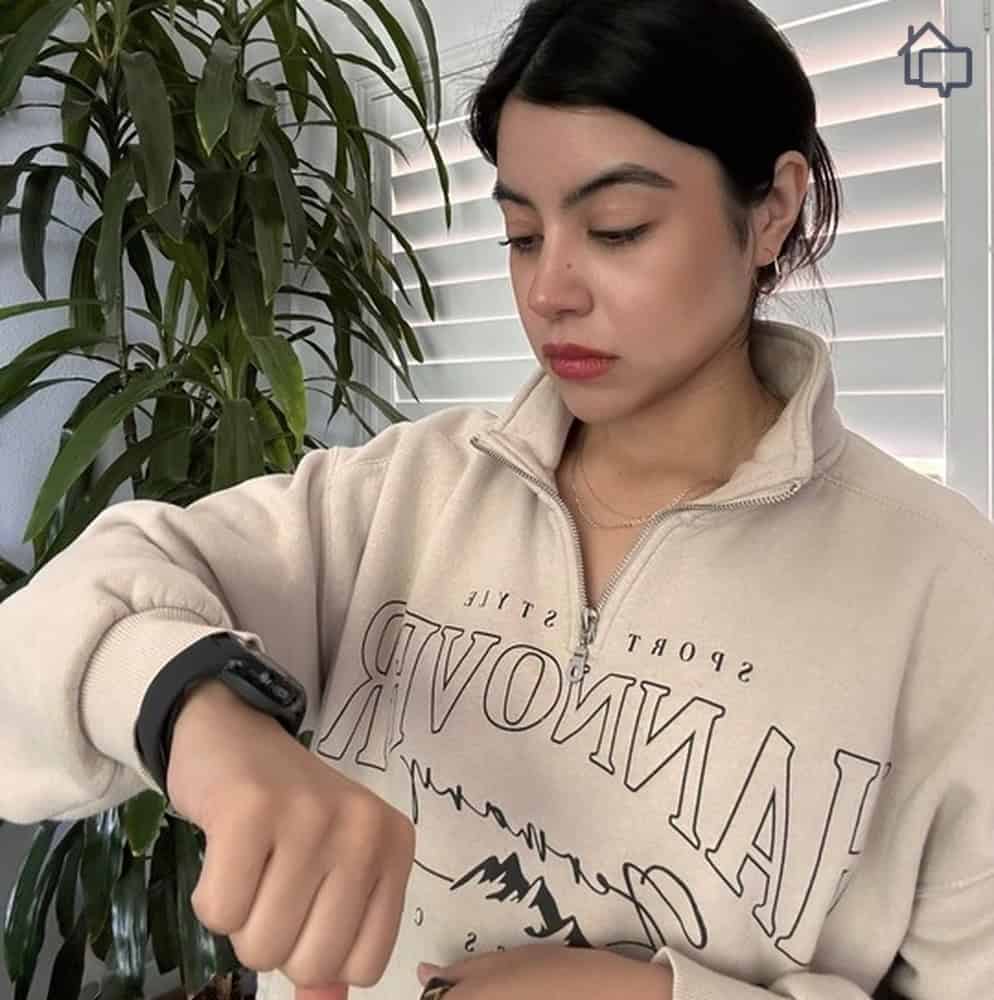
Looking at the Bay Alarm Medical smartwatch
Finding the right medical alert system isn’t just about price. It’s also about matching the device’s capabilities to your lifestyle and health needs. Keep in mind, though, value isn’t always about the raw numbers. Sure, price matters, but the most valuable system is the one that’s going to do what you need it to at the lowest price.
Which system is right for you, and thus, the best value, is going to depend on your specific situation. We recommend considering your daily routine, health conditions, and living situation when evaluating which features matter most to you.
As a starting point, do you need an on-the-go system, or are you fine with an at-home system?
As the name implies, on-the-go medical alert systems provide the protection of an at-home system while you’re on the move. With GPS tracking, operators can dispatch local emergency services to you no matter where you go. If that sounds like you, we recommend the SOS All-In-One, SOS Micro or SOS Smartwatch.
When will an at-home system work better?
Since many (but not all) individuals who need medical alert systems are seniors, many people using the devices aren’t able to leave the house without assistance. If that’s the case for you, a home SOS system will be perfect. We recommend having a mobile medical alert option in case you need to leave your house, but a home system will keep a close watch on your daily activities and will be available to assist you during an emergency.
Pro Tip: Our medical alert system buying guide will tell you what you should be looking for in a device. If saving as much money as possible is your priority, skip ahead to our guide to the cheapest medical alert systems.
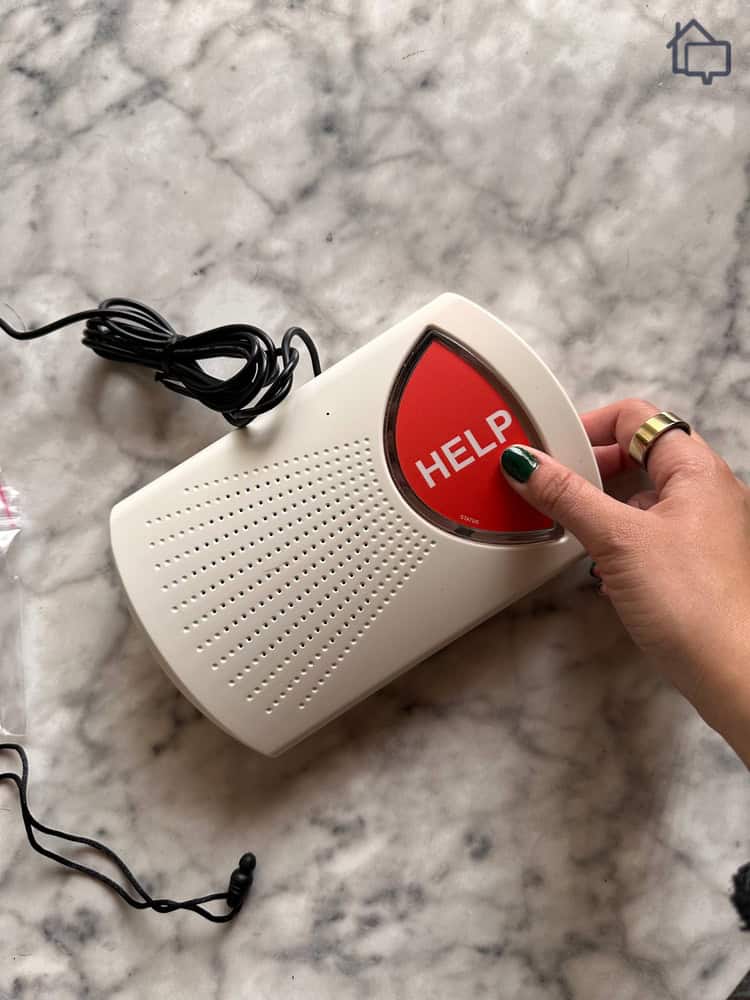
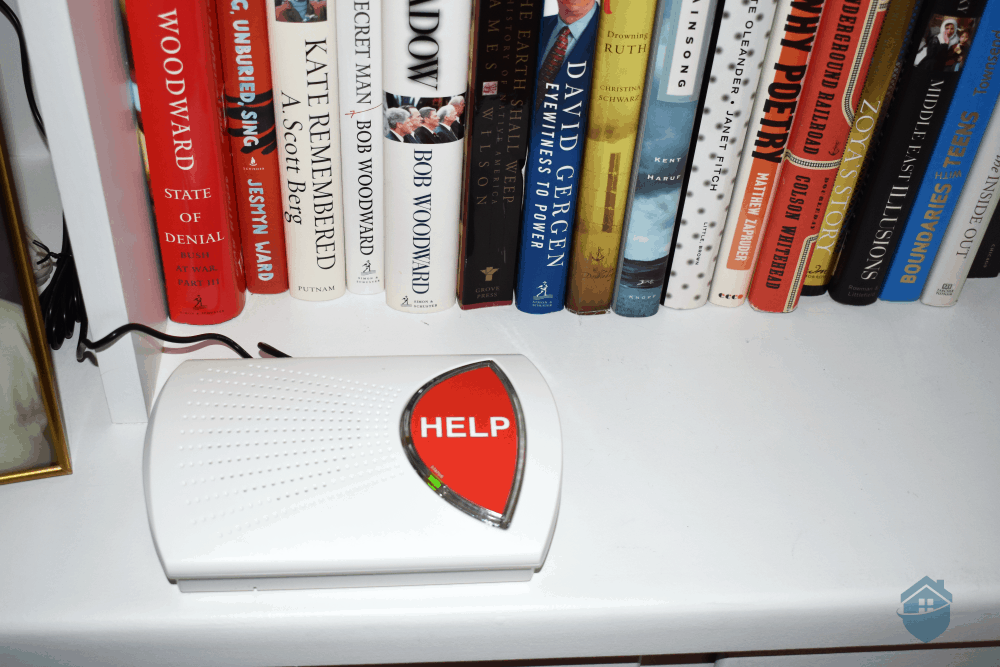
Testing Bay Alarm Medical home device
Look, no system is right for everyone. That said, Bay Alarm is pretty close to it. First, and most importantly, it’s reliable. Whether you invest in a mobile system or in-home care, you can count on the equipment to work when you need it and their monitoring agents to respond appropriately.
Second, we think Bay Alarm offers peace of mind at an affordable price. In-home equipment is free, and mobile equipment is reasonably priced. Add in affordable monthly monitoring plans starting at just $27.95 with tons of features, and you’ve got one of the top medical alert systems on the market.
Bay Alarm Medical is powered by 4G LTE cellular data. Depending on your area, the watch runs on either AT&T or Verizon.
That depends on what you’re looking for in a medical watch. The Bay Alarm Medical SOS Smartwatch has a simpler user interface and an easier learning curve. It’s also cheaper. The Medical Guardian smartwatch has more abilities for its wearers to play around with, including calendar alerts and messaging apps, and it has a tracking app that allows caregivers to track you.
Monthly fees for 24/7 professional monitoring from Bay Alarm Medical start at $27.95 for a landline at-home system. On-the-go systems start at $34.95 per month. You can add fall detection for an extra $10 per month.
No, Medicare usually doesn’t cover Bay Alarm Medical devices. Medicare generally doesn’t cover any medical alert systems, regardless of the company.
Yes, to a point. You probably wouldn’t want to take your SOS Smartwatch with you for a swim, but it offers protection from rainwater and you can use the device while showering, which is one of the times you need it most.
Alzheimer's Association. (Retrieved February 2023). Wandering and getting lost: Who’s at risk and how to be prepared.
https://www.alz.org/media/documents/alzheimers-dementia-wandering-behavior-ts.pdf
National Center for Health Statistics. (Retrieved February 2023). Wireless Substitutions.
https://www.cdc.gov/nchs/data/nhis/earlyrelease/wireless202212.pdf
Bay Alarm News. (2016, April 6). Bay Alarm Brothers Inducted Into Security Sales and Integration Industry Hall of Fame.
https://www.bayalarm.com/news/bay-alarm-brothers-inducted-into-security-sales-and-integration-industry-hall-of-fame/